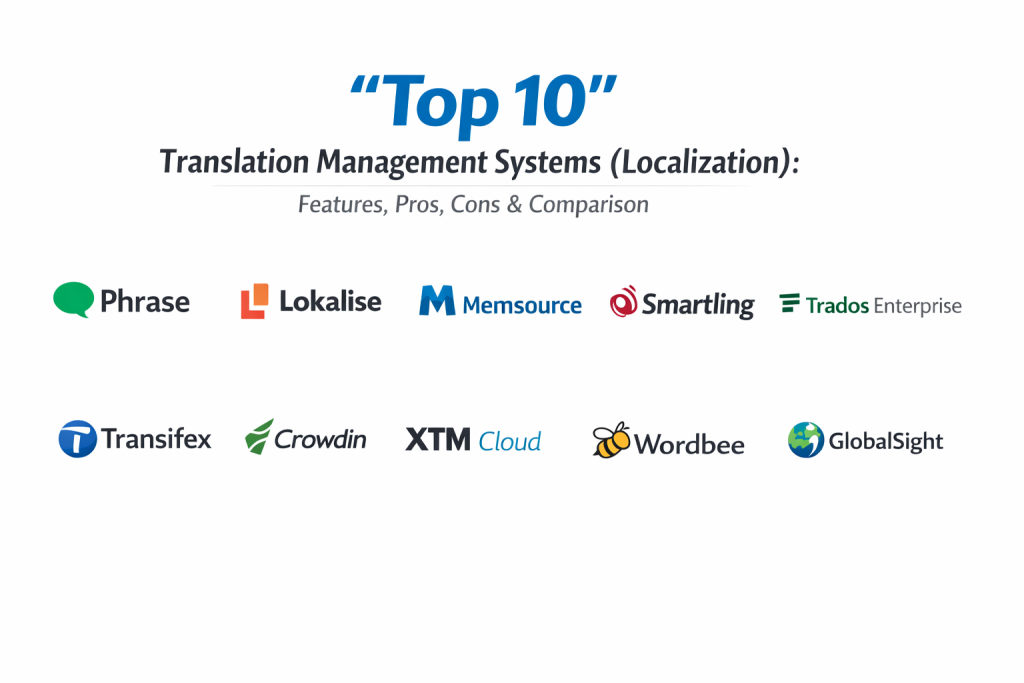
Introduction
A Translation Management System (TMS) is a specialized software category designed to automate and manage the end-to-end lifecycle of language translation and localization. Unlike simple translation apps, a TMS provides a collaborative environment where project managers, translators, and editors can work together. These systems integrate various technologies, such as translation memory, terminology databases, and machine translation engines, to ensure that content is translated accurately and consistently across different languages and regions.
In the global economy of the mid-2020s, a TMS is no longer a luxury but a strategic necessity. It matters now because businesses are expanding into international markets faster than ever, requiring their websites, software, and marketing materials to be available in dozens of languages simultaneously. A robust TMS allows organizations to move away from slow, manual email-and-spreadsheet workflows toward automated pipelines that can handle continuous updates in real-time.
Real-World Use Cases
- Software Localization: Automatically pushing strings from a developer’s code repository to the TMS and pulling translated content back without manual file exports.
- Website Globalization: Managing the translation of thousands of product pages and blog posts while maintaining the original layout and design across multiple languages.
- Marketing Campaigns: Coordinating the localized rollout of global advertisements, ensuring that brand slogans are culturally adapted rather than just literally translated.
- Legal and Compliance Documentation: Maintaining highly accurate and consistent terminology across technical manuals, contracts, and safety documents.
- Customer Support: Enabling real-time translation of support tickets and help center articles to provide a better experience for non-English speaking users.
Evaluation Criteria for Buyers
- Automation & API Support: The ability to integrate with CMS platforms (like WordPress or Contentful) and developer tools (like GitHub).
- Translation Memory (TM): A database that stores previously translated segments to reduce costs and ensure consistency in future projects.
- Collaboration Tools: Features that allow real-time communication between internal teams and external translation agencies.
- Machine Translation (MT) Integration: Compatibility with high-end engines like DeepL, Google Translate, or specialized AI models.
- Quality Assurance (QA) Tools: Automated checks for punctuation, numbers, and forbidden terms to catch errors before publication.
- Vendor Management: Built-in systems to manage translator workloads, deadlines, and payments.
- User Interface and Ease of Use: How intuitive the platform is for non-technical users who may be managing the localization process.
Best for: Global enterprises, SaaS companies, e-commerce brands, and marketing agencies looking to scale their international presence through automated localization.
Not ideal for: Small local businesses with no plans for international expansion or projects that only require occasional, one-off document translations.
Key Trends in Translation Management Systems
- Generative AI & LLM Integration: Systems are now using Large Language Models (LLMs) to provide “AI-assisted” translations that capture context and brand voice better than traditional machine translation.
- Continuous Localization: A shift toward “always-on” localization where translations happen in the background as soon as a single word of source code is changed.
- In-Context Previewing: Allowing translators to see exactly how their text will look on the live website or app interface while they are working.
- Automated Quality Estimation: AI tools that can predict the quality of a machine-translated segment and flag it for human review only if it falls below a certain score.
- Advanced Content Connectors: The expansion of “no-code” connectors that allow marketing teams to sync content between their TMS and tools like Figma, HubSpot, or Zendesk.
- Hyper-Personalization: The use of data to adapt content not just for a country, but for specific regional dialects and cultural nuances within a single language.
- Voice and Multimedia Localization: Improved workflows for managing the translation of video subtitles, voiceovers, and interactive media directly within the TMS.
- Data Security & Sovereignty: Increased focus on ensuring that sensitive company data used in translation memories is protected and compliant with local privacy laws.
How We Selected These Tools
Our methodology for selecting the top ten Translation Management Systems involved analyzing market mindshare, feature depth, and the ability to handle modern, high-speed localization workflows. We looked for platforms that bridge the gap between human expertise and automated technology. Each selected tool was evaluated based on its integration ecosystem, the robustness of its translation memory technology, and its reputation for reliability in high-volume production environments. We prioritized systems that offer clear visibility into project progress and those that support a wide range of file types, from code snippets to complex creative design files. Security and compliance signals were also a major factor to ensure suitability for enterprise-level data protection.
Top 10 Translation Management Systems (Localization)
1. Phrase
Phrase (formerly PhraseApp) is widely considered the leading TMS for software and product teams. It offers a highly modern, API-first approach that makes it a favorite for developers and product managers who need to automate the localization of web and mobile applications.
Key Features
- Phrase Strings: A specialized environment for managing software keys and developer-centric localization.
- Over-the-Air (OTA) Updates: The ability to push translated text to mobile apps without requiring a new app store release.
- Advanced AI Context: Uses AI to provide translators with visual context and suggestions based on previous work.
- Robust API & CLI: Comprehensive tools for automating the flow of content from code repositories to the platform.
- In-Context Editor: Allows users to edit translations directly on their web interface to see how the layout reacts.
Pros
- The fastest and most intuitive workflow for developers and agile product teams.
- Exceptional integration with GitHub, GitLab, and Bitbucket.
Cons
- Can be more expensive than some competitors for very large, high-volume projects.
- Some enterprise features require moving to the highest-tier plans.
Platforms / Deployment
Web / Cloud — Managed
Security & Compliance
ISO 27001 certified and GDPR compliant.
Integrations & Ecosystem
Strongest integration with developer tools and modern CMS platforms like Contentful and Figma.
Support & Community
Excellent technical documentation and a strong community of developers and localization managers.
2. Lokalise
Lokalise is a modern, design-led localization platform that focuses on speed and collaboration. It is highly popular among startups and mid-market companies due to its sleek interface and powerful automation features.
Key Features
- Design Tool Integration: Native plugins for Figma, Sketch, and Adobe XD to start localization at the design stage.
- Automated Workflow Builder: A “drag-and-drop” way to create complex sequences of tasks and approvals.
- Screenshots with OCR: Automatically links screenshots to translation keys using optical character recognition.
- Multi-Platform Sync: Manage web, iOS, and Android translations in a single unified project.
- Live Chat & Collaboration: Built-in messaging to discuss specific translation segments in real-time.
Pros
- Superior user experience that is easy for both developers and non-technical managers.
- Strong focus on the design-to-development localization pipeline.
Cons
- The pricing model can be complex as it scales with the number of translation keys.
- Some advanced reporting features are locked behind higher enterprise tiers.
Platforms / Deployment
Web / Cloud — Managed
Security & Compliance
SOC 2 Type 2 compliant and follows strict data encryption standards.
Integrations & Ecosystem
Deep connections with Jira, Slack, Trello, and all major code repositories.
Support & Community
Very responsive customer support and a wealth of educational webinars and guides.
3. Memsource (Phrase LMS)
Memsource, now part of the Phrase family, is an enterprise-grade TMS known for its powerful AI-driven features. It is preferred by large corporations and translation agencies that handle massive volumes of content and require high levels of automation.
Key Features
- AI Non-Translatable Discovery: Automatically identifies segments that shouldn’t be translated (like brand names or code) to save costs.
- Translation Quality Estimation: Predicts the quality of machine translation before a human even looks at it.
- Global Search & Replace: Powerful tools to maintain consistency across millions of translated words.
- Extensive File Support: Handles over 50 different file types, including complex legacy formats.
- Automated Project Creation: Uses templates to kick off new projects the moment content is detected.
Pros
- Exceptional cost-saving features through advanced AI and translation memory.
- Reliable performance for massive enterprise-scale localization projects.
Cons
- The interface is more technical and less “friendly” than newer platforms like Lokalise.
- Initial configuration for complex workflows can take time and expertise.
Platforms / Deployment
Web / Desktop (Editor) / Cloud — Managed
Security & Compliance
ISO 27001 and SOC 2 compliant.
Integrations & Ecosystem
Integrates with all major enterprise software, including Salesforce, Adobe Experience Manager, and SharePoint.
Support & Community
Professional enterprise support with a deep focus on the needs of large-scale translation agencies.
4. Smartling
Smartling is a premium enterprise localization platform that emphasizes quality and visibility. It provides a highly managed experience and is often used by global brands to maintain a consistent voice across all markets.
Key Features
- Visual Context Tools: Provides translators with high-fidelity previews of how their work will look in the final product.
- Direct Professional Services: Option to hire expert translators directly through the Smartling platform.
- Dynamic Workflows: Real-time routing of content based on language, project type, or priority.
- Advanced Reporting: Detailed dashboards on translation speed, cost, and quality scores.
- Cloud Connector Hub: A massive library of pre-built connectors for almost any business software.
Pros
- The best platform for ensuring high-quality, brand-consistent translations at scale.
- Excellent visual tools that reduce errors caused by a lack of context.
Cons
- One of the most expensive options on the market, geared toward larger budgets.
- The feature set can be overkill for smaller teams or simple projects.
Platforms / Deployment
Web / Cloud — Managed
Security & Compliance
PCI DSS, HIPAA, and SOC 2 compliant.
Integrations & Ecosystem
Deep enterprise integrations with Marketo, HubSpot, Zendesk, and Oracle.
Support & Community
High-touch customer success teams and professional onboarding for enterprise clients.
5. Trados Enterprise (RWS)
Trados is the “grandfather” of the translation industry. While it started as a desktop tool, the modern Enterprise version is a cloud-native platform that offers the most robust translation memory and terminology management in the world.
Key Features
- World-Class Translation Memory: The industry standard for managing and leveraging previous translations.
- MultiTerm: A highly sophisticated system for managing complex technical and corporate terminology.
- Desktop & Cloud Sync: Allows translators to work on the powerful Trados Studio desktop app while syncing to the cloud.
- Bespoke Workflows: Highly customizable automation for complex legal and medical localization.
- Secure Machine Translation: Integration with RWS’s proprietary, secure neural machine translation engines.
Pros
- The absolute gold standard for terminology and translation memory management.
- Preferred by the world’s most experienced professional translators.
Cons
- Significant learning curve for new users due to its deep complexity.
- Can feel slower and more “traditional” compared to agile tools like Phrase.
Platforms / Deployment
Desktop / Web / Cloud — Hybrid
Security & Compliance
Meets the highest global enterprise and government security standards.
Integrations & Ecosystem
Strongest in regulated industries like life sciences, legal, and government.
Support & Community
Massive global network of trained professionals and certified training partners.
6. Transifex
Transifex is a pioneer in continuous localization, designed to help digital-first companies keep their software and web content up to date across all languages with every code release.
Key Features
- Transifex Native: A “file-less” localization technology that allows for real-time updates without managing .json or .po files.
- Over-the-Air (OTA) Delivery: Push translations directly to live applications instantly.
- Crowdsourcing Support: Built-in tools to manage community-driven translation projects.
- Real-time Translation Memory: Updates and suggests segments across the entire team as they work.
- Video Subtitle Support: Specialized tools for managing the localization of multimedia content.
Pros
- Excellent for companies that want to move away from traditional file management.
- Very strong features for managing community or open-source localization.
Cons
- The “Native” file-less approach requires more developer involvement to set up.
- Pricing can be high for large teams with high word counts.
Platforms / Deployment
Web / Cloud — Managed
Security & Compliance
SOC 2 compliant and follows standard data protection protocols.
Integrations & Ecosystem
Strong links to Django, Ruby on Rails, and popular JavaScript frameworks.
Support & Community
Very active community and helpful documentation for developers.
7. Crowdin
Crowdin is a versatile localization platform that balances developer needs with a user-friendly interface for translators. It is particularly strong in the gaming and mobile app industries.
Key Features
- Crowdin Marketplace: Hundreds of free apps and integrations to extend the platform’s functionality.
- Visual Editor: A powerful interface for translators that provides real-time context and suggestions.
- In-Context for Web & Mobile: Allows translators to work directly on the live app or site.
- Glossary & Terminology Management: Simple but effective tools for maintaining a consistent brand voice.
- Task Management: Built-in system to assign, track, and approve work across large teams.
Pros
- Incredibly flexible thanks to its app marketplace and open API.
- Great value for money, especially for growing mid-sized teams.
Cons
- The large number of features and settings can be overwhelming at first.
- Some community-built apps may have varying levels of quality.
Platforms / Deployment
Web / Cloud — Managed
Security & Compliance
ISO 27001 certified and GDPR compliant.
Integrations & Ecosystem
Wide range of integrations including Android Studio, VS Code, and Figma.
Support & Community
Highly active community and excellent self-service help resources.
8. XTM Cloud
XTM Cloud is an enterprise-level TMS that focuses on scalability and the use of intelligent automation to reduce the total cost of localization. It is known for its powerful “Inter-Language Vector” technology.
Key Features
- XTM Align: An automated tool to align existing translated documents into a translation memory.
- Intelligent Query Management: A system to manage questions from translators to project managers directly in the platform.
- Weighting and Scoring: Advanced metrics to track the performance of machine translation and human editors.
- Sub-segment Matching: Goes beyond full sentences to find matches within parts of a sentence.
- Global Terminology: Centralized control over terms across all company departments.
Pros
- Highly scalable for global organizations with complex internal hierarchies.
- Strong focus on data-driven localization management.
Cons
- The user interface is functional but lacks the modern “polish” of newer competitors.
- Can require significant training for project managers to use all features.
Platforms / Deployment
Web / Cloud — Managed
Security & Compliance
ISO 27001 certified with robust data residency options.
Integrations & Ecosystem
Excellent integration with enterprise CMS and PIM (Product Information Management) systems.
Support & Community
Professional enterprise support and specialized training programs for localization teams.
9. Wordbee
Wordbee is an all-in-one TMS that combines translation management with business management features like invoicing and quoting. It is a favorite for mid-sized translation agencies and corporate localization departments.
Key Features
- Business Analytics: Built-in tools for financial reporting, budgeting, and resource planning.
- Beebox Connector: A specialized tool to link the TMS with CMS platforms without complex coding.
- Real-time Editor: A collaborative workspace for translators and revisors.
- Vendor Portal: Dedicated space for external translators to manage their assignments and invoices.
- Automated Project Life Cycle: From the initial quote to final delivery, the system automates every step.
Pros
- The best choice for those who need to manage the business side of translation alongside the technical side.
- Very flexible and customizable workflow engine.
Cons
- The interface can feel a bit crowded and “busy” for some users.
- Not as focused on “developer-first” localization as tools like Phrase or Transifex.
Platforms / Deployment
Web / Cloud — Managed
Security & Compliance
Standard SOC and ISO compliance for cloud data security.
Integrations & Ecosystem
Good range of connectors for common CMS and marketing platforms.
Support & Community
Solid support team and a community focused on the business of localization.
10. Localization (L10n) Hub (GlobalSight)
While many newer tools are proprietary, GlobalSight represents the legacy of open-source enterprise TMS. It is often used by large organizations that want a customizable, self-hosted foundation for their localization efforts.
Key Features
- Open-Source Foundation: Allows for deep customization of the core code for specialized needs.
- Workflow Editor: A visual tool to define complex steps for translation, review, and approval.
- Multi-Format Support: Handles a wide range of standard and legacy file formats.
- Terminology Management: Professional-grade tools for maintaining linguistic consistency.
- Scalable Architecture: Designed to handle very large volumes of content across global teams.
Pros
- No licensing fees for the core platform (though hosting and management costs apply).
- Complete control over the software and data residency.
Cons
- Requires significant technical expertise to install, manage, and customize.
- The interface is dated and not as user-friendly as modern SaaS options.
Platforms / Deployment
Self-hosted / Cloud — Hybrid
Security & Compliance
Depends on the hosting environment and user configuration.
Integrations & Ecosystem
Primarily for organizations that build their own custom integrations via API.
Support & Community
Community-driven support with specialized consultants available for hire.
Comparison Table (Top 10)
| Tool Name | Best For | Platform(s) Supported | Deployment | Standout Feature | Public Rating |
| 1. Phrase | Software & Product Teams | Web | Cloud | Over-the-Air Updates | 4.6/5 |
| 2. Lokalise | Design-Led Startups | Web | Cloud | Figma/Design Plugins | 4.7/5 |
| 3. Memsource | High-Volume Enterprise | Web, Desktop | Cloud | AI Quality Estimation | 4.5/5 |
| 4. Smartling | Global Brand Consistency | Web | Cloud | Visual Context Preview | 4.5/5 |
| 5. Trados Enterprise | Technical/Regulated | Desktop, Web | Hybrid | World-Class Terminology | 4.4/5 |
| 6. Transifex | Continuous Localization | Web | Cloud | File-less Native SDK | 4.3/5 |
| 7. Crowdin | Gaming & Apps | Web | Cloud | Integration Marketplace | 4.6/5 |
| 8. XTM Cloud | Data-Driven Enterprise | Web | Cloud | Intelligent Automation | 4.4/5 |
| 9. Wordbee | Translation Business | Web | Cloud | Invoicing & Analytics | 4.2/5 |
| 10. GlobalSight | Custom Open-Source | Self-hosted | Hybrid | Deep Customization | N/A |
Evaluation & Scoring of Translation Management Systems
| Tool Name | Core (25%) | Ease (15%) | Integrations (15%) | Security (10%) | Perf (10%) | Support (10%) | Value (15%) | Total |
| 1. Phrase | 9 | 9 | 10 | 9 | 9 | 9 | 7 | 8.8 |
| 2. Lokalise | 8 | 10 | 10 | 9 | 9 | 9 | 7 | 8.7 |
| 3. Memsource | 10 | 6 | 9 | 10 | 10 | 8 | 8 | 8.6 |
| 4. Smartling | 10 | 7 | 9 | 10 | 9 | 10 | 5 | 8.3 |
| 5. Trados | 10 | 4 | 8 | 10 | 9 | 9 | 6 | 8.0 |
| 6. Transifex | 8 | 8 | 9 | 9 | 8 | 8 | 7 | 7.9 |
| 7. Crowdin | 8 | 8 | 9 | 9 | 8 | 8 | 8 | 8.1 |
| 8. XTM Cloud | 9 | 6 | 8 | 10 | 9 | 8 | 7 | 8.0 |
| 9. Wordbee | 8 | 7 | 7 | 9 | 8 | 8 | 8 | 7.7 |
| 10. GlobalSight | 8 | 3 | 5 | 5 | 8 | 5 | 9 | 6.1 |
Scoring is based on professional localization standards. A high “Core” score indicates the platform’s ability to manage complex, global production needs. “Ease” scores reflect how quickly a non-technical team member can start using the software. “Integrations” scores reflect the depth of connections with design, code, and marketing tools.
Which Translation Management System Is Right for You?
Solo / Freelancer
If you are an individual managing occasional translations, a heavy TMS might be overkill. However, Lokalise or Phrase offer free or low-cost tiers that can help you organize your work and get used to professional tools.
SMB
For a growing company, Lokalise or Crowdin provide the best balance of features and ease of use. They allow you to scale your localization efforts without needing a dedicated localization department.
Mid-Market
Companies with multiple products or heavy marketing needs should look at Phrase or Transifex. These platforms are built for continuous updates and provide the automation needed to keep content synced across different channels.
Enterprise
Large corporations with strict quality and security requirements will find Smartling, Memsource, or Trados Enterprise to be the best fit. These systems offer the deep terminology management and complex workflow controls required at a massive scale.
Budget vs Premium
If the budget is tight, Blender (in the 3D world) was a star, but in TMS, Crowdin and Lokalise offer the most feature-rich experiences for their price. For those with significant budgets who prioritize quality and support, Smartling is the premium choice.
Feature Depth vs Ease of Use
Trados and XTM Cloud offer incredible depth in terminology and translation memory but have a high learning curve. Lokalise and Phrase are designed to be used by anyone on the team with minimal training.
Integrations & Scalability
If your localization starts in Figma or Sketch, Lokalise is the winner. If your content is primarily in GitHub or Bitbucket, Phrase is unmatched. For scaling massive document volumes, Memsource provides the best AI-driven efficiency.
Security & Compliance Needs
Enterprises in regulated industries (medical, legal, finance) should stick with Trados or Smartling, as they have decades of experience meeting the most stringent global security and privacy standards.
Frequently Asked Questions (FAQs)
1. What is the difference between translation and localization?
Translation is the process of changing text from one language to another. Localization involves adapting the content, design, and cultural nuances to feel natural to a specific regional audience.
2. What is a Translation Memory (TM)?
It is a database that stores every sentence you have ever translated. When a similar sentence appears again, the system suggests the previous translation, saving time and money.
3. Do I still need human translators if I use a TMS?
Yes. While a TMS provides machine translation and AI, human experts are still needed to ensure cultural accuracy, creative voice, and final quality.
4. How does a TMS save money?
It saves money by reusing previous translations (TM), automating manual file handling, and using AI to provide a “first pass” that humans then refine.
5. Can I integrate a TMS with my website?
Yes, most modern TMS platforms offer connectors for WordPress, Contentful, Adobe Experience Manager, and other CMS platforms to sync content automatically.
6. Is my data safe in a cloud-based TMS?
Professional TMS providers use high-level encryption and meet global standards like SOC 2 and ISO 27001 to ensure your corporate data and intellectual property are protected.
7. What is “In-Context Preview”?
It is a feature that shows the translator exactly where the text will appear in the final app or website, which helps them choose the right words based on the available space.
8. How do I choose between a developer-first and a business-first TMS?
If your main challenge is localizing software code, go for a developer-first tool like Phrase. If you are managing marketing campaigns or legal docs, a business-focused tool like Smartling may be better.
9. Can a TMS handle video and audio?
Many modern systems have specialized tools for subtitling and managing voiceover scripts, allowing you to localize multimedia content alongside your text.
10. How long does it take to implement a TMS?
A simple setup for a small team can take a few days, while a full enterprise implementation with custom integrations can take several months.
Conclusion
Implementing a Translation Management System (TMS) is a critical milestone for any organization looking to thrive in the global marketplace. By centralizing your language assets and automating the flow of content, you can drastically reduce the time and cost associated with going global. Whether you choose an agile, developer-centric platform like Phrase or a robust enterprise solution like Smartling, the goal remains the same: to deliver a seamless, localized experience to every user, regardless of their language or location. As AI continues to transform the industry, the right TMS will serve as the essential bridge between human creativity and technological efficiency. I recommend auditing your current localization process—count how many files are being moved manually and how often errors occur due to a lack of context. Then, sign up for a trial of a tool like Phrase or Lokalise to see how much of that manual work can be automated in a single week.

Best Cardiac Hospitals Near You
Discover top heart hospitals, cardiology centers & cardiac care services by city.
Advanced Heart Care • Trusted Hospitals • Expert Teams
View Best Hospitals