Introduction
Vector search tooling has become the architectural heartbeat of the modern artificial intelligence stack. As organizations race to build applications powered by Large Language Models, the need to store, index, and retrieve high-dimensional data—known as vectors or embeddings—has moved from a niche academic requirement to a core enterprise necessity. Unlike traditional databases that search for exact matches in text or numbers, vector search tools identify “mathematical similarity,” allowing systems to understand the context and meaning behind images, audio, and complex natural language.
In the current landscape, vector search is the primary engine behind Retrieval-Augmented Generation (RAG). By providing a long-term memory for AI models, these tools allow businesses to feed their private data into generative systems securely and efficiently. Whether it is building a visual recommendation engine for e-commerce or a semantic search for a massive legal archive, the choice of vector tooling determines the speed, accuracy, and scalability of the entire AI pipeline.
Best for: Machine learning engineers, data architects, and backend developers building RAG-based applications, recommendation systems, and multimodal search engines that require high-dimensional data processing.
Not ideal for: Simple CRUD applications, basic blog websites, or small-scale projects where traditional relational keyword searching (like SQL) provides sufficient results.
Key Trends in Vector Search Tooling
- Native Integration with LLM Frameworks: Most tools now offer “one-click” connectors for popular orchestration frameworks, making it easier to build RAG pipelines.
- The Rise of Vector-Native Hardware: Increased support for GPU-accelerated indexing and search to handle billions of vectors with sub-millisecond latency.
- Hybrid Search Capabilities: A move toward combining traditional keyword search (BM25) with vector similarity to provide the most accurate retrieval results possible.
- Serverless Vector Databases: The emergence of fully managed, pay-as-you-go models that remove the burden of managing infrastructure and scaling clusters.
- Multimodal Embedding Support: Tools are expanding to handle not just text, but the simultaneous indexing of images, video, and sensor data in a single space.
- Advanced Filtering and Metadata: The ability to apply complex metadata filters (like date, region, or price) alongside vector search without sacrificing performance.
- Quantization for Memory Efficiency: New techniques to compress vectors while maintaining high accuracy, allowing massive datasets to fit into much smaller memory footprints.
- Dynamic Indexing: Moving away from static index builds toward systems that can update and re-index data in real-time as new information arrives.
How We Selected These Tools
- Search Performance and Latency: We evaluated the speed at which each tool can perform “Nearest Neighbor” searches across large datasets.
- Developer Experience: Priority was given to tools with robust APIs, clear documentation, and support for multiple programming languages.
- Deployment Versatility: We included a mix of managed cloud services, self-hosted open-source projects, and embedded libraries.
- Scaling and Reliability: Each tool was checked for its ability to handle production-grade workloads and provide high availability.
- Ecosystem Compatibility: We looked for tools that integrate seamlessly with the modern AI stack, including embedding models and data pipelines.
- Security and Governance: Evaluation of enterprise features like role-based access control, encryption at rest, and data isolation.
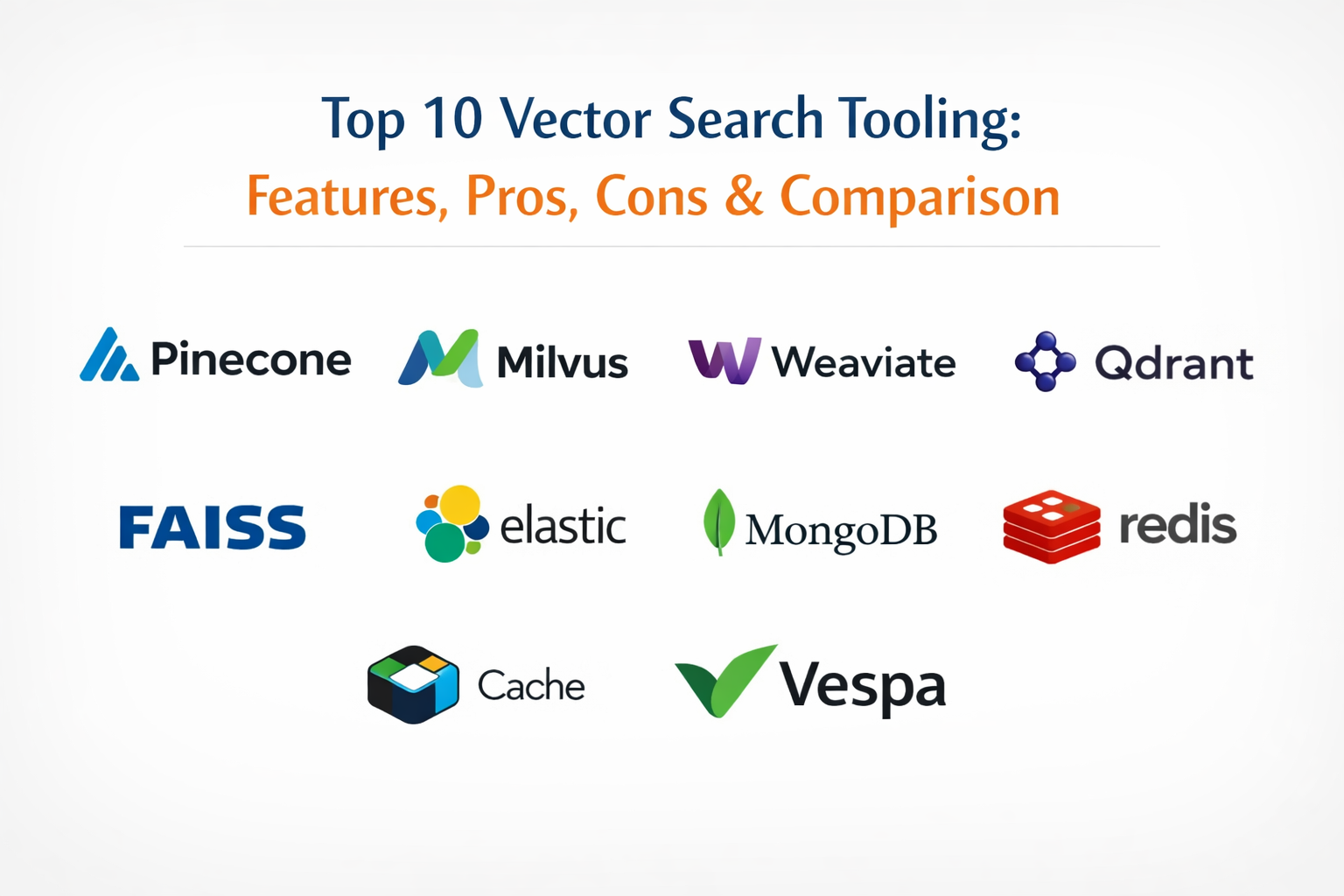
Top 10 Vector Search Tooling
1. Pinecone
Pinecone is a fully managed, cloud-native vector database designed for high-performance AI applications. It has become a favorite for teams that want to scale quickly without managing the underlying infrastructure or complex indexing algorithms.
Key Features
- Serverless architecture that scales automatically based on demand.
- High-performance “Approximate Nearest Neighbor” search across billions of vectors.
- Live index updates that reflect new data immediately without downtime.
- Metadata filtering that allows for complex queries alongside similarity search.
- Integrated monitoring and usage dashboards for production environments.
Pros
- Zero operational overhead; no need to manage clusters or pods.
- Industry-leading performance for large-scale RAG implementations.
Cons
- Closed-source platform with a “black box” internal architecture.
- Cloud-only deployment may not suit organizations with strict data residency.
Platforms / Deployment
AWS / GCP / Azure (Managed Service)
Cloud
Security & Compliance
SOC 2 Type II, HIPAA (on specific tiers), and encryption at rest.
ISO 27001 compliant.
Integrations & Ecosystem
Strongest ecosystem in the market, with native support for LangChain, LlamaIndex, OpenAI, and Cohere.
Support & Community
Extensive documentation and a dedicated enterprise support team for high-priority clients.
2. Milvus
An open-source vector database built for high-performance and massive scale. It is widely used by large enterprises that prefer to manage their own infrastructure or require a highly customizable search engine.
Key Features
- Cloud-native architecture that separates storage and computing for better scaling.
- Support for multiple indexing algorithms like HNSW, IVF, and ANNOY.
- Advanced metadata filtering and boolean expression support.
- High availability with built-in data redundancy and failover.
- Comprehensive SDKs for Python, Java, Go, and Node.js.
Pros
- Highly flexible and customizable for specific hardware configurations.
- Strongest choice for local or on-premises massive-scale deployments.
Cons
- Steep learning curve for initial setup and configuration.
- Resource-intensive, requiring significant memory and CPU.
Platforms / Deployment
Windows / macOS / Linux (via Docker or K8s)
Local / Hybrid / Cloud (Zilliz)
Security & Compliance
RBAC, TLS encryption, and secure network policies.
Not publicly stated.
Integrations & Ecosystem
Deeply integrated with PyTorch, TensorFlow, and the broader open-source AI community.
Support & Community
A very active GitHub community and professional support via the Zilliz managed service.
3. Weaviate
An open-source vector database that allows developers to store data objects and vector embeddings in the same place. It is designed to be “developer-first” with a focus on ease of use and semantic search.
Key Features
- Built-in modules for text, image, and multi-modal vectorization.
- GraphQL interface for intuitive and flexible data querying.
- Hybrid search that combines vector similarity with keyword matching.
- Sub-second search speeds even across millions of objects.
- Automatic schema generation for rapid prototyping.
Pros
- Excellent developer experience with very clear and helpful documentation.
- Native “modules” make it easy to start without external embedding providers.
Cons
- Can be memory-hungry when using HNSW indexing for high-speed search.
- Requires a solid understanding of vector space concepts.
Platforms / Deployment
Windows / macOS / Linux (Docker)
Local / Hybrid / Cloud
Security & Compliance
OIDC, API Key, and TLS support.
SOC 2 compliant.
Integrations & Ecosystem
Excellent support for modern AI frameworks and cloud storage providers.
Support & Community
A growing and highly engaged community with active Slack and forum support.
4. Qdrant
A high-performance vector similarity search engine and database written in Rust. It is known for its incredible speed, safety, and efficient use of system resources.
Key Features
- Written in Rust for maximum performance and memory safety.
- Supports advanced filtering with complex conditions and nested structures.
- Flexible API available via gRPC and REST.
- Scalable horizontal architecture with support for sharding.
- Snapshot and backup tools for production data management.
Pros
- Extremely efficient memory usage compared to Java or Python-based tools.
- Blazing fast search speeds for high-dimensional data.
Cons
- The community is smaller compared to giants like Milvus or Pinecone.
- Fewer pre-built connectors for legacy enterprise software.
Platforms / Deployment
Windows / macOS / Linux (Docker)
Local / Hybrid / Cloud
Security & Compliance
TLS encryption and standard API security.
Not publicly stated.
Integrations & Ecosystem
Native support for LangChain and a variety of Python-based data science tools.
Support & Community
Very responsive core team and a growing group of developers using Rust for AI.
5. Chroma
Chroma is an open-source embedding database designed to be the simplest way to get started with building LLM applications. It focuses on being “lightweight” and easy to embed into Python projects.
Key Features
- Designed specifically for building RAG applications with LLMs.
- Easy “one-line” setup and integration within Python notebooks.
- Built-in support for multiple embedding models (OpenAI, HuggingFace).
- Lightweight in-memory mode for rapid development and testing.
- Support for metadata filtering and document management.
Pros
- The fastest way for a developer to go from zero to a working vector search.
- Completely open-source with a focus on simplicity and speed.
Cons
- Not yet as feature-rich as enterprise-focused tools like Milvus.
- Horizontal scaling for massive production workloads is still evolving.
Platforms / Deployment
Windows / macOS / Linux
Local / Cloud
Security & Compliance
Standard API security; focuses on developer speed over enterprise hardening.
Not publicly stated.
Integrations & Ecosystem
The go-to choice for the LangChain and LlamaIndex developer community.
Support & Community
Highly active Discord community and very fast development cycles.
6. FAISS (by Meta)
Facebook AI Similarity Search is a library for efficient similarity search and clustering of dense vectors. It is the “engine” that powers many other databases and is used for research and high-performance computing.
Key Features
- Highly optimized C++ library with full Python wrappers.
- Supports GPU-accelerated indexing and search for maximum speed.
- Includes a vast array of indexing methods for memory/speed trade-offs.
- Can handle vectors that do not fit entirely in RAM (disk-based search).
- Industry-standard algorithms for k-nearest neighbor search.
Pros
- The raw performance “gold standard” used by Meta and others.
- Completely free and highly flexible for custom engine builds.
Cons
- It is a library, not a database; it does not handle storage or persistence.
- Requires significant engineering effort to build a production service.
Platforms / Deployment
Windows / macOS / Linux
Local (Library)
Security & Compliance
Security depends entirely on the implementation environment.
Not publicly stated.
Integrations & Ecosystem
The underlying library for many other vector databases; integrates with all C++ and Python tools.
Support & Community
Academic and research-heavy community with massive contributions from Meta AI.
7. ElasticSearch (Vector Search)
The world’s most popular search engine has added robust vector search capabilities, allowing enterprises to use their existing infrastructure for AI-powered retrieval.
Key Features
- Native support for dense vector fields and HNSW indexing.
- Integrated hybrid search combining BM25 and vector similarity.
- Full-text search, analytics, and vector search in a single platform.
- Advanced security, RBAC, and encryption as part of the Elastic stack.
- Powerful visualization and monitoring through Kibana.
Pros
- Leverages existing enterprise search infrastructure and expertise.
- Excellent for combining vector search with traditional complex filters.
Cons
- Can be more complex and expensive to manage than vector-native tools.
- Performance for pure vector search may lag behind specialized engines.
Platforms / Deployment
Windows / macOS / Linux
Local / Hybrid / Cloud
Security & Compliance
Full enterprise-grade security (SSO, MFA, encryption).
SOC 2 / ISO 27001 / HIPAA compliant.
Integrations & Ecosystem
Integrates with nearly every enterprise tool and data pipeline in existence.
Support & Community
World-class commercial support and an enormous global developer community.
8. MongoDB Atlas Vector Search
MongoDB has integrated vector search directly into its developer data platform, allowing users to build AI features without moving their data to a separate specialized database.
Key Features
- Vector search as a fully integrated part of the Atlas cloud platform.
- Allows for vector indexing on existing JSON-like document data.
- Consistent API for both operational data and vector search.
- Global distribution and high availability through the Atlas infrastructure.
- Visual index builder for simple configuration.
Pros
- No need to sync data between a primary database and a vector database.
- Familiar developer experience for the millions of MongoDB users.
Cons
- Vector features are currently limited to the Atlas cloud service.
- May not reach the absolute peak performance of vector-native tools.
Platforms / Deployment
AWS / GCP / Azure (Atlas)
Cloud
Security & Compliance
Full MongoDB Atlas security suite (encryption, isolation, auditing).
SOC 2 / HIPAA / GDPR compliant.
Integrations & Ecosystem
Strong support for the modern AI development stack and cloud environments.
Support & Community
Professional support through MongoDB and a massive existing user base.
9. Redis (Vector Search)
Known as the world’s fastest in-memory database, Redis has added vector search to provide low-latency similarity search for real-time AI applications.
Key Features
- In-memory performance for sub-millisecond vector retrieval.
- Support for multiple indexing types including HNSW and FLAT.
- Hybrid search that combines vectors with tags, text, and numeric data.
- Real-time data ingestion and immediate search availability.
- Simple integration with existing Redis caching layers.
Pros
- Incredible speed; the best choice for real-time recommendation engines.
- Reduces stack complexity if you are already using Redis for caching.
Cons
- Cost can be high because all data must reside in expensive RAM.
- Persistent storage management is more complex than traditional databases.
Platforms / Deployment
Windows / macOS / Linux
Local / Hybrid / Cloud
Security & Compliance
ACLs, TLS, and integrated security as part of Redis Enterprise.
Not publicly stated.
Integrations & Ecosystem
Excellent integration with Python, Node.js, and popular AI frameworks.
Support & Community
Professional support via Redis Ltd and a massive global open-source community.
10. Vespa
Vespa is a highly scalable, “big data” serving engine that excels at combining vector search with high-volume structured and unstructured data in real-time.
Key Features
- Massive horizontal scaling used by companies like Yahoo and Spotify.
- Real-time indexing and search across billions of complex documents.
- Advanced “ranking” functions that allow for custom business logic in search.
- Native support for tensor operations and machine learning models.
- Comprehensive hybrid search and recommendation capabilities.
Pros
- The most powerful option for large-scale, enterprise-level global search.
- Handles complex business rules and vector search simultaneously.
Cons
- Extremely high complexity; requires a dedicated team to manage.
- Overkill for small-to-midsize RAG applications.
Platforms / Deployment
Linux (Docker / K8s)
Local / Cloud
Security & Compliance
Enterprise-ready security for high-volume data environments.
Not publicly stated.
Integrations & Ecosystem
Deeply integrated with large-scale data processing tools like Spark and Hadoop.
Support & Community
Professional support for enterprise users and a specialized technical community.
Comparison Table
| Tool Name | Best For | Platform(s) Supported | Deployment | Standout Feature | Public Rating |
| 1. Pinecone | Managed RAG | AWS, GCP, Azure | Cloud | Serverless Scaling | N/A |
| 2. Milvus | Massive Scale | Linux, Docker, K8s | Hybrid | Compute/Storage Separation | N/A |
| 3. Weaviate | Semantic Search | Win, Mac, Linux | Hybrid | Built-in Modules | N/A |
| 4. Qdrant | Efficiency | Win, Mac, Linux | Hybrid | Rust-based Performance | N/A |
| 5. Chroma | Python Devs | Win, Mac, Linux | Local | One-line Setup | N/A |
| 6. FAISS | Performance | Win, Mac, Linux | Local | Research Library | N/A |
| 7. Elastic | Enterprise Ops | Win, Mac, Linux | Hybrid | Hybrid Text/Vector | N/A |
| 8. MongoDB | App Developers | AWS, GCP, Azure | Cloud | Unified Data Model | N/A |
| 9. Redis | Real-time AI | Win, Mac, Linux | Hybrid | In-memory Speed | N/A |
| 10. Vespa | Big Data | Linux, Docker | Hybrid | Custom Ranking | N/A |
Evaluation & Scoring
| Tool Name | Core (25%) | Ease (15%) | Integrations (15%) | Security (10%) | Perf (10%) | Support (10%) | Value (15%) | Total |
| 1. Pinecone | 10 | 10 | 10 | 9 | 9 | 9 | 7 | 9.25 |
| 2. Milvus | 10 | 5 | 9 | 8 | 10 | 8 | 8 | 8.15 |
| 3. Weaviate | 9 | 9 | 9 | 8 | 8 | 9 | 8 | 8.70 |
| 4. Qdrant | 9 | 8 | 8 | 7 | 10 | 8 | 9 | 8.40 |
| 5. Chroma | 7 | 10 | 9 | 5 | 7 | 6 | 10 | 7.75 |
| 6. FAISS | 10 | 3 | 7 | 4 | 10 | 6 | 10 | 7.45 |
| 7. Elastic | 8 | 7 | 10 | 10 | 8 | 9 | 7 | 8.20 |
| 8. MongoDB | 8 | 8 | 9 | 9 | 7 | 9 | 8 | 8.15 |
| 9. Redis | 9 | 8 | 8 | 8 | 10 | 8 | 7 | 8.40 |
| 10. Vespa | 10 | 3 | 7 | 9 | 10 | 8 | 7 | 7.60 |
The evaluation above demonstrates that while pure performance (like FAISS or Milvus) is critical, the modern market highly values ease of use and integration. Pinecone and Weaviate score highest overall because they reduce the time-to-market for developers significantly. Traditional tools like Elastic and MongoDB score well for organizations looking to minimize “tool sprawl” by utilizing their existing security and operational infrastructure. The weighted total provides a balanced view of which tool offers the best overall production experience for a modern AI team.
Which Vector Search Tool Is Right for You?
Solo / Freelancer
If you are working alone on a prototype or a small project, Chroma is the fastest way to get results. Its simplicity and local-first approach allow you to build without worrying about cloud bills or complex server setups.
SMB
Small to mid-sized businesses looking for a balance between performance and maintenance should choose Pinecone or Weaviate Cloud. These platforms allow you to scale as your product grows without needing a dedicated database administrator.
Mid-Market
For companies with established engineering teams, Qdrant or Redis are excellent choices. They offer high efficiency and performance while being manageable within a standard devops workflow.
Enterprise
Large-scale enterprises should look toward Milvus for massive on-premises control or Elasticsearch if they already have an established logging and search infrastructure. If the scale is truly global, Vespa is the top-tier contender.
Budget vs Premium
Milvus and Chroma are the strongest budget options for self-hosting. For those willing to pay a premium for speed and reliability, Pinecone and MongoDB Atlas provide the most comprehensive managed experiences.
Feature Depth vs Ease of Use
Chroma and Weaviate lead in ease of use, making them perfect for rapid AI experimentation. Houdini-level depth (in vector terms) belongs to FAISS and Milvus, which offer infinite knobs for performance tuning.
Integrations & Scalability
Pinecone has the best “out of the box” integration with modern LLM tools. For pure vertical and horizontal scalability of high-dimensional data, Milvus remains the powerhouse.
Security & Compliance Needs
For organizations in regulated industries, Elasticsearch and MongoDB Atlas provide the most mature security frameworks, with SOC 2, HIPAA, and advanced encryption protocols already baked into the platform.
Frequently Asked Questions (FAQs)
1. What exactly is a vector search?
Vector search involves representing data as a list of numbers (a vector) and finding other pieces of data that are mathematically similar in a multi-dimensional space.
2. Why can’t I just use a regular SQL database?
Regular databases are built for exact matches. They struggle with the mathematical complexity and speed required to calculate similarity across millions of high-dimensional vectors.
3. What is Retrieval-Augmented Generation (RAG)?
RAG is a technique where an AI model retrieves relevant information from a vector database before generating an answer, ensuring the response is based on factual, up-to-date data.
4. Do I need a GPU to use a vector database?
While many databases run perfectly on a standard CPU, using a GPU can significantly speed up the initial indexing and the search process for massive datasets.
5. How do I choose between an open-source and a managed tool?
Managed tools (like Pinecone) save time and labor but cost money and may have data residency limits. Open-source tools (like Milvus) offer total control but require technical expertise to manage.
6. What is the difference between a dense and a sparse vector?
Dense vectors (common in AI) are filled with numbers representing meaning. Sparse vectors (common in traditional search) contain mostly zeros and represent the presence of specific words.
7. Can these tools store images and video?
They do not store the actual video file, but they store a “vector representation” of it, allowing you to search for videos that are visually similar to an image.
8. What is the HNSW algorithm?
HNSW (Hierarchical Navigable Small World) is a popular algorithm used by many vector tools to find similar items very quickly by jumping through layers of data.
9. How much does a vector database cost?
Costs range from completely free for open-source self-hosting to thousands of dollars per month for managed enterprise services with billions of vectors.
10. Is vector search only for AI?
While currently popular for AI, it has been used for years in recommendation engines, image search, and fraud detection systems across the tech industry.
Conclusion
Selecting the right vector search tooling is a foundational decision for any modern AI strategy. As the bridge between static data and dynamic intelligence, these tools define how effectively your applications can understand and retrieve information in real-time. Whether you prioritize the ease of a serverless cloud provider like Pinecone or the deep, open-source control of Milvus, the goal is to build a scalable and reliable memory for your AI models. By carefully evaluating your needs for latency, security, and developer speed, you can choose a platform that not only meets today’s requirements but scales with the rapidly evolving AI landscape.

Best Cardiac Hospitals Near You
Discover top heart hospitals, cardiology centers & cardiac care services by city.
Advanced Heart Care • Trusted Hospitals • Expert Teams
View Best Hospitals