Introduction
Video Surveillance Management Software, commonly referred to as a Video Management System (VMS), serves as the centralized intelligence hub for professional security networks. Unlike consumer-grade apps, these software platforms are designed to manage vast arrays of cameras, sensors, and recording servers across complex infrastructures like airports, shopping malls, and corporate campuses. A VMS provides the framework for viewing live video, retrieving recorded footage, and managing the health of the entire surveillance ecosystem.
The primary value of professional VMS software lies in its ability to unify disparate hardware into a single, cohesive operating picture. Modern platforms utilize advanced metadata tagging and AI-driven analytics to transform raw video into actionable data, such as heatmaps for retail or license plate recognition for parking security. By providing high-level management of bandwidth, storage, and user permissions, these tools ensure that security teams can respond to incidents with precision and speed.
Real-world use cases include:
- City-Wide Surveillance: Coordinating hundreds of street cameras to track vehicle movement across multiple districts.
- Retail Loss Prevention: Integrating point-of-sale data with video to identify fraudulent transactions in real-time.
- Industrial Monitoring: Using thermal imaging integrated into the VMS to detect overheating machinery before a fire occurs.
- Campus Safety: Managing access control and video feeds to secure university dormitories and research labs.
Buyers should evaluate these platforms based on:
- Camera compatibility and support for Open Network Video Interface Forum standards.
- Scalability of the architecture for adding hundreds of additional nodes.
- Processing requirements for advanced AI and forensic search capabilities.
- Ease of integration with access control and fire alarm systems.
- Reliability of the failover and redundancy protocols for mission-critical data.
- Total cost of ownership, including licensing fees and hardware maintenance.
- User interface customizability for different operator skill levels.
- Cybersecurity features like end-to-end encryption and secure boot.
Mandatory paragraph
- Best for: Enterprise security directors, IT managers, and specialized surveillance operators who require high-capacity, reliable, and analytical video management.
- Not ideal for: Residential users or small home offices where a simple plug-and-play NVR or basic mobile app would suffice.
Key Trends in Video Surveillance Management Software
The VMS industry is shifting toward deep learning and hybrid cloud architectures:
- Cloud-First Hybrid Models: Combining on-site recording for low latency with cloud-based management for global accessibility.
- Deep Learning Forensic Search: Allowing operators to search for specific attributes like “blue shirt” or “red truck” across days of footage in seconds.
- Unified Security Operations: Merging video, access control, and intercom systems into a single glass pane interface.
- Edge Intelligence Synchronization: Utilizing the processing power of the cameras themselves to reduce server load.
- Cyber-Hardening: Implementing zero-trust architectures to protect surveillance data from state-sponsored hacking.
- Behavioral Analytics: Moving beyond simple motion detection to identify loitering, falling, or aggressive movements.
- Bandwidth Optimization: Using advanced codecs to stream high-definition video over restricted network pipes.
- Privacy Masking AI: Automatically blurring faces of non-subjects in real-time to comply with strict privacy regulations.
How We Selected These Tools (Methodology)
To identify the top 10 VMS platforms, we utilized an evaluation framework focused on enterprise stability and feature breadth:
- Hardware Agnosticism: Prioritizing software that works with the widest range of camera brands.
- System Uptime: Evaluating the robustness of the software’s failover and backup mechanisms.
- Search Efficiency: Assessing the speed and accuracy of forensic search and playback tools.
- Integration Depth: Reviewing how well the platform interacts with non-video security sensors.
- Global Manageability: Evaluating the ability to manage multi-site deployments from a central location.
- Developer Ecosystem: Checking for robust APIs that allow for custom security applications.
- Customer Feedback: Analyzing professional reviews from certified security integrators.
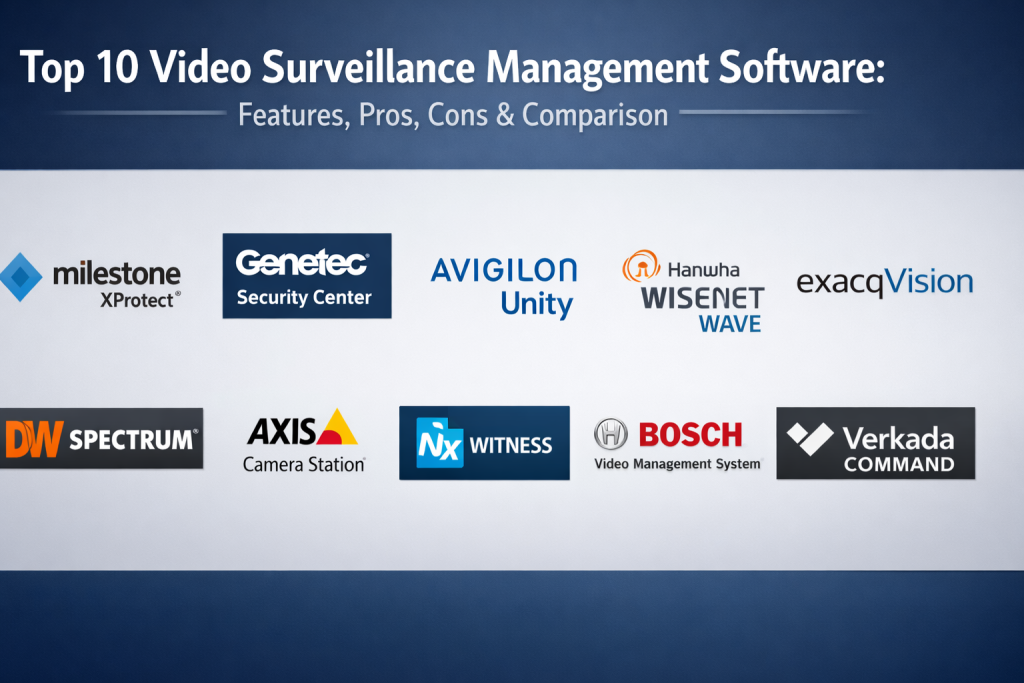
Top 10 Video Surveillance Management Software Tools
1.Milestone XProtect
Milestone XProtect is an open-platform VMS that is widely considered the industry standard for large-scale, third-party hardware integrations.
Key Features
- Open Platform Architecture: Supports over 13,000 different camera models and devices.
- Smart Wall: Provides a collaborative environment for large control rooms to share video feeds.
- Evidence Lock: Secures specific video sequences from being deleted during investigations.
- Centralized Management: Manage all sites, servers, and cameras from one interface.
- XProtect Smart Client: A powerful, easy-to-use interface for daily security operations.
Pros
- Unrivaled flexibility in choosing hardware and third-party plugins.
- Highly scalable from small businesses to global corporations.
Cons
- The licensing model can become complex and expensive at scale.
- Requires a high level of expertise to configure for optimal performance.
Platforms / Deployment
- Windows
- On-Premise / Hybrid
Security & Compliance
- FIPS 140-2 compliant
- GDPR privacy tools
Integrations & Ecosystem
Massive ecosystem with dedicated plugins for every major security hardware brand.
Support & Community
Global network of certified partners and extensive technical training programs.
2.Genetec Security Center
Genetec Security Center is an enterprise platform that unifies video management, access control, and automatic license plate recognition.
Key Features
- Omnicast VMS: The core video management engine designed for high-density environments.
- Synergis Access Control: Fully integrated management of doors and credentials.
- AutoVu ALPR: Native license plate recognition for vehicle tracking and parking.
- Federation: Allows different organizations to share video feeds securely.
- Dynamic Maps: Interactive visual floorplans that display device status in real-time.
Pros
- True unification of security systems rather than just simple integration.
- Excellent data privacy and cybersecurity controls built-in.
Cons
- Very high entry cost compared to standalone VMS solutions.
- Steep learning curve for administrative staff.
Platforms / Deployment
- Windows / Cloud
- On-Premise / Hybrid / SaaS
Security & Compliance
- SOC 2 Type II
- UL 2900-2-3 Cyber Security
Integrations & Ecosystem
Strong partnerships with Microsoft Azure and top-tier camera manufacturers.
Support & Community
Dedicated enterprise support and a robust professional services team.
3.Avigilon Unity
Avigilon Unity (formerly Control Center) is known for its high-definition video processing and exceptional AI-driven search capabilities.
Key Features
- Appearance Search: Find a person or vehicle of interest across an entire site using physical descriptions.
- Focus of Attention: Uses AI to highlight unusual events to operators, reducing missed incidents.
- High Definition Stream Management: Optimizes bandwidth while maintaining image quality.
- ACM Integration: Seamless connection with Avigilon’s access control manager.
- Self-Learning Video Analytics: Automatically learns normal patterns and alerts on deviations.
Pros
- Fastest forensic search tools in the market.
- User interface is highly optimized for multi-monitor control rooms.
Cons
- Works best when used with Avigilon’s proprietary camera hardware.
- Higher hardware costs for the necessary AI processing power.
Platforms / Deployment
- Windows
- On-Premise / Cloud-Connected
Security & Compliance
- NDAA compliant
- Standard encryption protocols
Integrations & Ecosystem
Well-integrated with the Motorola Solutions safety ecosystem.
Support & Community
Extensive North American support and a strong network of certified dealers.
4.Hanwha Wisenet WAVE
Hanwha Wisenet WAVE is a lightweight, highly intuitive VMS that focuses on speed and ease of use for small to mid-sized enterprises.
Key Features
- Sun Memory Management: Extremely low CPU usage for a fluid user experience.
- Universal Plugin: Allows for easy integration of web-based applications into the VMS.
- Cloud Sync: Connect and manage your system remotely via a secure cloud portal.
- Layout-as-a-Tab: Drag and drop cameras and maps into custom saved views.
- Fast Search: Search through months of footage in a fraction of a second.
Pros
- One of the most user-friendly interfaces in the VMS industry.
- Very efficient hardware utilization, requiring fewer server resources.
Cons
- Lacks some of the deep enterprise features found in Genetec or Milestone.
- Smaller third-party plugin marketplace.
Platforms / Deployment
- Windows / Linux / MacOS
- On-Premise
Security & Compliance
- FIPS 140-2
- TAA compliant
Integrations & Ecosystem
Optimized for Hanwha Wisenet cameras but supports most ONVIF devices.
Support & Community
Rapidly growing community and excellent documentation for developers.
5.ExacqVision
ExacqVision is a versatile VMS that is widely used for its cross-platform compatibility and straightforward installation process.
Key Features
- Cross-Platform Client: Works identically on Windows, Linux, and Mac.
- Exacq Mobile: High-performance mobile app for remote monitoring.
- Easy Connect: Automatically finds and configures most IP cameras.
- Enterprise Command Center: Manage up to thousands of servers from one location.
- Web Services: Securely stream video to any modern web browser.
Pros
- Known for its stability and “no-nonsense” approach to video.
- Very easy to migrate from older analog systems to IP.
Cons
- The user interface feels dated compared to modern competitors.
- AI and analytics features are less integrated than Avigilon.
Platforms / Deployment
- Windows / Linux / MacOS
- On-Premise
Security & Compliance
- Cyber Solutions program certified
- Standard encryption
Integrations & Ecosystem
Strong integration with Tyco and Johnson Controls security products.
Support & Community
Backed by the massive Johnson Controls global support network.
6.Digital Watchdog Spectrum
Digital Watchdog Spectrum is an IP video management software known for its incredible speed and modern, tab-based user interface.
Key Features
- Infinite Scalability: Add as many servers and cameras as needed without performance degradation.
- Automatic Failover: Ensures continuous recording if a server goes offline.
- Video Wall: Easy-to-configure management for large display arrays.
- One-Click Updates: Update an entire enterprise system with a single click.
- Contextual Help: Built-in guidance for every feature within the software.
Pros
- The fastest interface for scrubbing and playing back video.
- Very competitive pricing for enterprise-grade features.
Cons
- Less focus on deep access control integration than Genetec.
- Hardware requirements for clients can be high for 4K video.
Platforms / Deployment
- Windows / Linux / MacOS
- On-Premise / Hybrid
Security & Compliance
- NDAA compliant
- Standard data protection
Integrations & Ecosystem
Supports a wide range of third-party IP cameras and storage solutions.
Support & Community
Highly rated for its “Spectrum University” training and technical support.
7.Axis Camera Station
Axis Camera Station is the optimized solution for those who primarily use Axis communications hardware, offering perfect synergy.
Key Features
- Intuitive Operation: Designed specifically to make Axis camera features easy to use.
- Axis Site Designer: Tools to plan and validate your system before installation.
- Integrated Access Control: Manage Axis A1001 controllers within the VMS.
- Smart Search: Quickly find events based on motion, crossing lines, or object size.
- High Efficiency: Low-overhead software that runs smoothly on standard PC hardware.
Pros
- Best possible integration for the world’s most popular camera brand.
- Very stable and predictable performance.
Cons
- Not ideal for systems that use a mix of many different camera brands.
- Lacks some advanced third-party VMS plugin options.
Platforms / Deployment
- Windows
- On-Premise
Security & Compliance
- Cyber-hardened Axis hardware integration
- GDPR compliant
Integrations & Ecosystem
Perfectly integrated with all Axis sensors, speakers, and intercoms.
Support & Community
World-class support from Axis Communications global teams.
8.Network Optix Witness
Network Optix Witness is the core engine behind many white-labeled VMS platforms, known for its extreme performance and developer focus.
Key Features
- Open Source Meta SDK: Allows developers to create advanced integrations with ease.
- Server-Hive Architecture: All servers in a system communicate as a single unit.
- Instant Motion Search: Search archived video by highlighting any area on the screen.
- Screen Recording: Record the operator’s screen for training or auditing purposes.
- Automatic Discovery: Finds every camera on the network in seconds.
Pros
- Highly customizable for developers and specialized security needs.
- Incredibly fast and lightweight client software.
Cons
- Can require more technical knowledge to implement custom features.
- Branding is often hidden behind partner names.
Platforms / Deployment
- Windows / Linux / MacOS / ARM
- On-Premise / Hybrid
Security & Compliance
- Secure encrypted communication
- User-definable privacy settings
Integrations & Ecosystem
Extremely flexible API that can connect to almost any IoT device.
Support & Community
Active developer community and high-quality API documentation.
9.Bosch Video Management System
Bosch BVMS is an enterprise-level platform focused on high-security environments and total system resilience.
Key Features
- Maximum Resilience: Keeps cameras recording and operators viewing even if multiple servers fail.
- Intelligent Video Analytics: Native support for Bosch’s industry-leading edge analytics.
- Forensic Search: Search through recorded metadata without re-processing video.
- MAP View: Advanced multi-layer maps for complex site navigation.
- Enterprise Console: Centralized control for up to 2,000 servers.
Pros
- Unrivaled stability for critical infrastructure like prisons and power plants.
- Deepest possible integration with Bosch’s advanced sensor hardware.
Cons
- The interface is more technical and less “modern” than Spectrum or WAVE.
- Licensing and setup are strictly aimed at the enterprise market.
Platforms / Deployment
- Windows
- On-Premise
Security & Compliance
- Highest-level data encryption
- BSI and GDPR compliant
Integrations & Ecosystem
Deep integration with Bosch fire, intrusion, and access control systems.
Support & Community
Professional support through the global Bosch security network.
10.Verkada Command
Verkada Command is the leader in the “Cloud-Managed” VMS space, offering a modern, browser-based experience with zero local servers.
Key Features
- Hybrid Cloud Storage: Video is stored on the camera and backed up to the cloud.
- People Analytics: Filter by clothes color, gender, or face across all sites.
- Real-Time Alerts: Get SMS or email notifications for specific security events.
- Integrated Environment Sensors: Monitor air quality, noise, and vape detection in the same app.
- Mobile Management: Full system control from a highly rated mobile application.
Pros
- Eliminates the need for local NVRs or servers, reducing IT overhead.
- Extremely easy to scale across hundreds of geographically dispersed sites.
Cons
- Requires the purchase of Verkada proprietary hardware.
- Ongoing subscription costs are mandatory to keep the system functional.
Platforms / Deployment
- Web / iOS / Android
- Cloud-Native
Security & Compliance
- HIPAA and PCI compliant
- End-to-end encryption
Integrations & Ecosystem
Fast-growing ecosystem of integrated locks, alarms, and air sensors.
Support & Community
Direct 24/7 technical support and a very proactive customer success team.
Comparison Table (Top 10)
| Tool Name | Best For | Platform(s) Supported | Deployment | Standout Feature | Public Rating |
|---|---|---|---|---|---|
| Milestone XProtect | Open Integration | Windows | On-Premise | Smart Wall Collaboration | N/A |
| Genetec Security Center | Unified Security | Windows, Cloud | Hybrid | Security Federation | N/A |
| Avigilon Unity | Forensic Search | Windows | On-Premise | Appearance Search AI | N/A |
| Hanwha Wisenet WAVE | User Experience | Win, Linux, Mac | On-Premise | Sun Memory Management | N/A |
| ExacqVision | Cross-Platform Use | Win, Linux, Mac | On-Premise | Easy Connect Automation | N/A |
| Digital Watchdog Spectrum | Search Speed | Win, Linux, Mac | Hybrid | Server-Hive Architecture | N/A |
| Axis Camera Station | Axis Hardware | Windows | On-Premise | Axis Site Designer Sync | N/A |
| Network Optix Witness | Custom Development | Win, Linux, Mac | Hybrid | Meta SDK Flexibility | N/A |
| Bosch Video Management System | Critical Resilience | Windows | On-Premise | Forensic Metadata Search | N/A |
| Verkada Command | Cloud Management | Web, iOS, Android | Cloud-Native | Serverless Hybrid Storage | N/A |
Evaluation & Scoring of Video Surveillance Management Software
| Tool Name | Core (25%) | Ease (15%) | Integrations (15%) | Security (10%) | Performance (10%) | Support (10%) | Value (15%) | Weighted Total |
|---|---|---|---|---|---|---|---|---|
| Milestone XProtect | 10 | 7 | 10 | 9 | 9 | 9 | 7 | 8.85 |
| Genetec Security Center | 10 | 6 | 10 | 10 | 9 | 10 | 6 | 8.70 |
| Avigilon Unity | 9 | 9 | 8 | 9 | 10 | 9 | 7 | 8.65 |
| Hanwha Wisenet WAVE | 8 | 10 | 8 | 8 | 9 | 8 | 9 | 8.45 |
| ExacqVision | 8 | 8 | 9 | 9 | 8 | 9 | 8 | 8.35 |
| Digital Watchdog Spectrum | 9 | 10 | 8 | 8 | 10 | 8 | 8 | 8.70 |
| Axis Camera Station | 8 | 9 | 7 | 9 | 9 | 10 | 8 | 8.40 |
| Network Optix Witness | 9 | 9 | 10 | 8 | 10 | 7 | 8 | 8.70 |
| Bosch Video Management System | 10 | 6 | 9 | 10 | 9 | 10 | 6 | 8.40 |
| Verkada Command | 9 | 10 | 7 | 9 | 9 | 10 | 6 | 8.35 |
How to interpret these scores: Milestone and Genetec lead for absolute feature depth and integration capabilities. Digital Watchdog and Hanwha score highest in Ease of Use and Performance efficiency. Avigilon is the leader in pure performance for forensic investigation. Verkada offers the highest score for modern, serverless ease of use at a premium price point.
Which Video Surveillance Management Software Tool Is Right for You?
Solo / Freelancer
If you are a solo security consultant or run a very small office, Hanwha Wisenet WAVE or Digital Watchdog Spectrum is the best choice. They are easy to install, run on basic PC hardware, and don’t require a full-time IT department to manage.
SMB
Small to medium businesses with 20-50 cameras should consider Axis Camera Station or ExacqVision. Axis provides a very stable, “one-brand” solution that is easy to maintain, while ExacqVision offers flexibility if you are using a mix of older and newer cameras.
Mid-Market
For growth-stage companies with multiple buildings, Avigilon Unity or Verkada Command is ideal. Avigilon provides the powerful search tools needed for busy environments, while Verkada allows you to scale across different cities without setting up complex VPNs or local servers.
Enterprise
Large organizations like hospitals, airports, or global tech campuses must choose Milestone XProtect or Genetec Security Center. These are the only platforms built to handle thousands of cameras while unifying them with enterprise access control and IT systems.
Budget vs Premium
- Budget: Digital Watchdog Spectrum and Network Optix offer the best “performance-to-price” ratio in the professional market.
- Premium: Genetec and Bosch are premium solutions where you pay for absolute reliability and unified security features.
Feature Depth vs Ease of Use
- Feature Depth: Milestone and Genetec offer thousands of settings for every possible scenario but require significant training.
- Ease of Use: Verkada and Hanwha WAVE are designed to be used by anyone with almost zero training.
Integrations & Scalability Needs
If you need to integrate specialized third-party software like facial recognition or license plate reading from various vendors, Milestone XProtect is the only logical choice due to its open-platform nature.
Security & Compliance Needs
For high-security government or banking projects, Bosch VMS or Genetec Security Center provide the highest levels of cybersecurity certifications and hardware-level encryption.
Frequently Asked Questions (FAQs)
What is the difference between an NVR and VMS?
An NVR (Network Video Recorder) is typically a hardware-software bundle for basic recording, while a VMS (Video Management System) is a sophisticated software platform for managing complex security operations across multiple servers.
Can I run VMS software on a regular computer?
While you can run the client software on most PCs, the server-side VMS software typically requires a dedicated server with high-speed hard drives and a stable network connection.
Do these platforms support Mac?
Many modern VMS clients like Hanwha WAVE and Digital Watchdog Spectrum have native Mac support, but many enterprise platforms like Milestone still require Windows for the server software.
What is ONVIF and why does it matter?
ONVIF is a global standard for IP security products. Choosing a VMS that is ONVIF-compliant ensures that you can use cameras from different brands without compatibility issues.
Is cloud-based VMS better than on-premise?
Cloud is better for easy remote access and low IT overhead, while on-premise is better for high-resolution video where bandwidth is limited or for maximum data privacy.
Can I search for specific people in the software?
Yes, premium VMS platforms like Avigilon and Verkada feature “Appearance Search” which allows you to find people based on clothing color, gender, or facial features.
How much storage do I need for my video?
Storage needs depend on the number of cameras, their resolution, and how long you want to keep the video. Most VMS platforms have built-in calculators to help you plan this.
What happens if my VMS server fails?
Enterprise VMS software like Milestone and Genetec features “Failover,” which automatically moves the camera recording to a secondary server if the primary one goes offline.
Can I view my cameras on my phone?
Yes, all of the top 10 VMS platforms have dedicated mobile apps for viewing live video and receiving alerts on iOS and Android.
Do these tools require a monthly subscription?
It varies. Some, like Milestone, have a one-time license fee with an optional support plan. Others, like Verkada, require a mandatory annual subscription.
Conclusion
The selection of a Video Surveillance Management Software platform is a strategic decision that determines the effectiveness of an entire security department. As surveillance technology moves closer to artificial intelligence and cloud-native management, the ability to quickly search and interpret data is becoming more valuable than the simple recording of video. Whether prioritizing the open-platform flexibility of Milestone or the serverless simplicity of Verkada, organizers must align their software choice with their long-term growth and hardware goals. By investing in a VMS that offers robust analytics and unified security features, businesses can transition from reactive monitoring to proactive incident prevention. Ultimately, the right software should provide a stable, secure, and user-friendly environment that empowers security teams to protect people and assets more efficiently.

Best Cardiac Hospitals Near You
Discover top heart hospitals, cardiology centers & cardiac care services by city.
Advanced Heart Care • Trusted Hospitals • Expert Teams
View Best Hospitals