Introduction
Virtual Machine Management Tools help IT teams create, configure, monitor, secure, and maintain virtual machines across clusters, hosts, and data centers. While a hypervisor runs the virtual machines, the management layer is what turns virtualization into something you can operate at scale. It provides the console, policies, automation, inventory, lifecycle controls, and visibility that keep VM environments stable and efficient.
These tools matter now because infrastructure is more distributed, teams are expected to deliver faster, and cost pressure is higher. A strong management tool reduces manual work, prevents configuration drift, improves uptime, and makes audits and troubleshooting easier. Common real-world use cases include provisioning and deprovisioning VMs for projects, managing clustered compute in data centers, standardizing templates and images, monitoring VM health and capacity, enforcing access controls, and supporting multi-team operations without chaos.
What buyers should evaluate includes: core VM lifecycle features, admin usability, automation depth, integration with identity and monitoring, role-based access, auditability, performance overhead, scalability, support quality, and overall value.
Best for: IT admins, virtualization engineers, platform teams, managed service providers, and organizations running multiple hosts or clusters that need consistent control, visibility, and governance.
Not ideal for: very small setups with one or two hosts, teams that only need occasional VM creation, or environments where a single lightweight local tool is enough and formal governance is not required.
Key Trends in Virtual Machine Management Tools
- More automation for VM provisioning, patching workflows, and policy enforcement to reduce manual toil
- Stronger governance expectations, including tighter role separation, better audit trails, and safer delegation
- Increased focus on operational visibility, especially VM health, capacity, noisy neighbors, and user experience indicators
- Broader hybrid patterns, where teams want consistent VM operations across on-prem and cloud-adjacent environments
- Cost and capacity optimization becoming a default requirement, not an optional add-on
- More standardized template and image lifecycle practices to reduce drift and improve repeatability
- Better integration into service management workflows so incidents, changes, and approvals are traceable
- More emphasis on secure access models, including stronger admin authentication and segmented access per team
- Greater interest in lightweight and modular approaches for smaller teams that still want good control
- Growing need for simple APIs and automation hooks so VM management can be part of platform engineering pipelines
How We Selected These Tools (Methodology)
- Selected tools with strong real-world adoption and long-term credibility in VM operations
- Included a balanced mix of enterprise platforms, cloud-oriented stacks, and open-source management approaches
- Prioritized completeness of core VM management needs: inventory, provisioning, templates, roles, monitoring, and lifecycle controls
- Considered reliability signals such as maturity, stability under load, and proven use in production environments
- Evaluated security posture capabilities like role-based access, logging, and identity integration patterns
- Checked ecosystem strength: integrations with storage, networking, backup, monitoring, and automation tooling
- Considered fit across segments, from small teams to large enterprises with multi-team operations
- Favored tools that support automation and repeatable operations rather than click-only administration
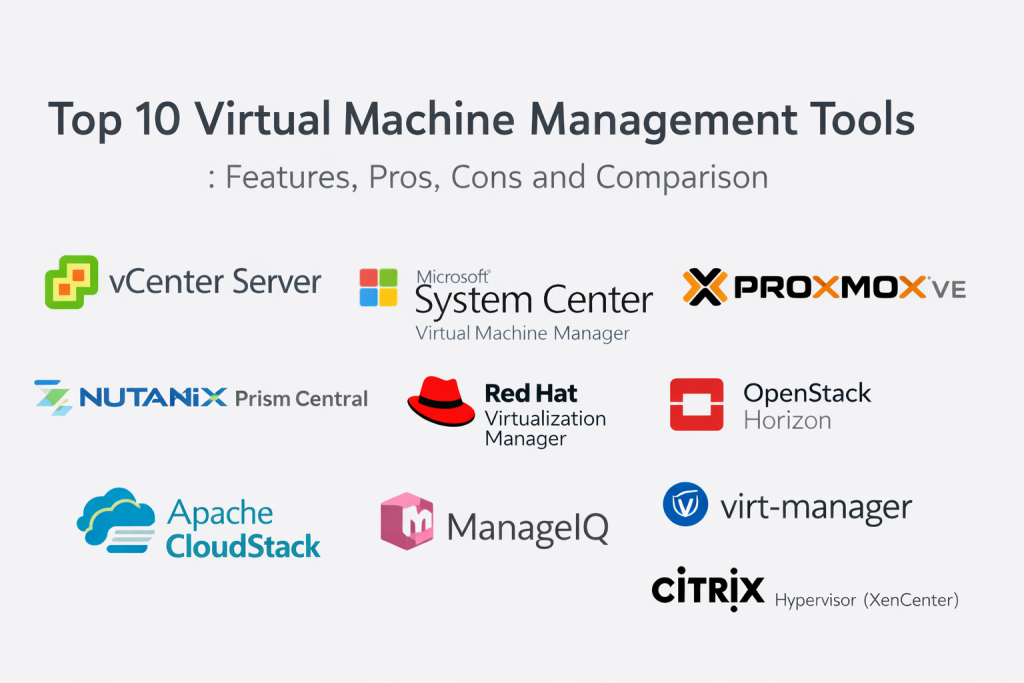
Top 10 Virtual Machine Management Tools
1 — VMware vCenter Server
VMware vCenter Server is a centralized management platform for VMware environments, commonly used to operate clusters, hosts, and virtual machines with consistent policy and lifecycle control. It is typically chosen for mature data center operations where stability, visibility, and standard workflows matter.
Key Features
- Central inventory and lifecycle management for hosts and VMs
- Template-based VM provisioning with standardized settings
- Cluster resource controls and scheduling features for balanced usage
- Centralized role-based access and permission delegation
- Alerts, events, and operational dashboards for troubleshooting
- Integration foundation for automation and broader VMware tooling
Pros
- Strong operational control for large environments
- Deep ecosystem support and enterprise-ready workflows
Cons
- Requires skills and process maturity to run efficiently
- Cost can be high depending on the overall VMware stack
Platforms / Deployment
- Web / Windows
- Self-hosted
Security & Compliance
- RBAC, encryption in transit options, audit events, identity integration patterns
- Compliance certifications: Not publicly stated
Integrations & Ecosystem
vCenter commonly becomes the hub for virtualization operations, so integrations matter as much as features.
- Identity provider and directory integrations
- Backup and disaster recovery tooling integrations
- Monitoring and logging integrations
- Automation and orchestration integrations through APIs
Support & Community
Strong documentation and enterprise support options; community is large and mature due to widespread deployment.
2 — Microsoft System Center Virtual Machine Manager
Microsoft System Center Virtual Machine Manager is designed for centralized VM management in Microsoft-centric environments. It is often used by teams that rely on Windows Server infrastructure and want consistent VM lifecycle and fabric management under one operational umbrella.
Key Features
- Central VM provisioning, template management, and lifecycle workflows
- Cluster and host management aligned with Microsoft virtualization stacks
- Network and storage fabric management capabilities
- Role-based access for delegation across teams
- Automation support via scripting and system management patterns
- Operational insights and reporting options depending on the suite setup
Pros
- Strong fit for Microsoft-first infrastructure teams
- Useful for standardizing VM workflows across a large Windows footprint
Cons
- Can feel complex if you only need basic VM management
- Best experience often depends on broader System Center alignment
Platforms / Deployment
- Web / Windows
- Self-hosted
Security & Compliance
- RBAC, directory integration patterns, audit and admin activity logging options
- Compliance certifications: Not publicly stated
Integrations & Ecosystem
Most value comes from how it fits into Microsoft operations and automation.
- Directory and identity integrations
- Automation via scripting and management tooling
- Monitoring integrations through enterprise operations stacks
- Service processes integration via connectors and APIs
Support & Community
Strong documentation, enterprise support options, and a large admin community in Microsoft environments.
3 — Proxmox VE
Proxmox VE is a practical VM and container management platform frequently chosen by teams that want strong capability with a simpler operational model. It is popular for labs, SMB deployments, and cost-conscious production environments.
Key Features
- Central web console for VM lifecycle and host management
- Cluster support with high availability patterns
- Integrated backup scheduling and restore workflows
- Template and cloning features for repeatable provisioning
- Storage and network configuration management within the platform
- Permission controls for multi-user administration
Pros
- Strong value and practical feature set
- Straightforward management experience for many teams
Cons
- Enterprise support experience depends on subscription choices
- Some advanced enterprise edge cases may need extra design effort
Platforms / Deployment
- Web / Linux
- Self-hosted
Security & Compliance
- Role-based access patterns, admin controls, logging options
- Compliance certifications: Not publicly stated
Integrations & Ecosystem
Proxmox can fit well when you want a manageable stack without heavy external dependencies.
- Storage integrations across common backends
- Backup tooling integration patterns depending on environment
- Automation using APIs and scripts
- Monitoring integration through standard observability stacks
Support & Community
Documentation is solid; community is active; support varies based on subscription tier.
4 — Nutanix Prism Central
Nutanix Prism Central provides centralized management across Nutanix environments, focusing on simplified operations for infrastructure and virtualization. It is often selected by teams that want consolidated visibility and operational simplicity across clusters.
Key Features
- Central management across multiple clusters and sites
- VM lifecycle workflows with operational dashboards
- Capacity planning and performance visibility features
- Policy and role controls for multi-team administration
- Automation hooks to reduce repetitive operational tasks
- Consolidated health monitoring and alerting
Pros
- Strong operations visibility with a unified console
- Good fit for teams standardizing on Nutanix infrastructure
Cons
- Best value typically appears when fully aligned with Nutanix stack
- Customization depth may differ from classic virtualization-only stacks
Platforms / Deployment
- Web
- Self-hosted / Hybrid
Security & Compliance
- RBAC, audit logging patterns, identity integration options
- Compliance certifications: Not publicly stated
Integrations & Ecosystem
Prism Central is usually part of a broader infrastructure operations design.
- Identity integration patterns
- Monitoring and logging integrations
- Automation and orchestration integrations
- Backup and DR integration patterns depending on architecture
Support & Community
Strong enterprise support options; documentation is generally clear; community is active among Nutanix users.
5 — Red Hat Virtualization Manager
Red Hat Virtualization Manager is used to manage VM environments built around enterprise Linux virtualization patterns. It is commonly considered by teams that prefer open-source foundations and Linux-first operational practices.
Key Features
- Central VM provisioning, inventory, and lifecycle controls
- Policy and role management for delegated administration
- Template-based provisioning and image management workflows
- Storage and network management capabilities depending on setup
- Operational monitoring and alerting patterns
- Multi-host and cluster management support
Pros
- Linux-aligned operations and open ecosystem fit
- Suitable for teams that want strong control without proprietary lock-in
Cons
- Requires Linux virtualization expertise for best results
- Ecosystem breadth can vary compared with the largest enterprise stacks
Platforms / Deployment
- Web / Linux
- Self-hosted
Security & Compliance
- RBAC, logging, identity integration patterns
- Compliance certifications: Not publicly stated
Integrations & Ecosystem
Often integrates with Linux operations stacks and standard enterprise tooling.
- Directory and identity integrations
- Automation via scripts and orchestration tools
- Monitoring and logging integrations
- Storage backend integrations
Support & Community
Support and documentation vary by subscription and deployment choices; community knowledge exists but is more specialized.
6 — OpenStack Horizon
OpenStack Horizon is the dashboard interface for managing OpenStack-based infrastructure, including VM instances, networks, and storage. It is commonly used by organizations running private cloud platforms and needing a user-friendly admin and tenant experience.
Key Features
- Web console for VM instance lifecycle operations
- Tenant-based access patterns for multi-team environments
- Controls for networking, security groups, and storage attachment
- Integration with OpenStack identity and resource services
- Basic operational visibility aligned with OpenStack services
- Extensibility through OpenStack component integration patterns
Pros
- Works well for private cloud teams needing multi-tenant workflows
- Flexible architecture when paired with OpenStack services
Cons
- Operational complexity depends on overall OpenStack design
- UI experience can vary based on customization and versioning choices
Platforms / Deployment
- Web / Linux
- Self-hosted / Hybrid
Security & Compliance
- Role-based access patterns and tenant segregation support
- Compliance certifications: Not publicly stated
Integrations & Ecosystem
Horizon works best as part of a complete OpenStack ecosystem.
- Identity integrations through OpenStack identity services
- Monitoring and logging integrations in private cloud stacks
- Automation via OpenStack APIs and orchestration tooling
- Storage and networking ecosystem integrations
Support & Community
Large community and extensive documentation across OpenStack ecosystem; commercial support depends on distribution choices.
7 — Apache CloudStack
Apache CloudStack is a cloud management platform used to deploy and manage large networks of VMs. It is typically adopted by service providers or teams building private cloud environments where multi-tenant VM management is needed.
Key Features
- VM lifecycle management at scale with multi-tenant constructs
- Network orchestration features for segmented environments
- Templates, snapshots, and provisioning workflows
- Role and account management for delegation and governance
- Capacity and zone-based resource organization
- API-first approach for automation and integration
Pros
- Strong fit for private cloud and service provider patterns
- Solid automation capabilities through APIs
Cons
- Requires careful architecture design and operational discipline
- UI and workflows may feel less polished than some commercial platforms
Platforms / Deployment
- Web / Linux
- Self-hosted / Hybrid
Security & Compliance
- RBAC patterns, segmentation constructs, logging options
- Compliance certifications: Not publicly stated
Integrations & Ecosystem
Often used in environments where integration is mandatory for operations.
- Identity integration patterns
- Network and storage ecosystem integrations
- Automation and orchestration tooling integrations
- Monitoring and logging integrations
Support & Community
Active open-source community; commercial support depends on ecosystem partners and internal expertise.
8 — ManageIQ
ManageIQ is an open-source management platform focused on lifecycle management, automation, and governance across virtualized and cloud environments. It is often used when teams want one control plane across multiple infrastructures.
Key Features
- VM provisioning workflows and catalog-style delivery patterns
- Policy-driven governance and lifecycle controls
- Automation engine for operational runbooks
- Visibility across infrastructure resources and usage
- Role-based access and approval workflow patterns
- Integration capabilities across multiple platforms
Pros
- Strong governance and automation focus across platforms
- Useful when you manage mixed virtualization and cloud stacks
Cons
- Can require time to tailor policies and automation to your organization
- Operational overhead can grow if not standardized
Platforms / Deployment
- Web / Linux
- Self-hosted / Hybrid
Security & Compliance
- RBAC, logging, policy controls
- Compliance certifications: Not publicly stated
Integrations & Ecosystem
ManageIQ is largely about integration and orchestration.
- Integrations with virtualization platforms and clouds
- Automation integrations through APIs
- Monitoring and reporting integrations
- Service workflow integrations depending on implementation
Support & Community
Strong open-source community; enterprise-grade support depends on the distribution and support model used.
9 — virt-manager
virt-manager is a desktop-oriented VM management tool commonly used for managing KVM-based virtual machines. It is often chosen for single-host or small-scale environments where simplicity and direct control matter.
Key Features
- Local GUI management for creating and managing VMs
- Console access and basic VM lifecycle operations
- Network and storage configuration options for local setups
- Snapshot-style management patterns depending on storage backend
- Direct integration with Linux virtualization services
- Lightweight footprint compared to full management platforms
Pros
- Simple and lightweight for local or small environments
- Very practical for labs, testing, and straightforward KVM management
Cons
- Not designed as a full enterprise multi-cluster management plane
- Governance and multi-team delegation features are limited
Platforms / Deployment
- Linux
- Self-hosted
Security & Compliance
- Varies / Not publicly stated
Integrations & Ecosystem
Best used as a direct management client rather than an ecosystem hub.
- Integrates with Linux virtualization stack components
- Works well with common KVM and libvirt workflows
- Automation depends on external scripting and system tooling
Support & Community
Good community support and documentation; support is typically community-driven.
10 — Citrix Hypervisor (XenCenter)
Citrix Hypervisor (XenCenter) is used to manage Xen-based virtualization environments. It is commonly used in organizations that prefer Xen hypervisor patterns and want a practical interface for host pools and VM lifecycle operations.
Key Features
- Central management for host pools and VM lifecycle actions
- Templates, snapshots, and provisioning workflows
- VM performance visibility and operational controls
- Role and permission management patterns
- Storage repository and network configuration management
- Console access and troubleshooting tools
Pros
- Practical management experience for Xen-based environments
- Useful features for pooling and operational control
Cons
- Ecosystem breadth may be smaller than the largest virtualization stacks
- Long-term platform strategy should be evaluated carefully
Platforms / Deployment
- Windows
- Self-hosted
Security & Compliance
- RBAC patterns, logging options, access controls
- Compliance certifications: Not publicly stated
Integrations & Ecosystem
Integrations often depend on how Xen-based environments are operated internally.
- Identity integration patterns depending on setup
- Backup and DR integration patterns
- Monitoring and logging integrations
- Automation via APIs depending on environment design
Support & Community
Documentation and support depend on licensing and deployment model; community is specialized but active.
Comparison Table
| Tool Name | Best For | Platform(s) Supported | Deployment (Cloud/Self-hosted/Hybrid) | Standout Feature | Public Rating |
|---|---|---|---|---|---|
| VMware vCenter Server | Enterprise VMware operations | Web / Windows | Self-hosted | Central control for clusters and lifecycle | N/A |
| Microsoft System Center Virtual Machine Manager | Microsoft-centric VM environments | Web / Windows | Self-hosted | Fabric and VM lifecycle management in Microsoft stack | N/A |
| Proxmox VE | SMB and cost-conscious VM operations | Web / Linux | Self-hosted | Practical all-in-one VM and cluster console | N/A |
| Nutanix Prism Central | Nutanix environments across clusters | Web | Self-hosted / Hybrid | Unified ops visibility and management | N/A |
| Red Hat Virtualization Manager | Linux-first virtualization teams | Web / Linux | Self-hosted | Open ecosystem VM management patterns | N/A |
| OpenStack Horizon | Private cloud VM operations | Web / Linux | Self-hosted / Hybrid | Tenant-based VM and resource management | N/A |
| Apache CloudStack | Private cloud and service provider VM management | Web / Linux | Self-hosted / Hybrid | Multi-tenant cloud management with APIs | N/A |
| ManageIQ | Governance and automation across platforms | Web / Linux | Self-hosted / Hybrid | Policy and automation-driven management | N/A |
| virt-manager | Single host or small KVM environments | Linux | Self-hosted | Lightweight local VM management client | N/A |
| Citrix Hypervisor (XenCenter) | Xen-based VM and host pool management | Windows | Self-hosted | Xen host pool management console | N/A |
Evaluation & Scoring
Weights: Core features (25%), Ease of use (15%), Integrations & ecosystem (15%), Security & compliance (10%), Performance & reliability (10%), Support & community (10%), Price / value (15%)
| Tool Name | Core (25%) | Ease (15%) | Integrations (15%) | Security (10%) | Performance (10%) | Support (10%) | Value (15%) | Weighted Total (0–10) |
|---|---|---|---|---|---|---|---|---|
| VMware vCenter Server | 9 | 7 | 9 | 8 | 8 | 9 | 6 | 8.05 |
| Microsoft System Center Virtual Machine Manager | 8 | 6 | 8 | 8 | 7 | 8 | 7 | 7.45 |
| Proxmox VE | 8 | 8 | 7 | 7 | 7 | 6 | 9 | 7.60 |
| Nutanix Prism Central | 8 | 8 | 8 | 8 | 8 | 8 | 7 | 7.85 |
| Red Hat Virtualization Manager | 7 | 6 | 7 | 7 | 7 | 7 | 7 | 6.85 |
| OpenStack Horizon | 7 | 6 | 8 | 7 | 7 | 7 | 8 | 7.15 |
| Apache CloudStack | 7 | 6 | 7 | 7 | 7 | 6 | 8 | 6.90 |
| ManageIQ | 7 | 6 | 8 | 7 | 6 | 6 | 8 | 6.95 |
| virt-manager | 6 | 7 | 5 | 6 | 6 | 6 | 9 | 6.45 |
| Citrix Hypervisor (XenCenter) | 7 | 7 | 7 | 7 | 7 | 7 | 7 | 7.00 |
How to interpret the scores:
These scores are comparative across this specific list, not universal truth. A higher total suggests the tool covers more common enterprise needs with fewer compromises. If you value simplicity, weigh Ease and Value more heavily during your selection. If you run regulated workloads, prioritize Security, Support, and predictable governance. Always validate the result with a real pilot using your own workloads, access policies, and operational processes.
Which Virtual Machine Management Tool Is Right for You?
Solo / Freelancer
If you manage a small lab or a single virtualization host, virt-manager is often enough. It keeps things lightweight, direct, and easy to understand. If you need clustering and a richer console without large costs, Proxmox VE can be a natural step up.
SMB
SMBs usually benefit from a platform that reduces operational overhead while still supporting backups, templates, and growth. Proxmox VE is a strong fit for many SMB environments, especially when value matters. If your SMB is already Microsoft-heavy, Microsoft System Center Virtual Machine Manager can also make sense when paired with existing operations practices.
Mid-Market
Mid-market teams often need governance and standardization without excessive complexity. Proxmox VE and Microsoft System Center Virtual Machine Manager can work well depending on your core infrastructure alignment. If your mid-market team is building a private cloud, OpenStack Horizon or Apache CloudStack may be appropriate, but only if you have the operational maturity for it.
Enterprise
Enterprises typically need deep lifecycle control, mature delegation, strong integration, and predictable operations. VMware vCenter Server remains a strong choice for VMware-centric enterprises. Nutanix Prism Central can be excellent when your strategy is aligned to Nutanix infrastructure and you want unified operations across clusters. ManageIQ can be valuable when you need cross-platform governance and policy.
Budget vs Premium
For budget-first decisions, Proxmox VE and virt-manager offer strong value, with open ecosystems and practical operations. Premium choices like VMware vCenter Server often deliver depth, ecosystem, and support advantages, but you need disciplined cost and licensing management to keep total cost predictable.
Feature Depth vs Ease of Use
VMware vCenter Server and ManageIQ can offer deep capabilities, but may require more expertise and process. Proxmox VE typically offers a strong balance of capability and usability. virt-manager is easiest for small environments, but not a full multi-team management plane.
Integrations & Scalability
If integrations and long-term scaling matter most, VMware vCenter Server is a common pick due to ecosystem breadth. For cloud-style multi-tenant operations, OpenStack Horizon or Apache CloudStack can be strong, but they require more architectural discipline. If you want multi-environment governance, ManageIQ is designed for that role.
Security & Compliance Needs
If governance, access control, and auditability are your main drivers, focus on mature role models, strong admin controls, consistent logging, and stable operations under change. VMware vCenter Server, Microsoft System Center Virtual Machine Manager, and Nutanix Prism Central are often used in environments where these concerns are central. Regardless of tool, validate access separation, logging retention, and incident response workflows during the pilot.
FAQs
1. What is a virtual machine management tool used for?
It helps you provision, configure, monitor, secure, and maintain virtual machines and clusters at scale. It reduces manual work and improves consistency across hosts and environments.
2. Do I need a management tool if I only run a few VMs?
Not always. If you run a single host with a small number of VMs, a lightweight option can be enough. You typically benefit more once you need templates, roles, backups, and repeatable operations.
3. What should I prioritize first when selecting a tool?
Start with VM lifecycle coverage, role-based access, automation support, and operational visibility. Then check integrations, support quality, and cost predictability for your environment.
4. How do I avoid cost surprises in VM management?
Control VM sprawl using templates, approvals, and deprovisioning policies. Track capacity usage, standardize sizing, and set clear ownership for workloads so resources do not grow without accountability.
5. What are common mistakes teams make with VM operations?
Skipping template standards, not defining roles properly, ignoring backup verification, and relying on manual changes that cause configuration drift are common issues that create instability over time.
6. How important is identity integration for VM management?
Very important in multi-admin environments. Identity integration supports consistent access control, safer delegation, and better auditability across teams.
7. Can one tool manage multiple virtualization platforms?
Some tools focus on a single ecosystem, while others aim to govern multiple platforms. If you operate mixed environments, prioritize integrations and policy features that span platforms.
8. What security controls should I validate during a pilot?
Validate role separation, admin authentication, audit logging, session visibility, and how quickly you can revoke access. Also confirm how logs are stored and reviewed in your operations process.
9. How do I plan a smooth migration between management tools?
Inventory your VM templates, policies, roles, naming standards, and automation scripts. Migrate in phases, test critical workloads first, and confirm backup, monitoring, and access controls before scaling.
10. What is a simple pilot plan for selecting the right tool?
Pick two or three tools, run a small cluster test, provision a few standard VM types, validate roles and approvals, test backup and restore, check monitoring and alerting quality, then measure admin effort and user impact.
Conclusion
Virtual Machine Management Tools are not just dashboards; they shape how reliably your VM estate runs day to day. The right choice depends on your environment size, platform alignment, governance needs, and the level of automation you want. If you are VMware-centric and need mature enterprise operations, VMware vCenter Server is often a strong fit. If you operate primarily in Microsoft environments, Microsoft System Center Virtual Machine Manager can bring consistency across VM lifecycle and fabric control. If value and practical operations matter most, Proxmox VE is widely used for balanced capability with manageable complexity. For organizations aligned with Nutanix, Nutanix Prism Central can unify operations across clusters. The best next step is to shortlist two or three tools, run a pilot using real templates and access roles, validate monitoring and restore workflows, confirm audit logging and delegation, and then choose the option that delivers the best operational simplicity for your team without sacrificing control.

Best Cardiac Hospitals Near You
Discover top heart hospitals, cardiology centers & cardiac care services by city.
Advanced Heart Care • Trusted Hospitals • Expert Teams
View Best Hospitals