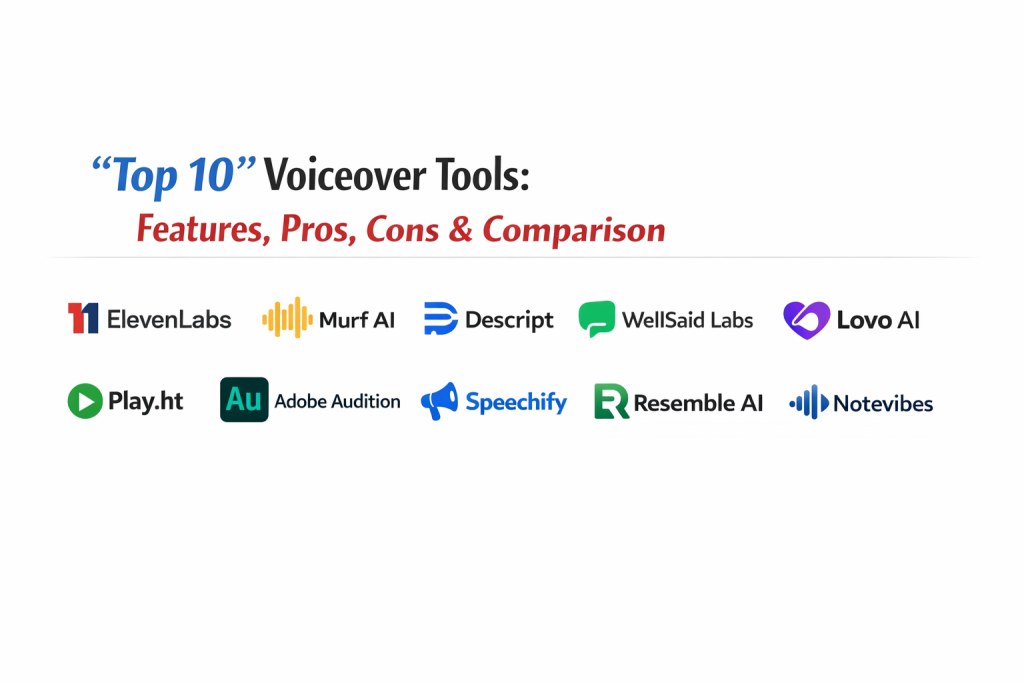
Introduction
Voiceover tools are specialized software applications designed to generate or record high-quality narration for digital content. In the current landscape, these tools generally fall into two categories: AI-driven Text-to-Speech (TTS) generators that produce synthetic human-like voices and Digital Audio Workstations (DAWs) used for recording and polishing live human performances. These platforms use advanced neural networks or professional-grade signal processing to ensure that the final audio is clear, expressive, and properly paced.
The importance of professional voiceover has surged in the mid-2020s as global content consumption reaches an all-time high. It matters now because the “voice” of a brand or project is often the primary way to establish trust and emotional connection with an audience. Whether it is for high-stakes corporate training, viral social media reels, or immersive audiobooks, having access to clear and natural narration is a non-negotiable requirement for ranking at the top of search results and retaining viewer attention.
Real-World Use Cases
- E-Learning & Training: Creating consistent and clear instructional narrations for thousands of educational modules without needing a physical recording studio.
- YouTube & Social Media: Generating engaging voiceovers for “faceless” channels or adding professional narration to short-form video content.
- Corporate Presentations: Polishing internal communications and slide decks with a professional, authoritative tone that matches company branding.
- Audiobook Production: Using high-fidelity AI cloning to turn long-form written manuscripts into spoken-word content at a fraction of the traditional cost.
- Marketing & Advertisements: Developing localized ad campaigns with regional accents to resonate with diverse global markets.
Evaluation Criteria for Buyers
- Voice Realism: How closely the synthetic output mimics the subtle inflections and emotional range of a real human.
- Language & Accent Support: The diversity of global languages and regional dialects available for localized content.
- Customization Controls: The ability to manually adjust pitch, speed, emphasis, and pauses to perfect the delivery.
- Voice Cloning Capability: Whether the tool can accurately replicate a specific human voice from a small audio sample.
- Editing Interface: The ease of use of the built-in studio, including script editing and multi-track capabilities.
- Commercial Rights: Clarity on the legal ownership of the generated audio for business or promotional use.
- Export Quality: Support for professional audio formats like WAV or high-bitrate MP3 for broadcast-ready sound.
Best for: Content creators, marketing agencies, corporate trainers, educators, and podcasters looking for a faster way to produce professional narration.
Not ideal for: Film projects requiring highly complex, Oscar-level dramatic acting or live broadcast environments where a real-time human host is essential.
Key Trends in Voiceover Tools
- Emotional Intelligence (EQ): Modern AI voices can now be programmed to sound “angry,” “joyful,” “whispering,” or “shouting” based on the context of the script.
- Real-Time Speech-to-Speech: Tools that allow a user to record their own voice and instantly “skin” it with a professional AI voice, preserving the original’s emotion and timing.
- Multi-Speaker Dialogue: The ability to assign different AI voices to different parts of a script within a single project window.
- Advanced Pronunciation Libraries: Customizable dictionaries that allow users to “teach” the software how to pronounce specific industry jargon or brand names.
- Background Audio Integration: Built-in libraries of royalty-free music and sound effects that automatically duck beneath the voiceover track.
- Ethical Voice Cloning: A major shift toward “consent-based” cloning, where voice actors are compensated when their digital likeness is used.
- API-First Workflows: The integration of voiceover generation directly into video editing platforms and CMS tools for automated content creation.
- AI Audio Restoration: Built-in tools that can take a low-quality human recording and instantly “enhance” it to sound like it was recorded in a studio.
How We Selected These Tools
Our evaluation of the top ten voiceover tools is built on a methodology that prioritizes output quality and production reliability. We analyzed the market to find a balance between specialized AI generation engines and industry-standard recording software. Key factors included the “naturalness” of the neural voices, the depth of the editing suite, and the speed of the rendering engine. We also looked for platforms that offer robust security for enterprise users and clear licensing for commercial projects. Community feedback and the frequency of software updates were also used to ensure that these tools are ready for the high demands of the current production year.
Top 10 Voiceover Tools
1. ElevenLabs
ElevenLabs is widely considered the leader in hyper-realistic AI voice synthesis. It uses a sophisticated “zoomed-out” perspective to understand the context of a script, resulting in narration that captures the natural flow and intonation of human speech better than almost any other engine.
Key Features
- Hyper-Realistic Neural Voices: Known for the best prosody and emotional depth in the industry.
- Instant Voice Cloning: Replicate a voice with just a few minutes of audio input.
- Speech-to-Speech: Transform your own recorded delivery into a different AI voice while keeping the emotion.
- Multilingual Support: High-quality synthesis across more than 30 global languages.
- Long-Form Projects: A dedicated interface specifically for narrating entire books or long articles.
Pros
- Unrivaled voice quality that is difficult to distinguish from a real human.
- Fast rendering speeds and a very clean, minimalist user interface.
Cons
- The pricing can become expensive for high-volume users.
- Limited manual control over specific syllable emphasis compared to some studio tools.
Platforms / Deployment
Web / iOS / Android — Cloud
Security & Compliance
Standard encryption and consent-focused cloning policies.
Integrations & Ecosystem
Strong API for developers and integrations with various content creation platforms.
Support & Community
Very active social community and a massive public library of shared community voices.
2. Murf AI
Murf AI is a comprehensive “all-in-one” voiceover studio. It is designed for teams who need more than just a voice; it provides a full timeline-based editor where you can sync your voiceover with images, videos, and music.
Key Features
- Studio-Quality Library: Over 200 voices across a wide range of styles and age groups.
- Timeline Editor: A drag-and-drop interface for syncing audio with visual elements.
- Voice Changer: Upload a raw recording and convert it into a professional-sounding AI voiceover.
- Collaboration Tools: Enterprise features that allow teams to work on the same project simultaneously.
- Pronunciation Library: Create custom rules for how the AI handles specific words.
Pros
- Excellent for corporate and educational content that requires a “finished” video.
- Consistent and reliable voices that are ideal for branding.
Cons
- The free tier does not allow for downloads.
- The interface can feel a bit complex for users who only want a quick audio file.
Platforms / Deployment
Web — Cloud
Security & Compliance
SOC 2, ISO 27001, and GDPR compliant.
Integrations & Ecosystem
Direct integrations with Canva, Adobe Captivate, and Google Slides.
Support & Community
Professional enterprise support and a large library of instructional tutorials.
3. Descript
Descript is a revolutionary tool that treats audio editing like a text document. Its “Overdub” feature allows you to create a digital clone of your voice, so you can fix mistakes in a recording simply by typing the new words.
Key Features
- Text-Based Editing: Edit your audio by deleting or changing words in the transcript.
- Overdub: Create an ultra-realistic clone of your own voice for quick corrections.
- Studio Sound: AI-powered background noise removal that makes any recording sound professional.
- Filler Word Removal: Automatically identifies and removes “ums” and “uhs” with one click.
- Multi-Track Recording: Ideal for podcasts and interviews with multiple speakers.
Pros
- Saves a massive amount of time for podcasters and video creators.
- The “Studio Sound” feature is one of the best in the market for cleaning up raw audio.
Cons
- The learning curve can be steep for those used to traditional audio editors.
- Requires a Pro subscription for unlimited use of the best cloning features.
Platforms / Deployment
Windows / macOS — Hybrid
Security & Compliance
Robust data privacy and ethical voice cloning requirements.
Integrations & Ecosystem
Strong connections to major podcast hosting platforms and video editors.
Support & Community
Excellent help center and a strong community of podcasters and storytellers.
4. WellSaid Labs
WellSaid Labs focuses on the “premium” end of the market, offering high-fidelity voices specifically tuned for corporate communications and internal training. They prioritize consistency and quality over raw quantity.
Key Features
- Studio-Quality Voices: A curated list of voices that sound exceptionally polished and professional.
- Word-by-Word Control: Fine-tune the pronunciation and emphasis of every single word.
- Team Projects: Shared workspaces for managing large-scale corporate voiceover projects.
- Fast Rendering: Real-time generation of high-resolution audio files.
- Secure API: Built for enterprises that need to integrate voiceover into their own apps.
Pros
- The most professional-sounding voices for “serious” corporate content.
- Extremely easy to maintain a consistent brand voice across many projects.
Cons
- Higher starting price than most other tools.
- The free trial is limited and does not allow for downloads.
Platforms / Deployment
Web — Cloud
Security & Compliance
Enterprise-grade security and data handling policies.
Integrations & Ecosystem
Designed to plug into corporate e-learning and marketing workflows.
Support & Community
Highly responsive professional support team.
5. Lovo AI (Genny)
Lovo AI, through its flagship product Genny, offers a creative-focused studio with a vast array of emotional voices. It is particularly popular for entertainment, gaming, and social media content.
Key Features
- Emotional Voices: Over 500 voices capable of expressing more than 25 different emotions.
- Built-in Video Editor: Edit your video and voiceover in the same workspace.
- AI Image Generator: Create visuals to go along with your voiceover directly in the tool.
- Pronunciation Editor: Advanced controls for phonetics and pauses.
- Voice Cloning: High-quality cloning for personalized branding.
Pros
- The best selection of “character” and “expressive” voices for creative projects.
- Great all-in-one value for creators who need both audio and visual tools.
Cons
- The sheer number of options can make the interface feel a little cluttered.
- Some voices sound more “AI-ish” than the premium selections in ElevenLabs.
Platforms / Deployment
Web — Cloud
Security & Compliance
Standard privacy protections for user data and clones.
Integrations & Ecosystem
Works well with social media platforms and standard video formats.
Support & Community
Active community of creators and helpful “how-to” resources.
6. Play.ht
Play.ht is an enterprise-ready voice generator that specializes in high-fidelity cloning and massive language support. It is a favorite for those who need to convert large amounts of text (like blog posts) into audio.
Key Features
- Massive Voice Library: Over 800 natural-sounding AI voices.
- Multi-Language Support: Covers 142 languages and accents.
- SEO-Friendly Widgets: Embeddable audio players for blogs and websites.
- Ultra-Realistic Cloning: Requires minimal audio to create a convincing clone.
- API Access: Robust tools for developers to automate voice generation.
Pros
- Excellent for global businesses that need to reach audiences in many languages.
- Very flexible pricing plans for different sizes of creators.
Cons
- Reliability can sometimes vary between different language models.
- The editor is less focused on video than tools like Murf or Lovo.
Platforms / Deployment
Web — Cloud
Security & Compliance
Standard cloud security and ethical cloning standards.
Integrations & Ecosystem
Great integration with WordPress and other website builders.
Support & Community
Solid documentation and helpful customer support.
7. Adobe Audition
Adobe Audition is the industry-standard “pro” tool for recording and editing live human voiceovers. It is not an AI generator, but a powerful workstation used to make a human voice sound like it was recorded in a million-dollar studio.
Key Features
- Spectral Display: See and remove unwanted clicks, pops, and background noise visually.
- Multitrack Environment: Mix dozens of tracks with professional-grade effects.
- Essential Sound Panel: Simplifies the process of making a voice sound professional.
- Diagnostic Tools: Automatically find and fix audio issues like clipping or hum.
- Batch Processing: Apply the same effects and cleanup to hundreds of files at once.
Pros
- The ultimate tool for total control over audio quality.
- Seamless integration with Adobe Premiere Pro for video editing.
Cons
- Requires a monthly Creative Cloud subscription.
- Does not generate AI voices; you must provide the recording.
Platforms / Deployment
Windows / macOS — Self-hosted
Security & Compliance
Standard Adobe enterprise security (SSO/MFA).
Integrations & Ecosystem
Deeply integrated with the entire Adobe Creative Cloud suite.
Support & Community
Thousands of professional tutorials and a massive global user base.
8. Speechify
Initially known for its accessibility features, Speechify has grown into a powerful voiceover tool. It focuses on high-speed reading and natural-sounding “narrator” voices for documents and books.
Key Features
- Celebrity Voices: Unique access to specific high-profile voice clones.
- Speed Control: Designed to be listened to at up to 9x speed without losing clarity.
- Cross-Platform Sync: Start on your phone and finish on your desktop.
- Document Import: Turn PDFs, emails, and web pages into voiceovers instantly.
- High-Quality Studio: A separate creator-focused workspace for high-end narration.
Pros
- The best choice for “consumption” (listening to your own documents).
- Very easy to use for turning written content into a quick audio file.
Cons
- Less fine-tuned control over emotion than ElevenLabs or Resemble.
- The pricing is geared toward heavy users.
Platforms / Deployment
Web / iOS / Android / Chrome Extension — Cloud
Security & Compliance
Standard consumer privacy and data handling.
Integrations & Ecosystem
Excellent browser extension that works on almost any website.
Support & Community
Large user base with helpful support for accessibility and productivity.
9. Resemble AI
Resemble AI is an enterprise-grade platform that specializes in “Speech-to-Speech” and high-latency real-time applications. It is used heavily in gaming and for building custom virtual assistants.
Key Features
- Speech-to-Speech: Convert one human voice into another while preserving the original acting.
- Localization: Automatically translate a voiceover into another language while keeping the original voice.
- Real-Time API: Designed for low-latency responses in apps and games.
- Fine-Grained Emotion: Detailed controls for how the voice should feel.
- Custom Cloning: Professional-grade cloning for brand-exclusive voices.
Pros
- The most technical tool for advanced developers and game studios.
- Exceptional results for localized “global” content.
Cons
- Can be overly technical for a casual content creator.
- Pricing is aimed at professional and enterprise tiers.
Platforms / Deployment
Web — Cloud / Hybrid
Security & Compliance
High-level security focus with SOC 2 compliance.
Integrations & Ecosystem
Excellent API for integration into specialized software and hardware.
Support & Community
High-quality technical documentation and professional support.
10. Notevibes
Notevibes is a straightforward, budget-friendly AI voice generator that offers a massive selection of voices. It is ideal for users who need a simple, no-frills way to turn text into clear speech.
Key Features
- Massive Voice Selection: Over 500 voices across 180+ languages.
- Emotion Controls: Supports specific styles like “happy,” “sad,” and “newscaster.”
- Advanced Editor: Control over speed, pitch, and pauses.
- Import Tools: Easily upload URLs or PDFs to convert them into audio.
- Commercial Licenses: Clear and affordable licensing for marketing use.
Pros
- Very high “value for money” with large character limits on cheap plans.
- Simple and effective for users who don’t need a complex video editor.
Cons
- The voices can feel slightly more “robotic” than ElevenLabs.
- The interface is functional but not as modern as Genny or Murf.
Platforms / Deployment
Web — Cloud
Security & Compliance
Standard user data protections.
Integrations & Ecosystem
Standard export options for use in any other software.
Support & Community
Good documentation and email-based support.
Comparison Table (Top 10)
| Tool Name | Best For | Platform(s) Supported | Deployment | Standout Feature | Public Rating |
| 1. ElevenLabs | Hyper-Realistic AI | Web, iOS, Android | Cloud | Contextual Prosody | 4.8/5 |
| 2. Murf AI | Team Collaboration | Web | Cloud | Timeline Video Studio | 4.6/5 |
| 3. Descript | Podcast Editing | Windows, macOS | Hybrid | Overdub Text-Editing | 4.6/5 |
| 4. WellSaid Labs | Corporate Training | Web | Cloud | Word-by-Word Control | 4.7/5 |
| 5. Lovo AI | Creative & Gaming | Web | Cloud | 25+ Emotional Styles | 4.5/5 |
| 6. Play.ht | Website Narration | Web | Cloud | 140+ Language Support | 4.4/5 |
| 7. Adobe Audition | Recording Live VO | Windows, macOS | Self-hosted | Spectral Audio Editing | 4.7/5 |
| 8. Speechify | Document Reading | Web, Mobile | Cloud | 9x Listening Speed | 4.6/5 |
| 9. Resemble AI | Real-Time & Localization | Web | Hybrid | Speech-to-Speech | 4.5/5 |
| 10. Notevibes | Budget-Friendly VO | Web | Cloud | 500+ Voice Options | 4.2/5 |
Evaluation & Scoring of Voiceover Tools
| Tool Name | Core (25%) | Ease (15%) | Integrations (15%) | Security (10%) | Perf (10%) | Support (10%) | Value (15%) | Total |
| 1. ElevenLabs | 10 | 8 | 8 | 8 | 9 | 8 | 7 | 8.4 |
| 2. Murf AI | 9 | 7 | 10 | 10 | 8 | 9 | 7 | 8.5 |
| 3. Descript | 9 | 5 | 8 | 9 | 8 | 9 | 8 | 8.1 |
| 4. WellSaid | 9 | 8 | 7 | 10 | 9 | 9 | 6 | 8.2 |
| 5. Lovo AI | 8 | 8 | 7 | 7 | 8 | 8 | 9 | 7.8 |
| 6. Play.ht | 8 | 7 | 9 | 8 | 8 | 8 | 8 | 7.8 |
| 7. Audition | 10 | 4 | 10 | 10 | 10 | 10 | 6 | 8.4 |
| 8. Speechify | 7 | 9 | 8 | 7 | 9 | 8 | 7 | 7.6 |
| 9. Resemble | 9 | 5 | 9 | 10 | 9 | 8 | 7 | 8.1 |
| 10. Notevibes | 7 | 9 | 6 | 7 | 8 | 7 | 10 | 7.5 |
These scores are comparative. A high “Core” score indicates a tool’s ability to produce the highest possible audio quality. “Value” scores prioritize tools that offer the most characters or recording time for the price, while “Ease” scores represent how quickly a new user can produce their first finished audio file.
Which Voiceover Tool Is Right for You?
Solo / Freelancer
If you are a solo YouTuber or social media creator, ElevenLabs is the best starting point for high-quality AI narration. If you prefer to record your own voice but hate editing, Descript will save you hours of work every single week.
SMB
Small teams focused on marketing and explainers will find Murf AI or Lovo AI to be the most productive. These tools allow you to create finished videos with synced audio without needing to hire external talent or manage complex audio software.
Mid-Market
For mid-sized companies doing a lot of internal training or localized sales content, Play.ht or WellSaid Labs offer the stability and language diversity needed to reach a global audience with a consistent professional tone.
Enterprise
Large-scale enterprises with strict security and high-volume needs should lean toward WellSaid Labs or Resemble AI. These platforms are built for the corporate world, offering the best security certifications and robust API support for custom applications.
Budget vs Premium
For budget-conscious creators, Notevibes offers the most voices for the lowest cost. If you are willing to pay a premium for the absolute best quality that money can buy, ElevenLabs and Adobe Audition are the gold standards.
Feature Depth vs Ease of Use
If you need absolute control over every pixel and wave of sound, Adobe Audition and Resemble AI are the choices. If you want to type a sentence and have a perfect audio file in three seconds, Speechify and Notevibes are the winners.
Integrations & Scalability
For projects that need to scale globally, Play.ht and Murf AI offer the best integrations with common business tools. For real-time scalability in gaming or apps, Resemble AI is the primary choice.
Security & Compliance Needs
Organizations that require high levels of compliance (HIPAA, SOC 2) should look at Murf AI, WellSaid Labs, and Adobe, as these companies have invested most heavily in enterprise-grade security protocols.
Frequently Asked Questions (FAQs)
1. Is AI voiceover as good as a human?
In 2026, the gap has narrowed significantly. For most narration, explainers, and audiobooks, AI is now indistinguishable from a human. However, humans are still preferred for complex emotional acting.
2. Can I use these voices for commercial ads?
Yes, most paid plans on these platforms include full commercial rights. However, you must check the specific terms of your subscription to ensure you are covered for paid advertising.
3. How much audio do I need to clone a voice?
Modern tools like ElevenLabs or Descript can create a basic clone with as little as 1 to 5 minutes of clear audio, though 30 minutes of high-quality recording will always yield better results.
4. What is the best file format for voiceovers?
For the highest quality, you should export in WAV or FLAC (lossless). For web and social media use, a high-bitrate MP3 (at least 256kbps) is usually more than sufficient.
5. How do I fix a “robotic” sounding AI voice?
Use the manual controls for “stability” and “clarity.” Adding small pauses between sentences and manually emphasizing key words can also make a significant difference in naturalness.
6. Do I need a special microphone for voice cloning?
Yes. To get a high-quality clone, you should use a dedicated USB or XLR condenser microphone in a quiet room. The better the input, the better the digital twin will be.
7. Can I change the language of a recorded voiceover?
Yes, tools like Resemble AI and Play.ht offer “voice translation” or “dubbing” features that translate your text while keeping the original voice’s tone.
8. What is the difference between a DAW and an AI generator?
A DAW (like Adobe Audition) is for recording and editing actual sound. An AI generator (like ElevenLabs) creates sound from text. Most professionals use both together.
9. Are there free voiceover tools?
Yes, many tools have free tiers (like Notevibes or ElevenLabs), but they usually have character limits and may not allow you to download the files or use them commercially.
10. How do I prevent people from cloning my voice?
Most professional tools now require a “voice captcha” or a live recording of a specific script to prove that you are the owner of the voice being cloned.
Conclusion
The selection of a voiceover tool is a strategic choice that defines the auditory character of your digital presence. Whether you leverage the hyper-realism of AI generators like ElevenLabs or the precision of recording workstations like Adobe Audition, the goal remains the same: to deliver a clear, engaging, and professional message. As voice technology moves toward even greater emotional nuance and real-time localization, the barriers to high-quality global communication are disappearing. By choosing the right tool for your specific needs, you can scale your content production while ensuring that your project’s “voice” resonates deeply with every listener.

Best Cardiac Hospitals Near You
Discover top heart hospitals, cardiology centers & cardiac care services by city.
Advanced Heart Care • Trusted Hospitals • Expert Teams
View Best Hospitals