Introduction
Waterfall project management tools help teams plan and deliver projects in clear phases, with defined scope, fixed milestones, and structured approvals. In simple terms, these tools focus on planning first, then executing step by step: requirements → design → build → test → release. They make it easier to lock timelines, manage dependencies, track progress against a baseline, and report status to stakeholders in a consistent way.
This category matters because many industries still rely on predictable, compliance-friendly delivery. Construction, infrastructure, manufacturing, government programs, procurement, healthcare operations, and large enterprise rollouts often need upfront planning, detailed schedules, formal change control, and audit-friendly documentation. Without the right tool, teams fall back to spreadsheets and email chains, and the project becomes hard to control when changes happen.
Real-world use cases:
- Construction schedules with dependencies, critical tasks, and baseline tracking
- Government and compliance-heavy IT programs with gated approvals
- ERP rollouts and multi-site deployments with strict milestones
- Vendor delivery projects with fixed scope and contract timelines
- Manufacturing and operations projects that depend on sequential handoffs
What buyers should evaluate before choosing:
- Gantt chart quality and timeline control (milestones, baselines, critical path concepts)
- Dependency handling (finish-to-start, lead/lag concepts, linking depth)
- Resource planning and workload visibility (capacity, utilization signals)
- Change control support (versions, baselines, approvals, audit history)
- Reporting (status dashboards, schedule variance, milestone health)
- Collaboration (comments, approvals, attachments, stakeholder updates)
- Templates and standardization (repeatable plans and governance rules)
- Integration readiness (email, docs, storage, finance, procurement, ticketing)
- Scalability (large schedules, many projects, performance under load)
- Admin overhead (how much configuration and governance it needs to stay clean)
Best for: teams with fixed deliverables, clear phases, and stakeholder governance where schedule control and reporting discipline matter.
Not ideal for: teams doing fast-changing product discovery work, continuous releases, or highly iterative delivery where scope changes frequently and planning must adapt weekly.
Key Trends in Waterfall Project Management Tools
- Stronger baseline and variance reporting to support governance and audits
- More portfolio rollups so leaders can compare schedules across projects
- Better integration patterns with collaboration tools to reduce status meeting load
- Increased focus on resource capacity planning to prevent unrealistic schedules
- More structured intake and change request tracking to protect baselined plans
- Improved stakeholder communication through automated status summaries (Varies / N/A)
- Higher expectations for permissions and external access control for vendors
- More hybrid support: waterfall planning with flexible execution tracking
- More emphasis on usability to reduce training time for non-PM stakeholders
- Better support for templates and standard operating practices across PMOs
How We Selected These Tools
- Strong reputation for schedule-driven planning and phased delivery
- Practical Gantt charts, milestones, and dependency management
- Ability to manage baselines and report schedule variance (where applicable)
- Options across enterprise and SMB segments
- Useful collaboration features to keep project context in one place
- Integration readiness for common business and delivery environments
- Reasonable scalability and governance for multi-project portfolios
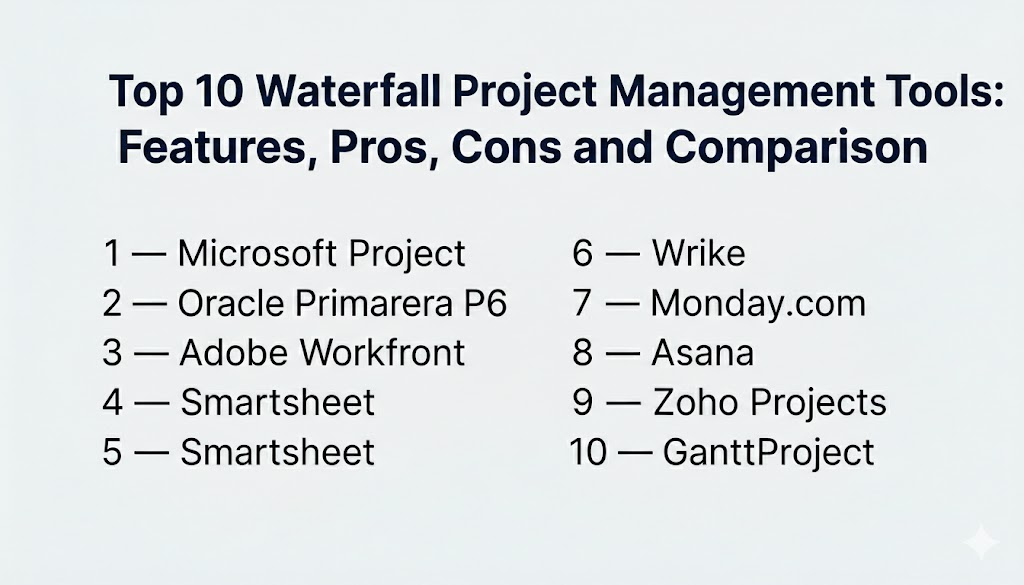
Top 10 Waterfall Project Management Tools
1 — Microsoft Project
Microsoft Project is a well-known choice for structured scheduling, dependency management, and formal project plans. It fits teams that need detailed timelines, baselines, and disciplined reporting.
Key Features
- Detailed schedules with dependencies and milestone tracking
- Baselines and schedule variance concepts for controlled delivery (Varies / N/A)
- Resource assignments and utilization-style planning (Varies / N/A)
- Multiple timeline views with structured reporting concepts (Varies / N/A)
- Templates for common waterfall project structures
- Portfolio-style oversight patterns (Varies / N/A)
- Works well in PM-led environments with formal governance
Pros
- Strong schedule depth for dependency-heavy projects
- Good fit for structured PMO delivery and reporting discipline
Cons
- Can be heavy for teams wanting lightweight collaboration-first tracking
- Requires planning discipline to get full value from baselines
Platforms / Deployment
- Platform(s): Varies / N/A
- Deployment: Cloud, Self-hosted, Hybrid (Varies / N/A)
Security and Compliance
Not publicly stated
Integrations and Ecosystem
Often used in organizations that already run Microsoft productivity and collaboration tools.
- Identity and access alignment patterns (Varies / N/A)
- Reporting and spreadsheet-style export workflows (Varies / N/A)
- Integration options vary by deployment and plan (Varies / N/A)
Support and Community
Strong enterprise support availability in many environments. Large ecosystem of training resources.
2 — Oracle Primavera P6
Oracle Primavera P6 is widely used for complex, schedule-driven projects, especially in construction, engineering, and large programs. It fits teams managing deep dependencies, long timelines, and strict reporting needs.
Key Features
- Advanced scheduling and dependency management for complex plans
- Baseline control and variance tracking concepts (Varies / N/A)
- Critical path-style planning and schedule optimization concepts (Varies / N/A)
- Resource and cost-related planning patterns (Varies / N/A)
- Multi-project portfolio oversight concepts (Varies / N/A)
- Strong governance for controlled project environments
- Useful for large programs with formal change control expectations
Pros
- Very strong for large, complex schedules and multi-project coordination
- Good fit for industries that demand planning discipline
Cons
- Steeper learning curve for teams new to formal scheduling
- Best results require consistent PMO standards and data hygiene
Platforms / Deployment
- Platform(s): Varies / N/A
- Deployment: Cloud, Self-hosted, Hybrid (Varies / N/A)
Security and Compliance
Not publicly stated
Integrations and Ecosystem
Often used in enterprise program environments connected to cost and resource planning.
- Integration patterns depend on enterprise systems (Varies / N/A)
- Reporting and export workflows vary by deployment (Varies / N/A)
- Works best with defined governance and structured data entry
Support and Community
Common in enterprise and industry-focused programs. Support depends on licensing and implementation partners.
3 — Adobe Workfront
Adobe Workfront is often used for structured project delivery in marketing operations and enterprise work management. It fits waterfall-style delivery when teams need approvals, standardized templates, and stakeholder reporting.
Key Features
- Structured project plans with tasks, milestones, and approvals (Varies / N/A)
- Review and approval workflows for deliverables (Varies / N/A)
- Reporting dashboards for stakeholder visibility (Varies / N/A)
- Templates to standardize phased delivery across teams
- Intake and request management patterns (Varies / N/A)
- Governance controls for enterprise collaboration (Varies / N/A)
- Useful for high-volume delivery environments with many stakeholders
Pros
- Strong for structured approvals and stakeholder visibility
- Good for standardized delivery where templates matter
Cons
- Can feel heavy if you only need simple scheduling
- Best value requires consistent operating practices
Platforms / Deployment
- Platform(s): Web (Varies / N/A)
- Deployment: Cloud (Varies / N/A)
Security and Compliance
Not publicly stated
Integrations and Ecosystem
Often selected when work must connect to enterprise collaboration and asset workflows.
- Integrations vary based on enterprise stack (Varies / N/A)
- APIs and connectors depend on plan and environment (Varies / N/A)
- Works best when intake and approvals are standardized
Support and Community
Enterprise support orientation. Adoption success improves with training and template governance.
4 — Smartsheet
Smartsheet is popular for waterfall-style plans because it feels familiar to spreadsheet users while offering stronger structure, automation, and dashboards. It fits teams that want controlled planning without heavy PM scheduling tools.
Key Features
- Grid-style plans with owners, dates, and milestones
- Dependency support and timeline planning concepts (Varies / N/A)
- Automation for reminders, approvals, and routine updates (Varies / N/A)
- Dashboards for portfolio visibility and reporting (Varies / N/A)
- Templates for repeatable project plans and processes
- Collaboration via comments and attachments (Varies / N/A)
- Useful for operational coordination and reporting
Pros
- Comfortable for teams moving from spreadsheets to structured PM
- Strong visibility and reporting without extreme complexity
Cons
- Deep schedule modeling can be limited compared to specialist schedulers
- Governance is needed when many teams create many sheets
Platforms / Deployment
- Platform(s): Web, iOS, Android (Varies / N/A)
- Deployment: Cloud
Security and Compliance
Not publicly stated
Integrations and Ecosystem
Often used alongside document workflows and reporting tools.
- File and storage integrations (Varies / N/A)
- Automation connectors for business workflows (Varies / N/A)
- APIs for custom reporting pipelines (Varies / N/A)
Support and Community
Good template ecosystem and training content. Support depends on plan and organization size.
5 — Wrike
Wrike is often chosen for structured project execution where teams need workflow control, approvals, and reporting. It supports waterfall planning when used with templates, milestones, and phase-based plans.
Key Features
- Structured projects with tasks, milestones, and workflows
- Approvals and review workflows for deliverables (Varies / N/A)
- Dashboards and reporting for project health (Varies / N/A)
- Templates for repeatable waterfall delivery plans
- Permissions and access controls for cross-team work (Varies / N/A)
- Collaboration via comments, mentions, and activity history
- Useful for multi-project delivery environments
Pros
- Strong for governed execution and stakeholder visibility
- Good fit where approvals and structured workflows matter
Cons
- Can be heavier than needed for very small teams
- Setup quality impacts reporting reliability
Platforms / Deployment
- Platform(s): Web, iOS, Android (Varies / N/A)
- Deployment: Cloud
Security and Compliance
Not publicly stated
Integrations and Ecosystem
Often integrated with file tools and communication stacks for delivery coordination.
- Integrations with storage and collaboration tools (Varies / N/A)
- Reporting and automation connectors vary by plan (Varies / N/A)
- APIs for custom workflows and analytics (Varies / N/A)
Support and Community
Support tiers vary. Best results come from defining standard templates and training users.
6 — Monday.com
Monday.com is frequently used for waterfall-style projects when teams want a simpler planning experience with dashboards and automation. It fits business teams that need visibility, structured tracking, and repeatable processes.
Key Features
- Boards and timelines for phase-based project planning (Varies / N/A)
- Milestones and status tracking patterns (Varies / N/A)
- Automation rules for reminders and workflow updates
- Dashboards for progress and stakeholder reporting (Varies / N/A)
- Templates for project plans and operational processes
- Intake forms and request workflows (Varies / N/A)
- Flexible structure for cross-functional delivery
Pros
- Strong visibility without forcing heavy PM scheduling complexity
- Useful automation for routine updates and reporting
Cons
- Without standards, different teams may create inconsistent tracking
- Very complex projects may need deeper scheduling tools
Platforms / Deployment
- Platform(s): Web, iOS, Android (Varies / N/A)
- Deployment: Cloud
Security and Compliance
Not publicly stated
Integrations and Ecosystem
Often used as a work hub connected to everyday business tools.
- Integrations with email, chat, and storage tools (Varies / N/A)
- Automation connectors for common business systems (Varies / N/A)
- APIs for customization and reporting flows (Varies / N/A)
Support and Community
Good onboarding resources and templates. Support depends on plan.
7 — Asana
Asana supports waterfall project delivery when teams use timeline views, milestones, and structured templates. It works well for cross-functional projects that require clear ownership and consistent stakeholder communication.
Key Features
- Timeline planning with milestones and dependencies
- Templates for phase-based delivery and standard processes
- Rules and automation for reminders and updates
- Dashboards for progress reporting (Varies / N/A)
- Collaboration via comments, mentions, and history
- Multiple views for different roles: list, board, calendar (Varies / N/A)
- Good fit for cross-team coordination
Pros
- High usability with enough structure for many waterfall projects
- Strong for cross-functional visibility and accountability
Cons
- Deep schedule modeling may be limited for highly complex programs
- Portfolio governance requires standard templates at scale
Platforms / Deployment
- Platform(s): Web, iOS, Android (Varies / N/A)
- Deployment: Cloud
Security and Compliance
Not publicly stated
Integrations and Ecosystem
Commonly integrated with communication and document tools for end-to-end coordination.
- Calendar and email workflow connections (Varies / N/A)
- Collaboration tool integrations (Varies / N/A)
- File storage integrations (Varies / N/A)
Support and Community
Strong onboarding materials and broad adoption community. Support tiers vary by plan.
8 — Zoho Projects
Zoho Projects is often used for structured project planning and delivery, especially by SMBs and mid-market teams. It fits waterfall-style work when teams need milestones, task tracking, and reporting without heavy tool overhead.
Key Features
- Projects with tasks, milestones, and phase-based structure
- Timeline planning concepts (Varies / N/A)
- Collaboration with comments and document handling patterns (Varies / N/A)
- Dashboards for project status visibility (Varies / N/A)
- Templates for repeatable project plans
- Useful for multi-project tracking in growing teams
- Strong fit when aligned to broader Zoho business tools (Varies / N/A)
Pros
- Practical structured planning for many SMB projects
- Useful when the organization already uses Zoho tools
Cons
- Very large enterprise governance needs may require heavier suites
- Integration depth depends on your broader stack
Platforms / Deployment
- Platform(s): Web, iOS, Android (Varies / N/A)
- Deployment: Cloud
Security and Compliance
Not publicly stated
Integrations and Ecosystem
Often works best when used as part of a connected business tooling environment.
- Integrations vary by your tools and plan (Varies / N/A)
- APIs and automation options depend on setup (Varies / N/A)
- Best results come from standard templates and roles
Support and Community
Support experience varies. Evaluate admin controls and reporting fit for your project volume.
9 — ProjectLibre
ProjectLibre is a desktop-focused project planning tool often considered as an alternative for schedule building with Gantt charts and dependencies. It fits teams that want local planning without relying on a large enterprise platform.
Key Features
- Gantt chart scheduling with tasks, milestones, and dependencies
- Resource assignment concepts (Varies / N/A)
- Import and export style workflows (Varies / N/A)
- Useful for building structured waterfall plans
- Works for individual project managers and small teams
- Desktop-oriented experience for local schedule management
- Suitable for organizations that prefer offline planning patterns
Pros
- Useful for creating detailed schedules without heavy platforms
- Good for individuals or small teams focused on planning
Cons
- Collaboration and stakeholder reporting features can be limited
- Integrations and enterprise governance features may be limited
Platforms / Deployment
- Platform(s): Windows, macOS, Linux (Varies / N/A)
- Deployment: Self-hosted / Local (desktop)
Security and Compliance
Not publicly stated
Integrations and Ecosystem
Integration is typically via exports, imports, and local workflows.
- Export formats and interoperability vary (Varies / N/A)
- Works best when you have a defined reporting workflow
- Automation depends on external scripts and processes (Varies / N/A)
Support and Community
Community-driven support style. Documentation and adoption help depend on your team’s comfort with desktop tools.
10 — GanttProject
GanttProject is a lightweight planning tool focused on Gantt charts, basic dependencies, and simple project schedules. It fits users who want straightforward waterfall planning with minimal overhead.
Key Features
- Gantt chart creation with tasks and milestones
- Basic dependency linking for sequential planning
- Resource assignment concepts (Varies / N/A)
- Export-style workflows for reporting (Varies / N/A)
- Simple interface for quick schedule building
- Suitable for small projects and individual planning
- Useful for teams that need lightweight Gantt planning
Pros
- Simple and lightweight for basic waterfall schedules
- Low setup effort and quick planning workflow
Cons
- Not designed for complex enterprise reporting and governance
- Collaboration and advanced scheduling depth can be limited
Platforms / Deployment
- Platform(s): Windows, macOS, Linux (Varies / N/A)
- Deployment: Self-hosted / Local (desktop)
Security and Compliance
Not publicly stated
Integrations and Ecosystem
Integrations are typically limited to exports and manual reporting workflows.
- Export formats vary by setup (Varies / N/A)
- Works best when combined with standard reporting practices
- Automation depends on external tools and routines (Varies / N/A)
Support and Community
Community support style. Good fit for teams comfortable with simple planning tools.
Comparison Table
| Tool Name | Best For | Platform(s) Supported | Deployment (Cloud/Self-hosted/Hybrid) | Standout Feature | Public Rating |
|---|---|---|---|---|---|
| Microsoft Project | Formal schedules, dependencies, and PMO reporting | Varies / N/A | Cloud/Self-hosted/Hybrid (Varies / N/A) | Deep scheduling and structured planning | N/A |
| Oracle Primavera P6 | Large, complex schedules in engineering and construction | Varies / N/A | Cloud/Self-hosted/Hybrid (Varies / N/A) | Complex program scheduling and governance | N/A |
| Adobe Workfront | Approval-heavy structured delivery with templates | Web (Varies / N/A) | Cloud (Varies / N/A) | Enterprise approvals and standardized workflows | N/A |
| Smartsheet | Spreadsheet-like waterfall plans with dashboards | Web, iOS, Android (Varies / N/A) | Cloud | Structured tracking with reporting dashboards | N/A |
| Wrike | Governed execution with approvals and reporting | Web, iOS, Android (Varies / N/A) | Cloud | Workflow control for multi-project delivery | N/A |
| Monday.com | Business waterfall tracking with automation and visibility | Web, iOS, Android (Varies / N/A) | Cloud | Dashboards and automation for stakeholders | N/A |
| Asana | Cross-functional phase-based delivery and accountability | Web, iOS, Android (Varies / N/A) | Cloud | Timeline planning with strong usability | N/A |
| Zoho Projects | Structured planning for SMB and mid-market delivery | Web, iOS, Android (Varies / N/A) | Cloud | Practical project structure for growing teams | N/A |
| ProjectLibre | Desktop scheduling for detailed local project plans | Windows, macOS, Linux (Varies / N/A) | Self-hosted / Local | Gantt-based planning without heavy platforms | N/A |
| GanttProject | Lightweight Gantt schedules for small projects | Windows, macOS, Linux (Varies / N/A) | Self-hosted / Local | Simple Gantt planning with low overhead | N/A |
Evaluation and Scoring of Waterfall Project Management Tools
Scoring model:
- Each criterion uses a 1–10 score to support shortlisting.
- Weighted Total is a comparative estimate across this list, not a verified public rating.
- Use scoring to narrow choices, then validate with a pilot using real schedules.
- If advanced scheduling or strict governance is mandatory, treat it as a requirement first and a score second.
Weights:
- Core features – 25%
- Ease of use – 15%
- Integrations and ecosystem – 15%
- Security and compliance – 10%
- Performance and reliability – 10%
- Support and community – 10%
- Price / value – 15%
| Tool Name | Core (25%) | Ease (15%) | Integrations (15%) | Security (10%) | Performance (10%) | Support (10%) | Value (15%) | Weighted Total (0–10) |
|---|---|---|---|---|---|---|---|---|
| Microsoft Project | 9 | 6 | 7 | 7 | 8 | 8 | 6 | 7.35 |
| Oracle Primavera P6 | 10 | 5 | 6 | 7 | 8 | 7 | 5 | 7.00 |
| Adobe Workfront | 8 | 7 | 7 | 7 | 7 | 7 | 6 | 7.00 |
| Smartsheet | 7 | 7 | 7 | 7 | 7 | 7 | 6 | 6.85 |
| Wrike | 8 | 7 | 7 | 7 | 7 | 7 | 6 | 7.10 |
| Monday.com | 7 | 8 | 8 | 7 | 7 | 7 | 7 | 7.35 |
| Asana | 7 | 9 | 8 | 7 | 7 | 8 | 7 | 7.55 |
| Zoho Projects | 7 | 7 | 7 | 6 | 7 | 6 | 8 | 7.00 |
| ProjectLibre | 6 | 6 | 4 | 6 | 7 | 5 | 8 | 6.10 |
| GanttProject | 5 | 7 | 3 | 5 | 6 | 5 | 8 | 5.75 |
How to interpret these scores:
- Core favors scheduling depth, baselines, dependency handling, and structured reporting.
- Ease matters when adoption and training time are major constraints.
- Integrations matter when project plans must connect to documents, approvals, and stakeholder updates.
- Value depends on scale, governance needs, and admin overhead.
Which Waterfall Project Management Tool Is Right for You?
Solo / Freelancer
If you manage small client projects with clear phases, focus on simplicity and fast schedule building. GanttProject can be enough for basic Gantt planning. ProjectLibre fits when you want deeper dependency planning on desktop. If clients need visibility and collaboration, tools like Asana or Monday.com can work, especially when you create a simple phased template and keep updates consistent.
SMB
SMBs often need clarity and stakeholder visibility without a heavy PMO. Asana and Monday.com are strong when cross-functional teams need ownership, milestones, and simple reporting. Smartsheet is a strong fit when teams are used to spreadsheets and want a structured upgrade. Zoho Projects can fit well for growing teams that want practical project structure and straightforward tracking.
Mid-Market
Mid-market organizations often manage multiple projects with shared resources. Wrike and Smartsheet can fit well when standardized templates, reporting dashboards, and approval workflows matter. Asana can work for cross-functional delivery if you enforce consistent phases and naming. If your projects have deeper schedule complexity, Microsoft Project can add stronger dependency and baseline control.
Enterprise
Enterprises usually need governance, standardization, and portfolio rollups. Microsoft Project remains a common option for schedule-driven planning and PMO reporting. Oracle Primavera P6 is often used when schedules are complex, long-running, and dependency-heavy, especially in industries where formal planning is expected. Adobe Workfront can be valuable when approvals, intake governance, and standardized delivery workflows are central to execution. The key to enterprise success is defining templates, baselines, and change control rules before scaling.
Budget vs Premium
- Budget-first teams should choose tools with high adoption and low admin overhead, then standardize a simple phase template.
- Premium tools make sense when advanced scheduling, baselines, or portfolio governance reduces real delivery risk.
- The hidden cost is inconsistency: if every team uses different phases and definitions, reporting becomes unreliable.
Feature Depth vs Ease of Use
- If schedule accuracy and dependency management is your biggest risk, prioritize deeper scheduling tools.
- If adoption and daily updates are your biggest risk, prioritize usability and clean templates.
- Many teams succeed with a lightweight execution tool for collaboration plus a disciplined schedule owner who maintains the baseline.
Integrations and Scalability
Waterfall plans often touch documents, approvals, procurement steps, and stakeholder communication. Validate integrations that keep project updates close to real work, otherwise the plan becomes stale. For scalability, test performance with large schedules, multi-project reporting, and permission boundaries across departments and vendors.
Security and Compliance Needs
Security capabilities vary by plan and deployment. Focus on role-based access, audit history visibility, and controlled external collaboration. Also define rules for what sensitive data should not be stored in tasks or attachments. For vendor-heavy projects, keep external access segmented and review permissions regularly.
Frequently Asked Questions
1.What is the main purpose of a waterfall project management tool?
It helps you plan the full project upfront, track progress against a baseline, manage dependencies, and report status consistently through structured phases.
2.When should we choose waterfall instead of agile?
Choose waterfall when requirements are stable, phases are sequential, and stakeholders require formal approvals, predictable timelines, and structured reporting.
3.Do waterfall tools support change control?
Many do through baselines, versioning concepts, and structured approval workflows. If change control is critical, test it during a pilot.
4.What is a baseline and why is it important?
A baseline is the agreed schedule plan. It lets you measure variance, identify delays early, and keep stakeholders aligned on what changed and why.
5.How do dependencies help in waterfall planning?
Dependencies show which tasks must finish before others start. They reduce guesswork and help you see where delays will ripple through the plan.
6.How should we handle resource constraints in waterfall schedules?
Start by mapping real capacity, then build schedules around availability. Avoid optimistic plans that ignore resource limits, and review workloads frequently.
7.What is the most common mistake teams make with waterfall tools?
Building a perfect plan once and never updating it. The plan must reflect reality, otherwise reporting becomes meaningless.
8.Can waterfall tools be used for business teams, not only IT?
Yes. Marketing launches, procurement programs, compliance rollouts, and operations projects often work well with phase-based tracking and milestone governance.
9.How do we migrate from spreadsheets to a waterfall tool?
Start with one template, migrate only active projects, define standard phases, and train owners on updating milestones and dependencies consistently.
10.How do we choose between a heavyweight scheduler and a simpler tool?
If your projects have deep dependencies, long timelines, and formal governance, choose a stronger scheduler. If adoption and collaboration are the biggest needs, choose a simpler tool with clean templates.
Conclusion
Waterfall project management tools are most effective when they protect delivery through discipline: clear phases, well-defined milestones, realistic schedules, and controlled change. The “best” tool depends on your project complexity, governance expectations, and how much training and administration your organization can support. Some teams need deep scheduling and baseline control to manage long dependency chains. Other teams succeed with simpler platforms because adoption stays high and project updates remain reliable. A practical next step is to shortlist two or three tools, build a real project plan with milestones and dependencies, establish a baseline, and run a pilot through a few reporting cycles. Validate that stakeholders trust the dashboards, the schedule stays current, and change control works without slowing execution.

Best Cardiac Hospitals Near You
Discover top heart hospitals, cardiology centers & cardiac care services by city.
Advanced Heart Care • Trusted Hospitals • Expert Teams
View Best Hospitals