A web server is a specialized software application designed to process incoming network requests over HTTP and other related protocols. Its primary function is to store, process, and deliver web pages to clients, typically web browsers. In , web servers have evolved beyond simple file delivery systems; they now act as critical traffic orchestrators, managing complex tasks such as load balancing, SSL/TLS encryption, and real-time data streaming. By acting as the bridge between the server’s hardware and the end-user’s device, a web server ensures that digital content is delivered quickly, securely, and reliably across the global internet infrastructure.
The strategic selection of a web server directly impacts a website’s loading speed, security posture, and ability to handle traffic spikes. Real-world applications range from high-frequency trading platforms requiring microsecond latency to massive content delivery networks (CDNs) serving petabytes of data daily. When evaluating a web server, decision-makers must consider several technical criteria: concurrency handling (how many users can connect at once), memory efficiency, ease of configuration, support for modern protocols like HTTP/3 and QUIC, and the robustness of its security modules.
Best for:
Web servers are essential for system administrators, DevOps engineers, web developers, and hosting providers. They are the backbone for anyone hosting a website, API, or web-based application, from personal blogs to global enterprise platforms.
Not ideal for:
A web server is not a replacement for an application server that handles heavy business logic (like complex calculations or database transactions), nor is it intended for users who only require simple file storage without web accessibility.
Key Trends in Web Servers and Beyond
- Widespread HTTP/3 Adoption: The shift to QUIC-based HTTP/3 has become the standard, significantly reducing latency and improving performance on unstable mobile networks.
- AI-Driven Traffic Optimization: Modern servers are integrating machine learning to predict traffic patterns and dynamically adjust resource allocation or mitigate DDoS attacks in real-time.
- Serverless and Edge Integration: Web servers are increasingly deployed at the “edge,” bringing content closer to the user and integrating seamlessly with serverless compute environments.
- Zero-Trust Networking: Security models are shifting toward intrinsic encryption and identity-based access control directly within the server’s request-processing pipeline.
- Rust-Based Performance: A new generation of web servers and components written in Rust (like Pingora) is offering memory safety without the performance penalties of older languages.
- Energy-Efficient Web Serving: Software optimizations are focusing on reducing CPU cycles per request to lower the carbon footprint of massive data centers.
- Automated SSL/TLS Management: Manual certificate renewal is a thing of the past, with almost all modern servers providing native, automated “Let’s Encrypt” integration.
- Microservices Orchestration: Web servers now offer deeper integration with container technologies like Kubernetes, acting as intelligent entry points for distributed microservices.
How We Selected These Tools (Methodology)
- Request Handling Architecture: We prioritized servers that utilize modern event-driven or asynchronous models for high concurrency.
- Market Reliability: Only tools with a proven track record of stability in high-traffic production environments were included.
- Protocol Support: Evaluation was based on native support for the latest web standards, including HTTP/2, HTTP/3, and TLS 1.3.
- Extensibility: We looked for servers that offer a rich ecosystem of modules or plugins to extend functionality without compromising core speed.
- Administrative Interface: Consideration was given to both command-line efficiency and the availability of professional management GUIs.
- Security Resilience: We assessed each tool’s built-in defenses against common web vulnerabilities and its history of rapid patch deployment.
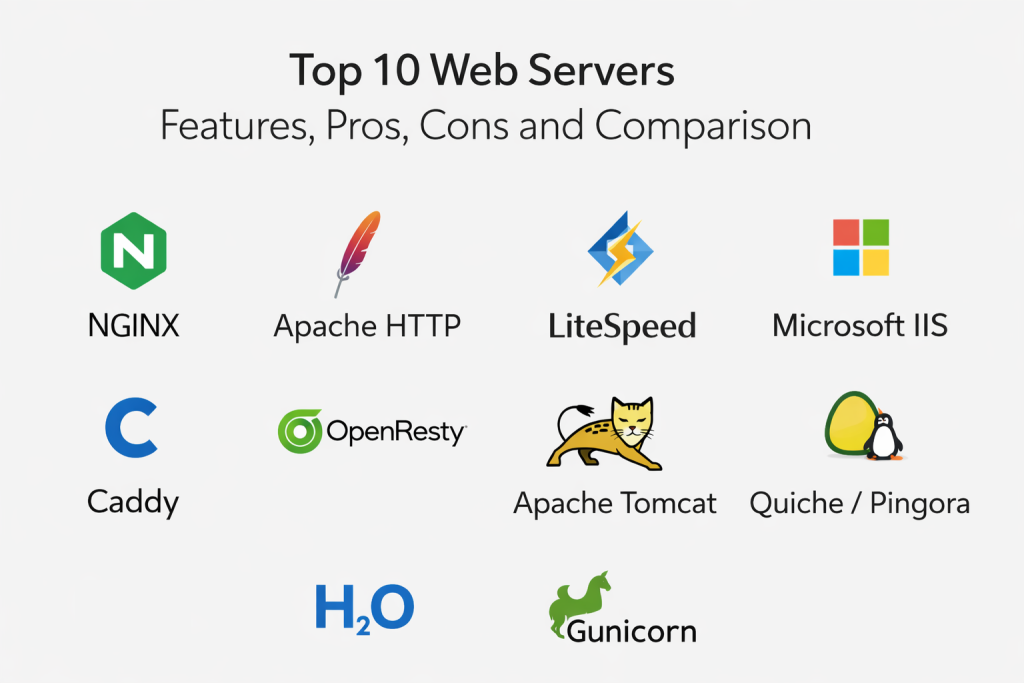
Top 10 Web Servers
1 — Nginx
Nginx is a high-performance, event-driven web server that has become the world’s most popular choice for modern web applications and high-traffic sites.
Key Features
- Asynchronous, non-blocking architecture that allows it to handle tens of thousands of concurrent connections with minimal memory.
- Powerful built-in reverse proxy and load balancing capabilities to distribute traffic across multiple backend servers.
- Advanced HTTP caching system that speeds up content delivery by storing frequently accessed data in memory.
- Native support for modern protocols, including HTTP/2, HTTP/3, and gRPC.
- Highly flexible configuration language that allows for complex URL rewriting and traffic manipulation.
Pros
- Extremely lightweight and fast, particularly when serving static content like images and scripts.
- Highly scalable, making it the preferred choice for microservices and containerized environments.
Cons
- The configuration syntax can be complex and intimidating for beginners compared to more visual tools.
- Less flexible than Apache for environments that require per-directory configuration via .htaccess files.
Platforms / Deployment
- Linux, Unix, Windows
- Cloud / Self-hosted / Edge
Security & Compliance
- SSL/TLS 1.3, MFA integration, WAF modules
- GDPR, SOC 2 compliant configurations
Integrations & Ecosystem
Nginx is the centerpiece of the modern web stack, integrating seamlessly with all major cloud providers and CI/CD pipelines.
- Docker & Kubernetes
- AWS & Google Cloud
- WordPress & Magento
- AppDynamics
Support & Community
It boasts a massive global community and extensive professional documentation, with Nginx Plus providing enterprise-level 24/7 support.
2 — Apache HTTP Server
The Apache HTTP Server is the “old guard” of the internet, known for its extreme flexibility, modularity, and deep-rooted compatibility with legacy systems.
Key Features
- A modular architecture that allows administrators to load only the specific features they need (like rewrite engines or security filters).
- Support for .htaccess files, enabling users to customize server behavior on a per-directory basis without restarting the service.
- Compatibility with a wide range of scripting languages, most notably as the “A” in the classic LAMP stack (Linux, Apache, MySQL, PHP).
- Robust authentication modules supporting everything from basic login to LDAP and Kerberos.
- Extensive virtual hosting capabilities to run hundreds of independent websites on a single server instance.
Pros
- Unmatched flexibility and a massive library of third-party modules for almost any use case.
- Extremely well-documented with decades of community knowledge and troubleshooting guides available.
Cons
- Uses a process-based model that can consume significantly more memory than Nginx under very high traffic.
- Slower than modern event-driven servers when serving large volumes of static files.
Platforms / Deployment
- Linux, Windows, macOS, Unix
- Self-hosted / Cloud
Security & Compliance
- SSL/TLS, ModSecurity WAF, fine-grained access control
- HIPAA, GDPR, ISO 27001
Integrations & Ecosystem
Apache remains the standard for traditional web hosting and is integrated into almost every major Linux distribution and control panel.
- cPanel & Plesk
- PHP / Python / Perl
- WordPress
- MySQL / MariaDB
Support & Community
As a flagship project of the Apache Software Foundation, it has one of the largest and most dedicated open-source communities in existence.
3 — LiteSpeed Web Server
LiteSpeed is a high-performance, commercial web server designed as a “drop-in” replacement for Apache, offering significantly higher speed and efficiency.
Key Features
- Full compatibility with Apache configuration files and .htaccess, allowing for migration in minutes without changing code.
- Advanced server-level caching (LSCache) that provides specialized optimization for platforms like WordPress and OpenCart.
- Built-in anti-DDoS features that can throttle connections and bandwidth at the server level.
- Event-driven architecture that delivers performance comparable to Nginx while maintaining Apache’s ease of use.
- Native support for the latest technologies like QUIC and HTTP/3 ahead of many competitors.
Pros
- Exceptional performance for dynamic content, often doubling the capacity of an equivalent Apache server.
- Very easy to manage through popular hosting control panels like cPanel.
Cons
- It is a commercial product, requiring a paid license for high-traffic or professional use.
- Smaller community compared to the giants like Nginx or Apache.
Platforms / Deployment
- Linux (CloudLinux, Ubuntu, CentOS)
- Cloud / Shared Hosting
Security & Compliance
- Built-in WAF, reCAPTCHA at server level, DDoS protection
- PCI DSS, GDPR
Integrations & Ecosystem
LiteSpeed is heavily integrated into the web hosting industry, particularly for high-performance WordPress sites.
- cPanel & WHM
- Plesk
- WordPress (via LSCache plugin)
- Magento
Support & Community
Offers professional ticket-based support for license holders and a growing community of performance-focused developers.
4 — Microsoft IIS (Internet Information Services)
Microsoft IIS is the primary web server for the Windows ecosystem, offering deep integration with the .NET framework and enterprise Windows Server environments.
Key Features
- A modular architecture that allows for a reduced attack surface by only installing necessary components.
- Seamless integration with ASP.NET and other Microsoft technologies for high-performance enterprise applications.
- A powerful graphical management console that simplifies configuration for administrators who prefer a GUI over a command line.
- Advanced “Application Pools” that isolate individual websites to prevent one site’s failure from affecting others.
- Built-in diagnostic tools like Failed Request Tracing to troubleshoot complex application errors.
Pros
- The best choice for organizations already running on a Windows-centric infrastructure.
- Excellent enterprise support and documentation directly from Microsoft.
Cons
- Strictly limited to Windows operating systems, lacking cross-platform flexibility.
- Can be more resource-intensive and expensive due to Windows Server licensing costs.
Platforms / Deployment
- Windows Server
- Azure / On-premise
Security & Compliance
- Windows Authentication, SSL/TLS, Dynamic IP Restrictions
- SOC 1/2/3, ISO 27001, HIPAA
Integrations & Ecosystem
IIS is the cornerstone of Microsoft-based web development and enterprise IT infrastructure.
- .NET & .NET Core
- Microsoft SQL Server
- Active Directory
- Visual Studio
Support & Community
Users benefit from Microsoft’s global support network and a vast community of enterprise IT professionals.
5 — Caddy
Caddy is a modern, developer-centric web server written in Rust, famous for being the only server to provide automatic HTTPS by default.
Key Features
- Automatic SSL/TLS certificate management via Let’s Encrypt and ZeroSSL, requiring zero configuration.
- A simple, human-readable configuration file (Caddyfile) that makes complex setups easy to write and maintain.
- Built-in support for HTTP/3, providing the fastest possible connections for modern web browsers.
- A powerful API that allows the server to be reconfigured on-the-fly without any downtime.
- Can act as a static file server, reverse proxy, and load balancer all in one lightweight package.
Pros
- Incredible ease of use; a production-ready, secure server can be set up in minutes.
- Memory-safe architecture due to its underlying Go/Rust-based codebase.
Cons
- Relatively new compared to Nginx/Apache, with a smaller ecosystem of third-party plugins.
- May not be the first choice for highly specialized legacy enterprise workflows.
Platforms / Deployment
- Linux, Windows, macOS, Android, BSD
- Cloud / Docker / Edge
Security & Compliance
- Automatic HTTPS, TLS 1.3, safe defaults
- GDPR, HIPAA (configuration dependent)
Integrations & Ecosystem
Caddy is rapidly gaining popularity in the developer community for its simplicity and modern feature set.
- Docker
- GitHub Actions
- Tailscale
- Nextcloud
Support & Community
A vibrant and helpful community forum and professional support options for business users.
6 — OpenResty
OpenResty is a powerful web platform that integrates the Nginx core with the LuaJIT compiler, allowing developers to build high-performance web services directly within the server.
Key Features
- Ability to write complex logic in Lua that executes with near-native speed inside the Nginx worker processes.
- Ideal for building high-speed dynamic web gateways, firewalls, and real-time traffic manipulators.
- Access to a large library of Lua-based modules for database connectivity, caching, and templating.
- Inherits all the stability, load balancing, and reverse proxy features of the standard Nginx core.
- Highly effective for “Edge Computing” where logic needs to be executed as close to the user as possible.
Pros
- Unmatched performance for dynamic logic that would normally require a separate application server.
- Extremely flexible for developers who need to customize server behavior beyond standard configurations.
Cons
- Requires knowledge of the Lua programming language to unlock its full potential.
- Can be overkill for simple websites that only need to serve static files.
Platforms / Deployment
- Linux, Unix, macOS
- Edge / Cloud / Self-hosted
Security & Compliance
- Programmable security filters, SSL/TLS, JWT validation
- SOC 2, ISO 27001
Integrations & Ecosystem
OpenResty is a favorite among large-scale internet companies for building custom CDNs and API gateways.
- Redis & Memcached
- PostgreSQL / MySQL
- Kong API Gateway
- Cloudflare (legacy infrastructure)
Support & Community
Supported by a dedicated community of performance engineers and developers focused on high-concurrency systems.
7 — Apache Tomcat
Apache Tomcat is not a general-purpose web server but a specialized Java Servlet container used to power Java-based web applications.
Key Features
- Implements the Java Servlet, JavaServer Pages (JSP), and Java WebSocket specifications.
- Lightweight and highly efficient for running Java applications compared to full-blown Java EE servers.
- Can be used as a standalone server or integrated behind Nginx/Apache for better static file handling.
- Flexible configuration through XML files, allowing for detailed control over the Java runtime environment.
- Strong support for clustering and high-availability deployments in enterprise data centers.
Pros
- The industry standard for deploying Java web applications and microservices.
- Extremely stable and battle-tested in some of the world’s largest corporate environments.
Cons
- Not designed for high-performance static file serving (usually requires a reverse proxy).
- Requires specialized Java knowledge to configure and tune correctly.
Platforms / Deployment
- Windows, Linux, macOS (Cross-platform Java)
- Cloud / On-premise
Security & Compliance
- Java Security Manager, SSL/TLS, Role-based access control
- HIPAA, GDPR, FedRAMP (with proper config)
Integrations & Ecosystem
Tomcat is the backbone of the Java web development world, integrating with all major Java tools.
- Spring Boot
- Jenkins
- Eclipse & IntelliJ IDEA
- Maven & Gradle
Support & Community
As an Apache project, it has a massive global following and comprehensive professional support options.
8 — Google Cloud Server (Quiche/Pingora)
While not a downloadable software package in the traditional sense, the infrastructure powering Cloudflare and Google (often based on Quiche or Pingora) represents the cutting edge of web serving technology.
Key Features
- Built on memory-safe languages like Rust to eliminate common security vulnerabilities like buffer overflows.
- Optimized for the global edge, handling billions of requests per second with extremely low latency.
- Native, high-performance implementation of HTTP/3 and the QUIC protocol.
- Deeply integrated into the world’s largest Content Delivery Networks (CDNs) for instant global scaling.
- Advanced “Smart Routing” that bypasses internet congestion to deliver data faster.
Pros
- Offers the highest possible performance and security currently available on the internet.
- No infrastructure to manage; the “server” is maintained entirely by the provider.
Cons
- You do not “own” the server; you are using a managed service which can lead to vendor lock-in.
- Can be expensive for high-bandwidth applications outside of their standard tiers.
Platforms / Deployment
- Cloud / Edge
- Fully Managed
Security & Compliance
- Enterprise DDoS protection, Zero-trust access, Global WAF
- All major global compliance standards (SOC, ISO, PCI, etc.)
Integrations & Ecosystem
These technologies are built to be the “front door” for any modern web application regardless of where the backend is hosted.
- Terraform
- Workers / Serverless functions
- Load Balancers
- Logpush
Support & Community
Enterprise-grade support with strict SLAs and a massive user base ranging from hobbyists to Fortune 500 companies.
9 — H2O
H2O is a new-generation, optimized HTTP server designed specifically to take full advantage of the performance benefits offered by HTTP/2 and HTTP/3.
Key Features
- Advanced prioritization schemes for HTTP/2 and HTTP/3 that ensure the most important content (like CSS) loads first.
- Built-in support for “Server Push” and “Early Hints” to speed up page rendering for end-users.
- An extremely fast, custom-built TLS engine that handles encrypted connections with minimal CPU overhead.
- Scriptable using the mruby language, allowing for high-performance custom logic within the server.
- Designed from the ground up to be faster and more resource-efficient than traditional servers like Nginx.
Pros
- Often outperforms Nginx in synthetic benchmarks and real-world latency tests.
- Perfect for developers who want to push the absolute limits of web performance.
Cons
- Much smaller community and ecosystem than the major players.
- Documentation and third-party modules are less abundant, requiring more technical self-sufficiency.
Platforms / Deployment
- Linux, BSD, macOS
- Self-hosted / High-performance clusters
Security & Compliance
- TLS 1.3, OCSP stapling, session resumption
- Compliance depends on custom configuration
Integrations & Ecosystem
While niche, it is highly valued in the performance-engineering community for specialized high-speed applications.
- mruby
- Libuv
- FastCGI
Support & Community
A small but highly expert community of developers and open-source contributors on GitHub.
10 — Gunicorn (Green Unicorn)
Gunicorn is a Python WSGI HTTP server for UNIX, serving as the essential bridge for deploying Python web applications to the real world.
Key Features
- Implements the Web Server Gateway Interface (WSGI), the standard for Python web applications.
- Uses a “pre-fork” worker model, where the server creates multiple processes to handle requests simultaneously.
- Extremely simple to set up and highly compatible with various Python frameworks like Django and Flask.
- Supports both synchronous and asynchronous worker types to handle different types of traffic loads.
- Designed to run behind a reverse proxy like Nginx, which handles the static files and security.
Pros
- The “de facto” standard for deploying Python applications due to its reliability and simplicity.
- Very lightweight with a small footprint, making it ideal for microservices.
Cons
- Not a full-featured web server; it cannot serve static files or handle SSL/TLS on its own effectively.
- Strictly limited to Unix-based systems (Linux, macOS, BSD).
Platforms / Deployment
- Linux, macOS, Unix
- Cloud / Docker / Heroku
Security & Compliance
- Inherits security from the reverse proxy (Nginx) and Python framework
- GDPR/HIPAA compliant when used in a secure stack
Integrations & Ecosystem
Gunicorn is a core component of almost every Python-based web service on the internet today.
- Django & Flask
- Nginx (the standard pairing)
- Docker & Kubernetes
- SQLAlchemy
Support & Community
A mature and stable project with a wide range of community-contributed documentation and support via GitHub.
Comparison Table
| Tool Name | Best For | Platform(s) Supported | Deployment | Standout Feature | Public Rating |
| Nginx | High-traffic Apps | Linux, Windows | Cloud/Edge | Event-driven Speed | 4.6/5 |
| Apache HTTP | Flexibility & Legacy | Cross-platform | Self-hosted | Modular Flexibility | 4.5/5 |
| LiteSpeed | WordPress Performance | Linux | Shared/Cloud | LSCache Optimization | 4.8/5 |
| Microsoft IIS | Windows/.NET Stack | Windows Server | On-premise | GUI Management | 4.2/5 |
| Caddy | Simple Setup | Cross-platform | Cloud/Edge | Automatic HTTPS | 4.7/5 |
| OpenResty | Dynamic Edge Logic | Linux | Edge/Cloud | Lua Scripting | 4.6/5 |
| Apache Tomcat | Java Applications | Cross-platform | On-premise | Servlet Container | 4.3/5 |
| Quiche/Pingora | Global Scale | Cloud/Edge | Managed | Rust-based Safety | N/A |
| H2O | Protocol Optimization | Linux, BSD | Self-hosted | HTTP/3 Priority | N/A |
| Gunicorn | Python Applications | Linux, macOS | Cloud/Docker | WSGI Standard | 4.4/5 |
Evaluation & Scoring of Web Servers
| Tool Name | Performance (25%) | Ease (15%) | Features (15%) | Security (10%) | Ecosystem (10%) | Scalability (10%) | Value (15%) | Weighted Total |
| Nginx | 10 | 7 | 9 | 9 | 10 | 10 | 10 | 9.35 |
| Apache HTTP | 7 | 8 | 10 | 9 | 10 | 8 | 10 | 8.65 |
| LiteSpeed | 10 | 9 | 9 | 10 | 8 | 9 | 7 | 8.95 |
| Microsoft IIS | 8 | 9 | 9 | 9 | 9 | 8 | 6 | 7.95 |
| Caddy | 9 | 10 | 8 | 10 | 7 | 8 | 10 | 9.05 |
| OpenResty | 10 | 6 | 10 | 9 | 8 | 10 | 10 | 9.15 |
| Apache Tomcat | 7 | 7 | 8 | 8 | 9 | 9 | 10 | 8.05 |
| Quiche/Pingora | 10 | 8 | 9 | 10 | 7 | 10 | 8 | 9.15 |
| H2O | 10 | 6 | 8 | 9 | 6 | 9 | 10 | 8.55 |
| Gunicorn | 8 | 9 | 7 | 8 | 9 | 8 | 10 | 8.25 |
Which Web Servers Tool Is Right for You?
Solo / Freelancer
Caddy is the ultimate choice for individuals. Its automatic HTTPS and simple configuration mean you spend less time managing the server and more time building your project. For WordPress users, OpenLiteSpeed (the free version of LiteSpeed) provides an incredible performance boost for free.
SMB
Small and medium businesses often benefit most from Nginx or LiteSpeed. Nginx offers the best balance of performance and free community support, while LiteSpeed provides an easy “set and forget” experience for those using standard hosting control panels like cPanel.
Mid-Market
Companies with growing traffic should look toward Nginx or a hybrid Nginx/Apache setup. This allows them to use Nginx for speed and Apache for specific application flexibility. If the team is heavily focused on Python or Java, Gunicorn or Tomcat will be mandatory components of their stack.
Enterprise
For large organizations, Microsoft IIS is the logical choice for Windows-heavy environments, while Red Hat-supported Nginx or LiteSpeed Enterprise provide the stability and security guarantees required for mission-critical apps. Companies operating at extreme scale may look into OpenResty to build custom traffic management logic.
Budget vs Premium
Apache and Nginx are the clear winners for those on a zero-budget, offering world-class performance for free. LiteSpeed and Microsoft IIS are premium options that trade licensing fees for increased performance, professional support, or deep platform integration.
Feature Depth vs Ease of Use
If you need to tweak every single detail of your server’s behavior, Apache’s module system is unbeatable. If you want a server that is secure and fast right out of the box with zero effort, Caddy is your best bet.
Integrations & Scalability
Nginx and OpenResty are the kings of scalability, powering the largest sites on the planet. For integration into a specific language ecosystem, Tomcat (Java) and Gunicorn (Python) are the industry standards.
Security & Compliance Needs
Organizations requiring the highest security levels should consider Rust-based tools like Caddy or Pingora-based edge services, which provide inherent memory safety. For traditional compliance, Apache and Nginx offer the most mature and well-documented security modules (like ModSecurity).
Frequently Asked Questions
What is a reverse proxy, and why do I need one?
A reverse proxy sits in front of your web servers and directs client requests to the appropriate backend. It provides an extra layer of security, load balancing, and performance by handling tasks like SSL termination and caching.
Is Nginx really faster than Apache?
In most modern scenarios, yes. Nginx’s event-driven architecture is much more efficient at handling thousands of concurrent connections and serving static files. Apache is better for complex, per-directory configurations.
What is HTTP/3, and should I care?
HTTP/3 is the latest version of the web protocol, built on QUIC. It significantly improves speed, especially on mobile networks or high-latency connections. Most top web servers now support it natively.
Can I run multiple web servers on the same machine?
Yes, as long as they are listening on different “ports” (e.g., one on port 80 and another on port 8080) or if you use one (like Nginx) as a gateway to the others.
Do I need to pay for a web server?
Most of the world’s web servers, including Nginx, Apache, and Caddy, are completely free and open-source. Paid versions like LiteSpeed or Nginx Plus offer additional enterprise features and professional support.
What is a “drop-in replacement”?
This means you can replace one software (like Apache) with another (like LiteSpeed) without changing your existing website files or configurations, as they are designed to be 100% compatible.
Why do Python and Java need their own servers like Gunicorn or Tomcat?
General web servers like Nginx don’t speak the internal “languages” of Python or Java apps directly. Specialized servers act as translators between the web server and the application code.
How do I secure my web server?
Basic security includes using SSL/TLS (HTTPS), disabling unused modules, setting proper file permissions, and using a Web Application Firewall (WAF) like ModSecurity.
What is “Edge Computing” in web servers?
Edge computing involves moving the web server’s logic to servers that are geographically closer to the end-user (like Cloudflare’s network), reducing the time it takes for data to travel.
How do I choose between Nginx and Caddy?
Choose Nginx if you need a battle-tested industry standard with massive community support and complex features. Choose Caddy if you want the easiest possible setup with automatic HTTPS and modern defaults.
Conclusion
The web server you choose is the foundation of your digital presence. While Nginx remains the high-performance champion for most, the rise of “automatic” servers like Caddy and specialized tools like LiteSpeed means there is now a perfect fit for every specific need. We recommend starting with your performance requirements and the technical expertise of your team. For most modern projects, Nginx or Caddy will provide the best balance of speed, security, and future-proofing. For established enterprises, the modularity of Apache or the integration of IIS often remains the most practical choice.

Best Cardiac Hospitals Near You
Discover top heart hospitals, cardiology centers & cardiac care services by city.
Advanced Heart Care • Trusted Hospitals • Expert Teams
View Best Hospitals