Introduction
Website builders are platforms that let you create and publish a website without needing to code everything from scratch. They usually provide templates, visual editors, hosting, and built-in tools like forms, SEO settings, and analytics so you can launch quickly and keep updating without depending on a developer for every small change.
They matter now because speed, mobile experience, and trust signals decide whether visitors stay or leave. A good builder helps you publish fast, keep pages consistent, connect marketing tools, and maintain performance as your site grows. It also reduces the “hidden cost” of delays when you need to update pages, launch a campaign, or add a new product.
Real-world use cases:
- Launching a small business site with services, location, and contact forms
- Building a personal portfolio or creator site with a clean brand identity
- Publishing landing pages for ads, events, and lead generation
- Running an online store with products, payments, and shipping rules
- Creating a content site with blogs, categories, and email capture
What buyers should evaluate before choosing a website builder:
- Design flexibility and template quality
- Ease of use for non-technical teams
- Mobile responsiveness and control
- Performance and page speed options
- SEO controls and structured content support
- Ecommerce features and payment options (if needed)
- Integrations for email, CRM, analytics, and ads
- Collaboration and permissions for teams
- Security expectations and admin controls
- Total value over time, including add-ons and scaling costs
Best for: founders, marketers, creators, agencies, and small to mid-size teams that want to publish fast, iterate often, and manage content without heavy engineering involvement.
Not ideal for: teams that need highly custom web applications, complex backend logic, or strict enterprise governance with deep internal tooling. In those cases, a custom build or a developer-first framework may be a better fit.
Key Trends in Website Builders
- More AI assistance for page structure, copy drafts, and layout suggestions, with brand tone controls improving gradually
- Templates shifting from generic designs to industry-specific starting points with conversion-focused sections
- Stronger expectations for mobile-first editing, not just mobile previews
- Built-in performance features becoming a differentiator, especially around images, fonts, and script loading
- Ecommerce moving beyond basic stores into subscriptions, bundles, and digital products for mainstream users
- More component reuse: global sections, design tokens, and style systems to keep large sites consistent
- Integration patterns getting cleaner through native connectors and automation platforms
- Content workflows improving with approvals, roles, and reusable content blocks
- Higher focus on privacy, consent, and clean tracking setups for marketing teams
- Pricing models increasingly tied to usage, traffic, or advanced features rather than simple tiers
How We Selected These Tools
- Broad adoption across multiple segments (solo users, SMB, agencies, and larger teams)
- Strong core capability for building, publishing, and maintaining websites
- Practical performance and reliability signals based on product maturity and common usage patterns
- Design quality and flexibility, including mobile responsiveness and reusable components
- Ecosystem fit through integrations, extensions, templates, and community support
- Coverage across major needs: content sites, portfolios, business sites, and ecommerce
- Realistic learning curve and workflow support for non-technical users
- Value balance between features, scalability, and typical add-on costs
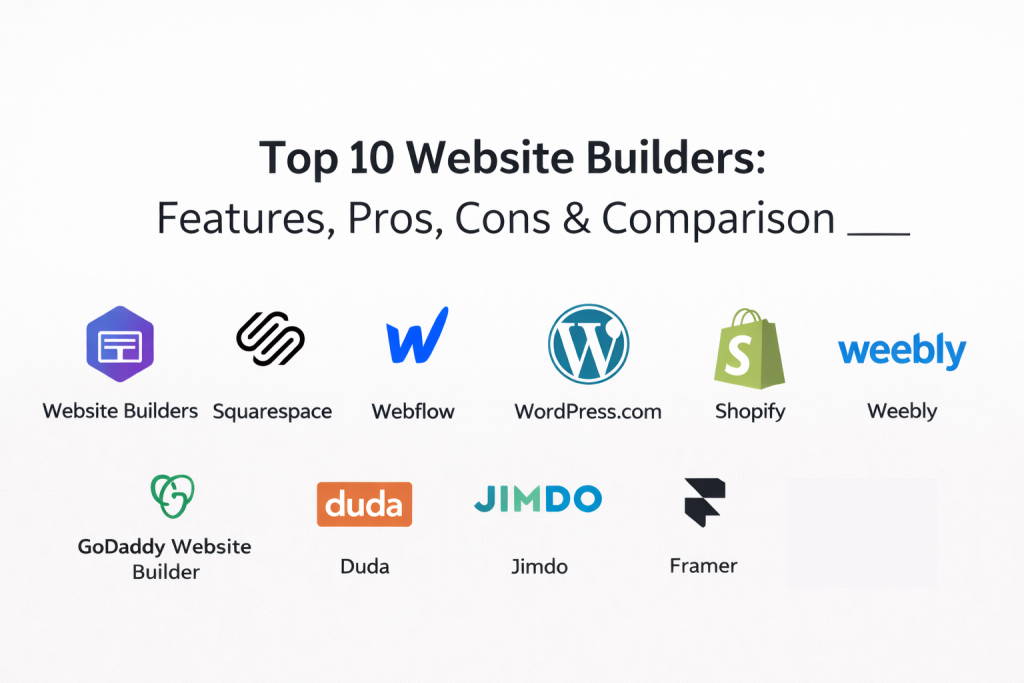
Top 10 Website Builders
1 — Wix
Wix is a popular all-in-one builder that focuses on speed, templates, and a large app marketplace. It works well for small businesses that want to launch quickly and expand functionality over time without heavy setup.
Key Features
- Large template library with industry starting points
- Visual editor with flexible layout control
- Built-in hosting, domain connection, and publishing tools
- App marketplace for adding features and integrations
- Forms, basic automation, and marketing tools (varies by plan)
- Ecommerce options for products and payments (varies by plan)
Pros
- Very approachable for beginners and small teams
- Strong ecosystem of apps and extensions
- Good balance of speed and capability for business sites
Cons
- Deep design system governance can be challenging at scale
- Advanced optimization workflows may need extra tools
- Cost can rise with multiple add-ons and premium needs
Platforms / Deployment
Web, Cloud
Security and Compliance
Not publicly stated
Integrations and Ecosystem
Wix typically fits into SMB marketing stacks through apps and connectors. Many users connect analytics, email tools, scheduling, and light CRM features depending on their setup.
- App marketplace integrations
- Email marketing integrations (varies)
- Analytics integrations (varies)
- Commerce and booking extensions (varies)
Support and Community
Large community, plenty of learning content, and support options that vary by plan. Many agencies and freelancers specialize in Wix builds.
2 — Squarespace
Squarespace is known for polished templates and consistent visual design. It is a strong choice when you want a clean brand-first site with minimal maintenance and a straightforward editing experience.
Key Features
- High-quality templates with consistent styling
- Visual editor designed for tidy layouts
- Built-in hosting and publishing workflow
- Blogging and content pages for brand storytelling
- Ecommerce options for products and payments (varies by plan)
- Basic analytics and reporting (varies)
Pros
- Excellent for clean, professional presentation
- Smooth experience for publishing and upkeep
- Good choice for creators and service businesses
Cons
- Deep customization can be limited versus design-first tools
- Advanced experimentation and personalization usually need add-ons
- Some integrations are less flexible than open ecosystems
Platforms / Deployment
Web, Cloud
Security and Compliance
Not publicly stated
Integrations and Ecosystem
Squarespace supports common needs like email capture, basic marketing connections, and commerce workflows, but power users may want external tools for advanced automation.
- Email marketing and newsletters (varies)
- Analytics connections (varies)
- Commerce extensions (varies)
- Scheduling and creator tools (varies)
Support and Community
Strong documentation and a large user base. Support tiers vary by plan.
3 — Webflow
Webflow is a visual design platform with stronger layout control, style systems, and structured content support. It is often chosen when branding and design precision matter, and when teams want reusable components for consistency.
Key Features
- Advanced visual design tools and responsive controls
- Style systems and reusable components for consistency
- CMS features for structured content (varies by plan)
- Hosting and publishing workflows with performance controls (varies)
- Forms and interactions for conversion flows
- Collaboration features for teams (varies by plan)
Pros
- Strong design flexibility and professional output
- Great for brand consistency and reusable sections
- Works well for content-heavy sites and marketing sites
Cons
- Learning curve is higher for non-designers
- Some marketing features may require external tools
- Governance and advanced collaboration depend on plan
Platforms / Deployment
Web, Cloud
Security and Compliance
Not publicly stated
Integrations and Ecosystem
Webflow commonly connects to analytics, automation, and CRM tooling. Many teams use it as a front-end layer while running marketing automation elsewhere.
- Analytics and tag management integrations (varies)
- Automation and CRM connections (varies)
- CMS and content workflows (native plus integrations, varies)
- Developer options (varies / not publicly stated)
Support and Community
Very strong community, many tutorials, and a large ecosystem of agencies. Support levels vary by plan.
4 — WordPress.com
WordPress.com offers a hosted version of WordPress with an easier start, managed hosting, and built-in site tools. It suits users who want WordPress-style content capabilities without managing servers.
Key Features
- Hosted publishing with WordPress content workflows
- Themes and design options (varies by plan)
- Blogging and category-based content structure
- Media management and content editing tools
- Ecommerce support (varies by plan)
- Extensions and integrations (varies by plan)
Pros
- Strong option for blogs and content sites
- Familiar ecosystem and broad feature coverage
- Easier start than self-managed WordPress hosting
Cons
- Flexibility and plugin access depend on plan
- Performance and customization vary based on configuration
- Advanced marketing workflows may need additional tools
Platforms / Deployment
Web, Cloud
Security and Compliance
Not publicly stated
Integrations and Ecosystem
WordPress.com benefits from the broader WordPress ecosystem, but what you can use depends on your plan and setup.
- Themes and design marketplace (varies)
- Marketing and analytics integrations (varies)
- Commerce options (varies)
- Automation connections (varies / not publicly stated)
Support and Community
Massive community and resources around WordPress. Support tiers vary by plan.
5 — Shopify
Shopify is primarily an ecommerce platform, but it can also function as a website builder for brands that need strong store features. It is best when selling products is a core requirement, not an add-on.
Key Features
- Product catalog, inventory, and checkout workflows
- Themes and storefront customization tools
- Built-in payments and tax settings (varies by region and plan)
- App marketplace for marketing, shipping, and operations
- Discounting, bundles, and promotions (varies by plan)
- Reporting and store analytics (varies by plan)
Pros
- Strong ecommerce foundation and scalability
- Huge app ecosystem for store growth
- Reliable operational workflows for selling online
Cons
- Can be expensive if you only need a simple site
- Some design flexibility is theme-dependent
- Add-ons can increase total cost quickly
Platforms / Deployment
Web, Cloud
Security and Compliance
Not publicly stated
Integrations and Ecosystem
Shopify’s app marketplace is a major strength, especially for shipping, payments, marketing automation, and customer support workflows.
- Ecommerce apps and extensions
- Marketing and email integrations (varies)
- Analytics and attribution tools (varies)
- Operations and fulfillment integrations (varies)
Support and Community
Large community, many experts and agencies, and support levels that vary by plan.
6 — Weebly
Weebly is a simple website builder designed for ease of use and quick publishing. It is often selected by users who want a straightforward builder for basic business sites and landing pages.
Key Features
- Simple drag-and-drop editor
- Template library for common business needs
- Built-in hosting and publishing workflow
- Forms and basic lead capture tools (varies)
- Ecommerce features (varies by plan)
- Basic SEO and site settings (varies)
Pros
- Easy to learn for beginners
- Fast time-to-publish for basic sites
- Suitable for small business needs
Cons
- Advanced customization can be limited
- Fewer enterprise-grade workflows and governance
- Ecosystem depth may be smaller than larger platforms
Platforms / Deployment
Web, Cloud
Security and Compliance
Not publicly stated
Integrations and Ecosystem
Weebly supports common integrations for SMB usage, but advanced stacks may prefer platforms with broader marketplaces.
- Basic marketing integrations (varies)
- Analytics connections (varies)
- Commerce extensions (varies)
- Automation connections (varies / not publicly stated)
Support and Community
Support and help content exist for core workflows. Community is moderate and SMB-focused.
7 — GoDaddy Website Builder
GoDaddy Website Builder focuses on simplicity and fast setup, especially for small businesses that want a basic website with contact options, simple content pages, and quick publishing.
Key Features
- Guided site setup workflow
- Templates and quick editing tools
- Built-in hosting and domain management
- Contact forms and basic marketing tools (varies)
- Simple content management features
- Optional ecommerce features (varies by plan)
Pros
- Fast setup for small business presence
- Easy workflow for first-time site owners
- Convenient domain and hosting bundling
Cons
- Limited design flexibility for advanced branding
- Less suited for complex sites or deep content workflows
- Advanced integrations may be limited compared to larger ecosystems
Platforms / Deployment
Web, Cloud
Security and Compliance
Not publicly stated
Integrations and Ecosystem
Common use is a simple small business stack: basic analytics, email capture, and simple marketing connections depending on configuration.
- Domain and email ecosystem integrations (varies)
- Marketing tools (varies)
- Analytics connections (varies)
- Commerce add-ons (varies)
Support and Community
Support is structured and geared toward small business owners. Community is smaller than broad creator platforms.
8 — Duda
Duda is often used by agencies and teams building many sites with repeatable patterns. It emphasizes client management, templates, and workflows that help scale website production.
Key Features
- Visual builder with responsive controls
- Client management features for agencies (varies by plan)
- Reusable sections and templates for scale
- Team collaboration features (varies by plan)
- Hosting and publishing workflow
- Ecommerce options (varies by plan)
Pros
- Strong fit for agencies building multiple sites
- Good workflow for repeatable production
- Collaboration and client features can reduce friction
Cons
- May be more than a solo user needs
- Some features are plan-dependent
- Design flexibility depends on templates and setup choices
Platforms / Deployment
Web, Cloud
Security and Compliance
Not publicly stated
Integrations and Ecosystem
Duda commonly integrates with tools agencies use for analytics, forms, and business workflows depending on client stacks.
- Analytics integrations (varies)
- Forms and lead routing tools (varies)
- Ecommerce add-ons (varies)
- Agency workflow integrations (varies / not publicly stated)
Support and Community
Support is often practical and agency-focused. Community is strongest among agencies and site builders.
9 — Jimdo
Jimdo is a straightforward builder aimed at small businesses and individuals who want a simple site without heavy design effort. It focuses on quick publishing and basic site management.
Key Features
- Simple editor and guided setup flow
- Templates for common business categories
- Hosting and publishing included
- Basic SEO settings and page controls (varies)
- Forms and contact options (varies)
- Ecommerce features for small catalogs (varies by plan)
Pros
- Easy and fast for simple sites
- Low friction for first-time site owners
- Practical for small business presence
Cons
- Limited flexibility for advanced branding
- Not ideal for complex content workflows
- Advanced integrations can be limited
Platforms / Deployment
Web, Cloud
Security and Compliance
Not publicly stated
Integrations and Ecosystem
Jimdo supports common needs but typically aims for a lightweight setup rather than heavy stack integration.
- Basic analytics connections (varies)
- Email and marketing integrations (varies)
- Ecommerce tools (varies)
- Automation connections (varies / not publicly stated)
Support and Community
Support resources are focused on getting started quickly. Community is moderate.
10 — Framer
Framer blends design and publishing in a modern workflow. It is often chosen for startup sites, product pages, and marketing sites where visual polish and quick iteration matter.
Key Features
- Visual building with strong design control
- Responsive layout tools for modern pages
- Templates and reusable components (varies by workflow)
- Hosting and publishing workflow (varies)
- Collaboration features (varies by plan)
- Embeds and integrations for marketing stacks (varies)
Pros
- Great for design-forward marketing sites
- Quick iteration and publishing experience
- Strong fit for product and startup teams
Cons
- Some advanced marketing features need external tools
- Deep enterprise governance may be limited
- Best results often depend on design maturity
Platforms / Deployment
Web, Cloud
Security and Compliance
Not publicly stated
Integrations and Ecosystem
Framer is commonly paired with analytics, forms, automation tools, and embed-based integrations depending on how the team runs campaigns.
- Analytics integrations (varies)
- Form and automation connections (varies)
- Embed-based extensibility (varies)
- API options (varies / not publicly stated)
Support and Community
Community is design-oriented and growing. Support tiers vary by plan.
Comparison Table
| Tool Name | Best For | Platform(s) Supported | Deployment | Standout Feature | Public Rating |
|---|---|---|---|---|---|
| Wix | SMB sites with app ecosystem | Web | Cloud | App marketplace flexibility | N/A |
| Squarespace | Brand-forward business and creator sites | Web | Cloud | Polished templates and consistency | N/A |
| Webflow | Design control and reusable components | Web | Cloud | Advanced visual design system | N/A |
| WordPress.com | Content sites with managed setup | Web | Cloud | Strong blogging and content structure | N/A |
| Shopify | Ecommerce-first businesses | Web | Cloud | Strong commerce and app ecosystem | N/A |
| Weebly | Simple business websites | Web | Cloud | Easy builder for quick publishing | N/A |
| GoDaddy Website Builder | Fast small business presence | Web | Cloud | Guided setup with domain bundling | N/A |
| Duda | Agencies building many sites | Web | Cloud | Client and multi-site workflows | N/A |
| Jimdo | Simple small business sites | Web | Cloud | Low-friction guided creation | N/A |
| Framer | Design-forward marketing sites | Web | Cloud | Modern design workflow and publishing | N/A |
Evaluation and Scoring of Website Builders
Scoring model notes:
- Scores are comparative and meant to support shortlisting, not declare a universal winner
- Weighted totals help balance strengths across different criteria
- If a criterion is critical for your business, treat it as a hard requirement, not just a score
- Validate workflows by building a pilot site and testing integrations, performance, and collaboration
Weights used:
- Core features 25 percent
- Ease of use 15 percent
- Integrations and ecosystem 15 percent
- Security and compliance 10 percent
- Performance and reliability 10 percent
- Support and community 10 percent
- Price and value 15 percent
| Tool Name | Core (25%) | Ease (15%) | Integrations (15%) | Security (10%) | Performance (10%) | Support (10%) | Value (15%) | Weighted Total (0–10) |
|---|---|---|---|---|---|---|---|---|
| Wix | 8 | 9 | 8 | 6 | 7 | 8 | 8 | 7.75 |
| Squarespace | 7 | 8 | 6 | 6 | 7 | 7 | 8 | 7.05 |
| Webflow | 9 | 7 | 8 | 7 | 8 | 8 | 7 | 7.90 |
| WordPress.com | 8 | 7 | 7 | 6 | 7 | 8 | 7 | 7.15 |
| Shopify | 9 | 8 | 9 | 7 | 8 | 8 | 6 | 8.00 |
| Weebly | 6 | 8 | 6 | 5 | 6 | 6 | 8 | 6.50 |
| GoDaddy Website Builder | 6 | 8 | 5 | 5 | 6 | 6 | 7 | 6.35 |
| Duda | 8 | 7 | 7 | 6 | 7 | 7 | 7 | 7.15 |
| Jimdo | 6 | 8 | 5 | 5 | 6 | 6 | 7 | 6.30 |
| Framer | 7 | 8 | 6 | 6 | 7 | 6 | 7 | 6.85 |
How to interpret the scores:
- Weighted totals compare overall balance across common needs
- High “Core” and “Integrations” usually matter most for scaling and long-term growth
- High “Ease” matters most for small teams that publish often without designers
- If compliance or governance is critical, treat those as validation items during a pilot
Which Website Builder Is Right for You
Solo / Freelancer
If you work alone, speed and simplicity usually beat advanced governance.
- Want the easiest path to publish a clean site: Squarespace or Wix
- Want a simple site with minimal overhead: Jimdo or Weebly
- Want a design-forward personal brand site: Framer
Key tip: choose a builder you will actually update weekly, not one you admire but avoid using.
SMB
SMBs typically need a practical mix of design, marketing basics, and integrations.
- Want an all-in-one business site with add-ons: Wix
- Want a polished site with low maintenance: Squarespace
- Want content publishing with structured categories: WordPress.com
- Want to sell products online seriously: Shopify
Key tip: map your main business goal first (leads, bookings, or sales) and pick the builder that supports it natively.
Mid-Market
Mid-market teams often care about brand consistency, workflows, and scaling content.
- Want strong brand and component reuse: Webflow
- Want ecommerce growth with many integrations: Shopify
- Want agency-like production workflows: Duda
Key tip: prioritize reusable components and governance so the site stays consistent as more people contribute.
Enterprise
Enterprise teams need governance, permissions, workflow clarity, and stability.
- Ecommerce-centric enterprise presence: Shopify can be strong if commerce is the core
- Marketing and brand-driven web properties: Webflow can fit when design systems and consistency matter
- High-volume site production across many properties: Duda can help agencies and distributed teams
Key tip: run a pilot that tests permissions, approvals, and operational ownership before committing.
Budget vs Premium
- Budget-friendly setup for basic sites: Weebly, Jimdo, GoDaddy Website Builder
- Mid-range value for broad business use: Wix, Squarespace, WordPress.com
- Premium capability for design systems or commerce scale: Webflow, Shopify
Key tip: compare total cost over time, including add-ons, templates, ecommerce fees, and collaboration needs.
Feature Depth vs Ease of Use
- Highest ease for quick publishing: Wix, Squarespace, Weebly, Jimdo
- More depth with a learning curve: Webflow, WordPress.com
- Ecommerce depth over general site building: Shopify
- Design-forward workflow: Framer
Key tip: if multiple people will update the site, ease of use becomes a compounding advantage.
Integrations and Scalability
- Strongest ecommerce ecosystem: Shopify
- Broad extensions and apps: Wix
- Flexible marketing stack pairing: Webflow
- Lightweight stacks and basic needs: Squarespace, Weebly, Jimdo
Key tip: list your must-have integrations (email, CRM, analytics, payments) and validate them early.
Security and Compliance Needs
If your site handles sensitive customer data, requires strict admin controls, or needs specific compliance standards, validate those requirements directly during evaluation. Many builders have plan-based differences, and public details are not always clear. Build a checklist and confirm admin controls, access management, and audit needs before finalizing.
Frequently Asked Questions
Q1. What is the biggest difference between a website builder and a custom-built site
Website builders optimize for speed and ease, while custom sites optimize for total flexibility. If you need unique workflows and deep backend logic, custom is better. If you need fast publishing and easy updates, builders win.
Q2. Which website builder is best for beginners
Wix, Squarespace, Weebly, and Jimdo are often easiest to start with. The best beginner choice is the one that matches your goal, such as services, content, or selling products.
Q3. Do website builders support SEO properly
Most support basic SEO settings like titles, descriptions, and clean page structure. Advanced SEO work also depends on content quality, internal linking structure, performance, and consistent publishing habits.
Q4. What are common mistakes when launching a website on a builder
Common mistakes include using heavy templates, uploading uncompressed images, having unclear navigation, weak call-to-action placement, and not setting up analytics properly from the start.
Q5. How should I choose between Webflow and Squarespace
Choose Webflow if you need deeper design control and reusable components. Choose Squarespace if you want a polished site fast with less complexity and fewer moving parts.
Q6. Is Shopify only for ecommerce, or can it be a normal website too
Shopify is ecommerce-first, but it can run normal pages alongside products. If selling is a primary goal, it is a strong option. If ecommerce is minimal, a general builder may be simpler.
Q7. Can I move my website later to another platform
You can migrate content, but layouts and templates often do not transfer cleanly. Plan for migration by keeping your content organized, documenting page structure, and maintaining a clear asset library.
Q8. How important are integrations for a small business site
Integrations matter when you need automation, lead routing, and consistent tracking. If you only need a simple contact form, fewer integrations may be fine. If you run campaigns, integrations quickly become critical.
Q9. What should I test during a pilot before choosing a builder
Build a key page, connect a form to your email or CRM, set up analytics, and test mobile performance. Also test how easy it is to update content weekly, not just how the first version looks.
Q10. Which tool is best if multiple team members update the site
Look for collaboration features, permissions, reusable sections, and consistency controls. Webflow and Duda can fit structured team workflows, while Wix and Squarespace can work for lighter collaboration needs.
Conclusion
Website builders help you launch faster, keep your site updated, and reduce long-term maintenance burden. The best platform depends on whether your priority is design control, ecommerce depth, content publishing, or pure simplicity. Shortlist two or three tools, build a pilot site, test integrations and mobile performance, then choose what fits your workflow best. Website builders let you create, publish, and update a professional site quickly without heavy coding. The right choice depends on your main goal like leads, content, ecommerce, or brand design control. Shortlist two or three tools, build one pilot site, test speed and integrations, then decide.

Best Cardiac Hospitals Near You
Discover top heart hospitals, cardiology centers & cardiac care services by city.
Advanced Heart Care • Trusted Hospitals • Expert Teams
View Best Hospitals