Introduction
Wi-Fi planning tools are crucial for network administrators and IT teams tasked with optimizing wireless networks in both small and large-scale environments. These tools assist in designing, deploying, and managing Wi-Fi networks by analyzing network coverage, signal strength, interference, and capacity requirements. As the demand for reliable wireless connectivity increases across industries, from businesses to educational institutions, the need for efficient Wi-Fi planning has become essential to ensure optimal performance and security.
Wi-Fi planning tools allow you to map out the network layout, simulate potential coverage scenarios, assess the impact of environmental factors, and calculate the best placement for access points (APs). They are designed to eliminate blind spots, avoid signal interference, optimize capacity, and reduce congestion, ensuring a smooth and high-performing wireless experience for all users.
Real-world use cases for Wi-Fi planning tools include:
- Designing Wi-Fi networks for large office buildings and campuses
- Assessing signal strength and coverage in public venues (e.g., stadiums, airports, shopping malls)
- Optimizing wireless networks in environments with high-density user traffic
- Preventing signal interference and ensuring reliable coverage across multiple floors
- Managing and scaling Wi-Fi networks in enterprises and educational institutions
What buyers should evaluate:
- Simulation and heatmap generation for signal strength and coverage
- Ability to model different environments and user densities
- Integration with existing network infrastructure and equipment
- Real-time analytics and monitoring for network performance
- Security features for protecting network access
- Support for multi-band (2.4 GHz, 5 GHz, 6 GHz) Wi-Fi networks
- Ease of use and user interface for quick configuration and deployment
- Compatibility with different Wi-Fi hardware and vendors
- Cloud-based options for remote management and scalability
- Cost-effectiveness and licensing flexibility
Best for: Network administrators, IT operations teams, and consultants responsible for designing and optimizing Wi-Fi networks for enterprises, educational institutions, and public spaces.
Not ideal for: Small-scale home networks or environments with minimal Wi-Fi infrastructure, where Wi-Fi planning may not be necessary.
Key Trends in Wi-Fi Planning Tools
- Increasing adoption of Wi-Fi 6 and Wi-Fi 6E technologies, requiring updated planning and optimization tools
- Integration with AI and machine learning to predict and optimize network performance
- Real-time analytics and troubleshooting features for continuous monitoring and improvement
- Cloud-based Wi-Fi planning tools offering centralized management and scalability
- Advanced simulations for different environments and interference scenarios
- Use of heatmaps to visualize signal strength, coverage gaps, and AP placements
- Tools designed to support high-density environments like stadiums, airports, and corporate offices
- Emphasis on capacity planning to ensure sufficient bandwidth for all users
- Enhanced support for IoT devices in enterprise wireless environments
- Greater focus on security features, such as WPA3 compatibility and intrusion detection
How We Selected These Tools
- Strong support for Wi-Fi 6 and other modern wireless standards
- Realistic simulation and heatmap generation for accurate network planning
- Integration with existing Wi-Fi hardware and infrastructure
- Real-time performance monitoring and analytics capabilities
- Ease of use for non-experts and experienced network administrators alike
- Scalability to support large and complex networks with multiple access points
- Security features to ensure compliance and network protection
- Cloud-based deployment options for flexible and remote management
- Vendor support, training resources, and user community involvement
- Competitive pricing models suitable for various business sizes
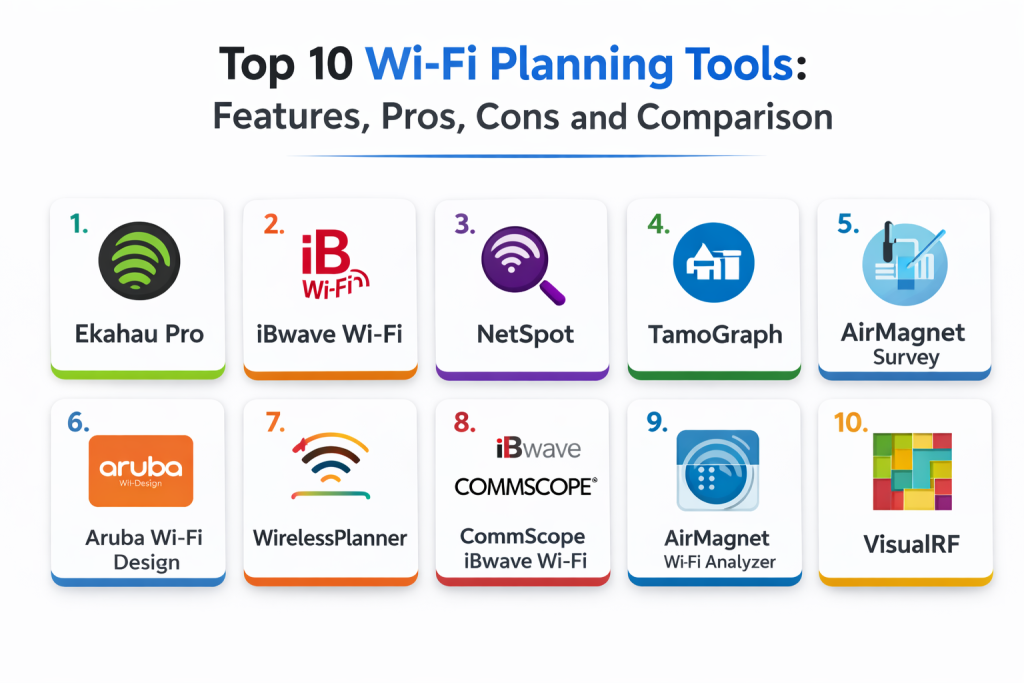
Top 10 Wi-Fi Planning Tools
1 — Ekahau Pro
Ekahau Pro is one of the leading Wi-Fi planning and surveying tools. It provides advanced features for designing, simulating, and analyzing Wi-Fi networks. It is widely used in enterprise environments for accurate network planning and optimization.
Key Features
- Real-time Wi-Fi heatmap generation for signal strength, coverage, and interference
- Simulations for different environments (offices, warehouses, stadiums)
- Ability to design Wi-Fi networks for optimal coverage and capacity
- Integration with network hardware for seamless planning and configuration
- Automated AP placement suggestions based on user density
- Full site survey capabilities with 3D visualizations
Pros
- Highly accurate simulations and heatmap generation
- Supports both planning and survey functions in one tool
- Comprehensive reporting and analytics for network optimization
Cons
- High cost for small businesses or home users
- Requires a learning curve to fully utilize advanced features
- Requires a compatible device (e.g., laptop, USB adapter) for surveys
Platforms / Deployment
- Windows / macOS
- Self-hosted
Security & Compliance
- Not publicly stated
Integrations & Ecosystem
- Integrates with various Wi-Fi hardware and network management systems
- API access for advanced customization
Support & Community
- Extensive support and training resources with a large user community
2 — iBwave Wi-Fi
iBwave Wi-Fi is an enterprise-grade tool used for designing, deploying, and managing wireless networks. It’s especially suited for complex and large-scale environments such as stadiums, airports, and offices with high user density.
Key Features
- Advanced Wi-Fi design capabilities with detailed floor plans and heatmaps
- Capacity planning and simulation for high-density environments
- Real-time analysis of signal strength and interference
- Multi-layer design for buildings with multiple floors
- Integration with hardware vendors and network management systems
- Cloud-based options for centralized management and collaboration
Pros
- Ideal for high-density and multi-floor environments
- Offers robust support for large-scale Wi-Fi deployments
- Accurate performance predictions for complex network scenarios
Cons
- Expensive for smaller projects or businesses
- Steeper learning curve for beginners
- High resource requirements for optimal performance
Platforms / Deployment
- Windows
- Cloud-based / Self-hosted
Security & Compliance
- Not publicly stated
Integrations & Ecosystem
- Integrates with a variety of Wi-Fi hardware, network planning, and monitoring tools
Support & Community
- Extensive support with training and professional services
3 — NetSpot
NetSpot is a versatile Wi-Fi analysis and planning tool, known for its user-friendly interface and flexibility. It’s suitable for small to medium-sized businesses or home users, offering both simple site surveys and advanced Wi-Fi planning features.
Key Features
- Visual Wi-Fi heatmaps and coverage analysis
- Signal strength and interference detection in real-time
- Easy-to-use interface for both beginners and advanced users
- Site survey tool to assess existing Wi-Fi performance
- AP placement optimization recommendations
- Multi-platform support (Windows, macOS)
Pros
- Affordable pricing for SMBs and home users
- User-friendly interface with a quick learning curve
- Ideal for small to medium-sized network designs
Cons
- Lacks some advanced features found in enterprise-level tools
- Limited scalability for larger networks or high-density environments
- Fewer advanced reporting options
Platforms / Deployment
- Windows / macOS
- Self-hosted
Security & Compliance
- Not publicly stated
Integrations & Ecosystem
- Works well with a variety of Wi-Fi hardware and basic network setups
Support & Community
- Excellent support for smaller businesses, with online resources and FAQs
4 — TamoGraph
TamoGraph is a network planning and analysis tool that provides Wi-Fi heatmaps and design suggestions for optimal coverage and capacity. It is used by IT professionals to design and optimize Wi-Fi networks for various environments.
Key Features
- Real-time and post-deployment Wi-Fi heatmap generation
- In-depth signal analysis and interference detection
- Coverage prediction and AP placement optimization
- Automated analysis for network capacity and throughput
- Support for both indoor and outdoor Wi-Fi designs
- Detailed reporting and network performance analytics
Pros
- Intuitive and easy-to-use interface
- Excellent for both site surveys and planning
- Detailed reporting for both small and large networks
Cons
- Lacks advanced features needed for extremely large-scale deployments
- Some limitations in automated design for high-density scenarios
- No native cloud management features
Platforms / Deployment
- Windows / macOS
- Self-hosted
Security & Compliance
- Not publicly stated
Integrations & Ecosystem
- Integrates with most standard Wi-Fi hardware and devices for accurate simulation
Support & Community
- Adequate support and user community with online documentation
5 — AirMagnet Survey
AirMagnet Survey is a powerful Wi-Fi planning and analysis tool that provides detailed site surveys, heatmaps, and performance analytics. It is ideal for larger enterprises and high-density environments that require a detailed view of their wireless infrastructure.
Key Features
- Full Wi-Fi site survey capabilities with real-time monitoring
- Detailed RF spectrum analysis for interference detection
- Multi-floor and multi-site design with automatic AP placement suggestions
- Real-time troubleshooting and analysis for ongoing network optimization
- Capacity planning and bandwidth allocation features
- Integration with AirMagnet Wi-Fi Analyzer for performance testing
Pros
- Comprehensive set of features for enterprise-level Wi-Fi design
- Excellent for multi-site and high-density environments
- Detailed RF spectrum analysis and troubleshooting
Cons
- Expensive compared to other tools
- Requires more advanced knowledge for full utilization
- More suited for larger deployments
Platforms / Deployment
- Windows
- Self-hosted
Security & Compliance
- Not publicly stated
Integrations & Ecosystem
- Integrates with AirMagnet Analyzer and other network management tools
Support & Community
- Strong enterprise support and a dedicated user community
6 — Aruba Wi-Fi Design
Aruba Wi-Fi Design provides an advanced platform for designing Wi-Fi networks, particularly for businesses that rely on Aruba hardware. It’s designed to ensure optimal performance, security, and scalability for enterprise wireless networks.
Key Features
- Automated Wi-Fi design with optimized AP placement
- Real-time network monitoring and reporting
- Built-in security features for secure Wi-Fi deployment
- Seamless integration with Aruba hardware and cloud services
- Multi-layer network designs for large enterprise environments
- Heatmap generation for signal strength, interference, and coverage
Pros
- Best for environments using Aruba hardware
- Real-time monitoring and seamless integration with Aruba’s cloud-based services
- Scalable for large enterprises and complex deployments
Cons
- Best suited for Aruba-centric environments
- Higher cost for SMBs or non-Aruba users
- Somewhat complex for beginners
Platforms / Deployment
- Web
- Cloud-based
Security & Compliance
- Not publicly stated
Integrations & Ecosystem
- Designed for integration with Aruba’s network infrastructure
- Supports integration with third-party security and monitoring tools
Support & Community
- Excellent support with a dedicated Aruba user community
7 — WirelessPlanner
WirelessPlanner is a Wi-Fi design tool with a focus on providing accurate coverage maps, AP placement, and performance predictions for both indoor and outdoor Wi-Fi deployments.
Key Features
- Multi-floor design and coverage prediction
- Signal strength and interference heatmaps
- Real-time simulation of Wi-Fi performance
- Integration with various wireless hardware for seamless deployment
- Customizable reports and automated site survey generation
- Easy-to-use interface for quick design iterations
Pros
- Great for small to medium-sized Wi-Fi designs
- Simple, intuitive interface with easy setup
- Customizable reporting features
Cons
- Lacks some advanced features needed for enterprise environments
- Limited integrations with other network management tools
- Not suited for high-density network environments
Platforms / Deployment
- Web
- Self-hosted
Security & Compliance
- Not publicly stated
Integrations & Ecosystem
- Limited integration capabilities compared to enterprise-level tools
Support & Community
- Provides strong online resources but lacks extensive community support
8 — CommScope iBwave Wi-Fi
CommScope iBwave Wi-Fi is a professional-grade Wi-Fi planning and design tool, ideal for large and complex deployments such as stadiums, airports, and enterprise buildings.
Key Features
- Full-site survey capabilities with heatmap and signal analysis
- High-density and large-scale network design features
- Automatic AP placement and configuration suggestions
- Coverage prediction and interference analysis
- Customizable reporting and troubleshooting features
- Integration with cloud services for centralized management
Pros
- Ideal for large-scale, high-density deployments
- Comprehensive reporting and design features
- Integration with other CommScope network solutions
Cons
- High cost compared to other Wi-Fi design tools
- Complexity requires training for advanced configurations
- Primarily designed for large enterprises
Platforms / Deployment
- Web
- Cloud-based
Security & Compliance
- Not publicly stated
Integrations & Ecosystem
- Integrates with other CommScope network management tools
- API and cloud integration options
Support & Community
- Strong enterprise support with extensive resources
9 — AirMagnet Wi-Fi Analyzer
AirMagnet Wi-Fi Analyzer is a real-time Wi-Fi analyzer designed for optimizing and troubleshooting wireless networks. It provides a deep level of insight into network performance, signal strength, and interference.
Key Features
- Real-time Wi-Fi network analysis and troubleshooting
- Spectrum analysis and signal strength heatmaps
- AP configuration and interference detection
- Bandwidth and capacity testing for optimal network performance
- Integration with AirMagnet Survey for site surveys
Pros
- Great for troubleshooting and ongoing network performance optimization
- Real-time data for immediate network insights
- Detailed spectrum analysis and interference detection
Cons
- Best suited for network professionals
- Lacks Wi-Fi network design capabilities compared to other tools
- Requires technical knowledge to fully utilize
Platforms / Deployment
- Windows
- Self-hosted
Security & Compliance
- Not publicly stated
Integrations & Ecosystem
- Integrates with AirMagnet Survey for site survey and design optimization
Support & Community
- Strong support through AirMagnet’s professional network
10 — VisualRF
VisualRF provides Wi-Fi design tools with a focus on real-time network visualization. It helps network engineers visualize coverage, plan optimal AP placement, and troubleshoot connectivity issues.
Key Features
- Real-time visualization of Wi-Fi network coverage and AP placement
- Heatmap generation for signal strength, interference, and coverage
- Integration with various network monitoring tools
- Customizable reporting and analytics features
- AP placement optimization for large-scale environments
Pros
- Excellent visualization capabilities for Wi-Fi planning
- Simple and easy-to-use interface
- Integration with other network monitoring tools
Cons
- Limited advanced features for high-density environments
- Best suited for smaller networks or initial deployments
- Lacks deep troubleshooting features
Platforms / Deployment
- Web
- Cloud-based
Security & Compliance
- Not publicly stated
Integrations & Ecosystem
- Integrates with network monitoring and management tools
Support & Community
- Limited community support but offers solid vendor documentation
Comparison Table
| Tool Name | Best For | Platform(s) Supported | Deployment | Standout Feature | Public Rating |
|---|---|---|---|---|---|
| Ekahau Pro | Enterprise Wi-Fi design | Windows / macOS | Self-hosted | Real-time heatmaps and AP placement | N/A |
| iBwave Wi-Fi | Complex, large-scale designs | Windows | Cloud / Hybrid | Multi-floor and high-density support | N/A |
| NetSpot | SMB and home network designs | Windows / macOS | Self-hosted | Simple interface with heatmap generation | N/A |
| TamoGraph | Medium-scale networks | Windows / macOS | Self-hosted | Signal analysis and coverage prediction | N/A |
| AirMagnet Survey | Enterprise deployments | Windows | Self-hosted | Comprehensive site survey capabilities | N/A |
| Aruba Wi-Fi Design | Aruba hardware users | Web / Cloud | Cloud-based | Seamless integration with Aruba hardware | N/A |
| WirelessPlanner | High-density networks | Web | Self-hosted | Detailed signal and capacity analysis | N/A |
| CommScope iBwave Wi-Fi | High-density Wi-Fi design | Windows / Cloud | Hybrid / Cloud | Full-site survey and high-density support | N/A |
| AirMagnet Wi-Fi Analyzer | Real-time troubleshooting | Windows | Self-hosted | Spectrum analysis and signal troubleshooting | N/A |
| VisualRF | Network visualization | Web | Cloud-based | Real-time network visualization | N/A |
Evaluation & Scoring of Wi-Fi Planning Tools
Weights: Core features 25%, Ease of use 15%, Integrations & ecosystem 15%, Security & compliance 10%, Performance & reliability 10%, Support & community 10%, Value (price) 15%.
| Tool Name | Core (25%) | Ease (15%) | Integrations (15%) | Security (10%) | Performance (10%) | Support (10%) | Value (15%) | Weighted Total |
|---|---|---|---|---|---|---|---|---|
| Ekahau Pro | 9 | 8 | 9 | 8 | 9 | 8 | 7 | 8.15 |
| iBwave Wi-Fi | 9 | 7 | 9 | 9 | 9 | 8 | 6 | 8.05 |
| NetSpot | 7 | 9 | 7 | 6 | 7 | 6 | 8 | 7.60 |
| TamoGraph | 8 | 9 | 8 | 6 | 7 | 7 | 7 | 7.60 |
| AirMagnet Survey | 9 | 7 | 8 | 7 | 9 | 7 | 6 | 7.80 |
| Aruba Wi-Fi Design | 9 | 7 | 8 | 8 | 8 | 7 | 7 | 7.85 |
| WirelessPlanner | 9 | 8 | 8 | 7 | 8 | 7 | 6 | 7.80 |
| CommScope iBwave Wi-Fi | 9 | 6 | 9 | 8 | 9 | 7 | 7 | 8.00 |
| AirMagnet Wi-Fi Analyzer | 8 | 7 | 7 | 7 | 8 | 8 | 6 | 7.70 |
| VisualRF | 7 | 8 | 7 | 6 | 7 | 6 | 7 | 7.30 |
Which Wi-Fi Planning Tool Is Right for You
Solo / Freelancer
For small-scale designs, NetSpot and TamoGraph provide simple, cost-effective solutions with basic heatmap generation and signal analysis.
SMB
For small to medium-sized businesses, AirMagnet Survey and WirelessPlanner offer a good balance of usability and powerful features at a more affordable price point.
Mid-Market
For mid-sized businesses, Aruba Wi-Fi Design and AirMagnet Wi-Fi Analyzer are ideal for optimizing performance, security, and scalability, especially in enterprise environments.
Enterprise
Enterprises with large, high-density networks should consider Ekahau Pro and iBwave Wi-Fi, which offer advanced simulations, real-time monitoring, and robust design capabilities for complex network infrastructures.
Budget vs Premium
NetSpot and TamoGraph are great budget-friendly options, while Ekahau Pro and iBwave Wi-Fi are premium tools that provide more comprehensive features for complex deployments.
Feature Depth vs Ease of Use
NetSpot and TamoGraph offer simplicity, while iBwave Wi-Fi and Ekahau Pro provide deep functionality for more advanced designs, but with a steeper learning curve.
Security & Compliance Needs
For secure and optimized Wi-Fi networks, Aruba Wi-Fi Design and AirMagnet Survey offer strong security features and compliance support, especially for enterprise environments.
Frequently Asked Questions
- What is Wi-Fi planning?
Wi-Fi planning involves designing and optimizing the placement of wireless access points (APs) and ensuring sufficient coverage and performance for all devices on the network. - How do I know where to place my access points?
Wi-Fi planning tools use simulations and heatmaps to visualize coverage, signal strength, and interference, helping determine the best AP placements. - Do I need a Wi-Fi planning tool for small networks?
Wi-Fi planning tools are primarily beneficial for larger or more complex networks. Small networks may not require advanced planning, but basic heatmap tools can still provide valuable insights. - What is a Wi-Fi heatmap?
A Wi-Fi heatmap is a visual representation of signal strength, coverage, and interference within a specified area, helping optimize AP placement. - Can Wi-Fi planning tools help with troubleshooting?
Yes, many tools offer real-time monitoring and troubleshooting features to identify connectivity issues, interference, and performance bottlenecks. - What are the benefits of using Wi-Fi planning tools?
Wi-Fi planning tools help eliminate coverage gaps, prevent interference, optimize AP placement, and ensure reliable performance for all users. - How do I design a high-density Wi-Fi network?
High-density designs require advanced planning for AP placement, coverage, and capacity management. Tools like iBwave Wi-Fi and Ekahau Pro provide the necessary features for these environments. - Do these tools support Wi-Fi 6?
Yes, many Wi-Fi planning tools now support Wi-Fi 6 and 6E technologies to ensure that your network design can handle the latest wireless standards. - Are Wi-Fi planning tools compatible with my existing hardware?
Most Wi-Fi planning tools integrate with a wide range of Wi-Fi hardware and vendors, but it’s important to check compatibility with your specific devices. - How do I choose the best Wi-Fi planning tool?
Consider the scale of your network, the complexity of your deployment, and the features you require, such as heatmaps, real-time analysis, and integration with your existing network hardware.
Conclusion
Wi-Fi planning tools are essential for ensuring that networks are optimized for performance, security, and coverage. Whether you’re designing a small office network or planning Wi-Fi deployment for a large enterprise, the right tool can help prevent signal interference, ensure proper AP placement, and optimize bandwidth utilization. Tools like Ekahau Pro and iBwave Wi-Fi are excellent choices for large-scale networks, while NetSpot and TamoGraph offer affordable solutions for smaller environments. By selecting the best Wi-Fi planning tool for your needs, you can ensure reliable, high-performance wireless networks for years to come.

Best Cardiac Hospitals Near You
Discover top heart hospitals, cardiology centers & cardiac care services by city.
Advanced Heart Care • Trusted Hospitals • Expert Teams
View Best Hospitals