Introduction
Workflow form automation tools are specialized software designed to transform static data collection into dynamic, multi-stage business processes. Unlike basic form builders that simply capture information, these platforms use sophisticated logic engines to trigger subsequent actions—such as approvals, data synchronization, and document generation—immediately upon submission. Landscape, these tools have moved beyond simple “if-this-then-that” rules to incorporate agentic AI, which can interpret unstructured form data and autonomously route tasks based on intent and urgency.
Modern organizations rely on these tools to eliminate the “manual bridge” between a customer’s input and an internal team’s output. By automating the hand-off between departments, businesses reduce human error, ensure regulatory compliance, and dramatically accelerate response times. When evaluating these solutions, buyers should prioritize the depth of the visual workflow designer, the robustness of native integrations with core systems like CRMs or ERPs, and the presence of enterprise-grade security features like single sign-on and audit logging.
Best for: Operations managers, HR departments, procurement teams, and digital transformation leads who need to streamline internal requests and external customer intake.
Not ideal for: Simple one-off surveys with no follow-up actions or high-frequency data ingestion tasks where a headless API or database-only solution would be more efficient.
Key Trends in Workflow Form Automation Tools
- Agentic AI Form Routing: Forms in 2026 now feature “reasoning steps” where AI agents analyze submissions to determine the best path for approval, often bypassing traditional linear workflows.
- Zero-Copy Data Handling: Advanced tools allow form data to be processed and updated in external databases without ever being permanently stored on the form provider’s servers.
- Natural Language Workflow Building: The shift toward “citizen development” allows users to describe a complex multi-step process in plain English to generate the logic and form fields automatically.
- Intelligent Document Processing (IDP): Integrated OCR and machine learning allow forms to ingest and validate uploaded PDFs or images of physical documents in real-time.
- Security-by-Design Architecture: Modern platforms are embedding encryption and identity verification directly into the form submission lifecycle to protect sensitive PII.
- Hyperautomation Ecosystems: Form tools are increasingly acting as the “front end” for broader hyperautomation strategies, connecting RPA bots and API integrations into a single flow.
How We Selected These Tools (Methodology)
- Workflow Sophistication: We prioritized tools that offer multi-branching logic, loops, and conditional triggers beyond basic submission emails.
- User Empowerment: Selection was based on the “no-code” accessibility of the builder, ensuring non-technical staff can maintain their own workflows.
- Integration Density: Every tool on this list features a wide array of native connectors to popular business applications like Slack, Microsoft 365, and Salesforce.
- Scalability and Performance: We evaluated how well these tools handle high-volume submissions and complex, enterprise-level organizational structures.
- Compliance Posture: We favored platforms with clear certifications in data privacy, including GDPR, SOC 2, and industry-specific standards like HIPAA.
- Mobile Accessibility: The ability for stakeholders to approve tasks or submit data via mobile devices was a critical factor for field-heavy industries.
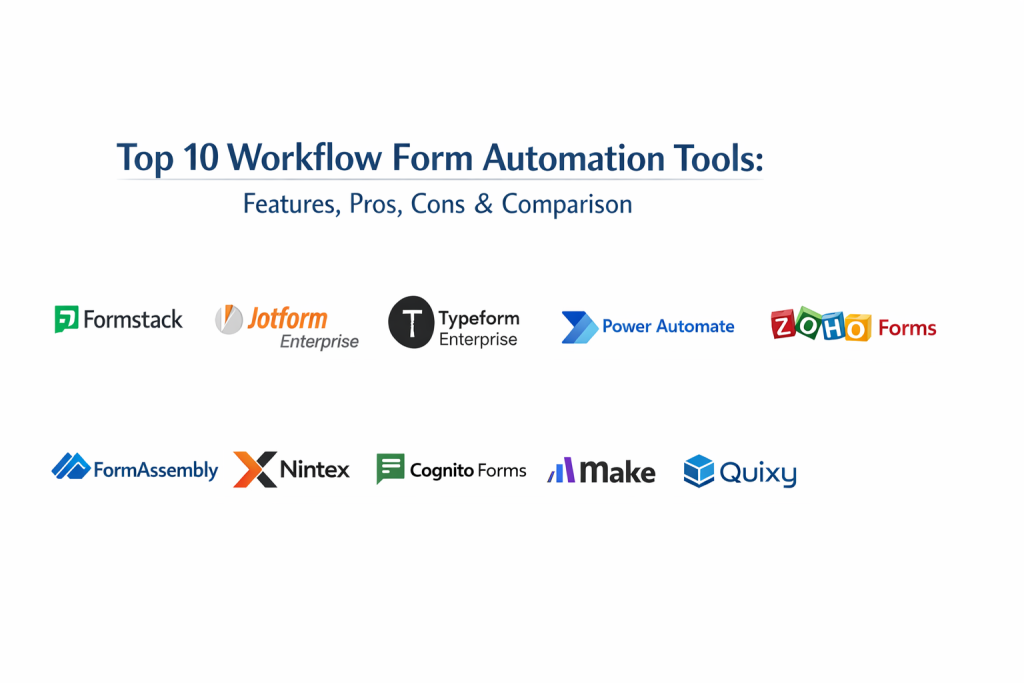
Top 10 Workflow Form Automation Tools
1. Formstack
Formstack is an enterprise-grade platform that combines form building with document generation and digital signatures. It is designed for highly regulated industries where data security and process integrity are non-negotiable.
Key Features
- Advanced conditional logic for dynamic form paths.
- Native “Workflows” module for multi-step approvals and hand-offs.
- Document automation for turning form data into custom PDFs or Word docs.
- Integrated digital signatures via Formstack Sign.
- Offline data capture capability for mobile workforces.
Pros
- Unified suite for forms, documents, and signatures.
- Exceptional compliance support for healthcare and finance.
Cons
- Pricing can be high compared to standalone form builders.
- The interface can feel more technical than “creative” competitors.
Platforms / Deployment
- Web / iOS / Android
- Cloud
Security & Compliance
- HIPAA, SOC 2, GDPR, and PCI DSS.
- Single Sign-On and granular user permissions.
Integrations & Ecosystem
Strongest in the CRM and enterprise productivity space.
- Salesforce (Native app)
- Microsoft Dynamics
- HubSpot
- Google Workspace
Support & Community
Professional onboarding services, dedicated account managers for enterprise, and extensive knowledge base.
2. Jotform Enterprise
Jotform Enterprise takes the popular drag-and-drop form builder and scales it for large organizations. It offers dedicated servers and white-labeling, making it ideal for large-scale internal operations.
Key Features
- Jotform Approvals for building visual, multi-branch approval flows.
- Dedicated server environments for high-security data isolation.
- White-label options to match the organization’s branding.
- Integrated e-signature and PDF editor tools.
- Advanced admin console for tracking organization-wide form activity.
Pros
- Most intuitive drag-and-drop builder on the market.
- Powerful mobile app for managing submissions on the go.
Cons
- Enterprise tier requires a minimum number of users.
- Highly complex workflows may require third-party integration tools.
Platforms / Deployment
- Web / iOS / Android
- Cloud (Dedicated instances)
Security & Compliance
- SOC 2, GDPR, HIPAA, and CCPA.
- Local data residency options.
Integrations & Ecosystem
Thousands of direct integrations across every category.
- Slack
- Zendesk
- Square (Payments)
- Dropbox
Support & Community
Priority support for enterprise customers and a massive library of community templates.
3. Typeform Enterprise
Typeform is known for its conversational, “one-question-at-a-time” interface. The enterprise version adds powerful logic and data protection features suited for high-end brand interactions and lead qualification.
Key Features
- Conversational UI that significantly increases completion rates.
- Advanced logic branching based on user responses.
- VideoAsk integration for video-based asynchronous communication.
- Enterprise-grade data encryption and identity management.
- Direct response piping into multiple downstream applications.
Pros
- Best user experience for external-facing forms.
- High-quality design templates that require zero aesthetic effort.
Cons
- Not designed for complex, multi-page internal administrative data entry.
- Calculated fields are less powerful than technical-first tools.
Platforms / Deployment
- Web
- Cloud
Security & Compliance
- SSO/SAML, GDPR, and SOC 2.
- Secure data processing agreements for enterprise.
Integrations & Ecosystem
Focuses on marketing and customer success stacks.
- Mailchimp
- HubSpot
- Slack
- Intercom
Support & Community
Dedicated success managers and a strong focus on “Creative” 3D/interactive support.
4. Microsoft Power Automate (Forms)
For organizations already deep in the Microsoft ecosystem, Power Automate provides a seamless bridge between Microsoft Forms and the rest of the Office 365 and Dynamics suite.
Key Features
- Deep integration with SharePoint, Teams, and Outlook.
- AI Builder for sentiment analysis and data extraction.
- Multi-stage approval flows with native Teams notifications.
- Ability to connect to legacy on-premise data via gateways.
- Desktop RPA for automating non-API-based software.
Pros
- Unrivaled value for existing Microsoft 365 subscribers.
- Strongest governance and administrative controls for IT.
Cons
- Microsoft Forms itself is quite basic; Power Automate does the heavy lifting.
- Complexity rises quickly when moving beyond basic Office tasks.
Platforms / Deployment
- Web / Windows / iOS / Android
- Cloud / Hybrid
Security & Compliance
- FedRAMP, HIPAA, ISO, and GDPR.
- Managed via Microsoft 365 Security & Compliance Center.
Integrations & Ecosystem
Native ties to the entire Microsoft Power Platform.
- Dynamics 365
- Azure
- SQL Server
- Power BI
Support & Community
Vast global community, Microsoft Learn certification paths, and enterprise support contracts.
5. Zoho Forms
Zoho Forms is a versatile, mobile-first builder that integrates tightly with the Zoho One suite. It offers powerful field rules and multi-level approval workflows at a very competitive price point.
Key Features
- Hierarchical approval workflows with multi-level sign-offs.
- Mobile forms with GPS tagging and signature capture.
- Conditional field rules to show/hide sections dynamically.
- QR code generation for easy form access in physical locations.
- Integration with Zoho CRM for instant record updates.
Pros
- Excellent value for money, especially for SMBs.
- Highly functional mobile app for field service teams.
Cons
- The UI can feel a bit dated compared to modern SaaS tools.
- Some advanced workflow features are locked to the Zoho ecosystem.
Platforms / Deployment
- Web / iOS / Android
- Cloud
Security & Compliance
- GDPR, HIPAA, and ISO 27001.
- Encryption at rest and in transit.
Integrations & Ecosystem
Strongest within Zoho, but supports major external tools.
- Zoho CRM
- Salesforce
- Google Drive
- Zapier
Support & Community
Good documentation and active forums for the broader Zoho suite.
6. FormAssembly
FormAssembly is a data collection platform built specifically for high-security environments and deep Salesforce integration. It is often the preferred choice for higher education and healthcare.
Key Features
- The most powerful Salesforce connector in the industry.
- Electronic signatures and secure payment processing.
- Pre-fill features that populate forms with existing CRM data.
- Sensitive data masking and encryption tools.
- Compliance Cloud for organizations with high regulatory hurdles.
Pros
- Absolute precision in how data maps to Salesforce objects.
- Highly robust security features for regulated data.
Cons
- Builder has a steeper learning curve than simple consumer tools.
- Visual design capabilities are secondary to data functionality.
Platforms / Deployment
- Web
- Cloud / On-premise (Enterprise)
Security & Compliance
- HIPAA, PCI DSS Level 1, GDPR, and FedRAMP.
- Encrypted storage and transmission.
Integrations & Ecosystem
Primary focus is on the Salesforce ecosystem.
- Salesforce (AppExchange)
- PayPal / Stripe
- Google Sheets
- Mailchimp
Support & Community
Specialized support for compliance-heavy implementations.
7. Nintex
Nintex is a heavyweight in the world of process automation. It provides high-end form capabilities integrated into a comprehensive process mapping and management platform.
Key Features
- Nintex Workflow Cloud for cross-platform automation.
- Sophisticated logic for complex enterprise approvals.
- Process mapping (Promapp) to visualize workflows before building.
- Automatic document generation from form submissions.
- Analytics dashboard to identify bottlenecks in active processes.
Pros
- Designed for massive, cross-departmental enterprise workflows.
- Strongest process visualization and mapping tools.
Cons
- Significant investment required; aimed at large organizations.
- Can be overkill for simple data collection needs.
Platforms / Deployment
- Web / Windows / iOS / Android
- Cloud / Hybrid / On-premise
Security & Compliance
- SOC 2, ISO, and enterprise-grade data residency.
- Deep RBAC and audit trail management.
Integrations & Ecosystem
Built to bridge gaps between massive enterprise systems.
- SharePoint
- ServiceNow
- Salesforce
- SAP
Support & Community
High-end professional services, “Nintex University,” and enterprise partner network.
8. Cognito Forms
Cognito Forms offers advanced features—like complex calculations and repeating sections—at a price point that is accessible to smaller organizations and individual departments.
Key Features
- Powerful calculation engine for orders, estimates, and scoring.
- Repeating sections and tables for complex data entry.
- Save and resume functionality for long-form completion.
- Native electronic signatures and HIPAA-compliant data storage.
- Lookup fields that pull data from other forms or sources.
Pros
- Best price-to-feature ratio on this list.
- Handles complex logic and math better than most competitors.
Cons
- Visual customization is somewhat limited compared to Typeform.
- Workflow automation is less visual than Nintex or Jotform.
Platforms / Deployment
- Web
- Cloud
Security & Compliance
- HIPAA, GDPR, and CCPA.
- PCI DSS for secure payments.
Integrations & Ecosystem
Reliant on standard connectors for broader automation.
- Microsoft Power Automate
- Zapier
- Make
- Stripe / PayPal
Support & Community
Strong online documentation and responsive email support.
9. Make (formerly Integromat)
While primarily a general-purpose automation tool, Make is often used to build highly customized “headless” form workflows by connecting simple form front-ends to complex backend logic.
Key Features
- Visual “scenario” builder for mapping complex data flows.
- Granular data transformation and filtering at every step.
- Error handling logic to catch and fix failed workflow steps.
- Support for unlimited branching and parallel processing.
- Ability to connect to virtually any API.
Pros
- Infinite flexibility in how data is processed and routed.
- More affordable than enterprise-specific workflow tools.
Cons
- Requires a higher level of technical logic to set up.
- Does not host the “form” itself; requires a separate front-end.
Platforms / Deployment
- Web
- Cloud
Security & Compliance
- SOC 2, ISO 27001, and GDPR.
- MFA and session management.
Integrations & Ecosystem
One of the largest libraries of app connectors in the world.
- Typeform / Jotform
- Slack / Discord
- Airtable
- Google Sheets
Support & Community
Extremely active community of automation specialists and agency partners.
10. Quixy
Quixy is a “no-code” business process management (BPM) platform that treats forms as the primary interface for building custom internal applications and structured workflows.
Key Features
- Drag-and-drop builder for forms and multi-step processes.
- Automated task escalation and notification rules.
- Role-based access control for complex organizational hierarchies.
- Integrated dashboard builder for visualizing workflow data.
- Mobile-ready apps generated automatically from forms.
Pros
- Best for building complete internal systems (e.g., Leave Management).
- High level of control over user roles and permissions.
Cons
- Less suited for simple, one-off public-facing lead forms.
- Takes longer to configure a full system than a single form.
Platforms / Deployment
- Web / iOS / Android
- Cloud
Security & Compliance
- ISO 27001, SOC 2, and GDPR.
- Comprehensive audit trails.
Integrations & Ecosystem
Focused on connecting internal business systems.
- Zapier
- Custom Webhooks
- Active Directory
- ERP systems
Support & Community
Personalized onboarding and a strong focus on “Citizen Developer” training.
Comparison Table
| Tool Name | Best For | Platform(s) Supported | Deployment | Standout Feature | Public Rating |
| 1. Formstack | Regulated Industries | Win, Mac, iOS, Android | Cloud | Document Generation | N/A |
| 2. Jotform Enterprise | Large Organizations | Win, Mac, iOS, Android | Cloud | Approval Builder | N/A |
| 3. Typeform Enterprise | High-End Branding | Web | Cloud | Conversational UI | N/A |
| 4. Power Automate | Microsoft Ecosystem | Web, Win, iOS, Android | Hybrid | Native MS Integration | N/A |
| 5. Zoho Forms | Field Service / SMBs | Web, iOS, Android | Cloud | Mobile GPS/Signatures | N/A |
| 6. FormAssembly | Salesforce Power Users | Web | Hybrid | Deep Salesforce Sync | N/A |
| 7. Nintex | Complex Enterprise BPM | Web, Win, iOS, Android | Hybrid | Process Mapping | N/A |
| 8. Cognito Forms | Logic & Calculations | Web | Cloud | Repeating Sections | N/A |
| 9. Make | Technical Customization | Web | Cloud | Visual Scenario Logic | N/A |
| 10. Quixy | No-Code Internal Apps | Web, iOS, Android | Cloud | Role-Based Access | N/A |
Evaluation & Scoring of Workflow Form Automation Tools
| Tool Name | Core (25%) | Ease (15%) | Integrations (15%) | Security (10%) | Performance (10%) | Support (10%) | Value (15%) | Weighted Total |
| 1. Formstack | 10 | 7 | 9 | 10 | 9 | 9 | 7 | 8.70 |
| 2. Jotform Ent. | 9 | 10 | 9 | 9 | 9 | 9 | 8 | 8.95 |
| 3. Typeform Ent. | 7 | 9 | 8 | 9 | 9 | 9 | 7 | 7.95 |
| 4. Power Automate | 9 | 6 | 10 | 10 | 10 | 9 | 9 | 8.70 |
| 5. Zoho Forms | 8 | 9 | 8 | 9 | 8 | 8 | 10 | 8.45 |
| 6. FormAssembly | 8 | 7 | 10 | 10 | 9 | 9 | 7 | 8.30 |
| 7. Nintex | 10 | 5 | 9 | 10 | 10 | 9 | 6 | 8.15 |
| 8. Cognito Forms | 8 | 8 | 7 | 9 | 8 | 8 | 10 | 8.10 |
| 9. Make | 9 | 5 | 10 | 8 | 10 | 8 | 9 | 8.15 |
| 10. Quixy | 9 | 7 | 8 | 9 | 9 | 9 | 8 | 8.35 |
The scoring indicates that Jotform Enterprise leads in overall accessibility and workflow flexibility, while Nintex and Power Automate score highest for core enterprise power. For users where the visual user experience is the primary driver, Typeform remains a strong choice despite its lower technical “Core” score.
Which Workflow Form Automation Tool Is Right for You?
Solo / Freelancer
Cognito Forms and the standard tier of Jotform are the best starting points. They provide enough logic and calculation power to handle client intake and estimates without the enterprise-level price tag.
SMB
Zoho Forms and Typeform offer high value for smaller teams. Zoho provides the best mobile capabilities for field work, while Typeform ensures your brand looks professional and modern to external customers.
Mid-Market
For growing companies needing to formalize processes, Jotform Enterprise or Formstack offer a perfect balance. They provide the necessary security and multi-user management features without the extreme complexity of a full BPM platform.
Enterprise
Nintex and Microsoft Power Automate are built for this scale. They allow IT departments to maintain strict governance over how data flows across thousands of users and multiple legacy systems.
Budget vs Premium
Cognito Forms is the budget leader for power users, while Formstack and Nintex are premium investments that pay off in heavily regulated or highly complex environments.
Feature Depth vs Ease of Use
Jotform Enterprise is the easiest to use while still being powerful. On the opposite end, Make and Nintex offer the most depth but require significant time to master.
Integrations & Scalability
Power Automate and FormAssembly are the leaders in integration depth, particularly within the Microsoft and Salesforce ecosystems respectively.
Security & Compliance Needs
Organizations in healthcare or government should prioritize Formstack or FormAssembly for their dedicated “Compliance Clouds” and rigorous adherence to the highest security standards.
Frequently Asked Questions
What is workflow form automation?
It is the process of using form submissions to trigger a series of automated business tasks, such as sending approvals, updating databases, or generating contracts.
Can I collect payments through these forms?
Yes, most top-tier tools integrate directly with processors like Stripe and PayPal to handle secure transactions as part of the form submission.
Do these tools work on mobile devices?
Almost all modern tools offer mobile-responsive forms, and many provide dedicated apps for offline data collection and field service work.
Is my data secure in these platforms?
Enterprise-level tools offer advanced encryption, SOC 2 compliance, and SSO to ensure that sensitive data is protected according to global standards.
Do I need to know how to code?
No, most of these platforms are “no-code” or “low-code,” meaning you can build complex workflows using visual drag-and-drop interfaces.
How does an approval workflow work?
Once a form is submitted, the tool automatically notifies a designated person to approve, deny, or request more info. The workflow then proceeds based on that decision.
Can these tools generate documents?
Yes, platforms like Formstack and Nintex can automatically populate data from a form into a custom PDF or Word document once it is submitted.
What is conditional logic?
It is a feature that allows forms to change based on the user’s input—for example, showing a specific set of follow-up questions only if a certain box is checked.
Can I integrate forms with my CRM?
Absolutely. Tools like FormAssembly and Zoho Forms are specifically designed to sync form data directly into records in Salesforce or Zoho CRM.
What is the typical cost?
Basic plans can start for free or at a low monthly rate, while enterprise-grade solutions with advanced security can cost thousands annually.
Conclusion
Implementing the right workflow form automation tool is a foundational step in digitizing your business operations. By moving away from static spreadsheets and manual email chains, you create a more responsive, error-free environment that benefits both your employees and your customers. The successful adoption of these platforms depends on finding the right balance between the technical depth required for your processes and the ease of use necessary for your team to adopt the tool daily. To get started, identify your most bottlenecked manual process, shortlist two tools that fit your existing software stack, and run a small pilot to measure the time saved per submission.

Best Cardiac Hospitals Near You
Discover top heart hospitals, cardiology centers & cardiac care services by city.
Advanced Heart Care • Trusted Hospitals • Expert Teams
View Best Hospitals