Best Cosmetic Hospitals Near You

Compare top cosmetic hospitals, aesthetic clinics & beauty treatments by city.

Trusted • Verified • Best-in-Class Care

Explore Best Hospitals

npm install fails due to unable to resolve dependency tree

Error:-

Solution

The error you’re seeing is due to a conflict in dependencies between react-native-screens and react-navigation-drawer. Specifically, react-navigation-drawer requires an older version of react-native-screens (^1.0.0), but your project has react-native-screens@2.15.2.

Here are some potential solutions:

Solution 1: Use --legacy-peer-deps

If you want to ignore the conflict and let npm install the dependencies, you can run the following command:

npm install --legacy-peer-deps

This command allows npm to resolve dependency conflicts more leniently.

Solution 2: Use --force

If the above method doesn’t work, you can force npm to install the dependencies with:

npm install --force

However, be aware that this can lead to potential issues since it might install incompatible versions.

Solution 3: Update Dependencies

Check if newer versions of react-navigation-drawer are available that support react-native-screens@2.x. You can do this by running:

npm show react-navigation-drawer versions

If there is an updated version, you can try updating it with:

npm install react-navigation-drawer@latest

Solution 4: Downgrade react-native-screens

If updating react-navigation-drawer isn’t an option, you might want to install a compatible version of react-native-screens:

npm install react-native-screens@^1.0.0

This will resolve the dependency conflict but may downgrade some functionality provided by newer versions of react-native-screens.

Summary

  • The quickest solution is to use npm install --legacy-peer-deps.
  • The more stable solution involves finding compatible versions of your dependencies.

Best Cardiac Hospitals Near You

Discover top heart hospitals, cardiology centers & cardiac care services by city.

Advanced Heart Care • Trusted Hospitals • Expert Teams

View Best Hospitals
<p data-start="140" data-end="435">I’m Abhishek, a DevOps, SRE, DevSecOps, and Cloud expert with a passion for sharing knowledge and real-world experiences. I’ve had the opportunity to work with <a class="decorated-link" href="https://www.cotocus.com/" target="_new" rel="noopener" data-start="300" data-end="335">Cotocus</a> and continue to contribute to multiple platforms where I share insights across different domains:</p> <ul data-start="437" data-end="922"> <li data-start="437" data-end="514"> <p data-start="439" data-end="514"><a class="decorated-link" href="https://www.devopsschool.com/" target="_new" rel="noopener" data-start="439" data-end="485">DevOps School</a> – Tech blogs and tutorials</p> </li> <li data-start="515" data-end="599"> <p data-start="517" data-end="599"><a class="decorated-link" href="https://www.holidaylandmark.com/" target="_new" rel="noopener" data-start="517" data-end="569">Holiday Landmark</a> – Travel stories and guides</p> </li> <li data-start="600" data-end="684"> <p data-start="602" data-end="684"><a class="decorated-link" href="https://www.stocksmantra.in/" target="_new" rel="noopener" data-start="602" data-end="647">Stocks Mantra</a> – Stock market strategies and tips</p> </li> <li data-start="685" data-end="764"> <p data-start="687" data-end="764"><a class="decorated-link" href="https://www.mymedicplus.com/" target="_new" rel="noopener" data-start="687" data-end="732">My Medic Plus</a> – Health and fitness guidance</p> </li> <li data-start="765" data-end="841"> <p data-start="767" data-end="841"><a class="decorated-link" href="https://www.truereviewnow.com/" target="_new" rel="noopener" data-start="767" data-end="814">TrueReviewNow</a> – Honest product reviews</p> </li> <li data-start="842" data-end="922"> <p data-start="844" data-end="922"><a class="decorated-link" href="https://www.wizbrand.com/" target="_new" rel="noopener" data-start="844" data-end="881">Wizbrand</a> – SEO and digital tools for businesses</p> </li> </ul> <p data-start="924" data-end="1021">I’m also exploring the fascinating world of <a class="decorated-link" href="https://www.quantumuting.com/" target="_new" rel="noopener" data-start="968" data-end="1018">Quantum Computing</a>.</p>

Related Posts

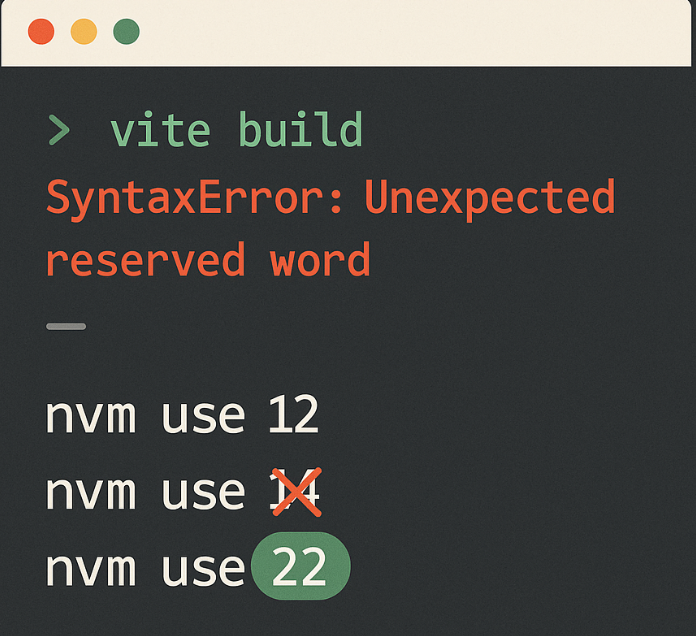
SyntaxError: Unexpected reserved word” in Vite (npm run build) – Solution

When attempting to build a project using Vite, you may encounter a SyntaxError: Unexpected reserved word. This error typically points to a specific line in a Vite-related…

Read More

how to install/uninstall Dependencies and devDependencies In node js

Install Depandencies uninstall Depandencies Install devDepandencies Abhishek Singh I’m Abhishek, a DevOps, SRE, DevSecOps, and Cloud expert with a passion for sharing knowledge and real-world experiences. I’ve…

Read More

npm install error – Invalid tag name “>=^16.0.0”

Error The error appears when we install npm solution: Run This command: Abhishek Singh I’m Abhishek, a DevOps, SRE, DevSecOps, and Cloud expert with a passion for…

Read More

Install NodeJS and npm in Linux

It looks like there might be an issue with the installation of Node.js and/or npm on your system. Here are a few things you could try: Check…

Read More
5 1 vote
Article Rating
Subscribe
Notify of
guest
1 Comment
Oldest
Newest Most Voted
Inline Feedbacks
View all comments
1
0
Would love your thoughts, please comment.x
()
x