Introduction
Data Loss Prevention tools help organizations prevent sensitive data from being leaked, shared improperly, or exfiltrated by attackers or insiders. In simple terms, DLP tools identify sensitive information, monitor where it moves, and enforce policies that block, quarantine, encrypt, or warn users when risky actions occur. DLP can protect data across endpoints, email, cloud apps, web traffic, file sharing, and sometimes databases. Strong DLP programs combine detection (knowing what data is sensitive), control (enforcing policies), and governance (proving compliance and improving over time).
DLP matters because data sits everywhere: laptops, SaaS apps, cloud drives, collaboration tools, messaging platforms, and browsers. Employees share files quickly, third-party integrations grow, and attackers target credentials to steal data quietly. Without DLP, organizations often discover leaks only after the damage is done. DLP tools help reduce this risk by enforcing guardrails and providing evidence for security teams and compliance programs.
Common use cases include:
- Preventing sensitive data from leaving the organization through email or cloud sharing
- Blocking uploads of confidential data to unauthorized sites or personal drives
- Monitoring endpoint copying to USB, printers, screenshots, and clipboard workflows
- Protecting regulated data such as personal data, financial records, and source code
- Investigating and proving how data moved during security incidents
What buyers should evaluate:
- Data discovery accuracy and content classification quality
- Policy flexibility and ease of tuning without breaking workflows
- Endpoint coverage and control depth for modern devices
- Coverage for email, web, SaaS apps, and cloud storage
- Workflow options: warn, block, encrypt, quarantine, approval flows
- False positive control and user-friendly guidance
- Integrations with identity, CASB, SSE, SIEM, and ticketing tools
- Reporting quality for compliance evidence and audits
- Scalability for many users, devices, and apps
- Support quality, deployment effort, and ongoing administration needs
Best for: Security teams, compliance teams, IT teams, and organizations that must protect sensitive data across email, endpoints, cloud apps, and web workflows.
Not ideal for: Very small teams with limited sensitive data handling, or teams that only need basic file access controls. In those cases, strong identity policies and secure sharing defaults may cover many needs.
Key Trends in Data Loss Prevention Tools
- More focus on protecting data in SaaS and collaboration tools
- Stronger endpoint controls for clipboard, screenshots, and browser-based workflows
- Increased use of behavior signals to reduce false positives
- Better classification using context and structured data discovery methods
- Consolidation of DLP into broader security service edge platforms
- More automation for policy tuning, exceptions, and approvals
- Stronger integration with identity and risk-based access controls
- Higher demand for encrypted and governed sharing, not just blocking
- More visibility into data movement across cloud storage and devices
- Better reporting designed for compliance evidence and executive risk views
How We Selected These Tools
- Widely used and credible DLP platforms across enterprise environments
- Coverage across endpoint, email, web, and cloud usage patterns
- Policy flexibility and operational usability for real teams
- Noise control and practical workflows for end users
- Integration readiness with security operations and identity ecosystems
- Scalability for large organizations and distributed workforces
- Reporting strength for audits and compliance needs
- Balanced mix of classic DLP leaders and modern SSE-based platforms
- Support maturity and documentation quality
- Fit for modern remote work and cloud-first data flows
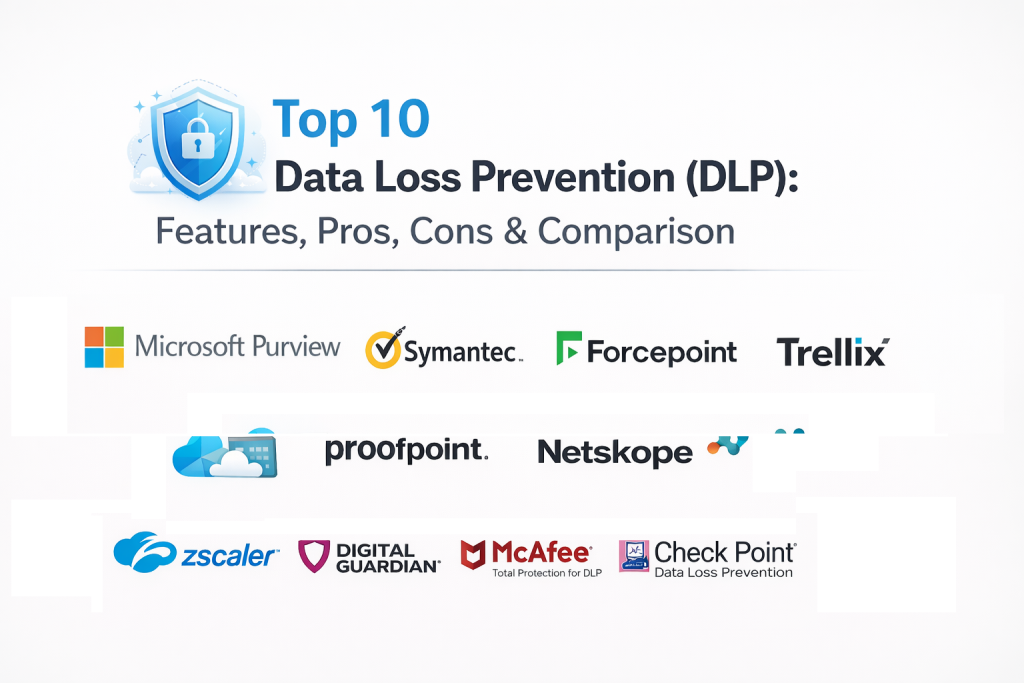
Top 10 Data Loss Prevention Tools
1) Microsoft Purview Data Loss Prevention
Microsoft Purview Data Loss Prevention supports data protection policies across Microsoft environments and connected workflows. It is often chosen by organizations that want consistent controls across productivity tools and enterprise policies.
Key Features
- Policy-based protection for sensitive data across supported workloads
- Content classification and labeling alignment for governance
- Controls for sharing, email, and data handling workflows
- Monitoring and alerting for risky data movement patterns
- Reporting dashboards for compliance and policy outcomes
- Workflow support for exceptions, user prompts, and investigations
Pros
- Strong fit for Microsoft-aligned environments and collaboration tools
- Helpful governance alignment with labels and compliance reporting
Cons
- Best outcomes depend on consistent labeling and policy planning
- Non-Microsoft coverage depends on integration approach and scope
Platforms / Deployment
Web, Windows, macOS
Cloud
Security & Compliance
Varies / Not publicly stated
Integrations & Ecosystem
Works best when integrated with identity and collaboration ecosystems.
- Integrations with productivity and collaboration workflows
- Exports for security operations and reporting pipelines
- APIs and connectors depending on environment scope
- Alignment with governance processes for data classification
Support & Community
Strong documentation; enterprise support options are common; community footprint is broad.
2) Symantec Data Loss Prevention
Symantec Data Loss Prevention is a long-established enterprise DLP solution used for protecting data across endpoints, email, and network channels. It is often selected by organizations needing deep policy control and mature DLP governance.
Key Features
- Endpoint, network, and email DLP coverage
- Deep policy configuration and flexible rule building
- Content detection methods for sensitive data types
- Incident workflow management and case handling support
- Reporting dashboards for compliance and investigations
- Scalable architecture for large enterprise deployments
Pros
- Mature DLP feature set and deep policy control
- Strong fit for large governance-heavy environments
Cons
- Deployment and administration can be complex
- Tuning needed to avoid excessive false positives
Platforms / Deployment
Web, Windows, macOS
Cloud, Hybrid
Security & Compliance
Varies / Not publicly stated
Integrations & Ecosystem
Designed to integrate into enterprise security and governance stacks.
- Ticketing integrations for incident workflows
- Exports for SIEM and reporting pipelines
- APIs for automation and custom workflows
- Works best with clear governance and data classification programs
Support & Community
Enterprise support options are common; documentation is established; community footprint is broad.
3) Forcepoint Data Loss Prevention
Forcepoint Data Loss Prevention focuses on protecting sensitive data across endpoints, email, and web channels. It is often used by organizations that need strong policy controls and user-aware enforcement.
Key Features
- Coverage for endpoint, email, and web data movement
- Policy controls for blocking, warning, and guided enforcement
- Content classification and detection methods for sensitive data
- Incident workflows and investigation support
- Reporting dashboards for compliance and governance tracking
- User-aware controls that help reduce risky sharing behaviors
Pros
- Strong policy flexibility and channel coverage
- Useful enforcement modes that guide users, not only block actions
Cons
- Requires tuning and governance planning for best outcomes
- Administration effort can grow as policies expand
Platforms / Deployment
Web, Windows, macOS
Cloud, Hybrid
Security & Compliance
Varies / Not publicly stated
Integrations & Ecosystem
Designed to integrate into security operations and governance workflows.
- SIEM exports for alert correlation and investigations
- Ticketing workflows for incident assignment
- APIs for automation and custom policy workflows
- Works well with identity and access governance alignment
Support & Community
Enterprise support options are common; documentation is solid; community footprint is broad.
4) Trellix Data Loss Prevention
Trellix Data Loss Prevention supports data protection policies and controls across endpoints and channels depending on deployment scope. It often fits organizations seeking DLP aligned with broader security operations programs.
Key Features
- DLP controls and policies for sensitive data protection
- Endpoint enforcement support for data movement controls
- Monitoring and alerting for policy violations
- Reporting dashboards for compliance and investigations
- Workflow support for incident handling and triage
- Integration readiness for security operations processes
Pros
- Fits organizations aligning DLP with security operations workflows
- Useful reporting for investigations and incident response
Cons
- Coverage depth depends on deployment choices and environment scope
- Tuning needed to avoid noisy policy outputs
Platforms / Deployment
Web, Windows
Cloud, Hybrid
Security & Compliance
Not publicly stated
Integrations & Ecosystem
Designed to integrate into broader enterprise security stacks.
- Exports to SIEM and security analytics workflows
- Ticketing integration patterns for incident routing
- APIs for automation and reporting
- Works best with structured governance and ownership models
Support & Community
Support options vary; documentation is established; community footprint is moderate.
5) Proofpoint Enterprise DLP
Proofpoint Enterprise DLP is often used for email and communication-focused data protection, with broader controls depending on architecture. It fits organizations where email is a major data leak channel and compliance needs are strong.
Key Features
- Strong email-focused DLP controls and policy enforcement
- Content detection and classification for sensitive data types
- Controls for encryption, quarantine, and user guidance workflows
- Incident workflows for review and remediation
- Reporting dashboards for compliance evidence and investigations
- Integration patterns for security operations and governance teams
Pros
- Strong email DLP focus with mature workflows
- Useful compliance reporting and evidence support
Cons
- Endpoint and web coverage depends on how the program is built
- Requires policy tuning for high-signal enforcement
Platforms / Deployment
Web
Cloud, Hybrid
Security & Compliance
Varies / Not publicly stated
Integrations & Ecosystem
Designed to support enterprise workflows for data protection in communication channels.
- Integrations with email security and governance workflows
- Ticketing integration patterns for incident routing
- Exports to reporting pipelines and security analytics
- APIs for automation and policy workflows
Support & Community
Enterprise support is common; documentation is solid; community footprint is broad.
6) Netskope Data Loss Prevention
Netskope Data Loss Prevention focuses strongly on protecting data in cloud apps, web traffic, and modern work patterns. It is often selected by organizations that want DLP integrated into cloud governance and access controls.
Key Features
- Cloud app and web traffic DLP controls and enforcement
- Policies for blocking, coaching, and approval workflows
- Visibility into risky sharing and data movement patterns
- Reporting dashboards for cloud data protection outcomes
- Integration support for identity and access governance workflows
- Controls designed for remote work and modern SaaS usage
Pros
- Strong fit for SaaS-heavy, cloud-first organizations
- Useful policies for coaching users and preventing risky sharing
Cons
- Requires good policy design to avoid business disruption
- Endpoint depth varies depending on deployment scope
Platforms / Deployment
Web, Windows, macOS
Cloud
Security & Compliance
Varies / Not publicly stated
Integrations & Ecosystem
Built to integrate DLP into modern access and governance stacks.
- Integrations with identity systems for policy enforcement
- Exports to SIEM and security analytics pipelines
- APIs for automation and custom workflows
- Ticketing integration patterns for incident handling
Support & Community
Enterprise support options are common; documentation is strong; community footprint is broad.
7) Zscaler Data Protection
Zscaler Data Protection supports DLP-style controls for web traffic and SaaS usage depending on deployment. It is often used by organizations looking to centralize protection for remote users and cloud app access.
Key Features
- Data protection policies for web and cloud app traffic
- Controls for blocking, warning, and guided enforcement
- Visibility into data movement through web and SaaS channels
- Reporting dashboards for policy outcomes and risk trends
- Integration alignment with access and security workflows
- Scalable architecture for distributed workforces
Pros
- Strong fit for remote user traffic and web-based enforcement
- Scales well for large distributed environments
Cons
- Endpoint-only use cases may need additional tooling
- Policy tuning is important to reduce false positives and friction
Platforms / Deployment
Web, Windows, macOS
Cloud
Security & Compliance
Not publicly stated
Integrations & Ecosystem
Often used as part of broader secure access and governance stacks.
- Integrations with identity systems for policy enforcement
- Exports for SIEM and security operations workflows
- APIs for automation and reporting
- Ticketing integration patterns for incident management
Support & Community
Enterprise support is common; documentation is solid; community footprint is broad.
8) Digital Guardian Data Loss Prevention
Digital Guardian Data Loss Prevention focuses strongly on endpoint DLP and protecting sensitive intellectual property. It is often selected by organizations that prioritize endpoint control depth and insider risk mitigation.
Key Features
- Endpoint DLP controls for copying, printing, and removable media
- Monitoring and detection for risky data handling behaviors
- Policy controls for blocking, warning, and guided enforcement
- Visibility into sensitive data usage patterns
- Incident workflows and investigation support
- Reporting dashboards for compliance and program tracking
Pros
- Strong endpoint control depth for sensitive data protection
- Useful for intellectual property and insider risk focused programs
Cons
- Requires tuning and governance planning for high-signal outcomes
- Cloud and SaaS coverage depends on integration approach
Platforms / Deployment
Windows, macOS
Cloud, Hybrid
Security & Compliance
Varies / Not publicly stated
Integrations & Ecosystem
Designed to fit endpoint-focused governance and investigation workflows.
- SIEM exports for alert correlation
- Ticketing integration patterns for incident handling
- APIs for automation and reporting
- Works best with clear data classification and ownership programs
Support & Community
Enterprise support is common; documentation is established; community footprint is moderate.
9) McAfee Total Protection for DLP
McAfee Total Protection for DLP is used by organizations seeking broad DLP policies and enforcement across endpoints and channels depending on deployment. It often fits environments with established endpoint security governance needs.
Key Features
- Endpoint DLP enforcement and data movement controls
- Policy-based controls for blocking, warning, and monitoring
- Content classification and detection support
- Incident workflows and reporting dashboards
- Integration options for enterprise security programs
- Controls aligned with structured governance needs
Pros
- Broad DLP enforcement options for endpoint programs
- Useful fit for organizations with established endpoint governance
Cons
- Administration and policy tuning can be complex
- Cloud coverage depends on environment and deployment scope
Platforms / Deployment
Windows, macOS
Cloud, Hybrid
Security & Compliance
Not publicly stated
Integrations & Ecosystem
Designed to integrate into enterprise endpoint governance stacks.
- SIEM exports for investigations and correlation
- Ticketing integration patterns for incident handling
- APIs for automation and reporting
- Works best with structured policy ownership models
Support & Community
Support options vary; documentation is established; community footprint is broad.
10) Check Point Data Loss Prevention
Check Point Data Loss Prevention supports data protection policies, often used by organizations aligning DLP with broader network and security enforcement approaches. It fits teams that want DLP controls integrated into security governance programs.
Key Features
- Data protection policies for monitoring and enforcement
- Controls for blocking, warning, and guided workflows
- Reporting dashboards for compliance and governance tracking
- Incident workflows for review and response coordination
- Integration patterns for security operations and reporting
- Centralized policy management aligned with governance programs
Pros
- Useful fit for organizations aligning DLP with broader security governance
- Centralized policy controls for managing enforcement
Cons
- Coverage depth depends on deployment scope and environment needs
- Policy tuning required to reduce false positives and friction
Platforms / Deployment
Web
Cloud, Hybrid
Security & Compliance
Varies / Not publicly stated
Integrations & Ecosystem
Often used as part of broader governance and security operations stacks.
- Exports to SIEM and reporting pipelines
- Ticketing integration patterns for incident handling
- APIs for automation and policy workflows
- Works best with clear enforcement goals and ownership
Support & Community
Enterprise support options are common; documentation is solid; community footprint is moderate.
Comparison Table
| Tool Name | Best For | Platform(s) Supported | Deployment | Standout Feature | Public Rating |
|---|---|---|---|---|---|
| Microsoft Purview Data Loss Prevention | DLP in Microsoft-aligned productivity environments | Web, Windows, macOS | Cloud | Strong alignment with labels and governance | N/A |
| Symantec Data Loss Prevention | Mature enterprise DLP across endpoint, network, and email | Web, Windows, macOS | Cloud, Hybrid | Deep policy control and mature workflows | N/A |
| Forcepoint Data Loss Prevention | User-aware DLP across endpoint, email, and web | Web, Windows, macOS | Cloud, Hybrid | Flexible enforcement modes and channel coverage | N/A |
| Trellix Data Loss Prevention | DLP aligned with security operations workflows | Web, Windows | Cloud, Hybrid | Integration-friendly incident workflows | N/A |
| Proofpoint Enterprise DLP | Email-focused DLP with strong compliance workflows | Web | Cloud, Hybrid | Mature email DLP enforcement options | N/A |
| Netskope Data Loss Prevention | Cloud and SaaS-heavy DLP programs | Web, Windows, macOS | Cloud | Strong cloud app and web enforcement | N/A |
| Zscaler Data Protection | Scalable DLP for remote web and SaaS traffic | Web, Windows, macOS | Cloud | Centralized cloud traffic enforcement | N/A |
| Digital Guardian Data Loss Prevention | Deep endpoint DLP for IP and insider risk programs | Windows, macOS | Cloud, Hybrid | Strong endpoint control depth | N/A |
| McAfee Total Protection for DLP | Broad endpoint DLP governance programs | Windows, macOS | Cloud, Hybrid | Comprehensive endpoint enforcement policies | N/A |
| Check Point Data Loss Prevention | DLP aligned with broader security governance | Web | Cloud, Hybrid | Centralized policy management | N/A |
Evaluation and Scoring of Data Loss Prevention Tools
Weights used: Core features (25%), Ease of use (15%), Integrations and ecosystem (15%), Security and compliance (10%), Performance and reliability (10%), Support and community (10%), Price and value (15%).
| Tool Name | Core | Ease | Integrations | Security | Performance | Support | Value | Weighted Total |
|---|---|---|---|---|---|---|---|---|
| Microsoft Purview Data Loss Prevention | 8 | 8 | 8 | 8 | 8 | 8 | 7 | 7.85 |
| Symantec Data Loss Prevention | 9 | 6 | 7 | 8 | 7 | 7 | 6 | 7.25 |
| Forcepoint Data Loss Prevention | 8 | 7 | 7 | 8 | 7 | 7 | 7 | 7.40 |
| Trellix Data Loss Prevention | 7 | 7 | 7 | 7 | 7 | 7 | 6 | 6.95 |
| Proofpoint Enterprise DLP | 8 | 7 | 7 | 8 | 7 | 7 | 6 | 7.20 |
| Netskope Data Loss Prevention | 8 | 7 | 8 | 7 | 8 | 7 | 6 | 7.35 |
| Zscaler Data Protection | 7 | 7 | 8 | 7 | 8 | 7 | 6 | 7.15 |
| Digital Guardian Data Loss Prevention | 8 | 6 | 6 | 7 | 7 | 7 | 6 | 6.90 |
| McAfee Total Protection for DLP | 7 | 6 | 6 | 7 | 7 | 6 | 6 | 6.60 |
| Check Point Data Loss Prevention | 7 | 7 | 6 | 7 | 7 | 7 | 6 | 6.85 |
How to interpret the scores:
- Scores compare tools within this list and help shortlist based on your data channels and operating model.
- Core reflects discovery accuracy, policy enforcement coverage across channels, and workflow usefulness.
- Ease reflects deployment effort, tuning complexity, and daily management overhead.
- Use a pilot to validate false positive rates, user friction, and how quickly the team can resolve incidents.
Which Data Loss Prevention Tool Is Right for You?
Solo / Freelancer
Full DLP platforms are often more than you need. If you handle sensitive client data, prioritize secure sharing defaults, strong identity controls, and basic endpoint protections first. Consider DLP only when compliance demands it.
SMB
SMBs should focus on the highest-risk channels: email, cloud drives, and browsers. Choose a tool that is easy to deploy and provides clear user coaching so policies reduce risk without blocking work.
Mid-Market
Mid-market teams benefit from deeper cloud app coverage, ownership routing, and better reporting. Choose a tool that integrates with ticketing workflows and can scale across many SaaS apps and devices.
Enterprise
Enterprises should prioritize deep policy control, scalability, evidence quality, and segmentation by business unit. Strong governance and tuning processes are critical so DLP becomes a manageable program rather than constant noise.
Budget vs Premium
Premium tools often reduce operational workload through better integrations and automation. Budget-focused teams can still succeed with simpler DLP controls, but must invest time in tuning and governance routines.
Feature Depth vs Ease of Use
If you have a dedicated security engineering team, deeper policy tools can deliver stronger control coverage. If your team is small, prioritize ease and high-signal alerts with clear remediation steps.
Integrations and Scalability
Confirm identity integration, ticketing workflows, SIEM exports, and cloud app coverage. Scalability means you can expand across departments while keeping policies consistent and manageable.
Security and Compliance Needs
If audits matter, focus on reporting, evidence, and policy traceability. You should be able to show what data types are protected, which policies are enforced, and how incidents were handled.
Frequently Asked Questions
1) What is DLP in simple terms?
It is a security approach that detects sensitive data and prevents it from being shared, leaked, or stolen through common channels like email, cloud apps, web, and endpoints.
2) Does DLP only apply to regulated data?
No. DLP can protect intellectual property, source code, customer lists, strategy documents, and internal data that may not be regulated but is still business-critical.
3) Where should we start when deploying DLP?
Start with a small set of high-risk data types and the main leak channels like email and cloud drives. Then expand policies gradually after tuning.
4) Why do DLP programs fail?
The most common cause is too many false positives and unclear ownership. Without tuning, user coaching, and clear workflows, DLP becomes noisy and ignored.
5) Can DLP block data exfiltration by attackers?
It can help, especially when combined with identity and access controls. DLP can stop or alert on suspicious transfers, but it is not a full substitute for threat detection tools.
6) How do we reduce false positives in DLP?
Use precise classification rules, apply policies in monitor mode first, add context like user role and location, and refine exceptions with governance controls.
7) Is endpoint DLP still important with cloud-first work?
Yes. Endpoints are still where data is created, copied, and exported. Endpoint controls help manage clipboard, screenshots, removable media, and local file workflows.
8) Do DLP tools support user coaching instead of blocking?
Many do. Coaching prompts can warn users, request justification, or require approval, which often reduces friction while still preventing risky actions.
9) How do we measure success in a DLP program?
Track reduction in high-risk incidents, faster remediation time, improved policy coverage, better classification accuracy, and safer sharing behavior over time.
10) How do we choose the right DLP tool?
Shortlist tools that cover your main channels, run a pilot, measure false positives, validate user workflows, confirm integrations, and choose based on operational fit.
Conclusion
Data Loss Prevention tools help organizations protect sensitive information across modern work channels by combining discovery, policy enforcement, and governance. The best DLP platform depends on where your data lives, how your teams share it, and how much control you need across endpoints, email, web, and SaaS apps. Start with a focused pilot: pick two or three critical data types, run policies in monitor or warn mode, and validate how often findings are correct and how much user friction is created. Next, build clear ownership and ticketing workflows so incidents are handled consistently. Once policies are tuned and trusted, expand coverage gradually and track posture improvement through reporting. The goal is not to block work, but to enable safe, compliant collaboration with fewer data leaks over time.

Best Cardiac Hospitals Near You
Discover top heart hospitals, cardiology centers & cardiac care services by city.
Advanced Heart Care • Trusted Hospitals • Expert Teams
View Best Hospitals