Introduction
Drone flight planning software is the essential digital interface that bridges the gap between a remote pilot’s intent and a drone’s autonomous execution. These platforms allow users to design precise, repeatable flight paths—known as missions—that the aircraft follows using GPS and onboard sensors. Beyond simple movement, these tools control the camera’s shutter, the gimbal’s angle, and the drone’s altitude to ensure data is collected with scientific accuracy. In a professional context, manual flight is rarely sufficient; instead, automated planning ensures that every square inch of a construction site or agricultural field is captured with the exact overlap needed for high-quality mapping and analysis.
Selecting the right software is a critical operational decision that directly impacts safety and data quality. Organizations must evaluate whether a tool supports their specific hardware, how it handles complex terrain, and its ability to function in remote areas without internet access. Modern platforms also integrate airspace intelligence, providing real-time alerts about nearby manned aircraft or restricted zones, which is vital for maintaining legal compliance. As drone programs scale, the ability to manage a fleet of multiple aircraft and pilots from a centralized dashboard becomes a non-negotiable requirement for enterprise efficiency.
Best for: Commercial drone service providers, land surveyors, civil engineers, and enterprise departments in construction, agriculture, and public safety who require automated, high-precision data collection.
Not ideal for: Recreational hobbyists flying for fun without data requirements, or cinematic pilots who prefer 100% manual control over every creative camera movement during a flight.
Key Trends in Drone Flight Planning Software
- Beyond Visual Line of Sight (BVLOS) Readiness: Software is increasingly incorporating long-range communication protocols and advanced telemetry to support missions where the pilot cannot see the aircraft.
- AI-Driven Mission Optimization: Algorithms now analyze historical flight data and weather patterns to suggest the most battery-efficient paths and optimal camera settings for specific lighting conditions.
- Real-Time Terrain Following: Using high-resolution elevation data, drones can now automatically adjust their height to maintain a constant distance from the ground in mountainous or hilly areas.
- Deep Integration with Digital Twins: Flight plans are being generated directly from existing 3D building models to ensure that inspection drones capture every critical angle of a structure.
- Collaborative Live Streaming: Mission planning platforms now allow off-site stakeholders to watch a drone’s live video feed and suggest route adjustments in real-time during emergency or inspection flights.
- Automated Airspace Authorization: Integration with systems like LAANC allows pilots to receive near-instant legal permission to fly in controlled airspace directly through the planning app.
- Edge Processing Capabilities: Some platforms now process basic maps on the controller itself during the flight, allowing pilots to verify data quality before even leaving the field.
- Hardware-Agnostic Ecosystems: There is a growing movement toward software that can control drones from multiple manufacturers, reducing “vendor lock-in” for large organizations.
How We Selected These Tools
- Mission Automation Accuracy: We prioritized tools that demonstrate high precision in waypoint navigation and automated trigger consistency.
- Hardware Compatibility: The list includes a balance of manufacturer-specific software and third-party apps that support a wide range of drone brands.
- Field Reliability: Each selection has a proven track record of stability in diverse environments, from high-heat construction sites to remote agricultural fields.
- Data Output Quality: We evaluated how well the flight plans translate into high-quality 2D maps and 3D models during the post-processing phase.
- Safety and Compliance Features: Priority was given to software that includes robust geofencing, obstacle avoidance settings, and airspace awareness.
- Enterprise Scalability: We looked for platforms that offer multi-user management, flight logging, and centralized asset tracking for large teams.
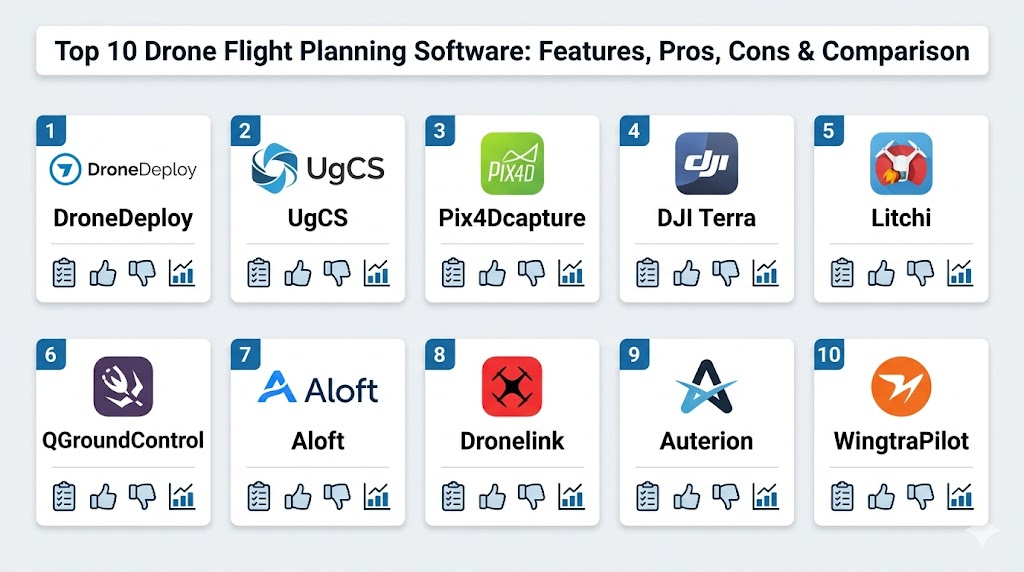
Top 10 Drone Flight Planning Software Tools
1. DroneDeploy
A leading cloud-based platform known for its user-friendly interface and end-to-end workflow. It simplifies the transition from flight planning to data analysis, making it a favorite for large construction and insurance firms.
Key Features
- Automated flight paths for high-resolution 2D mapping and 3D modeling.
- Live Map feature that generates a low-resolution map in real-time during flight.
- Comprehensive fleet management tools for tracking pilots and equipment.
- Walkthrough mode for capturing 360-degree interior and exterior imagery.
- Integrated “Standup” meetings feature for team collaboration over shared maps.
Pros
- Extremely intuitive mobile app that requires minimal training for field teams.
- Strongest third-party app ecosystem for extending functionality.
Cons
- Subscription costs are significantly higher than most competitors.
- Heavy reliance on cloud processing can be a bottleneck for those with slow internet.
Platforms / Deployment
Web / iOS / Android
Cloud
Security & Compliance
SOC 2 Type 2 compliant and GDPR aligned with enterprise SSO.
Standard data encryption.
Integrations & Ecosystem
The platform features an extensive App Market, allowing direct integration with software like Procore, Autodesk, and various GIS platforms.
Support & Community
Provides dedicated account managers for enterprise clients and an extensive online university for pilot training.
2. UgCS (Universal Ground Control Software)
A highly advanced desktop-based planning tool designed for complex missions. It is the preferred choice for technical professionals using specialized sensors like LiDAR or Magnetometers.
Key Features
- True 3D mission planning environment with precise terrain following.
- Support for a massive range of drones from DJI to custom-built PX4 platforms.
- Advanced corridor mapping tools for pipelines, roads, and power lines.
- Ability to work completely offline in remote regions without any connectivity.
- Multi-node deployment allowing team members to share a single mission.
Pros
- Unrivaled depth of control over mission parameters and flight logic.
- Excellent for high-risk missions requiring custom obstacle-aware routing.
Cons
- The desktop-first workflow is less convenient for quick field adjustments.
- The learning curve is very steep for non-technical users.
Platforms / Deployment
Windows / macOS / Linux
Local / Self-hosted
Security & Compliance
Supports local data storage for maximum security and data sovereignty.
Not publicly stated.
Integrations & Ecosystem
It supports a wide array of industrial payloads and is highly compatible with diverse drone hardware, including “Blue UAS” approved platforms.
Support & Community
A very technical community and direct engineering support are available for enterprise-level troubleshooting.
3. Pix4Dcapture
A straightforward and reliable mobile app designed specifically to capture the data needed for the Pix4D photogrammetry ecosystem. It is a workhorse for surveyors and mapping professionals.
Key Features
- Optimized mission types including grid, double-grid, and circular paths.
- Direct integration with Pix4Dcloud for one-touch data upload.
- Hardware-agnostic support for drones from multiple popular manufacturers.
- Real-time mission monitoring with telemetry and camera feedback.
- Simple, no-frills interface focused entirely on data acquisition.
Pros
- The software is free to use, providing excellent value for mapping teams.
- Produces extremely consistent data tailored for survey-grade accuracy.
Cons
- Lacks advanced fleet management or project tracking features.
- Interface can feel dated compared to modern cloud-first apps.
Platforms / Deployment
iOS / Android
Local (Capture) / Cloud (Processing)
Security & Compliance
Data transit encryption and GDPR-aligned privacy policies.
Not publicly stated.
Integrations & Ecosystem
Primarily designed to feed the Pix4D processing suite, though the captured images can be used in any standard photogrammetry software.
Support & Community
Strong community-led support forums and a deep knowledge base are available to all users.
4. DJI Terra
An all-in-one software solution from the world’s largest drone manufacturer. It is designed to provide a seamless experience for users flying DJI’s enterprise-grade aircraft.
Key Features
- High-speed local data processing for 2D and 3D outputs.
- Real-time 2D mapping during the flight for immediate situational awareness.
- Specialized tools for LiDAR point cloud processing and editing.
- Automated mission planning for oblique, corridor, and waypoint flights.
- Advanced “Detail Inspection” mode for automated bridge and tower checks.
Pros
- Incredible speed and reliability due to hardware and software vertical integration.
- Simplest workflow for users flying DJI Mavic 3 Enterprise or Matrice series.
Cons
- Locked exclusively to the DJI hardware ecosystem.
- Windows-only desktop application limits accessibility for Mac-based teams.
Platforms / Deployment
Windows
Local
Security & Compliance
Supports local processing to keep sensitive data entirely offline.
Standard DJI Enterprise security protocols.
Integrations & Ecosystem
Optimized for DJI hardware but allows for data export in standard formats like GeoTIFF and LAS for use in external GIS software.
Support & Community
Supported by a global network of DJI Enterprise dealers and official technical support channels.
5. Litchi
A popular and affordable third-party app that brings advanced autonomous features to prosumer drones. It is highly regarded for its waypoint precision and cinematic flight capabilities.
Key Features
- Browser-based Mission Hub for planning complex routes on a large screen.
- Seamless synchronization between desktop planning and the mobile flight app.
- Advanced “Orbit” and “Focus” modes for keeping cameras locked on a target.
- VR mode for an immersive first-person view during automated missions.
- Large library of community-shared flight missions for inspiration.
Pros
- One-time purchase model offers incredible value compared to subscriptions.
- Reliable waypoint repeatability that often exceeds the drone’s native app.
Cons
- Lacks the enterprise fleet management and security features of high-end tools.
- Support is primarily focused on older or prosumer drone models.
Platforms / Deployment
iOS / Android / Web
Hybrid
Security & Compliance
User data is stored locally; primary security is managed via the mobile OS.
Not publicly stated.
Integrations & Ecosystem
Integrates with Google Earth for route planning and allows for export of mission data in standard formats.
Support & Community
A massive and passionate community of pilots who share tips, tricks, and custom flight paths online.
6. QGroundControl
A powerful open-source ground control station that provides full flight control and mission planning for any drone using the MAVLink protocol.
Key Features
- Full mission planning for diverse vehicles including multirotors and fixed-wings.
- Highly customizable user interface to suit specific operational needs.
- Cross-platform compatibility across all major desktop and mobile systems.
- Real-time telemetry and sensor monitoring with deep diagnostic tools.
- Support for complex flight modes and geofencing.
Pros
- Completely free and open-source, allowing for custom enterprise “skins.”
- The “Swiss Army Knife” for R&D teams and developers using PX4.
Cons
- The technical interface can be overwhelming for traditional commercial pilots.
- Requires significant setup time compared to “plug-and-play” solutions.
Platforms / Deployment
Windows / macOS / Linux / iOS / Android
Local (Self-hosted)
Security & Compliance
Security is entirely dependent on the user’s implementation and network.
Not publicly stated.
Integrations & Ecosystem
As an open-source tool, it is the center of the PX4 and ArduPilot ecosystems, integrating with countless custom hardware builds.
Support & Community
Extensive documentation and a deep developer community on GitHub and specialized forums.
7. Aloft (Air Control)
Formerly known as Kittyhawk, this platform focuses heavily on compliance, airspace intelligence, and operational record-keeping for enterprise drone programs.
Key Features
- Integrated LAANC authorization for fast access to controlled airspace.
- Centralized dashboard for tracking pilot currency and aircraft maintenance.
- Real-time airspace weather and advisory overlays.
- Encrypted live streaming for remote team collaboration.
- Automated flight logging and risk assessment checklists.
Pros
- The best platform for ensuring an organization stays within legal regulations.
- Provides a “system of record” that is essential for insurance and audits.
Cons
- Mission planning tools are less visually advanced than mapping-centric apps.
- Primary value is in management rather than complex flight automation.
Platforms / Deployment
Web / iOS / Android
Cloud
Security & Compliance
Enterprise-grade data security with full audit trails and SSO support.
SOC 2 compliant.
Integrations & Ecosystem
Strongest integration is with the FAA’s airspace management systems and large enterprise insurance providers.
Support & Community
Offers professional onboarding and consulting for corporate drone program setup.
8. Dronelink
A highly configurable mission automation platform that uses “components” to build complex flights. It is known for its ability to run on a wide range of hardware, including lower-cost drones.
Key Features
- Advanced 3D mission previews to verify flight paths before taking off.
- Modular mission design using reusable templates and “Destination” points.
- Cross-platform support across mobile devices and modern smart controllers.
- Dynamic “Adaptive Flight” that adjusts for wind and battery in real-time.
- Built-in media management for organizing photos and videos by mission.
Pros
- Allows for extremely complex mission logic that rivals top-tier desktop tools.
- Offers affordable pricing tiers for small businesses and individual pilots.
Cons
- The modular “component” logic can take time for new users to grasp.
- Requires a constant data connection for certain real-time features.
Platforms / Deployment
Web / iOS / Android
Hybrid
Security & Compliance
Secure account management and cloud-based mission storage.
Not publicly stated.
Integrations & Ecosystem
Integrates with popular log-tracking platforms and supports a wide variety of DJI and non-DJI hardware.
Support & Community
Active user community and a library of video tutorials that cover everything from basic setup to advanced logic.
9. Auterion Mission Control
A modern, enterprise-focused ground control station built on the PX4 open-source standard. It focuses on interoperability and a streamlined user experience for industrial fleets.
Key Features
- Simplified interface for planning search and rescue or inspection missions.
- Real-time video streaming with low latency for remote operators.
- Detailed post-flight analysis with synchronized logs and video.
- Collaborative planning where multiple operators can view the same mission.
- Automated health checks for aircraft and sensors before takeoff.
Pros
- Provides a clean, “consumer-grade” experience for complex industrial drones.
- Built for teams that need to scale quickly without technical friction.
Cons
- Limited compatibility with consumer-grade drones like the DJI Mini series.
- Primarily targets the high-end enterprise and government markets.
Platforms / Deployment
Windows / Linux / Android
Hybrid
Security & Compliance
Built with a “Security by Design” approach, supporting encrypted communications.
Not publicly stated.
Integrations & Ecosystem
A key part of the Auterion Open Ecosystem, connecting aircraft, payloads, and cloud services in a unified platform.
Support & Community
Provides dedicated professional support and comprehensive documentation for enterprise deployments.
10. WingtraPilot
This specialized software is designed specifically for the WingtraOne VTOL (Vertical Take-Off and Landing) drone. It is the gold standard for large-scale high-precision mapping.
Key Features
- Automated mission planning for large areas and linear corridor projects.
- Real-time data quality monitoring with GSD (Ground Sampling Distance) tracking.
- Seamless payload compatibility for high-res RGB, multispectral, and LiDAR.
- Integrated terrain following using high-resolution global elevation data.
- In-flight safety monitoring with automated return-to-home protocols.
Pros
- The most efficient planning tool for mapping thousands of acres in a single day.
- Incredible data accuracy when used with the integrated high-end sensors.
Cons
- Hardware-dependent software that only works with Wingtra aircraft.
- The cost of entry is extremely high compared to multirotor solutions.
Platforms / Deployment
Android (Tablet)
Local
Security & Compliance
Offline data handling ensures sensitive survey data never leaves the device.
Not publicly stated.
Integrations & Ecosystem
Seamlessly feeds data into top-tier processing engines like Pix4D and Esri Site Scan for further analysis.
Support & Community
Offers world-class technical support and field training for large industrial teams.
Comparison Table
| Tool Name | Best For | Platform(s) Supported | Deployment | Standout Feature | Public Rating |
| 1. DroneDeploy | Enterprise Mapping | Web, iOS, Android | Cloud | End-to-End Workflow | N/A |
| 2. UgCS | Technical / LiDAR | Win, macOS, Linux | Local | 3D Terrain Following | N/A |
| 3. Pix4Dcapture | Survey Capture | iOS, Android | Local | Simple Grid Planning | N/A |
| 4. DJI Terra | DJI Power Users | Windows | Local | High-Speed Processing | N/A |
| 5. Litchi | Waypoint Precision | iOS, Android, Web | Hybrid | Mission Hub Sync | N/A |
| 6. QGroundControl | R&D / Open Source | Win, macOS, Linux, Mobile | Self-hosted | MAVLink Flexibility | N/A |
| 7. Aloft | Compliance & Fleet | Web, iOS, Android | Cloud | LAANC Integration | N/A |
| 8. Dronelink | Mission Automation | Web, iOS, Android | Hybrid | Component Planning | N/A |
| 9. Auterion | Industrial Fleets | Win, Linux, Android | Hybrid | Interoperability | N/A |
| 10. WingtraPilot | Large-Scale VTOL | Android (Tablet) | Local | High-Precision Mapping | N/A |
Evaluation & Scoring
| Tool Name | Core (25%) | Ease (15%) | Integrations (15%) | Security (10%) | Perf (10%) | Support (10%) | Value (15%) | Total |
| 1. DroneDeploy | 9 | 9 | 10 | 9 | 8 | 9 | 6 | 8.60 |
| 2. UgCS | 10 | 4 | 8 | 9 | 10 | 8 | 7 | 8.05 |
| 3. Pix4Dcapture | 7 | 8 | 7 | 6 | 8 | 7 | 10 | 7.55 |
| 4. DJI Terra | 9 | 8 | 6 | 9 | 10 | 8 | 6 | 8.15 |
| 5. Litchi | 8 | 7 | 6 | 5 | 8 | 6 | 10 | 7.45 |
| 6. QGroundControl | 9 | 3 | 10 | 6 | 9 | 7 | 10 | 7.75 |
| 7. Aloft | 6 | 9 | 9 | 10 | 8 | 9 | 7 | 8.10 |
| 8. Dronelink | 9 | 6 | 8 | 7 | 9 | 8 | 8 | 7.95 |
| 9. Auterion | 8 | 8 | 9 | 9 | 9 | 8 | 7 | 8.15 |
| 10. WingtraPilot | 10 | 7 | 8 | 9 | 10 | 9 | 5 | 8.35 |
The scores provided in this table are relative to the specific strengths of each tool in a professional environment. A high “Core” score indicates a platform with exceptional mission planning depth, while a high “Value” score often highlights free or one-time-purchase models. For example, DroneDeploy and Aloft score high on “Integrations” and “Security” because they are designed for enterprise governance, whereas UgCS and WingtraPilot dominate in “Performance” due to their technical precision in complex environments.
Which Drone Flight Planning Software Tool Is Right for You?
Solo / Freelancer
If you are an individual pilot focusing on local contracts, Litchi or Pix4Dcapture offer the best return on investment. They provide the necessary automation for mapping and cinematic work without the burden of heavy monthly fees.
SMB
Small to mid-sized businesses looking for a balance of mapping and reporting should consider Dronelink or DroneDeploy’s entry tiers. These allow you to scale your services without needing a dedicated IT department to manage the software.
Mid-Market
For growing teams with 5-10 pilots, Aloft is essential for maintaining compliance and flight logs, while DJI Terra or UgCS provide the technical horsepower needed for high-stakes client deliverables.
Enterprise
Large organizations with massive fleets require the governance provided by Aloft combined with the industrial scalability of DroneDeploy or Auterion. These tools ensure that safety protocols are followed across the entire company.
Budget vs Premium
If budget is the primary concern, QGroundControl and Blender (for processing) are powerful free alternatives. For those who prioritize time-savings and “one-click” simplicity, premium subscriptions like DroneDeploy are worth the investment.
Feature Depth vs Ease of Use
If your missions involve complex 3D structures or LiDAR, the technical depth of UgCS is required. For simple site progress photos and basic 2D maps, the ease of use found in Pix4Dcapture is often more efficient.
Integrations & Scalability
Your software must talk to your CAD or GIS tools. DroneDeploy and Site Scan offer the most seamless integrations for construction and engineering workflows.
Security & Compliance Needs
Government or sensitive industrial projects should prioritize UgCS, DJI Terra, or WingtraPilot due to their ability to process all data locally and offline, ensuring total data sovereignty.
Frequently Asked Questions (FAQs)
1. Do I need internet access in the field to plan a flight?
Not necessarily. Tools like UgCS and DJI Terra allow you to download maps and plan missions in advance, which can then be executed entirely offline in remote areas.
2. Can I use one app to fly drones from different manufacturers?
Yes, third-party apps like UgCS, Dronelink, and Pix4Dcapture are designed to be hardware-agnostic and can control many different brands and models.
3. What is LAANC and why is it in my flight app?
LAANC is a system that provides near-instant digital authorization to fly in controlled airspace. Integrating it into your planning app saves time and ensures legal compliance.
4. Is automated flight safer than manual flight?
Generally, yes. Automation removes human error from path-keeping and ensures consistent altitude and speed, though the pilot must always be ready to take manual control if needed.
5. How does “Terrain Following” work?
The software uses a digital elevation model (DEM) to predict changes in ground height and automatically commands the drone to climb or descend to maintain a constant altitude.
6. What is the difference between a waypoint and a grid mission?
A waypoint mission follows a custom-drawn path from point A to B, while a grid mission automatically covers a defined area in a “lawnmower” pattern for mapping.
7. Can these tools help me track battery health?
Yes, enterprise tools like Aloft and DroneDeploy automatically log battery cycles and flight times, helping you identify when a battery is reaching its end-of-life.
8. Do I still need a pilot’s license for automated flights?
Absolutely. In most regions (like under FAA Part 107), a certified remote pilot must always be in command of the aircraft, regardless of whether it is flying autonomously.
9. Why are some planning apps free while others cost thousands?
Free apps usually focus only on data capture, whereas expensive platforms include cloud processing, advanced analytics, and enterprise-grade security and fleet management.
10. What is “Corridor Mapping” used for?
It is a specialized mission type for long, narrow assets like pipelines, power lines, and roads, ensuring consistent overlap along the entire length of the asset.
Conclusion
Selecting the appropriate drone flight planning software is a foundational step in building a safe and efficient aerial operation. The transition from manual flight to automated mission execution not only enhances data accuracy but also significantly reduces the risk of pilot fatigue and error. Whether you are managing a global fleet for an enterprise or conducting precision surveys as a solo freelancer, the right tool ensures that your data is repeatable, your missions are compliant, and your results are professional. By evaluating your specific hardware needs and security requirements against the platforms discussed, you can build a robust workflow that stands the test of time.

Best Cardiac Hospitals Near You
Discover top heart hospitals, cardiology centers & cardiac care services by city.
Advanced Heart Care • Trusted Hospitals • Expert Teams
View Best Hospitals