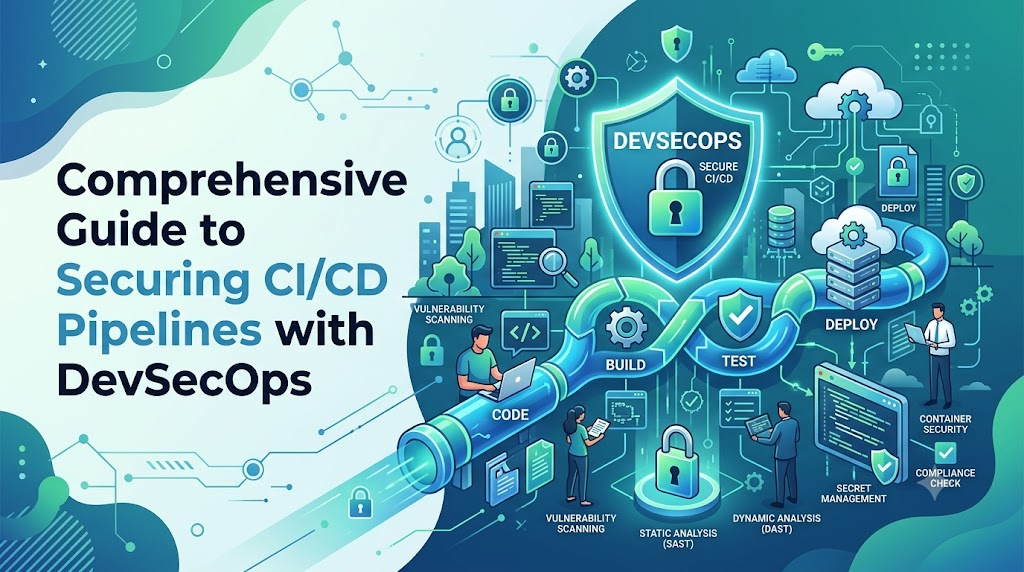
Introduction
Continuous Integration and Continuous Delivery (CI/CD) pipelines serve as the automated backbone of modern software development, but their high-speed connectivity makes them a prime target for increasingly sophisticated software supply chain attacks. When pipelines are left unsecured, organizations risk exposing highly privileged cloud credentials, leaking intellectual property, and distributing compromised build artifacts to their end users. Safeguarding this automated architecture requires moving beyond legacy perimeter defenses to integrate cryptographic identity verification, isolated build environments, and automated security scanning directly into the software delivery loop. By leveraging strategic DevOpsSchool consulting practices, engineering teams can bridge traditional institutional silos, eliminate technical debt, and implement robust DevSecOps guardrails that protect the integrity of production workloads without slowing down software release velocity.
Understanding CI/CD Pipelines
A CI/CD pipeline is an automated workflow that translates source code into production-ready software. To understand how to protect this framework, it is essential to break down its primary components.
Continuous Integration
Continuous Integration centers on code consolidation and early validation. Developers frequently commit code changes to a centralized repository. Each commit triggers an automated build and test process, ensuring that new modifications do not break existing functionality.
- Example: A developer pushes code to a Git repository. An automated build server compiles the application code and executes unit tests within minutes, providing immediate feedback.
Continuous Delivery
Continuous Delivery ensures that code changes are automatically compiled, tested, and prepared for a release to production. The primary objective is to maintain a deployable codebase at all times, though the final deployment step often requires manual authorization.
- Example: After passing integration tests, the software artifact is packaged into a container image and pushed to a staging environment, awaiting final approval from the release manager.
Continuous Deployment
Continuous Deployment eliminates manual intervention from the release loop. Every code modification that successfully passes all automated validation stages is deployed directly to production.
- Example: An update passes all testing, vulnerability scanning, and compliance checks, triggering an automated update to live customer-facing servers without manual verification.
Benefits of Automation
- Elimination of Human Error: Manual configuration mistakes are mitigated through standardized, repeatable scripts.
- Accelerated Feedback Loops: Engineering teams can pinpoint defects and operational anomalies within minutes instead of weeks.
- Standardized Releases: Deployment mechanisms remain uniform across development, staging, and production environments, leading to highly predictable software releases.
Why CI/CD Security Matters
When security is excluded from automated delivery systems, the speed of automation can accelerate the spread of underlying vulnerabilities. Securing CI/CD architectures is vital for protecting the integrity of business operations and corporate digital assets.
Software Supply Chain Attacks
Modern software relies heavily on external libraries, third-party packages, and foundational base images. Attackers frequently exploit these upstream dependencies to insert malicious code into popular open-source packages. Without robust scanning, your pipeline will pull in these compromised dependencies, build them into your proprietary artifacts, and distribute them to end users.
Credential Exposure Risks
Automated pipelines require broad permissions to build and deploy applications. They manage cloud provider keys, database connection strings, SSH keys, and API tokens. If build logs, repository access controls, or underlying infrastructure layers are poorly configured, these highly privileged credentials can be exposed to unauthorized internal or external parties.
Deployment Integrity
Ensuring deployment integrity means confirming that the exact code written by developers—and nothing else—reaches production. Attackers targeting pipelines often try to inject unauthorized changes directly into build artifacts, bypass standard peer reviews, or modify infrastructure definitions mid-transit.
Compliance Requirements
Enterprises operate under strict legal and regulatory frameworks such as SOC 2, ISO 27001, PCI-DSS, and HIPAA. These standards require organizations to maintain strict segregation of duties, comprehensive audit logs, and verified security controls across the entire software delivery lifecycle. Non-compliance can result in substantial financial penalties and severe loss of customer trust.
Common Security Risks in CI/CD Pipelines
| Risk Area | Description | Potential Impact |
| Exposed Secrets | Hardcoded passwords, API keys, or certificates embedded in repositories or logs. | Cloud resource hijacking, unauthorized data access, and data breaches. |
| Weak Access Controls | Overly permissive access settings for users, service accounts, or build tools. | Unauthorized code manipulation, bypass of reviews, and system sabotage. |
| Vulnerable Dependencies | Use of unverified, outdated, or malicious third-party open-source components. | Application-level exploits, data exfiltration, and remote code execution. |
| Misconfigured Pipelines | Insecure build definitions, root privilege execution, or unauthenticated runners. | Infrastructure takeover and arbitrary code injection into production. |
| Insecure Containers | Outdated base images, bundled malware, or running containers with root permissions. | Container escapes, host infrastructure compromise, and lateral network movement. |
| Third-Party Integrations | Unvetted plugins, marketplace extensions, or external webhooks attached to pipelines. | Compromised build integrity and unauthorized entry points for attackers. |
Explanations of Core Risks
- Exposed Secrets: Developers sometimes accidentally check API tokens or private keys into public or private repositories. Automated scanners used by malicious actors can find these exposed keys within minutes, leading to rapid system exploitation.
- Weak Access Controls: When organizations do not enforce granular permissions, any user with repository access might be able to alter critical pipeline configurations, completely bypassing established peer review processes.
- Vulnerable Dependencies: Attackers use typosquatting or dependency confusion techniques to trick automated build tools into pulling malicious packages instead of legitimate enterprise libraries.
What Is DevOps Consulting?
DevOps consulting bridges the gap between fast-paced software development and stable infrastructure operations. It goes beyond recommending specific tools; it focuses on redesigning processes, realigning team cultures, and establishing modern governance models.
Definition
DevOps consulting is a strategic, expert-led engagement that evaluates an organization’s engineering culture, technical toolchains, and operational workflows. It provides a customized roadmap to optimize delivery speed, improve system reliability, and embed robust security controls throughout the delivery process.
Strategic Guidance
Consultants help technology leaders align software delivery goals with overarching business strategies. This includes establishing key performance indicators (KPIs), determining risk thresholds, and designing scalable architecture frameworks that support long-term corporate growth.
Security Assessments
Consulting services analyze existing delivery pipelines to uncover hidden vulnerabilities. Consultants evaluate access privileges, trace how secrets are handled, inspect build environment isolation, and analyze artifact verification methods to pinpoint structural weaknesses.
Process Optimization
By identifying manual bottlenecks and clearing technical debt, consultants help teams eliminate redundant tasks. This streamlines the path to production while ensuring that automated validation gates remain effective.
Governance Implementation
Consultants help establish automated compliance frameworks. These guardrails ensure that every code deployment adheres to regulatory standards and corporate security policies, without relying on slow, manual review boards.
How DevOps Consulting Improves CI/CD Security
| Consulting Practice | Security Benefit | Business Outcome |
| Pipeline Audits | uncovers architectural structural flaws and access misconfigurations. | Minimizes vulnerabilities before code reaches production environments. |
| Security Automation | Integrates automated scanning tools directly into developer build loops. | Reduces reliance on manual testing while accelerating delivery speed. |
| Compliance Reviews | Maps technical pipeline configurations to strict regulatory frameworks. | Achieves audit readiness and avoids regulatory penalties. |
| Access Governance | Enforces zero-trust and least-privilege access rules across systems. | Lowers insider risk and prevents unauthorized changes. |
| Monitoring Strategies | Implements real-time alerting for pipeline activities and build failures. | Enables rapid detection and containment of security incidents. |
Architectural Audits
DevOps consultants deeply evaluate pipeline components, inspecting configurations from repository settings to deployment scripts. They uncover overlooked vulnerabilities, such as hardcoded credentials or unauthenticated build nodes, providing clear remediation roadmaps.
Engineering Security Guardrails
Consultants shift security testing directly into the automated build loop. By introducing non-disruptive, automated validation checks, developer teams catch security issues early in the lifecycle when they are easiest and cheapest to fix.
Security Across the CI/CD Lifecycle
Securing CI/CD requires applying targeted security controls at every stage of the software delivery lifecycle.
[Source Code Security] ➔ [Build Security] ➔ [Testing Security] ➔ [Deployment Security] ➔ [Runtime Security]
Source Code Security
Security begins at the workstation. It requires ensuring that only authorized, verified changes enter the source repository. This is achieved by enforcing branch protection policies, requiring multiple peer reviews, and using cryptographic commit signing to verify developer identities.
Build Security
The build phase must run inside isolated, ephemeral environments that are destroyed immediately after use. This prevents lingering artifacts or configuration drift from affecting subsequent builds. All build outputs must be cryptographically hashed and cataloged to ensure artifact integrity.
Testing Security
Automated security scanners must run alongside functional and performance tests. If a high-severity vulnerability is discovered, the pipeline must automatically halt, preventing the flawed artifact from moving further down the delivery chain.
Deployment Security
Deployments should use short-lived, identity-based credentials rather than static, long-term cloud provider tokens. Deployment tools must explicitly verify artifact signatures to ensure the package being deployed matches the exact file validated during the build phase.
Runtime Security
Once code is live, continuous monitoring tools track application behavior, configuration drift, and infrastructure anomalies. This creates a feedback loop that feeds security insights back into development planning for future updates.
Secure Source Code Management
Source code management systems are the foundational entry points of the software delivery lifecycle. Protecting these environments is critical to maintaining a trustworthy pipeline.
Repository Security
Access to repositories must be tightly managed using single sign-on (SSO) integrations. Public visibility settings must be heavily restricted to prevent accidental exposure of proprietary internal source code.
Branch Protection
Enforce strict rules on default branches (such as main or prod). Prevent anyone from pushing code directly without an approved pull request. Require successful automated build runs and passing security checks before allowing code merges.
Code Review Processes
Mandate that at least one independent, qualified engineer reviews all code changes before integration. Reviewers must verify logic correctness, look out for insecure coding practices, and confirm that no unauthorized dependencies have been added.
Commit Signing
Require developers to sign their Git commits using private GPG or SSH keys. This prevents identity spoofing and ensures that every change can be definitively traced back to a verified developer.
Source Code Security Checklist
- Enforce multi-factor authentication (MFA) for all repository contributors.
- Restrict repository creation and deletion privileges to platform administrators.
- Configure automated branch protection rules for all production-bound branches.
- Implement automated secret scanners to block commits containing plain-text keys.
- Enable commit signing verification across all repositories.
Identity and Access Management (IAM)
Strong identity governance ensures that only authorized individuals and system services can interact with specific pipeline components.
| Weak Practice | Secure Practice |
| Sharing global administrator keys across multiple automated pipelines. | Utilizing granular, purpose-built IAM roles for individual pipeline tasks. |
| Using long-lived, static password strings for automated service access. | Implementing short-lived token authentication via OpenID Connect (OIDC). |
| Allowing developers full write access to live production environments. | Restricting production modifications to automated service identities. |
| Authenticating pipeline components with single-factor passwords. | Requiring multi-factor authentication and cryptographic identity keys. |
Least Privilege Access
Users and automated service accounts must only have the minimum permissions necessary to complete their specific tasks. A build runner, for example, needs read access to a source repository and write access to an artifact registry, but it should never have administrative control over cloud infrastructure.
Role-Based Permissions
Group permissions into logical roles based on job responsibilities. Developers should have access to create feature branches and review code, while release engineers manage deployment policies, and security personnel configure automated compliance rules.
Service Account Hardening
Avoid using human user accounts for automated tools. Create dedicated service accounts with minimal access areas, monitor their access patterns closely, and immediately revoke keys that deviate from expected behavioral baselines.
Secrets Management Best Practices
Automated pipelines rely heavily on sensitive credentials to connect with databases, external APIs, and cloud platforms. Storing these credentials securely is paramount.
Centralized Vault Solutions
Never store secrets in source code files, environment configuration variables, or build definitions. Use a dedicated, centralized secrets manager like HashiCorp Vault, AWS Secrets Manager, or Azure Key Vault. The pipeline should retrieve required credentials dynamically at runtime and clear them from memory instantly after use.
Automated Secret Rotation
Static credentials pose a high risk over time. Implement automated rotation schedules for database credentials, API tokens, and access keys. If a secret is accidentally exposed, an automated rotation policy ensures the compromised credential quickly becomes invalid.
Environment Isolation
Maintain strict boundaries between development, staging, and production secrets. Production credentials should be stored in an isolated vault environment that cannot be accessed by non-production pipelines or development teams.
Securing Build and Automation Servers
Build systems like Jenkins, GitHub Actions, and GitLab CI act as central command hubs. If an attacker gains control of the build server, they can compromise all connected environments.
Hardening Build Environments
- Isolate Build Runners: Execute each build job inside an isolated, short-lived container or virtual machine. Avoid running jobs directly on the host system.
- Limit Runner Privileges: Never run build steps with root or administrative privileges unless absolutely necessary. Run build agents under restricted system accounts.
- Network Segmentation: Place build servers within private network zones. Restrict outbound internet access from build runners to only approved package registries and official API endpoints.
- Keep Software Updated: Regularly patch and update build automation software, runner agents, and underlying operating systems to protect against known security vulnerabilities.
Dependency and Supply Chain Security
Modern applications are often largely composed of open-source libraries and external dependencies. Securing this third-party software supply chain is critical.
| Defense Layer | Security Tooling Category | Operational Purpose |
| Upstream Validation | Dependency Firewall / Proxy | Blocks malicious or unapproved open-source components at the perimeter. |
| In-Line Analysis | Software Composition Analysis (SCA) | Scans third-party libraries for known vulnerabilities during compilation. |
| Inventory Control | Software Bill of Materials (SBOM) | Generates a complete, verifiable manifest of all software components. |
| Continuous Auditing | Automated Vulnerability Monitoring | Alerts teams when newly discovered flaws affect older production code. |
Software Bill of Materials (SBOM)
Generate a comprehensive SBOM for every software release. An SBOM acts as a formal ingredient list for your software, cataloging every library, module, and dependency. This clear inventory allows security teams to quickly identify and locate newly reported vulnerabilities across the organization’s entire software portfolio.
Container Security in CI/CD
Containers offer excellent deployment consistency, but they require careful security management throughout the build lifecycle.
Secure Image Creation
Always start with minimal, trusted base images, such as official distroless or Alpine distributions. Avoid including unnecessary system utilities like compilers, package managers, or debugging tools in production images. This drastically reduces the attack surface available to potential exploiters.
Automated Container Scanning
Integrate container image scanners directly into your build workflow. These scanners inspect container filesystems for outdated software packages, unpatched operating system bugs, and misconfigured environment variables before images are pushed to registries.
Image Signing and Registry Protection
Use image signing tools to cryptographically sign container images upon successful validation. Configure your container orchestration platforms, like Kubernetes, to only pull and run images that carry a verified signature from your secure build pipeline.
Infrastructure as Code Security
Infrastructure as Code (IaC) allows teams to manage cloud environments using configuration files. Securing these files is just as important as securing application source code.
Validating Cloud Configurations
Automate the scanning of IaC templates (such as Terraform, CloudFormation, or Ansible scripts) before provisioning resources. This helps detect risky misconfigurations, such as publicly open S3 buckets, overly permissive security groups, or unencrypted storage volumes, before they are deployed.
IaC Security Checklist
- Scan all infrastructure definitions for misconfigurations on every pull request.
- Enforce state-file encryption and protect state files with strict access controls.
- Ban hardcoded cloud credentials within IaC configurations.
- Validate all Kubernetes manifest files against established security baselines.
- Use automated policy-as-code engines to block non-compliant infrastructure updates.
Automated Security Testing in CI/CD
Integrating automated testing tools directly into the pipeline ensures continuous security validation without slowing down delivery speed.
| Security Test | Purpose | Pipeline Stage |
| SAST | Analyzes internal source code for patterns indicating security flaws. | Code Integration Phase |
| SCA | Identifies known vulnerabilities and licensing issues in external libraries. | Code Compilation Phase |
| IaC Scanning | Detects cloud misconfigurations and compliance violations in templates. | Pre-Provisioning Phase |
| DAST | Tests running applications from an external perspective for active flaws. | Staging / Post-Deployment |
Balanced Testing Implementation
Relying on a single testing method leaves dangerous security gaps. Combining static analysis (SAST) to inspect raw code with dynamic analysis (DAST) to evaluate running environments creates a multi-layered validation process that catches vulnerabilities from multiple angles.
Compliance and Governance Considerations
Automated CI/CD security plays a central role in satisfying corporate compliance audits and corporate governance standards.
Audit Readiness
Manual compliance reporting can be time-consuming and prone to errors. An automated pipeline captures detailed logs of every code commit, test run, security scan approval, and production deployment. This provides an unalterable, comprehensive audit trail that simplifies compliance verification for auditors.
Automated Policy Enforcement
Translate corporate security policies into automated code rules. If a compliance rule states that no high-severity vulnerability can exist in production, the automated pipeline uniformly enforces this policy across every release, eliminating human oversight risks.
Monitoring and Threat Detection
Security does not end once a pipeline successfully runs. Continuous monitoring is essential for identifying sophisticated attacks and operational anomalies.
| Monitoring Area | Focus Indicator | Security Benefit |
| Pipeline Modifications | Edits to build configuration scripts. | Detects unauthorized pipeline tampering. |
| Access Activity | Access requests from unusual geographic locations. | Identifies credential theft or insider threats. |
| Execution Performance | Spikes in build execution durations. | Catches resource hijacking or coin-mining attacks. |
| Artifact Registries | Direct, unverified image additions. | Flags attempts to bypass pipeline checks. |
Unified Log Management
Forward all pipeline execution logs, access history, and system alerts to a centralized Security Information and Event Management (SIEM) system. Analyzing these logs in one place allows security teams to correlate pipeline behavior with broader infrastructure events, accelerating threat detection.
Incident Response for CI/CD Environments
When a security incident occurs within a delivery pipeline, organizations must act quickly to limit the damage.
Detection and Alerting
Configure real-time notifications for critical events, such as failed authentication attempts, modified build definitions, or unexpected privilege escalations. Ensure these alerts route directly to your incident response team.
Containment Strategies
If a pipeline compromise is detected, immediately deactivate the affected runner agents, revoke active service account keys, and pause automated deployment webhooks. Isolating the compromised environment prevents the attacker from moving laterally into other systems.
Recovery and Post-Incident Analysis
Restore your build environment using verified, clean infrastructure templates. Conduct a thorough post-incident review to understand how the attacker gained access, and update your security controls to prevent similar incidents in the future.
DevSecOps and Secure CI/CD
DevSecOps is the practice of embedding security natively into every phase of the traditional DevOps lifecycle, shifting security from an afterthought to a core component of engineering.
[Plan] ➔ [Code] ➔ [Build] ➔ [Test] ➔ [Release] ➔ [Deploy] ➔ [Operate] ➔ [Monitor]
  └── Security is embedded and automated across every single phase ──┘
Shift-Left Security Philosophy
Shifting left means introducing security evaluations as early as possible in the software development lifecycle. Instead of waiting for an annual penetration test right before a release, developers receive automated security feedback inside their code repositories within minutes of writing code.
Shared Operational Responsibility
DevSecOps breaks down classic institutional silos. Security teams stop acting as rigid external gatekeepers and instead focus on delivering secure automation components, enabling development and operations teams to share ownership of software security.
Real-World Example: Securing a CI/CD Pipeline
Consider a fast-growing financial technology company experiencing typical delivery security challenges.
Initial Pipeline Risks
The organization operated a legacy build server where all development teams shared a single, highly privileged cloud access key. Build logs frequently exposed raw database passwords, and applications were deployed to production without any automated dependency or container vulnerability checks.
Consulting Assessment
A comprehensive DevOps consulting assessment identified major risks: a lack of isolation between build jobs, exposed production credentials, and an unmonitored software supply chain vulnerable to external attacks.
Implemented Security Improvements
- Replaced all static, long-lived cloud keys with temporary OpenID Connect (OIDC) identity roles.
- Deployed a centralized secrets manager, removing all plain-text secrets from code repositories and build logs.
- Mandated automated SAST, SCA, and container image scanning for all delivery pipelines.
- Configured isolated, short-lived container environments for every automated build job.
Business Outcomes
The organization achieved comprehensive compliance alignment with strict financial industry regulations. Automated security checks reduced severe production vulnerabilities by over 85%, while automated testing allowed development teams to maintain rapid deployment cycles with confidence.
Benefits of Secure CI/CD Pipelines
- Reduced Financial and Operational Risk: Catching architectural vulnerabilities early prevents costly production data breaches and service disruptions.
- Accelerated Compliance Mapping: Automated logging and policy enforcement turn complex compliance audits into simple, routine verifications.
- Enhanced Engineering Velocity: Automated security scanning removes manual testing roadblocks, allowing developers to safely release code updates.
- Strengthened Customer Trust: Consistently delivering secure, verified software packages builds long-term digital trust with enterprise clients and end users.
Common Mistakes Organizations Make
Hardcoded Credentials
Developers sometimes store access keys or passwords in code files for quick testing, intending to remove them later. These credentials often end up committed to repositories, where they can be exposed to unauthorized parties.
Excessively Permissive System Rights
Granting broad administrative access to developers, automated systems, or build nodes creates unnecessary security risks. If a single component is compromised, the entire infrastructure becomes vulnerable.
Overlooking Upstream Code Libraries
Many organizations test their proprietary code thoroughly but ignore risks in third-party packages. This leaves them open to supply chain attacks via unverified open-source libraries.
Actionable Remediation Steps
- Deploy automated scanning tools to detect and block credentials before they are committed to code repositories.
- Enforce strict least-privilege policies, regularly auditing and restricting system access.
- Mandate automated software composition analysis (SCA) scanning across all application workloads.
Security Metrics to Measure Success
| Metric | Purpose | Business Impact |
| Vulnerability Remediation Time | Tracks the time required to patch a discovered code defect. | Minimizes the window of exposure for production systems. |
| Secret Exposure Incidents | Counts occurrences of clear-text credentials in logs or code. | Measures the effectiveness of secrets management policies. |
| Compliance Audit Findings | Monitors compliance exceptions flagged during reviews. | Lowers legal exposure and simplifies regulatory alignment. |
| Pipeline Security Score | Provides an overall rating of security posture across pipelines. | Gives leadership clear visibility into technical risk levels. |
| Mean Time to Respond (MTTR) | Measures the speed of containing a pipeline incident. | Reduces the potential impact of a system compromise. |
DevOps Consulting Framework for Secure CI/CD
A structured framework ensures that security enhancements are applied systematically, minimizing disruption to ongoing engineering workflows.
[1. Assessment] ➔ [2. Risk Analysis] ➔ [3. Automation] ➔ [4. Governance] ➔ [5. Monitoring] ➔ [6. Continuous Improvement]
1. Security Assessment
Begin with a deep review of existing development processes, toolchains, user access privileges, and current deployment architectures to map out your security baseline.
2. Risk Analysis
Prioritize found vulnerabilities based on their potential business impact and exploitability. This allows you to address critical security gaps first without overwhelming your engineering teams.
3. Security Automation
Embed automated scanning tools (SAST, SCA, container scanning) directly into the developer workflow. This provides instant feedback loops that help catch issues early.
4. Governance Implementation
Establish automated policy gates and access controls across your repositories. This ensures all code updates meet compliance and security standards before moving to production.
5. Monitoring Strategy
Connect pipeline logs and access records to centralized security dashboards. This real-time visibility allows you to quickly detect anomalies and respond to potential threats.
6. Continuous Improvement
Regularly update scanning rules, refine access permissions, and run post-incident reviews. Keeping your security practices aligned with the latest threat landscape ensures long-term protection.
Future of CI/CD Security
AI-Driven Security Analysis
Artificial intelligence tools are moving beyond simple pattern matching. Future pipeline security will leverage machine learning models to analyze developer coding styles, predict complex logical vulnerabilities, and suggest accurate code fixes in real time.
Policy-as-Code Maturity
Organizations are increasingly moving away from manual security documentation. Security governance is becoming entirely defined by executable code files, allowing security rules to be tracked, tested, and updated using the same workflows as application code.
Zero Trust Architecture Deployment
The perimeter security model is no longer sufficient. Future CI/CD environments will treat every build runner, code commit, and external tool integration as untrusted until cryptographically verified, enforcing absolute least-privilege access at every step.
Certifications & Learning Paths
Building a highly resilient delivery infrastructure requires deep technical knowledge. Specialized training paths help engineering teams effectively implement modern DevSecOps strategies.
Developing internal talent through structured programs like the DevOpsSchool educational ecosystem ensures that your engineering teams stay ahead of emerging threats and follow industry best practices.
| Certification | Best For | Skill Level | Focus Area |
| Certified DevSecOps Engineer | DevOps Specialists, Security Engineers | Advanced | Pipeline Security Automation, Tool Integration |
| Certified Cloud Security Professional | Cloud Engineers, Solutions Architects | Expert | Cloud Infrastructure Defense, Access Governance |
| Secure Software Supply Chain Expert | Platform Engineers, Release Leads | Intermediate | Artifact Verification, SBOM, Dependency Security |
Common Beginner Mistakes
- Prioritizing Speed Over Safety: Avoid skipping security tests to speed up deployments. Fast deliveries mean very little if they introduce critical vulnerabilities to production.
- Neglecting Security Tool Tuning: Out-of-the-box scanning tools can generate high numbers of false positives. Spend time tuning your tools to focus on real risks, preventing alert fatigue for developers.
- Relying on Manual Access Management: Avoid updating user permissions manually. Use automated Infrastructure as Code (IaC) and identity providers to ensure access privileges remain accurate and auditable.
- Forgetting to Monitor Build Runners: Security monitoring should extend beyond production apps. Protect and monitor your build servers and runners just as closely as your live user environments.
FAQs
1. Why is CI/CD security important?
CI/CD security protects your automated software delivery paths from unauthorized changes, credential theft, and supply chain attacks. Securing these systems ensures that only thoroughly tested, verified code reaches your production environments.
2. What are the biggest pipeline risks?
The most common and severe risks include exposed secrets in code repositories, overly permissive system access rights, unpatched third-party software dependencies, and misconfigured build environment isolation.
3. How does DevOps consulting help?
DevOps consulting brings specialized expertise to evaluate your delivery pipelines, pinpoint hidden security gaps, automate testing workflows, and implement robust governance practices without disrupting developer velocity.
4. What is software supply chain security?
Software supply chain security focuses on protecting every element involved in creating and delivering software. This includes securing internal source code, verifying external open-source libraries, protecting build infrastructures, and confirming the integrity of final deployment artifacts.
5. How should secrets be managed?
Secrets should never be stored in plain text within code or build scripts. They must be managed in a centralized, encrypted secrets manager and pulled dynamically into memory by the pipeline at runtime.
6. Is CI/CD security only for enterprises?
No. Organizations of all sizes are vulnerable to cyber threats. While large enterprises often face more complex regulatory requirements, smaller companies are frequent targets for automated supply chain exploits and cloud resource hijacking.
7. What role does DevSecOps play?
DevSecOps embeds security practices directly into every phase of the software delivery lifecycle. It transforms security from a final manual review step into an automated, continuous process shared across development, security, and operations teams.
8. How can compliance be automated?
Compliance is automated by defining security requirements as executable code policies. Pipelines run these policy checks on every build, creating automated audit trails that verify compliance with standards like SOC 2 or ISO 27001.
9. What is the difference between SAST and DAST?
SAST analyzes raw source code for structural security vulnerabilities early in the development loop without executing the program. DAST tests the fully compiled, running application from an external viewpoint to find active operational flaws.
10. How often should pipeline secrets be rotated?
Critical secrets should be rotated regularly based on their risk level, often via automated schedules every 30 to 90 days. Secrets should also be rotated immediately if a team member leaves or an accidental exposure is suspected.
11. What is an SBOM?
A Software Bill of Materials (SBOM) is a comprehensive inventory listing every component, module, and library built into a software package. It helps security teams quickly spot and locate newly discovered vulnerabilities.
12. How do you protect build runners from container escape?
To protect runners, configure container environments to run with reduced privileges, avoid using root access, use hardened isolation runtimes, and regularly patch the host operating systems.
13. Can automated security testing slow down delivery?
When properly tuned, automated scans add minimal time to the build process. Running fast static scans during initial code integration and moving heavier dynamic tests to asynchronous staging environments keeps delivery loops fast and efficient.
14. What are branch protection rules?
Branch protection rules are configuration controls in source control systems that prevent unreviewed or non-compliant code from being pushed directly to critical production branches.
15. How do you verify artifact integrity?
Artifact integrity is verified by generating unique cryptographic hashes and digital signatures when an artifact is built. The deployment engine checks these signatures before execution to confirm the software hasn’t been altered.
Final Thoughts
Securing modern CI/CD systems requires moving beyond perimeter security and embracing native automation, strong access controls, and clear organizational accountability. Safeguarding your software delivery pathways requires a balanced approach that combines engineering speed with rigorous security validation.
Partnering with expert consultants helps your organization smoothly navigate the complexities of DevSecOps transformation. By shifting security checks early into the development lifecycle, you can eliminate structural risks, protect your software supply chain, and build a resilient engineering culture that delivers secure software with confidence.

Best Cardiac Hospitals Near You
Discover top heart hospitals, cardiology centers & cardiac care services by city.
Advanced Heart Care • Trusted Hospitals • Expert Teams
View Best Hospitals