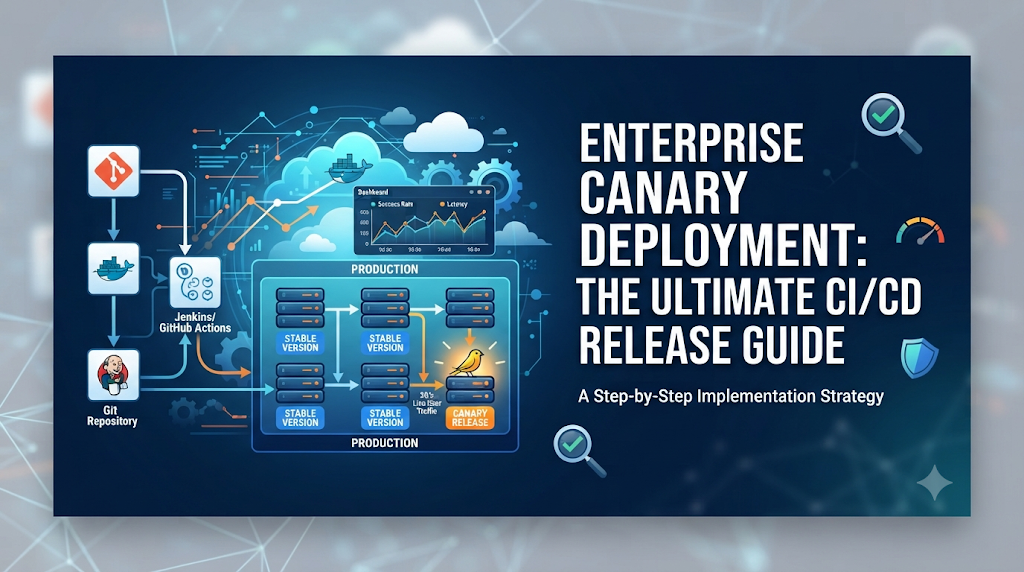
Imagine a mission-critical financial processing platform serving millions of global corporate clients. The engineering team has packaged a major architectural update into version 2.0 of the core transaction service. Releasing this update to every user simultaneously—often referred to as a “big bang” deployment—carries immense operational risk. If an undetected memory leak, database query inefficiency, or edge-case serialization bug slips past staging tests, the resulting outage can immediately impact thousands of transactions, damage client trust, and cause severe financial loss.
In traditional enterprise environments, deploying an entire release to every user at once creates an all-or-nothing hazard. To mitigate this exposure, organizations adopt progressive release mechanisms. Canary deployment emerges as a vital strategy, allowing teams to evaluate a new software version with a limited, highly controlled slice of production traffic before expanding exposure to the broader user base. By treating initial production users as a canary in a coal mine, engineering teams can detect anomalies early, contain blast radiuses, and ensure high availability across enterprise services.
Canary Deployment: The Operating Principle
Canary deployment is a progressive release methodology where a new version of an application is deployed alongside the existing stable version in production. Initially, only a minuscule fraction of real user traffic is routed to the new (canary) instance, while the vast majority continues to hit the stable (baseline) version. As automated monitoring confirms the health, performance, and stability of the canary release, traffic routing incrementally shifts until the canary completely replaces the old version.
To understand its unique position in modern software engineering, it helps to distinguish canary deployments from adjacent release strategies:
- Canary Deployment: Gradual traffic shifting (e.g., 5% to 100%) of a single service version alongside the stable release, driven by continuous metric evaluation.
- Blue-Green Deployment: Maintaining two identical production environments (Blue and Green). Code is deployed to the idle environment, tested, and traffic is switched entirely in an instantaneous cutover. If issues arise, traffic flips back immediately.
- Rolling Deployment: Instances of an application are replaced incrementally cluster-wide or node-by-node. While gradual, rolling updates typically lack fine-grained, metric-based traffic steering and rapid automated rollback per request subset.
- Feature Flags: Application-level toggles that enable or disable specific features dynamically for targeted users or cohorts, operating inside the codebase rather than at the infrastructure or proxy layer.
- A/B Testing: Primarily a product or marketing technique where two variations of a feature are presented to different user groups to measure behavioral engagement, conversion rates, or user experience rather than core infrastructure stability.
Canary deployment fits squarely within continuous delivery and progressive delivery practices, bridging the gap between automated CI/CD pipelines and runtime production validation.
Enterprise Architecture: The Components Behind a Canary Release
Implementing a robust canary release workflow in an enterprise environment requires a coordinated ecosystem of tools, infrastructure layers, and automated pipelines.
+-------------------------------------------------------------------------+
|                         Source Code Repository                          |
+-------------------------------------------------------------------------+
                                     |
                                     v
+-------------------------------------------------------------------------+
|                        CI Build & Test Pipeline                         |
+-------------------------------------------------------------------------+
                                     |
                                     v
+-------------------------------------------------------------------------+
|                   Container Registry / Artifact Repo                    |
+-------------------------------------------------------------------------+
                                     |
                                     v
+-------------------------------------------------------------------------+
|                   Deployment Orchestration Platform                     |
+-------------------------------------------------------------------------+
                   |                                   |
                   v                                   v
+-----------------------------------+   +---------------------------------+
|      Stable Pods / Instances      |   |     Canary Pods / Instances     |
+-----------------------------------+   +---------------------------------+
                   ^                                   ^
                   |                                   |
+-------------------------------------------------------------------------+
|                    Traffic Management & Routing Layer                   |
+-------------------------------------------------------------------------+
                   ^                                   ^
                   |                                   |
+-------------------------------------------------------------------------+
|               Monitoring, Observability & Automated Analysis            |
+-------------------------------------------------------------------------+
The major components include:
- Source Code Repository: Stores application source code, configuration manifests, and pipeline definitions.
- CI Build and Test Stages: Compiles code, runs unit and integration tests, executes static security analysis, and packages artifacts.
- Container Registry or Artifact Repository: Securely stores versioned container images, binaries, or Helm charts.
- Deployment Orchestration Platform: Manages the lifecycle of application deployments across clusters and environments.
- Traffic Management Layer: Proxies, ingress controllers, or service meshes that divide and steer incoming requests.
- Service Discovery and Routing: Ensures requests map cleanly to active stable and canary endpoints.
- Monitoring and Observability Systems: Collects metrics, logs, and traces in real time.
- Automated Release Evaluation: Evaluates live telemetry against predefined SLOs and thresholds.
- Rollback and Incident Management Mechanisms: Automatically revert traffic or scale down faulty workloads when anomalies occur.
During a release, the orchestration platform deploys the canary artifact alongside the stable version. The traffic management layer enforces split-weight rules, while observability systems continuously feed metrics into the evaluation engine to drive automated progression or rollback.
Designing the Canary Rollout Strategy
A well-structured rollout strategy prevents operational chaos and ensures that every release is evaluated under realistic conditions. Enterprises must meticulously plan each phase of exposure.
- Selecting Application and Service Boundaries: Choose services with clear API contracts, decoupled dependencies, and manageable blast radiuses. Highly monolithic services require careful refactoring before safe canary adoption.
- Choosing Initial Traffic Percentage: Begin with a very small fraction of traffic—typically 1% to 5%—to minimize initial exposure.
- Defining Rollout Stages: Establish predictable stepping stones, such as 5%, 10%, 25%, 50%, and 100%.
- Selecting Representative Users or Traffic: Decide whether traffic splitting should be random across all users, or targeted toward internal employees, beta testers, or specific regional cohorts.
- Establishing Observation Periods: Define mandatory soak times (e.g., 15 minutes to several hours per stage) to allow sufficient request volume to traverse the canary instance.
- Defining Success and Failure Criteria: Explicitly outline acceptable error rates, latency thresholds, and saturation bounds required to advance or abort.
Actual percentages and observation periods depend heavily on application risk profile, transactional throughput, and business criticality. High-throughput consumer applications can cycle through stages rapidly, whereas low-traffic enterprise APIs may require multi-hour soak windows to accumulate statistically significant sample sizes.
Implementing Canary Deployment in an Enterprise CI/CD Pipeline
An end-to-end enterprise canary pipeline integrates code compilation, automated testing, progressive deployment, and metric validation into a cohesive workflow:
- Developer commits application changes to the source control repository.
- The CI server executes build jobs, unit tests, vulnerability scans, and code quality checks.
- A versioned deployment artifact (e.g., Docker container image tagged with the Git commit SHA) is created.
- The artifact is pushed to the secure container registry and verified for cryptographic integrity.
- The CD orchestration pipeline deploys the canary version alongside the stable version into the target environment.
- The traffic management layer updates rules to direct a limited share of user requests (e.g., 5%) to the canary service.
- Monitoring tools and automated analysis engines evaluate application behavior, error rates, and latency.
- If health checks pass after the observation window, automated stages increase traffic exposure incrementally.
- Upon reaching 100% traffic and passing final validation, the stable version is replaced by the new version, completing the promotion.
- The deployment record is logged in the enterprise audit trail, and notification webhooks update engineering channels.
Below is a conceptual YAML-style configuration demonstrating a progressive rollout strategy using a declarative deployment controller:
YAML
apiVersion: argoproj.io/v1alpha1
kind: Rollout
metadata:
  name: enterprise-payment-service
spec:
  replicas: 10
  strategy:
    canary:
      analysis:
        templates:
        - templateName: success-rate-and-latency
        args:
        - name: service-name
          value: enterprise-payment-service
      steps:
      - setWeight: 5
      - pause: {duration: 10m}
      - setWeight: 20
      - pause: {duration: 15m}
      - setWeight: 50
      - pause: {duration: 30m}
This configuration defines a ten-replica deployment where traffic begins at 5% for a 10-minute soak period, scales to 20% and 50% with extended observation windows, and relies on automated analysis templates to govern progression.
Traffic Management and Routing Decisions
Precise traffic distribution is the backbone of any successful canary release strategy. Enterprise architectures leverage several layers of networking technology to split traffic between stable and canary versions:
- Ingress Controllers: Edge proxies (such as NGINX, Envoy, or Traefik) that manage inbound traffic coming from outside the cluster, splitting requests based on weights, paths, or hostnames.
- API Gateways: Centrally manage external API traffic, handle authentication, rate limiting, and apply canary traffic splitting policies across microservice boundaries.
- Service Meshes: Advanced infrastructure layers (such as Istio or Linkerd) that transparently manage internal service-to-service communication, telemetry collection, and fine-grained traffic routing.
- Load Balancers: Distribute network traffic across multiple servers, supporting weighted round-robin distribution for canary pods.
- Kubernetes Traffic Routing: Native service abstractions combined with custom resource definitions that direct traffic to subset labels (e.g.,
version: stablevs.version: canary). - Header-Based and User-Based Routing: Routing specific requests based on HTTP headers, cookies, or user identifiers. This enables internal testing, QA validation, or beta-user targeting before opening the canary to general traffic.
Challenges in enterprise traffic management include maintaining session persistence (sticky sessions) so users do not experience inconsistent application states, handling regional routing constraints across multi-cloud footprints, and generating realistic production traffic distributions during off-peak hours.
Selecting Tools for Enterprise Canary Deployments
Choosing the right technology stack is vital for long-term operational success. Organizations evaluate tooling based on their existing architecture, team expertise, integration needs, and enterprise governance requirements.
- Kubernetes: The de facto container orchestration standard providing underlying pod scaling and service abstractions.
- Argo Rollouts: A progressive delivery controller for Kubernetes that provides blue-green and canary deployment strategies with automated metric analysis.
- Flagger: A progressive delivery operator that automates the promotion of canary releases using service meshes or ingress controllers.
- Istio: A robust service mesh offering deep traffic control, security policies, and telemetry collection.
- NGINX: A high-performance reverse proxy and load balancer frequently used for edge traffic splitting.
- Prometheus: An open-source monitoring and alerting toolkit utilized to scrape time-series metrics during canary analysis.
- Grafana: A visualization and analytics platform used to build real-time dashboards tracking canary health and performance.
- OpenTelemetry: Provides standardized vendor-neutral APIs and SDKs for collecting traces and metrics across distributed systems.
When selecting tools, enterprise technology leaders must assess whether solutions integrate seamlessly with existing CI/CD pipelines, support required security and audit requirements, and align with the operational maturity of platform engineering teams. Professionals looking to deepen their expertise in these deployment automation and CI/CD technologies can explore structured learning resources provided by organizations like DevOpsSchool to build practical competencies.
Monitoring and Automated Canary Analysis
A canary deployment is only as safe as its observability framework. Determining whether a canary release is healthy requires continuous evaluation of key performance indicators (KPIs) and service-level objectives (SLOs).
Important indicators include:
- Request Success and Error Rates: Tracking HTTP 4xx/5xx responses or gRPC error codes to catch sudden regressions.
- Response Latency: Measuring p95 and p99 latency percentiles to ensure the new version does not introduce performance degradation.
- CPU and Memory Consumption: Monitoring resource saturation to detect memory leaks or inefficient algorithms.
- Application Availability: Verifying that service health check endpoints consistently return successful statuses.
- Business Transaction Failures: Monitoring domain-specific metrics, such as failed checkouts, uncompleted payments, or dropped authentication sessions.
- Database and Dependency Behavior: Checking connection pool exhaustion, query latency spikes, and downstream service timeouts.
- Security-Related Events: Tracking authentication failures, authorization denials, or unexpected security exceptions.
Automated canary analysis compares telemetry from the canary instance against baseline metrics from the stable version during observation windows. If error rates exceed defined thresholds (e.g., canary error rate is 2% higher than baseline for three consecutive collection intervals), the analysis engine flags a failure, triggering automated mitigation.
Security, Compliance, and Enterprise Governance
Enterprise environments demand strict governance, regulatory compliance, and security controls across all deployment workflows. Canary deployments reduce production blast radius but do not replace foundational security practices.
Essential enterprise controls include:
- Role-Based Deployment Permissions: Restricting who can trigger production releases or override automated canary gates.
- Approval Workflows: Requiring formal sign-offs from release managers or security teams for high-impact production promotions.
- Artifact Signing and Verification: Utilizing cryptographic tools (such as Cosign) to verify container image integrity and provenance before deployment.
- Secrets Management: Integrating secure secrets stores (such as HashiCorp Vault) to inject runtime credentials dynamically without exposing them in pipeline definitions.
- Security Scanning before Deployment: Running automated static code analysis (SAST), software composition analysis (SCA), and container vulnerability scans during CI build stages.
- Audit Trails: Maintaining immutable logs of every deployment event, traffic shift, and approval decision for compliance reporting.
- Change Management Requirements: Automatically synchronizing deployment records with enterprise ITSM platforms (such as ServiceNow) to maintain change ticket accuracy.
- Separation of Duties: Ensuring developers, testers, and operations personnel adhere to structured authorization boundaries.
- Controlled Production Access: Limiting direct human shell access to production environments, relying instead on automated observability and pipeline telemetry.
Failure Handling and Safe Rollback
Despite thorough testing, anomalies will occasionally surface in production. A robust enterprise canary implementation must handle failures gracefully, minimizing customer impact and reducing Mean Time to Recovery (MTTR).
When a canary version underperforms or triggers failure thresholds, the system executes predefined mitigation protocols:
- Automatic Traffic Reduction or Removal: The traffic management layer immediately routes 100% of traffic back to the stable version or scales canary weights down to 0%.
- Rollout Abort and Rollback: The deployment orchestrator terminates faulty canary pods and restores the previous stable container image version.
- Manual Approval Interlocks: For ambiguous anomalies, alerts notify on-call engineers, pausing the rollout and requiring manual intervention to either resume or abort.
- Database and Schema Compatibility: Enterprise applications must follow backward-compatible database migration patterns (e.g., Expand and Contract pattern) so that old and new code versions can operate concurrently against the database during canary execution.
- Preserving Logs and Evidence: Automated systems capture heap dumps, error logs, and tracing spans from the failed canary instance to assist post-mortem analysis.
- Stakeholder Communication: Automated webhooks update chatOps channels and incident management dashboards with failure details and rollback status.
For example, if an e-commerce checkout service canary experiences a sudden surge in payment gateway timeout errors during the 10% traffic stage, the automated analysis engine immediately aborts the rollout, shifts 100% of traffic back to stable pods, and alerts the SRE team while preserving diagnostic logs for root cause analysis.
Enterprise Implementation Challenges
Implementing canary deployments across large organizations presents several organizational and technical hurdles:
- Low Traffic Volumes: Services with sparse user traffic struggle to accumulate statistically significant sample sizes during short observation windows. Approach: Extend soak periods or use synthetic load generation to supplement real user traffic.
- Inaccurate Monitoring Thresholds: Overly sensitive thresholds cause false-positive rollbacks, while loose thresholds allow bugs into production. Approach: Base thresholds on historical baseline deviations rather than static arbitrary numbers.
- Stateful Application Behavior: Stateful services tied to local disk storage or sticky database connections complicate traffic splitting. Approach: Migrate state to external distributed stores or limit canaries strictly to stateless workloads initially.
- Database Compatibility Issues: Schema changes that break older application versions. Approach: Enforce strict backward-compatible database migration practices (expand-and-contract).
- Multiple Microservice Dependencies: Complex dependency graphs where a canary upstream service calls a non-canary downstream service. Approach: Implement context propagation and header forwarding across service boundaries.
- Regional Infrastructure Differences: Performance variations across multi-region cloud deployments. Approach: Run regional canary rollouts sequentially rather than globally all at once.
- Legacy Application Constraints: Monoliths that cannot scale out or split traffic easily. Approach: Encapsulate legacy components behind modern proxy facades or refactor incrementally.
- Complex Approval Processes and Siloed Teams: Bureaucratic change control boards slowing down automated delivery. Approach: Replace manual gates with automated policy-as-code validations.
A Phased Adoption Roadmap
Organizations should avoid attempting a sudden, enterprise-wide shift to automated canary deployments. A structured, phased roadmap ensures sustainable adoption:
- Phase 1: Assess Existing CI/CD and Deployment Maturity: Evaluate current pipeline reliability, automated testing coverage, and observability tooling maturity.
- Phase 2: Select a Suitable Pilot Application: Choose a low-risk, stateless microservice with clear observability metrics and moderate traffic volume for the initial pilot.
- Phase 3: Establish Traffic Routing and Observability: Implement ingress controllers, service mesh routing, and structured Prometheus/Grafana dashboards for the pilot service.
- Phase 4: Define Release Policies and Automated Validation: Codify success and failure criteria into automated analysis templates and rollout strategies.
- Phase 5: Introduce Controlled Production Canaries: Execute manual and semi-automated canary releases on the pilot service, refining thresholds and operational runbooks.
- Phase 6: Expand to Additional Services and Teams: Scale the proven canary framework to wider service portfolios, onboarding additional engineering teams.
- Phase 7: Review Performance and Continuously Improve: Regularly review DORA metrics, refine validation rules, and optimize deployment speed and reliability.
How to Measure Canary Deployment Effectiveness
To evaluate whether canary adoption is delivering tangible business and engineering value, organizations track key operational metrics:
- Change Failure Rate: The percentage of deployments that cause a failure in production requiring immediate remediation.
- Mean Time to Recovery (MTTR): How quickly the organization restores service after a deployment failure occurs.
- Deployment Frequency: The cadence at which successful releases are pushed to production.
- Rollback Frequency: The proportion of releases that trigger automatic or manual rollbacks.
- Canary Validation Success Rate: The percentage of canaries that successfully pass automated analysis and reach full promotion.
- Release Duration: The total time required from code commit to 100% production rollout.
- Production Incident Rate: The overall frequency of high-severity production bugs and outages.
Tracking these metrics helps engineering leadership assess release reliability, optimize pipeline efficiency, and justify ongoing investment in progressive delivery tooling.
Frequently Asked Questions
What is canary deployment in CI/CD?
Canary deployment is a release strategy where a new version of an application is deployed alongside the stable version, receiving a small fraction of production traffic to validate performance and stability before full rollout.
How does enterprise canary deployment work?
It integrates automated CI/CD pipelines, container orchestration platforms, traffic management layers, and observability tools to gradually shift traffic and evaluate real-time telemetry against defined health thresholds.
What percentage of traffic should a canary receive?
Initial traffic typically starts between 1% and 5% to minimize blast radius, scaling upward through stages (e.g., 10%, 25%, 50%) as validation checks succeed.
Can canary deployments be automated in Kubernetes?
Yes, Kubernetes operators and progressive delivery controllers automate traffic splitting, metric analysis, and rollbacks using declarative custom resources.
What is the difference between canary and blue-green deployment?
Canary deployments involve gradual traffic shifting of a single service version alongside the stable release, whereas blue-green deployments maintain two identical environments for an instantaneous cutover.
How do teams monitor canary releases?
Teams monitor key performance indicators such as error rates, latency percentiles, CPU usage, and business transaction success rates using observability platforms like Prometheus and Grafana.
When should an automated rollback happen?
An automated rollback should trigger immediately when canary telemetry breaches defined failure thresholds, such as elevated error rates or unacceptable latency spikes.
How do canary deployments handle database changes?
Teams use backward-compatible database migration patterns—such as the expand-and-contract pattern—to ensure that both stable and canary code versions can run concurrently against the data layer.
Is a service mesh required for canary deployment?
No, while a service mesh provides advanced internal routing, canary deployments can also be managed via edge ingress controllers, API gateways, or load balancers.
Can canary deployment support microservices at enterprise scale?
Yes, when combined with proper context propagation, header-based routing, and decentralized CD orchestration, canary deployments scale effectively across complex microservice architectures.
Conclusion: Make Progressive Delivery a Controlled Enterprise Practice
Canary deployment transforms enterprise release management from a high-stress operational hurdle into a controlled, predictable engineering practice. By allowing teams to evaluate new software versions under real production conditions with minimal user exposure, organizations drastically reduce release risk, contain potential blast radiuses, and accelerate delivery velocity. Successful implementation relies on a harmonious integration of reliable automation, deep observability, secure release governance, and tested rollback procedures. Embracing progressive delivery empowers enterprise technology teams to release with confidence and maintain uncompromising service availability for their users.

Best Cardiac Hospitals Near You
Discover top heart hospitals, cardiology centers & cardiac care services by city.
Advanced Heart Care • Trusted Hospitals • Expert Teams
View Best Hospitals