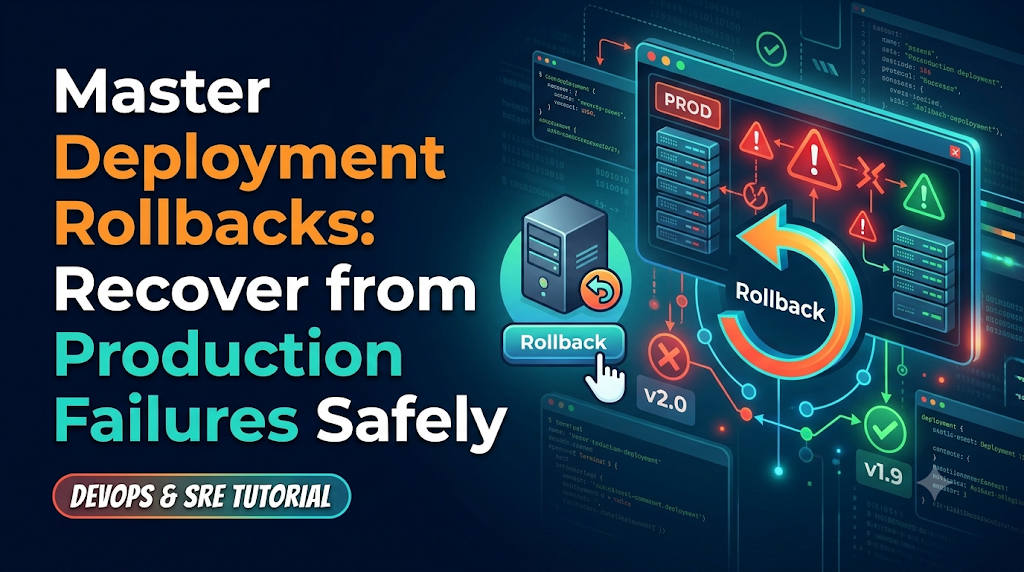
Start With a Production Deployment Failure Scenario
When a major software update introduces critical errors into a live production environment, engineering teams face immense pressure to restore stability immediately. Rushing to apply ad-hoc fixes during an outage often compounds the problem and extends user downtime. What organizations need instead is a calm, systematic, and reliable recovery plan. For professionals looking to master these mission-critical release management skills, platforms like DevOpsSchool offer practical guidance on modern DevOps and deployment workflows. Implementing a structured deployment rollback strategy ensures teams can quickly revert to a stable state, protect user experience, and maintain high availability when unexpected release failures occur.
Understand What Happens During a Failed Deployment
Deployment failures manifest in many different ways. Understanding the exact symptom helps engineering teams diagnose root causes and select the correct recovery path.
Common Failure Symptoms
- Application Crashes on Startup: The new binary or container fails to initialize, often due to missing environment variables, corrupted configuration files, or incompatible runtime libraries.
- Spikes in Error Rates and Latency: The application starts, but downstream dependencies fail, query timeouts explode, or memory leaks exhaust container limits under load.
- Failed Health Checks: Load balancers and orchestrators (such as Kubernetes or AWS ECS) detect that health endpoints are returning non-200 status codes, triggering repeated container restarts (crash loop backoffs).
- Configuration Mistakes: Incorrect API keys, expired TLS certificates, or misrouted internal service endpoints render the system dysfunctional.
- Database Compatibility Problems: The application expects a newly added column or table that hasn’t been migrated yet, or conversely, the application drops support for an existing schema element that older instances still rely on.
- Container or Infrastructure Issues: Base image vulnerabilities, registry authentication timeouts, or resource exhaustion during cluster node scheduling.
Release-Time Failures vs. Post-Release Failures
It is essential to distinguish between a release-time failure and a post-release failure:
- Release-Time Failures: Occur during the deployment process. The orchestrator or deployment script detects the failure before traffic hits the new version (e.g., health checks fail during a rolling update). The deployment halts automatically or errors out.
- Post-Release Failures: Occur after the deployment finishes successfully from a technical standpoint, but user-facing behavior, business logic, or load handling breaks down under real-world traffic. These require active detection, evaluation, and manual or automated rollback execution.
Decide Whether Rollback Is the Right Recovery Action
Rolling back is powerful, but it is not a universal panacea. Before reverting a release, engineering leads and SREs must evaluate the trade-offs.
Evaluation Criteria
- User Impact and Service Availability: How many users are affected? Is core revenue or critical infrastructure impaired? If yes, speed is prioritized over deep debugging.
- Error Rates and Monitoring Alerts: Are metrics consistently degrading, or is this a transient blip caused by temporary network latency?
- Data Integrity Risks: Does reverting the application code create data corruption risks with data already written by the new version?
- Rollback Feasibility: Can the previous version run cleanly without complex manual intervention?
- Rollback vs. Roll-Forward: If the bug is trivial (e.g., a simple typo in a configuration string) and a hotfix can be compiled and pushed in two minutes, rolling forward might be faster than a full rollback. However, if the root cause is unknown or complex, rollback is always the safest immediate action to restore stability, buying the team time to investigate offline.
- Communication and Incident Ownership: Clear roles must be assigned. One engineer executes the rollback while another communicates status updates to stakeholders and customer support.
Practical Decision Example: An online banking app releases a patch that introduces a subtle rounding error in interest calculations. Because financial data accuracy is critical and debugging live in production risks compounding errors, the incident commander immediately commands a rollback to the previous stable release, isolating the issue for offline analysis.
Explore the Main Rollback Methods
Different application architectures require different rollback mechanisms. Understanding these methods ensures teams can deploy the right tool for their specific tech stack.
1. Previous Version Redeployment
- How it works: The CI/CD pipeline or deployment script retrieves the exact artifact (such as a JAR file, compiled binary, or Docker image tag) of the last known stable release and deploys it over the current broken release.
- Where it is useful: Traditional monolithic applications, virtual machine deployments, and simple serverless functions.
- Limitations: Can involve downtime if the deployment process lacks rolling update capabilities or connection draining.
2. Blue-Green Deployment
- How it works: The environment consists of two identical production environments (Blue and Green). Blue is live; Green is idle. The new version is deployed to Green. Traffic is routed to Green. If errors occur, the load balancer instantly switches traffic back to Blue.
- Where it is useful: Web applications, microservices, and APIs where zero-downtime switches are mandatory.
- Limitations: Requires double the infrastructure resources during deployment windows.
3. Canary Rollback
- How it works: Traffic is gradually shifted to the new version (e.g., 5%, then 20%, then 50%). If error rates exceed thresholds during any phase, the canary router immediately drops the new version and routes 100% of traffic back to the stable baseline.
- Where it is useful: High-scale cloud-native applications and service meshes (e.g., Istio, Linkerd).
- Limitations: Requires sophisticated traffic splitting and telemetry infrastructure.
4. Kubernetes Rollback
- How it works: Kubernetes natively tracks deployment revisions in its
etcddatastore. Rolling back is as simple as commanding the cluster to revert to the previous revision number. - Where it is useful: Containerized microservices orchestrated by Kubernetes.
- Limitations: Does not automatically handle external database schema changes tied to the deployment.
5. Container Image Rollback
- How it works: Modifying the container tag reference in the deployment manifest or orchestrator config from
:v1.2.5back to:v1.2.4. - Where it is useful: Docker, Podman, and container-based registries.
- Limitations: Relies on immutable image tagging discipline (avoiding mutable tags like
:latest).
6. Infrastructure and Configuration Rollback
- How it works: Reverting Infrastructure as Code (IaC) states using version-controlled templates (Terraform state rollbacks, Ansible playbooks, or Git history reverts).
- Where it is useful: Cloud infrastructure, IAM policies, DNS routing tables, and network security groups.
- Limitations: State drift can complicate infrastructure rollbacks if manual changes were made outside the IaC pipeline.
Build a Safe Rollback Workflow
A structured recovery sequence prevents panic and ensures no critical verification step is missed during high-stress incidents.
+-----------------------------------+
| 1. Detect & Confirm Failure       |
+-----------------------------------+
                  |
                  v
+-----------------------------------+
| 2. Identify Release & Environment |
+-----------------------------------+
                  |
                  v
+-----------------------------------+
| 3. Locate Last Stable Version     |
+-----------------------------------+
                  |
                  v
+-----------------------------------+
| 4. Verify DB/Config Compatibility |
+-----------------------------------+
                  |
                  v
+-----------------------------------+
| 5. Obtain Required Approvals      |
+-----------------------------------+
                  |
                  v
+-----------------------------------+
| 6. Execute Rollback               |
+-----------------------------------+
                  |
                  v
+-----------------------------------+
| 7. Verify Health & Functionality  |
+-----------------------------------+
                  |
                  v
+-----------------------------------+
| 8. Post-Recovery Monitoring       |
+-----------------------------------+
                  |
                  v
+-----------------------------------+
| 9. Incident Review & Logging      |
+-----------------------------------+
- Detect and Confirm the Deployment Failure: Monitor alerts, user reports, or automated health check failures trigger the incident.
- Identify the Affected Release and Environment: Pinpoint the exact commit hash, build number, and target cluster experiencing the failure.
- Locate the Last Known Stable Version: Retrieve the tag, image digest, or artifact ID of the previous working release.
- Evaluate Database and Configuration Compatibility: Ensure the previous code version will not crash when interacting with any database schemas or configuration values modified by the failed release.
- Obtain Required Approval When Applicable: For regulated environments or major production systems, notify the incident commander and secure sign-off.
- Execute the Rollback: Run the rollback command or trigger the automated rollback pipeline.
- Verify Application Health and User-Facing Functionality: Check error rates, latency dashboards, and core transactional flows (e.g., login, checkout).
- Monitor the Service After Recovery: Keep a close eye on metrics for at least 30 minutes post-recovery to ensure stability.
- Record the Incident and Recovery Actions: Document timestamps, root causes, and corrective actions for the post-mortem.
Implement Rollback in a CI/CD Pipeline
Modern DevOps engineering practices embed rollback capabilities directly into continuous integration and continuous deployment pipelines.
Key Components of an Automated CI/CD Rollback
- Release Version Tracking: Every build is tagged with a semantic version and a unique Git commit SHA.
- Build Artifact Retention: Artifacts and container images are preserved in secure repositories (e.g., Nexus, Artifactory, Container Registries) and never overwritten.
- Deployment Health Checks: Post-deployment probe stages validate HTTP status codes, error logs, and synthetic user transactions before marking a deployment successful.
- Automated Failure Detection: Pipelines listen to observability webhooks (e.g., Prometheus, Datadog) to catch error spikes early.
- Approval Gates: Automated policies decide whether to trigger an automatic rollback or pause for human intervention.
- Recovery Notifications: Integrations with Slack, PagerDuty, or Microsoft Teams alert engineers instantly when a rollback initiates.
Conceptual CI/CD Pipeline Stage Example
YAML
stages:
  - build
  - test
  - deploy_production
  - health_verification
  - auto_rollback_on_failure

deploy_production:
  script:
    - echo "Deploying version $CI_COMMIT_SHA to production..."
    - kubectl apply -f k8s/deployment.yaml

health_verification:
  script:
    - echo "Running health checks against production endpoint..."
    - python3 scripts/verify_health.py --timeout=300

auto_rollback_spec:
  when: on_failure
  script:
    - echo "Health check failed! Initiating automated rollback..."
    - kubectl rollout undo deployment/core-api
    - ./scripts/notify_pagerduty.sh "Automated rollback executed for commit $CI_COMMIT_SHA"
Handle Database Changes and Persistent Data Carefully
One of the most complex challenges in deployment recovery is managing database changes. Unlike stateless application code, databases store persistent state. Reverting application code does not automatically reverse database migrations.
Best Practices for Safe Database Rollbacks
- Backward-Compatible Migrations: Always write database migrations that are backward-compatible with the previous version of the application. For example, if you need to rename a column, do it in multiple phases:
- Add the new column and write to both.
- Backfill data and switch application reads to the new column.
- Drop the old column in a subsequent release after the new version is fully stable.
- Expand-and-Contract Pattern: Decouple schema expansions from application logic changes so that older application versions can still query the database safely if a rollback occurs.
- Schema Version Management: Track database schema revisions alongside application versions to ensure strict traceability.
- Pre-Deployment Snapshots: Always take automated backups or snapshots immediately before executing high-risk database migrations.
- Data Loss Prevention: Avoid destructive operations (
DROP TABLE,ALTER COLUMN DROP NOT NULL) in single-step deployment scripts.
Practical Walkthrough: Recovering a Failed Release
Let us walk through a realistic, step-by-step scenario using a Kubernetes-based microservices architecture where an application release causes severe production errors.
The Scenario
- Service Name:
payment-service - Cluster: Production-AWS-us-east-1
- Failed Release: Version
v2.4.0(Container image:[registry.company.com/payment-service:v2.4.0](https://registry.company.com/payment-service:v2.4.0)) - Stable Release: Version
v2.3.9(Container image:[registry.company.com/payment-service:v2.3.9](https://registry.company.com/payment-service:v2.3.9))
Step 1: Monitoring Identifies the Issue
Prometheus alerts fire: PaymentServiceErrorRateHigh exceeds 15% error rate within 4 minutes of releasing v2.4.0.
Step 2: Confirming the Faulty Release
The SRE checks the Kubernetes rollout status:
Bash
kubectl rollout status deployment/payment-service -n production
Output confirms the new replica set has scaled up, but logs show persistent database connection timeouts due to a bad connection string introduced in v2.4.0.
Step 3: Selecting the Previous Stable Version
Reviewing previous deployment revisions:
Bash
kubectl rollout history deployment/payment-service -n production
Output shows Revision 42 (v2.3.9) as the last known stable build.
Step 4: Executing the Rollback
The engineer executes the Kubernetes rollback command to revert to the previous revision:
Bash
kubectl rollout undo deployment/payment-service --to-revision=42 -n production
Expected Result: Kubernetes gracefully scales down the faulty v2.4.0 pods and scales up v2.3.9 pods using rolling update parameters, ensuring zero downtime during the transition.
Step 5: Confirming Recovery
Verify that pods are running and error rates return to baseline:
Bash
kubectl get pods -n production -l app=payment-service
Monitoring dashboards show HTTP 500 error rates dropping back to 0.01% within two minutes.
Step 6: Post-Incident Review
The team schedules a post-mortem to analyze why the connection string error slipped past staging and updates automated test suites to catch environment variable regressions earlier.
Common Rollback Mistakes to Avoid
Avoiding common pitfalls saves teams from compounding deployment failures into major outages.
- Rolling Back Without Checking Database Compatibility: Reverting application code while leaving a breaking database schema change in place will cause immediate crashes in the rolled-back version.
- Deleting Previous Build Artifacts: Purging old Docker images or build binaries to save storage space makes fast rollbacks impossible. Implement retention policies (e.g., retain the last 10 stable builds).
- Using Untested Recovery Procedures: If a rollback process is only documented on paper and never tested in staging, it will likely fail during a high-pressure production incident.
- Ignoring Configuration Changes: Remember that environment variables, feature flags, and external API credentials must be rolled back or adjusted alongside code binaries.
- Skipping Post-Rollback Validation: Assuming everything is fine immediately after executing a rollback command without verifying metrics and user workflows.
- Triggering Automatic Rollback Based on Unreliable Signals: Setting automated rollback triggers too aggressively based on temporary network blips can cause deployment thrashing.
- Failing to Communicate with Stakeholders: Leaving customer success and executive teams in the dark during an incident damages trust.
Measure Rollback Readiness and Recovery Performance
To improve deployment reliability over time, DevOps teams track key operational metrics:
- Mean Time to Recovery (MTTR): The average time required to detect a failure and restore full service stability (via rollback or hotfix).
- Deployment Failure Rate: The percentage of total deployments that require a rollback or emergency patch.
- Rollback Frequency: How often releases fail and necessitate reverting to a prior build.
- Time Required to Complete Rollback: The duration from incident confirmation to successful traffic restoration on the stable version.
- Service Availability After Recovery: Ensuring uptime percentages remain within Service Level Agreements (SLAs).
- Repeated Deployment Failure Patterns: Identifying recurring root causes (e.g., configuration drift, flaky tests) through post-mortem data.
Prepare a Rollback Readiness Checklist
Before your next production release, verify that your systems meet this operational checklist:
- Previous stable releases and container images are securely archived and accessible.
- Deployment versions and Git commit SHAs are fully traceable across all environments.
- Database migrations are backward-compatible and tested against previous application versions.
- Comprehensive monitoring, logging, and health check probes are active in production.
- Rollback permissions and access controls are clearly defined for deployment engineers and incident commanders.
- Recovery steps and emergency contact procedures are documented in an accessible runbook.
- Rollback procedures are regularly tested in staging or staging-like environments.
Final Thoughts: Make Recovery Part of Deployment Planning
Successful DevOps engineering is not just about writing clean code and shipping features quickly; it is about building resilient systems that can gracefully absorb failure when things go wrong. A robust deployment strategy treats failure as an expected eventuality rather than an unexpected anomaly.
By preserving stable artifacts, maintaining database backward compatibility, practicing structured recovery workflows, and automating rollback triggers where appropriate, engineering teams can drastically reduce production downtime and user friction.
For professionals looking to deepen their expertise in release management, CI/CD pipelines, and robust deployment strategies, exploring structured programs at DevOpsSchool provides valuable hands-on learning in modern DevOps and site reliability engineering concepts.
Make recovery an integral part of your deployment planning today, and turn high-stress production incidents into calm, controlled, and routine operations.

Best Cardiac Hospitals Near You
Discover top heart hospitals, cardiology centers & cardiac care services by city.
Advanced Heart Care • Trusted Hospitals • Expert Teams
View Best Hospitals