Introduction
Managed File Transfer (MFT) refers to a specialized class of software designed to provide secure, automated, and compliant data exchange between organizations, departments, or external partners. Unlike standard File Transfer Protocol (FTP) solutions, MFT platforms integrate advanced security layers, centralized administration, and real-time monitoring to ensure that data in transit and at rest remains protected. These systems are built to handle high volumes of sensitive data while providing a full audit trail for every transaction.
In the current digital landscape, the volume of data being exchanged globally has reached unprecedented levels. Organizations now face sophisticated cyber threats and stringent data privacy regulations, making basic file sharing methods insufficient. Secure MFT tools act as a critical defense mechanism, ensuring that intellectual property, financial records, and personal identification information move through encrypted tunnels. Modern MFT solutions prioritize high availability and disaster recovery to prevent operational downtime during critical transfers.
Real-world use cases include:
- Financial Services: Automating the daily transfer of bulk transaction batches between banks and clearinghouses.
- Healthcare: Securely moving electronic health records (EHR) between providers while maintaining patient confidentiality.
- Supply Chain: Exchanging purchase orders and shipping manifests with global vendors through automated EDI workflows.
- Legal and Government: Transmitting sensitive case files or classified documents between agencies with strict access controls.
Key Evaluation Criteria:
- Encryption Standards: Support for AES-256, PGP, and secure protocols like SFTP, FTPS, and HTTPS.
- Automation Capabilities: The ability to trigger transfers based on schedules or specific file events.
- Compliance Frameworks: Alignment with regulations such as GDPR, HIPAA, PCI DSS, and SOX.
- Centralized Management: A single dashboard for monitoring all internal and external file activities.
- Scalability: The capacity to handle increasing file sizes and concurrent transfer threads without performance degradation.
- Audit and Reporting: Granular logs that track who sent what, to whom, and when it was received.
Best for: Enterprises, financial institutions, and healthcare organizations that require automated, high-security data exchange and strict regulatory compliance.
Not ideal for: Individual users looking for simple cloud storage or small businesses with no specific compliance or automation requirements.
Key Trends in Secure File Transfer Software
- Zero Trust Architecture: MFT solutions are increasingly adopting Zero Trust principles, requiring continuous verification of every user and device attempting to access the transfer hub.
- AI-Powered Threat Detection: Integration of machine learning to identify anomalous transfer patterns that could indicate data exfiltration or a compromised account.
- Cloud-Native Deployment: A major shift toward containerized environments like Kubernetes, allowing MFT tools to scale dynamically across multi-cloud setups.
- End-to-End Visibility: Modern platforms provide “single pane of glass” visibility, tracking a file from the moment it leaves the source to its final destination.
- Self-Service Portals: Enabling non-technical business users to initiate secure transfers through intuitive web interfaces without IT intervention.
- Infrastructure as Code (IaC): Advanced MFT tools now allow administrators to manage transfer configurations and workflows through code for better version control.
- Protocol Consolidation: Moving away from fragmented legacy protocols in favor of unified platforms that support SFTP, AS2, and API-driven transfers simultaneously.
How We Selected These Tools (Methodology)
To identify the premier MFT solutions, we utilized a comprehensive evaluation process focused on the following pillars:
- Market Adoption: We selected tools with a proven track record in high-stakes industries like finance, healthcare, and government.
- Feature Completeness: Priority was given to platforms offering a full suite of automation, security, and administrative features.
- Security Posture: We assessed the depth of encryption, multi-factor authentication (MFA), and intrusion prevention capabilities.
- Ecosystem Integration: Preference was given to tools that offer robust APIs and pre-built connectors for popular enterprise applications.
- Reliability Signals: Inclusion was granted to tools recognized for high uptime and successful handling of massive data payloads.
- Administrative Control: We evaluated the granularity of user permissions and the quality of the auditing and reporting engines.
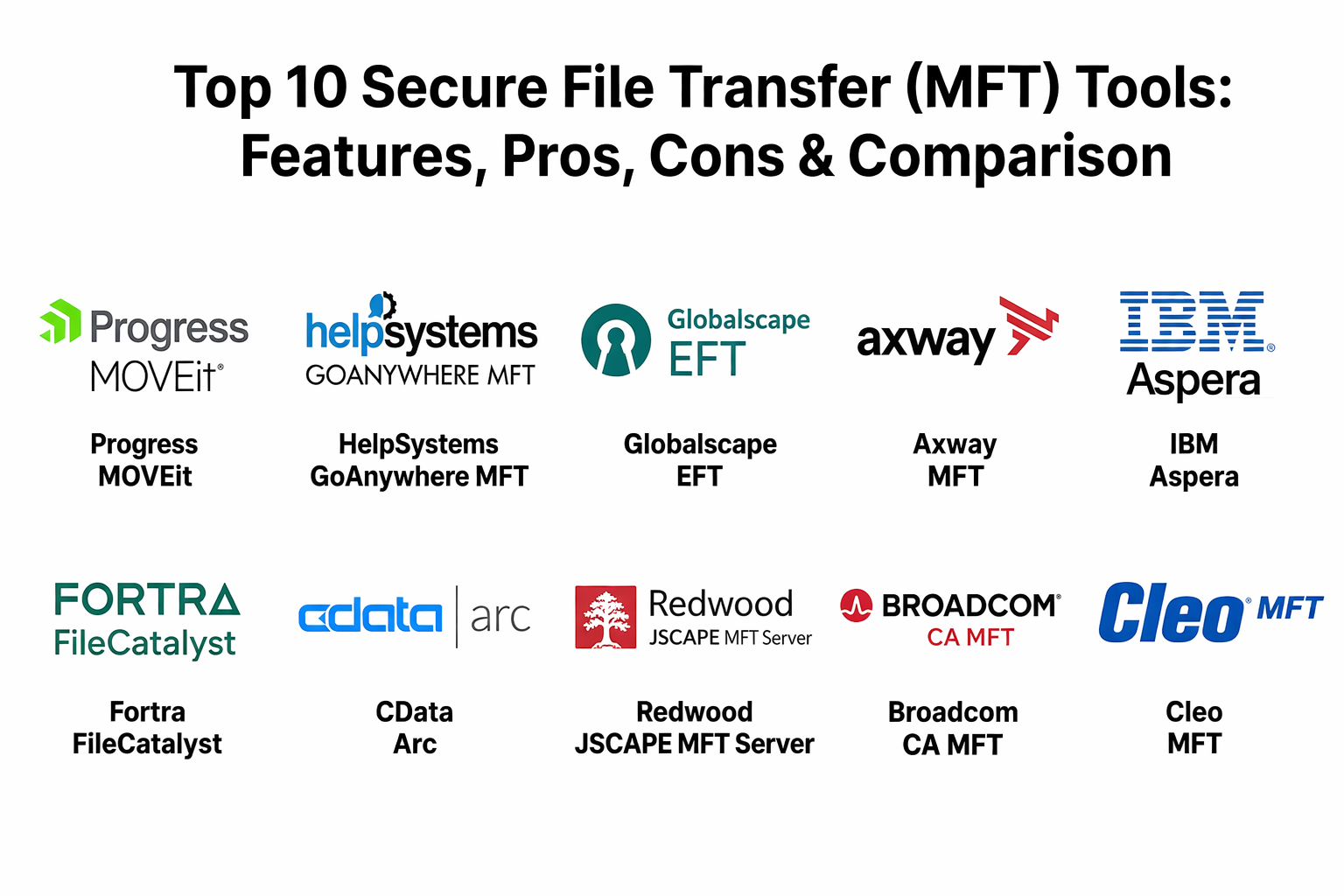
Top 10 Secure File Transfer (MFT) Tools
1.Progress MOVEit
This platform is a widely recognized leader in the MFT space, providing extensive automation and security features for organizations that need to consolidate all file transfer activities.
Key Features
- MOVEit Transfer: Securely stores and shares files with encryption at rest and in transit.
- MOVEit Automation: A powerful workflow engine that automates complex transfer tasks without scripting.
- Tamper-Evident Logging: Ensures that audit logs cannot be altered, providing a reliable record for compliance.
- Multi-Tenancy: Allows different departments or clients to operate in isolated environments on the same server.
- Ad-Hoc Transfer: Enables users to send secure files directly through email clients or web browsers.
Pros
- Exceptionally strong workflow automation that eliminates manual errors in data movement.
- Comprehensive reporting templates that simplify the process of passing regulatory audits.
Cons
- The initial setup and configuration can be complex for smaller IT teams.
- Pricing is geared toward the mid-market and enterprise segments.
Platforms / Deployment
- Windows / Linux
- Cloud / Self-hosted / Hybrid
Security & Compliance
- Supports MFA, AES-256 encryption, and FIPS 140-2 validated cryptography.
- Assists with GDPR, HIPAA, and PCI DSS compliance.
Integrations & Ecosystem
MOVEit integrates deeply with corporate directories and cloud storage providers to streamline user management and data storage.
- Microsoft Azure
- Amazon S3
- Active Directory / LDAP
- Microsoft Outlook
Support & Community
Offers tiered professional support, a detailed knowledge base, and an active user forum for troubleshooting and best practices.
2.HelpSystems GoAnywhere MFT
A comprehensive solution known for its user-friendly interface and the ability to handle massive file transfer volumes through a single, centralized console.
Key Features
- Project Designer: A graphical interface for building complex multi-step workflows without coding.
- Secure Forms: Allows users to collect information and files via custom-branded web forms.
- Agents: Remote agents that can be deployed on different servers to manage local file activities.
- Cloud Connectors: Pre-built integrations for moving data to and from popular SaaS applications.
- Advanced Reporting: Detailed PDF reports for auditing transfer status and security events.
Pros
- Highly intuitive dashboard that reduces the time needed for administrative training.
- Extremely flexible deployment options, supporting virtually any server environment.
Cons
- High-end features like clustering and high availability require additional licensing.
- Some users may find the vast number of features overwhelming at first.
Platforms / Deployment
- Windows / Linux / macOS / AIX / IBM i
- Cloud / Self-hosted / Hybrid
Security & Compliance
- Supports SSH, SSL, PGP encryption, and RBAC.
- Designed to meet SOC 2, HIPAA, and FISMA requirements.
Integrations & Ecosystem
The platform boasts an extensive list of connectors to bridge the gap between MFT and other enterprise apps.
- Salesforce
- SharePoint
- Google Drive
- Box
Support & Community
Provides 24/7 global support and a robust training portal known as GoAnywhere University.
3.Globalscape EFT
This platform specializes in enterprise-grade file transfers with a focus on high performance, military-grade security, and extreme scalability.
Key Features
- Advanced Workflow Engine: Automates data processing and file movement based on complex logic.
- Workspaces: A secure collaboration module for internal and external file sharing.
- DMZ Gateway: A multi-layered security component that keeps data out of the “demilitarized zone.”
- Event Rules: Triggers specific actions based on file uploads, downloads, or time-based schedules.
- Content Integrity: Automated checksums to ensure files are not corrupted during transit.
Pros
- Exceptional stability when handling massive quantities of concurrent transfers.
- Granular security controls that allow for precise user and folder permissions.
Cons
- Licensing costs can escalate quickly as more modules are added.
- Primarily optimized for Windows environments, which may limit some Linux-centric teams.
Platforms / Deployment
- Windows
- Cloud / Hybrid
Security & Compliance
- FIPS 140-2, PCI DSS, and HIPAA ready.
- Supports SAML for single sign-on.
Integrations & Ecosystem
Focuses on providing a secure bridge for data moving between legacy systems and modern cloud storage.
- Amazon S3
- Microsoft Azure Blob
- SQL Server
- Active Directory
Support & Community
Strong technical support with a focus on enterprise business continuity and rapid incident response.
4.Axway MFT
Axway offers an industrial-strength MFT solution part of its broader integration platform, designed for global enterprises with complex data exchange needs.
Key Features
- Transfer CFT: A high-performance multi-platform file transfer controller for internal exchanges.
- SecureTransport: A multi-protocol gateway for external file transfers with partners.
- Flow Manager: Centralized governance for managing and monitoring all data flows.
- Operational Intelligence: Advanced analytics for predicting transfer bottlenecks and performance issues.
- API Integration: Allows file transfer capabilities to be embedded directly into custom applications.
Pros
- Built for high-volume, global operations with extreme reliability requirements.
- Excellent visibility into complex data supply chains through unified monitoring.
Cons
- Significant resource requirements for deployment and ongoing maintenance.
- Can be more expensive than standalone MFT solutions due to its enterprise scope.
Platforms / Deployment
- Windows / Linux / Unix / Mainframe
- Cloud / Hybrid
Security & Compliance
- Highly compliant with international financial and healthcare standards.
- Supports robust encryption and certificate management.
Integrations & Ecosystem
Part of the Amplify platform, it integrates seamlessly with API management and B2B tools.
- SAP
- Oracle
- AWS
- Azure
Support & Community
Enterprise-grade global support with specialized consulting services for complex migrations.
5.IBM Aspera
IBM Aspera is unique in the MFT market, utilizing a patented protocol to move large files and data sets at maximum speed regardless of distance or network conditions.
Key Features
- FASP Protocol: Overcomes the limitations of TCP/IP to transfer data up to hundreds of times faster than FTP.
- Aspera Console: Provides unified management and monitoring of the entire Aspera transfer network.
- Orchestrator: Automates the processing and movement of high-volume digital assets.
- faspex: A global person-to-person file delivery and collaboration application.
- Drive: Allows users to browse and transfer large files directly from their desktop.
Pros
- Unrivaled speed for moving massive files (terabytes) over long distances.
- Highly resilient against high latency and packet loss on international networks.
Cons
- Specialized technology that may be overkill for organizations moving small, standard files.
- Higher price point due to the unique high-speed transport technology.
Platforms / Deployment
- Windows / Linux / macOS
- Cloud / Self-hosted / Hybrid
Security & Compliance
- Encryption in transit and at rest using AES-128 or AES-256.
- Compliant with major media and entertainment security standards.
Integrations & Ecosystem
Widely used in the media, life sciences, and oil and gas industries where large datasets are common.
- Amazon S3
- Google Cloud Storage
- Azure
- IBM Cloud
Support & Community
Premium IBM support infrastructure with a global reach and extensive documentation.
6.Fortra FileCatalyst
Similar to Aspera, FileCatalyst focuses on accelerated file transfer, making it a favorite for broadcasting and media organizations that need to send video content quickly.
Key Features
- Direct Server: The core transfer engine that handles high-speed file exchanges.
- TransferAgent: A browser-based plugin that enables accelerated uploads and downloads for users.
- Workflow: A web portal for managing file submissions, sharing, and distribution.
- Central: A management tool for monitoring an entire FileCatalyst deployment from one screen.
- Link: Allows users to send large files as simple email links.
Pros
- Excellent at maximizing bandwidth usage on high-speed internet connections.
- Simple user experience for non-technical staff needing to send large files.
Cons
- Smaller ecosystem of third-party plugins compared to GoAnywhere or MOVEit.
- Primarily focused on speed; may have fewer “business process” automation features.
Platforms / Deployment
- Windows / Linux / macOS / Android / iOS
- Cloud / Hybrid
Security & Compliance
- Not publicly stated.
Integrations & Ecosystem
Integrates with media-specific tools and major cloud storage providers for seamless asset movement.
- Avid
- Telestream
- AWS
- Azure
Support & Community
Responsive support teams with specialized knowledge in digital media workflows.
7.CData Arc
Formerly known as ArcESB, this tool focuses on the intersection of MFT and EDI, making it ideal for organizations that need to move and transform business documents.
Key Features
- No-Code Workflow: A drag-and-drop connector-based system for building data pipelines.
- AS2 Certified: Official certification for secure B2B messaging.
- Data Transformation: Built-in tools for converting XML, EDI, and CSV files during the transfer.
- Secure Gateway: Supports SFTP, FTPS, and OFTP protocols for secure exchange.
- API-First Design: Full access to the platform’s capabilities via REST APIs.
Pros
- One of the best options for organizations needing to combine file transfer with data mapping.
- Very lightweight and easy to install compared to massive enterprise suites.
Cons
- May lack some of the advanced user-collaboration features of other MFT tools.
- The focus on B2B/EDI might be unnecessary for those only needing simple secure file movement.
Platforms / Deployment
- Windows / Linux / macOS
- Cloud / Self-hosted / Hybrid
Security & Compliance
- Supports end-to-end encryption and digital signatures.
- HIPAA and GDPR ready.
Integrations & Ecosystem
Highly focused on connecting business systems and trading partner networks.
- SAP
- NetSuite
- QuickBooks
- Amazon S3
Support & Community
Solid technical support and a growing community of B2B integration specialists.
8.Redwood JSCAPE MFT Server
JSCAPE is a platform-independent MFT solution known for its flexibility and ability to simplify complex file transfer configurations into a single application.
Key Features
- Triggers: A powerful automation system that allows for reactive file processing without programming.
- DLP Integration: Data Loss Prevention tools to scan files for sensitive info before they leave the network.
- Ad-Hoc File Transfer: Securely send files via email without the size limitations of mail servers.
- Reverse Proxy: A gateway that allows external access to the MFT server without opening internal ports.
- Health Monitoring: Real-time alerts on server performance and transfer failures.
Pros
- One of the few professional MFT tools that is truly platform-independent.
- Built-in DLP and antivirus scanning features provide an extra layer of security.
Cons
- The user interface is functional but can feel less modern than some competitors.
- Extensive automation setups can become difficult to manage without rigorous documentation.
Platforms / Deployment
- Windows / Linux / macOS / Solaris / AIX
- Cloud / Self-hosted / Hybrid
Security & Compliance
- FIPS 140-2 validated and PCI DSS compliant.
- Supports SAML and MFA.
Integrations & Ecosystem
Broad support for various storage types and network protocols.
- AWS S3
- Azure
- Google Cloud
- Box
Support & Community
Provides professional support services and a comprehensive online documentation portal.
9.Broadcom CA MFT
Broadcom’s solution is an established player in the market, often used by large organizations that are already utilizing the CA workload automation ecosystem.
Key Features
- Workload Integration: Seamlessly integrates with CA Automic and other automation tools.
- Centralized Auditing: Consolidates transfer logs from across the enterprise into a single view.
- Policy Management: Defines global security and transfer policies to ensure consistency.
- Advanced Encryption: Support for all major industrial-grade encryption standards.
- Self-Service: Allows business units to manage their own transfers within defined guardrails.
Pros
- Deeply integrated into enterprise IT operations for those already using Broadcom tools.
- Capable of handling extreme volumes of data across global networks.
Cons
- Can be very complex and expensive for organizations not already in the Broadcom ecosystem.
- Slower innovation cycle compared to some of the more nimble cloud-native competitors.
Platforms / Deployment
- Windows / Linux / Unix / Mainframe
- Cloud / Hybrid
Security & Compliance
- High-level enterprise security standards.
- Varies / Not publicly stated.
Integrations & Ecosystem
Maintains strong connectivity with other mainframe and enterprise automation tools.
- CA Automic
- Mainframe Systems
- Major Database Engines
Support & Community
Vast enterprise support network with dedicated account management for large-scale deployments.
10.Cleo MFT
Cleo is a veteran in the data movement space, offering a modern ecosystem integration platform that treats file transfer as a vital part of the B2B supply chain.
Key Features
- Cleo Integration Cloud: A unified platform for MFT, EDI, and API-based integrations.
- Interactive Dashboards: Real-time visibility into the health of partner connections.
- Rapid Onboarding: Tools designed to get new trading partners connected in days rather than weeks.
- Multi-Protocol Support: Covers over 20 different transfer protocols including AS2, SFTP, and HTTP.
- Automated Error Resolution: Identifies and alerts users to failed transfers before they impact the business.
Pros
- Excellent choice for companies where file transfer is inseparable from B2B partner management.
- High degree of visibility that helps prevent supply chain disruptions.
Cons
- Might be more “platform” than some users need for simple internal file movement.
- Pricing reflects its status as a premium enterprise integration solution.
Platforms / Deployment
- Windows / Linux
- Cloud / Self-hosted / Hybrid
Security & Compliance
- SOC 2 Type II compliant.
- Supports robust encryption and secure B2B communication.
Integrations & Ecosystem
Deeply connected to ERP and logistics systems.
- SAP
- Oracle
- Microsoft Dynamics
- NetSuite
Support & Community
Strong reputation for customer success and a very high level of technical support availability.
Comparison Table
| Tool Name | Best For | Platform(s) Supported | Deployment | Standout Feature | Public Rating |
| Progress MOVEit | Compliant Automation | Win, Linux | Hybrid | Tamper-Evident Logging | N/A |
| HelpSystems GoAnywhere MFT | Centralized Governance | Win, Linux, Mac, IBM i | Hybrid | Project Designer (No-Code) | N/A |
| Globalscape EFT | High Performance | Windows | Hybrid | DMZ Gateway Security | N/A |
| Axway MFT | Global Enterprise | Win, Linux, Unix, MF | Hybrid | Flow Manager Governance | N/A |
| IBM Aspera | Big Data Speed | Win, Linux, macOS | Hybrid | FASP Protocol (High Speed) | N/A |
| Fortra FileCatalyst | Media/Video Speed | Win, Linux, Mac | Hybrid | Accelerated Web Uploads | N/A |
| CData Arc | B2B & EDI | Win, Linux, macOS | Hybrid | AS2 Certified EDI Mapping | N/A |
| Redwood JSCAPE MFT Server | Platform Independence | Win, Linux, Mac, Unix | Hybrid | Integrated DLP Scanning | N/A |
| Broadcom CA MFT | Workload Integration | Win, Linux, Unix, MF | Hybrid | Automic Automation Sync | N/A |
| Cleo MFT | Supply Chain B2B | Win, Linux | Cloud | Ecosystem Visibility | N/A |
Evaluation & Scoring of Secure File Transfer (MFT) Tools
The following scores reflect a comparative analysis of how these platforms perform against current industry demands for security and automation.
| Tool Name | Core (25%) | Ease (15%) | Integrations (15%) | Security (10%) | Performance (10%) | Support (10%) | Value (15%) | Weighted Total |
| Progress MOVEit | 9 | 7 | 8 | 10 | 8 | 8 | 7 | 8.20 |
| GoAnywhere MFT | 9 | 9 | 9 | 9 | 8 | 9 | 8 | 8.80 |
| Globalscape EFT | 9 | 7 | 8 | 9 | 9 | 8 | 7 | 8.15 |
| Axway MFT | 10 | 5 | 10 | 9 | 9 | 9 | 6 | 8.15 |
| IBM Aspera | 8 | 6 | 7 | 8 | 10 | 8 | 5 | 7.35 |
| FileCatalyst | 7 | 8 | 6 | 7 | 10 | 7 | 7 | 7.30 |
| CData Arc | 8 | 8 | 10 | 8 | 7 | 7 | 9 | 8.10 |
| JSCAPE MFT | 8 | 7 | 8 | 9 | 8 | 7 | 8 | 7.85 |
| Broadcom CA MFT | 9 | 5 | 8 | 9 | 8 | 8 | 6 | 7.45 |
| Cleo MFT | 9 | 7 | 10 | 9 | 8 | 9 | 7 | 8.35 |
How to Interpret These Scores:
- Weighted Total: A score out of 10 that reflects the platform’s overall strength as an enterprise-grade MFT solution.
- Core (25%): Reflects the primary functionality of moving files securely and reliably.
- Value (15%): High-cost enterprise solutions often score lower here, while versatile, lower-cost tools score higher.
Which Secure File Transfer (MFT) Tool Is Right for You?
Solo / Freelancer
For an individual needing to send secure files occasionally, most professional MFT suites are likely unnecessary. However, if security is paramount, JSCAPE MFT or GoAnywhere offer lower-tier licenses that provide much higher protection than standard consumer cloud storage.
SMB
Small to medium businesses should focus on CData Arc or GoAnywhere MFT. These tools are relatively easy to manage without a massive IT staff and offer excellent value by combining file transfer with basic automation or EDI capabilities.
Mid-Market
Companies in the mid-market segment often find Progress MOVEit to be the sweet spot. It provides top-tier security and automation that grows with the company without requiring the massive infrastructure of a global enterprise suite.
Enterprise
Large-scale organizations with global supply chains or massive data needs should look at Axway, IBM Aspera, or Cleo. These tools are built to handle high-complexity environments and offer the governance and speed required at the enterprise level.
Budget vs Premium
- Budget: CData Arc and JSCAPE are often more accessible for smaller budgets.
- Premium: IBM Aspera, Axway, and Cleo are high-end investments for mission-critical operations.
Feature Depth vs Ease of Use
- Feature Depth: Axway and Broadcom offer the deepest technical controls.
- Ease of Use: GoAnywhere MFT is widely considered to have the most user-friendly interface for administrators.
Integrations & Scalability
If your primary need is integrating file transfers into a wider B2B ecosystem, Cleo is the leader. If you need to scale horizontally across multiple cloud providers, GoAnywhere and MOVEit offer excellent cloud-native capabilities.
Security & Compliance Needs
Organizations with the strictest compliance needs (like banks or government contractors) should prioritize Progress MOVEit or Globalscape EFT due to their long history of serving these highly regulated sectors.
Frequently Asked Questions (FAQs)
1.What is the difference between SFTP and MFT?
SFTP is a protocol used to move files securely over an encrypted connection. MFT is a complete management platform that uses protocols like SFTP but adds automation, auditing, governance, and security controls that a simple protocol cannot provide on its own.
2.Do MFT tools support cloud storage like AWS and Azure?
Yes, most modern MFT solutions have built-in connectors for Amazon S3, Microsoft Azure Blob Storage, and Google Cloud Storage. This allows you to treat cloud storage as a destination or source for automated workflows.
3.How do MFT tools help with HIPAA or GDPR compliance?
MFT tools provide mandatory features like encryption at rest, multi-factor authentication, and tamper-evident audit logs. These features ensure that sensitive personal data is protected and that every access attempt is recorded for auditors.
4.Can MFT tools automate file transfers?
Automation is a core feature of MFT. You can set up “Event Rules” or “Triggers” that automatically move, rename, or encrypt files the moment they arrive in a specific folder or at a scheduled time every day.
5.What happens if a transfer fails during a large move?
Professional MFT tools have automated retry mechanisms. If a connection is lost, the tool will attempt to reconnect and resume the transfer from where it left off, rather than starting over, which is vital for large files.
6.Are MFT tools hard to install and maintain?
While basic setup can be done in a day, enterprise configurations with high availability and complex workflows require a dedicated IT administrator. Most vendors offer professional services to assist with the initial implementation.
7.Can I send files to people outside my organization with MFT?
Yes. Most MFT platforms offer an “Ad-Hoc” or “Web Client” feature where you can send a secure link to an external partner, allowing them to download or upload files through a secure browser session without needing their own software.
8.How much do secure MFT tools cost?
Pricing varies significantly based on features and volume. Most enterprise tools start in the several-thousand-dollar range annually, though some offer tiered pricing for smaller organizations.
9.What is PGP encryption and do I need it?
PGP (Pretty Good Privacy) is an extra layer of file-level encryption. While protocols like SFTP encrypt the “tunnel,” PGP encrypts the file itself. It is often required in financial and healthcare sectors for an extra layer of safety.
10.Can MFT tools replace my current FTP server?
Absolutely. MFT tools are designed to be a more secure and capable replacement for legacy FTP servers, offering a modernized way to manage all your organization’s data movement from one place.
Conclusion
Selecting the right Secure File Transfer (MFT) tool is a balance between your organization’s technical requirements and regulatory obligations. While speed-focused tools like Aspera are essential for big data, governance-focused tools like MOVEit or GoAnywhere are the standard for compliance-heavy industries. As data security becomes even more critical, moving away from fragmented, manual file sharing to a centralized MFT platform is a necessary step for any modern enterprise. Next Step: Evaluate your current data movement risks, identify your most critical compliance gaps, and request a trial or demo of at least two tools on this list to see which interface fits your team’s workflow.

Best Cardiac Hospitals Near You
Discover top heart hospitals, cardiology centers & cardiac care services by city.
Advanced Heart Care • Trusted Hospitals • Expert Teams
View Best Hospitals