Introduction
Secure file transfer tools, often called managed file transfer tools, help organizations move files safely between people, systems, partners, and applications. They go beyond basic FTP by adding strong encryption, identity controls, auditing, automation, and reliable delivery workflows. In many companies, file transfer is still a hidden backbone of operations, powering payroll exports, bank files, EDI exchanges, healthcare claims, vendor data feeds, software releases, and analytics pipelines. When file transfers fail or are insecure, the impact can be serious, including data leakage, compliance violations, and delayed business processes.
Common real-world use cases include sending regulated data to partners, automating recurring file exchanges between systems, replacing scripts and legacy FTP servers, transferring large files reliably across regions, enforcing retention and access rules for shared transfers, building approvals and workflows for file delivery, tracking every download for audit needs, and integrating secure transfer steps into CI pipelines or ETL pipelines. Buyers should evaluate protocol coverage, encryption options, authentication controls, role-based access, audit trails, automation workflows, high availability design, monitoring and alerting, partner onboarding experience, and scalability for large volumes and many endpoints.
Best for: enterprises with frequent partner file exchanges, regulated industries, IT and security teams replacing legacy FTP, integration teams automating data movement, and organizations that need audit-ready transfer logs.
Not ideal for: simple internal file sharing where sync and share tools are enough, or use cases that primarily need object storage APIs rather than secure transfer workflows.
Key Trends in Secure File Transfer Tools
- Stronger shift from legacy FTP toward secure protocols and controlled endpoints
- More automation for recurring transfers, approvals, and exception handling
- Increased demand for audit-ready logs and evidence for compliance reviews
- Stronger emphasis on identity integration and least-privilege access
- Better visibility through dashboards, alerts, and transfer health scoring
- More hybrid patterns connecting on-prem systems with cloud endpoints
- Improved partner onboarding with templates and policy-driven setup
- Larger file support with resumable transfers and delivery guarantees
- Higher expectations for separation of duties and admin governance
- More integration with orchestration, ETL, and job scheduling tooling
How We Selected These Tools (Methodology)
- Market adoption and repeated presence in enterprise buying decisions
- Breadth of secure protocols and partner-friendly connectivity
- Strength of governance features: RBAC, audit logs, approvals, traceability
- Automation depth for schedules, triggers, retries, and exception handling
- Operational reliability: monitoring, alerting, HA options, scaling patterns
- Ease of onboarding partners and maintaining transfer templates
- Integration alignment with identity, job schedulers, and workflows
- Value fit across enterprise, mid-market, and managed service usage
- Documentation, support maturity, and ecosystem depth
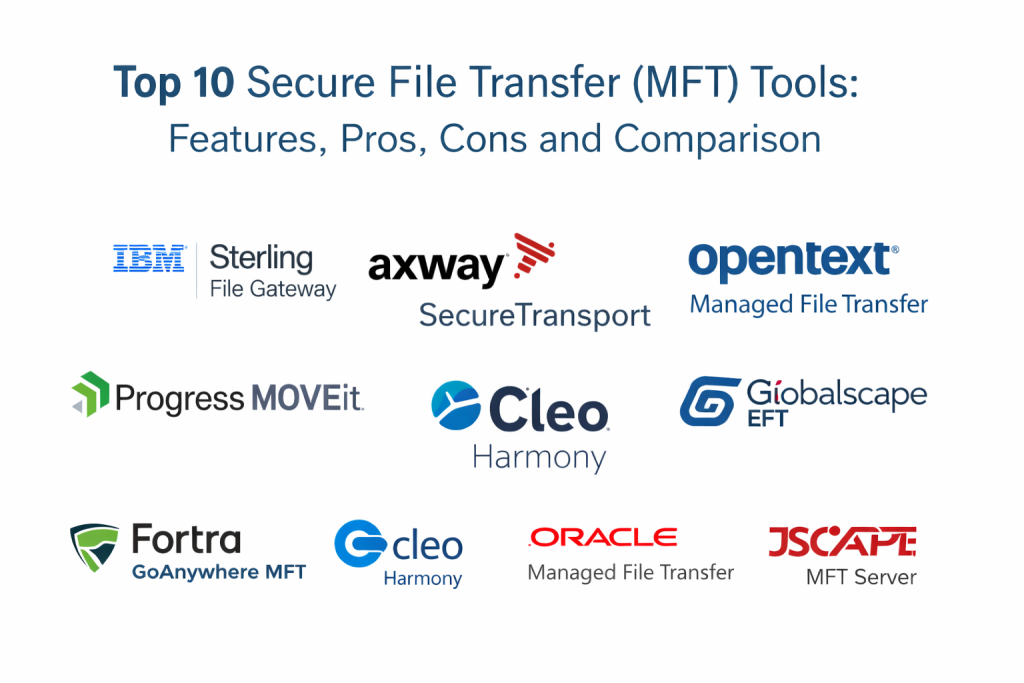
Top 10 Secure File Transfer Tools
1 — IBM Sterling File Gateway
IBM Sterling File Gateway is commonly used in large enterprises that exchange files with many partners and need strong governance. It is often chosen for structured partner onboarding, workflow control, and audit-ready transfer visibility.
Key Features
- Secure transfer workflows for partner and system exchanges
- Central governance for users, partners, and transfer policies
- Strong auditing and traceability for compliance needs
- Automation for scheduled and event-driven transfers (varies)
- Monitoring and reporting for transfer health and exceptions
- Scalable architecture patterns for high-volume environments (varies)
Pros
- Strong fit for large partner networks and regulated workflows
- Useful audit visibility for compliance and investigations
Cons
- Can be heavy for small teams with simple needs
- Implementation success depends on architecture and standards
Platforms and Deployment
Platforms: Varies / N/A
Deployment: Self-hosted / Hybrid (varies)
Security and Compliance
SSO, MFA, encryption, audit logs, RBAC: Varies / Not publicly stated
Certifications: Not publicly stated
Integrations and Ecosystem
Often integrated with enterprise integration stacks and partner exchange workflows.
- Partner onboarding templates: Varies / N/A
- Identity integration patterns: Varies / N/A
- Workflow and scheduling integration: Varies / N/A
Support and Community
Enterprise support is common and documentation is structured. Partner ecosystems often help with large deployments.
2 — Axway SecureTransport
Axway SecureTransport is widely used for secure file transfer in regulated environments and partner-heavy operations. It is often selected for policy control, transfer automation, and strong visibility into file movement.
Key Features
- Secure protocols and managed endpoints for file transfer
- Policy-driven control of transfers and access (varies)
- Automation for schedules, triggers, and retries
- Monitoring dashboards and alerting for exceptions
- Audit trails and reporting for compliance workflows
- Partner onboarding support patterns (varies)
Pros
- Strong governance and policy controls for enterprise transfers
- Useful for partner exchanges and recurring automated workflows
Cons
- Can be complex for teams without dedicated ownership
- Best outcomes require standards for templates and access controls
Platforms and Deployment
Platforms: Varies / N/A
Deployment: Self-hosted / Hybrid (varies)
Security and Compliance
Encryption, RBAC, audit logs, SSO: Varies / Not publicly stated
Certifications: Not publicly stated
Integrations and Ecosystem
Often integrated with enterprise integration platforms and job schedulers.
- Scheduler integration: Varies / N/A
- Identity and access integration: Varies / N/A
- APIs and automation hooks: Varies / N/A
Support and Community
Enterprise support models are typical. Documentation exists and implementation often uses partner expertise.
3 — OpenText Managed File Transfer
OpenText Managed File Transfer is commonly used in enterprise environments that need secure, auditable, automated file transfer workflows. It is often chosen when governance, reporting, and integration are primary requirements.
Key Features
- Secure transfer workflows with governance controls
- Automation for scheduled and event-driven transfers
- Admin reporting for operational and compliance visibility
- Controlled access models with role-based structures (varies)
- Monitoring and alerting for transfer health
- Integration options for enterprise workflows (varies)
Pros
- Strong fit for governance and audit-driven environments
- Useful reporting and centralized operational visibility
Cons
- May be more than needed for small transfer volumes
- Setup and governance require consistent operational discipline
Platforms and Deployment
Platforms: Varies / N/A
Deployment: Self-hosted / Hybrid (varies)
Security and Compliance
Security and certifications: Not publicly stated
Integrations and Ecosystem
Often used alongside enterprise content and integration workflows.
- Workflow integrations: Varies / N/A
- Identity integration: Varies / N/A
- Automation and APIs: Varies / N/A
Support and Community
Enterprise support options and documentation exist. Complex deployments benefit from experienced administrators.
4 — Progress MOVEit
Progress MOVEit is widely recognized for secure file transfer with centralized control, visibility, and automation. It is often chosen to replace ad-hoc scripts and legacy FTP with safer, auditable transfer workflows.
Key Features
- Managed file transfer workflows with centralized control
- Automation for scheduled transfers and event-based workflows (varies)
- Access controls and role-based management (varies)
- Audit trails and reporting for compliance needs
- Monitoring and alerting for failed transfers
- Partner onboarding workflows depending on configuration
Pros
- Strong operational visibility and audit trails
- Practical upgrade path from legacy FTP setups
Cons
- Requires disciplined governance to avoid permission sprawl
- Architecture and hardening choices affect resilience
Platforms and Deployment
Platforms: Varies / N/A
Deployment: Self-hosted / Hybrid (varies)
Security and Compliance
Security and certifications: Not publicly stated
Integrations and Ecosystem
Often integrates with job schedulers, automation workflows, and enterprise systems for repeatable file movement.
- Scheduling and automation integration: Varies / N/A
- Identity integration: Varies / N/A
- APIs and scripting: Varies / N/A
Support and Community
Good documentation and strong enterprise adoption. Support tiers vary by plan.
5 — Fortra GoAnywhere MFT
Fortra GoAnywhere MFT is commonly adopted for secure file transfers with strong automation and workflow control. It is often chosen by teams that want a practical GUI for building transfers while still supporting enterprise-grade governance.
Key Features
- Secure file transfer workflows with centralized management
- Automation for schedules, triggers, and multi-step workflows
- Transfer templates for recurring partner exchanges
- Monitoring and alerting for job failures and delays
- Reporting for compliance and operational visibility
- Integration with job scheduling patterns (varies)
Pros
- Strong automation and workflow building for recurring transfers
- Good balance of usability and governance
Cons
- Transfer complexity requires good standards and documentation
- Feature depth varies by edition and configuration
Platforms and Deployment
Platforms: Varies / N/A
Deployment: Self-hosted / Hybrid (varies)
Security and Compliance
Security and certifications: Not publicly stated
Integrations and Ecosystem
Often integrates with enterprise systems and scheduling tooling for repeatable transfer pipelines.
- Scheduler integration: Varies / N/A
- APIs and automation hooks: Varies / N/A
- Identity integration: Varies / N/A
Support and Community
Solid documentation and business-focused support. Many teams value training and onboarding to standardize workflows.
6 — Cleo Harmony
Cleo Harmony is often used for secure file transfer and partner integration workflows, especially where data exchange is tied to broader integration needs. It is commonly evaluated by organizations managing partner ecosystems and recurring exchanges.
Key Features
- Managed file transfer workflows for partner exchanges
- Automation for recurring schedules and data movement steps
- Monitoring and dashboards for visibility into transfers
- Reporting for operational and compliance tracking
- Partner onboarding support patterns (varies)
- Integration-aligned workflows depending on setup
Pros
- Strong for partner-oriented exchanges and recurring transfers
- Useful visibility for operational reliability
Cons
- Best outcomes require structured partner onboarding processes
- Scope and complexity depend on deployment and modules
Platforms and Deployment
Platforms: Varies / N/A
Deployment: Cloud / Hybrid (varies)
Security and Compliance
Security and certifications: Not publicly stated
Integrations and Ecosystem
Often aligned with partner integration and automation workflows for ongoing exchanges.
- Partner integration alignment: Varies / N/A
- APIs and automation: Varies / N/A
- Scheduler integrations: Varies / N/A
Support and Community
Support options exist and documentation is practical. Complex partner networks benefit from standardized templates.
7 — Globalscape EFT
Globalscape EFT is used for secure file transfer with centralized administration, automation, and monitoring. It is often chosen by organizations that want controlled transfers and audit trails without extreme platform complexity.
Key Features
- Secure transfer workflows with centralized management
- Automation for file movement and recurring transfers (varies)
- Monitoring and alerting for operational reliability
- Reporting and audit trails for compliance needs
- User and permission governance controls (varies)
- Templates and workflows for partner exchanges (varies)
Pros
- Practical for replacing legacy FTP with controlled workflows
- Useful monitoring and reporting for operational teams
Cons
- Governance must be maintained to avoid sprawl
- Some advanced enterprise needs may require larger platforms
Platforms and Deployment
Platforms: Varies / N/A
Deployment: Self-hosted / Hybrid (varies)
Security and Compliance
Security and certifications: Not publicly stated
Integrations and Ecosystem
Often integrated with enterprise workflows using automation and scheduling patterns.
- Scheduling integration: Varies / N/A
- Identity integration: Varies / N/A
- APIs and automation: Varies / N/A
Support and Community
Documentation exists and support options vary by plan. Admin discipline improves long-term outcomes.
8 — Oracle Managed File Transfer
Oracle Managed File Transfer is typically used in Oracle-centric environments where secure file movement supports business processes and enterprise integrations. It is often chosen when teams want file transfer aligned with Oracle ecosystems.
Key Features
- Secure file movement workflows aligned with Oracle systems
- Automation and scheduling patterns for recurring transfers
- Monitoring and reporting for job health and exceptions
- Governance controls depending on environment
- Integration patterns with enterprise workflows (varies)
- Central administration for transfer management
Pros
- Strong fit for Oracle-focused organizations
- Useful when file transfer must align with Oracle integration patterns
Cons
- Best value is in Oracle-centric ecosystems
- Non-Oracle environments may prefer more independent platforms
Platforms and Deployment
Platforms: Varies / N/A
Deployment: Varies / N/A
Security and Compliance
Security and certifications: Not publicly stated
Integrations and Ecosystem
Often integrated with Oracle middleware and enterprise workflows for predictable operations.
- Oracle ecosystem alignment: Strong
- Scheduling and workflow integration: Varies / N/A
- Identity integration: Varies / N/A
Support and Community
Enterprise support models exist. Documentation depth varies by selected Oracle stack and plan.
9 — TIBCO Managed File Transfer
TIBCO Managed File Transfer is often used in organizations already using TIBCO integration tooling. It is commonly selected for secure file movement within enterprise integration patterns and operational governance.
Key Features
- Secure file transfer workflows for enterprise use
- Automation and scheduling options for recurring transfers
- Monitoring and reporting for operational visibility
- Governance controls for access and policy (varies)
- Integration-aligned workflows depending on ecosystem
- Partner exchange support patterns (varies)
Pros
- Strong fit for organizations already using TIBCO ecosystems
- Useful for integration-driven file movement operations
Cons
- Best value depends on TIBCO stack alignment
- Scope and complexity depend on modules and deployment
Platforms and Deployment
Platforms: Varies / N/A
Deployment: Self-hosted / Hybrid (varies)
Security and Compliance
Security and certifications: Not publicly stated
Integrations and Ecosystem
Often used with enterprise integration processes for standard file movement workflows.
- Integration platform alignment: Varies / N/A
- APIs and automation: Varies / N/A
- Scheduler integration: Varies / N/A
Support and Community
Enterprise support options exist. Documentation is generally available and adoption is common in integration-heavy environments.
10 — JSCAPE MFT Server
JSCAPE MFT Server is often used by teams that want a managed file transfer server with strong protocol support and automation options. It is commonly chosen for predictable secure transfers with simpler deployment compared to very large enterprise stacks.
Key Features
- Secure protocol support for file transfers
- Workflow automation options for recurring transfers (varies)
- Central administration for users and endpoints
- Logging and reporting for audit requirements (varies)
- Monitoring and alerts for transfer failures
- Partner onboarding support patterns (varies)
Pros
- Practical for teams that want strong protocol coverage
- Can be simpler to deploy than some large enterprise stacks
Cons
- Governance depth depends on configuration and edition
- Large partner networks may require more structured platforms
Platforms and Deployment
Platforms: Varies / N/A
Deployment: Self-hosted / Hybrid (varies)
Security and Compliance
Security and certifications: Not publicly stated
Integrations and Ecosystem
Often integrated with scheduling tools and enterprise workflows for repeatable data movement.
- Scheduler integration: Varies / N/A
- APIs and automation hooks: Varies / N/A
- Identity integration: Varies / N/A
Support and Community
Support options exist and documentation is practical. Community strength varies by usage segment.
Comparison Table
| Tool Name | Best For | Platform(s) Supported | Deployment | Standout Feature | Public Rating |
|---|---|---|---|---|---|
| IBM Sterling File Gateway | Large partner networks and regulated transfers | Varies / N/A | Self-hosted / Hybrid (varies) | Enterprise governance and traceability | N/A |
| Axway SecureTransport | Policy-driven secure transfers for enterprises | Varies / N/A | Self-hosted / Hybrid (varies) | Strong policy control and automation | N/A |
| OpenText Managed File Transfer | Governance-focused enterprise transfers | Varies / N/A | Self-hosted / Hybrid (varies) | Centralized reporting and control | N/A |
| Progress MOVEit | Replacing legacy FTP with audit-ready transfers | Varies / N/A | Self-hosted / Hybrid (varies) | Central control and visibility | N/A |
| Fortra GoAnywhere MFT | Automation-heavy secure transfer workflows | Varies / N/A | Self-hosted / Hybrid (varies) | Workflow building and templates | N/A |
| Cleo Harmony | Partner exchange aligned with integration workflows | Varies / N/A | Cloud / Hybrid (varies) | Partner-oriented exchange patterns | N/A |
| Globalscape EFT | Practical secure transfers with monitoring | Varies / N/A | Self-hosted / Hybrid (varies) | Operational visibility and control | N/A |
| Oracle Managed File Transfer | Oracle-centric secure file movement | Varies / N/A | Varies / N/A | Alignment with Oracle ecosystems | N/A |
| TIBCO Managed File Transfer | Integration-driven enterprise file transfers | Varies / N/A | Self-hosted / Hybrid (varies) | Fit with integration ecosystems | N/A |
| JSCAPE MFT Server | Strong protocol support with simpler deployment | Varies / N/A | Self-hosted / Hybrid (varies) | Protocol coverage and practical automation | N/A |
Evaluation and Scoring
Weights used:
- Core features – 25%
- Ease of use – 15%
- Integrations and ecosystem – 15%
- Security and compliance – 10%
- Performance and reliability – 10%
- Support and community – 10%
- Price and value – 15%
| Tool Name | Core (25%) | Ease (15%) | Integrations (15%) | Security (10%) | Performance (10%) | Support (10%) | Value (15%) | Weighted Total |
|---|---|---|---|---|---|---|---|---|
| IBM Sterling File Gateway | 9 | 6 | 8 | 8 | 8 | 7 | 6 | 7.55 |
| Axway SecureTransport | 9 | 6 | 8 | 8 | 8 | 7 | 6 | 7.55 |
| OpenText Managed File Transfer | 8 | 6 | 7 | 7 | 8 | 7 | 6 | 7.00 |
| Progress MOVEit | 8 | 7 | 7 | 7 | 8 | 7 | 7 | 7.35 |
| Fortra GoAnywhere MFT | 8 | 7 | 7 | 7 | 8 | 7 | 7 | 7.35 |
| Cleo Harmony | 8 | 7 | 8 | 7 | 8 | 7 | 6 | 7.30 |
| Globalscape EFT | 7 | 7 | 7 | 7 | 7 | 7 | 7 | 7.00 |
| Oracle Managed File Transfer | 7 | 6 | 7 | 7 | 7 | 6 | 6 | 6.60 |
| TIBCO Managed File Transfer | 7 | 6 | 7 | 7 | 7 | 6 | 6 | 6.60 |
| JSCAPE MFT Server | 7 | 7 | 6 | 7 | 7 | 6 | 7 | 6.85 |
How to interpret these scores:
- Treat the totals as a comparative shortlist guide, not a universal ranking for every environment.
- If you have many partners, Core and Integrations usually matter more than Ease.
- If compliance is strict, Security and audit readiness should weigh heavily.
- If you are replacing scripts, Ease and operational visibility often matter most.
- Always validate with a pilot including logging, alerts, and failure recovery.
Which Secure File Transfer Tool Is Right for You?
Solo or Freelancer
Most solo users do not need managed file transfer. If you must move sensitive files, prioritize a tool with simple secure sharing and strong access controls, rather than a full MFT platform.
SMB
SMBs often need secure transfers without heavy complexity. Look for tools that are easy to deploy, support the protocols you need, and provide clear logs and alerts. Practical usability and value often matter more than the deepest enterprise modules.
Mid-Market
Mid-market teams need automation, monitoring, and audit trails while keeping operations manageable. Progress MOVEit and Fortra GoAnywhere MFT are often evaluated where teams want repeatable workflows and clear visibility without building everything from scripts.
Enterprise
Enterprises should prioritize governance, partner onboarding, role separation, HA design, and audit-ready reporting. IBM Sterling File Gateway and Axway SecureTransport are commonly evaluated for large partner ecosystems. If your organization already runs a broader integration stack, Oracle Managed File Transfer or TIBCO Managed File Transfer can fit well when alignment matters.
Budget vs Premium
Budget-focused tools work when transfer scope is limited and partner count is manageable. Premium tools become worth it when you need standard onboarding, strong governance, and high-volume reliability.
Feature Depth vs Ease of Use
If your team is small, ease of workflow building and monitoring is critical. If you run complex partner exchanges, deeper governance and automation matter more than simple UI.
Integrations and Scalability
Check integration with identity systems, job schedulers, and monitoring stacks. Scalability is not only throughput, it is also partner onboarding efficiency, policy management, and how fast you can troubleshoot failures.
Security and Compliance Needs
If you handle regulated data, prioritize encryption, RBAC, audit trails, separation of duties, and strong authentication controls. Also enforce disciplined key management and access review processes.
Frequently Asked Questions
1. What does MFT mean in secure file transfer?
MFT stands for managed file transfer. It typically includes encryption, governance, auditing, and automation, not just basic file movement.
2. Why should I replace legacy FTP?
Legacy FTP often lacks modern security controls and audit readiness. MFT tools add stronger security, better visibility, and more reliable delivery workflows.
3. Which protocols should a secure transfer tool support?
It depends on your partners and systems. Validate protocol coverage during evaluation and ensure your required endpoints are supported.
4. How do MFT tools help with compliance?
They provide centralized logs, audit trails, access controls, and evidence of who transferred what, when, and under which policy.
5. What are common MFT mistakes?
Poor partner onboarding standards, weak access governance, insufficient monitoring, lack of retry policies, and not testing failure recovery are common mistakes.
6. Do I need high availability for secure file transfer?
If your transfers are business-critical, yes. Downtime can delay payroll, vendor operations, and data pipelines. HA design should be tested.
7. Can MFT tools automate recurring workflows?
Yes, most support schedules, triggers, retries, and multi-step jobs. Always test how failures are handled and how alerts are delivered.
8. How should I pilot an MFT tool?
Test partner onboarding, protocol support, authentication, logging, retries, monitoring alerts, and a real failure scenario like a network interruption.
9. How do I secure MFT operations beyond the tool itself?
Use least privilege access, separate admin roles, monitor unusual behavior, protect credentials, and review access regularly.
10. When should I use file sync and share instead of MFT?
Use sync and share for human collaboration and folder sharing. Use MFT when you need system-to-system transfers, strong auditing, and automated delivery workflows.
Conclusion
Secure file transfer tools are not just about moving files, they are about moving files safely, predictably, and with evidence you can rely on during audits and incidents. The best choice depends on how many partners you support, how regulated your data is, how complex your workflows are, and how much automation and monitoring you need. Start by shortlisting two or three tools based on protocol needs and governance depth, then run a pilot that tests partner onboarding, automation workflows, logging quality, alerting, retries, and failure recovery. Choose the tool your team can operate consistently, because consistent controls and reliable visibility are what turn file transfer into a trusted business process.

Best Cardiac Hospitals Near You
Discover top heart hospitals, cardiology centers & cardiac care services by city.
Advanced Heart Care • Trusted Hospitals • Expert Teams
View Best Hospitals