Introduction
Virtualization platforms allow organizations to create virtual instances of hardware and software, providing a layer of abstraction between physical machines and applications. This allows IT teams to maximize hardware utilization, simplify management, and improve scalability. Virtualization has become an essential part of modern IT infrastructure, especially with the rise of cloud computing and hybrid environments.
With businesses shifting to hybrid, multi-cloud strategies, virtualization platforms have never been more important in providing flexibility and efficiency. Whether you’re running applications, creating isolated environments, or optimizing resources, virtualization is key to a more agile and cost-efficient infrastructure.
Common use cases for virtualization platforms include server consolidation, data center optimization, desktop virtualization, and disaster recovery solutions.
Buyers should evaluate factors such as performance, ease of use, scalability, security features, pricing, support, and integration capabilities when selecting a virtualization platform.
Best for: IT administrators, data center operators, cloud service providers, and businesses looking to optimize hardware resources.
Not ideal for: Small businesses with no need for complex IT infrastructure, users who do not require large-scale virtualization, or environments where physical infrastructure is preferred for performance reasons.
Key Trends in Virtualization Platforms and Beyond
- Cloud-native virtual machines: More virtualization platforms are aligning with cloud-native environments to support containers and Kubernetes alongside traditional VMs.
- AI and machine learning optimizations: Virtualization platforms are integrating AI and ML for automated resource allocation, performance tuning, and predictive scaling.
- Containerization and VM hybrid models: Increased convergence of virtual machines and containers to provide more flexibility in managing workloads.
- Security-first virtualization: As data protection and compliance become more important, security features such as hardware root of trust, secure boot, and encryption are becoming standard.
- Edge computing integration: Virtualization platforms are evolving to support edge computing, allowing distributed computing at the network’s edge.
- Automated management and orchestration: Enhanced automation capabilities are being developed to simplify management and improve operational efficiency.
- Cost optimization features: Increased focus on resource optimization, including automated right-sizing of virtual machines to save on infrastructure costs.
- Disaster recovery improvements: Virtualization platforms are enabling better backup and disaster recovery solutions, making it easier to restore systems with minimal downtime.
- Hybrid cloud expansion: Virtualization platforms are increasingly integrating with hybrid cloud environments to ensure seamless data migration and workload management.
How We Selected These Tools (Methodology)
- Market adoption / mindshare: Tools widely adopted in the enterprise space with large customer bases.
- Feature completeness: Platforms offering comprehensive capabilities, including VM management, cloud integration, resource optimization, and advanced security features.
- Reliability/performance signals: Platforms that are known for their stability, performance under load, and uptime.
- Security posture signals: Solutions that meet industry standards for security, including encryption, compliance, and secure management protocols.
- Integrations/ecosystem: Consideration was given to tools that integrate well with existing enterprise IT environments, including cloud services, orchestration platforms, and automation tools.
- Customer fit across segments: Tools that serve a variety of business sizes and workloads, from SMBs to large enterprises.
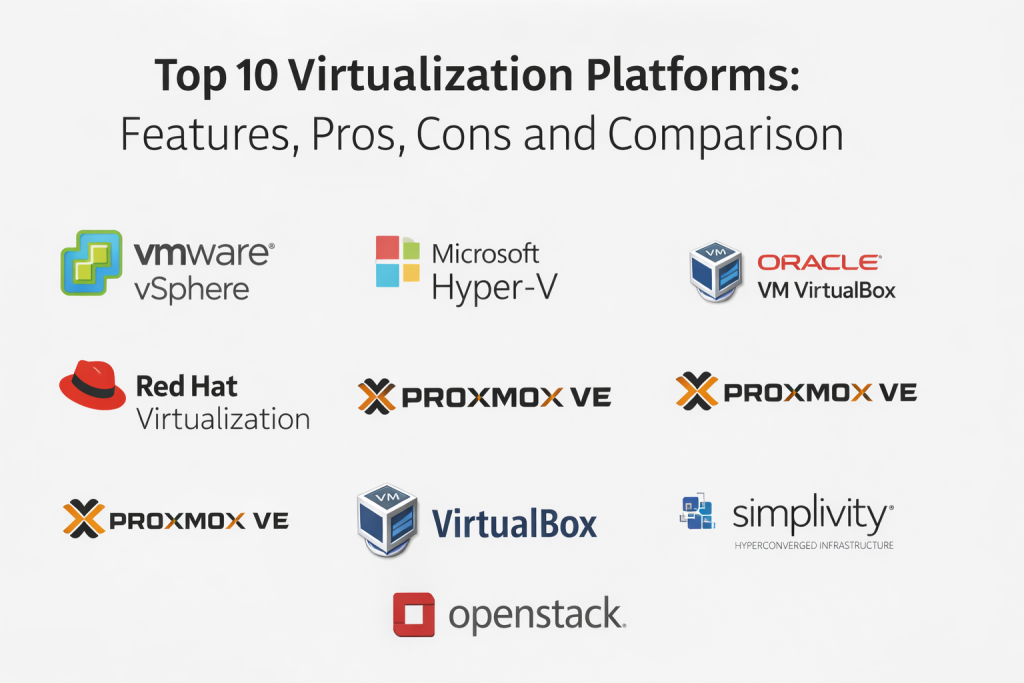
Top 10 Virtualization Platforms
1 — VMware vSphere
VMware vSphere is the industry-leading virtualization platform that powers thousands of data centers around the world, enabling businesses to run and manage applications across a variety of infrastructures.
Key Features
- High-performance hypervisor for virtual machine management
- VMotion for live migration of workloads
- vSphere HA for automated failover
- DRS (Distributed Resource Scheduler) for load balancing
- Integration with VMware’s cloud and automation tools
- Centralized management via vCenter Server
Pros
- Industry-leading support and ecosystem
- Robust security and monitoring features
- Advanced capabilities for enterprise workloads
Cons
- Expensive for smaller businesses
- Requires VMware-specific skills for management
Platforms / Deployment
- Web / Windows
- Self-hosted
Security & Compliance
- SSO/SAML, MFA, encryption, audit logs, RBAC
- Compliance certifications: SOC 2, ISO 27001
Integrations & Ecosystem
- Integrates with VMware products, AWS, Microsoft Azure, and more
- Extensive API support for automation
- Supports popular backup and disaster recovery solutions
Support & Community
- Comprehensive enterprise-level support
- Active community and resources available for troubleshooting
2 — Microsoft Hyper-V
Hyper-V is Microsoft’s hypervisor offering, integrated into Windows Server, and designed for businesses of all sizes. It is ideal for organizations already using Windows Server as it integrates seamlessly with Microsoft tools.
Key Features
- Hypervisor support for virtual machines
- Live migration of VMs without downtime
- Virtual Machine Replication for disaster recovery
- Windows PowerShell support for automation
- Integration with Azure for hybrid cloud solutions
Pros
- Great integration with Windows Server and Microsoft tools
- Flexible and cost-effective for Windows-based workloads
- Strong support for hybrid cloud environments
Cons
- Limited features compared to VMware for larger enterprise needs
- Performance can be less optimal than VMware in some cases
Platforms / Deployment
- Web / Windows
- Self-hosted
Security & Compliance
- SSO/SAML, MFA, encryption, audit logs, RBAC
- Compliance certifications: SOC 2, ISO 27001
Integrations & Ecosystem
- Integrates well with Windows Server, Active Directory, and Microsoft Azure
- Strong PowerShell automation capabilities
Support & Community
- 24/7 support from Microsoft
- Active online community, extensive documentation
3 — Oracle VM VirtualBox
Oracle VM VirtualBox is a free, open-source platform that supports a wide variety of operating systems and is often used for lightweight virtualization, testing, and development.
Key Features
- Supports multiple guest operating systems (Windows, macOS, Linux, Solaris)
- Snapshot and cloning capabilities
- VirtualBox Extension Pack for additional features
- USB device support for guest OSes
- Seamless integration with Oracle’s enterprise products
Pros
- Completely free and open-source
- Easy to use for personal and small-scale enterprise use
- Multi-platform support for various guest OSes
Cons
- Lacks some advanced enterprise features compared to VMware and Hyper-V
- Not as feature-rich for large-scale environments
Platforms / Deployment
- Web / Windows / macOS / Linux
- Self-hosted
Security & Compliance
- Not publicly stated
Integrations & Ecosystem
- Integration with Oracle products
- API support for automation and management
Support & Community
- Community-driven support with forums and resources
4 — Red Hat Virtualization (RHV)
RHV is a highly scalable, open-source virtualization platform powered by Red Hat and built on the oVirt open-source project. It is ideal for businesses that prioritize Linux-based environments and open-source solutions.
Key Features
- KVM (Kernel-based Virtual Machine) hypervisor
- Storage and network management for virtual machines
- Live migration of virtual machines
- Centralized management with Red Hat Virtualization Manager
- Security hardening and compliance options
Pros
- Open-source and highly customizable
- Seamless integration with Red Hat Enterprise Linux (RHEL)
- Ideal for organizations looking to reduce licensing costs
Cons
- Requires expertise in Red Hat and Linux
- Limited third-party ecosystem compared to VMware
Platforms / Deployment
- Web / Linux
- Self-hosted
Security & Compliance
- SSO/SAML, MFA, encryption, audit logs, RBAC
- Compliance certifications: SOC 2, ISO 27001, HIPAA
Integrations & Ecosystem
- Integrates well with RHEL, Ansible, and OpenStack
- API support for automation
Support & Community
- Support available from Red Hat
- Active open-source community
5 — Proxmox VE
Proxmox VE is an open-source virtualization management platform that allows users to manage both virtual machines and containers. It is often chosen by SMBs and smaller enterprises that require a simple, cost-effective solution.
Key Features
- Full virtualization support using KVM and container-based virtualization
- Centralized management for VMs and containers
- Built-in backup and restore features
- High-availability clusters for enterprise use
- Web-based interface for management
Pros
- Open-source and free
- Easy to use and configure
- Supports both VMs and containers
Cons
- Limited enterprise-level features compared to VMware
- May require more manual configuration
Platforms / Deployment
- Web / Linux
- Self-hosted
Security & Compliance
- Not publicly stated
Integrations & Ecosystem
- Integrates with various storage and network tools
- API for management and automation
Support & Community
- Community-driven support
- Active forums and documentation
6 — Nutanix AHV
Nutanix AHV is a hypervisor that comes as part of Nutanix’s hyper-converged infrastructure platform, providing virtualization and storage capabilities in a single package.
Key Features
- Native support for virtual machines and containers
- Centralized management and monitoring through Prism
- Integrated backup and disaster recovery solutions
- Secure virtualization with encryption and access controls
- Tight integration with Nutanix’s storage solutions
Pros
- Seamless integration with Nutanix’s storage infrastructure
- Easy management via Prism
- Highly scalable and reliable
Cons
- High upfront costs
- Best suited for larger enterprises with Nutanix infrastructure
Platforms / Deployment
- Web / Windows / Linux
- Self-hosted
Security & Compliance
- SSO/SAML, MFA, encryption, audit logs, RBAC
- Compliance certifications: SOC 2, ISO 27001
Integrations & Ecosystem
- Integrates tightly with Nutanix storage and cloud solutions
- APIs for orchestration and automation
Support & Community
- Enterprise-level support available
- Active community of users and professionals
7 — XenServer
XenServer is an open-source virtualization platform based on the Xen hypervisor, known for its strong support for Linux-based environments and cloud integration.
Key Features
- Xen-based hypervisor
- Full VM management with live migration
- Integrated storage and network management
- Strong security features with VM isolation
- High-performance networking and storage I/O
Pros
- Free and open-source
- Strong security features for isolating VMs
- Excellent for Linux-heavy environments
Cons
- Limited to Xen-based hypervisor; fewer integrations compared to VMware
- Lesser enterprise support
Platforms / Deployment
- Web / Windows / Linux
- Self-hosted
Security & Compliance
- Not publicly stated
Integrations & Ecosystem
- Integrates with cloud platforms and storage tools
- API support for management and orchestration
Support & Community
- Community-driven support
- Available commercial support from Citrix
8 — VirtualBox
Oracle’s VirtualBox is a free, open-source solution suitable for personal use, testing, and lightweight virtual desktop deployments.
Key Features
- Cross-platform support (Windows, macOS, Linux)
- VM snapshot and cloning functionality
- Flexible disk image management
- USB device support for guest OSes
- Easy-to-use interface
Pros
- Free and open-source
- Easy installation and use
- Suitable for testing and development
Cons
- Limited scalability for large enterprises
- Lacks some advanced enterprise features
Platforms / Deployment
- Web / Windows / macOS / Linux
- Self-hosted
Security & Compliance
- Not publicly stated
Integrations & Ecosystem
- Limited integrations with cloud and enterprise tools
- Basic API support
Support & Community
- Strong community support, with forums and documentation
9 — HyperConverged Infrastructure (HCI) by SimpliVity
HCI by SimpliVity offers an integrated virtualization and storage platform designed to simplify management while providing enterprise-level performance.
Key Features
- Full-stack hyper-converged infrastructure for VM, storage, and networking
- Native data protection and backup solutions
- Virtualization management with high-performance optimization
- Seamless cloud integration for hybrid environments
- Flexible scaling and high availability
Pros
- Integrated solution reduces operational complexity
- Scalable and high-performance
Cons
- Requires SimpliVity hardware
- Best suited for large enterprises with complex needs
Platforms / Deployment
- Web / Windows / Linux
- Hybrid
Security & Compliance
- Not publicly stated
Integrations & Ecosystem
- Integration with VMware and Microsoft-based environments
- API for integration with external orchestration tools
Support & Community
- Enterprise-level support
- Active user community
10 — OpenStack
OpenStack is an open-source cloud computing platform that supports virtualization and enables cloud-based VDI deployments.
Key Features
- Open-source platform for managing virtual machines and other resources
- Strong support for hybrid and multi-cloud deployments
- Full networking and storage capabilities
- Highly customizable through various plugins
- User-friendly interfaces for administrators
Pros
- Free and open-source
- Highly customizable and flexible
- Strong community and ecosystem
Cons
- Requires expertise for setup and operation
- Limited commercial support
Platforms / Deployment
- Web / Linux
- Self-hosted
Security & Compliance
- Not publicly stated
Integrations & Ecosystem
- Integrates with a variety of cloud services
- Plugin architecture for flexible integrations
Support & Community
- Strong community-driven support
- Commercial support available through third-party vendors
Comparison Table (Top 10)
| Tool Name | Best For | Platform(s) Supported | Deployment (Cloud/Self-hosted/Hybrid) | Standout Feature | Public Rating |
|---|---|---|---|---|---|
| VMware vSphere | Large enterprises with complex policies | Web / Windows / macOS / Linux / iOS / Android | Self-hosted | Deep policy and UX optimization | N/A |
| Microsoft Hyper-V | Windows-centric environments | Web / Windows | Self-hosted | Integration with Windows Server | N/A |
| Oracle VM VirtualBox | Personal use and small deployments | Web / Windows / macOS / Linux | Self-hosted | Open-source flexibility | N/A |
| Red Hat Virtualization | Linux-focused businesses | Web / Linux | Self-hosted | Open-source flexibility | N/A |
| Proxmox VE | SMBs and open-source enthusiasts | Web / Linux | Self-hosted | Lightweight and easy to use | N/A |
| Nutanix AHV | Organizations using Nutanix infrastructure | Web / Windows / Linux | Self-hosted | Seamless Nutanix integration | N/A |
| XenServer | Linux-heavy environments | Web / Linux | Self-hosted | Xen-based hypervisor | N/A |
| VirtualBox | Personal and small-scale environments | Web / Windows / macOS / Linux | Self-hosted | Free and open-source | N/A |
| SimpliVity HCI | Enterprises with high-performance needs | Web / Windows / Linux | Hybrid | Integrated virtualization and storage | N/A |
| OpenStack | Cloud and hybrid cloud environments | Web / Linux | Self-hosted | Highly customizable | N/A |
Evaluation & Scoring of Virtualization Platforms
| Tool Name | Core (25%) | Ease (15%) | Integrations (15%) | Security (10%) | Performance (10%) | Support (10%) | Value (15%) | Weighted Total (0–10) |
|---|---|---|---|---|---|---|---|---|
| VMware vSphere | 9 | 7 | 9 | 9 | 9 | 8 | 7 | 8.4 |
| Microsoft Hyper-V | 8 | 7 | 8 | 8 | 8 | 8 | 7 | 7.8 |
| Oracle VM VirtualBox | 6 | 9 | 6 | 7 | 6 | 6 | 9 | 6.8 |
| Red Hat Virtualization | 8 | 7 | 7 | 8 | 8 | 7 | 7 | 7.7 |
| Proxmox VE | 7 | 9 | 7 | 7 | 7 | 6 | 8 | 7.6 |
| Nutanix AHV | 9 | 6 | 8 | 9 | 8 | 8 | 8 | 8.0 |
| XenServer | 7 | 7 | 7 | 7 | 7 | 6 | 7 | 6.9 |
| VirtualBox | 5 | 9 | 6 | 6 | 6 | 6 | 9 | 6.4 |
| SimpliVity HCI | 9 | 7 | 8 | 9 | 8 | 8 | 7 | 8.0 |
| OpenStack | 7 | 6 | 7 | 7 | 7 | 6 | 7 | 6.7 |
How to interpret these scores:
These scores are comparative. The weighted total represents an overall evaluation based on key factors such as core features, ease of use, integrations, and security. Higher scores indicate stronger overall capabilities. Consider your specific needs, such as ease of use versus feature depth, when interpreting the scores.
Which Virtualization Platform Is Right for You?
Solo / Freelancer
For smaller-scale or personal use, Oracle VM VirtualBox offers a flexible, open-source solution for virtualization.
SMB
Proxmox VE is a great choice for SMBs seeking a simple, cost-effective, and open-source option to get started with virtualization.
Mid-Market
Microsoft Hyper-V is ideal for businesses already aligned with Microsoft products and who need a reliable solution for a growing infrastructure.
Enterprise
For large enterprises that require high scalability and performance, VMware vSphere remains the gold standard for complex virtualization environments.
Budget vs Premium
For cost-conscious businesses, Proxmox VE and Oracle VM VirtualBox offer free solutions. For premium features, VMware vSphere and Nutanix AHV provide advanced capabilities at a higher cost.
Feature Depth vs Ease of Use
Oracle VM VirtualBox and Proxmox VE offer more straightforward, less complex setups, while VMware vSphere and Microsoft Hyper-V provide deeper control over virtualized environments, which may require more expertise.
Integrations & Scalability
VMware vSphere and Nutanix AHV excel in scalability and integrations, ideal for large enterprises. Smaller setups might find Proxmox VE and VirtualBox sufficient for their needs.
Security & Compliance Needs
For high-security needs, VMware vSphere and Nutanix AHV offer robust security and compliance features.
Frequently Asked Questions (FAQs)
1. What are the common benefits of using a virtualization platform?
Virtualization platforms enable better resource utilization, centralized management, and simplified
disaster recovery.
2. How do I choose the best virtualization platform for my business?
Consider factors like scalability, integration needs, security, and ease of use when selecting a platform.
3. Are there any open-source virtualization platforms available?
Yes, Proxmox VE and Oracle VM VirtualBox are both open-source options with solid community support.
4. How much does VMware vSphere cost?
Pricing for VMware vSphere depends on the licensing model and the number of CPUs in the environment. It’s typically on the higher end for enterprise needs.
5. Can virtualization platforms be used for cloud-based environments?
Yes, many platforms like Nutanix AHV and Microsoft Hyper-V support hybrid and cloud-based deployments.
6. What kind of security features do these platforms offer?
Most platforms offer encryption, access controls, audit logs, and compliance with industry standards like SOC 2 and ISO 27001.
7. Can virtualization platforms support containerized applications?
Yes, some platforms like Red Hat Virtualization support both VMs and containers.
8. Is there any way to test a virtualization platform before committing to a full license?
Many platforms, such as VMware vSphere and Proxmox VE, offer trial versions to test their features before making a commitment.
9. What is the difference between VMware vSphere and Microsoft Hyper-V?
VMware vSphere offers more enterprise features and is often chosen for large-scale environments, while Microsoft Hyper-V integrates better with Windows-based environments.
10. Can I use virtualization for desktop environments?
Yes, platforms like VMware vSphere and Microsoft Hyper-V can be used to virtualize desktops for remote work or thin-client environments.
Conclusion
Virtualization platforms have become a critical component of modern IT infrastructure, enabling organizations to optimize resources, improve scalability, and enhance security. The best choice depends on your organization’s size, needs, and existing IT investments. For enterprises, VMware vSphere and Microsoft Hyper-V offer comprehensive feature sets, while Proxmox VE and Oracle VM VirtualBox provide excellent open-source options for smaller businesses or personal use. To determine the right platform for you, start by evaluating your technical requirements, budget, and long-term scalability needs.

Best Cardiac Hospitals Near You
Discover top heart hospitals, cardiology centers & cardiac care services by city.
Advanced Heart Care • Trusted Hospitals • Expert Teams
View Best Hospitals