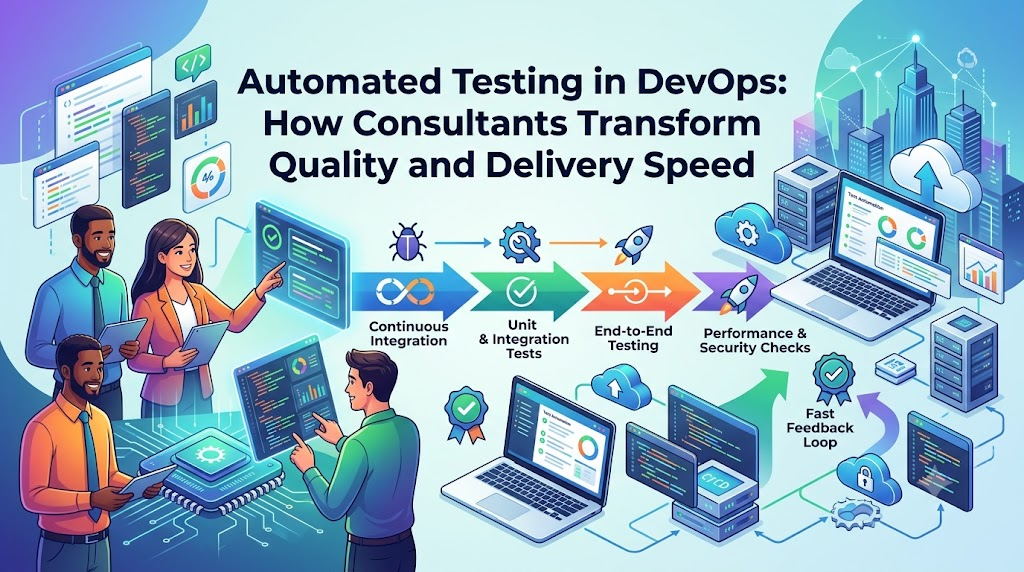
As software systems shift toward microservices and rapid release cycles, relying solely on manual testing creates severe delivery bottlenecks, developer fatigue, and frequent defect escapes. While teams recognize the necessity of continuous quality validation, implementing reliable automated software testing across modern delivery pipelines requires architectural alignment between code, infrastructure, and team workflows. DevOps consultants bridge this gap by evaluating delivery bottlenecks, designing maintainable test automation frameworks, and integrating automated quality gates directly into CI/CD pipelines. This guide explores the strategic role DevOps consultants play in establishing reliable, scalable automated testing workflows that shorten feedback loops and accelerate software delivery.
What Is Automated Testing?
Automated testing is the practice of executing software tests using automated scripts, testing tools, and execution frameworks rather than relying on human testers to manually click through workflows or input parameters. In an automated test suite, predefined actions are executed against an application, and the actual outcomes—such as database state changes, API response codes, or UI visual states—are compared systematically against expected baseline results.
Modern automated software testing delivers several key technical capabilities:
- Repeatable Test Execution: Automated suites run identically every time, eliminating human oversight, test script divergence, and configuration variance across runs.
- Automated Validation of Code Changes: Every commit, merge request, or branch build can trigger automated suites to confirm that recent edits function as intended.
- Automated Regression Testing: Tests verify that newly introduced features or routine dependency patches do not break existing, unchanged features.
- Rapid Feedback Loops: Developers receive pass/fail diagnostic notifications within minutes of pushing code, allowing them to fix bugs while the logic is fresh in their minds.
- Pipeline and Deployment Integration: Automated tests function as automated quality gates within CI/CD pipelines, automatically halting failing builds before they reach staging or production environments.
- Structured Failure Logging: Modern test frameworks capture detailed stack traces, network payloads, execution screenshots, and video recordings to streamline defect diagnosis.
While automated software testing delivers critical speed and coverage benefits, it does not make manual testing obsolete. Human intuition remains indispensable for exploratory testing, usability evaluations, design critique, and validating subjective user experiences. Automated testing handles repetitive, programmatic validation so human QA professionals can focus on complex edge cases, UX design, and novel defect scenarios.
What Is the Role of a DevOps Consultant?
A DevOps consultant works with organizations to modernize software delivery practices, refine automation, and break down silos between development, testing, and operations teams. Rather than serving merely as an outsourced script writer, a consultant looks across people, processes, and technical tooling to build sustainable engineering capabilities.
Typical responsibilities of a DevOps consultant in the testing domain include:
- Assessing Existing Delivery Workflows: Auditing current release paths, manual testing overhead, defect escape rates, and deployment cadences to locate specific delivery bottlenecks.
- Identifying Redundant Manual Tasks: Isolating high-effort, repetitive regression checks and smoke verifications that consume disproportionate testing hours.
- Reviewing CI/CD Pipelines: Analyzing pipeline speed, concurrency limits, build structures, and integration points to determine where automated testing can be added efficiently.
- Evaluating Architecture and Tech Stacks: Reviewing application boundaries (such as decoupled frontend single-page apps, REST/GraphQL APIs, or asynchronous event buses) to identify the best architectural levels for test insertion.
- Formulating Testing Strategies: Establishing a balanced testing model that avoids top-heavy, brittle testing suites in favor of fast, reliable checks.
- Selecting Tooling and Frameworks: Evaluating testing technologies against the engineering team’s technical skills, application languages, and operational constraints.
- Integrating Tests into Delivery Pipelines: Configuring CI/CD pipelines to run test suites at specific pipeline gates with automated error logging and artifact capture.
- Fostering Cross-Functional Collaboration: Aligning developers and QA engineers around shared test ownership, test data hygiene, and version-controlled test assets.
- Standardizing Quality Metrics and Reporting: Establishing clear dashboards to track test suite durations, pass rates, flaky test frequencies, and code coverage.
- Knowledge Transfer and Upskilling: Training internal engineering teams to write, maintain, debug, and expand the test automation codebase independently.
The specific scope of a consultant’s engagement depends on the client organization’s technical maturity, existing CI/CD assets, compliance needs, and overall delivery goals.
Why Organizations Need DevOps Consultants for Automated Testing
Engineering teams often recognize the need for automated testing but struggle to implement it effectively on their own. Without a cohesive strategy, automation initiatives can create unmaintainable, unreliable test suites that slow delivery rather than accelerate it.
Common testing challenges that prompt organizations to engage DevOps consulting for test automation include:
- Lengthy Manual Regression Cycles: Releases stall because QA teams need days or weeks to manually execute regression checklists across application modules.
- Repetitive Verification of Unchanged Code: Significant engineering effort is wasted re-validating stable, legacy code paths that have not been modified.
- Inconsistent Test Environments: Tests pass on local developer workstations but fail in staging environments due to configuration drifts, unmanaged system dependencies, or stale database snapshots.
- Gaps in Automated Test Coverage: Automated suites cover only simple scenarios while missing critical backend integrations, asynchronous transactions, or edge cases.
- Late-Stage Defect Discovery: Testing happens right before production deployment, forcing expensive, high-risk code rewrites late in the release cycle.
- Flaky and Unreliable Tests: Tests fail intermittently due to race conditions, network latency, or fragile UI locators, leading engineers to ignore test suite alerts.
- Poor Diagnostic Visibility: Test runs fail without capturing stack traces, server logs, or request payloads, making triage slow and frustrating for developers.
- Isolated Testing Tooling: Test frameworks exist as standalone desktop installations rather than automated, headless steps in the CI/CD pipeline.
- Unclear Asset Ownership: Developers view testing as exclusively QA’s responsibility, while QA engineers lack the infrastructure access needed to run tests automatically on new builds.
A DevOps consultant helps diagnose the root causes behind these symptoms. Rather than treating test automation as an isolated tooling upgrade, a consultant integrates it into the broader engineering lifecycle—aligning infrastructure, pipeline design, and team workflows.
How DevOps Consultants Build an Automated Testing Strategy
Building a scalable, maintainable test automation capability requires a disciplined approach. DevOps consultants typically guide organizations through an eight-phase implementation methodology.
1. Assess the Existing Testing Process
The process begins with an audit of the current testing approach. The consultant interviews developers, QA engineers, product managers, and operations teams to understand the delivery pipeline. Key areas of review include:
- Current test catalogs and manual execution runbooks.
- Defect history, root-cause analyses, and production incidents.
- Application architecture, interface contracts, and third-party dependencies.
- Build frequencies, release cadences, and pipeline run times.
- The balance of manual verification versus scripted validation.
This discovery phase identifies critical operational bottlenecks and isolates the components where automation will provide the greatest return on investment.
2. Define Testing Goals and Requirements
Next, the consultant collaborates with leadership and engineering to define objective, measurable goals tailored to the organization’s business needs. These objectives often target:
- Reducing overall regression cycle durations from days to hours or minutes.
- Providing developers with automated feedback on core unit and API paths within ten minutes of a pull request.
- Expanding automated coverage across critical revenue-generating user flows.
- Lowering defect escape rates into production environments.
- Establishing repeatable, automated smoke tests for every staging deployment.
Setting clear benchmarks early ensures that tooling choices and architectural designs remain focused on business and technical priorities.
3. Prioritize Test Cases for Automation
A common pitfall is attempting to automate every existing manual test case all at once. Consultants prevent this by establishing a risk-based prioritization matrix. Automation candidates are evaluated across three criteria: execution frequency, business impact, and implementation stability.
Priority is given to:
- Frequently run regression checks that cover stable core functionality.
- High-risk business workflows, such as authentication, checkout, data processing, and billing.
- Core API contracts, microservice boundaries, and integration endpoints.
- Repetitive, data-intensive verifications that are error-prone when executed manually.
Conversely, unstable features with rapidly changing UI designs, low-risk corner cases, or workflows requiring subjective evaluation are left for manual exploratory testing.
4. Select Appropriate Tools and Frameworks
Tool selection depends on the organization’s technology stack, developer skill sets, application types, licensing models, and long-term maintenance costs.
A DevOps consultant evaluates:
- Supported programming languages to ensure test code can live alongside or match the application codebase.
- Headless execution capabilities suitable for containerized CI/CD runners.
- Ecosystem support, documentation depth, and community adoption.
- Built-in support for parallel execution, retry policies, and reporting integrations.
The consultant helps the team choose the best tools for their specific stack—such as pairing Playwright with TypeScript for frontend testing and pytest with Docker for backend microservices—avoiding the trap of forcing a single tool onto every testing scenario.
5. Design a Maintainable Test Automation Architecture
Writing automated scripts without architectural planning leads to brittle code that breaks with minor UI adjustments. Consultants help design clean test frameworks using established engineering practices:
- Separation of Concerns: Using patterns like Page Object Models (POM) or Component Object Models for UI suites, separating test logic from DOM selectors.
- Centralized Configuration: Managing base URLs, timeouts, retry rules, and environment variables across environments through structured configuration files.
- Test Data Management: Creating reusable fixtures, factories, and database seeding scripts that generate clean, isolated test data for each run.
- Failure Handling and Telemetry: Building custom listeners that automatically capture application logs, request-response payloads, DOM snapshots, and execution traces on failure.
6. Integrate Automated Tests Into CI/CD
A test suite provides little value if it sits on a local machine. Consultants integrate tests directly into CI/CD pipelines, mapping specific test suites to appropriate delivery stages:
- Pre-Merge Validation: Running unit tests, linters, and static security scans on every pull request within minutes.
- Post-Merge Integration: Executing component tests, database integration checks, and contract-level API validations on merge to the main branch.
- Deployment Gates: Triggering end-to-end user journey tests and non-destructive regression suites against deployed staging environments.
- Post-Deployment Verification: Running focused smoke tests against newly deployed environments to confirm that routing, database connectivity, and core services are operational.
Consultants configure pipeline concurrency, parallel worker threads, and caching layers to ensure thorough testing without slowing down pipeline throughput.
7. Improve Test Reporting and Failure Diagnosis
Test results must be clear, actionable, and easy for engineering teams to interpret. Consultants set up reporting pipelines that output structured artifacts, such as JUnit XML, HTML dashboards, or Slack and email alerts.
Effective reporting architectures:
- Distinguish clearly between environmental outages (e.g., database timeout) and genuine functional assertions (e.g., incorrect calculation output).
- Group test results by service, feature, or severity.
- Capture step-by-step logs, network requests, and visual screenshots at the exact moment of failure.
- Retain failure artifacts within CI systems for post-mortem debugging.
8. Establish Test Maintenance and Ownership
Test suites must evolve alongside the application codebase. To ensure long-term sustainability, consultants help teams establish clear ownership practices:
- Treating test code as production code—requiring version control, peer reviews, and consistent style guidelines.
- Establishing clear service-level objectives (SLOs) for addressing flaky tests, including quarantine policies for unstable checks.
- Defining shared responsibility models where developers write unit, integration, and feature tests, while QA automation engineers design framework architectures, complex end-to-end journeys, and performance suites.
- Holding recurring backlog grooming sessions to retire outdated assertions and update tests as product workflows change.
Types of Automated Testing DevOps Consultants Help Implement
A resilient DevOps testing strategy balances multiple testing types across different architectural layers, following the classic test automation pyramid.
                  / \
                 / E2E \       <-- UI & End-to-End Tests (Fewer, Slower, Higher Cost)
                /-------\
               / API / Int\    <-- API, Integration & Contract Tests (Moderate Speed)
              /-------------\
             /     Unit      \ <-- Unit Tests (Fast, Abundant, Low Cost, Highly Isolated)
            /-----------------\
- Unit Testing: Focuses on isolated functions, methods, algorithms, and classes without spinning up external networks, databases, or third-party APIs. Unit tests execute in milliseconds, providing fast feedback on algorithmic correctness and edge cases.
- Integration Testing: Verifies communication and data exchange between multiple internal modules, such as an application service interacting with a local database instance or cache cluster.
- API and Contract Testing: Validates REST, GraphQL, or gRPC interfaces. These tests verify HTTP status codes, schema definitions, response payloads, authentication headers, error structures, and data contracts between microservices without the overhead of rendering a browser UI.
- UI and End-to-End (E2E) Testing: Validates critical user journeys by driving real web, mobile, or desktop clients. E2E tests verify that the frontend, backend microservices, authentication providers, and database layers work together correctly across end-to-end workflows.
- Regression Testing: Ensures that recent code modifications, library updates, or configuration changes have not caused regressions in existing features. Regression suites are often run during nightly builds or pre-release pipeline gates.
- Smoke Testing: A small, fast suite of non-destructive checks run immediately following an application deployment. Smoke tests quickly verify that essential components—such as database connections, core authentication, and key routes—are healthy before deeper testing begins.
- Performance and Load Testing: Assesses system stability, concurrency limits, memory consumption, latency, and throughput under synthetic load. These tests help identify infrastructure bottlenecks, slow database queries, and unoptimized thread pools.
- Automated Security Testing: Embeds security scanning tools directly into delivery pipelines. This includes Static Application Security Testing (SAST), Dynamic Application Security Testing (DAST), software composition analysis (SCA) for third-party vulnerabilities, and automated secret detection in source code.
Consultants help teams tailor this testing mix to their specific architecture. For example, a headless microservice platform requires extensive API and integration tests, while a customer-facing e-commerce application needs a balanced combination of API validations and targeted end-to-end browser journeys.
Tools DevOps Consultants May Use for Automated Testing
A modern test automation toolchain spans test execution frameworks, container runtimes, pipeline orchestrators, and reporting systems. The table below illustrates common tools across these categories:
| Tool / Framework | Primary Purpose | Typical Use Case | Integration Considerations |
| Playwright | Browser automation & E2E testing | Cross-browser validation (Chromium, Firefox, WebKit) for modern web applications | Native parallel execution; excellent Docker support; integrates cleanly with GitHub Actions, GitLab CI, and Jenkins. |
| Selenium | Cross-platform web automation | Legacy and enterprise web application testing across diverse OS and browser combinations | Requires managing browser drivers or connecting to grid services; higher execution overhead than newer alternatives. |
| Cypress | Frontend component and E2E testing | Developer-centric testing for JavaScript and TypeScript single-page web applications | Executes inside the browser run loop; ideal for frontend local development; requires clear mock strategies for complex third-party redirects. |
| pytest | Python testing framework | Testing backend APIs, microservices, data processing pipelines, and integration suites | Extremely extensible via plugins; supports fixture-based dependency injection; straightforward output generation for CI. |
| JUnit | Java/JVM test framework | Unit, component, and integration testing across Java, Kotlin, and enterprise backend stacks | Industry standard for Java projects; integrates seamlessly with Maven, Gradle, IDEs, and enterprise CI/CD runners. |
| Postman / Newman | API testing & contract validation | Automated API functional assertions, schema validation, and collection execution | Newman runs Postman collections in headless CI runners; environment files must be managed securely to avoid credential leaks. |
| Jenkins | CI/CD automation & orchestration | Orchestrating complex, multi-stage delivery pipelines and scheduling test runs | Highly customizable through plugins; requires maintenance of agent nodes, runner dependencies, and pipeline scripts. |
| GitLab CI/CD | Pipeline orchestration | Native repository-driven pipeline execution, containerized testing, and quality gates | Configured via version-controlled YAML; uses native Docker-in-Docker runners to build isolated test environments quickly. |
| Docker | Environment containerization | Creating consistent, reproducible runtime environments for test runners, mocks, and databases | Ensures parity between local developer testing and CI test runner environments; requires efficient image caching to keep builds fast. |
| SonarQube | Code quality & static analysis | Identifying code smells, bugs, security vulnerabilities, and enforcing code coverage gates | Integrates as a non-blocking or blocking pull-request gate; requires tuned quality profiles to prevent build alert fatigue. |
| k6 | Performance & load testing | Developer-friendly, scriptable load, stress, and spike testing written in JavaScript | Runs as a single binary with low resource consumption; easy to execute within CI pipelines to detect performance regressions early. |
It is important to distinguish between the components of a testing stack:
- Test Frameworks (e.g., Playwright, pytest, JUnit): Provide the syntax, assertions, and test runners that execute test logic.
- Execution Environments (e.g., Docker, headless browsers): Supply the underlying operating system, runtime libraries, and service dependencies needed to run the software.
- CI/CD Orchestration Platforms (e.g., Jenkins, GitLab CI/CD, GitHub Actions): Trigger builds, coordinate pipeline stages, allocate test infrastructure, enforce quality gates, and distribute failure reports.
No single tool solves every quality challenge. High-performing engineering teams combine these tools into a unified, automated delivery workflow.
How Automated Testing Fits Into a CI/CD Pipeline
Continuous testing means testing early, testing often, and testing automatically throughout the delivery lifecycle. A DevOps consultant configures delivery pipelines to run specific test suites at designated checkpoints, balancing feedback speed with test depth.
[ Developer Commit ]
        │
        ▼
[ Pipeline Trigger & Source Checkout ]
        │
        ▼
[ Stage 1: Build, Lint & Unit Tests ] ────► Fail Fast (Under 5 min)
        │
        ▼
[ Stage 2: Integration & API Tests ] ─────► Validate Contracts & Services
        │
        ▼
[ Stage 3: Artifact Build & Staging Deploy ]
        │
        ▼
[ Stage 4: E2E Regression & Smoke Tests ] ─► Validate Critical User Journeys
        │
        ▼
[ Stage 5: Gated Production Deployment ]
        │
        ▼
[ Stage 6: Post-Deploy Smoke Verification ]
A standard automated testing pipeline workflow typically follows these stages:
- Code Commit and Push: A developer commits code changes to a version-controlled repository and opens a pull request.
- Pipeline Trigger: Repository webhooks trigger the CI runner, which spins up a clean execution environment or container.
- Application Build: The runner compiles the application source code, resolves third-party dependencies, and validates configuration assets.
- Static Analysis and Unit Testing: The pipeline runs unit tests, static code analyzers, and security linters. If an individual function fails an assertion, the build fails immediately, giving the developer feedback within minutes.
- Integration and API Testing: With the build validated, the pipeline launches containerized dependencies (such as databases or message brokers) and runs API contract and integration suites.
- Artifact Packaging: Once integration checks pass, the pipeline packages the application into an immutable artifact, such as a signed container image.
- Targeted Staging Deployment: The build artifact is deployed to a clean staging or ephemeral review environment with identical configuration to production.
- End-to-End and Regression Testing: The pipeline runs end-to-end browser tests, cross-service workflows, and non-destructive regression checks against the deployed environment.
- Deployment Gate Enforcement: If all regression assertions pass, the artifact is marked eligible for production deployment, governed by automated policies or manual approvals.
- Post-Deployment Smoke Verification: Following production deployment, the pipeline runs a lightweight smoke suite to verify application health, database connectivity, and core routes.
- Telemetry and Reporting: Test summaries, execution times, logs, and screenshots are published to the team’s dashboard, and notifications are sent to the appropriate communication channels.
A DevOps consultant helps teams determine what should—and should not—run on every commit. Running long, comprehensive end-to-end suites on every single commit slows developer velocity; conversely, running only unit tests risks letting integration bugs slip through. A consultant structures pipelines to run fast, targeted tests during pull requests, while scheduling broader, resource-intensive regression and load suites for post-merge or nightly builds.
Practical Example: Building Automated Testing for a Web Application
To see how these principles work in practice, consider an illustrative scenario involving an e-commerce platform.
The Initial Challenge
A retail company operates a web-based e-commerce platform built with a React frontend, a Node.js API service, and a PostgreSQL database. The engineering team consists of twenty developers and four QA testers releasing software updates on a bi-weekly cycle.
Before engaging a consultant, the team’s testing process faced several issues:
- Every release required three full days of manual regression testing across checkout, product search, and user profile management.
- Manual testers worked from an outdated spreadsheet of test steps, leading to inconsistent test execution.
- The staging environment frequently fell out of sync with production, causing tests to pass in staging but fail after release.
- Developers received feedback on broken features days after writing the original code, making fixes slow and difficult.
- Late bug discoveries often pushed release deadlines back, frustrating both engineering and business teams.
The Consultant’s Approach
A DevOps consultant partnered with the engineering team to modernize their testing strategy:
- Workflow Discovery: The consultant mapped the delivery process, reviewed production bug reports from the past six months, and identified that 70% of regressions stemmed from broken API contracts and shopping cart edge cases.
- Core Journey Mapping: The consultant helped the team identify the five most critical user journeys: user login, catalog search, cart modification, checkout payment processing, and order history lookup.
- Tooling Selection: The team selected
pytestfor backend API contract testing,Playwrightfor browser-based critical journey automation, andDocker Composeto spin up isolated testing databases during CI runs. - Layered Automation:
- Developers added unit tests for core cart calculations and pricing rules.
- QA engineers converted API checklists into automated Postman/Newman collections and pytest suites that validate endpoint contracts against mock payment services.
- A focused Playwright suite was created to automate the five critical user journeys across desktop and mobile viewports.
- CI/CD Pipeline Redesign: The consultant restructured their GitLab CI/CD pipeline. Unit and API tests were configured to run on every merge request, completing in under seven minutes.
- Environment Standardization: Ephemeral, containerized test environments were introduced for merge request branches, ensuring tests ran against clean, reproducible infrastructure.
- Diagnostic Reporting: Playwright was configured to automatically record video traces, capture DOM snapshots, and store network logs whenever an assertion failed, with results linked directly in merge request comments.
- Shared Ownership Model: The team adopted a policy where new features were not marked complete unless accompanied by corresponding unit and API tests, moving QA engineers into framework engineering and exploratory testing roles.
Operational Workflow Comparison
| Operational Attribute | Manual Process (Before) | Automated CI/CD Workflow (After) |
| Regression Cycle Duration | 3 days of manual testing per release | 22 minutes of automated pipeline execution |
| Developer Feedback Loop | 3 to 6 days after writing code | Under 8 minutes on merge request builds |
| Test Environment Consistency | Shared, drift-prone staging server | Ephemeral, containerized environments per pipeline run |
| Failure Diagnosis Method | Manual repro steps in tickets | Automated failure traces, DOM snapshots, and network logs |
| Release Frequency | Bi-weekly releases, frequently delayed | Multiple low-risk releases per week |
| QA Focus | Repetitive manual checklist execution | Framework development, edge-case analysis, and exploratory testing |
Measuring the Success of Automated Testing
To ensure an automated testing initiative delivers value, engineering leadership must track relevant quality and velocity metrics. A DevOps consultant helps teams select and interpret balanced key performance indicators (KPIs).
The table below outlines common metrics used to evaluate an automated testing strategy:
| Metric | What It Measures | Typical Calculation Method | Key Limitations & Considerations |
| Automated Test Coverage (Critical Paths) | The percentage of defined, critical business workflows covered by automated tests. | $( \frac{\text{Automated Critical Paths}}{\text{Total Identified Critical Paths}} ) \times 100$ | High coverage does not guarantee test quality; poorly written assertions can pass even when bugs exist. |
| Test Suite Execution Duration | The total wall-clock time required to execute an automated test suite within the CI pipeline. | Total elapsed execution time from start to completion. | Short run times may hide missing test depth; excessively long runs slow developer velocity and encourage skipping tests. |
| Test Pass / Failure Rates | The ratio of passing test runs compared to failing test runs over a defined time window. | $( \frac{\text{Passed Test Runs}}{\text{Total Test Runs}} ) \times 100$ | A 100% pass rate often indicates weak assertions rather than defect-free code; failures should be expected when code changes break expectations. |
| Flaky-Test Rate | The frequency with which tests fail intermittently without code changes, typically due to race conditions or timing issues. | $( \frac{\text{Reruns With Inconsistent Results}}{\text{Total Test Runs}} ) \times 100$ | Flaky tests erode developer trust in the pipeline; high flakiness leads engineers to ignore genuine pipeline failures. |
| Defect Escape Rate | The percentage of software defects discovered in production relative to those caught during pre-release testing. | $( \frac{\text{Production Defects}}{\text{Total Defects Found}} ) \times 100$ | Does not account for defect severity; catching many minor bugs in QA does not compensate for missing a critical production defect. |
| Manual Regression Effort | The engineering hours required by QA teams to manually validate a release candidate. | Sum of person-hours logged for manual regression runs per cycle. | Reducing manual regression hours should not eliminate exploratory testing; some human validation remains necessary. |
| Mean Time to Diagnose & Resolve (MTTR) Test Failures | The average time between an automated test failure alert and the commit that resolves the issue. | Average elapsed time from failure notification to passing build. | Can be distorted if teams routinely quarantine or disable failing tests instead of addressing root causes. |
| Pipeline Failure Rate Attributable to Test Infrastructure | The percentage of pipeline failures caused by runner outages, stale data, or environmental drift rather than code bugs. | $( \frac{\text{Infrastructure Failures}}{\text{Total Pipeline Failures}} ) \times 100$ | High rates indicate unstable CI runners, dirty test data, or network issues rather than software bugs. |
| Automation Maintenance Effort | The proportion of engineering time spent repairing, updating, and refactoring existing test suites. | Hours spent updating test selectors, fixtures, and configurations per sprint. | As application features change, test maintenance is natural, but excessively brittle test architectures require unsustainable upkeep. |
When tracking these metrics, engineering teams should keep several principles in mind:
- High test coverage percentages do not guarantee defect-free software; the quality and depth of test assertions matter far more than line coverage alone.
- Fast pipelines should not come at the expense of comprehensive integration checks.
- The goal of reducing manual testing time is to free up QA professionals for exploratory testing and usability assessments, not to eliminate human oversight entirely.
- Metrics should always be interpreted in the context of system complexity, application risk profiles, and business goals.
Common Challenges in Automated Testing and How Consultants Address Them
Building automated testing into software delivery workflows comes with real technical challenges. Without careful planning, teams can encounter issues that undermine the effectiveness of their test suites.
1. Flaky Tests
- The Challenge: Tests pass and fail intermittently without any changes to the underlying code. Flakiness is typically caused by timing issues, asynchronous race conditions, dynamic DOM rendering, or unmanaged network latency.
- Consultant Approach: Consultants introduce auto-waiting assertions (such as those in Playwright and Cypress) rather than hardcoded sleep delays, isolate asynchronous calls, mock erratic external services, and set up quarantine policies to isolate flaky tests until they are fixed.
2. Unstable Test Environments
- The Challenge: Tests fail because staging servers experience configuration drift, shared databases hold stale data, or background services crash unexpectedly.
- Consultant Approach: Consultants use containerization tools like Docker to create clean, isolated test environments that spin up on demand during pipeline runs and tear down immediately afterward.
3. Ineffective Test Data Management
- The Challenge: Tests step on each other’s data when running concurrently, or tests fail because an assumed database record was modified by another user or process.
- Consultant Approach: Consultants design automated data generation strategies, using factories and fixtures to create isolated, dynamic test data for each run, and cleaning up records afterward to prevent test collisions.
4. Brittle UI Locators
- The Challenge: Small frontend styling or structural updates break dozens of end-to-end tests because assertions rely on complex, brittle XPath or CSS selectors.
- Consultant Approach: Consultants coach teams to use user-centric locators (such as accessible roles, text labels, and ARIA attributes) or dedicated test IDs (
data-testid), and implement design patterns like the Page Object Model to keep selector definitions centralized.
5. Slow Test Suites
- The Challenge: As test suites expand, pipeline run times grow from minutes to hours, delaying feedback and prompting developers to bypass pipeline checks.
- Consultant Approach: Consultants optimize pipelines by running independent tests in parallel, caching static dependencies, shifting appropriate tests down to faster unit and API layers, and running full regression suites only on post-merge or nightly builds.
6. Managing External Dependencies
- The Challenge: Tests break when third-party services—such as payment gateways, SMS providers, or external APIs—experience downtime, rate-limiting, or sandbox issues.
- Consultant Approach: Consultants implement contract testing tools, API mocking frameworks, and service virtualization (such as WireMock) to simulate third-party responses reliably and isolate tests from external network issues.
7. Cultural Resistance to New Workflows
- The Challenge: Developers may resist writing tests, viewing it as purely QA’s responsibility, while QA teams may feel intimidated by code-heavy automation frameworks.
- Consultant Approach: Consultants help teams transition through pairing sessions, shared code reviews, clear documentation, and by building simple starter templates that make writing tests an accessible, shared engineering responsibility.
Best Practices for Building Reliable Automated Testing
DevOps consultants encourage teams to follow established industry best practices to ensure their testing workflows remain maintainable, scalable, and effective over time.
- Follow a Balanced Testing Model: Invest heavily in fast, reliable unit and API tests while keeping end-to-end UI tests focused on critical user workflows.
- Start with High-Value Scenarios: Focus automation efforts first on core business workflows and frequent regression paths before tackling low-risk edge cases.
- Treat Test Code Like Production Code: Store all test scripts, configurations, and mocks in version control. Enforce code reviews, style guidelines, and clean design patterns across the test codebase.
- Shift Testing Left: Integrate testing early into the development lifecycle. Run unit tests and linters directly on developer workstations and pull requests to catch issues before code merges.
- Separate Test Data from Test Logic: Keep test configurations, environment URLs, and credentials decoupled from test assertions, managing them securely through environment variables and secret stores.
- Make Tests Independent and Atomic: Ensure every test can run independently and in any order. Avoid tests that rely on the state or output of a previous test run.
- Run Independent Tests in Parallel: Design test suites and CI runner infrastructure to support parallel execution, keeping pipeline feedback fast as test catalogs grow.
- Provide Clear, Actionable Failure Logs: Configure test frameworks to output descriptive assertion messages, stack traces, request logs, and visual screenshots to make triage straightforward.
- Establish Clear Suite Ownership: Make developers responsible for unit, integration, and feature tests, while QA automation engineers oversee framework architecture, end-to-end user journeys, and non-functional testing.
- Regularly Clean and Prune Test Suites: Regularly review test catalogs to remove redundant checks, update assertions, and refactor slow tests to prevent suite bloat.
- Protect Sensitive Credentials: Never hardcode credentials, tokens, or personal data in test repositories; use ephemeral mock accounts, synthetic test data, and secure key vaults.
How to Choose the Right DevOps Consultant
Selecting the right DevOps consultant can make the difference between a sustainable testing practice and an expensive, unmaintainable collection of scripts. Organizations evaluating consulting partners should consider several key qualifications:
- Hands-On CI/CD and Automation Experience: Look for consultants with proven, practical experience designing and managing delivery pipelines, container platforms, and test automation frameworks across modern architectures.
- Compatibility with Your Technology Stack: The consultant should have working familiarity with your application’s programming languages, frameworks, cloud providers, and operational tools.
- Broad Quality Strategy Beyond Simple Tooling: A qualified consultant emphasizes architecture, test design, and team workflows rather than simply pitching a single automation tool as a universal solution.
- Focus on Knowledge Transfer: The consultant’s goal should be to build your internal team’s capabilities and independence through pairing, training, and clear documentation, rather than creating ongoing reliance on external help.
- Pragmatic Approach to Test Architecture: Avoid consultants who promise 100% automated UI coverage or claim manual testing is completely unnecessary. Look for partners who advocate a balanced testing pyramid, prioritize test maintainability, and acknowledge real-world engineering trade-offs.
- Strong Communication and Collaboration Skills: The consultant must work effectively across developers, QA engineers, operations teams, and product managers to align technical practices with business priorities.
How DevOpsSchool Relates to DevOps Learning
Building effective automated testing within CI/CD pipelines requires engineering teams to develop skills that connect software testing, infrastructure management, and pipeline orchestration. Educational platforms like DevOpsSchool provide structured training programs designed to help technical professionals build these cross-disciplinary capabilities.
Through focused coursework covering DevOps foundations, CI/CD pipeline automation, containerization with Docker and Kubernetes, and automated quality engineering, DevOpsSchool helps engineers understand how automated testing integrates into modern delivery workflows. Rather than treating testing as a disconnected activity, their training emphasizes how continuous testing fits alongside configuration management, cloud infrastructure, and version-controlled pipelines.
For software developers, QA engineers, and platform teams looking to upskill, engaging with structured technical learning helps bridge the gap between writing isolated test scripts and building resilient, automated CI/CD pipelines.
Frequently Asked Questions (FAQs)
How do DevOps consultants help implement automated testing?
DevOps consultants assess existing software delivery workflows, identify testing bottlenecks, select suitable testing frameworks, design maintainable test architectures, integrate automated tests into CI/CD pipelines, and train internal teams to manage and expand the automation suite independently.
What is automated testing in DevOps?
Automated testing in DevOps is the practice of running automated tests systematically throughout the software delivery lifecycle. It provides fast, automated feedback on code changes, enforces quality gates within CI/CD pipelines, and ensures that new commits do not break existing application functionality.
Which tests should be automated first?
Teams should prioritize stable, frequently run regression tests, critical business workflows (such as authentication and checkout flows), core API endpoints, and repetitive, data-intensive validation checks where manual testing is slow and error-prone.
Which tools are useful for CI/CD test automation?
Common tools include Playwright, Cypress, and Selenium for web browser automation; pytest and JUnit for unit and component testing; Postman and Newman for API contract validation; Docker for containerized test environments; and Jenkins, GitLab CI/CD, or GitHub Actions for pipeline orchestration.
How does automated testing improve release quality?
Automated testing improves release quality by running consistent, repeatable checks on every code change, catching regressions early in the development cycle, preventing defective builds from reaching production, and freeing QA engineers to focus on exploratory and edge-case testing.
Can automated testing replace manual testing entirely?
No. Automated testing handles repetitive, programmatic validation and regression checks, but human testers are still essential for exploratory testing, usability assessments, visual design reviews, and evaluating complex, unpredictable user interactions.
How do you integrate automated tests into a CI/CD pipeline?
Automated tests are integrated into pipelines by defining specific test steps in the pipeline configuration file. Fast unit tests and linters run on early pull-request gates, while integration, API, and end-to-end tests execute against containerized or deployed staging environments in subsequent pipeline stages.
What are the most common challenges in automated testing?
Frequent challenges include flaky tests that fail intermittently, unstable test environments with configuration drift, poor test data management, brittle UI selectors that break with minor layout changes, and slow test suites that delay pipeline feedback.
How can organizations measure automated testing success?
Organizations track metrics such as test execution duration, flaky-test rates, defect escape rates to production, reduction in manual regression hours, pipeline pass/fail trends, and the time required to diagnose and resolve test failures.
Why should test automation be maintained regularly?
As applications evolve with new features, updated UI layouts, and modified API contracts, automated tests must be updated accordingly. Without regular maintenance, test suites become slow, fragile, out of date, and unhelpful to the development team.
Final Thoughts
Building a reliable automated testing strategy is not about chasing 100% test automation or scripting legacy manual checklists; it requires a balanced engineering approach that pairs fast unit and API checks with targeted end-to-end user journeys. DevOps consultants help organizations navigate this shift by addressing test flakiness, standardizing ephemeral environments, and embedding maintainable quality gates directly into CI/CD workflows. Coupled with practical technical upskilling from platforms like DevOpsSchool—which helps teams connect automated testing with core containerization and pipeline principles—engineering organizations can build sustainable, shared quality ownership that delivers stable software at speed.

Best Cardiac Hospitals Near You
Discover top heart hospitals, cardiology centers & cardiac care services by city.
Advanced Heart Care • Trusted Hospitals • Expert Teams
View Best Hospitals