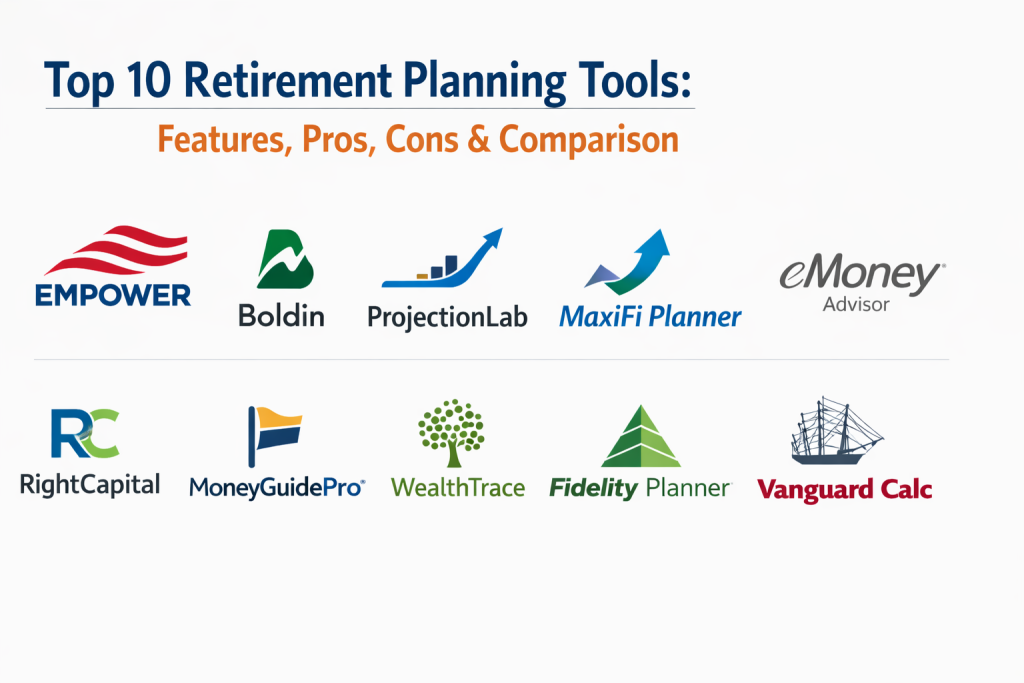
Introduction
Retirement planning tools are sophisticated financial platforms designed to help individuals and professionals project future income, estimate expenses, and determine the sustainability of their savings. These tools use complex mathematical models—such as Monte Carlo simulations—to account for variables like market volatility, inflation, and life expectancy. In the current economic climate, where traditional pensions are less common, these digital assistants have become essential for bridge-building between today’s earnings and tomorrow’s lifestyle needs.
As we navigate a more complex financial world, the integration of real-time data and automated projections has transformed these tools from simple calculators into comprehensive wealth management engines. They allow users to visualize their financial trajectory, test “what-if” scenarios, and optimize withdrawal strategies to minimize tax burdens. For many, these tools provide the clarity needed to make informed decisions about when to retire and how to allocate assets to ensure their money lasts as long as they do.
Real-World Use Cases
- Simulating early retirement scenarios (FIRE) to determine the exact age one can stop working based on current savings.
- Modeling the impact of Social Security claiming ages to maximize lifetime benefits for a household.
- Comparing traditional versus Roth contribution strategies to optimize tax efficiency during both the accumulation and distribution phases.
- Planning for long-term care and healthcare costs to ensure a medical crisis does not deplete a retirement nest egg.
- Coordinating complex household finances, including multiple 401(k) accounts, IRAs, and rental properties into a single unified view.
Evaluation Criteria for Buyers
- The ability to aggregate all financial accounts automatically for a real-time view of net worth and asset allocation.
- The sophistication of the projection engine, specifically the use of advanced probability modeling.
- Ease of use and visual clarity of the dashboard for non-financial professionals.
- Specific modules for tax-efficient withdrawal sequences and Roth conversion analysis.
- The level of security and encryption used to protect sensitive financial credentials.
- The flexibility to create and compare multiple life scenarios simultaneously.
- The quality of educational resources and customer support available to users.
Best for: Individual investors, financial planners, employees looking to maximize workplace benefits, and retirees seeking a sustainable spending roadmap.
Not ideal for: Those with extremely simple financial lives who only need a basic savings goal, or individuals unwilling to link their financial accounts for automated tracking.
Key Trends in Retirement Planning Tools
- The widespread adoption of AI-driven predictive alerts that notify users when they are falling behind their savings targets.
- Integration of real-time inflation tracking to automatically adjust future spending requirements based on current economic data.
- A shift toward “consumption smoothing” algorithms that help users maintain a consistent standard of living throughout their entire life.
- The rise of auto-portability technology that simplifies moving retirement accounts between employers when changing jobs.
- Increased focus on “agentic AI” that can recommend specific investment rebalancing actions based on a user’s retirement timeline.
- Enhanced tax-optimization features that model the best sequence of withdrawals from various account types to lower a user’s effective tax rate.
- Collaborative planning portals designed specifically for couples to manage joint retirement goals more effectively.
- The growth of holistic wellness dashboards that link retirement readiness with other goals like debt reduction and emergency funds.
How We Selected These Tools
The tools featured in this list were selected based on their market prominence and the depth of their analytical capabilities. We prioritized platforms that offer more than just a basic calculator, focusing on those that provide comprehensive scenario modeling and account aggregation. Our evaluation considered the reliability of their data feeds, the transparency of their projection methodologies, and the overall user experience. We included a mix of free consumer-grade dashboards and professional-grade software that is now accessible to individual DIY planners. Finally, we looked for evidence of robust security standards and a commitment to regular feature updates to ensure these tools remain relevant in an ever-changing financial landscape.
Top 10 Retirement Planning Tools
1. Empower (Personal Dashboard)
Formerly known as Personal Capital, Empower is the industry leader for free net worth tracking and retirement planning. It provides a high-level view of all your finances by linking directly to your bank, brokerage, and retirement accounts. Its retirement planner is famous for its “Retirement Score,” which gives users an immediate health check on their financial future.
Key Features
- Automated account aggregation for a real-time consolidated view of all assets and liabilities.
- Sophisticated Monte Carlo simulations to calculate the probability of retirement success.
- An investment checkup tool that analyzes your current portfolio against your target allocation.
- A fee analyzer to find hidden costs in your 401(k) and other investment accounts.
- Smart “what-if” scenario testing for changing retirement dates or spending levels.
Pros
- The basic dashboard and planning tools are completely free to use.
- Highly intuitive interface that makes complex financial data easy to understand.
Cons
- The free version comes with sales calls for their paid wealth management services.
- Budgeting features are secondary to its investment and retirement focus.
Platforms / Deployment
Web / iOS / Android — Cloud
Security & Compliance
Standard multi-factor authentication and AES-256 bank-level encryption.
Integrations & Ecosystem
Empower integrates with thousands of financial institutions, making it one of the most robust aggregation engines available. It works well for users who want their planning and tracking in one place.
Support & Community
Extensive online help center and community forums, plus access to professional advisors for paid clients.
2. Boldin (NewRetirement)
Boldin is a deep-dive, DIY tool designed for users who want total control over every variable of their retirement plan. It offers a level of granularity that is usually only found in professional advisor software, making it a favorite for the “engineering-minded” planner.
Key Features
- Highly detailed cash-flow modeling that handles irregular income and unique life events.
- Advanced modules for Social Security and Medicare cost optimization.
- A dedicated Roth conversion calculator to plan tax-efficient transfers.
- Comparison of multiple scenarios such as downsizing a home or moving to a different state.
- Estate planning and legacy tracking features to manage what you leave behind.
Pros
- Offers unparalleled control over specific financial variables and “what-if” scenarios.
- Transparent and affordable subscription model for the premium version.
Cons
- The interface can be overwhelming for those who prefer simple visuals.
- Significant time investment is required to set up a truly accurate plan.
Platforms / Deployment
Web — Cloud
Security & Compliance
Bank-level security protocols and private data handling.
Integrations & Ecosystem
Focused strictly on the planning experience, it allows for account syncing through major providers but does not try to be a broad investment brokerage.
Support & Community
Very active user community and regular educational webinars focusing on advanced planning strategies.
3. ProjectionLab
ProjectionLab has quickly become the favorite tool for the Financial Independence, Retire Early (FIRE) community. It is a highly visual, privacy-first tool that allows users to model their entire financial life without necessarily linking their bank accounts if they prefer manual entry.
Key Features
- Stunning graphical visualizations that show the “lifetime” of your money in various charts.
- Robust support for both Monte Carlo and historical market back-testing simulations.
- A unique approach to “milestones” that tracks your progress toward specific life goals.
- High-level privacy options including the ability to run the software locally.
- Flexible “what-if” sliders that show the immediate impact of financial changes.
Pros
- Best-in-class user interface and visual design.
- Extremely flexible for unconventional retirement paths like FIRE.
Cons
- Lacks some of the deep tax-bracket modeling found in Boldin.
- Automated account syncing is only available in the paid tier.
Platforms / Deployment
Web — Self-hosted / Cloud
Security & Compliance
Privacy-focused with options for local data storage and standard encryption for cloud users.
Integrations & Ecosystem
Strong focus on individual data portability and standard financial format exports.
Support & Community
Strong presence on social platforms and a very responsive developer team that interacts with users.
4. MaxiFi Planner
Developed by renowned economists, MaxiFi Planner is built on the philosophy of “consumption smoothing.” It is designed to ensure you never run out of money by calculating the exact amount you can spend every year to maintain a consistent standard of living.
Key Features
- A proprietary “Living Standard” algorithm that optimizes annual spending levels.
- Automatic optimization of Social Security and retirement account withdrawal sequences.
- Full contingency planning that models the financial impact of the death of a spouse.
- Direct comparison of your “Base Plan” against an “Optimized Plan” suggested by the software.
- Deep integration with economic theories for high-accuracy life insurance and annuity modeling.
Pros
- Based on rigorous economic science rather than simple linear projections.
- Excellent for ensuring a sustainable lifestyle without over-saving or under-spending.
Cons
- The software has a significant learning curve and can be difficult to master.
- It may take longer to run scenarios compared to faster, modern web apps.
Platforms / Deployment
Web — Cloud
Security & Compliance
High-level data protection and secure server environments.
Integrations & Ecosystem
Mainly a standalone planning powerhouse, it focuses on the accuracy of its internal economic engines.
Support & Community
Professional-grade support and deep educational content explaining the economic logic behind the software.
5. eMoney Advisor
eMoney is a professional-grade platform used by thousands of financial advisors, but it is also available through many employer wellness programs. It is known for its “Wealth Management Portal” and its incredible depth in cash-flow and estate planning.
Key Features
- An interactive “Decision Center” that allows for live scenario testing during planning sessions.
- Comprehensive cash-flow modeling that handles complex estates, trusts, and business interests.
- A secure digital “Vault” for storing important financial and legal documents.
- Advanced estate and gift tax planning modules for high-net-worth users.
- Dynamic, real-time client portals that sync with institutional data.
Pros
- One of the most powerful and comprehensive planning tools in existence.
- Excellent for those who have a complex financial situation involving a business or estate.
Cons
- Primarily available through advisors or employers; difficult for an individual to buy directly.
- Can be overly complex for those with straightforward retirement needs.
Platforms / Deployment
Web — Hybrid
Security & Compliance
Enterprise-grade security, SOC 2 compliance, and robust audit logs.
Integrations & Ecosystem
Deeply integrated with professional financial systems, CRMs, and institutional custodians.
Support & Community
Extensive professional training through “eMoney University” and dedicated account management.
6. RightCapital
RightCapital is a modern competitor to the traditional advisor-grade tools. It is known for its sleek interface and unique features that help younger retirees or those with diverse financial goals like student loan planning alongside retirement.
Key Features
- Tax-efficient distribution modeling that specifically targets Roth conversion opportunities.
- A unique student loan management module for professionals still balancing debt.
- A “Snapshot” feature for quick retirement health checks and progress reports.
- Interactive Medicare and Social Security planning modules.
- Dynamic client portals that encourage regular engagement with the plan.
Pros
- A very modern and fast user experience compared to older enterprise tools.
- Excellent balance of high-level visuals and deep technical planning.
Cons
- Like eMoney, it is primarily marketed to financial professionals.
- Does not offer as much free consumer-level access as Empower.
Platforms / Deployment
Web — Cloud
Security & Compliance
Bank-level encryption and secure multi-factor authentication.
Integrations & Ecosystem
Strong connections to modern fintech tools and professional advisor stacks.
Support & Community
Proactive support for professional users and a growing library of client-facing educational materials.
7. MoneyGuidePro
MoneyGuidePro focuses on “Goals-Based” planning rather than just numbers. It is designed to help users identify their “Wants, Needs, and Wishes” and then builds a retirement strategy around achieving those specific life outcomes.
Key Features
- The “PlayZone” tool which uses interactive sliders to see the impact of changing retirement age or spending.
- Dedicated “Blocks” for micro-planning topics like Longevity or Long-Term Care.
- Built-in “Health Care Smart Goal” for estimating future Medicare costs.
- Integration with broad wealth management ecosystems for a holistic view.
- Robust Social Security modeling based on various claiming strategies.
Pros
- Very easy to understand for those who think in terms of goals rather than spreadsheets.
- Efficient for building a high-level comprehensive plan very quickly.
Cons
- Less focused on granular cash-flow details than tools like Boldin or eMoney.
- Access is typically restricted to those working with a financial professional.
Platforms / Deployment
Web — Cloud
Security & Compliance
Institutional security frameworks and high-level data privacy controls.
Integrations & Ecosystem
Deeply embedded in the Envestnet wealth management platform and other professional tools.
Support & Community
Strong professional community and extensive training resources for financial planners.
8. WealthTrace
WealthTrace is a robust retirement planning tool that balances professional-grade power with an accessible consumer interface. It is particularly strong at “what-if” scenarios for those concerned about market crashes and inflation.
Key Features
- Detailed Monte Carlo and historical stress-testing to see how a plan survives bad markets.
- Integration with multiple custodians for automated account syncing.
- Specific modules for analyzing the impact of pensions and different Social Security dates.
- Comprehensive reporting that is clear and easy for non-experts to read.
- Advanced “What-If” scenarios focused on early retirement and healthcare costs.
Pros
- Provides a great balance of technical power and user accessibility.
- Affordable for individuals who want an advisor-grade tool without the advisor.
Cons
- The interface looks a bit more traditional and less “sleek” than ProjectionLab.
- Some users may find the amount of data input required to be high.
Platforms / Deployment
Web — Self-hosted / Cloud
Security & Compliance
Standard financial industry security and private data protection.
Integrations & Ecosystem
Integrates well with major financial institutions for data syncing.
Support & Community
Solid customer support and helpful documentation for new users.
9. Fidelity Retirement Planner
For those who already have accounts with Fidelity, this built-in tool is an excellent starting point. it uses Fidelity’s institutional research to provide a “Retirement Score” and actionable advice on your investment mix.
Key Features
- Direct integration with your Fidelity investment and retirement accounts.
- A simple interactive timeline that shows your income versus your expenses.
- Research-backed guidance on asset allocation and withdrawal rates.
- Ability to include outside accounts for a more complete picture.
- Personalized action plans based on your specific retirement gaps.
Pros
- Convenient and free for existing Fidelity customers.
- Backed by one of the largest and most stable financial institutions in the world.
Cons
- Less flexible for those who want to model complex, unconventional scenarios.
- The analysis is naturally geared toward Fidelity’s own investment products.
Platforms / Deployment
Web / iOS / Android — Cloud
Security & Compliance
Top-tier institutional security with MFA and extensive data protections.
Integrations & Ecosystem
Perfectly integrated within the Fidelity ecosystem but can import data from other firms.
Support & Community
Unmatched human support with thousands of local branches and 24/7 phone assistance.
10. Vanguard Retirement Nest Egg Calculator
Vanguard offers a simplified, high-quality Monte Carlo simulator for those who want a quick “gut check” on their retirement without spending hours entering data or linking accounts.
Key Features
- A simple, non-login tool for fast retirement sustainability checks.
- Uses historical market data to run 100,000 simulations of your plan.
- Allows for adjusting time horizons and spending levels instantly.
- Clear visual results showing the probability of your money lasting.
- Built-in guidance for long-term, low-cost investing strategies.
Pros
- No account setup or personal data required for a basic check.
- Fast, free, and grounded in conservative, long-term investing principles.
Cons
- Lacks the depth for tax, Social Security, or healthcare planning.
- Too simple for someone with a complex financial life.
Platforms / Deployment
Web — Cloud
Security & Compliance
No sensitive data is stored; standard web security protocols apply.
Integrations & Ecosystem
Primarily a standalone calculator designed for quick education.
Support & Community
Access to Vanguard’s vast library of investor education and general customer service.
Comparison Table (Top 10)
| Tool Name | Best For | Platform(s) Supported | Deployment | Standout Feature | Public Rating |
| 1. Empower | Free Tracking | Web, iOS, Android | Cloud | Account Aggregation | 4.8/5 |
| 2. Boldin | DIY Detailed Planning | Web | Cloud | Scenario Modeling | 4.7/5 |
| 3. ProjectionLab | FIRE Community | Web | Hybrid | Visual UX & Privacy | 4.9/5 |
| 4. MaxiFi Planner | Spending Optimization | Web | Cloud | Living Standard Math | 4.5/5 |
| 5. eMoney Advisor | High-Net-Worth | Web | Hybrid | Document Vault | 4.7/5 |
| 6. RightCapital | Modern UX / Debt | Web | Cloud | Student Loan Module | 4.6/5 |
| 7. MoneyGuidePro | Goals-Based Planning | Web | Cloud | PlayZone Interaction | 4.5/5 |
| 8. WealthTrace | Stress-Testing | Web | Cloud | Market Crash Analysis | 4.4/5 |
| 9. Fidelity Planner | Fidelity Customers | Web, iOS, Android | Cloud | Retirement Score | 4.4/5 |
| 10. Vanguard Calc | Quick Gut-Check | Web | Cloud | Simple Monte Carlo | N/A |
Evaluation & Scoring of Retirement Planning Tools
| Tool Name | Core (25%) | Ease (15%) | Integrations (15%) | Security (10%) | Perf (10%) | Support (10%) | Value (15%) | Total |
| 1. Empower | 8 | 9 | 10 | 9 | 8 | 8 | 10 | 8.8 |
| 2. Boldin | 10 | 6 | 8 | 8 | 8 | 9 | 9 | 8.5 |
| 3. ProjectionLab | 8 | 9 | 7 | 10 | 9 | 8 | 8 | 8.3 |
| 4. MaxiFi Planner | 10 | 4 | 6 | 8 | 7 | 8 | 7 | 7.4 |
| 5. eMoney | 10 | 5 | 9 | 10 | 8 | 10 | 5 | 8.1 |
| 6. RightCapital | 9 | 8 | 8 | 9 | 9 | 9 | 6 | 8.2 |
| 7. MoneyGuidePro | 8 | 8 | 8 | 9 | 9 | 9 | 6 | 7.9 |
| 8. WealthTrace | 9 | 7 | 7 | 8 | 8 | 7 | 8 | 7.7 |
| 9. Fidelity | 7 | 9 | 7 | 10 | 9 | 10 | 9 | 8.4 |
| 10. Vanguard | 5 | 10 | 4 | 10 | 10 | 7 | 10 | 7.5 |
The scoring emphasizes that while some tools are mathematically more complex, they may be harder for the average user to navigate. Empower and Fidelity score high on value and ease because they provide excellent basic planning for free. In contrast, Boldin and MaxiFi score higher in core features due to their advanced technical depth for serious planners.
Which Retirement Planning Tool Is Right for You?
Solo / Freelancer
For those managing their own finances, Empower is the best starting point for a free overview. If you want to dig deeper into the math of when you can retire, Boldin or ProjectionLab offer the best DIY experience.
SMB (Small to Medium Business)
Employees at smaller companies should look for tools that offer personal financial wellness, such as the retirement planners provided by Fidelity or Vanguard. These tools help simplify the complex task of saving for the future.
Mid-Market
For households with multiple income streams and diverse assets, WealthTrace or the premium version of Boldin provide the necessary depth to coordinate complicated withdrawal and tax strategies.
Enterprise
Professional financial advisors and large wealth management firms should focus on eMoney or RightCapital. These platforms offer the robust compliance and institutional-grade security required for large-scale financial planning.
Budget vs Premium
If you want the best tool without spending money, Empower is the winner. For those willing to pay for precision, MaxiFi Planner or Boldin provide expert-level economic modeling that can potentially save you thousands in taxes.
Feature Depth vs Ease of Use
MaxiFi and Boldin offer the most depth but take time to learn. Fidelity and Empower are built for speed and clarity, allowing you to see your retirement health in just a few minutes.
Integrations & Scalability
Empower scales best with the number of financial accounts you have, while eMoney and RightCapital scale best for those who need professional advisor collaboration.
Security & Compliance Needs
If you are concerned about sharing data with third parties, ProjectionLab (with its privacy-first model) or the institutional tools from Fidelity and Vanguard provide the highest levels of trust and safety.
Frequently Asked Questions (FAQs)
1. Are retirement planning tools accurate?
They are as accurate as the data you provide. They use historical averages and math to show possibilities, but they cannot predict exactly what the market will do in the future.
2. Should I use a free or a paid tool?
Free tools like Empower are great for a general overview. Paid tools like Boldin are better if you need specific help with taxes, Social Security, or complex life scenarios.
3. Is it safe to link my bank accounts to these apps?
Most reputable tools use bank-level encryption and do not store your actual passwords. However, if you are concerned, tools like ProjectionLab allow for manual data entry.
4. How often should I update my retirement plan?
You should review your plan at least once a year or whenever you have a major life event, such as a job change, marriage, or the birth of a child.
5. What is a Monte Carlo simulation?
It is a math technique that runs your plan through thousands of different market scenarios—both good and bad—to see how often your money lasts until the end of your life.
6. Can these tools help me with my taxes?
Many of the premium tools can model Roth conversions and show you which accounts to withdraw from first to lower your tax bill during retirement.
7. Do I still need a human financial advisor?
These tools are powerful assistants, but a human advisor can provide emotional guidance and help with complex legal or estate issues that a machine might miss.
8. Can I plan for early retirement with these tools?
Yes, tools like ProjectionLab and Boldin are specifically designed to handle early retirement (FIRE) scenarios where you may need to bridge the gap before Social Security starts.
9. What is a “safe withdrawal rate”?
This is the amount you can take from your savings each year without running out of money. Many tools help you calculate this based on your specific investment mix.
10. How do these tools handle inflation?
Most professional tools allow you to set an expected inflation rate, which automatically increases your projected future expenses to reflect higher costs of living.
Conclusion
Planning for retirement is one of the most significant technical challenges any individual will face. The ten tools highlighted in this guide represent the best of modern financial technology, offering varying levels of depth, automation, and mathematical precision. Whether you prefer the simplicity of an institutional dashboard or the granular control of a procedural planning engine, the right tool is the one that gives you the confidence to stay on track. By utilizing these platforms, you can transform abstract numbers into a concrete roadmap for a secure and comfortable future.
The most effective strategy is to start early and remain consistent in your evaluation. As life circumstances and market conditions shift, these tools act as your ongoing financial co-pilot. By mastering the technology available today, you ensure that your retirement is not a matter of chance, but a result of deliberate and informed planning. I suggest starting with a free tool like Empower or the Vanguard calculator to get a high-level view of your current standing. Once you have a baseline, you can decide if you need a more advanced platform to handle specific tax or scenario modeling needs.

Best Cardiac Hospitals Near You
Discover top heart hospitals, cardiology centers & cardiac care services by city.
Advanced Heart Care • Trusted Hospitals • Expert Teams
View Best Hospitals