Introduction
An intranet platform is a private network used by an organization to facilitate internal communication, collaboration, and knowledge sharing. Unlike public websites, these systems are gated and designed to serve as a “digital headquarters” where employees can access company news, policy documents, and departmental tools. In the current landscape, the traditional static intranet has evolved into a dynamic employee experience platform (EXP) that integrates with existing productivity suites to create a unified workspace. This shift is critical for maintaining corporate culture and operational efficiency in distributed and hybrid work environments.
Modern intranet solutions prioritize social connectivity, mobile accessibility, and intelligent search capabilities to ensure that information is never buried under layers of bureaucracy. For organizations, these platforms serve as a single source of truth, reducing the friction of “information silos” and improving employee engagement. When evaluating a platform, decision-makers must consider the ease of content creation, the depth of integrations with third-party applications, and the robust security protocols required to protect sensitive internal data.
Best for: Mid-to-large enterprises, healthcare systems, and geographically dispersed teams that need a centralized hub for corporate communication and resource management.
Not ideal for: Very small startups that can manage communication through simple chat applications or small businesses without a dedicated internal communications strategy.
Key Trends in Intranet Platforms
- AI-Powered Knowledge Retrieval: Large language models are being integrated into search bars to provide direct answers from internal documents rather than just a list of links.
- Hyper-Personalization: Content delivery is increasingly governed by employee roles, locations, and interests, ensuring that users only see information relevant to their specific job function.
- Mobile-First Employee Apps: With a growing frontline workforce, platforms are launching dedicated mobile apps that offer the same functionality as the desktop version for workers without desks.
- Employee Well-being Integration: Modern intranets now include built-in modules for mental health resources, pulse surveys, and peer-to-peer recognition to bolster morale.
- Zero-Trust Security Models: As remote work persists, intranet access is being secured through continuous verification protocols and hardware-level authentication.
- Low-Code Customization: Intranets are moving away from rigid templates, allowing non-technical HR and Communications teams to build custom pages using drag-and-drop components.
How We Selected These Tools (Methodology)
- User Experience (UX): We prioritized platforms with modern, intuitive interfaces that mirror the ease of use found in consumer-grade social media.
- Feature Completeness: Selected tools must offer a mix of communication (news), collaboration (document sharing), and community (social) features.
- Integration Ecosystem: A high priority was placed on how well the platform syncs with major suites like Microsoft 365 and Google Workspace.
- Administrative Control: We evaluated the depth of analytics and content management tools available to internal communications teams.
- Security Posture: Preference was given to tools with enterprise-grade encryption, SSO capabilities, and compliance with global data standards.
- Scalability: The tools must perform reliably whether serving 500 or 50,000 users across various regions.
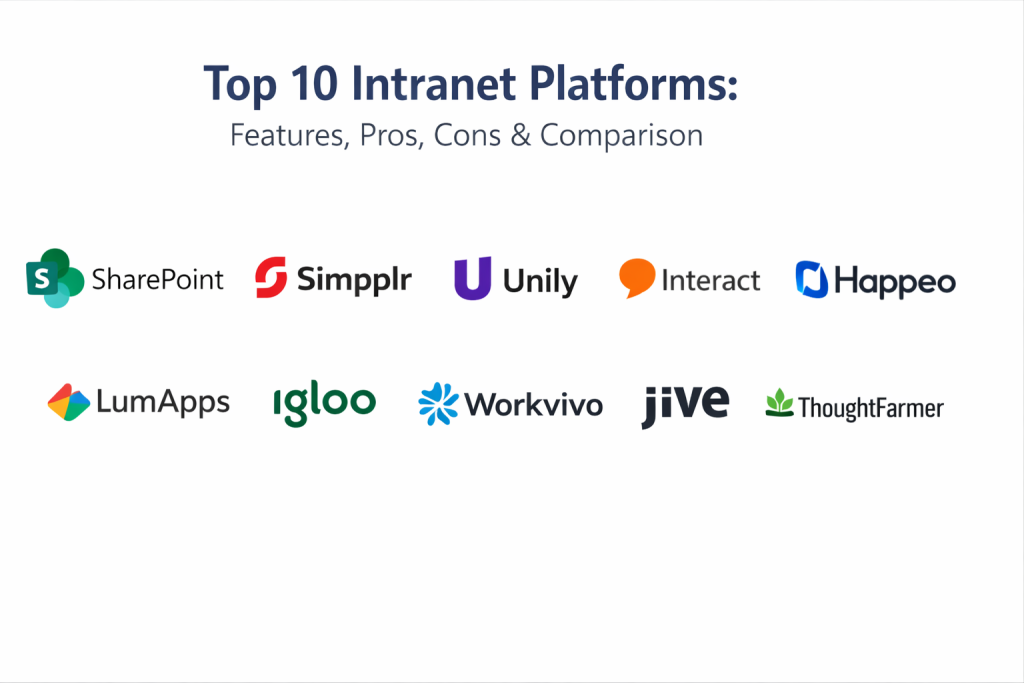
Top 10 Intranet Platforms
1. SharePoint (Microsoft Viva)
SharePoint, often combined with the Microsoft Viva suite, is the dominant enterprise intranet solution for organizations already deep in the Microsoft ecosystem. It offers unparalleled depth in document management and departmental site creation.
Key Features
- Seamless integration with Teams, Outlook, and OneDrive.
- Advanced document versioning and co-authoring capabilities.
- Viva Connections for a personalized, branded employee feed.
- Powerful search powered by Microsoft Graph.
- Highly customizable site templates for diverse departments.
Pros
- Included in most Microsoft 365 enterprise licenses.
- Extremely powerful for complex document-heavy organizations.
Cons
- Requires significant technical expertise to customize and maintain.
- User interface can feel cluttered if not properly managed.
Platforms / Deployment
- Windows / macOS / iOS / Android
- Cloud / Hybrid
Security & Compliance
- SSO/SAML, MFA, and Microsoft Entra ID integration.
- SOC 2, ISO 27001, and HIPAA compliant.
Integrations & Ecosystem
Standard-setting integration with the entire Microsoft 365 suite.
- Microsoft Teams
- Power BI
- Planner
- Azure DevOps
Support & Community
Vast global network of partners, consultants, and official Microsoft documentation.
2. Simpplr
Simpplr is a modern employee experience platform that focuses on simplicity and ease of use. It leverages artificial intelligence to help organizations surface relevant content and measure employee sentiment.
Key Features
- AI-driven personalized news feeds for every employee.
- Smart search that indexes across connected applications.
- Built-in employee recognition and pulse survey modules.
- “Auto-Governance” to keep content from becoming outdated.
- Native mobile app for frontline workers.
Pros
- Very fast deployment compared to traditional intranets.
- Extremely intuitive for non-technical users.
Cons
- Less flexibility for complex, custom-coded site structures.
- Premium pricing compared to basic competitors.
Platforms / Deployment
- Web / iOS / Android
- Cloud
Security & Compliance
- SSO/SAML, encryption at rest and in transit.
- SOC 2 Type II and GDPR compliant.
Integrations & Ecosystem
Strong focus on the most popular enterprise SaaS tools.
- Slack
- Google Drive
- Box
- Okta
Support & Community
High-rated customer success program and a community of internal comms professionals.
3. Unily
Unily is a high-end enterprise employee experience platform designed for global organizations that require a sophisticated, highly branded digital workplace.
Key Features
- Multi-lingual support with automatic translation capabilities.
- Advanced targeting for tailored content delivery.
- Engagement features like social “likes,” comments, and follows.
- High-fidelity branding and design flexibility.
- Deep analytics to track reach and engagement metrics.
Pros
- Capability to handle massive, complex global workforces.
- Exceptional design and branding options.
Cons
- Significant investment required for implementation.
- Can be overwhelming for smaller organizations.
Platforms / Deployment
- Web / iOS / Android
- Cloud
Security & Compliance
- ISO 27001, SOC 2, and rigorous pentesting protocols.
- RBAC and MFA support.
Integrations & Ecosystem
Comprehensive integration suite for enterprise-level stacks.
- Microsoft 365
- Google Workspace
- Workday
- Salesforce
Support & Community
Dedicated account management and 24/7 technical support for global clients.
4. Interact
Interact is a long-standing player in the intranet space, known for its focus on internal communications and its ability to solve complex “people findability” issues in large firms.
Key Features
- Intelligent “People Directory” with rich profile data.
- Mandatory reading features for critical policy updates.
- Sophisticated workflow and form builder.
- Multi-channel messaging (Email, SMS, App notifications).
- Content health score to identify stale pages.
Pros
- Strong focus on solve-specific communication challenges.
- Flexible enough for both corporate and frontline use.
Cons
- UI can feel slightly dated compared to some newer EXP entrants.
- Configuration of advanced workflows can take time.
Platforms / Deployment
- Web / iOS / Android
- Cloud / Hybrid
Security & Compliance
- ISO 27001 certified and GDPR compliant.
- SAML-based SSO and encryption.
Integrations & Ecosystem
Broad range of connectors for productivity and HRIS tools.
- Microsoft 365
- Google Workspace
- ServiceNow
- Workday
Support & Community
Highly active community forums and regular training webinars.
5. Happeo
Happeo is an intranet platform designed specifically for organizations using Google Workspace. It blends a traditional intranet with social networking and collaboration tools.
Key Features
- Deep, native integration with Google Drive, Calendar, and Gmail.
- Social “Channels” for interest-based groups and discussions.
- Real-time document previews and editing within the platform.
- Dynamic organizational charts.
- Federated search across the entire Google ecosystem.
Pros
- The best choice for organizations dedicated to Google Workspace.
- Very clean, modern interface that requires little training.
Cons
- Not suitable for organizations using Microsoft or other suites.
- Limited advanced workflow customization.
Platforms / Deployment
- Web / iOS / Android
- Cloud
Security & Compliance
- ISO 27001 and GDPR compliant.
- Leverages Google Cloud’s security infrastructure.
Integrations & Ecosystem
Optimized for the Google Cloud and Workspace environment.
- Google Workspace
- Slack
- Zoom
- LumApps
Support & Community
Strong customer success focus for mid-market and enterprise clients.
6. LumApps
LumApps is a social collaborative intranet that is equally proficient in both the Microsoft and Google ecosystems, making it a favorite for organizations in transition or with mixed environments.
Key Features
- Employee advocacy tools to share content externally.
- Automated onboarding paths for new hires.
- Global communication targeting by persona or location.
- “Video Center” for internal training and town halls.
- Communities of practice for peer-to-peer knowledge sharing.
Pros
- Versatile enough to bridge different cloud ecosystems.
- Strong emphasis on employee lifecycle management.
Cons
- Setup can be complex due to the breadth of features.
- Mobile experience can vary depending on customization.
Platforms / Deployment
- Web / iOS / Android
- Cloud
Security & Compliance
- SOC 2 Type II and ISO 27001.
- Strong RBAC and data privacy controls.
Integrations & Ecosystem
Broad integration list across multiple domains.
- Microsoft 365
- Google Workspace
- ServiceNow
- SAP SuccessFactors
Support & Community
Global support presence with a dedicated “LumApps Community” for users.
7. Igloo Software
Igloo focuses on creating “digital destinations” for specific business challenges, providing pre-configured solutions for HR, Marketing, and Operations.
Key Features
- “Solution Hubs” tailored for specific departmental needs.
- Knowledge management and wiki-style functionality.
- Task management and project tracking within the intranet.
- Integrated calendars and event management.
- File sharing with granular permission controls.
Pros
- Fast implementation using pre-built departmental hubs.
- Strong focus on collaborative work rather than just news.
Cons
- May feel less “social” than some competitors.
- Search performance can vary with extremely large datasets.
Platforms / Deployment
- Web / iOS / Android
- Cloud
Security & Compliance
- SOC 2 Type II and ISO 27001.
- Encryption at rest and transit.
Integrations & Ecosystem
Solid connectivity with standard business tools.
- Microsoft 365
- Salesforce
- Dropbox
- Zendesk
Support & Community
Professional services for implementation and a helpful knowledge base.
8. Workvivo
Workvivo (now part of Zoom) focuses heavily on the “social” aspect of the intranet, aiming to look and feel like a corporate version of a modern social media feed.
Key Features
- Activity feed-driven interface with likes and mentions.
- Built-in employee recognition and rewards system.
- Direct integration with Zoom for live internal broadcasting.
- Digital signage integration for physical office spaces.
- “Spaces” for community and interest-group engagement.
Pros
- High adoption rates due to the familiar social interface.
- Excellent for building company culture and morale.
Cons
- Not as strong for deep document management as SharePoint.
- Can become noisy if posting guidelines aren’t established.
Platforms / Deployment
- Web / iOS / Android
- Cloud
Security & Compliance
- SOC 2 Type II and GDPR.
- Encrypted data and SSO support.
Integrations & Ecosystem
Strongest ties are now with the Zoom ecosystem.
- Zoom (Meetings/Rooms)
- Slack
- Microsoft 365
- Google Workspace
Support & Community
High-energy customer success team and active user events.
9. Jive
Jive is a veteran in the social intranet space, offering a robust platform designed to facilitate large-scale collaboration and internal community building.
Key Features
- Advanced social collaboration with threaded discussions.
- Impact metrics to measure how content influences behavior.
- “Jive Daily” mobile app for on-the-go communication.
- External communities for customer or partner engagement.
- Deep integration with legacy on-premise systems.
Pros
- Extremely powerful for large-scale enterprise communities.
- Proven track record in highly regulated industries.
Cons
- Can feel heavy and complex compared to modern EXP apps.
- Slower innovation cycle than some cloud-native competitors.
Platforms / Deployment
- Web / iOS / Android
- Cloud / On-Premise / Hybrid
Security & Compliance
- Federal-grade security options.
- HIPAA and SOC 2 compliance.
Integrations & Ecosystem
Focuses on bridging old and new technology stacks.
- Microsoft 365
- Google Workspace
- Cisco Webex
- Jira
Support & Community
Extensive documentation and long-standing user forums.
10. ThoughtFarmer
ThoughtFarmer is a boutique intranet provider that focuses on creating beautiful, user-friendly workspaces with a strong emphasis on content management.
Key Features
- Drag-and-drop page builder for non-technical editors.
- Powerful “Best-match” search algorithm.
- Form builder for vacation requests and internal surveys.
- Visual organizational charts with live data.
- Integrated social features like commenting and tagging.
Pros
- Very easy to manage for small HR or Comms teams.
- Clean, aesthetically pleasing design.
Cons
- Fewer “out-of-the-box” integrations than giant competitors.
- Best suited for mid-market rather than massive global firms.
Platforms / Deployment
- Web / iOS / Android
- Cloud / Self-hosted
Security & Compliance
- SOC 2 and GDPR compliant.
- Local hosting options for data sovereignty.
Integrations & Ecosystem
Solid core integrations for productivity.
- Microsoft 365
- Google Workspace
- Slack
Support & Community
Known for personalized, high-touch customer support.
Comparison Table
| Tool Name | Best For | Platform(s) Supported | Deployment | Standout Feature | Public Rating |
| 1. SharePoint | Microsoft Teams | Win, Mac, iOS, And | Hybrid | Deep Doc Management | N/A |
| 2. Simpplr | AI Personalization | Web, iOS, Android | Cloud | Auto-Governance | N/A |
| 3. Unily | Global Enterprise | Web, iOS, Android | Cloud | Multi-lingual Targeting | N/A |
| 4. Interact | Internal Comms | Web, iOS, Android | Hybrid | Multi-channel Messaging | N/A |
| 5. Happeo | Google Workspace | Web, iOS, Android | Cloud | Live Google Drive Sync | N/A |
| 6. LumApps | Mixed Ecosystems | Web, iOS, Android | Cloud | Employee Advocacy | N/A |
| 7. Igloo | Departmental Hubs | Web, iOS, Android | Cloud | Solution Hubs | N/A |
| 8. Workvivo | Social Culture | Web, iOS, Android | Cloud | Zoom Broadcast Sync | N/A |
| 9. Jive | Enterprise Social | Web, iOS, Android | Hybrid | Impact Metrics | N/A |
| 10. ThoughtFarmer | Ease of Use | Web, iOS, Android | Hybrid | Drag-and-drop Builder | N/A |
Evaluation & Scoring of Intranet Platforms
| Tool Name | Core (25%) | Ease (15%) | Integrations (15%) | Security (10%) | Performance (10%) | Support (10%) | Value (15%) | Weighted Total |
| 1. SharePoint | 10 | 3 | 10 | 10 | 8 | 8 | 9 | 8.15 |
| 2. Simpplr | 8 | 9 | 8 | 9 | 9 | 9 | 7 | 8.25 |
| 3. Unily | 9 | 6 | 9 | 10 | 9 | 9 | 6 | 8.05 |
| 4. Interact | 9 | 7 | 8 | 9 | 8 | 8 | 7 | 7.95 |
| 5. Happeo | 7 | 9 | 9 | 8 | 9 | 8 | 8 | 7.95 |
| 6. LumApps | 9 | 7 | 9 | 9 | 8 | 8 | 7 | 8.05 |
| 7. Igloo | 8 | 7 | 7 | 9 | 8 | 8 | 8 | 7.70 |
| 8. Workvivo | 7 | 10 | 8 | 8 | 9 | 9 | 8 | 8.10 |
| 9. Jive | 9 | 4 | 7 | 10 | 7 | 7 | 6 | 7.10 |
| 10. ThoughtFarmer | 7 | 9 | 6 | 8 | 8 | 10 | 8 | 7.75 |
The scoring indicates that Simpplr and SharePoint lead for different reasons; Simpplr for its usability and AI, and SharePoint for its sheer power and value within the Microsoft ecosystem. Tools like Workvivo score exceptionally high in ease of use, making them ideal for cultures where adoption is the primary challenge.
Which Intranet Platform Tool Is Right for You?
Solo / Freelancer
Intranet platforms are generally not designed for solo users. A simple cloud storage solution like Google Drive or a project tool like Notion is far more appropriate for managing individual workflows.
SMB
Small businesses should look for tools that are easy to maintain without a dedicated IT team. ThoughtFarmer or Happeo (if on Google) are excellent choices that provide high value with low administrative overhead.
Mid-Market
Organizations with 500 to 2,000 employees benefit most from Simpplr or Workvivo. These platforms bridge the gap between simple chat and complex enterprise systems, focusing on culture and clear communication.
Enterprise
For global firms with complex security and multi-lingual needs, SharePoint, Unily, or LumApps are the only tools with the necessary depth to handle a massive employee base and complex governance requirements.
Budget vs Premium
SharePoint is often the “budget” choice because it is already paid for in Microsoft 365 licenses. Unily and Simpplr are premium “best-of-breed” solutions that require additional investment but offer superior specialized features.
Feature Depth vs Ease of Use
If you need deep document management and workflow automation, SharePoint is the leader. If you prioritize employee adoption and social engagement, Workvivo is the superior option.
Integrations & Scalability
LumApps and SharePoint lead in scalability, offering robust APIs and native connectors that allow the intranet to grow alongside your corporate technology stack.
Security & Compliance Needs
High-security industries like finance and defense should stick with SharePoint or Jive, as these offer the most advanced on-premise or specialized cloud security configurations.
Frequently Asked Questions
What is an Intranet?
An intranet is a private internal network that helps employees communicate, collaborate, and access company resources in a secure environment.
Is SharePoint an intranet?
Yes, SharePoint is a platform used to build intranets, though it often requires customization to function as a modern employee experience portal.
How much does an intranet cost?
Pricing varies from $2 to $10 per user per month, plus potential implementation fees that can range from a few thousand to hundreds of thousands for large firms.
Can frontline workers use an intranet?
Yes, modern platforms offer mobile apps specifically designed for workers who do not have a company email or a desk.
How long does it take to launch an intranet?
A simple cloud intranet can launch in 4 to 8 weeks, while a complex enterprise-wide SharePoint build can take 6 months to a year.
What is the difference between an intranet and a portal?
An intranet focuses on communication and culture, while a portal is usually a gateway to specific applications and data for functional tasks.
Do intranets help with remote work?
Absolutely. They serve as the “digital watercooler” and the single source for policy and news, which is vital for keeping remote teams aligned.
Can an intranet be social?
Modern intranets are very social, featuring newsfeeds, likes, comments, and employee recognition tools similar to LinkedIn or Facebook.
Who should own the intranet?
Successful intranets are usually a partnership between Internal Communications (content), HR (culture), and IT (infrastructure).
Are intranets becoming obsolete?
No, they are evolving. They are moving away from static links toward integrated “Employee Experience Platforms” that sit at the center of the digital workplace.
Conclusion
Choosing the right intranet platform is a strategic decision that directly impacts how your employees connect with your company’s mission and each other. The evolution from static repositories to social, AI-driven digital headquarters means that organizations can now foster a much deeper sense of belonging and operational transparency. Whether you leverage the power of SharePoint or the intuitive social features of Workvivo, the goal remains to create a seamless, secure, and engaging digital environment for your team. To move forward, begin by auditing your current communication gaps, shortlist two platforms that match your existing productivity suite, and initiate a pilot program with a diverse group of employees to ensure the chosen solution truly meets their daily needs.

Best Cardiac Hospitals Near You
Discover top heart hospitals, cardiology centers & cardiac care services by city.
Advanced Heart Care • Trusted Hospitals • Expert Teams
View Best Hospitals