Introduction
Meeting notes automation tools are specialized software applications that use artificial intelligence and natural language processing to record, transcribe, and summarize conversations in real-time. These tools eliminate the administrative burden of manual minute-taking by identifying key decisions, assigning action items, and providing searchable transcripts immediately after a call ends. In the current landscape, these platforms have evolved from simple transcription engines into “meeting assistants” that can join calls autonomously, capture shared visual content, and integrate directly with project management systems to ensure that verbal commitments are tracked as formal tasks.
As distributed and hybrid work models remain the global standard, the ability to maintain a centralized, searchable database of institutional knowledge is vital for operational efficiency. Modern meeting automation allows team members who were absent to catch up in minutes via structured summaries rather than watching hours of video recordings. For buyers, the selection process must prioritize transcription accuracy across diverse accents, the ability to handle technical jargon, and—most importantly—rigorous data privacy standards to protect sensitive corporate discussions.
Best for: Project managers, sales teams, executive assistants, and hybrid organizations looking to improve accountability and reduce the time spent on post-meeting administrative tasks.
Not ideal for: Casual social calls, highly classified military-grade briefings requiring physical air-gapping, or environments with extreme background noise where high-fidelity recording is technically impossible.
Key Trends in Meeting Notes Automation Tools
- Agentic Meeting Participation: AI “bots” now join meetings as visible participants, following the agenda in real-time and nudging speakers when the discussion drifts off-topic.
- On-Device Local Processing: To address privacy concerns, many tools now offer local speech-to-text engines that process audio on the user’s hardware rather than sending it to a third-party cloud.
- Biometric Speaker Attribution: Advanced voice profiling allows software to distinguish between multiple people in a single room using a shared microphone, ensuring the transcript correctly identifies who said what.
- Sentiment and Engagement Analytics: Beyond just text, tools now analyze the tone of voice and speaking ratios to provide insights into participant engagement and meeting health.
- Generative Follow-up Drafts: Automation now extends to drafting the follow-up email, complete with a summary of the meeting and a list of specific tasks assigned to each attendee.
- Zero-Bot Extensions: For users who find visible bots intrusive, new browser-based and desktop integrations allow for invisible capture of Google Meet or Zoom sessions.
How We Selected These Tools (Methodology)
- Transcription Accuracy: We prioritized tools built on modern large language models that demonstrate high precision in transcribing complex professional dialogue.
- Workflow Integration: We evaluated how effectively each tool pushes notes and tasks into popular CRMs and project management platforms like Salesforce or Asana.
- Security Posture: Selected tools must meet enterprise standards for data handling, including encryption at rest and in transit.
- Meeting Insight Depth: We looked for platforms that go beyond simple summaries to offer “Ask Me Anything” features for querying past meeting libraries.
- Multi-Platform Support: The tools had to perform reliably across the big three: Zoom, Microsoft Teams, and Google Meet.
- User Experience: We considered the “time-to-value,” favoring tools that require minimal configuration to start producing high-quality summaries.
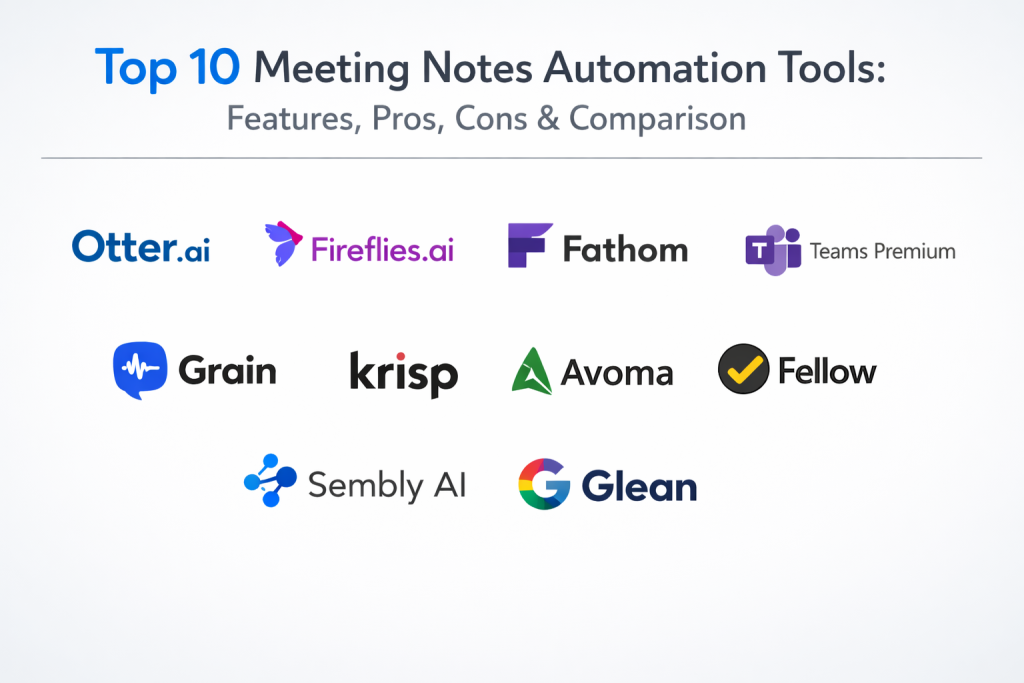
Top 10 Meeting Notes Automation Tools
1. Otter.ai
Otter.ai is one of the most established names in the space, known for its high-speed real-time transcription and its “OtterPilot” feature which automates meeting entry and slide capture. It is a favorite for teams that need a reliable, searchable voice database.
Key Features
- OtterPilot for automatic meeting joining and recording.
- Real-time transcription with automated speaker identification.
- Automated slide capture that embeds visuals into the notes.
- Otter Chat for querying insights across your entire meeting history.
- Live summary generation to help late-comers catch up.
Pros
- Exceptional real-time speed and intuitive interface.
- Strong collaborative features for editing notes during the call.
Cons
- Limited language support compared to some newer competitors.
- Can be overly aggressive in joining every calendar event by default.
Platforms / Deployment
- Web / Windows / macOS / iOS / Android
- Cloud
Security & Compliance
- SOC 2 Type II, GDPR compliant.
- Two-factor authentication and data encryption.
Integrations & Ecosystem
Strongest with standard productivity suites and conferencing.
- Slack
- Zoom
- Microsoft Teams
- Google Meet
Support & Community
Extensive online help center, video tutorials, and dedicated enterprise account management.
2. Fireflies.ai
Fireflies.ai is an enterprise-grade assistant that focuses on deep analytics and “conversation intelligence.” It is designed for high-volume environments like sales and recruitment where tracking specific keywords and sentiments is critical.
Key Features
- “Ask Fred” AI assistant for querying specific meeting details.
- Sentiment analysis and speaker talk-time tracking.
- Custom topic trackers to flag mentions of competitors or pricing.
- Automatic sync of notes and recordings to CRMs.
- Soundbites feature for creating shareable audio clips from meetings.
Pros
- Highly customizable summary templates for different meeting types.
- Supports over 100 languages with high accuracy.
Cons
- Advanced analytics features are locked behind higher price tiers.
- The interface can feel overwhelming for basic users.
Platforms / Deployment
- Web / Chrome / iOS / Android
- Cloud (with Zero Data Retention options)
Security & Compliance
- SOC 2 Type II, GDPR, and HIPAA compliance available.
- End-to-end encryption for stored recordings.
Integrations & Ecosystem
Boasts one of the largest integration libraries in the category.
- Salesforce
- HubSpot
- Slack
- Notion
Support & Community
Very active developer community and robust professional support for business plans.
3. Fathom
Fathom is widely recognized for its extremely generous free tier and its user-friendly approach. It is built to be a simple, “set-it-and-forget-it” tool for individuals and small teams who want high-quality summaries without a monthly bill.
Key Features
- Unlimited recording and transcription on the free plan.
- Instant summaries that appear seconds after the call ends.
- One-click highlighting to mark important moments during the call.
- Automated sync to CRMs for sales professionals.
- “Ask Fathom” natural language search for meeting content.
Pros
- Best-in-class free version for individual users.
- Minimalist design that doesn’t distract during meetings.
Cons
- Fewer advanced team-coaching features than specialized sales tools.
- The formal tone of the summaries is not highly customizable.
Platforms / Deployment
- Windows / macOS
- Cloud
Security & Compliance
- SOC 2 Type II, GDPR, and HIPAA compliant.
- Passed extensive security reviews by Zoom and Microsoft.
Integrations & Ecosystem
Focuses on core sales and productivity tools.
- HubSpot
- Salesforce
- Slack
- Zapier
Support & Community
Responsive customer support and a straightforward, self-service knowledge base.
4. Microsoft Teams Premium (Intelligent Recap)
For organizations already deep in the Microsoft ecosystem, Teams Premium provides a native “Intelligent Recap” that uses GPT-4 to generate summaries, tasks, and personalized timeline markers without requiring a third-party bot.
Key Features
- Intelligent Recap for automated summaries and task extraction.
- Personalized timeline markers showing when your name was mentioned.
- Speaker attribution for multiple people in a single conference room.
- Advanced noise suppression and voice isolation technology.
- Live translation of captions into dozens of languages.
Pros
- No third-party bots or external data processing needed.
- Seamless integration with Microsoft Planner and Outlook.
Cons
- Requires a specific Premium add-on license per user.
- Features are strictly limited to the Microsoft Teams environment.
Platforms / Deployment
- Windows / macOS / Linux / iOS / Android
- Cloud (Microsoft Azure)
Security & Compliance
- Native Microsoft 365 security, ISO 27001, and SOC 2.
- Sensitivity labels to control recording and transcription permissions.
Integrations & Ecosystem
Fully integrated with the Microsoft 365 stack.
- Microsoft Planner
- Loop Components
- SharePoint
- Outlook
Support & Community
Backed by Microsoft’s global enterprise support and vast documentation.
5. Fellow
Fellow is more than a note-taker; it is a full meeting management system. It emphasizes preparation, allowing teams to build collaborative agendas that turn into automated notes once the meeting starts.
Key Features
- Collaborative meeting agendas with pre-built templates.
- AI-generated summaries and action item extraction.
- “Ask Fellow” for cross-meeting knowledge discovery.
- Automatic CRM updates for sales and customer success.
- Feedback loops and meeting rating tools for team health.
Pros
- Promotes better meeting habits (agendas and preparation).
- Excellent for managing recurring 1-on-1s and team syncs.
Cons
- Most effective only if the whole team agrees to use it.
- Free version is very limited in terms of meeting history.
Platforms / Deployment
- Web / macOS / Windows / iOS / Android
- Cloud
Security & Compliance
- SOC 2 Type II, HIPAA, and GDPR compliant.
- Data is encrypted both in transit and at rest.
Integrations & Ecosystem
Strong focus on project management and developer tools.
- Jira
- Asana
- Slack
- HubSpot
Support & Community
Active blog and “Manager MQ” community focusing on leadership and meeting culture.
6. Grain
Grain is built for teams that need to turn meetings into “insights.” It specializes in creating short, shareable video clips from recordings, making it ideal for product researchers and sales coaches.
Key Features
- High-accuracy transcription and AI-driven summaries.
- Video clipping and “Highlight” reels for quick sharing.
- Collaborative workspace for organizing meeting libraries.
- Automated CRM field enrichment for sales deals.
- Speaker sentiment and pace tracking.
Pros
- The best tool for sharing “voice of the customer” clips.
- Very intuitive and fast clipping interface.
Cons
- Higher pricing for advanced conversation intelligence.
- Lacks some of the project management depth of Fellow.
Platforms / Deployment
- Web / macOS / Windows
- Cloud
Security & Compliance
- SOC 2 and GDPR compliant.
- Secure cloud storage with permission-based access.
Integrations & Ecosystem
Deep ties to the sales and customer success stack.
- Slack
- Salesforce
- HubSpot
- Zendesk
Support & Community
High-quality video documentation and a strong focus on “customer-centric” team training.
7. Krisp
Krisp originally gained fame for its noise-cancellation technology, but it has expanded into a powerful “bot-free” meeting assistant. It records and summarizes meetings directly from your computer’s audio without needing an external bot to join the call.
Key Features
- AI-powered background noise and echo cancellation.
- Bot-free meeting recording and transcription.
- Automated summaries with customizable templates.
- Local speech-to-text engine for enhanced privacy.
- Support for in-person meeting recording via mobile app.
Pros
- The most private option due to on-device processing.
- Works with any audio source, including specialized VOIP tools.
Cons
- Transcription can be slightly less accurate in very low-bandwidth calls.
- Primary value is still centered on noise removal.
Platforms / Deployment
- Windows / macOS / iOS
- Local / Cloud (Hybrid)
Security & Compliance
- SOC 2, HIPAA, and GDPR certified.
- Unique on-device engine ensures data never leaves the machine.
Integrations & Ecosystem
Compatible with every conferencing app because it works at the system audio level.
- Zoom
- Teams
- Slack
- Discord
Support & Community
Broad user base from freelancers to large enterprises; excellent technical support.
8. Avoma
Avoma is a “Conversation Intelligence” platform designed for revenue teams. It provides deep insights into the buyer journey by analyzing patterns across hundreds of meetings.
Key Features
- AI-generated summaries categorized by topic (e.g., pricing, objections).
- Talk-time ratios and monologue detection for sales coaching.
- Automatic CRM syncing of notes and deal risks.
- Smart Chapters for navigating long recordings quickly.
- Collaborative note-taking during live sessions.
Pros
- Excellent for identifying skill gaps in sales representatives.
- High-quality speaker identification and separation.
Cons
- Pricing is high for non-sales teams.
- Requires a significant amount of data to provide meaningful “intelligence.”
Platforms / Deployment
- Web / Zoom / Teams / Google Meet
- Cloud
Security & Compliance
- SOC 2 Type II and GDPR compliant.
- Role-based access controls for sensitive deal data.
Integrations & Ecosystem
Centric to the sales and marketing technology stack.
- Salesforce
- HubSpot
- Outreach
- Salesloft
Support & Community
Professional onboarding and a strong focus on revenue operations (RevOps) leadership.
9. Sembly AI
Sembly AI differentiates itself with “Sembly Agent,” an AI that can attend meetings on your behalf and send you a summary of what you missed, including any tasks specifically assigned to you.
Key Features
- Sembly Agent for “attending” meetings without the user.
- Multi-language support with high-quality translation.
- Action item extraction with specific owner identification.
- Meeting “vibe” and sentiment tracking.
- Professional PDF and Markdown export options.
Pros
- Excellent for those who have overlapping meeting schedules.
- Very high-quality, readable summary formatting.
Cons
- Can sometimes struggle with highly technical or niche jargon.
- Pricing can escalate quickly as you add more team members.
Platforms / Deployment
- Web / iOS / Android
- Cloud
Security & Compliance
- GDPR compliant; SOC 2 standards followed.
- Secure data isolation for enterprise tenants.
Integrations & Ecosystem
Integrates with major workspace and communication tools.
- Slack
- Trello
- Google Workspace
- Microsoft 365
Support & Community
Responsive customer success team and a growing user base in the European market.
10. Glean (for Meetings)
Glean is primarily an enterprise search tool that has integrated meeting automation to make meeting knowledge part of the broader company knowledge graph. It allows users to search for “that thing mentioned in last Tuesday’s meeting” across all corporate data.
Key Features
- Unified search across meeting transcripts and company documents.
- Generative summaries that cite internal company knowledge.
- Permission-aware results (you only see meetings you have access to).
- AI assistant that can answer questions about meeting history.
- Proactive recommendations for relevant past meetings based on your calendar.
Pros
- The best tool for discovering “siloed” meeting knowledge.
- Exceptional at understanding company-specific context and acronyms.
Cons
- Only available as part of a larger enterprise Glean deployment.
- Not designed as a standalone “cheap” note-taker.
Platforms / Deployment
- Web / Browser Extension / Desktop App
- Cloud / Self-hosted options
Security & Compliance
- SOC 2 Type II, ISO 27001, and HIPAA.
- Respects all existing enterprise permissions and access controls.
Integrations & Ecosystem
Connects to over 100 enterprise applications.
- Slack
- Jira
- Google Drive
- SharePoint
Support & Community
High-end enterprise support and a focus on large-scale digital transformation.
Comparison Table
| Tool Name | Best For | Platform(s) Supported | Deployment | Standout Feature | Public Rating |
| 1. Otter.ai | Real-time speed | Win, Mac, iOS, Android | Cloud | Live Slide Capture | N/A |
| 2. Fireflies.ai | Multi-lingual/Analytics | Web, iOS, Android | Cloud | 100+ Language Support | N/A |
| 3. Fathom | Individuals/Free | Win, Mac | Cloud | Unlimited Free Plan | N/A |
| 4. Teams Premium | Microsoft users | All major platforms | Cloud | Native “No-Bot” Recap | N/A |
| 5. Fellow | Meeting Management | All major platforms | Cloud | Shared Agendas | N/A |
| 6. Grain | Video Clips | Win, Mac, Web | Cloud | Highlight Sharing | N/A |
| 7. Krisp | Privacy/Noise | Win, Mac, iOS | Local/Hybrid | On-device Processing | N/A |
| 8. Avoma | Sales Coaching | Web, Zoom, Teams | Cloud | Conversation Intel | N/A |
| 9. Sembly AI | Meeting Attendance | Web, iOS, Android | Cloud | Agent Attendance | N/A |
| 10. Glean | Enterprise Search | Web, Browser Ext | Cloud | Knowledge Graph Sync | N/A |
Evaluation & Scoring of Meeting Notes Automation Tools
| Tool Name | Core (25%) | Ease (15%) | Integrations (15%) | Security (10%) | Performance (10%) | Support (10%) | Value (15%) | Weighted Total |
| 1. Otter.ai | 9 | 9 | 8 | 8 | 9 | 8 | 8 | 8.50 |
| 2. Fireflies.ai | 10 | 7 | 10 | 9 | 9 | 9 | 7 | 8.70 |
| 3. Fathom | 8 | 10 | 8 | 9 | 8 | 8 | 10 | 8.55 |
| 4. Teams Premium | 9 | 8 | 10 | 10 | 9 | 9 | 7 | 8.75 |
| 5. Fellow | 8 | 9 | 9 | 9 | 8 | 9 | 7 | 8.20 |
| 6. Grain | 8 | 8 | 9 | 8 | 9 | 8 | 7 | 8.05 |
| 7. Krisp | 7 | 9 | 7 | 10 | 10 | 8 | 8 | 8.05 |
| 8. Avoma | 10 | 7 | 9 | 9 | 8 | 9 | 6 | 8.05 |
| 9. Sembly AI | 9 | 8 | 8 | 8 | 8 | 8 | 8 | 8.25 |
| 10. Glean | 7 | 8 | 10 | 10 | 9 | 9 | 6 | 7.95 |
Scoring Interpretation: This model weights core transcription and summary features most heavily. Teams Premium and Fireflies.ai lead in weighted scores due to their deep integrations and security profiles. Fathom and Otter.ai score exceptionally high in ease of use and value, making them the preferred choices for smaller, more agile teams.
Which Meeting Notes Automation Tool Is Right for You?
Solo / Freelancer
Fathom is the clear winner for individual users due to its unlimited free tier. It provides all the essential recording and summarizing features without the overhead of a subscription, making it perfect for client calls.
SMB
Small businesses should look at Otter.ai or Fireflies.ai. These tools offer a balance of powerful transcription and enough integration to sync with a single CRM or Slack instance without requiring a full IT department to manage.
Mid-Market
For growing companies, Fellow or Grain are excellent choices. They provide the collaboration tools needed to keep multiple departments aligned and offer the “coaching” features required to ramp up new employees quickly.
Enterprise
Large organizations should prioritize Microsoft Teams Premium for a native experience or Glean for a search-first approach. These tools respect enterprise-wide security policies and ensure that meeting data is indexed alongside other company documents.
Budget vs Premium
If budget is the primary concern, Fathom is unbeatable. For those where “price is no object” compared to deep intelligence and multi-platform language support, Fireflies.ai is the premium gold standard.
Feature Depth vs Ease of Use
Avoma offers the most depth for sales and revenue analytics, but it is complex. Otter.ai is the easiest to pick up and start using within five minutes.
Integrations & Scalability
Fireflies.ai and LiveRamp (if using for data) lead here. In the meeting space specifically, Fireflies connects to almost every CRM in existence.
Security & Compliance Needs
Krisp is the top choice for those with extreme privacy concerns because of its local processing. Microsoft Teams Premium is the best for companies that want to keep all data within their existing cloud tenant.
Frequently Asked Questions
How accurate are AI meeting notes?
Most modern tools achieve 90-95% accuracy in clear audio. However, accuracy can drop in rooms with heavy echoes or when participants have very strong, unmodeled accents.
Is it legal to record meetings without permission?
Legality varies by region (one-party vs. all-party consent laws). Most professional tools automatically notify participants that a recording is in progress to ensure compliance.
Do these tools work for in-person meetings?
Yes, many tools like Otter and Krisp have mobile apps that can record a conversation via your phone’s microphone and then process it in the cloud.
Can AI distinguish between different speakers?
Yes, through a process called “diarization,” these tools identify different voice signatures and label them as Speaker 1, Speaker 2, or by their actual names if they have voice profiles.
Will these tools replace human minute-takers?
They replace the “manual labor” of writing everything down. A human is still usually needed to review the AI-generated tasks to ensure the nuance of the decision was captured correctly.
How do meeting bots join my calls?
Most tools connect to your calendar (Google or Outlook). When it sees a meeting link, it sends a virtual participant (the “bot”) to join at the scheduled time.
What happens to my data after the meeting?
The data is transcribed and stored in the cloud (or locally for tools like Krisp). Most enterprise tools allow you to delete data permanently or set retention policies.
Can I search through my past meetings?
Yes, one of the biggest benefits is the ability to search for keywords across all your recorded history, similar to how you search through your emails.
Do these tools support non-English languages?
Many do. Fireflies.ai and Sembly AI support over 40-100 languages, while others like Otter are currently focused primarily on English.
Do I need a special microphone for good results?
While a good microphone helps, modern AI is very good at filtering out noise. A standard laptop mic or a basic headset is usually sufficient for high-quality notes.
Conclusion
Adopting a meeting notes automation tool is one of the fastest ways to reclaim productive hours and improve team alignment. By shifting the burden of documentation from humans to AI, organizations ensure that no critical decision is forgotten and that every action item has a clear owner. Whether you choose a native solution like Teams Premium for its security or a specialized tool like Fireflies for its deep analytics, the goal is to foster a “participatory” meeting culture where people focus on the conversation rather than the keyboard. The best next step is to shortlist two tools—one native and one third-party—and run a week-long pilot to see which summary style best fits your team’s unique communication rhythm.

Best Cardiac Hospitals Near You
Discover top heart hospitals, cardiology centers & cardiac care services by city.
Advanced Heart Care • Trusted Hospitals • Expert Teams
View Best Hospitals