Introduction
Device certificate provisioning is the critical process of issuing, deploying, and managing digital identities for hardware endpoints across an enterprise network. In a world where the perimeter has dissolved, a device’s identity is the only reliable way to grant secure access to corporate resources. Provisioning tools automate the lifecycle of Public Key Infrastructure (PKI) certificates, ensuring that every laptop, smartphone, and IoT sensor has a unique, cryptographically verifiable credential. This eliminates the risks associated with shared passwords and provides the foundation for a true Zero Trust architecture.
As organizations scale, manual certificate management becomes a significant operational burden and a major security risk. Expired certificates are a leading cause of unplanned application downtime, while improperly stored private keys can lead to devastating data breaches. Modern provisioning tools solve these challenges by integrating directly with mobile device management platforms and certificate authorities to handle enrollment, renewal, and revocation without human intervention. This ensures that only authorized, healthy devices can communicate with your sensitive internal systems.
Best for: Security engineers, PKI administrators, and IT infrastructure managers who need to secure large-scale deployments of workstations, mobile devices, and industrial internet-of-things (IIoT) hardware.
Not ideal for: Small businesses with fewer than twenty static devices that do not access sensitive cloud resources or organizations that do not use any form of certificate-based authentication.
Key Trends in Device Certificate Provisioning
- Automated Certificate Issuance: The shift toward protocols like ACME and SCEP allows devices to request and install their own certificates without any manual IT tickets.
- Short-Lived Certificates: To reduce the impact of a potential compromise, enterprises are moving away from multi-year certificates toward credentials that expire in days or even hours.
- Passwordless Authentication: Certificates are replacing passwords as the primary factor for Wi-Fi, VPN, and application access, providing a more seamless user experience.
- Cloud-Native PKI: Organizations are decommissioning complex on-premises certificate authorities in favor of highly scalable, cloud-hosted private PKI services.
- IoT at Scale: Provisioning tools are evolving to handle millions of low-power devices that may only connect to the network intermittently.
- Hardware Security Module (HSM) Integration: Critical root keys are increasingly stored in dedicated hardware appliances to prevent digital theft.
- Visibility and Discovery: New tools focus on scanning the entire network to find “rogue” or forgotten certificates before they expire and cause an outage.
- Post-Quantum Cryptography Readiness: Provisioning platforms are beginning to support new cryptographic algorithms designed to resist future quantum computing threats.
How We Selected These Tools
- Automation Capabilities: We prioritized tools that offer full-lifecycle automation, from initial birth-certificate issuance to final revocation.
- Protocol Support: Each tool was evaluated on its support for industry-standard protocols such as SCEP, EST, CMP, and ACME.
- Integration Ecosystem: We looked for platforms that connect seamlessly with major Mobile Device Management (MDM) and Endpoint Management solutions.
- Scalability and Performance: The selection includes tools capable of managing millions of certificates across globally distributed environments.
- Security and Compliance: Preference was given to tools that offer robust audit logs, role-based access control, and support for high-security storage.
- Vendor Reliability: We selected established players with a proven track record of maintaining uptime and providing professional technical support.
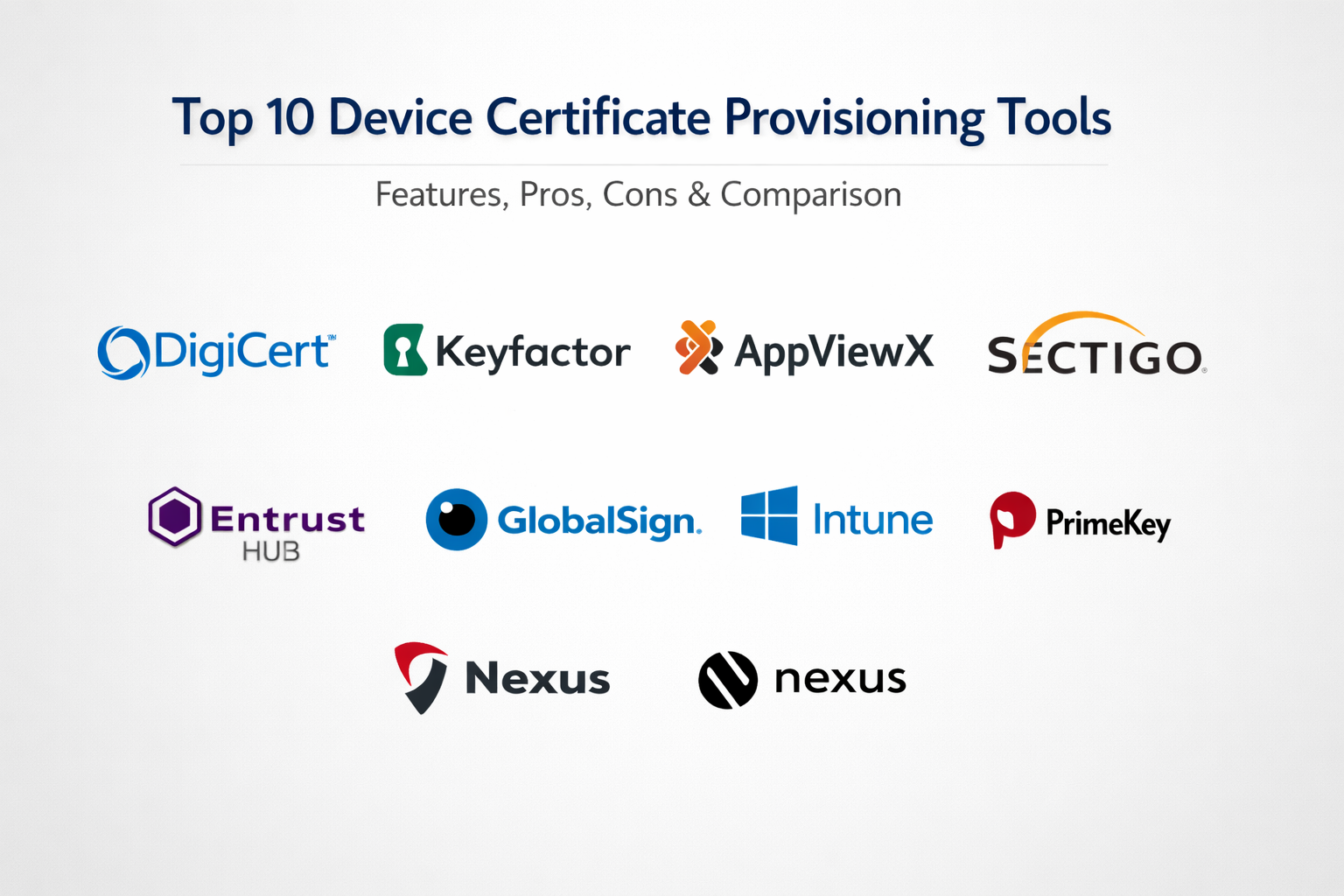
Top 10 Device Certificate Provisioning Tools
1. DigiCert Trust Lifecycle Manager
This platform provides a unified view of both public and private certificate trust. It is designed to simplify the complex task of managing certificates across a diverse set of enterprise devices and cloud workloads.
Key Features
- Centralized dashboard for discovery and management of all digital certificates.
- Seamless integration with Microsoft Active Directory and various MDM providers.
- Automated renewal and installation via pre-built sensors and agents.
- Support for a wide range of private and public certificate authorities.
- Robust reporting and alerting for upcoming certificate expirations.
Pros
- Exceptional visibility into the entire certificate landscape.
- Reduces the risk of outages caused by human error or forgotten renewals.
Cons
- Can be complex to set up for smaller organizations.
- Premium pricing reflects its comprehensive feature set.
Platforms / Deployment
Windows / Linux / macOS
Cloud / Hybrid
Security & Compliance
SSO, MFA, and FIPS 140-2 Level 3 HSM support.
SOC 2 / ISO 27001 compliant.
Integrations & Ecosystem
Integrates with AWS, Azure, Intune, and Jamf. It serves as a bridge between high-security PKI and modern dev-stack tools.
Support & Community
Professional 24/7 global support with dedicated account managers for enterprise-tier customers.
2. Keyfactor Command
Keyfactor focuses on “crypto-agility,” allowing organizations to manage certificates at a massive scale, particularly for large IoT deployments and complex hybrid cloud environments.
Key Features
- Any-platform agent for certificate enrollment on virtually any device type.
- Powerful orchestration engine for automated certificate rotation.
- Native integration with leading hardware security modules.
- Real-time monitoring and alerting for certificate health and compliance.
- Specialized modules for securing IoT device manufacturing pipelines.
Pros
- Highly scalable, capable of managing hundreds of millions of certificates.
- Very flexible API for custom integrations into DevOps workflows.
Cons
- Requires a high level of PKI expertise to utilize fully.
- Implementation can be time-consuming for large legacy environments.
Platforms / Deployment
Windows / Linux / Cloud
Cloud / Hybrid
Security & Compliance
Role-based access control and detailed forensic audit logs.
FIPS and Common Criteria certified.
Integrations & Ecosystem
Strong partnerships with major cloud providers and specialized hardware manufacturers.
Support & Community
Extensive documentation and professional services for complex architectural designs.
3. AppViewX CERT+
AppViewX provides a modular approach to certificate management, emphasizing automation and self-service for application and infrastructure teams.
Key Features
- Visual workflow automation for designing complex provisioning logic.
- Automated discovery of certificates across the network and cloud.
- Integration with load balancers and firewalls for automated deployment.
- Policy-driven governance to ensure certificates meet corporate standards.
- Self-service portal for developers to request certificates securely.
Pros
- Excellent visual interface for tracking certificate lifecycles.
- Strong focus on reducing manual intervention for infrastructure teams.
Cons
- The broad range of modules can lead to a steep learning curve.
- Performance can lag when managing extremely large, fragmented networks.
Platforms / Deployment
Windows / Linux
Cloud / Hybrid
Security & Compliance
End-to-end encryption of sensitive data and granular user permissions.
Not publicly stated.
Integrations & Ecosystem
Supports major AD environments, F5, NetScaler, and cloud native services.
Support & Community
Strong customer success program and a growing library of automation templates.
4. Sectigo Certificate Manager
Sectigo offers a universal platform that manages certificates regardless of the issuing authority. It is highly valued for its ability to consolidate fragmented PKI environments.
Key Features
- Automated issuance and renewal through SCEP and ACME protocols.
- Support for a vast range of device types, including mobile and IoT.
- Integration with popular DevOps tools for container and microservice security.
- Single pane of glass for both public and private certificate management.
- Comprehensive reporting for compliance and risk assessment.
Pros
- Vendor-agnostic management simplifies complex multi-CA environments.
- Very strong automation features for standard web and device certificates.
Cons
- Administrative interface can feel dated compared to newer competitors.
- Some advanced features require additional licensing costs.
Platforms / Deployment
Windows / Linux / macOS
Cloud
Security & Compliance
SAML-based authentication and secure audit trails.
SOC 2 compliant.
Integrations & Ecosystem
Direct connectors for Microsoft Intune, Jamf, and major cloud providers.
Support & Community
Professional support with a strong reputation for solving technical PKI issues.
5. Venafi Trust Protection Platform
Venafi is often considered the pioneer in machine identity management. It is designed for the world’s largest enterprises that require the highest level of security and control.
Key Features
- Automated certificate lifecycle management for all machine types.
- Policy enforcement to prevent the use of weak or unauthorized certificates.
- Integration with over 40 different certificate authorities.
- Rapid incident response for rotating certificates after a breach.
- Specialized protection for SSH keys and code signing certificates.
Pros
- The most comprehensive security features for machine identities.
- Deep integration into the most complex enterprise ecosystems.
Cons
- High total cost of ownership compared to simpler tools.
- Can be overly complex for organizations with basic provisioning needs.
Platforms / Deployment
Linux / Windows
Hybrid / On-premises
Security & Compliance
Highly secure architecture with mandatory HSM integration for root keys.
Common Criteria certified.
Integrations & Ecosystem
Virtually unparalleled integration list covering every major enterprise technology.
Support & Community
Extensive professional training programs and a large ecosystem of integration partners.
6. Entrust Certificate Hub
Entrust provides a cloud-based solution that focuses on simplifying the management of diverse certificate estates while maintaining high security standards.
Key Features
- Automated tracking and notification of certificate status.
- Support for multi-cloud and hybrid deployment models.
- Simplified workflows for certificate request and approval.
- Integration with Entrust’s own high-assurance certificate authorities.
- Robust auditing and reporting for regulatory compliance.
Pros
- Very easy to deploy and start discovering existing certificates.
- Backed by a company with decades of experience in high-security trust.
Cons
- Most effective when used within the broader Entrust security suite.
- Limited customization for highly unique or proprietary device types.
Platforms / Deployment
Windows / Linux
Cloud
Security & Compliance
Strict adherence to international security and privacy standards.
SOC 2 / ISO 27001 compliant.
Integrations & Ecosystem
Focuses on integration with standard IT service management and directory tools.
Support & Community
Professional, reliable support with a focus on enterprise-level uptime.
7. GlobalSign Atlas
Atlas is a high-performance, cloud-native CA and management platform designed specifically for high-volume automated certificate issuance.
Key Features
- High-availability architecture capable of issuing thousands of certificates per second.
- Native support for SCEP, ACME, and EST for automated enrollment.
- Specialized tools for securing mobile devices through MDM integration.
- Comprehensive management of both public and private certificate types.
- API-first design for seamless integration into custom applications.
Pros
- Exceptional performance for high-volume automated environments.
- Modern, clean interface that is easy for IT teams to navigate.
Cons
- Focuses more on issuance than on discovering certificates from other CAs.
- Pricing is based on volume, which can grow quickly for IoT projects.
Platforms / Deployment
Windows / Linux / macOS
Cloud
Security & Compliance
Robust identity verification processes and secure cloud infrastructure.
WebTrust certified.
Integrations & Ecosystem
Strongest integration is with mobile management platforms like Intune and Jamf.
Support & Community
Very responsive technical support and a wealth of documentation for developers.
8. Microsoft Intune (Certificate Connector)
For organizations already using Microsoft 365, the Intune Certificate Connector provides a streamlined way to provision certificates to managed laptops and mobile devices.
Key Features
- Support for SCEP and PKCS certificate deployment.
- Native integration with Microsoft Active Directory Certificate Services.
- Automated renewal of certificates on managed devices.
- Policy-based distribution to ensure only the right users get credentials.
- Built-in reporting for certificate deployment status.
Pros
- Included with many Microsoft 365 licenses, offering high value.
- Seamless experience for users on Windows and mobile devices.
Cons
- Limited management capabilities for non-managed or IoT devices.
- Requires an existing Microsoft PKI infrastructure to be truly effective.
Platforms / Deployment
Windows / macOS / iOS / Android
Cloud / Hybrid
Security & Compliance
Integrates with Azure AD conditional access for high security.
SOC 2 / ISO 27001 compliant.
Integrations & Ecosystem
Part of the Microsoft 365 ecosystem, integrating with all Microsoft security tools.
Support & Community
Massive community of users and extensive documentation provided by Microsoft.
9. PrimeKey EJBCA Enterprise
EJBCA is a powerful, flexible, and high-performance PKI and certificate management platform that is widely used in government and industrial sectors.
Key Features
- Support for multiple CAs and multiple protocols (SCEP, ACME, EST, CMP).
- Highly customizable for complex organizational structures.
- High-availability clustering for mission-critical deployments.
- Capable of issuing certificates for a massive variety of use cases.
- Open-source core with a fully supported enterprise edition.
Pros
- Incredible flexibility for unique and highly regulated environments.
- Proven reliability in some of the world’s most secure networks.
Cons
- The interface is functional but very technical and not user-friendly.
- Requires significant expertise to install and configure correctly.
Platforms / Deployment
Linux / Windows / Docker
On-premises / Hybrid
Security & Compliance
FIPS 140-2 HSM support and rigorous audit capabilities.
Common Criteria and ETSI certified.
Integrations & Ecosystem
Designed to be the core of a PKI, connecting to a wide variety of external systems.
Support & Community
Deep technical support provided by PrimeKey (now part of Keyfactor).
10. Nexus Smart ID
Nexus specializes in identity management, providing a platform that links physical and digital identities for employees and their devices.
Key Features
- Lifecycle management for certificates on smart cards, mobile, and IoT.
- Self-service portal for users to manage their own digital IDs.
- Support for a wide range of standard provisioning protocols.
- Integration with physical access control systems for a unified ID.
- Automated certificate enrollment for corporate workstations.
Pros
- Excellent for organizations that combine physical and digital security.
- Strong focus on user experience and self-service capabilities.
Cons
- Less focus on pure cloud-native or high-volume DevOps workflows.
- Primarily used in the European market, with less presence elsewhere.
Platforms / Deployment
Windows / Linux
Hybrid / On-premises
Security & Compliance
Strong focus on European security standards and privacy regulations.
Not publicly stated.
Integrations & Ecosystem
Strongest integrations are with directory services and physical access hardware.
Support & Community
Professional support with a focus on high-assurance identity projects.
Comparison Table
| Tool Name | Best For | Platform(s) Supported | Deployment | Standout Feature | Public Rating |
| 1. DigiCert | Unified Management | Windows, Linux, Mac | Hybrid | Discovery Engine | N/A |
| 2. Keyfactor | IoT Scalability | Windows, Linux, Cloud | Hybrid | Crypto-Agility | N/A |
| 3. AppViewX | Visual Automation | Windows, Linux | Hybrid | Workflow Designer | N/A |
| 4. Sectigo | Multi-CA Environments | Windows, Linux, Mac | Cloud | Universal Management | N/A |
| 5. Venafi | Large Enterprise | Linux, Windows | On-premises | Machine Identity | N/A |
| 6. Entrust Hub | Cloud Discovery | Windows, Linux | Cloud | Fast Setup | N/A |
| 7. GlobalSign | High-Volume Issuance | Windows, Linux, Mac | Cloud | Issuance Speed | N/A |
| 8. Intune | Microsoft Ecosystem | Windows, Mobile | Cloud | 365 Integration | N/A |
| 9. PrimeKey | Regulated Sectors | Linux, Windows | On-premises | Protocol Flexibility | N/A |
| 10. Nexus | Unified Identity | Windows, Linux | Hybrid | Physical/Digital ID | N/A |
Evaluation & Scoring
| Tool Name | Core (25%) | Ease (15%) | Integrations (15%) | Security (10%) | Perf (10%) | Support (10%) | Value (15%) | Total |
| 1. DigiCert | 9 | 7 | 9 | 9 | 9 | 9 | 7 | 8.50 |
| 2. Keyfactor | 10 | 5 | 9 | 10 | 10 | 9 | 6 | 8.35 |
| 3. AppViewX | 9 | 7 | 8 | 8 | 8 | 8 | 7 | 8.05 |
| 4. Sectigo | 9 | 6 | 9 | 8 | 9 | 8 | 8 | 8.20 |
| 5. Venafi | 10 | 4 | 10 | 10 | 10 | 9 | 5 | 8.15 |
| 6. Entrust Hub | 8 | 8 | 7 | 9 | 8 | 8 | 7 | 7.85 |
| 7. GlobalSign | 8 | 8 | 8 | 9 | 10 | 8 | 8 | 8.40 |
| 8. Intune | 7 | 9 | 9 | 8 | 8 | 8 | 10 | 8.35 |
| 9. PrimeKey | 10 | 3 | 7 | 10 | 10 | 7 | 6 | 7.60 |
| 10. Nexus | 8 | 7 | 7 | 9 | 8 | 7 | 7 | 7.55 |
The scoring above is based on the platform’s suitability for a broad enterprise audience. DigiCert and GlobalSign score highly for their balance of ease of use and modern cloud features. Microsoft Intune offers the highest value for existing customers due to its low incremental cost. Conversely, platforms like Venafi and PrimeKey are highly specialized, scoring lower on “Ease” but providing the absolute highest levels of “Core” functionality and “Security” for the most demanding environments in the world.
Which Device Certificate Provisioning Tool Is Right for You?
Solo / Freelancer
Managed provisioning is generally unnecessary for an individual. Using built-in operating system tools for manual certificate management is sufficient unless you are building a specific app that requires its own private PKI.
SMB
Small businesses should prioritize Microsoft Intune or GlobalSign. These provide an accessible way to secure laptops and mobile devices without requiring a full-time PKI expert on staff.
Mid-Market
For companies with a growing fleet of devices and diverse OS requirements, Sectigo Certificate Manager or DigiCert are excellent choices. They provide the necessary visibility to prevent outages without the extreme complexity of top-tier enterprise suites.
Enterprise
Large organizations with millions of endpoints and strict security requirements should look at Venafi or Keyfactor. These platforms are designed to handle the scale and security demands of the world’s largest banks and manufacturers.
Budget vs Premium
Microsoft Intune is the budget winner if you are already in the M365 ecosystem. Venafi and Keyfactor represent the premium market, offering deep forensic capabilities and hardware-level security.
Feature Depth vs Ease of Use
AppViewX offers incredible depth through its visual workflow builder, but it takes time to learn. Entrust Certificate Hub is far easier to get running quickly for standard discovery tasks.
Integrations & Scalability
If your primary goal is to secure a massive IoT deployment, Keyfactor or PrimeKey are the most scalable options. For a workforce-heavy environment, DigiCert offers the best integration across employee devices.
Security & Compliance Needs
For government or industrial projects requiring ETSI or Common Criteria certifications, PrimeKey EJBCA is the standard. For standard corporate compliance, DigiCert and Sectigo are more than sufficient.
Frequently Asked Questions (FAQs)
1. What is SCEP and why is it important for devices?
SCEP (Simple Certificate Enrollment Protocol) is a standard that allows devices like routers and phones to securely request and receive digital certificates without an administrator’s manual input.
2. Can I use the same certificate for all my devices?
No, for security reasons, every device should have its own unique certificate. This ensures that if one device is stolen, you can revoke its specific access without affecting the rest of the network.
3. What happens when a device certificate expires?
The device will lose its ability to connect to the corporate Wi-Fi, VPN, or internal applications, often resulting in immediate work stoppage for the user until it is renewed.
4. How does a provisioning tool find “rogue” certificates?
Many tools include a discovery engine that scans your network ports and cloud environments to find every certificate in use, regardless of which authority issued it.
5. Do I need an HSM for my certificate provisioning?
While not always required, an HSM (Hardware Security Module) is highly recommended for storing the “Root” keys of your PKI to prevent them from being copied or stolen digitally.
6. Can I provision certificates to devices I don’t own (BYOD)?
Yes, tools like Intune and GlobalSign are designed to securely deploy certificates to employee-owned phones while keeping the corporate data separate from personal content.
7. Is a private PKI different from the SSL certificates used on websites?
Yes, public SSL certificates are for sites anyone can visit. A private PKI issues certificates that are trusted only by your own organization for internal security.
8. What is the difference between a Certificate Authority and a Management Tool?
The CA is the “factory” that creates the certificate. The management tool is the “logistics system” that tracks, delivers, and replaces those certificates throughout their life.
9. Can these tools handle IoT devices with no user interface?
Yes, specialized protocols like EST and CMP allow “headless” IoT devices to securely authenticate and receive their credentials automatically during the manufacturing or setup process.
10. How often should device certificates be renewed?
The current trend is moving toward shorter lifespans, such as 30 to 90 days, to minimize the window of opportunity for an attacker to use a stolen credential.
Conclusion
Effective device certificate provisioning has transitioned from a niche security task to a fundamental requirement for modern infrastructure. As the number of connected devices grows and the threat landscape evolves, manual processes are no longer a viable option. Implementing a robust provisioning tool not only secures your network through strong, certificate-based identity but also protects your organization from the operational chaos of expired credentials. By selecting a platform that balances automation, integration, and security, you ensure that your digital identity foundation remains resilient and ready for the future of connected work.

Best Cardiac Hospitals Near You
Discover top heart hospitals, cardiology centers & cardiac care services by city.
Advanced Heart Care • Trusted Hospitals • Expert Teams
View Best Hospitals