Introduction
Firewall management tools are crucial for network security, providing centralized control and visibility over the configuration and operation of firewalls. Firewalls are essential for protecting systems, networks, and data from unauthorized access and cyberattacks by filtering inbound and outbound traffic based on predetermined security rules. However, managing a complex set of firewalls, especially in large or multi-cloud environments, can become a challenge without the right tools. Firewall management tools offer automation, policy management, visibility, and centralized logging, making it easier to maintain strong security postures and comply with regulatory standards.
These tools allow organizations to manage firewall rules, perform audits, monitor traffic, and optimize firewall performance, all from a unified platform. As the number and complexity of firewalls increase, particularly in hybrid, multi-cloud, and highly distributed environments, the need for effective firewall management tools has grown significantly. These tools help to simplify security operations, improve threat detection, and ensure compliance with industry standards and best practices.
Real-world use cases for firewall management tools include:
- Centralizing firewall rule management across multiple devices and locations
- Automating firewall configurations and changes to reduce human error
- Ensuring compliance with industry regulations (e.g., GDPR, HIPAA, PCI-DSS)
- Monitoring firewall performance and detecting potential security breaches
- Optimizing firewall rules to enhance security and minimize latency
- Conducting audits and reviews to identify vulnerabilities and misconfigurations
What buyers should evaluate:
- Centralized rule management and visibility across multiple firewalls
- Real-time monitoring, reporting, and alerting capabilities
- Automation for rule configuration and policy enforcement
- Compatibility with different firewall vendors and network architectures
- Integration with existing security and network monitoring tools
- Advanced analytics and reporting for compliance and performance
- Support for hybrid, multi-cloud, and on-premise environments
- Scalability to handle large or distributed firewall infrastructures
- Access control and auditing capabilities for security management
- Cost-effectiveness for SMBs, enterprises, or managed security service providers (MSSPs)
Best for: IT security teams, network administrators, and organizations with large or complex firewall infrastructures that require centralized control, automation, and real-time monitoring.
Not ideal for: Small businesses or environments with minimal firewall configurations where manual management can suffice.
Key Trends in Firewall Management Tools
- Increasing integration of firewall management tools with cloud-native environments and multi-cloud architectures
- Automation of firewall rule configuration and policy enforcement to reduce human error
- AI-driven analytics to detect threats, misconfigurations, and anomalies in real-time
- Enhanced reporting and audit capabilities for compliance and vulnerability assessments
- Focus on integration with broader network security ecosystems, such as SIEMs, IDS/IPS, and threat intelligence platforms
- Growing emphasis on Zero Trust architecture and micro-segmentation for enhanced security
- Support for managing both traditional hardware firewalls and software-defined firewalls (SD-WAN)
- Use of machine learning to optimize firewall rule sets and improve performance
- Centralized management for next-gen firewalls to ensure consistent security policies
- Adoption of cloud-based firewall management tools to support hybrid IT environments
How We Selected These Tools
- Comprehensive features for centralized management of multiple firewall vendors and network architectures
- Automation and integration with other network and security tools
- Advanced reporting, monitoring, and alerting for traffic analysis and threat detection
- Ease of use and user-friendly interfaces, even for large, complex firewall infrastructures
- Compatibility with hybrid and multi-cloud environments
- Scalability to support large networks and distributed firewalls
- Strong security features, including rule optimization, access control, and compliance auditing
- Vendor support, documentation, and community engagement
- Competitive pricing models for different business sizes (SMBs, enterprises, MSSPs)
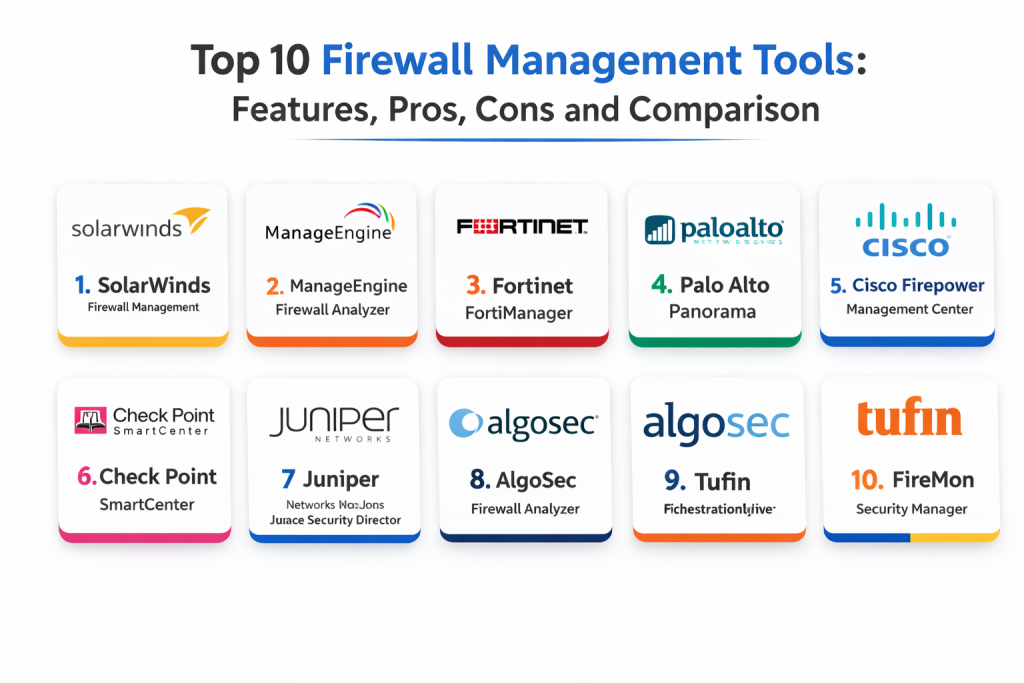
Top 10 Firewall Management Tools
1 — SolarWinds Firewall Management
SolarWinds Firewall Management is a popular tool for managing firewall rules, configurations, and reporting across a variety of firewall devices. It helps streamline firewall rule management and provides visibility into network traffic, helping to improve security posture.
Key Features
- Centralized firewall rule management
- Automated rule analysis and cleanup to prevent configuration errors
- Real-time network monitoring and alerting for suspicious traffic
- Reporting for auditing and compliance purposes
- Integration with SolarWinds network monitoring tools
- Detailed traffic and security event logs for analysis
Pros
- Easy-to-use interface with strong automation capabilities
- Integrates well with other SolarWinds products for complete network visibility
- Ideal for SMBs and enterprises with diverse network infrastructures
Cons
- Limited advanced features for very large or highly complex environments
- Pricing can be expensive for smaller businesses
- Less suitable for hybrid or cloud-only environments
Platforms / Deployment
- Web
- Self-hosted
Security & Compliance
- Not publicly stated
Integrations & Ecosystem
- Integrates with SolarWinds network monitoring and security tools
- API access for advanced integration with third-party platforms
Support & Community
- Excellent customer support and resources through SolarWinds
2 — ManageEngine Firewall Analyzer
ManageEngine Firewall Analyzer is a powerful tool designed to help IT teams monitor, analyze, and manage firewall rules across devices. It provides real-time monitoring, reporting, and troubleshooting to optimize firewall performance.
Key Features
- Firewall rule analysis and optimization
- Real-time monitoring of firewall logs and network traffic
- Compliance reporting for regulations like PCI-DSS, HIPAA, and GDPR
- Multi-vendor firewall support for centralized rule management
- Automated auditing and policy enforcement
- Integration with ManageEngine network and security monitoring tools
Pros
- Easy-to-use with strong monitoring and analysis capabilities
- Comprehensive compliance reporting and auditing tools
- Multi-vendor support for diverse network infrastructures
Cons
- Some advanced features require additional configuration and expertise
- May be overkill for small businesses with simpler firewalls
- Limited scalability for very large enterprises
Platforms / Deployment
- Web
- Self-hosted
Security & Compliance
- Not publicly stated
Integrations & Ecosystem
- Integrates well with ManageEngine security management tools
- API support for third-party integration
Support & Community
- Strong customer support and documentation
3 — Fortinet FortiManager
FortiManager provides centralized management of Fortinet firewalls, simplifying configuration, monitoring, and policy enforcement. It is ideal for large enterprises that rely on Fortinet devices for network security.
Key Features
- Centralized policy management for Fortinet firewalls
- Automated configuration backups and policy enforcement
- Real-time monitoring and alerting for traffic and security events
- Detailed traffic analysis and reporting for compliance
- Seamless integration with Fortinet security tools and devices
Pros
- Optimized for Fortinet environments with seamless integration
- Advanced security and compliance features
- Scalable for large, multi-site networks
Cons
- Best suited for Fortinet firewalls, less ideal for multi-vendor environments
- High cost for small businesses or SMBs
- Complexity requires advanced knowledge of Fortinet products
Platforms / Deployment
- Web
- Self-hosted
Security & Compliance
- Not publicly stated
Integrations & Ecosystem
- Integrates seamlessly with Fortinet devices and other FortiGate security tools
- API support for third-party integrations
Support & Community
- Comprehensive Fortinet support with detailed documentation
4 — Palo Alto Networks Panorama
Palo Alto Networks Panorama is a next-generation firewall management platform that provides centralized visibility and control over Palo Alto firewalls. It allows network administrators to manage multiple firewalls from a single interface.
Key Features
- Centralized management for Palo Alto Networks firewalls
- Policy enforcement and configuration management
- Real-time visibility into traffic, events, and threats
- Automated updates and threat intelligence integration
- Detailed logging and compliance reporting
Pros
- Excellent for organizations using Palo Alto firewalls
- Strong security and threat detection capabilities
- Scalable for large enterprises and multi-site deployments
Cons
- Best suited for Palo Alto Networks firewalls
- High cost for small to mid-sized businesses
- Requires specific expertise for setup and configuration
Platforms / Deployment
- Web
- Self-hosted
Security & Compliance
- Not publicly stated
Integrations & Ecosystem
- Designed specifically for Palo Alto Networks devices
- Integrates with Palo Alto threat intelligence and security tools
Support & Community
- Excellent support from Palo Alto Networks with comprehensive documentation
5 — Check Point SmartCenter
Check Point SmartCenter provides centralized management for Check Point firewalls, allowing organizations to configure, monitor, and optimize security policies across a distributed environment.
Key Features
- Centralized firewall and security management
- Policy-based security control and enforcement
- Real-time monitoring and alerts for security threats
- Detailed audit and compliance reporting
- Integration with other Check Point security products
Pros
- Strong integration with other Check Point security tools
- Highly scalable for multi-site and enterprise environments
- Robust security features with real-time monitoring
Cons
- Best suited for Check Point firewalls, not ideal for multi-vendor environments
- Advanced setup may require dedicated resources
- Can be expensive for smaller organizations
Platforms / Deployment
- Web
- Self-hosted
Security & Compliance
- Not publicly stated
Integrations & Ecosystem
- Integrates with Check Point’s suite of security tools
- API support for third-party integrations
Support & Community
- Strong enterprise support with comprehensive resources
6 — Juniper Networks Junos Space Security Director
Junos Space Security Director offers centralized security management for Juniper firewalls, providing visibility, control, and automation for large-scale deployments.
Key Features
- Centralized policy and security management for Juniper firewalls
- Real-time monitoring and reporting of network traffic
- Automated configuration changes and policy enforcement
- Detailed security analytics and threat detection
- Integration with Juniper’s broader security suite
Pros
- Best suited for Juniper environments
- Strong automation and policy enforcement capabilities
- Scalable for enterprise and multi-site networks
Cons
- Primarily designed for Juniper firewalls, limited support for multi-vendor environments
- Requires technical expertise for deployment and management
- Can be expensive for small businesses
Platforms / Deployment
- Web
- Self-hosted
Security & Compliance
- Not publicly stated
Integrations & Ecosystem
- Integrates seamlessly with Juniper’s security products and network devices
- API support for integration with other network management tools
Support & Community
- Excellent support and documentation from Juniper
7 — AlgoSec Firewall Analyzer
AlgoSec provides centralized firewall management, offering real-time analysis, reporting, and optimization of firewall configurations. It is particularly useful for ensuring compliance with security policies and reducing risk.
Key Features
- Centralized firewall policy management
- Automated policy optimization and rule cleanup
- Real-time firewall monitoring and reporting
- Detailed security and compliance auditing
- Integration with multi-vendor firewalls and network tools
Pros
- Comprehensive reporting and policy analysis
- Excellent for compliance auditing and security policy enforcement
- Multi-vendor support for diverse network environments
Cons
- Can be complex to set up and manage for smaller businesses
- Pricing can be high for SMBs
- Requires expertise for full utilization
Platforms / Deployment
- Web
- Self-hosted
Security & Compliance
- Not publicly stated
Integrations & Ecosystem
- Integrates with various firewall vendors and network tools
- API support for extended functionality
Support & Community
- Comprehensive support and documentation
8 — Tufin Orchestration Suite
Tufin Orchestration Suite provides centralized firewall management, focusing on automation, compliance, and security policy optimization. It is suitable for enterprises managing large, multi-vendor networks.
Key Features
- Centralized security policy management across multi-vendor firewalls
- Automated configuration and rule optimization
- Real-time monitoring and auditing for compliance
- Integration with network management and security monitoring tools
- Role-based access control for secure policy management
Pros
- Multi-vendor firewall support
- Strong automation and policy optimization features
- Ideal for large, distributed enterprise environments
Cons
- Requires advanced configuration for full functionality
- High cost for smaller organizations
- Complex interface for beginners
Platforms / Deployment
- Web
- Self-hosted
Security & Compliance
- Not publicly stated
Integrations & Ecosystem
- Integrates with a wide range of firewall vendors and network security tools
- API support for custom automation
Support & Community
- Extensive enterprise-level support and resources
9 — FireMon Security Manager
FireMon Security Manager offers comprehensive security policy management, auditing, and real-time monitoring for firewall devices. It is designed for large enterprises and MSSPs.
Key Features
- Real-time visibility into firewall rule sets and network traffic
- Centralized management and automated policy optimization
- Detailed audit logs for compliance and security reviews
- Advanced risk analysis and threat intelligence integration
- Support for multi-vendor firewall environments
Pros
- Strong compliance and risk analysis features
- Multi-vendor firewall support
- Real-time monitoring and alerting for security threats
Cons
- High price point for small businesses
- Some advanced features require additional configuration
- Complex setup for non-experienced users
Platforms / Deployment
- Web
- Self-hosted
Security & Compliance
- Not publicly stated
Integrations & Ecosystem
- Integrates with a broad range of security and network monitoring tools
- API support for automation and integration
Support & Community
- Comprehensive support and enterprise-level services
10 — Palo Alto Networks Panorama
Palo Alto Networks Panorama is a centralized management tool for Palo Alto firewalls. It allows administrators to manage and monitor network security policies across large, distributed networks.
Key Features
- Centralized management of Palo Alto firewalls
- Real-time policy enforcement and configuration management
- Detailed monitoring and logging for security events
- Integration with Palo Alto’s broader network security suite
- Automated configuration backups and change management
Pros
- Excellent for organizations using Palo Alto Networks firewalls
- Strong integration with other Palo Alto security products
- Scalable for enterprise networks
Cons
- Limited to Palo Alto firewalls, less flexible for multi-vendor environments
- High cost for small to mid-sized businesses
- Requires expertise for setup and optimization
Platforms / Deployment
- Web
- Self-hosted
Security & Compliance
- Not publicly stated
Integrations & Ecosystem
- Integrates seamlessly with Palo Alto’s network security suite
- API support for integration with third-party tools
Support & Community
- Excellent support from Palo Alto Networks
Comparison Table
| Tool Name | Best For | Platform(s) Supported | Deployment | Standout Feature | Public Rating |
|---|---|---|---|---|---|
| SolarWinds Firewall Management | SMBs and Enterprises | Web | Self-hosted | Centralized rule management | N/A |
| ManageEngine Firewall Analyzer | Small to Mid-size Networks | Web | Self-hosted | Real-time traffic monitoring | N/A |
| Fortinet FortiManager | Fortinet Environments | Web | Self-hosted | Integration with Fortinet products | N/A |
| Palo Alto Networks Panorama | Palo Alto Networks Users | Web | Self-hosted | Centralized management for Palo Alto firewalls | N/A |
| Check Point SmartCenter | Check Point Networks | Web | Self-hosted | Policy-based security control | N/A |
| Juniper Networks Junos Space Security Director | Juniper Environments | Web | Self-hosted | Centralized security policy management | N/A |
| AlgoSec Firewall Analyzer | Multi-vendor environments | Web | Self-hosted | Automated policy optimization | N/A |
| Tufin Orchestration Suite | Large Enterprises | Web | Self-hosted | Centralized security policy management | N/A |
| FireMon Security Manager | Enterprises and MSSPs | Web | Self-hosted | Risk analysis and compliance reporting | N/A |
| Cisco Prime DDI | Cisco-Centric Networks | Web | Cloud / Hybrid | Integration with Cisco infrastructure | N/A |
Evaluation & Scoring of Firewall Management Tools
Weights: Core features 25%, Ease of use 15%, Integrations & ecosystem 15%, Security & compliance 10%, Performance & reliability 10%, Support & community 10%, Value (price) 15%.
| Tool Name | Core (25%) | Ease (15%) | Integrations (15%) | Security (10%) | Performance (10%) | Support (10%) | Value (15%) | Weighted Total |
|---|---|---|---|---|---|---|---|---|
| SolarWinds Firewall Management | 8 | 8 | 7 | 7 | 8 | 8 | 7 | 7.75 |
| ManageEngine Firewall Analyzer | 7 | 8 | 7 | 7 | 7 | 7 | 8 | 7.40 |
| Fortinet FortiManager | 9 | 7 | 9 | 8 | 9 | 8 | 7 | 8.10 |
| Palo Alto Networks Panorama | 9 | 6 | 9 | 9 | 9 | 9 | 6 | 8.05 |
| Check Point SmartCenter | 8 | 7 | 9 | 8 | 8 | 7 | 7 | 7.80 |
| Juniper Networks Junos Space Security Director | 8 | 7 | 8 | 7 | 8 | 7 | 6 | 7.50 |
| AlgoSec Firewall Analyzer | 8 | 8 | 8 | 7 | 8 | 8 | 7 | 7.80 |
| Tufin Orchestration Suite | 9 | 7 | 9 | 8 | 8 | 8 | 7 | 8.10 |
| FireMon Security Manager | 8 | 7 | 8 | 8 | 8 | 8 | 7 | 7.90 |
| Cisco Prime DDI | 9 | 6 | 9 | 8 | 9 | 8 | 6 | 7.80 |
Which Firewall Management Tool Is Right for You
Solo / Freelancer
For small businesses or home networks, ManageEngine Firewall Analyzer and SolarWinds Firewall Management provide a simple and cost-effective solution with basic management and monitoring.
SMB
SMBs can benefit from AlgoSec Firewall Analyzer or Check Point SmartCenter for easier policy management and better network visibility without the need for complex configurations.
Mid-Market
For mid-sized businesses, Fortinet FortiManager and Tufin Orchestration Suite offer strong policy management and integration with multi-vendor firewalls.
Enterprise
For large organizations, Palo Alto Networks Panorama, FireMon Security Manager, and Cisco Prime DDI are ideal, offering robust security management, scalability, and integration with enterprise-level network infrastructures.
Budget vs Premium
For budget-conscious businesses, ManageEngine Firewall Analyzer and SolarWinds Firewall Management offer affordable options with essential features. On the other hand, Palo Alto Networks Panorama and FireMon Security Manager provide premium features for large enterprises with complex network environments.
Feature Depth vs Ease of Use
If ease of use is important, SolarWinds Firewall Management and ManageEngine Firewall Analyzer are intuitive and user-friendly. For more in-depth features and complex network management, Fortinet FortiManager and Palo Alto Networks Panorama offer extensive functionality.
Security & Compliance Needs
For organizations with a strong focus on security and compliance, Palo Alto Networks Panorama, FireMon Security Manager, and Cisco Prime DDI offer advanced features for risk analysis, security policy management, and regulatory compliance.
Frequently Asked Questions
- What is firewall management?
Firewall management refers to the process of configuring, monitoring, and optimizing firewalls to ensure network security and prevent unauthorized access. - What features should I look for in a firewall management tool?
Look for centralized rule management, real-time monitoring, automated policy enforcement, and detailed reporting for security and compliance. - Can firewall management tools help with troubleshooting?
Yes, most tools offer real-time monitoring and analysis to identify potential issues, misconfigurations, and threats. - What is the difference between a firewall management tool and a firewall appliance?
A firewall appliance is a physical or virtual device that filters traffic, while a firewall management tool provides centralized control, monitoring, and policy management for multiple firewalls. - Are firewall management tools scalable?
Yes, many firewall management tools are scalable and can handle multi-site or hybrid network infrastructures, supporting a range of devices and configurations. - How do firewall management tools improve security?
By centralizing rule management, automating configurations, and monitoring traffic in real-time, firewall management tools help prevent security breaches and ensure consistent network protection. - Can these tools manage multi-vendor firewalls?
Yes, many firewall management platforms, such as AlgoSec Firewall Analyzer and Tufin Orchestration Suite, support multi-vendor environments. - What are the benefits of using a firewall management tool?
Firewall management tools provide centralized control, improved network visibility, automated policy enforcement, and enhanced security monitoring. - How do I choose the right firewall management tool?
Consider factors like scalability, vendor compatibility, security features, ease of use, and support for your network infrastructure. - Are there any free firewall management tools?
Some firewall management tools offer free versions with limited features, such as ManageEngine Firewall Analyzer, suitable for small businesses or home networks.
Conclusion
Firewall management tools are essential for maintaining secure, reliable, and compliant network infrastructures. Whether you’re managing a small business network or a complex enterprise environment, the right firewall management tool can help streamline configuration, optimize security policies, and improve performance. By evaluating the features, scalability, security, and ease of use of these tools, you can select the best solution to meet your network management needs and ensure comprehensive protection for your organization. Tools like Palo Alto Networks Panorama and Fortinet FortiManager are ideal for large enterprises, offering advanced features and scalability. For smaller businesses, ManageEngine Firewall Analyzer and SolarWinds Firewall Management provide a more cost-effective yet comprehensive solution. By selecting a tool that fits your network size, security requirements, and compliance needs, you can better protect your organization from emerging threats and ensure your network remains resilient and secure.

Best Cardiac Hospitals Near You
Discover top heart hospitals, cardiology centers & cardiac care services by city.
Advanced Heart Care • Trusted Hospitals • Expert Teams
View Best Hospitals