Introduction
API testing software consists of specialized tools designed to verify that Application Programming Interfaces (APIs) meet expectations for functionality, reliability, performance, and security. Instead of using standard user interfaces, these tools send calls to the API, receive output, and record the response. This process ensures that the “connective tissue” between different software services remains stable and secure as applications become more complex.
In the current digital ecosystem, APIs are the primary way modern software communicates. As businesses move toward microservices and cloud-native architectures, the volume of API traffic has exploded. Testing at the API layer is faster and more reliable than testing through a graphical user interface. By validating the logic and data integrity of these services early, teams can catch critical bugs before they reach the end user, ensuring a seamless experience across mobile, web, and desktop platforms.
Real-World Use Cases
- Validating the data exchange between a mobile banking app and its backend servers to ensure financial transactions are accurate.
- Testing integration between an e-commerce platform and third-party payment gateways like PayPal or Stripe.
- Simulating thousands of concurrent users to see how an API handles peak traffic during a major sale or event.
- Automating the verification of security protocols to prevent unauthorized access to sensitive user data.
- Checking the compatibility of a new software update with existing public APIs to avoid breaking partner integrations.
Evaluation Criteria for Buyers
- The breadth of protocols supported, such as REST, SOAP, GraphQL, gRPC, and WebSockets.
- How easily the tool integrates into existing CI/CD pipelines for automated regression testing.
- The availability of low-code or no-code features for team members who may not be comfortable with advanced scripting.
- The quality of the reporting dashboard and how clearly it communicates test failures to the team.
- The ability to perform data-driven testing by importing external datasets like CSV or Excel files.
- The level of security testing capabilities, including the ability to scan for common vulnerabilities.
- The scalability of the tool to handle large-scale load testing and performance benchmarking.
Best for: Quality assurance engineers, backend developers, security analysts, and DevOps teams looking to automate the validation of their service-oriented architectures.
Not ideal for: Manual testers who only work with visual interface elements or organizations that do not use web services or microservices in their applications.
Key Trends in API Testing Tools
- Increased use of artificial intelligence to generate test cases and assertions automatically from API specifications.
- A shift toward “Shift-Left” testing, where API validation happens directly within the developer’s integrated development environment.
- Growing support for modern protocols like gRPC and GraphQL, moving beyond traditional REST and SOAP.
- Enhanced focus on API security testing as a core component of the standard quality assurance workflow.
- The rise of cloud-native testing platforms that allow for massive parallel execution without managing local infrastructure.
- Better integration between API documentation and testing, ensuring that tests always match the latest version of the API.
- The use of service virtualization to simulate third-party APIs that are not yet available or are expensive to call.
- Improved collaboration features that allow developers and testers to share collections and environments in real-time.
How We Selected These Tools
Our methodology for selecting the top ten API testing tools involved a deep dive into the current landscape of software development. We prioritized tools that demonstrate high market adoption and a proven track record in professional production environments. Each tool was evaluated based on its feature completeness, particularly its ability to handle both functional and non-functional testing. We also looked for platforms that provide strong security posture signals and robust integration options with popular development ecosystems. Reliability and performance were key factors, alongside the strength of the community and official support channels. Finally, we ensured the list represents a balance between enterprise-grade suites and agile, developer-focused libraries.
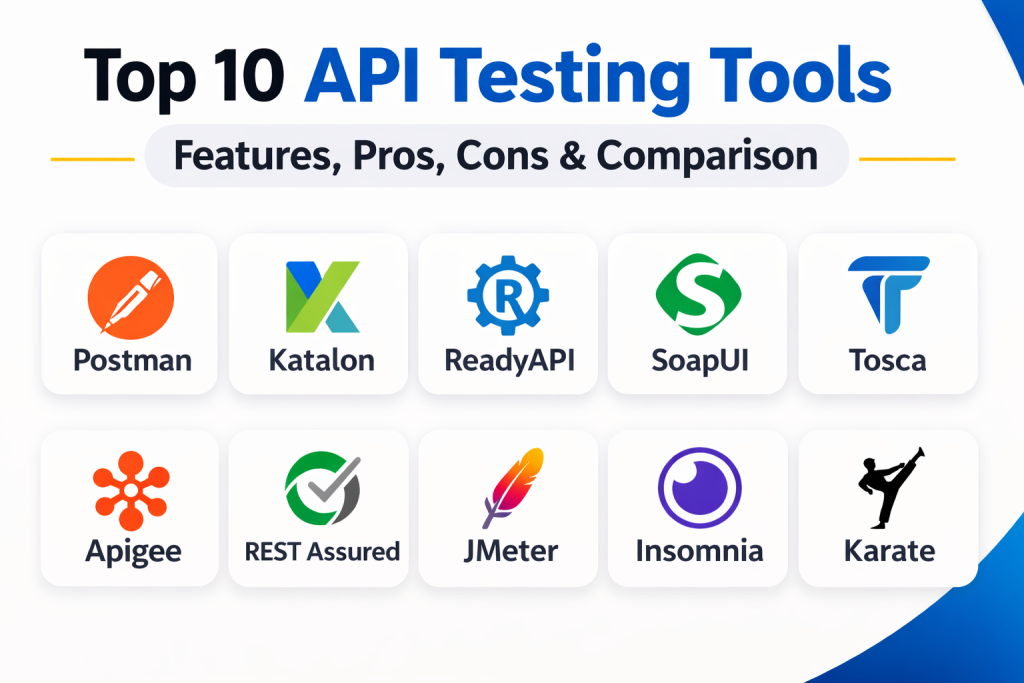
Top 10 API Testing Tools
1. Postman
Postman is widely considered the industry standard for API development and testing. It provides a user-friendly interface that allows teams to design, document, and test APIs in a collaborative environment. Its “Collections” feature is a powerful way to organize test suites and share them across global teams.
Key Features
- An intuitive interface for creating and sending REST, SOAP, and GraphQL requests.
- Automated testing scripts using JavaScript to validate responses and data.
- Integrated API documentation that updates in real-time as the API changes.
- Built-in mock servers to simulate API responses before the backend is fully built.
- Governance features to ensure APIs meet corporate design and security standards.
Pros
- Excellent collaboration features with shared workspaces and version control.
- Very easy to use for both beginners and experienced developers.
Cons
- Can become memory-intensive when working with extremely large collections.
- Some of the most advanced enterprise features require a high-tier subscription.
Platforms / Deployment
Web / Windows / macOS / Linux — Cloud / Hybrid
Security & Compliance
Supports SSO/SAML, MFA, and RBAC with various SOC 2 and ISO certifications.
Integrations & Ecosystem
Postman features a massive ecosystem with a dedicated public API network. It integrates seamlessly with CI/CD tools like Jenkins and GitHub Actions through its CLI tool, Newman.
Support & Community
It has one of the largest communities in the tech world, with an extensive library of public collections and tutorials available.
2. Katalon Platform
Katalon is an all-in-one automation platform that unifies API, web, mobile, and desktop testing. It is particularly valued for its low-code capabilities, allowing teams with mixed technical skills to build robust automated test suites quickly.
Key Features
- A unified environment for managing tests across different application layers.
- Powerful record-and-playback features for creating tests without writing code.
- Built-in keywords for common API actions like sending requests and asserting data.
- Advanced reporting and analytics through the TestOps dashboard.
- Support for data-driven testing with various external data sources.
Pros
- Reduces the time needed to move from manual to automated testing.
- Good for teams that need to test both the UI and the API in the same suite.
Cons
- The licensing costs can be high for larger, growing teams.
- Resource-heavy desktop application that requires significant hardware power.
Platforms / Deployment
Windows / macOS / Linux — Hybrid
Security & Compliance
Includes enterprise-grade security features and supports standard compliance protocols.
Integrations & Ecosystem
Katalon integrates with most major ALM and CI/CD tools, including Jira, Jenkins, Azure DevOps, and various Git providers.
Support & Community
Offers strong professional support for enterprise customers and a growing community forum for free users.
3. ReadyAPI (SmartBear)
ReadyAPI is a high-end enterprise platform designed for teams that need to consolidate functional, security, and load testing. It is built on the foundation of SoapUI but adds professional-grade automation and reporting features suitable for large-scale operations.
Key Features
- Comprehensive functional testing for REST, SOAP, and even database connections.
- Integrated security scanning for SQL injection, cross-site scripting, and fuzzing.
- Large-scale load testing that can simulate traffic from multiple geographic regions.
- Service virtualization to create digital twins of unavailable or costly APIs.
- Centralized dashboard for managing all testing activities and results.
Pros
- One of the most complete tools for high-stakes enterprise testing.
- Excellent for validating APIs in strictly regulated industries.
Cons
- A significant financial investment that may be out of reach for small startups.
- The interface can be complex and intimidating for new users.
Platforms / Deployment
Windows / macOS / Linux — Self-hosted / Hybrid
Security & Compliance
Specifically designed for compliance-driven environments like HIPAA and SOC 2.
Integrations & Ecosystem
It fits perfectly into enterprise pipelines with native plugins for Azure DevOps, Jenkins, and various test management tools.
Support & Community
Backed by SmartBear’s professional support teams and a long history of community engagement through SoapUI.
4. SoapUI (Open Source)
SoapUI is the world’s most popular open-source tool for API testing. While it is famous for its SOAP capabilities, it is also a powerful tool for REST testing. It allows for complex, multi-step test sequences that go far beyond simple request-response checks.
Key Features
- Complete support for both SOAP and REST protocols in a single tool.
- Advanced scripting capabilities using Groovy for custom test logic.
- Built-in security testing tools for basic vulnerability scanning.
- Support for data-driven testing by pulling information from external files.
- A robust mocking system for simulating web services.
Pros
- Completely free and highly flexible for technical users.
- Handles legacy SOAP services better than almost any other tool.
Cons
- The user interface feels dated compared to modern web-based platforms.
- Does not include the advanced reporting or collaboration of the paid version.
Platforms / Deployment
Windows / macOS / Linux — Self-hosted
Security & Compliance
Not publicly stated.
Integrations & Ecosystem
As a mature tool, it has wide-ranging community support and can be integrated into most build processes using Maven or Ant.
Support & Community
A very large and loyal user base with decades of forum posts and tutorials to help solve common issues.
5. Tricentis Tosca
Tricentis Tosca is an enterprise-grade automation tool that uses a model-based approach rather than a script-based one. This allows for significantly lower maintenance as the API evolves over time, making it a favorite for large corporate digital transformations.
Key Features
- Model-based test automation that eliminates the need for complex scripts.
- Risk-based testing that helps teams prioritize which APIs to test first.
- Powerful test data management for creating and using complex datasets.
- Integrated service virtualization for testing against incomplete systems.
- Support for a vast range of enterprise applications including SAP and Salesforce.
Pros
- Dramatically reduces the time spent on maintaining automated tests.
- Ideal for non-technical business users to participate in the testing process.
Cons
- High licensing costs and a heavy infrastructure requirement.
- Requires a shift in mindset to move from scripting to model-based work.
Platforms / Deployment
Windows — Hybrid / Cloud
Security & Compliance
Robust enterprise security features and compliance with major global standards.
Integrations & Ecosystem
Tosca is designed to be the centerpiece of a corporate testing strategy, integrating with SAP, ServiceNow, and various DevOps pipelines.
Support & Community
Excellent corporate support and a professional community focused on enterprise software quality.
6. Apigee (Google Cloud)
Apigee is a comprehensive API management platform that includes powerful tools for monitoring and testing APIs. It is designed for companies that need to manage the entire lifecycle of an API, from design and security to consumption and analytics.
Key Features
- Advanced API traffic management and security policy enforcement.
- Real-time monitoring and analytics for identifying performance bottlenecks.
- Automated testing within the API gateway to ensure high availability.
- Integrated developer portal for documentation and self-service testing.
- Robust support for multi-cloud and hybrid deployment models.
Pros
- Provides deep insights into how APIs are being used in production.
- Unbeatable for organizations already invested in the Google Cloud ecosystem.
Cons
- Can be overkill for teams that only need a simple testing tool.
- High total cost of ownership at an enterprise scale.
Platforms / Deployment
Cloud / Hybrid — Cloud-native
Security & Compliance
Top-tier security including advanced threat protection and global compliance certifications.
Integrations & Ecosystem
As a Google product, it integrates perfectly with Google Cloud services and most modern CI/CD tools.
Support & Community
Strong professional support from Google and a large community of enterprise API architects.
7. REST Assured
REST Assured is a Java-based library that brings a domain-specific language to API testing. It is a favorite among Java developers because it allows them to write tests in a way that feels natural to their existing code and development patterns.
Key Features
- A fluent, readable syntax for writing tests in Java.
- Deep integration with testing frameworks like JUnit and TestNG.
- Simplified validation of JSON and XML response bodies and headers.
- Support for a wide range of authentication methods including OAuth 2.
- Easy integration into Maven or Gradle build processes.
Pros
- Completely free and open-source with no licensing overhead.
- Extremely powerful for technical teams that prefer code-over-GUI.
Cons
- Requires strong Java programming knowledge to be effective.
- Does not include a graphical interface or built-in reporting dashboards.
Platforms / Deployment
Windows / macOS / Linux — Self-hosted
Security & Compliance
Not publicly stated.
Integrations & Ecosystem
It is a staple in the Java development world and fits perfectly into any Java-based CI/CD pipeline.
Support & Community
A very active community of developers and plenty of technical documentation available on GitHub and StackOverflow.
8. Apache JMeter
While originally designed for load testing, Apache JMeter has become a popular choice for functional API testing. It is a highly flexible, open-source tool that can simulate complex scenarios and heavy traffic against any web service.
Key Features
- A powerful engine for simulating thousands of concurrent users.
- Support for a wide range of protocols including HTTP, SOAP, and JDBC.
- A flexible plugin architecture for adding new testing capabilities.
- Detailed reporting and visualization of performance metrics.
- Capability to run in non-GUI mode for better performance in CI/CD.
Pros
- One of the best free tools for performance and stress testing.
- Capable of handling almost any testing scenario with enough customization.
Cons
- The user interface is not as modern or intuitive as newer tools.
- Creating complex logic can be difficult without custom Java coding.
Platforms / Deployment
Windows / macOS / Linux — Self-hosted
Security & Compliance
Not publicly stated.
Integrations & Ecosystem
It has a massive library of community-made plugins and can be integrated into most automation pipelines.
Support & Community
One of the oldest and most respected communities in the testing world, with extensive resources available online.
9. Insomnia (Kong)
Insomnia is a lightweight and elegant API client that focuses on a clean user experience. It is designed to be fast and simple, making it a popular alternative for developers who find other tools too cluttered or slow.
Key Features
- A clean and modern interface for quickly exploring and testing APIs.
- Native support for GraphQL, WebSockets, and gRPC.
- Easy management of environment variables for different stages of development.
- Built-in code generation for many popular programming languages.
- Collaborative features for sharing collections through Git or the cloud.
Pros
- One of the fastest and most responsive API clients available.
- Excellent for developers who prefer a minimalist and efficient tool.
Cons
- Lacks some of the deep automation features found in Postman or ReadyAPI.
- The plugin ecosystem is smaller than its major competitors.
Platforms / Deployment
Windows / macOS / Linux — Cloud / Hybrid
Security & Compliance
Supports local-only storage for teams with high data privacy requirements.
Integrations & Ecosystem
Integrates well with Git-based workflows and the broader Kong API gateway ecosystem.
Support & Community
A growing community of developers who appreciate its focus on speed and simplicity.
10. Karate DSL
Karate is a unique tool that combines API testing, mocking, and UI automation into a single framework. It uses a simple syntax that makes tests very readable even for those who are not professional programmers.
Key Features
- A simple syntax based on the Gherkin language for readable tests.
- Combined API and UI testing in the same script.
- Built-in mocking features to simulate backend services during development.
- Support for parallel execution to speed up large test suites.
- Automatic generation of detailed HTML reports.
Pros
- Very easy to learn and write tests quickly.
- The unified approach reduces the need for multiple different testing tools.
Cons
- Not as many advanced features for performance or security as specialized tools.
- The syntax, while simple, can be limiting for very complex custom logic.
Platforms / Deployment
Windows / macOS / Linux — Self-hosted
Security & Compliance
Not publicly stated.
Integrations & Ecosystem
Integrates smoothly with Maven and Gradle and is easily added to most CI/CD pipelines.
Support & Community
A strong and growing community with excellent documentation and examples available on GitHub.
Comparison Table (Top 10)
| Tool Name | Best For | Platform(s) Supported | Deployment | Standout Feature | Public Rating |
| 1. Postman | Team Collaboration | Web, Windows, Mac, Linux | Hybrid | Shared Collections | 4.8/5 |
| 2. Katalon | Unified Automation | Windows, macOS, Linux | Hybrid | All-in-one Engine | 4.5/5 |
| 3. ReadyAPI | Enterprise Testing | Windows, macOS, Linux | Hybrid | Compliance Scanning | 4.6/5 |
| 4. SoapUI | Legacy & Open Source | Windows, macOS, Linux | Self-hosted | SOAP Specialization | 4.4/5 |
| 5. Tosca | No-code Maintenance | Windows | Hybrid | Model-based Testing | 4.4/5 |
| 6. Apigee | API Management | Cloud, Hybrid | Cloud-native | Lifecycle Analytics | 4.5/5 |
| 7. REST Assured | Java Developers | Windows, macOS, Linux | Self-hosted | Java DSL | 4.7/5 |
| 8. JMeter | Performance/Load | Windows, macOS, Linux | Self-hosted | Thread Simulation | 4.5/5 |
| 9. Insomnia | Fast Debugging | Windows, macOS, Linux | Hybrid | Lightweight Client | 4.6/5 |
| 10. Karate | Readable Automation | Windows, macOS, Linux | Self-hosted | Unified DSL | 4.6/5 |
Evaluation & Scoring of API Testing Tools
| Tool Name | Core (25%) | Ease (15%) | Integrations (15%) | Security (10%) | Perf (10%) | Support (10%) | Value (15%) | Total |
| Postman | 10 | 9 | 10 | 9 | 8 | 10 | 7 | 9.1 |
| REST Assured | 9 | 4 | 9 | 6 | 10 | 8 | 10 | 8.1 |
| ReadyAPI | 10 | 6 | 9 | 10 | 8 | 9 | 5 | 8.0 |
| Katalon | 9 | 8 | 8 | 7 | 7 | 8 | 6 | 7.7 |
| Tosca | 8 | 7 | 8 | 9 | 8 | 8 | 5 | 7.4 |
| Apigee | 8 | 6 | 9 | 10 | 7 | 8 | 5 | 7.4 |
| JMeter | 7 | 5 | 8 | 6 | 10 | 9 | 9 | 7.4 |
| Insomnia | 7 | 10 | 7 | 7 | 9 | 7 | 8 | 7.4 |
| Karate | 8 | 9 | 7 | 6 | 7 | 7 | 8 | 7.4 |
| SoapUI | 8 | 5 | 7 | 6 | 7 | 8 | 9 | 7.2 |
These scores are comparative. A high score in core features reflects a tool’s ability to cover the entire API lifecycle. Ease of use favors platforms that allow non-programmers to contribute, while value scores highlight the benefit relative to the cost of acquisition.
Which API Testing Software Tool Is Right for You?
Solo / Freelancer
For an individual, Postman is the standard choice for exploration, while REST Assured or Blender (if you need open-source) are great for technical tasks. If you want something extremely fast for daily debugging, Insomnia is highly recommended.
SMB (Small to Medium Business)
Small teams often thrive with Postman due to its collaborative nature. If the team has a mix of skills, Katalon or Karate can provide a good middle ground between coding and codeless automation.
Mid-Market
Organizations at this scale often need a balance of automation and reporting. Postman remains a leader here, but ReadyAPI starts to become more attractive for those in regulated sectors who need integrated security testing.
Enterprise
For large corporations, Tricentis Tosca and ReadyAPI are the top choices due to their focus on maintenance reduction and compliance. Apigee is also essential for those looking to manage their APIs as actual products with full lifecycle analytics.
Budget vs Premium
If cost is the primary barrier, REST Assured, JMeter, and SoapUI offer professional power for zero licensing fees. For those who can afford it, the premium features of Postman and ReadyAPI save significant time through better collaboration and automation.
Feature Depth vs Ease of Use
JMeter and REST Assured offer incredible depth for technical users but are harder to learn. Insomnia and Karate are designed to be much more accessible and faster for daily tasks.
Integrations & Scalability
Apigee and Postman offer the best scalability for massive API programs. JMeter remains the king of performance scaling, allowing you to simulate huge traffic loads from a single machine.
Security & Compliance Needs
If you are in banking, healthcare, or government, ReadyAPI and Apigee provide the most robust security scanning and audit trails to meet strict regulatory requirements.
Frequently Asked Questions (FAQs)
1. What is the difference between an API client and an API testing tool?
An API client like Insomnia is mainly for exploring and debugging requests, while a testing tool like Postman or ReadyAPI includes features for automation, assertions, and reporting.
2. Do I need to know how to code to test APIs?
While coding helps for complex logic, tools like Katalon and Tosca offer no-code or low-code options that allow you to create tests without writing scripts.
3. Which tool is best for GraphQL testing?
Postman and Insomnia have excellent native support for GraphQL, including schema introspection and query autocompletion.
4. Can I use these tools to test security?
Yes, tools like ReadyAPI and Apigee have built-in security scans, though specialized security tools are often used for deep penetration testing.
5. How do I integrate API testing into my CI/CD pipeline?
Most tools offer a CLI (like Newman for Postman) or native plugins for Jenkins and GitHub Actions to run tests automatically during every build.
6. Is SOAP still relevant for testing?
Yes, many enterprise systems in banking and logistics still use SOAP, which is why tools like SoapUI and ReadyAPI remain critical.
7. What is data-driven API testing?
It is a method where you run the same test multiple times using different data from an external file like a CSV or a database.
8. Can I test performance with these tools?
JMeter and ReadyAPI are specifically designed for performance and load testing, while others may offer basic request-time metrics.
9. Is REST Assured better than Postman?
It depends on your team. REST Assured is better for Java-centric developer workflows, while Postman is better for team collaboration and ease of use.
10. What is a “mock server” in API testing?
A mock server simulates the behavior of a real API, allowing you to test your front-end or other services before the actual API is built.
Conclusion
Choosing the right API testing tool is essential for maintaining the health and security of your digital infrastructure. With options ranging from developer-focused libraries like REST Assured to enterprise-grade platforms like ReadyAPI and Tosca, every organization can find a solution that fits its specific needs and budget. As the industry continues to move toward real-time communication and AI-driven automation, the ability to effectively validate the API layer will remain a core competency for any modern development or quality assurance team. Ultimately, the best tool is one that integrates smoothly into your daily workflow while providing the visibility needed to catch bugs early. By focusing on a combination of functional, performance, and security testing, you can ensure your APIs are not just working, but are reliable and scalable for the long term. As APIs become even more critical to business success, investing time in mastering these tools is a move that pays off in both product quality and career growth.

Best Cardiac Hospitals Near You
Discover top heart hospitals, cardiology centers & cardiac care services by city.
Advanced Heart Care • Trusted Hospitals • Expert Teams
View Best Hospitals