Introduction
A Device Testing Cloud is a centralized platform that provides remote access to a massive fleet of real mobile devices, tablets, and desktop browsers hosted in professional data centers. Instead of purchasing and maintaining a physical library of hardware, development teams connect to these “device farms” over the internet to perform manual and automated testing. These platforms use sophisticated proprietary technology to stream high-definition video of the device screen back to the user with minimal latency, allowing for natural gestures, rotations, and hardware interactions.
In the landscape of, the fragmentation of mobile hardware and operating systems has reached a peak. With the rapid release cycles of new foldable screens, wearable integrations, and localized 5G network configurations, maintaining an on-premise device lab is no longer financially or operationally viable for most organizations. Device testing clouds matter because they provide instant, 24/7 access to the exact hardware configurations used by customers globally, ensuring that apps work flawlessly across every possible screen size and OS version without the overhead of hardware depreciation.
Real-World Use Cases
- Cross-Platform Compatibility: Verifying that a new application layout renders correctly on both the latest flagship smartphones and older budget devices.
- Localization & Geolocation Testing: Testing app behavior across different global regions to ensure that language translations, currency formats, and regional content load correctly.
- Performance Benchmarking: Monitoring real-time vitals such as CPU usage, memory consumption, and battery drain on physical hardware under varying network conditions.
- Automated Regression Testing: Running massive suites of Appium or Selenium scripts in parallel across dozens of devices simultaneously to speed up the release cycle.
- Biometric & Sensor Validation: Testing features like FaceID, Fingerprint scanning, and GPS tracking using simulated inputs provided by the cloud platform.
Evaluation Criteria for Buyers
- Real Device vs Emulator Ratio: The total number of physical hardware units available compared to virtual simulated environments.
- Parallel Execution Capacity: How many tests can be run at the exact same time to reduce total feedback cycles.
- Manual Interaction Latency: The responsiveness of the remote touch-interface when performing exploratory testing.
- Framework Support: Native compatibility with automation tools like Appium, Espresso, XCUITest, and Playwright.
- Network Simulation: The ability to test app performance over simulated 3G, 4G, 5G, and unstable Wi-Fi connections.
- Security & Cleanliness: Ensuring that devices are completely wiped of data and reset to factory settings between every session.
- Integration Depth: Seamless connection with existing CI/CD pipelines and bug-tracking software like Jira or Slack.
Best for: Quality assurance teams, mobile developers, and enterprise organizations needing to validate digital experiences across a diverse and global device landscape.
Not ideal for: Applications requiring highly specialized physical peripherals (like custom medical hardware) or teams with strictly air-gapped security requirements that forbid cloud connectivity.
Key Trends in Device Testing Clouds
- AI-Powered Visual Regression: Platforms now use computer vision to automatically detect UI glitches, overlapping text, and layout shifts that traditional scripts might miss.
- 5G Network Simulation: Advanced clouds offer dedicated 5G testbeds to validate high-speed data transfer and low-latency features in modern applications.
- Autonomous Testing Agents: The rise of “self-healing” tests where AI agents can navigate through an app and fix broken test scripts without human intervention.
- Hybrid Private Clouds: Large enterprises are opting for dedicated, single-tenant device racks hosted by the provider for enhanced security and guaranteed availability.
- Biometric Simulation APIs: Standardized ways to test facial recognition and fingerprint authentication in a remote cloud environment.
- Foldable & Multi-Screen Support: New specialized interface controls for testing apps on complex hardware like flip-phones and dual-screen tablets.
- Sustainability Reporting: Providers are starting to report the carbon footprint associated with large-scale automated testing runs.
- Real-User Condition Simulation: Testing apps under conditions like low battery, incoming calls, or background app refreshes to mirror real-world usage.
How We Selected These Tools
Our methodology for selecting the top ten device testing clouds involves a strict evaluation of hardware variety, platform stability, and enterprise-grade security. We prioritized providers that offer “Real Device” access over those primarily focused on emulators, as physical hardware is the only way to catch certain low-level bugs. We looked for platforms that demonstrate high innovation in AI-driven analytics and visual testing. Integration with the modern DevOps toolchain—specifically Jenkins, GitHub Actions, and GitLab—was a mandatory requirement. Finally, we considered global infrastructure, ensuring that the selected tools provide low-latency access to users across North America, Europe, and Asia-Pacific.
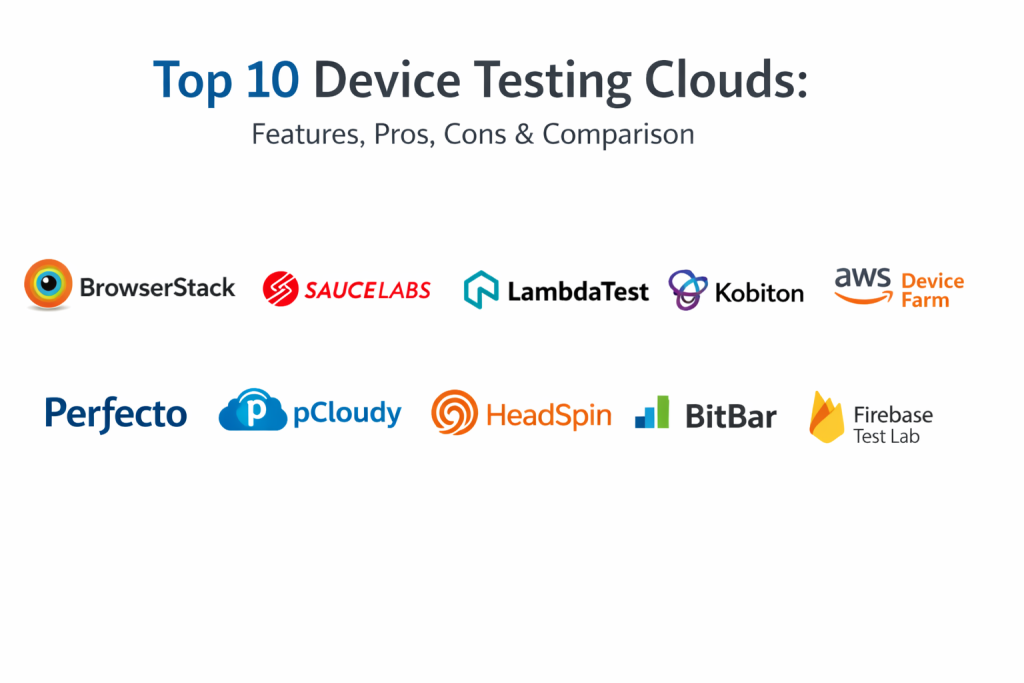
Top 10 Device Testing Software Tools
1. BrowserStack
BrowserStack is widely considered the market leader in the device testing space. It provides an instant, cloud-based infrastructure with access to thousands of real mobile devices and browsers. It is known for its incredible ease of use and the sheer size of its device fleet, which is updated almost immediately as new hardware hits the market.
Key Features
- App Automate: A high-speed infrastructure for running Appium, Espresso, and XCUITest at scale.
- Real-Time Interactive Testing: Zero-latency manual testing on physical iOS and Android units.
- Local Testing: Securely test internal development environments behind a firewall.
- Smart Step Details: AI-powered logs that highlight exactly where a test failed with screenshots and video.
- Parallel Engine: Highly optimized parallelization to reduce test execution time by up to 10x.
Pros
- Unrivaled device and browser coverage with the most frequent hardware updates.
- Extremely stable and reliable for large-scale enterprise automation.
Cons
- Premium pricing can be high for small teams with high concurrency needs.
- The interface can become complex due to the massive number of available features.
Platforms / Deployment
Web / Windows / macOS / Linux — Managed Cloud
Security & Compliance
SOC 2 Type II, ISO 27001, and GDPR compliant.
Integrations & Ecosystem
BrowserStack integrates with every major CI/CD tool, including Jenkins, CircleCI, and TeamCity. It also features deep links to Jira, Trello, and Slack for immediate bug reporting.
Support & Community
Industry-leading support with 24/7 technical assistance and a massive library of tutorials and documentation.
2. Sauce Labs
Sauce Labs is an enterprise-focused testing cloud that offers a unified platform for web and mobile testing. It stands out for its deep focus on analytics and “failure signals,” helping teams understand not just that a test failed, but why it happened across different configurations.
Key Features
- Sauce Real Device Cloud: Access to thousands of real devices for manual and automated runs.
- Failure Analysis: AI-driven insights that group similar failures together to speed up debugging.
- Virtual Device Cloud: Low-cost emulators and simulators for early-stage development testing.
- Private Device Cloud: Dedicated hardware for organizations requiring the highest level of security.
- Orchestrate: A tool for running containerized tests directly in the Sauce Labs infrastructure.
Pros
- Exceptional analytics and reporting for enterprise-level visibility.
- Strong focus on security with single-tenant dedicated device options.
Cons
- Initial setup and configuration for complex pipelines can be time-consuming.
- Manual testing latency can sometimes be slightly higher than BrowserStack.
Platforms / Deployment
Web / Windows / macOS / Linux — Managed Cloud
Security & Compliance
SOC 2 Type II, ISO 27001, and HIPAA-ready environments.
Integrations & Ecosystem
Seamlessly integrates with the entire DevOps lifecycle, including Azure DevOps, Bamboo, and various reporting frameworks.
Support & Community
Extensive documentation and a dedicated “Sauce School” for professional training.
3. LambdaTest
LambdaTest is a fast-growing cloud testing platform that has quickly become a favorite for its aggressive pricing and high-performance execution. Its “HyperExecute” platform is designed to be the fastest test orchestration engine in the market, reducing feedback loops for agile teams.
Key Features
- HyperExecute: An AI-powered orchestration grid that executes tests up to 70% faster than traditional clouds.
- Real Device Testing: Manual and automated testing on a vast array of physical Android and iOS devices.
- Visual Regression Testing: Smart visual UI testing to catch pixel-level differences.
- Geolocation Testing: Test across 50+ countries to verify localized app behavior.
- Live Interactive Testing: High-speed streaming for manual exploratory testing.
Pros
- Extremely competitive pricing and high value for money.
- HyperExecute significantly reduces wait times for automated test results.
Cons
- The real device fleet, while large, is slightly smaller than BrowserStack’s.
- Some advanced enterprise features are still in active development.
Platforms / Deployment
Web / Windows / macOS / Linux — Managed Cloud
Security & Compliance
SOC 2, GDPR, and ISO 27001 certified.
Integrations & Ecosystem
Over 120 integrations with tools like GitHub, GitLab, Bitbucket, and various project management suites.
Support & Community
Excellent 24/7 live chat support and an active community of developers.
4. Kobiton
Kobiton is a mobile-first testing cloud that focuses heavily on the user experience. It uses AI to help teams move from manual testing to automated scripts effortlessly, making it a strong choice for teams transitioning into automation.
Key Features
- AI-Driven Scriptless Automation: Convert manual test sessions into automated Appium scripts.
- Visual Validation: Automatically identify UI discrepancies across different screen sizes.
- Device Lab Management: Ability to plug in your own local devices and manage them through the Kobiton cloud.
- Performance Insights: Detailed metrics on memory, CPU, and battery performance for every test.
- Private and Hybrid Cloud: Flexible deployment options for secure enterprise testing.
Pros
- The best platform for transitioning from manual to automated testing.
- Unique ability to manage both cloud-hosted and on-premise devices in one UI.
Cons
- Primarily focused on mobile; not a complete solution for desktop browser testing.
- The scriptless automation may require manual tweaking for very complex flows.
Platforms / Deployment
Web / Windows / macOS — Hybrid Cloud
Security & Compliance
SOC 2 Type II and GDPR compliant.
Integrations & Ecosystem
Integrates with Appium, Selenium, and major CI/CD tools like Jenkins and Azure DevOps.
Support & Community
Strong customer success focus with dedicated account management for enterprise clients.
5. AWS Device Farm
AWS Device Farm is a highly scalable service from Amazon that allows you to test your apps against a large collection of real devices in the AWS Cloud. It is an ideal choice for teams already heavily invested in the Amazon Web Services ecosystem.
Key Features
- Automated Testing: Support for Appium, Espresso, and XCUITest with massive parallelization.
- Remote Access: High-performance manual testing through a web browser.
- Private Device Racks: Dedicated hardware for exclusive use, hosted in AWS data centers.
- Built-in Test Reporting: Detailed logs, screenshots, and videos provided for every run.
- Network Simulation: Customize network profiles to test app behavior under poor connectivity.
Pros
- Exceptional scalability that leverages the global AWS infrastructure.
- Seamless integration with other AWS services like S3 and IAM.
Cons
- The pricing model based on “device minutes” can become unpredictable.
- The user interface is more technical and less “polished” than developer-first clouds.
Platforms / Deployment
Web / AWS Console — Managed Cloud
Security & Compliance
Inherits the world-class security and compliance of the AWS platform (SOC, ISO, HIPAA).
Integrations & Ecosystem
Deeply integrated with AWS CodePipeline, CloudWatch, and the AWS CLI for automated workflows.
Support & Community
Standard AWS enterprise support and massive technical documentation.
6. Perfecto (by Perforce)
Perfecto is an enterprise-grade testing cloud designed for complex, regulated industries. It provides one of the most stable and high-performance environments for large-scale mobile and web automation, with a strong emphasis on reliability.
Key Features
- Smart Reporting: High-level executive dashboards and detailed root-cause analysis.
- Advanced Automation: Specialized support for complex use cases like biometrics and image injection.
- Global Infrastructure: High-speed data centers located around the world for low-latency access.
- Self-Healing Tests: AI that automatically fixes minor test failures caused by UI changes.
- Secure Device Access: Enterprise-grade security for private cloud deployments.
Pros
- Extremely reliable for massive, mission-critical test suites.
- Best-in-class support for complex hardware interactions and security.
Cons
- One of the most expensive options on the market.
- A more formal, enterprise learning curve compared to newer platforms.
Platforms / Deployment
Web / Windows / macOS / Linux — Managed Cloud
Security & Compliance
SOC 2, ISO 27001, and specialized compliance for finance and healthcare.
Integrations & Ecosystem
Strongest integration with enterprise tools like HP ALM and various Perforce products.
Support & Community
Dedicated professional services and premium enterprise support.
7. Pcloudy
Pcloudy is a comprehensive device testing cloud that is particularly popular in the Asia-Pacific region. It offers a wide range of real devices and a strong set of AI features designed to optimize the entire testing lifecycle.
Key Features
- Certifaya: An AI-powered bot that can autonomously test an app for basic functionality and performance.
- Real Device Cloud: Access to over 5,000 device-browser combinations.
- Wildnet: Test your app on real devices under various carrier network conditions globally.
- Automation Hub: Scalable infrastructure for Appium and Selenium automation.
- Browser Cloud: Full-featured cross-browser testing for responsive web apps.
Pros
- Very competitive pricing for the volume of devices offered.
- Innovative AI features that help identify performance bottlenecks.
Cons
- Latency can vary depending on the user’s distance from their primary data centers.
- The user interface can occasionally feel less modern than BrowserStack or LambdaTest.
Platforms / Deployment
Web / Windows / macOS — Managed Cloud
Security & Compliance
Standard SOC 2 and ISO 27001 certifications.
Integrations & Ecosystem
Integrates well with Jenkins, Appium, and Jira.
Support & Community
Excellent localized support for the Asia-Pacific and Indian markets.
8. HeadSpin
HeadSpin is a specialized platform that focuses heavily on data science and performance. It doesn’t just test if an app works; it analyzes the digital experience and network performance from the user’s perspective in real-world environments.
Key Features
- Global Device Network: Real devices connected to actual local carrier networks in 100+ countries.
- AI Regression Insights: Automatically identifies performance regressions between app versions.
- Audio and Video Analysis: Specialized tools for testing streaming quality and synchronization.
- Network Vitals: Deep analysis of packet loss, latency, and server-side performance during a session.
- Experience Monitoring: Continuous monitoring of production apps on real devices.
Pros
- Unrivaled for performance engineering and real-world network testing.
- Provides the most detailed data on the actual “user experience.”
Cons
- Higher cost and more specialized than a general-purpose testing cloud.
- May be more data than a standard QA team needs for basic functional testing.
Platforms / Deployment
Web / Windows / macOS — Managed Cloud
Security & Compliance
Enterprise security with private deployment options.
Integrations & Ecosystem
Integrates with popular performance and monitoring tools as well as standard CI/CD.
Support & Community
Professional-grade support focused on data science and performance engineering.
9. BitBar (by SmartBear)
BitBar is a flexible device testing cloud that allows you to use any test automation framework. It is built for speed and is a favorite among developer-heavy teams who want a “no-limits” approach to their testing environment.
Key Features
- Framework Agnostic: Use any framework that can run on Linux or macOS.
- High Parallelism: Scale tests across hundreds of real devices with no bottlenecks.
- Device Groups: Organize devices into custom groups for targeted testing.
- Interactive Live Testing: Real-time manual testing with advanced debugging tools.
- API Access: Complete control over the platform via a robust REST API.
Pros
- Most flexible platform for custom automation frameworks.
- Simple and straightforward pricing with no hidden per-minute costs for many plans.
Cons
- Lacks some of the AI-driven “fancy” features found in Kobiton or Pcloudy.
- The UI is functional but lacks the high-end polish of competitors.
Platforms / Deployment
Web / Windows / macOS / Linux — Managed Cloud
Security & Compliance
Standard enterprise security through SmartBear’s compliance framework.
Integrations & Ecosystem
Strongest integration with other SmartBear products like TestComplete and Zephyr.
Support & Community
Solid technical support and a large community of automation engineers.
10. Firebase Test Lab (by Google)
Firebase Test Lab is a cloud-based app-testing infrastructure from Google. While it primarily uses emulators, its “Real Device” tier is incredibly powerful for Android developers and is deeply integrated into the Android Studio workflow.
Key Features
- Robo Test: An automated tool that crawls your app and identifies crashes without any test code.
- Android Studio Integration: Run tests on cloud devices directly from your IDE.
- Real Device Fleet: Access to physical Google Pixel and other major Android hardware.
- Game Loop Testing: Specialized tools for testing the performance and logic of mobile games.
- Crashlytics Integration: Detailed crash reports that link directly back to the test session.
Pros
- The most seamless experience for Android-first development teams.
- The “Robo Test” is excellent for quick, zero-effort smoke testing.
Cons
- Limited iOS support compared to specialized mobile clouds.
- Not a full-featured cross-browser testing solution for web apps.
Platforms / Deployment
Web / Android Studio — Managed Cloud
Security & Compliance
Inherits Google Cloud’s world-class security and compliance (SOC, ISO).
Integrations & Ecosystem
Part of the broader Firebase and Google Cloud platform, making it ideal for mobile-first startups.
Support & Community
Massive community support and comprehensive Google-standard documentation.
Comparison Table (Top 10)
| Tool Name | Best For | Platform(s) Supported | Deployment | Standout Feature | Public Rating |
| 1. BrowserStack | General Purpose / Fleet Size | Web, Windows, macOS, Linux | Managed Cloud | 3,000+ Device Combo | 4.6/5 |
| 2. Sauce Labs | Enterprise Analytics | Web, Windows, macOS, Linux | Managed Cloud | AI Failure Analysis | 4.4/5 |
| 3. LambdaTest | Execution Speed | Web, Windows, macOS, Linux | Managed Cloud | HyperExecute Grid | 4.6/5 |
| 4. Kobiton | Manual-to-Auto Transition | Web, Windows, macOS | Hybrid Cloud | Scriptless Automation | 4.3/5 |
| 5. AWS Device Farm | AWS Ecosystem Users | Web, AWS Console | Managed Cloud | Private Device Racks | 4.1/5 |
| 6. Perfecto | Complex / Regulated Industry | Web, Windows, macOS, Linux | Managed Cloud | Self-Healing Tests | 4.5/5 |
| 7. Pcloudy | Cost-Effective Scaling | Web, Windows, macOS | Managed Cloud | Certifaya AI Bot | 4.2/5 |
| 8. HeadSpin | Performance Engineering | Web, Windows, macOS | Managed Cloud | Carrier Network Testing | 4.5/5 |
| 9. BitBar | Framework Flexibility | Web, Windows, macOS, Linux | Managed Cloud | Framework Agnostic | 4.4/5 |
| 10. Firebase Test Lab | Android-First Teams | Web, Android Studio | Managed Cloud | Robo Test Crawler | 4.3/5 |
Evaluation & Scoring of Device Testing Clouds
| Tool Name | Core (25%) | Ease (15%) | Integrations (15%) | Security (10%) | Perf (10%) | Support (10%) | Value (15%) | Total |
| 1. BrowserStack | 10 | 9 | 10 | 9 | 9 | 10 | 6 | 8.8 |
| 2. Sauce Labs | 9 | 7 | 9 | 10 | 8 | 9 | 6 | 8.1 |
| 3. LambdaTest | 8 | 8 | 9 | 8 | 10 | 9 | 9 | 8.5 |
| 4. Kobiton | 8 | 9 | 8 | 8 | 8 | 9 | 7 | 8.1 |
| 5. AWS Device Farm | 8 | 5 | 9 | 10 | 9 | 8 | 7 | 7.8 |
| 6. Perfecto | 9 | 6 | 8 | 10 | 9 | 9 | 5 | 7.7 |
| 7. Pcloudy | 8 | 7 | 8 | 8 | 8 | 8 | 9 | 7.8 |
| 8. HeadSpin | 7 | 6 | 7 | 9 | 10 | 8 | 6 | 7.4 |
| 9. BitBar | 8 | 7 | 8 | 8 | 9 | 8 | 8 | 7.9 |
| 10. Firebase Lab | 7 | 8 | 9 | 9 | 8 | 8 | 8 | 7.8 |
Scoring is based on professional QA standards. A high “Core” score represents the platform’s device variety and hardware reliability. “Perf” scores reflect the low latency in manual mode and high speed in parallel automation. “Value” scores prioritize platforms that offer the best balance of features versus subscription cost.
Which Device Testing Cloud Is Right for You?
Solo / Freelancer
For an individual developer, LambdaTest or DigitalOcean (if looking for general cloud) are strong, but specifically for devices, LambdaTest offers the best value. Its competitive pricing and free tier for open-source projects make it the most accessible way to get real-device coverage.
SMB
A small team that needs to move fast without a dedicated DevOps team should consider Kobiton. Its ability to convert manual tests into automated scripts allows your team to gain the benefits of automation without the heavy engineering overhead.
Mid-Market
For companies with an established QA department, BrowserStack is the standard choice. It offers the largest fleet and the most reliable infrastructure, ensuring that your team spends its time finding bugs rather than fighting with the testing platform.
Enterprise
Large corporations in regulated industries should look at Perfecto or Sauce Labs. These platforms provide the necessary “Private Cloud” security, single-tenant infrastructure, and advanced analytics required to manage risk in high-stakes environments.
Budget vs Premium
If the budget is the main concern, Pcloudy offers massive device access at a lower price point. For those who prioritize fleet size and 24/7 reliability over cost, BrowserStack remains the premium market leader.
Feature Depth vs Ease of Use
Perfecto offers the deepest feature set for complex hardware interactions, but it comes with a steeper learning curve. Firebase Test Lab and LambdaTest prioritize a smooth user experience that allows you to start testing in minutes.
Integrations & Scalability
If your team is already running everything on Amazon, AWS Device Farm provides the best integration and infinite scalability. For teams using a wide variety of third-party tools, BrowserStack has the most mature integration ecosystem.
Security & Compliance Needs
For organizations with strict data residency or privacy requirements, the AWS and Azure ecosystems (or Perfecto’s private racks) offer the most verified and robust security frameworks.
Frequently Asked Questions (FAQs)
1. Is testing on a cloud device as good as testing on a physical device in my hand?
For 99% of cases, yes. High-performance clouds provide low-latency video and touch response that mirrors the real experience. It is much better than using emulators, which can miss low-level hardware bugs.
2. What is the difference between an emulator and a real device?
An emulator is a software program that mimics a device, while a “Real Device” is actual physical hardware plugged into a server rack. Real devices catch bugs related to battery, memory, and physical sensors that emulators miss.
3. Can I test features like the camera or GPS in the cloud?
Yes. Modern platforms allow you to “inject” an image into the camera or provide a mock GPS coordinate to the device, allowing you to test these features remotely.
4. How many devices can I test on at the same time?
This depends on your subscription. Most clouds allow “Parallel Execution,” meaning you can run your test on 5, 10, or even 100 devices at the exact same moment.
5. Is my data safe on a public device testing cloud?
Professional providers use “Device Cleaning” technology to ensure that every app, file, and browser history is completely wiped before the next user accesses the device.
6. Do I need to write new scripts for each device?
No. If you use a standard framework like Appium, the same script can run on a Samsung Galaxy, a Google Pixel, and an iPhone with minimal or no changes.
7. How do I test my app if it is not yet on the App Store?
You can simply upload your .apk or .ipa file directly to the cloud platform’s dashboard, and it will be installed on the remote device for your session.
8. Can I test web apps and websites on these platforms?
Absolutely. These clouds are essential for “Cross-Browser Testing,” allowing you to see how your website looks and functions on Chrome, Safari, and other mobile browsers.
9. What is “Geolocation Testing”?
It is the ability to see how your app behaves when the device is “located” in a different country, which is critical for testing localized content, ads, and language settings.
10. How do these clouds help with 5G testing?
Some providers have devices connected to actual 5G carrier networks, allowing you to test high-bandwidth features like 4K video streaming or real-time gaming in real-world conditions.
Conclusion
Selecting the right device testing cloud is a critical step in modern software delivery. As digital experiences become more complex and hardware fragments further, the ability to validate your application on real hardware without the burden of physical maintenance is a massive competitive advantage. Whether you choose the massive scale of BrowserStack, the AI insights of Sauce Labs, or the cost-effective agility of LambdaTest, the goal is to ensure that every user—regardless of their device—has a flawless experience. By integrating these cloud-based laboratories into your development cycle, you can release with confidence, knowing that your app has been tested against the real-world conditions your users face every day.

Best Cardiac Hospitals Near You
Discover top heart hospitals, cardiology centers & cardiac care services by city.
Advanced Heart Care • Trusted Hospitals • Expert Teams
View Best Hospitals