Introduction
Transcoding and encoding tools are essential technologies used to convert video and audio files from one format to another. While encoding is the initial process of compressing raw footage into a digital format, transcoding involves taking an already compressed file and changing its codec, resolution, or bitrate to ensure it plays perfectly on different devices. In a world where content is consumed on everything from 4K cinema screens to low-bandwidth mobile phones, these tools ensure that media remains accessible, high-quality, and storage-efficient.
In the landscape, the explosion of high-resolution streaming, virtual reality, and AI-generated content has made these tools more critical than ever. Organizations now require tools that can handle massive volumes of data with lightning speed while maintaining visual fidelity. Whether you are a professional film editor, a streaming platform engineer, or a social media creator, selecting the right tool determines how effectively your message reaches your audience across varying network conditions and hardware.
Real-World Use Cases
- Adaptive Bitrate Streaming: Creating multiple versions of a single video at different resolutions so services like Netflix or YouTube can switch quality based on the viewer’s internet speed.
- Archive Compression: Converting massive raw video files into efficient formats like HEVC (H.265) or AV1 to save storage space without losing visible quality.
- Broadcasting & Live Streaming: Transcoding live video feeds in real-time to ensure they can be viewed on smartphones, tablets, and smart TVs simultaneously.
- Device Compatibility: Converting legacy video formats into modern MP4 or WebM files to ensure they play on current web browsers and mobile operating systems.
- Social Media Optimization: Tailoring video files to meet the specific bitrate and aspect ratio requirements of platforms like Instagram, TikTok, and LinkedIn.
Evaluation Criteria for Buyers
- Codec Support: The ability to handle modern standards like AV1, HEVC, and VP9 alongside legacy formats like H.264.
- Processing Speed: How quickly the tool can process a file, often measured by its ability to utilize hardware acceleration (GPU/ASIC).
- Batch Processing: The capability to handle hundreds of files simultaneously with automated workflows.
- Quality Preservation: The effectiveness of the compression algorithms in maintaining sharpness and color accuracy at lower bitrates.
- Scalability: Whether the tool can scale across cloud clusters to handle enterprise-level workloads.
- API & Automation: The availability of robust APIs for integrating the transcoding process into larger software pipelines.
- Cost Efficiency: The balance between licensing fees (or cloud usage costs) and the performance delivered.
Best for: Video engineers, streaming service providers, digital asset managers, high-end content creators, and enterprise media houses.
Not ideal for: Users looking for basic video editing features like adding filters or music, as these tools focus primarily on the technical conversion of data.
Key Trends in Transcoding & Encoding Tools
- AI-Enhanced Compression: Using machine learning to identify the most important parts of a frame, allowing for higher quality at significantly lower bitrates.
- AV1 Mainstream Adoption: A shift toward the royalty-free AV1 codec, which offers superior compression over HEVC and is now supported by most major hardware manufacturers.
- Cloud-Native Elasticity: Transcoding workflows that automatically spin up thousands of cloud instances to process a library in minutes rather than days.
- Neural Super-Resolution: Tools that can upscale low-resolution legacy footage to 4K or 8K during the transcoding process using AI.
- HDR10+ and Dolby Vision Support: Standardized workflows for maintaining high dynamic range metadata during complex conversions.
- Green Encoding: The development of energy-efficient algorithms designed to reduce the massive carbon footprint of large-scale video processing centers.
- Real-Time 8K Processing: The arrival of hardware-accelerated tools capable of transcoding 8K video live with minimal latency.
- Content-Aware Encoding: Algorithms that analyze the genre of the video (e.g., sports vs. talking heads) to apply the most efficient compression settings automatically.
How We Selected These Tools
Our methodology for selecting the top ten transcoding and encoding tools focused on technical reliability, industry adoption, and performance under stress. We analyzed both open-source foundations, which power much of the internet’s video infrastructure, and high-end commercial solutions used by Hollywood and major broadcasters. We evaluated each tool’s ability to utilize modern GPU acceleration, the robustness of its automation features, and its support for the latest codecs like AV1. We also considered the diversity of the list, ensuring that both local desktop applications for individual pros and massive cloud-based API services for enterprises were represented.
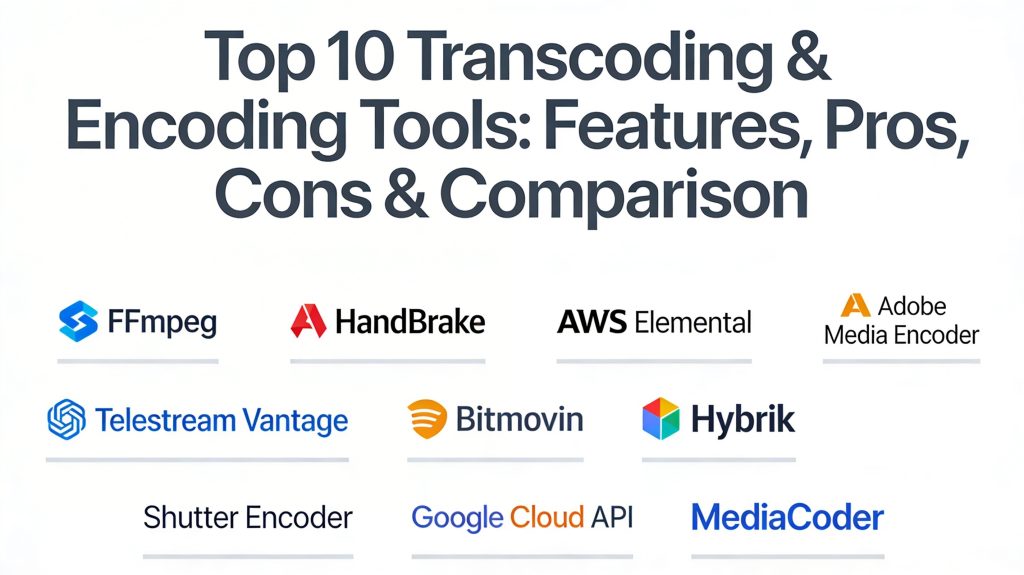
Top 10 Transcoding & Encoding Tools
1. FFmpeg
FFmpeg is the undisputed heavyweight of the video world. It is a free, open-source command-line tool that serves as the engine for almost every other video application on this list. It supports nearly every codec and format ever created.
Key Features
- Unmatched Format Support: Supports virtually every audio and video codec in existence.
- Hardware Acceleration: Deep integration with NVIDIA NVENC, Intel QuickSync, and AMD AMF.
- Extensive Filter Graph: Allows for complex video manipulation, overlays, and color adjustments during conversion.
- Stream Mapping: Precise control over which audio tracks and subtitle streams are included in the final file.
- Cross-Platform Power: Runs seamlessly on Windows, macOS, Linux, and even mobile environments.
Pros
- Completely free and highly flexible for any technical workflow.
- The standard for automation and server-side processing.
Cons
- No graphical user interface; requires command-line knowledge.
- The learning curve for complex commands is very steep.
Platforms / Deployment
Windows / macOS / Linux — Self-hosted
Security & Compliance
Not publicly stated (Open-source).
Integrations & Ecosystem
Used as the core engine by thousands of applications, including VLC, HandBrake, and many professional broadcast systems.
Support & Community
A massive, worldwide community of developers and decades of documentation and forums.
2. HandBrake
HandBrake is a popular, open-source tool that provides a user-friendly interface for the FFmpeg engine. it is designed to make the process of converting video for specific devices easy for anyone.
Key Features
- Device Presets: Optimized settings for iPhones, iPads, Android devices, and web platforms.
- Queue Management: Easily set up multiple files to be processed one after another.
- VFR & CFR Support: Handles both variable and constant frame rate video.
- Subtitle Support: Can burn subtitles into the video or include them as soft text tracks.
- Live Static & Video Preview: See exactly how your settings will look before starting a long encode.
Pros
- Excellent interface that makes complex transcoding accessible.
- Completely free with no ads or hidden costs.
Cons
- Limited to a few output containers (MP4, MKV, WebM).
- Not designed for professional broadcast-standard metadata management.
Platforms / Deployment
Windows / macOS / Linux — Self-hosted
Security & Compliance
Not publicly stated.
Integrations & Ecosystem
Focused on standalone desktop use rather than API-driven enterprise workflows.
Support & Community
Very strong community support with a focus on home theater and hobbyist users.
3. AWS Elemental MediaConvert
This is an enterprise-grade, file-based video transcoding service from Amazon. It is built to handle professional-scale video processing with advanced features for broadcast and streaming.
Key Features
- Broadcast-Grade Features: Supports advanced formats like Dolby Vision, HDR10, and high-quality audio.
- Automated Scalability: Handles massive libraries by scaling cloud resources on-demand.
- In-Depth Metadata: Precise management of captions, subtitles, and multiple audio tracks.
- Watermarking: Integrated support for forensic watermarking for security.
- Pay-per-Minute: Pricing based on the length of the video and the complexity of the features used.
Pros
- Unrivaled reliability and scale for massive media organizations.
- Part of the AWS ecosystem for seamless storage and delivery integration.
Cons
- Pricing can be high for simple projects.
- The interface and settings are highly technical and aimed at experts.
Platforms / Deployment
Cloud (AWS) — Managed
Security & Compliance
SOC 1/2/3, ISO 27001, and HIPAA compliant via AWS.
Integrations & Ecosystem
Integrates perfectly with Amazon S3 for storage and CloudFront for global delivery.
Support & Community
High-level enterprise support and professional documentation for media engineers.
4. Adobe Media Encoder
Adobe Media Encoder is the standard companion for Premiere Pro and After Effects users. It is designed to handle the rendering and transcoding of professional creative projects.
Key Features
- Adobe Creative Cloud Sync: Seamlessly pull projects directly from Premiere Pro for background rendering.
- Watch Folders: Automatically transcode any file that is dropped into a specific folder.
- Destination Publishing: Automatically upload finished files to YouTube, Vimeo, or Facebook.
- Hardware Acceleration: Excellent use of GPU for fast rendering of complex timelines.
- Format Versatility: Broad support for professional camera formats like RED and ARRI.
Pros
- Essential for anyone already working in the Adobe ecosystem.
- Very stable and optimized for creative professional workflows.
Cons
- Only available as part of a paid Adobe Creative Cloud subscription.
- Can be resource-heavy, requiring a powerful workstation.
Platforms / Deployment
Windows / macOS — Self-hosted
Security & Compliance
Varies / N/A.
Integrations & Ecosystem
Deeply integrated with Premiere Pro, After Effects, and Photoshop.
Support & Community
Extensive tutorials and a professional community of video editors worldwide.
5. Bitmovin Cloud Transcoding
Bitmovin offers a powerful, API-first cloud transcoding service that is highly optimized for the fastest possible processing times using a “split-and-stitch” method.
Key Features
- Per-Title Encoding: Analyzes each video to find the most efficient bitrate, saving bandwidth.
- Ultra-Fast Processing: Uses massively parallel processing to transcode video up to 100x faster than real-time.
- AV1 Support: Leading-edge support for the latest, most efficient video codecs.
- Multi-Cloud Deployment: Can run on AWS, Google Cloud, or Azure.
- Robust API: Designed from the ground up for developers to automate complex video pipelines.
Pros
- The fastest cloud transcoding option for large-scale streaming platforms.
- Innovative features that significantly reduce data delivery costs.
Cons
- Pricing is geared toward high-volume enterprise customers.
- Requires development effort to fully integrate the API.
Platforms / Deployment
Cloud — Managed / Hybrid
Security & Compliance
Enterprise-grade security with support for DRM and encrypted workflows.
Integrations & Ecosystem
Strongest integration with Bitmovin’s own video player and analytics tools.
Support & Community
Excellent developer documentation and dedicated engineering support.
6. Telestream Vantage
Telestream Vantage is a high-end workflow automation and transcoding platform used by television networks and major film studios. It is designed for massive, complex file-based media processing.
Key Features
- Complex Workflow Design: A visual editor for creating intricate paths for media movement and conversion.
- Intelligent Content Analysis: Automatically checks for errors in video and audio before processing.
- Broadcast Format Mastery: Unmatched support for specialized formats like MXF, AS-11, and ProRes.
- GPU Acceleration: High-speed processing using professional NVIDIA hardware.
- Seamless Scalability: Can grow from a single server to a massive on-premises farm.
Pros
- The gold standard for broadcast-level compliance and reliability.
- Visual workflow designer makes it easy to manage complex logic.
Cons
- Extremely high entry price point aimed at large organizations.
- Requires specialized hardware and IT management.
Platforms / Deployment
Windows — Self-hosted / Cloud (Hybrid)
Security & Compliance
Not publicly stated.
Integrations & Ecosystem
Integrates with professional storage systems and broadcast automation suites.
Support & Community
High-level professional support with training for media engineers.
7. Hybrik (Telestream)
Hybrik is a cloud-native transcoding platform now part of Telestream. It is famous for its massive scale and its ability to process thousands of files simultaneously at a very low cost.
Key Features
- Massive Parallelism: Designed to utilize thousands of cloud instances for a single job.
- Quality Analysis: Built-in tools to measure VMAF scores and ensure visual quality.
- Low-Cost Cloud Processing: Optimized to use cloud “spot instances” to minimize transcoding fees.
- Format Breadth: Supports a huge range of enterprise and consumer formats.
- Automated QC: Checks files for compliance with delivery standards automatically.
Pros
- One of the most cost-effective options for processing massive libraries.
- Incredible scalability for burst workloads.
Cons
- Interface is highly technical and developer-focused.
- Requires a cloud infrastructure setup to function.
Platforms / Deployment
Cloud — Managed
Security & Compliance
Meets high security standards for major Hollywood studio content.
Integrations & Ecosystem
Deeply integrated into the cloud storage systems of AWS and Google Cloud.
Support & Community
Professional support focused on enterprise media workflows.
8. Shutter Encoder
Shutter Encoder is a free, all-in-one converter that uses FFmpeg but provides one of the most comprehensive and modern interfaces for professionals who need quick, reliable results.
Key Features
- Professional Codec Access: Easy access to ProRes, DNxHR, and GoPro CineForm.
- Advanced Video Tools: Features like scene change detection and color correction.
- Image & Audio Conversion: Not just for video; handles professional stills and high-res audio.
- Web Publishing: Presets for web platforms that ensure the best quality-to-weight ratio.
- Metadata Editing: Allows for quick changes to file metadata without re-encoding.
Pros
- Offers professional features for free in a clean, modern interface.
- Faster and more feature-rich for pros than HandBrake.
Cons
- Can be intimidating for casual users compared to HandBrake.
- Single-developer project, so updates can vary in frequency.
Platforms / Deployment
Windows / macOS / Linux — Self-hosted
Security & Compliance
Not publicly stated.
Integrations & Ecosystem
A standalone power-tool for editors and media managers.
Support & Community
Strong following among professional video editors on Reddit and specialist forums.
9. Google Cloud Transcoder API
Google’s native cloud transcoding service is built for developers who need to integrate high-quality video conversion into their applications and websites.
Key Features
- Global Scale: Leverages Google’s massive global network for distributed processing.
- Template-Based Workflow: Use pre-defined or custom templates for consistent encoding.
- Security Integration: Native support for managing content with Google’s IAM and encryption.
- Pub/Sub Notifications: Get real-time updates on job progress via Google’s messaging system.
- Cost Efficiency: Simple, usage-based pricing that scales with your project.
Pros
- Extremely easy to integrate for developers already using Google Cloud.
- Very stable and reliable for web-scale applications.
Cons
- Lacks some of the ultra-niche broadcast formats found in Telestream.
- No graphical interface; requires API interaction.
Platforms / Deployment
Cloud (GCP) — Managed
Security & Compliance
ISO, SOC, and HIPAA compliant via Google Cloud.
Integrations & Ecosystem
Strongest ties to Google Cloud Storage and Firebase.
Support & Community
Robust developer documentation and a strong presence in the cloud-native community.
10. MediaCoder
MediaCoder is a long-standing, powerful batch transcoder that has been a favorite for many years due to its deep control over every single encoding parameter.
Key Features
- Deep Parameter Control: Allows users to tweak the smallest settings of the encoder.
- Hardware Acceleration: Supports all major GPU-based encoding technologies.
- Batch Processing: Highly efficient for processing thousands of files at once.
- Filter Support: Includes various filters for denoising, deinterlacing, and more.
- Resource Optimization: Designed to maximize CPU and GPU usage for speed.
Pros
- Offers a level of technical control that few other GUI tools can match.
- Completely free for many high-end features.
Cons
- The interface looks very dated and can be quite confusing.
- Can be prone to crashes if incorrect technical settings are chosen.
Platforms / Deployment
Windows — Self-hosted
Security & Compliance
Not publicly stated.
Integrations & Ecosystem
Primarily a standalone tool for technical users and media collectors.
Support & Community
A dedicated user base of longtime technical enthusiasts.
Comparison Table (Top 10)
| Tool Name | Best For | Platform(s) Supported | Deployment | Standout Feature | Public Rating |
| 1. FFmpeg | Automation & Servers | Windows, macOS, Linux | Self-hosted | Unmatched Codec Support | 4.9/5 |
| 2. HandBrake | Casual Users & Home | Windows, macOS, Linux | Self-hosted | Easy Presets | 4.7/5 |
| 3. AWS Elemental | Enterprise Streaming | Cloud (AWS) | Managed | Broadcast Grade | 4.6/5 |
| 4. Adobe Media Encoder | Creative Professionals | Windows, macOS | Self-hosted | Creative Cloud Sync | 4.5/5 |
| 5. Bitmovin | Fast API Transcoding | Cloud | Managed | Per-Title Encoding | 4.7/5 |
| 6. Telestream Vantage | TV & Film Broadcast | Windows | Hybrid | Visual Workflow | 4.6/5 |
| 7. Hybrik | Large Library Migration | Cloud | Managed | Massive Cloud Scale | 4.5/5 |
| 8. Shutter Encoder | Pro Editors (Free) | Windows, macOS, Linux | Self-hosted | Pro Codec Support | 4.8/5 |
| 9. Google Cloud API | Web Developers | Cloud (GCP) | Managed | Google Ecosystem | 4.4/5 |
| 10. MediaCoder | Technical Power Users | Windows | Self-hosted | Deep Tweak Control | 4.1/5 |
Evaluation & Scoring of Transcoding Tools
| Tool Name | Core (25%) | Ease (15%) | Integrations (15%) | Security (10%) | Perf (10%) | Support (10%) | Value (15%) | Total |
| 1. FFmpeg | 10 | 1 | 10 | 5 | 10 | 9 | 10 | 8.1 |
| 2. HandBrake | 7 | 10 | 5 | 5 | 7 | 8 | 10 | 7.4 |
| 3. AWS Elemental | 10 | 4 | 10 | 10 | 9 | 9 | 6 | 8.2 |
| 4. Adobe Media Encoder | 8 | 9 | 9 | 7 | 8 | 9 | 6 | 7.9 |
| 5. Bitmovin | 9 | 5 | 9 | 9 | 10 | 9 | 7 | 8.3 |
| 6. Vantage | 10 | 3 | 9 | 8 | 10 | 9 | 5 | 7.7 |
| 7. Hybrik | 9 | 4 | 8 | 9 | 10 | 8 | 8 | 8.0 |
| 8. Shutter Encoder | 8 | 8 | 7 | 5 | 8 | 8 | 10 | 7.7 |
| 9. Google Cloud | 8 | 6 | 9 | 10 | 8 | 8 | 7 | 7.8 |
| 10. MediaCoder | 8 | 3 | 5 | 5 | 9 | 6 | 9 | 6.4 |
The scoring here reflects professional utility. A high “Core” score means the tool can handle almost any technical request. “Value” scores prioritize tools that are either free or provide high performance for their price. “Ease” scores indicate how quickly a non-technical user can get results.
Which Transcoding Tool Is Right for You?
Solo / Freelancer
If you are an individual editor, Shutter Encoder or HandBrake are your best friends. They are free, powerful, and handle almost everything a standard creator needs. For Adobe users, Media Encoder is the obvious integrated choice.
SMB
A small agency or internal marketing team will find the most value in Adobe Media Encoder or a combination of Shutter Encoder for one-off jobs and HandBrake for batch processing social media content.
Mid-Market
For companies with high-volume video needs, such as educational platforms or media archives, AWS Elemental MediaConvert or the Google Cloud Transcoder API offer the scalability needed without a massive upfront investment in hardware.
Enterprise
Major broadcasters and global streaming platforms should look at Bitmovin for the absolute fastest processing and bandwidth savings, or Telestream Vantage for high-end, on-premises workflow automation and compliance.
Budget vs Premium
If the budget is zero, FFmpeg and HandBrake are the industry titans. For organizations where time is money, premium services like Bitmovin or AWS provide the support and speed that justify their cost.
Feature Depth vs Ease of Use
FFmpeg has the most depth but is the hardest to use. HandBrake has the least technical depth but is the easiest. Shutter Encoder sits in the perfect middle ground for professionals.
Integrations & Scalability
For developers building a video-heavy product, Bitmovin or Google Cloud API offer the best integration pathways. For massive library migrations, Hybrik provides the most scalable cloud architecture.
Security & Compliance Needs
Enterprises dealing with sensitive or high-value pre-release content should stick with AWS Elemental or Telestream Vantage, which offer the most robust security protocols and forensic watermarking.
Frequently Asked Questions (FAQs)
1. What is the difference between encoding and transcoding?
Encoding is the first step of compressing raw data into a digital file. Transcoding is the process of converting an already encoded file into a different format or resolution.
2. Why should I care about the AV1 codec?
AV1 is a newer, royalty-free codec that can make video files about 30% smaller than HEVC (H.265) without losing quality, which saves massive amounts of storage and bandwidth.
3. Does transcoding lose video quality?
Yes, usually. Every time you transcode a file that uses “lossy” compression, a small amount of detail is lost. Professional tools aim to make this loss invisible to the human eye.
4. What is hardware acceleration?
It is the use of your computer’s GPU (graphics card) instead of the CPU to process video. This can make transcoding 5 to 10 times faster.
5. Can I transcode 4K video on a regular laptop?
Yes, but it will be very slow unless your laptop has a dedicated GPU that supports hardware acceleration for the codecs you are using.
6. Which tool is best for YouTube?
HandBrake and Shutter Encoder both have excellent presets for YouTube that ensure your video meets the platform’s requirements for high-quality playback.
7. Is FFmpeg safe to use?
Yes, FFmpeg is an industry-standard, open-source project used by almost every major technology company in the world, including Google and Netflix.
8. What is a “wrapper” or “container”?
A container (like MP4 or MKV) is a digital “box” that holds the video, audio, and subtitle streams. Transcoding often involves changing the contents inside the box or moving them to a new box.
9. Can these tools remove watermarks?
No, these tools are for format conversion. Removing a watermark requires specialized video editing or AI-based retouching software.
10. How do I automate my transcoding?
You can use FFmpeg with scripts, use the “Watch Folder” feature in tools like Adobe Media Encoder, or use API-based services like AWS or Bitmovin.
Conclusion
The world of video is becoming increasingly complex, but the right transcoding and encoding tools make that complexity manageable. Whether you are a solo creator looking for the simplicity of HandBrake or an enterprise architect building a global streaming platform with AWS or Bitmovin, these tools are the bridge between your content and your audience. As AI and new codecs like AV1 continue to reshape the industry, staying informed and using the right technical foundation will ensure your media remains high-quality, efficient, and future-proof. Success in video delivery is not just about the content you create, but how effectively you deliver it to every screen, everywhere. I recommend downloading Shutter Encoder and trying a simple conversion of a high-res file into the AV1 codec. Compare the file size and quality to your original to see the power of modern encoding firsthand.

Best Cardiac Hospitals Near You
Discover top heart hospitals, cardiology centers & cardiac care services by city.
Advanced Heart Care • Trusted Hospitals • Expert Teams
View Best Hospitals