Introduction
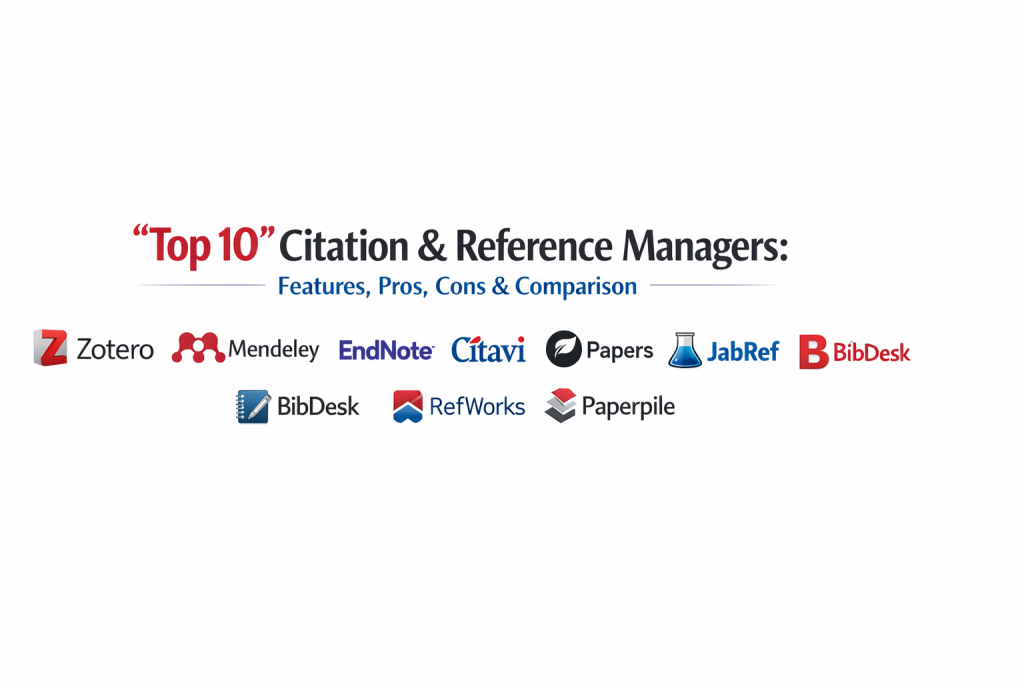
Citation and reference managers are specialized software tools designed to help researchers, students, and professionals collect, organize, and format bibliographic data. These tools act as a personal library, allowing users to store research papers, PDFs, and website links in a structured database. More importantly, they automate the tedious process of creating in-text citations and bibliographies, ensuring that every reference follows specific academic or professional style guides like APA, MLA, Chicago, or Harvard.
In the digital age, where the volume of scholarly information is overwhelming, these managers have become indispensable. They matter now because they allow for seamless collaboration across global research teams and provide automated syncing between devices. Whether you are writing a complex technical whitepaper, a PhD thesis, or a collaborative blog post, these tools eliminate the risk of manual errors and plagiarism, allowing you to focus entirely on the quality of your writing.
Real-World Use Cases
- Academic Writing: Managing hundreds of sources for long-form dissertations, theses, and peer-reviewed journal articles.
- Collaborative Research: Sharing folders of research papers with a group to ensure everyone is using the same source materials.
- Literature Reviews: Systematically tagging and organizing papers by theme, methodology, or year to identify research gaps.
- Professional Reporting: Citing technical standards, whitepapers, and government reports in corporate or consulting projects.
- Content Creation: Keeping track of high-authority sources for deep-dive blog posts and educational materials to maintain credibility.
Evaluation Criteria for Buyers
- Word Processor Integration: The quality of the “Cite-as-you-write” plugin for Microsoft Word, Google Docs, or LibreOffice.
- Storage Capacity: The amount of cloud storage provided for syncing PDFs and large document libraries across devices.
- PDF Management: The ability to annotate, highlight, and extract metadata (like titles and authors) directly from PDF files.
- Collaboration Features: Options for creating shared folders and controlling permissions for multiple contributors.
- Mobile Accessibility: Availability of a mobile app for reading and organizing references on the go.
- Web Scraping Capabilities: The efficiency of the browser extension in capturing reference data from sites like Google Scholar, PubMed, or LinkedIn.
- Cost & Licensing: Evaluating free versions versus premium subscriptions or institutional access.
Best for: Academic researchers, graduate students, technical writers, medical professionals, and content strategists who rely on high-authority sourcing.
Not ideal for: Casual readers who only need to save bookmarks, or writers who rarely use more than two or three sources for a single project.
Key Trends in Reference Management Software
- AI-Driven Metadata Extraction: Tools are increasingly using machine learning to accurately identify authors, dates, and journals from poorly formatted PDF scans.
- Cloud-Native Collaboration: A shift toward real-time, browser-based co-authoring where citations sync instantly across a shared team library.
- Deep Integration with LaTeX: Modern managers are improving their BibTeX and BibLaTeX support for developers and scientists working in technical environments.
- PDF Annotation Syncing: The ability to highlight a paper on a tablet and have those notes appear instantly on the desktop version of the reference manager.
- Automated Retraction Alerts: Advanced tools now notify users if a paper in their library has been retracted by a journal, ensuring research integrity.
- Semantic Search: Using AI to find related papers within your own library or across global databases based on the context of your research.
- Open Access Integration: Built-in tools that automatically search for legal, free-to-read versions of paywalled articles.
- Markdown Support: Growing support for citing within Markdown editors, catering to the technical writing and developer communities.
How We Selected These Tools
Our methodology for selecting the top ten citation managers involved a deep look at user adoption across major universities and professional research firms. We prioritized tools that offer robust cross-platform synchronization and high-quality browser extensions, as these are critical for modern research workflows. We evaluated each tool’s ability to handle diverse citation styles and its compatibility with popular writing software. Security and data privacy were also considered, particularly for researchers handling sensitive or proprietary information. The final list represents a balanced mix of open-source stalwarts, enterprise-grade suites, and specialized tools for niche research needs.
Top 10 Citation & Reference Managers
1. Zotero
Zotero is a free, open-source tool that has become the gold standard for many academics. It is known for its incredible ability to detect research data in a web browser and its strong community-driven development. It is highly flexible and works across almost every operating system.
Key Features
- Zotero Connector: A browser extension that senses research on a webpage and saves it with a single click.
- Automatic Metadata: Extracts bibliographic info from PDFs and ISBN/DOI lookups.
- Robust Tagging: Allows for deep organization using tags and nested collections.
- Word & Google Docs Integration: Seamless plugins for generating citations while you type.
- Local-First Storage: Keeps your data on your machine with optional cloud syncing.
Pros
- Completely open-source with no predatory subscription models.
- Massive library of community-made plugins to extend functionality.
Cons
- The interface can feel slightly dated compared to modern web apps.
- Free cloud storage is limited (300MB), requiring a paid plan for large PDF libraries.
Platforms / Deployment
Windows / macOS / Linux / iOS — Hybrid
Security & Compliance
Open-source transparency; privacy-focused with local data storage options.
Integrations & Ecosystem
Strongest integration with browser-based research and open-source writing tools like LibreOffice and LaTeX.
Support & Community
Extensive community forums and a vast array of user-generated guides and documentation.
2. Mendeley
Owned by Elsevier, Mendeley is a powerful tool that doubles as a social network for researchers. it is particularly strong in managing large PDF libraries and offers a very modern, streamlined user interface for desktop and web.
Key Features
- Mendeley Reference Manager: A cross-platform app that keeps your library synced in real-time.
- PDF Viewer & Annotator: Highlight and add sticky notes directly within the application.
- Smart Groups: Create public or private groups to share references and collaborate on papers.
- Mendeley Cite: A modern add-in for Microsoft Word that doesn’t slow down the word processor.
- Career & Research Suggestions: Suggests relevant papers and job openings based on your library.
Pros
- Excellent PDF management and viewing experience.
- Generous free storage (2GB) compared to other commercial competitors.
Cons
- Recent versions have removed some beloved offline features.
- Being owned by a major publisher raises privacy concerns for some open-access advocates.
Platforms / Deployment
Windows / macOS / Linux / Web — Cloud-managed
Security & Compliance
Enterprise-grade security backed by Elsevier’s corporate infrastructure.
Integrations & Ecosystem
Deeply integrated with Elsevier’s Scopus and ScienceDirect databases.
Support & Community
Strong professional support and a large global network of Mendeley Advisors.
3. EndNote
EndNote is the enterprise-grade choice for serious researchers and large institutions. It offers the most advanced features for managing massive datasets and has the largest collection of citation styles available in a single package.
Key Features
- Manuscript Matcher: Analyzes your paper to suggest the best journals for publication.
- Smart Search: Search through hundreds of online resources and databases within the app.
- Automated Reference Updates: Finds missing data for your references and updates them automatically.
- Advanced Sharing: Share your entire library or specific groups with up to 400 collaborators.
- Custom Style Creator: Deep tools for creating and editing your own citation styles.
Pros
- Unequaled depth of features for professional and medical research.
- Unrivaled stability when handling libraries with thousands of references.
Cons
- One of the most expensive tools on the market.
- The interface has a significant learning curve for new users.
Platforms / Deployment
Windows / macOS / iOS — Hybrid
Security & Compliance
High-level security with robust backup and recovery options.
Integrations & Ecosystem
Deeply integrated with Web of Science and other major academic databases.
Support & Community
Professional technical support and extensive training webinars for institutions.
4. Citavi
Citavi is unique because it combines reference management with task planning and knowledge organization. It is designed for those who want to manage the entire process of writing a paper, from the first note to the final citation.
Key Features
- Knowledge Organizer: Allows you to save quotes, thoughts, and images and organize them into an outline.
- Task Planner: Schedule deadlines for reading papers or completing chapters.
- Citavi Picker: A browser extension that picks up references and quotes from the web.
- Integrated Search: Direct access to library catalogs and research databases.
- Cloud & Local Storage: Choose where to save your projects based on security needs.
Pros
- The best tool for managing the “thinking” and “planning” phase of writing.
- Exceptional for organizing complex qualitative research.
Cons
- Primarily a Windows-based application (web version is more limited).
- The “all-in-one” approach can feel overwhelming for simple citation needs.
Platforms / Deployment
Windows / Web — Hybrid
Security & Compliance
Strong data protection with options for local project storage.
Integrations & Ecosystem
Excellent integration with Microsoft Word and various specialized academic databases.
Support & Community
High-quality official support and a dedicated user community in Europe.
5. Papers (ReadCube)
Papers focuses on the reading experience. It is designed for researchers who spend a lot of time reading and annotating PDFs and want a beautiful, mobile-friendly way to manage their collection.
Key Features
- Enhanced PDF Reader: High-quality reading experience with clickable inline citations.
- Smart Collections: Automatically organizes your library based on rules you define.
- SmartCite: A fast and intuitive citation tool for Word and Google Docs.
- Instant Metadata: Fast and accurate matching of PDFs to their online sources.
- Mobile Sync: One of the best mobile apps for reading and highlighting on a tablet.
Pros
- The most modern and aesthetically pleasing user interface.
- Excellent tool for discovering new research via personalized recommendations.
Cons
- Requires a monthly or yearly subscription (no free tier).
- Advanced technical formatting options are not as deep as EndNote.
Platforms / Deployment
Windows / macOS / iOS / Android / Web — Cloud-managed
Security & Compliance
Standard SOC 2 compliance for cloud data storage.
Integrations & Ecosystem
Strongest for researchers who move between mobile devices and desktop workstations.
Support & Community
Responsive customer support and a helpful set of online tutorials.
6. JabRef
JabRef is a specialized tool for researchers who work in LaTeX. It is an open-source manager that uses BibTeX as its native format, making it the perfect companion for scientists, mathematicians, and engineers.
Key Features
- Native BibTeX Support: No need for conversion; it edits your .bib files directly.
- Search and Filter: Advanced searching across online databases like IEEE Xplore and arXiv.
- Entry Cleaning: Automated tools to find duplicate entries and fix formatting errors.
- Customizable Interface: Move and hide panels to suit your technical workflow.
- No Proprietary Lock-in: Since it uses open standards, your data is always portable.
Pros
- The best free tool for LaTeX and Markdown users.
- Extremely lightweight and does not require a complex cloud account.
Cons
- Not ideal for users who primarily write in Microsoft Word.
- Does not have a built-in PDF viewer or cloud-syncing service.
Platforms / Deployment
Windows / macOS / Linux — Self-hosted
Security & Compliance
Privacy-centric as all data stays on your local machine.
Integrations & Ecosystem
Seamless integration with TeXstudio, LyX, and other LaTeX editors.
Support & Community
Active open-source community on GitHub with frequent technical updates.
7. BibDesk
BibDesk is a classic, open-source reference manager designed specifically for macOS. Like JabRef, it focuses on BibTeX, providing a highly “Mac-like” experience for managing bibliographic data.
Key Features
- Drag-and-Drop: Easily pull PDFs or web links into the manager.
- Automatic Filing: Organizes your PDF files on your hard drive based on author and year.
- AppleScript Support: Highly scriptable for users who want to automate their Mac workflow.
- Integrated Web Search: Search through major databases without leaving the app.
- Smart Groups: Automatically categorize entries based on keywords or publication date.
Pros
- Fast, stable, and fits perfectly into the macOS ecosystem.
- Completely free and open-source.
Cons
- Only available for Mac users.
- Focused primarily on BibTeX, which may not suit humanities researchers.
Platforms / Deployment
macOS — Self-hosted
Security & Compliance
Not publicly stated (Local application).
Integrations & Ecosystem
Integrates beautifully with other Mac apps and LaTeX environments.
Support & Community
A loyal community of longtime Mac power users and developers.
8. Bookends
Bookends is a high-performance, professional reference manager for macOS and iOS. It is known for its incredible speed and its ability to handle very complex citation requirements with ease.
Key Features
- Dynamic Search: Real-time searching of PubMed, Amazon, and the Library of Congress.
- Mime Type Recognition: Automatically identifies and labels different types of source files.
- Live Bibliography: Automatically updates your bibliography in Word or Mellel as you write.
- Cloud Sync via iCloud: Syncs your library and PDFs across Mac, iPhone, and iPad.
- Powerful Formatting Engine: Create almost any citation style imaginable.
Pros
- Extremely fast search and retrieval capabilities.
- Best-in-class support for the Mellel word processor.
Cons
- Only available for the Apple ecosystem.
- One-time purchase price can be high for casual users.
Platforms / Deployment
macOS / iOS — Hybrid
Security & Compliance
Uses Apple’s iCloud for secure data synchronization.
Integrations & Ecosystem
Strongest for researchers who live entirely within the Apple hardware ecosystem.
Support & Community
Excellent direct support from the developers and an active user forum.
9. RefWorks
RefWorks is a cloud-based manager typically provided through institutional subscriptions. It is designed to be accessible from any computer with an internet connection, making it popular for undergraduate students.
Key Features
- Fully Web-Based: No software to install; manage everything in your browser.
- RefWorks Citation Manager: A modern add-in for Word and Google Docs.
- Institutional Sharing: Easily share folders with anyone at your university.
- Save to RefWorks: A bookmarklet that captures citations from any website.
- PDF Thumbnail Gallery: Visual way to browse through your stored papers.
Pros
- Excellent for students who move between different computer labs.
- Often free for students through their university library.
Cons
- Offline access is limited compared to desktop applications.
- The web interface can occasionally be slow with very large libraries.
Platforms / Deployment
Web — Cloud-managed
Security & Compliance
Managed by Ex Libris, providing high-level institutional data protection.
Integrations & Ecosystem
Deeply integrated with university library search systems and discovery layers.
Support & Community
Strong institutional support and training materials provided by libraries.
10. Paperpile
Paperpile is a modern, Google-centric reference manager. It is a Chrome extension that integrates directly into Google Docs and Google Drive, making it the top choice for those who do all their writing in the cloud.
Key Features
- Google Docs Integration: The most seamless citation experience for Google Workspace.
- Google Drive Sync: Automatically stores and organizes your PDFs in your own Google Drive.
- One-Click Import: Extremely fast data capture from Google Scholar and journal sites.
- Shared Folders: Easy collaboration using the familiar Google sharing model.
- Mobile App: High-quality app for reading and annotating on mobile devices.
Pros
- The best choice for users who work primarily in Chrome and Google Docs.
- Clean, minimalist interface that stays out of your way.
Cons
- Requires a Google account and the Chrome browser for full features.
- Subscription-based (though very affordable for individuals).
Platforms / Deployment
Web / iOS / Android — Cloud-managed
Security & Compliance
Relies on Google’s enterprise-grade security for file storage and identity.
Integrations & Ecosystem
Unrivaled for teams that use Google Workspace for collaborative research.
Support & Community
Responsive help desk and a modern set of help articles and tutorials.
Comparison Table (Top 10)
| Tool Name | Best For | Platform(s) Supported | Deployment | Standout Feature | Public Rating |
| 1. Zotero | Open-source research | Windows, Mac, Linux | Hybrid | Browser Connector | 4.7/5 |
| 2. Mendeley | PDF Management | Windows, Mac, Linux | Cloud | Social Research Net | 4.3/5 |
| 3. EndNote | Enterprise/Medical | Windows, Mac | Hybrid | Manuscript Matcher | 4.1/5 |
| 4. Citavi | Knowledge Planning | Windows, Web | Hybrid | Task Planner | 4.5/5 |
| 5. Papers | Mobile Reading | Windows, Mac, Mobile | Cloud | Enhanced PDF Reader | 4.4/5 |
| 6. JabRef | LaTeX/BibTeX | Windows, Mac, Linux | Self-hosted | Native .bib Editing | 4.5/5 |
| 7. BibDesk | macOS Power Users | macOS | Self-hosted | AppleScript support | 4.6/5 |
| 8. Bookends | Apple Ecosystem | macOS, iOS | Hybrid | High-speed Search | 4.7/5 |
| 9. RefWorks | Undergrad Students | Web | Cloud | Institutional Sync | 3.8/5 |
| 10. Paperpile | Google Workspace | Web, Mobile | Cloud | Google Drive Sync | 4.8/5 |
Evaluation & Scoring of Citation Managers
| Tool Name | Core (25%) | Ease (15%) | Integrations (15%) | Security (10%) | Perf (10%) | Support (10%) | Value (15%) | Total |
| 1. Zotero | 9 | 7 | 10 | 9 | 8 | 9 | 10 | 8.8 |
| 2. Mendeley | 8 | 8 | 8 | 8 | 8 | 8 | 9 | 8.1 |
| 3. EndNote | 10 | 4 | 9 | 10 | 9 | 10 | 5 | 8.1 |
| 4. Citavi | 9 | 6 | 8 | 9 | 8 | 9 | 7 | 7.9 |
| 5. Papers | 8 | 9 | 8 | 8 | 9 | 8 | 7 | 8.1 |
| 6. JabRef | 7 | 6 | 9 | 10 | 9 | 7 | 10 | 7.9 |
| 7. BibDesk | 7 | 7 | 8 | 10 | 10 | 7 | 10 | 8.1 |
| 8. Bookends | 9 | 7 | 8 | 9 | 10 | 9 | 7 | 8.4 |
| 9. RefWorks | 7 | 8 | 7 | 9 | 7 | 8 | 8 | 7.4 |
| 10. Paperpile | 8 | 10 | 9 | 8 | 9 | 8 | 8 | 8.6 |
Scoring is based on professional academic and technical writing standards. A high “Core” score indicates the tool’s ability to handle complex citations and massive libraries. “Value” scores prioritize open-source or highly affordable tools, while “Ease” scores identify how quickly a user can go from installation to a finished bibliography.
Which Citation Manager Is Right for You?
Solo / Freelancer
If you are working alone on a variety of projects, Zotero is the best starting point. Its free nature and incredible browser connector make it the most versatile tool for a single researcher without a corporate budget.
SMB
For small technical writing teams, Paperpile or Mendeley offer the best balance. They allow for easy sharing and collaboration without requiring the heavy IT setup of an enterprise suite.
Mid-Market
Organizations that need a mix of technical writing and qualitative research should consider Citavi. Its ability to manage knowledge and outlines alongside citations makes it very valuable for complex project reports.
Enterprise
For major universities, hospitals, or research firms, EndNote is the standard. It provides the deep administrative controls and massive style libraries that professional researchers demand.
Budget vs Premium
If the budget is zero, Zotero and JabRef are the clear winners. If you are willing to pay for a “premium” experience with better mobile apps and modern UI, Papers or Bookends are excellent investments.
Feature Depth vs Ease of Use
EndNote has the most depth but is the hardest to learn. Paperpile and Zotero are significantly easier to pick up, allowing you to start citing within minutes of installation.
Integrations & Scalability
For LaTeX users, JabRef is the most scalable. For Google Workspace users, Paperpile is unrivaled. For those who need to scale across an entire university, RefWorks or EndNote are the traditional choices.
Security & Compliance Needs
Researchers handling confidential or classified data should stick with “local-first” tools like JabRef, Zotero (without cloud sync), or BibDesk to ensure that sensitive bibliographic data never leaves their secure machine.
Frequently Asked Questions (FAQs)
1. Can I switch from one manager to another?
Yes, most tools support the RIS or BibTeX format, which allows you to export your entire library from one tool and import it into another without losing your data.
2. Are these tools free for students?
Many are free (Zotero, JabRef), and others like Mendeley have generous free tiers. Additionally, many universities provide EndNote or RefWorks for free to their students.
3. Do citation managers work with Google Docs?
Yes, tools like Zotero, Paperpile, and Mendeley have dedicated plugins that work directly inside Google Docs.
4. What happens if I lose my internet connection?
Desktop-based tools like Zotero, EndNote, and Mendeley Desktop allow you to work offline. Cloud-only tools like RefWorks require an active connection.
5. How do I get citations from a website?
Most managers provide a browser extension or “bookmarklet” that you can click while on a webpage to automatically save the citation data.
6. Can these tools help me avoid plagiarism?
Yes, by automating the citation process, they ensure that every source is properly credited, which is the best way to avoid accidental plagiarism.
7. Can I share my library with a team?
Most modern managers have a “Shared Folders” or “Groups” feature that allows multiple people to view and add to the same collection of references.
8. Do I still need to check the citations manually?
Yes. While the tools are very accurate, metadata from websites can sometimes be incomplete. You should always do a final check of your bibliography for accuracy.
9. Can I store PDFs in these tools?
Yes, most allow you to attach the PDF file directly to the citation entry, making it easy to find and read the full paper later.
10. Which style should I choose?
This depends on your field. Psychology usually uses APA, humanities use MLA or Chicago, and medical fields often use Vancouver. Your instructor or publisher will specify the required style.
Conclusion
Choosing a citation and reference manager is a foundational step in building a professional research or writing workflow. By automating the mechanical aspects of referencing, these tools free you to focus on the intellectual depth of your work. Whether you are an open-source advocate using Zotero, a LaTeX specialist using JabRef, or an enterprise researcher relying on EndNote, the key is consistency. A well-maintained library of sources is a long-term asset that will serve you throughout your career, providing a searchable database of knowledge that grows with every project you complete. I recommend starting by installing the Zotero browser connector and saving a few papers from Google Scholar. It is the fastest way to experience how much time a reference manager can save you during the research phase.

Best Cardiac Hospitals Near You
Discover top heart hospitals, cardiology centers & cardiac care services by city.
Advanced Heart Care • Trusted Hospitals • Expert Teams
View Best Hospitals