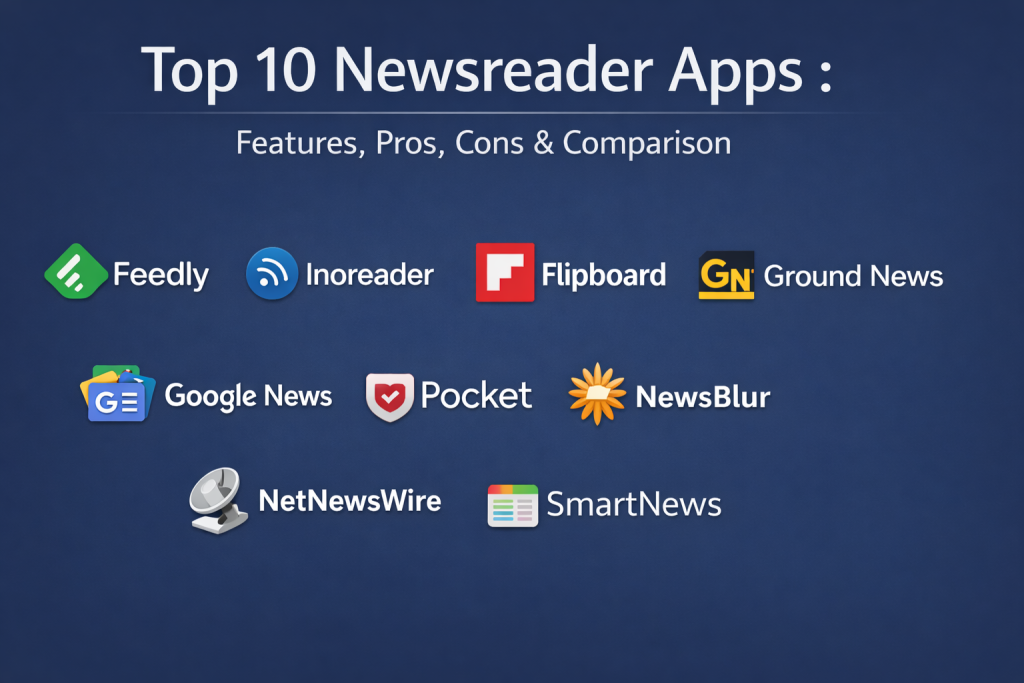
Introduction
Newsreader apps are digital platforms designed to aggregate, organize, and present content from a vast array of online sources—including news websites, blogs, newsletters, and social media—into a single, unified interface. Unlike scrolling through a chaotic social media timeline, these apps allow users to take control of their information diet. They utilize technologies like RSS (Really Simple Syndication), AI-driven curation, and “read-it-later” logic to ensure that the most relevant stories are delivered in a distraction-free environment.
In the current era of information overload, newsreaders have become essential for maintaining mental clarity and professional awareness. They matter because they combat “filter bubbles” and clickbait by allowing users to curate their own trusted sources. Whether it is for tracking global market shifts, monitoring industry competitors, or simply staying informed about local events, these apps provide a structured way to consume high-quality journalism without the noise of modern web advertisements.
Real-World Use Cases
- Market & Competitive Intelligence: Analysts use newsreaders to monitor real-time updates on competitors, regulatory changes, and emerging market trends.
- Academic & Professional Research: Researchers follow specific scientific journals and technical blogs to stay at the forefront of their respective fields.
- Personalized Daily Briefing: Casual readers consolidate their favorite lifestyle, tech, and political outlets into one morning digest.
- Content Curation for Social Media: Digital marketers use these tools to find high-quality articles to share with their audiences.
- Offline Reading for Commuters: Saving long-form articles to read during travel or in areas with poor internet connectivity.
Evaluation Criteria for Buyers
- Source Flexibility: Does the app support RSS, email newsletters, YouTube channels, and direct web scraping?
- Clean Reading View: How effective is the app at stripping away ads and clutter to provide a focused text experience?
- AI & Filtering Capabilities: Can the tool automatically hide “noise” and highlight high-priority stories based on your behavior?
- Cross-Platform Synchronization: Does the reading progress and saved-article list sync perfectly between mobile, tablet, and desktop?
- Integration Ecosystem: Can it export highlights to note-taking apps like Notion, Obsidian, or Evernote?
- Search & Archiving: The ability to search through past articles and save content permanently for future reference.
- User Interface (UI) Design: Whether the layout is optimized for high-volume scanning or a visual, magazine-style experience.
Best for: Professionals, researchers, and “information junkies” who want to save time by centralizing their content and filtering out the digital noise.
Not ideal for: Users who prefer social-first discovery or those who only read news sporadically through direct visits to one or two mainstream websites.
Key Trends in Newsreader Apps
- AI-Generated Summarization: Many apps now offer “Explain Like I’m 5” modes or concise 3-line summaries to help readers scan complex topics quickly.
- Agentic AI Curation: Advanced assistants can now be “trained” to act as a personal editor, learning exactly which sub-topics you care about and which ones to mute.
- Newsletter Consolidation: A growing trend where apps provide a unique email address to divert newsletters away from your inbox and into your reading feed.
- Bias Detection & Diversity Tracking: Tools that analyze the political leaning of sources and encourage users to read perspectives from “the other side.”
- Audio-First Reading: Integrated high-quality text-to-speech that turns any article into a podcast-like experience for listening on the go.
- Privacy-Centric Discovery: A shift toward on-device machine learning for personalization, ensuring that your reading habits are never tracked by third-party advertisers.
- Read-Later Synergy: The merging of traditional RSS readers with “save-it-later” apps, creating a single destination for all digital reading.
- Micro-Content Formats: The rise of short-form, 60-word news summaries designed for rapid mobile consumption during small breaks in the day.
How We Selected These Tools
Our methodology for selecting the top ten newsreader apps involves a detailed look at market share, user satisfaction, and technical innovation. We categorized these tools into three distinct groups: RSS-first power tools, visually-driven aggregators, and “read-it-later” specialists. We evaluated each app’s “web-clipping” ability—how well it removes distractions—and the robustness of its synchronization engine. Security was a major factor, prioritizing apps with strong data transparency and encrypted transmission. Finally, we looked at the “learning curve,” ensuring that both high-volume professionals and casual readers have options that fit their technical comfort levels.
Top 10 Newsreader Apps
1. Feedly
Feedly is the most popular RSS aggregator for professionals and researchers. It has evolved into a sophisticated AI-powered platform that doesn’t just collect news but actively filters it to surface the most relevant insights for your specific business or personal needs.
Key Features
- Leo AI Assistant: An AI research assistant that prioritizes topics and filters out repetitive “noise.”
- Cross-Source Integration: Follow blogs, newsletters, Twitter feeds, and Google News keywords in one place.
- Shared Boards: Collaboration tools that allow teams to share and annotate key articles.
- Multiple Layout Views: Options for a clean text list, magazine cards, or a condensed index.
- Note-taking Integrations: Direct exports to Slack, Microsoft Teams, Trello, and Zapier.
Pros
- The gold standard for professional research and market monitoring.
- Extremely clean and modern interface that is easy to navigate.
Cons
- The best AI filtering features require a high-tier monthly subscription.
- Can feel overly complex for someone who just wants to follow two or three blogs.
Platforms / Deployment
Web / Windows / macOS / iOS / Android — Cloud
Security & Compliance
GDPR and CCPA compliant; offers SSO and 2FA for enterprise tiers.
Integrations & Ecosystem
Boasts a massive ecosystem, connecting to productivity suites like Slack and specialized research tools like Evernote or Notion.
Support & Community
Excellent official knowledge base and a very active community of professional users.
2. Inoreader
Inoreader is the ultimate “power user” newsreader. It is known for its incredible depth of automation, allowing users to create complex rules that act like a digital mailroom, sorting and tagging news as it arrives.
Key Features
- Rule-Based Automation: Create “if-this-then-that” rules for tagging, emailing, or pushing news to other apps.
- Content Archiving: Keep a permanent record of the articles you have read for future search.
- Newsletter Feeds: Redirect your email newsletters into Inoreader to keep your inbox clean.
- Global Search: Search through the entire Inoreader database, not just the feeds you follow.
- Web Scraping: Turn almost any website without an RSS feed into a readable feed.
Pros
- Unrivaled control over how news is filtered, sorted, and automated.
- Very generous free tier compared to other professional competitors.
Cons
- The interface can feel utilitarian and cluttered to casual users.
- Mastering the automation rules takes a significant time investment.
Platforms / Deployment
Web / iOS / Android — Cloud
Security & Compliance
GDPR compliant; supports Two-Factor Authentication and encrypted data transfer.
Integrations & Ecosystem
Strong support for automation platforms like IFTTT and Zapier, as well as cloud storage like Google Drive.
Support & Community
Very responsive email support and an active forum for sharing advanced automation tips.
3. Flipboard
Flipboard is a visually stunning news aggregator that turns the web into a personalized magazine. It is designed for those who enjoy “serendipitous discovery” and a beautiful reading experience on tablets and smartphones.
Key Features
- Smart Magazines: AI-curated feeds that blend news, social media, and beautiful photography.
- User-Curated Collections: The ability to “flip” articles into your own public or private magazines.
- Storyboards: A specialized format for creators to tell visual stories using articles and videos.
- Localized Feeds: Deep regional news support covering hundreds of cities and interests.
- Social Integration: Follow content directly from Mastodon, Bluesky, and other social networks.
Pros
- The most aesthetically pleasing reading experience available today.
- Excellent for discovering new topics outside of your usual interests.
Cons
- Less precise control over “muting” specific keywords than RSS readers.
- Not built for deep professional research or high-volume scanning.
Platforms / Deployment
Web / iOS / Android — Cloud
Security & Compliance
Standard consumer privacy protections; GDPR compliant.
Integrations & Ecosystem
Strongly integrated with social media platforms and photo-sharing services.
Support & Community
Huge social community with millions of user-curated magazines to follow.
4. Ground News
Ground News is a specialized aggregator that focuses on media transparency. It provides a “Blindspot” feature that shows you which news stories are only being covered by one side of the political spectrum.
Key Features
- Bias Distribution: A visual chart showing the lean (Left, Center, Right) of every outlet covering a story.
- Factuality Ratings: Scores for every news source based on historical accuracy and reporting quality.
- Ownership Transparency: Information on who owns each news outlet to identify potential conflicts of interest.
- Comparison Mode: View headlines from different sides side-by-side to see how the narrative changes.
- Blindspot Feed: Surfaces stories you might have missed because of your personal reading habits.
Pros
- Essential for anyone who wants to avoid echo chambers and understand media bias.
- Provides high-level transparency that no other news app offers.
Cons
- It is an aggregator, not a full-featured RSS tool; you cannot add “any” link.
- Some users may find the focus on political bias distracting for niche tech/hobby news.
Platforms / Deployment
Web / iOS / Android — Cloud
Security & Compliance
Focuses heavily on data transparency and does not sell user reading habits to advertisers.
Integrations & Ecosystem
Primarily a standalone experience but offers browser extensions for real-time bias checking on other sites.
Support & Community
Very active and transparent about their data methodology and source ratings.
5. Apple News (including News+)
Apple News is the default choice for millions of iPhone and Mac users. It offers a highly polished, editorial-led experience with access to premium magazines and newspapers through the News+ subscription.
Key Features
- Human Editorial Curation: A “Top Stories” section hand-picked by Apple’s editors.
- News+ Subscription: Access to hundreds of premium magazines and paywalled newspapers like The Wall Street Journal.
- Audio Stories: Professionally narrated versions of some of the week’s best long-form journalism.
- Sports Integration: Deeply integrated scores and news for your favorite teams.
- Shared with You: Automatically surfaces news links sent to you via the Messages app.
Pros
- Seamless integration across all Apple devices with perfect synchronization.
- Access to high-quality, high-paywall content for a single monthly fee.
Cons
- Only available to users within the Apple ecosystem.
- Limited “power user” features like RSS importing or custom automation rules.
Platforms / Deployment
iOS / macOS / iPadOS / watchOS — Cloud
Security & Compliance
On-device intelligence ensures Apple doesn’t know what you specifically read for ad targeting.
Integrations & Ecosystem
Deeply woven into the iOS and macOS system share sheets and widgets.
Support & Community
Backed by Apple’s standard global support infrastructure.
6. Google News
Google News is a massive, AI-driven aggregator that excels at speed and “Full Coverage.” It is designed to give you a broad look at what is happening in the world right now with zero setup required.
Key Features
- Full Coverage: A button that shows you how a single event is being reported by dozens of different sources.
- For You Feed: A highly personalized feed that learns your interests over time based on Search history.
- Local News Focus: Uses your location to prioritize hyper-local updates from small town papers.
- Fact Check Labels: Highlights articles that have been verified by independent fact-checkers.
- Newsstand: A place to follow and subscribe to specific publishers and topics.
Pros
- Completely free with no subscription required for the core experience.
- The “Full Coverage” feature is the best way to understand complex, breaking events.
Cons
- Very little control over the algorithm; you can’t “force” it to show certain things.
- Privacy-conscious users may dislike the deep link to their Google Search history.
Platforms / Deployment
Web / iOS / Android — Cloud
Security & Compliance
Backed by Google’s enterprise-grade security; GDPR and CCPA compliant.
Integrations & Ecosystem
Integrates with Google Assistant for voice-activated news briefings.
Support & Community
Standard Google help centers and massive global adoption.
7. Pocket
While technically a “read-it-later” app, Pocket has become a major newsreader through its “Discover” tab and highly refined reading interface. It is the best place to store long-form articles you find throughout the day.
Key Features
- Clean Reading View: One of the best engines for stripping away web clutter for a focused read.
- Offline Access: Automatically downloads your saved articles for reading without an internet connection.
- Listen Feature: High-quality text-to-speech that reads your saved articles to you.
- Tagging & Organization: A simple system for categorizing your permanent digital library.
- Pocket Highlights: See the most-highlighted passages from other readers across the community.
Pros
- Unrivaled for managing a “deep read” list that you can consume at your own pace.
- Universal “Save to Pocket” button available in almost every browser and app.
Cons
- Not a real-time news “feed”; you have to find and save the content first.
- The discovery features are algorithmic and cannot be manually curated via RSS.
Platforms / Deployment
Web / iOS / Android / eReaders (Kobo) — Cloud
Security & Compliance
Owned by Mozilla; follows strong privacy standards and data transparency.
Integrations & Ecosystem
Integrates with over 1,500 apps, including browsers, Twitter clients, and email.
Support & Community
Great self-service help center and a large, dedicated user base.
8. NewsBlur
NewsBlur is an open-source reader that appeals to the “RSS purist.” It offers a unique “Intelligence” system that allows you to train the app to highlight or hide stories based on keywords and authors.
Key Features
- Intelligence Training: Thumb up/down specific tags, authors, or keywords to “train” your feed.
- Story Sharing: A social aspect that allows you to share and comment on news with a small circle of friends.
- View Modes: Switch between the “Original” website view and a “Text” only view seamlessly.
- Blurblog: Your own personal blog where you can share the best things you’ve read.
- Open Source: The code is public, and the service can be self-hosted for ultimate privacy.
Pros
- The most “human” and transparent approach to AI filtering.
- Very community-focused with an “indie” software feel.
Cons
- The user interface is less polished than modern apps like Feedly.
- The setup can feel a bit technical for casual readers.
Platforms / Deployment
Web / iOS / Android — Self-hosted / Cloud
Security & Compliance
Self-hosting provides maximum security; standard cloud encryption for other users.
Integrations & Ecosystem
Standard RSS/OPML support ensures easy moving of feeds between platforms.
Support & Community
Highly active developer interaction and a passionate, small community of power users.
9. NetNewsWire
NetNewsWire is a free, open-source RSS reader for the Apple ecosystem. It is the choice for those who want a “native” feel—fast, simple, and completely free of tracking or advertisements.
Key Features
- Apple-Native Design: It looks and feels like a built-in part of macOS and iOS.
- Multiple Account Sync: Supports syncing via iCloud, Feedbin, Feedly, and Inoreader.
- Focus on Privacy: No tracking, no analytics, and no data collection whatsoever.
- Fast Performance: Designed to be incredibly lightweight and responsive even with many feeds.
- Safari Extension: Easily subscribe to sites directly while browsing in Safari.
Pros
- Completely free with no hidden “Pro” tiers or ads.
- The fastest and most stable reading experience for Apple users.
Cons
- Only available for Apple devices (no Windows or Android).
- Lacks advanced AI filtering or professional team-sharing features.
Platforms / Deployment
iOS / macOS / iPadOS — Self-hosted (Sync via iCloud)
Security & Compliance
Open-source and auditable; zero data collection policy.
Integrations & Ecosystem
Integrates with major RSS syncing services if you don’t want to use iCloud.
Support & Community
Active GitHub community and a helpful blog by the lead developer.
10. SmartNews
SmartNews is built for the “mobile-first” generation. It uses AI to identify the most trending stories across the web and optimizes them for lightning-fast loading, even on slow mobile connections.
Key Features
- SmartView: Instantly strips away ads and formatting for a mobile-optimized reading view.
- Trending Tabs: Highly specialized tabs for sports, tech, entertainment, and politics.
- Breaking News Alerts: Push notifications that are surprisingly accurate and timely.
- Offline Reading: Pre-caches top stories so you can read them when you are offline.
- Local News Integration: Strong focus on hyperlocal news across thousands of zip codes.
Pros
- Best-in-class performance for reading on the go with poor data connections.
- Very low setup effort; just open the app and start reading.
Cons
- Heavily algorithmic; you have less control over the specific sources.
- Can feel more like a “news snack” rather than a deep research tool.
Platforms / Deployment
iOS / Android — Cloud
Security & Compliance
SOC 2 compliance for enterprise partnerships; standard consumer privacy.
Integrations & Ecosystem
Primarily a standalone consumer app with social sharing built-in.
Support & Community
Large commercial support team and a detailed FAQ section for users.
Comparison Table (Top 10)
| Tool Name | Best For | Platform(s) Supported | Deployment | Standout Feature | Public Rating |
| 1. Feedly | Pro Research | Web, Windows, macOS, Mobile | Cloud | Leo AI Assistant | 4.6/5 |
| 2. Inoreader | Power Automation | Web, Mobile | Cloud | Rule-based Filtering | 4.6/5 |
| 3. Flipboard | Visual Magazine | Web, Mobile | Cloud | Smart Magazines | 4.7/5 |
| 4. Ground News | Bias Transparency | Web, Mobile | Cloud | Bias Distribution Chart | 4.8/5 |
| 5. Apple News | Premium Content | iOS, macOS | Cloud | News+ Magazine Access | 4.7/5 |
| 6. Google News | Fast Aggregation | Web, Mobile | Cloud | Full Coverage Mode | 4.5/5 |
| 7. Pocket | Read-it-Later | Web, Mobile, eReader | Cloud | Best Reading View | 4.8/5 |
| 8. NewsBlur | Training the Feed | Web, Mobile | Hybrid | Intelligence Training | 4.3/5 |
| 9. NetNewsWire | Free Apple Native | iOS, macOS | Self-hosted | Zero Tracking / Free | 4.9/5 |
| 10. SmartNews | Mobile Trending | iOS, Android | Cloud | SmartView Speed | 4.4/5 |
Evaluation & Scoring of Newsreader Apps
| Tool Name | Core (25%) | Ease (15%) | Integrations (15%) | Security (10%) | Perf (10%) | Support (10%) | Value (15%) | Total |
| 1. Feedly | 10 | 8 | 10 | 9 | 9 | 9 | 6 | 8.8 |
| 2. Inoreader | 10 | 6 | 9 | 8 | 9 | 8 | 8 | 8.4 |
| 3. Flipboard | 7 | 10 | 7 | 7 | 9 | 8 | 9 | 8.0 |
| 4. Ground News | 8 | 9 | 6 | 10 | 9 | 8 | 7 | 8.2 |
| 5. Apple News | 8 | 9 | 5 | 10 | 10 | 9 | 7 | 8.1 |
| 6. Google News | 7 | 10 | 8 | 9 | 10 | 8 | 10 | 8.5 |
| 7. Pocket | 8 | 9 | 10 | 9 | 9 | 8 | 8 | 8.6 |
| 8. NewsBlur | 9 | 5 | 7 | 8 | 7 | 9 | 8 | 7.7 |
| 9. NetNewsWire | 7 | 10 | 6 | 10 | 10 | 7 | 10 | 8.3 |
| 10. SmartNews | 6 | 10 | 5 | 8 | 10 | 7 | 9 | 7.8 |
The scoring here represents how effectively these apps fulfill their specific promise. A high “Core” score in Feedly or Inoreader reflects their deep professional utility. “Value” scores prioritize apps that are either free (NetNewsWire, Google News) or offer high utility for their cost. “Performance” scores highlight apps that are fast and reliable across devices.
Which Newsreader App Tool Is Right for You?
Solo / Freelancer
If you are managing your own business and need to stay ahead of trends, Feedly is the best choice. It scales with you, and the AI features will save you hours of manual reading every week.
SMB
For small marketing or research teams, Inoreader offers the best automation tools. You can set up a “shared feed” for the entire team to see market mentions or competitor news without sending hundreds of emails.
Mid-Market
Organizations that need high media transparency for PR or strategy should consider Ground News. Understanding how the narrative shifts across the political spectrum is vital for risk management and communication planning.
Enterprise
Large corporations with high security and collaboration needs should stick with Feedly Enterprise or Apple News+ for the executive team. These provide the necessary compliance controls and access to high-tier journalism.
Budget vs Premium
If you want a premium experience for free, NetNewsWire (for Apple) or Inoreader’s free tier are the winners. If you are willing to pay for high-fidelity content and labor-saving AI, Feedly Pro+ and Apple News+ are the benchmarks.
Feature Depth vs Ease of Use
Inoreader and NewsBlur offer the most depth but require a technical “tinkerer” mindset. Flipboard and SmartNews are designed to be used immediately with no configuration required.
Integrations & Scalability
Pocket and Feedly are the leaders in integrations, allowing you to move your knowledge into almost any other productivity app. Google News and SmartNews offer the best global scalability for casual readers.
Security & Compliance Needs
Privacy-conscious users should choose NetNewsWire or NewsBlur (self-hosted). Enterprises requiring SOC 2 and SSO should look at Feedly or Inoreader’s professional tiers.
Frequently Asked Questions (FAQs)
1. Is RSS dead?
Absolutely not. While social media algorithms have taken over for many, RSS remains the foundation of professional information management because it puts the user back in control.
2. What is the difference between a news aggregator and an RSS reader?
An aggregator (like Google News) uses an algorithm to choose news for you. An RSS reader (like NetNewsWire) only shows you exactly what you have chosen to follow.
3. Can I import my feeds if I switch apps?
Yes. Most newsreaders use a standard file format called OPML. You can export your list of feeds from one app and import it into another in seconds.
4. Do these apps drain battery or mobile data?
Most modern apps are optimized, but visually heavy ones like Flipboard can use more data. Apps like SmartNews and Pocket are designed specifically to save data through offline modes.
5. How do I bypass paywalls with these apps?
Some apps like Apple News+ provide legal access to paywalled content for a fee. Most RSS readers can only show you what the publisher makes publicly available.
6. Can I use these apps for podcasts or YouTube?
Yes, many professional readers like Feedly and Inoreader allow you to follow YouTube channels and listen to podcast RSS feeds directly within the app.
7. Why use a newsreader instead of social media?
Social media is designed for engagement and can often prioritize outrage over accuracy. A newsreader allows for a calm, intentional, and linear reading experience.
8. What is a “Read-it-later” app?
It is a digital bookmarking tool (like Pocket) that strips the ads from a webpage and saves a clean version of the text so you can read it later at your convenience.
9. Is my reading data private?
Mainstream aggregators often use your reading habits to refine their ad profiles. If privacy is your priority, open-source or native tools like NetNewsWire are the best choice.
10. How many feeds are too many?
It depends on your workflow. AI-powered readers like Feedly can handle thousands of feeds by filtering them, while simple list-based readers are best for a smaller, curated list of 20-50 sources.
Conclusion
Navigating the modern digital landscape requires a proactive approach to information consumption. Newsreader apps serve as the critical bridge between the overwhelming noise of the open web and the targeted knowledge needed for professional and personal growth. Whether you prefer the visual elegance of Flipboard, the media transparency of Ground News, or the technical power of Inoreader, selecting a tool that respects your attention and time is a vital investment. By moving away from algorithmic timelines and toward intentional curation, you can reclaim your digital focus and ensure that you are always informed by the most credible sources. I suggest you identify five websites or blogs that are essential to your work or hobbies and subscribe to them using a free reader like NetNewsWire or the free tier of Inoreader. Experience the difference of a distraction-free feed for one week before deciding if you need more advanced AI features.

Best Cardiac Hospitals Near You
Discover top heart hospitals, cardiology centers & cardiac care services by city.
Advanced Heart Care • Trusted Hospitals • Expert Teams
View Best Hospitals