Introduction
Remote sensing and satellite image analysis involve the collection and interpretation of data about the Earth’s surface from a distance, typically using satellites, aircraft, or drones. By capturing electromagnetic radiation that is reflected or emitted from the ground, these tools allow us to “see” beyond the human eye’s capability, identifying patterns in vegetation health, urban sprawl, and environmental changes. In the current global landscape, these technologies have moved from specialized scientific research into the heart of corporate strategy, helping organizations monitor global assets, predict supply chain disruptions, and manage climate risk in real time.
Today, the value of satellite imagery lies not just in the picture itself, but in the data-driven insights extracted through automated processing. Modern systems can analyze thousands of images simultaneously to detect minute changes in ground elevation, identify specific crop diseases before they are visible to a farmer, or track carbon emissions from industrial sites. As we navigate a world where environmental transparency and rapid disaster response are critical, these platforms serve as the “digital eyes” of the planet, providing the objective truth needed for high-stakes decision-making.
Best for: Environmental scientists, urban planners, agricultural consultants, defense intelligence analysts, and enterprise sustainability officers who require high-resolution spatial data and automated analytical workflows.
Not ideal for: Basic street navigation, small-scale local mapping that doesn’t require historical data, or users without the hardware capacity to process large raster datasets.
Key Trends in Remote Sensing & Satellite Image Analysis
- Autonomous Agentic AI: The shift from manual interpretation to autonomous AI agents that can source data, run analysis models, and deliver a final report with minimal human input.
- On-Orbit Processing (Edge Intelligence): Analyzing data directly on the satellite before it is even sent back to Earth, drastically reducing latency for emergency response.
- SAR (Synthetic Aperture Radar) Proliferation: Increased use of radar satellites that can “see” through clouds, smoke, and darkness, providing 24/7 monitoring capabilities regardless of weather.
- Democratization of Hyperspectral Data: Moving beyond simple red-green-blue images to hundreds of spectral bands that identify the chemical composition of materials on the ground.
- Real-Time Digital Twins: Integrating satellite feeds with 3D modeling to create “living” digital versions of entire cities or industrial complexes for predictive maintenance.
- Multi-Sensor Data Fusion: Combining optical imagery, radar, thermal data, and IoT sensor inputs into a single analytical layer for higher accuracy.
- Micro-Satellite Constellations: The launch of hundreds of small, low-cost satellites providing daily or even hourly revisits of the same location on Earth.
- Blockchain for Data Provenance: Using distributed ledgers to verify the origin and integrity of satellite images, preventing the spread of AI-generated deepfakes in geospatial intelligence.
How We Selected These Tools
- Analytical Depth: We prioritized software that offers advanced scientific processing, such as atmospheric correction and complex spectral indices.
- Processing Scalability: Selected tools must be capable of handling petabytes of data, either through high-performance local computing or cloud-native architectures.
- Data Access & Cataloging: We looked for platforms that provide direct, seamless access to major global satellite constellations like Landsat and Sentinel.
- Machine Learning Integration: Evaluation focused on how easily the software integrates with modern AI frameworks for automated object detection and classification.
- Enterprise Reliability: Each tool was vetted for its stability in mission-critical environments and its track record in large-scale industrial applications.
- Interoperability Standards: Preference was given to tools that support open geospatial standards, allowing data to flow easily between different GIS and CAD systems.
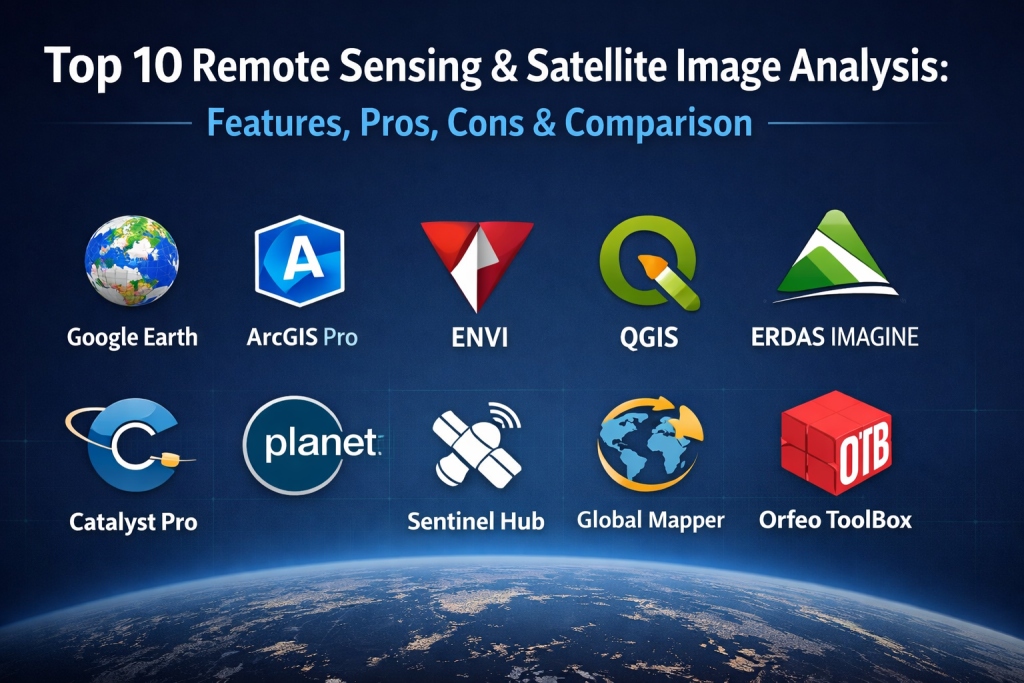
Top 10 Remote Sensing & Satellite Image Analysis Tools
1. Google Earth Engine
This cloud-native platform provides a multi-petabyte catalog of satellite imagery and geospatial datasets with planetary-scale analysis capabilities. It allows researchers and enterprises to run complex algorithms across decades of data in seconds.
Key Features
- Access to a massive public data catalog including Landsat, Sentinel, and MODIS.
- Cloud-based parallel processing that eliminates the need for high-end local hardware.
- Interactive APIs for JavaScript and Python for custom algorithm development.
- Built-in machine learning tools for global land-cover classification.
- Specialized functions for time-series analysis and change detection.
Pros
- Unmatched speed for analyzing global-scale environmental trends.
- Free for non-commercial research and education purposes.
Cons
- Commercial use requires a significant enterprise commitment.
- Requires coding proficiency to unlock its full analytical power.
Platforms / Deployment
Web / Cloud
Cloud-native
Security & Compliance
Standard identity management and secure cloud processing.
Not publicly stated.
Integrations & Ecosystem
It integrates seamlessly with Google Cloud Platform and supports data export to major GIS formats for further local processing.
Support & Community
A massive global community of scientists and developers provides extensive documentation and shared script libraries.
2. ArcGIS Pro (with Image Analyst)
The industry standard for professional GIS, which becomes a powerhouse for remote sensing when paired with its specialized Image Analyst extension. It is the preferred choice for organizations that need to integrate imagery with traditional mapping data.
Key Features
- Seamless integration of raster, vector, and 3D geospatial data.
- Advanced deep learning tools for automated object detection and feature extraction.
- Multi-dimensional analysis for tracking environmental changes over time.
- Stereo mapping and 3D visualization for topographic analysis.
- Direct access to the Living Atlas of the World for basemap data.
Pros
- The most comprehensive feature set for combining imagery with business data.
- Strong enterprise support and a wide range of specialized extensions.
Cons
- High licensing costs and a steep learning curve for new users.
- High demand on local workstation hardware for heavy processing.
Platforms / Deployment
Windows
Hybrid
Security & Compliance
Enterprise-ready with SSO, MFA, and detailed audit logging.
SOC 2 compliant.
Integrations & Ecosystem
Deeply integrated with the entire Esri ecosystem, including cloud and mobile apps, and supports Python for workflow automation.
Support & Community
Extensive official training, certifications, and a global network of specialized professional consultants.
3. ENVI (by NV5 Geospatial)
Specifically designed for the scientific community, this software excels in the spectral analysis of satellite and aerial imagery. It is the go-to tool for extracting chemical and physical information from the Earth’s surface.
Key Features
- Industry-leading tools for hyperspectral and multispectral image analysis.
- Automated workflows for vegetation health and mineral identification.
- Deep integration with characterization tools for target detection.
- Built-in support for a wide variety of satellite and airborne sensors.
- Advanced atmospheric correction modules for precise data calibration.
Pros
- The highest level of scientific accuracy for spectral data processing.
- Excellent automation features for repetitive scientific tasks.
Cons
- The interface is highly technical and can be intimidating.
- Specialized nature makes it less ideal for general-purpose mapping.
Platforms / Deployment
Windows / Linux
Local / Hybrid
Security & Compliance
Secure licensing and local installation options for sensitive data.
Not publicly stated.
Integrations & Ecosystem
Strong integration with ArcGIS, allowing scientific results to be shared directly into enterprise GIS workflows.
Support & Community
Professional technical support with deep expertise in remote sensing science and geospatial engineering.
4. QGIS (with Semi-Automatic Classification Plugin)
The premier open-source GIS platform that offers professional-grade remote sensing capabilities through a vast ecosystem of community-developed plugins. It is the leading alternative for those avoiding vendor lock-in.
Key Features
- Comprehensive toolset for raster analysis, terrain modeling, and visualization.
- Semi-Automatic Classification Plugin (SCP) for supervised and unsupervised mapping.
- Direct integration with other powerful open-source engines like GRASS and SAGA.
- Support for a nearly infinite number of vector and raster data formats.
- Extensive cartographic tools for professional map production.
Pros
- Completely free with zero licensing fees for any use case.
- Highly customizable through a massive library of user-contributed plugins.
Cons
- Some advanced 3D and AI features require technical setup and manual configuration.
- Community-driven support rather than a dedicated corporate helpdesk.
Platforms / Deployment
Windows / macOS / Linux
Local
Security & Compliance
Security depends on the local environment and the specific plugins used.
Not publicly stated.
Integrations & Ecosystem
Highly flexible, allowing it to act as a bridge between various proprietary and open-source geospatial tools.
Support & Community
A massive, passionate global community providing millions of hours of free educational content and forums.
5. ERDAS IMAGINE (by Hexagon)
A high-performance geospatial data authoring system used by professionals to process diverse data types. It is renowned for its ability to handle massive datasets and its intuitive ribbon-based interface.
Key Features
- Advanced spatial modeling environment for building custom analytical workflows.
- Powerful tools for point cloud processing and Lidar analysis.
- High-speed batch processing for large image collections.
- Photogrammetry modules for generating precise 3D terrain models.
- Comprehensive support for multispectral and radar data.
Pros
- Exceptionally stable when processing very large, high-resolution images.
- Intuitive interface that simplifies complex geospatial operations.
Cons
- High hardware requirements for optimal performance.
- Premium pricing targeted at large industrial and government organizations.
Platforms / Deployment
Windows
Local / Hybrid
Security & Compliance
Designed for government and defense-level security requirements.
ISO 27001 aligned.
Integrations & Ecosystem
Integrates deeply with the Hexagon Digital Reality platform and other enterprise engineering software.
Support & Community
Strong professional services and dedicated technical support for enterprise customers.
6. Catalyst Professional
Formerly known as PCI Geomatica, this platform specializes in high-precision image processing and photogrammetry. It is world-renowned for its industry-leading radar analysis tools.
Key Features
- Unmatched SAR (Synthetic Aperture Radar) analysis and InSAR tools.
- Automated generation of high-quality ortho-mosaics from satellite data.
- Support for over 100 different satellite and aerial sensors.
- AI-enabled object classification and land-cover feature extraction.
- Python API for large-scale automation of imagery pipelines.
Pros
- The absolute leader in radar data processing and ground movement monitoring.
- High degree of automation for large-scale production workflows.
Cons
- Very specific focus may be overkill for simple optical image analysis.
- Requires specialized knowledge in radar physics to use its best features.
Platforms / Deployment
Windows / Linux
Hybrid
Security & Compliance
Enterprise-grade security suitable for infrastructure and environmental monitoring.
Not publicly stated.
Integrations & Ecosystem
Designed for interoperability with major GIS systems and custom cloud-based processing environments.
Support & Community
Expert technical support with a strong focus on scientific accuracy and professional certification.
7. Planet Insights Platform
A cloud-native platform that provides daily global imagery and automated analytics. It is unique for its ability to monitor any location on Earth every single day at high resolution.
Key Features
- Daily revisit capabilities for monitoring rapid changes anywhere on the planet.
- Automated change detection for infrastructure and agricultural monitoring.
- API-first architecture designed for integration into custom business applications.
- Integration of PlanetScope and high-resolution SkySat data.
- Built-in analytics for forest monitoring and carbon tracking.
Pros
- The best solution for high-frequency monitoring of remote assets.
- Simple, cloud-based interface that doesn’t require complex local software.
Cons
- Data costs can scale quickly for large areas of interest.
- Less focused on deep traditional scientific processing compared to ENVI.
Platforms / Deployment
Web / API
Cloud-native
Security & Compliance
Secure data delivery and cloud-based authentication.
GDPR aligned.
Integrations & Ecosystem
Highly extensible via APIs, making it a favorite for developers building custom monitoring dashboards.
Support & Community
Professional support for enterprise accounts and a growing developer ecosystem.
8. Sentinel Hub
A cloud-based GIS platform that makes satellite data easily accessible for visualization and analysis without downloading massive files. It is the primary gateway for many using the European Space Agency’s data.
Key Features
- On-the-fly processing of multi-spectral data using custom scripts.
- WMS/WCS integration for pulling imagery directly into other GIS software.
- Historical archive access for long-term environmental studies.
- Built-in tools for vegetation indices and statistical analysis.
- Specialized processing for Sentinel-1 (Radar) and Sentinel-2 (Optical) data.
Pros
- Eliminates the need for local data storage and heavy image downloads.
- Extremely cost-effective for accessing and analyzing public satellite data.
Cons
- Limited to the data catalogs available through the platform.
- Requires a basic understanding of scripting for custom analysis.
Platforms / Deployment
Web / API
Cloud-native
Security & Compliance
Hosted on highly secure cloud infrastructure with standard access controls.
Not publicly stated.
Integrations & Ecosystem
A critical link in the open-source and commercial geospatial ecosystem, used by thousands of apps.
Support & Community
Very active developer forum and strong backing from the European space research community.
9. Global Mapper
An all-in-one GIS software that is famous for its ease of use and incredibly broad file format support. It is highly valued for terrain analysis and its specialized Lidar module.
Key Features
- Pixels-to-Points tool for creating 3D point clouds from satellite photos.
- Automatic Lidar classification for identifying ground, trees, and buildings.
- Powerful terrain analysis tools for slope, watershed, and viewshed studies.
- Support for over 300 different spatial data and imagery formats.
- Interactive 3D visualization and fly-through animation generation.
Pros
- The best value for money in the professional GIS and remote sensing market.
- Extremely fast at rendering and manipulating large terrain models.
Cons
- While powerful, its image processing tools are less specialized than Maya or ENVI.
- Interface can feel cluttered due to the sheer number of features.
Platforms / Deployment
Windows / Mobile
Local
Security & Compliance
Standard local licensing and data security.
Not publicly stated.
Integrations & Ecosystem
Known as the “Swiss Army Knife” of GIS, it connects easily to almost any other geospatial tool.
Support & Community
Excellent tutorials and responsive technical support from the Blue Marble Geographics team.
10. Orfeo ToolBox (OTB)
An open-source library of image processing algorithms developed by the French Space Agency. It is optimized for high-resolution images and is often used as a high-performance engine inside other software.
Key Features
- High-performance algorithms for pansharpening and SAR processing.
- Object-based image analysis (OBIA) through advanced segmentation.
- Comprehensive C++ library with Python bindings for developers.
- Seamless integration as a plugin for the QGIS environment.
- Optimized for processing massive, high-resolution raster datasets.
Pros
- Completely free and highly performant for technical experts.
- Backed by the scientific rigor of a major national space agency.
Cons
- Can be difficult to use as a standalone tool for non-programmers.
- Limited native GUI compared to full-featured suites like ArcGIS.
Platforms / Deployment
Windows / macOS / Linux
Local
Security & Compliance
Transparent open-source security protocols.
Not publicly stated.
Integrations & Ecosystem
Primarily used as a processing engine that enhances the capabilities of QGIS and other custom software.
Support & Community
Strong backing from the European space community with a focus on scientific research and development.
Comparison Table
| Tool Name | Best For | Platform(s) Supported | Deployment | Standout Feature | Public Rating |
| 1. Google Earth Engine | Global Change | Web, API | Cloud-native | Petabyte Data Catalog | N/A |
| 2. ArcGIS Pro | Enterprise GIS | Windows | Hybrid | Deep Learning Integration | N/A |
| 3. ENVI | Spectral Science | Win, Linux | Hybrid | Hyperspectral Tools | N/A |
| 4. QGIS | Budget Research | Win, macOS, Linux | Local | SCP Plugin | N/A |
| 5. ERDAS IMAGINE | Large Raster | Windows | Hybrid | Spatial Modeler | N/A |
| 6. Catalyst Pro | Radar Analysis | Win, Linux | Hybrid | InSAR Processing | N/A |
| 7. Planet Insights | Daily Monitoring | Web, API | Cloud-native | High-Frequency Revisit | N/A |
| 8. Sentinel Hub | Fast Data Access | Web, API | Cloud-native | On-the-fly Processing | N/A |
| 9. Global Mapper | Terrain & Lidar | Windows | Local | Pixels-to-Points | N/A |
| 10. Orfeo ToolBox | High-Res Engine | Win, macOS, Linux | Local | LSMS Segmentation | N/A |
Evaluation & Scoring
| Tool Name | Core (25%) | Ease (15%) | Integrations (15%) | Security (10%) | Perf (10%) | Support (10%) | Value (15%) | Total |
| 1. Google Earth Engine | 10 | 4 | 9 | 8 | 10 | 7 | 8 | 8.15 |
| 2. ArcGIS Pro | 9 | 5 | 10 | 10 | 8 | 9 | 6 | 8.15 |
| 3. ENVI | 10 | 3 | 9 | 8 | 9 | 8 | 6 | 7.70 |
| 4. QGIS | 8 | 6 | 8 | 4 | 8 | 6 | 10 | 7.30 |
| 5. ERDAS IMAGINE | 9 | 7 | 9 | 9 | 9 | 8 | 6 | 8.05 |
| 6. Catalyst Pro | 10 | 4 | 8 | 7 | 10 | 8 | 6 | 7.60 |
| 7. Planet Insights | 8 | 9 | 10 | 8 | 9 | 8 | 7 | 8.45 |
| 8. Sentinel Hub | 7 | 8 | 9 | 8 | 9 | 7 | 9 | 8.05 |
| 9. Global Mapper | 8 | 9 | 8 | 7 | 9 | 8 | 9 | 8.25 |
| 10. Orfeo ToolBox | 9 | 3 | 8 | 4 | 10 | 6 | 9 | 7.15 |
The evaluation scores provided above are meant to serve as a relative guide for different organizational priorities. For instance, Planet Insights and Global Mapper score very high on “Ease of Use,” making them excellent for teams that need fast results without extensive training. On the other hand, Google Earth Engine and ArcGIS Pro are industry heavyweights that offer the deepest analytical capabilities, but they require a more significant investment in skill development and budget. Open-source tools like QGIS and Orfeo ToolBox offer the best “Value,” though they may require more internal technical management for security and enterprise-wide deployment.
Which Remote Sensing Software Tool Is Right for You?
Solo / Freelancer
For independent consultants, QGIS paired with the Semi-Automatic Classification Plugin offers a full professional suite without any licensing overhead. If the work involves high-detail terrain modeling or drone data, Global Mapper is a highly affordable one-time investment that provides massive productivity gains.
SMB
Small to medium businesses should look for platforms that minimize the need for massive local storage and specialized server management. Planet Insights Platform or Sentinel Hub are excellent choices because they provide cloud-native access to data and automated analytics, allowing small teams to focus on insights rather than infrastructure.
Mid-Market
Growing agencies that need a balance of scientific depth and commercial reliability should consider ENVI or ERDAS IMAGINE. These tools provide the necessary rigor for government and industrial contracts while offering enough automation to handle an increasing number of projects with a limited staff.
Enterprise
For large organizations where geospatial data must integrate with broader business intelligence and security frameworks, ArcGIS Pro is the definitive choice. For enterprises focusing on massive environmental or supply chain monitoring at a global scale, Google Earth Engine provides the necessary computational power.
Budget vs Premium
- Budget: QGIS or Orfeo ToolBox (Free), followed by Global Mapper (Affordable).
- Premium: ArcGIS Pro, ENVI, or Catalyst Professional (High-end specialized licenses).
Feature Depth vs Ease of Use
- Depth: Houdini (for 3D visual FX), ENVI (for spectral science), and Catalyst Professional (for radar physics).
- Ease of Use: Planet Insights and Global Mapper are designed for rapid adoption and clear results.
Integrations & Scalability
If your workflow involves moving data between satellites, AI models, and custom web dashboards, Planet Insights and Google Earth Engine offer the most scalable API-driven environments. ArcGIS Pro offers the best integration for traditional enterprise departments like planning, utilities, and logistics.
Security & Compliance Needs
Organizations working on national security, critical infrastructure, or sensitive corporate intellectual property must prioritize tools like ArcGIS Pro or ERDAS IMAGINE. These platforms offer the advanced identity management, data residency options, and audit trails required for strict regulatory compliance.
Frequently Asked Questions (FAQs)
1. What is the difference between multispectral and hyperspectral imagery?
Multispectral imagery captures data in a few broad bands (like red, green, blue, and infrared), while hyperspectral imagery captures data in hundreds of very narrow bands, allowing for the identification of specific materials.
2. Can I see live satellite video of my location?
While some satellites can capture short video bursts, most satellite imagery consists of static photos taken at specific intervals. “Real-time” usually refers to data delivered within hours of the satellite passing overhead.
3. Do I need a supercomputer to process satellite images?
Not necessarily. Cloud-native platforms like Google Earth Engine or Sentinel Hub handle the processing on their own servers, allowing you to run complex analyses on a standard laptop.
4. What is SAR and why is it important?
Synthetic Aperture Radar (SAR) is a type of radar that can see through clouds and at night. It is essential for monitoring tropical regions or areas frequently covered by smoke or fog.
5. How accurate is the vegetation health data from satellites?
It is highly accurate for broad trends. By using indices like NDVI, satellites can measure the chlorophyll content in plants, which is a reliable indicator of health and stress before it is visible to the human eye.
6. Can satellites see through buildings or deep underwater?
No, standard optical and radar satellites cannot see through solid structures or deep into the ocean. However, thermal and radar sensors can detect heat signatures and ground moisture levels near the surface.
7. How often does the imagery update?
This depends on the satellite constellation. Some public satellites like Sentinel-2 update every 5 days, while commercial constellations like Planet can provide daily updates for the entire world.
8. What is change detection?
It is an automated process where software compares two images of the same location taken at different times to highlight exactly what has been added, removed, or changed.
9. Is satellite data useful for urban planning?
Extremely. It is used to track urban sprawl, monitor illegal construction, plan new transportation routes, and measure the “urban heat island” effect to improve city cooling strategies.
10. Do I need to learn Python to be a remote sensing professional?
While you can do a lot with traditional interfaces, knowing Python is becoming essential for automating workflows, integrating AI, and using cloud-based platforms efficiently.
Conclusion
The field of remote sensing and satellite image analysis has entered an era of unprecedented accessibility and intelligence. As global challenges like climate change and supply chain fragility become more pressing, the ability to monitor the Earth’s surface with precision is no longer an option—it is a necessity for informed leadership. Whether you are leveraging free open-source tools for research or deploying massive enterprise platforms for global asset management, the key is to choose a system that aligns with your specific technical needs and security requirements. By focusing on automated insights and real-time data, organizations can transform simple images from space into powerful catalysts for operational resilience and sustainable growth.

Best Cardiac Hospitals Near You
Discover top heart hospitals, cardiology centers & cardiac care services by city.
Advanced Heart Care • Trusted Hospitals • Expert Teams
View Best Hospitals