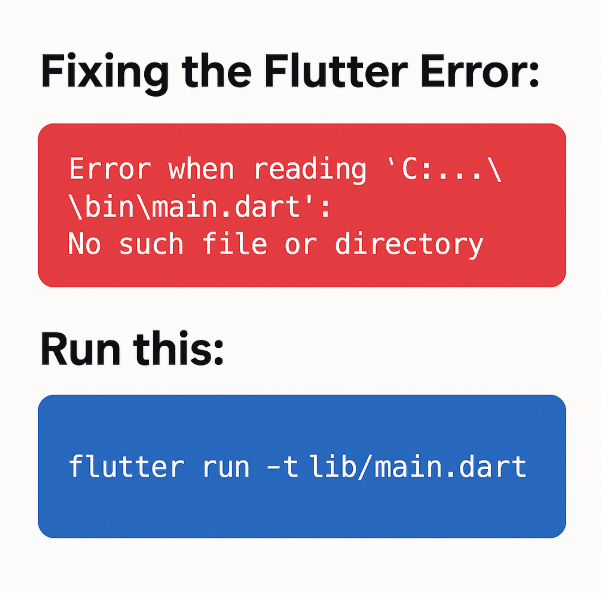
How to Fix the Flutter Error: “Error when reading bin/main.dart: No such file or directory”
Flutter is one of the most popular frameworks for building beautiful and fast cross-platform mobile apps. However, developers—especially beginners—often run into confusing errors after cloning a project from GitHub or when switching machines.
One such error is:
Error when reading '.../bin/main.dart': No such file or directory.
At first glance, this looks scary. But don’t worry—your Flutter project is not broken. This error has a simple and quick fix. In this article, you’ll understand why this happens and learn three easy methods to resolve it.
⭐ Why This Error Happens
Flutter projects always start executing from:
lib/main.dart
This file is the official entry point for every Flutter application.
But in some cases—especially when you clone a project—Android Studio or VS Code mistakenly tries to start the app from:
bin/main.dart
The problem?
Most Flutter projects do not have a bin folder at all, so Flutter throws an error saying the file does not exist.
This issue usually arises because:
- The previous developer used a custom run configuration
- Old IDE metadata was committed to Git
- The project was renamed or moved
- Android Studio cached an outdated entry point
The good news? The fix is extremely simple.
✅ Solution 1: Run Your Project Using the Correct Entry Point
The fastest way to bypass this error is by running Flutter with an explicit target file.
Just open your terminal and run:
flutter run -t lib/main.dart
Here:
-tstands for target- You are telling Flutter exactly which file should be used as the entry point
If your lib/main.dart exists (and it almost always does), your app will launch instantly.
🔧 Solution 2: Fix the Entry Point Inside Android Studio
If you want a permanent fix inside the IDE, follow these steps:
Step 1: Open Android Studio
Step 2: Navigate to
Run → Edit Configurations
Step 3: Select Your Flutter Run Configuration
You will see something like:
Dart entrypoint: bin/main.dart
Step 4: Change it to
lib/main.dart
Step 5: Click Apply → OK
Now try running the project again.
The error will disappear instantly.
🗑 Solution 3: Delete Wrong Run Configuration Files
Sometimes the incorrect configuration is stored inside the project’s .idea folder, which gets cloned along with the project.
To fix this:
- Go to your project directory
- Open:
.idea/runConfigurations/
- Delete the file:
main_dart.xml
This forces Android Studio to recreate a fresh, correct configuration pointing to:
lib/main.dart
🔍 How to Verify Your Flutter Project Structure
Before applying any fix, it’s smart to quickly check if your project has the correct structure.
Run this command in your project folder (Windows):
tree /F
The correct Flutter structure always includes:
lib/
   main.dart   ← entry point
pubspec.yaml
android/
ios/
web/
If lib/main.dart exists, you’re good to go.
🧠 Summary: Why This Error Happens & How to Fix It
| Issue | Why It Happens | Solution |
|---|---|---|
Flutter tries to load bin/main.dart | Wrong run configuration from IDE | Point entry to lib/main.dart |
| App fails after cloning project | .idea metadata from previous dev | Run flutter run -t lib/main.dart |
| IDE using old config | Cached run configuration | Delete main_dart.xml |
🚀 Final Thoughts
This error may look intimidating, but the fix is extremely simple. The problem is not your code, not your Flutter SDK, and not your project structure—it’s just the IDE pointing to the wrong file.
Whenever you see:
Error when reading bin/main.dart
Remember the one-line fix:
flutter run -t lib/main.dart
It works every time.

I’m Abhishek, a DevOps, SRE, DevSecOps, and Cloud expert with a passion for sharing knowledge and real-world experiences. I’ve had the opportunity to work with Cotocus and continue to contribute to multiple platforms where I share insights across different domains:
-
DevOps School – Tech blogs and tutorials
-
Holiday Landmark – Travel stories and guides
-
Stocks Mantra – Stock market strategies and tips
-
My Medic Plus – Health and fitness guidance
-
TrueReviewNow – Honest product reviews
-
Wizbrand – SEO and digital tools for businesses
I’m also exploring the fascinating world of Quantum Computing.
Best Cardiac Hospitals Near You
Discover top heart hospitals, cardiology centers & cardiac care services by city.
Advanced Heart Care • Trusted Hospitals • Expert Teams
View Best Hospitals