Introduction
Penetration Testing Tools help security teams and testers simulate real attacks to find weaknesses before attackers exploit them. In simple terms, these tools support reconnaissance, scanning, exploitation, credential testing, web application testing, post-exploitation, and reporting. They help testers validate impact, prove attack paths, and produce actionable remediation guidance. Unlike vulnerability assessment (which focuses on identifying known weaknesses at scale), penetration testing is about safely demonstrating what can actually be exploited and how far an attacker could go.
These tools matter because security issues are not always obvious from a scan result. A pen test toolset helps confirm whether a weakness is reachable, whether it can be chained with other weaknesses, and what real data or systems could be impacted. Pen testing also improves security maturity by strengthening controls, testing incident readiness, and teaching teams what “real risk” looks like in their environment.
Real-world use cases include:
- Web application testing for authentication flaws, injections, and logic bugs
- Internal network testing to validate segmentation and lateral movement risk
- External testing to evaluate internet-facing attack surface exposure
- Credential and password testing to validate access controls and MFA coverage
- Red team style simulations to test detection and response gaps
What buyers should evaluate:
- Breadth: web, network, wireless, cloud, and API testing coverage
- Reliability and safety controls to avoid breaking production systems
- Extensibility through modules, plugins, scripts, and automation
- Integration with reporting and collaboration workflows
- Learning curve and skill requirements for your team
- Community ecosystem, knowledge base, and update frequency
- Support for credential testing and authentication workflows
- Post-exploitation tooling support and safe evidence capture
- Lab and training usefulness for team skill development
- Governance: logging, audit controls, and responsible use features
Best for: Penetration testers, red teams, security consultants, and internal security teams that need to validate exploitability, prove impact, and strengthen defenses through realistic testing.
Not ideal for: Teams that only need basic scanning and patch management. In those cases, vulnerability assessment tools provide more consistent coverage and less risk.
Key Trends in Penetration Testing Tools
- More focus on web APIs, modern authentication flows, and token security
- Better automation for repetitive recon and validation tasks
- Stronger support for cloud and identity-focused attack paths
- Increased use of collaboration and reporting platforms for repeatability
- More emphasis on stealth and detection-evasion testing in red team work
- Better tooling for post-exploitation evidence capture and safe cleanup
- More modular platforms and scriptable frameworks for custom workflows
- Growth of integrated attack surface discovery workflows
- Higher expectations for safer testing modes and rate controls
- More practical integration of pen test results into remediation workflows
How We Selected These Tools
- Widely recognized and commonly used in professional testing workflows
- Coverage across recon, exploitation, web testing, and post-exploitation
- Strong community ecosystems, documentation, and learning resources
- Practical usefulness in both internal and external testing scenarios
- Extensibility through modules, plugins, and scripting support
- Balance of open tooling and commercial platforms used in enterprises
- Reliability and maturity of the tool in real-world test environments
- Fit across different team sizes and skill levels
- Reporting and collaboration support where applicable
- Proven relevance for modern environments and testing needs
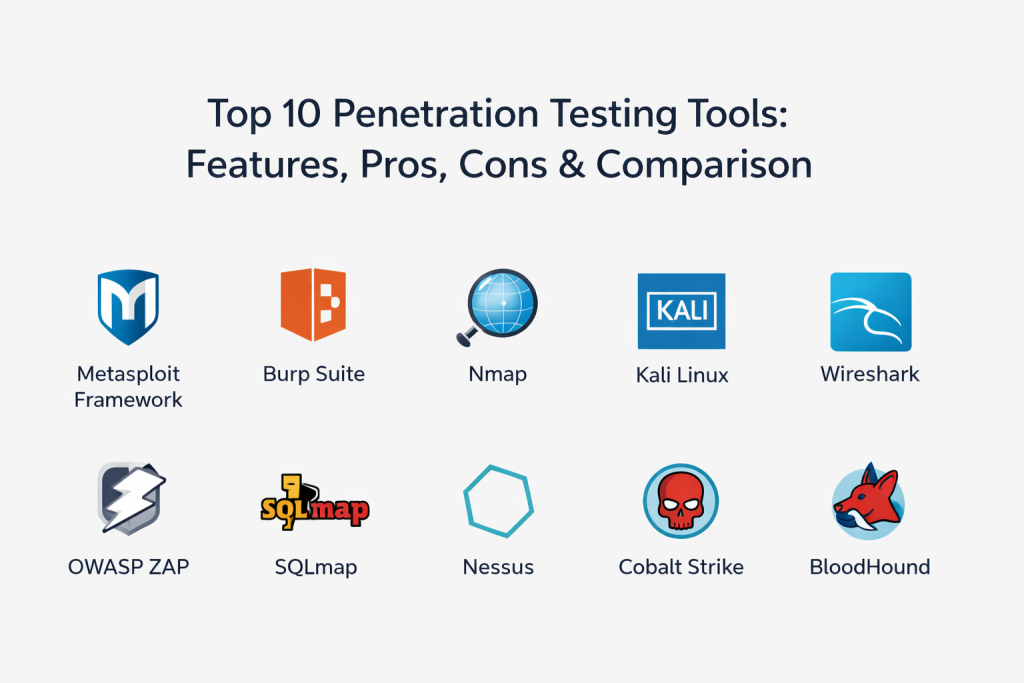
Top 10 Penetration Testing Tools
1) Metasploit Framework
Metasploit Framework is a widely used exploitation and post-exploitation platform. It helps testers validate vulnerabilities, run exploit modules, and manage payloads and sessions in controlled testing environments.
Key Features
- Large module library for exploitation and auxiliary tasks
- Payload generation and session handling workflows
- Post-exploitation modules for controlled evidence gathering
- Integration options for scanners and manual recon workflows
- Scriptable automation for repeatable testing steps
- Useful framework for labs, validation, and controlled exercises
Pros
- Strong platform for validating exploitability and chaining attacks
- Large ecosystem and strong knowledge base
Cons
- Requires skill and careful controls to avoid instability
- Results depend heavily on accurate target scoping and safe handling
Platforms / Deployment
Windows, macOS, Linux
Self-hosted
Security & Compliance
Varies / Not publicly stated
Integrations & Ecosystem
Often used alongside scanners and recon tools to validate findings.
- Works with scanning results to guide exploitation attempts
- Scriptable workflows for repeatable test steps
- Can export findings and evidence into reporting workflows
Support & Community
Very strong community, extensive documentation, and many learning resources.
2) Burp Suite
Burp Suite is a leading web application testing toolkit used to intercept traffic, test authentication, find vulnerabilities, and validate exploitation paths in web applications and APIs.
Key Features
- Intercepting proxy for request and response inspection
- Automated scanning support depending on edition
- Manual testing tools for auth, sessions, and logic issues
- Intruder-style request automation for fuzzing and testing
- Repeater-style testing for iterative exploitation validation
- Extensible plugin ecosystem for advanced workflows
Pros
- Excellent for deep web and API testing
- Strong workflow for manual testing and validation
Cons
- Learning curve for advanced testing techniques
- Best results depend on tester skill and methodology
Platforms / Deployment
Windows, macOS, Linux
Self-hosted
Security & Compliance
Varies / Not publicly stated
Integrations & Ecosystem
Commonly used as the core web testing toolkit in many engagements.
- Plugins extend testing for tokens, APIs, and custom checks
- Supports collaboration with reporting and issue tracking workflows
- Works well with other recon and vulnerability tools
Support & Community
Strong documentation and community resources; commercial support depends on licensing.
3) Nmap
Nmap is a foundational network scanning tool used to discover hosts, map open ports, identify services, and support recon workflows for external and internal testing.
Key Features
- Fast port scanning with flexible scan profiles
- Service detection and version identification
- Scriptable checks using scripting engine support
- Host discovery and network mapping features
- Output formats suitable for reporting and tool chaining
- Useful for baseline inventory and exposure analysis
Pros
- Reliable, widely trusted network recon foundation
- Highly flexible for many network scanning scenarios
Cons
- Requires careful tuning to avoid noisy scans on sensitive networks
- Interpreting results still requires security context and validation
Platforms / Deployment
Windows, macOS, Linux
Self-hosted
Security & Compliance
Varies / N/A
Integrations & Ecosystem
Often the first step in most penetration testing workflows.
- Outputs feed into vulnerability validation and exploitation steps
- Works with scripts and automation pipelines
- Integrates indirectly through exported results and tooling chains
Support & Community
Very strong community, extensive learning resources, and stable documentation.
4) Kali Linux
Kali Linux is a penetration testing focused operating system that bundles a large collection of security tools. It provides a ready-to-use environment for recon, exploitation, web testing, and wireless testing.
Key Features
- Large built-in toolkit collection for offensive security workflows
- Customizable environment for labs and enterprise testing
- Package management and updates for many security tools
- Useful for USB boot, virtualized labs, and controlled testing rigs
- Supports scripting and workflow automation for repeatability
- Common baseline for training and team standardization
Pros
- Convenient all-in-one environment for building a standard toolkit
- Strong for labs, training, and consistent testing setups
Cons
- Not a single tool, requires skill to use effectively
- Tool selection can be overwhelming without a clear methodology
Platforms / Deployment
Linux
Self-hosted
Security & Compliance
Varies / N/A
Integrations & Ecosystem
Acts as the operating environment that hosts and integrates many tools.
- Works with almost every common pen testing workflow tool
- Supports scripting and automation for repeatable processes
- Useful for standardized team environments and labs
Support & Community
Very strong community usage and documentation; broad training ecosystem.
5) Wireshark
Wireshark is a packet analysis tool used to capture and inspect network traffic. It helps testers understand protocols, troubleshoot connectivity issues, and validate what is happening during exploitation and lateral movement attempts.
Key Features
- Deep packet inspection for many protocols
- Filtering and search capabilities for traffic analysis
- Useful for troubleshooting test setup and network behavior
- Helps validate authentication flows and encryption usage
- Export and evidence capture capabilities for reporting
- Supports both live capture and offline analysis
Pros
- Excellent visibility into real network behavior
- Very useful for troubleshooting and proof collection
Cons
- Requires network protocol knowledge to interpret results
- Capturing traffic may require access and permissions
Platforms / Deployment
Windows, macOS, Linux
Self-hosted
Security & Compliance
Varies / N/A
Integrations & Ecosystem
Commonly used alongside other tools to confirm what is truly happening on the wire.
- Works with capture files from other tools and appliances
- Supports evidence capture for reports and incident timelines
- Complements exploitation by validating network-level outcomes
Support & Community
Huge community, excellent documentation, and strong learning resources.
6) OWASP ZAP
OWASP ZAP is a web application security testing tool that supports proxy interception, automated scanning, and manual testing workflows. It is often used by teams looking for flexible web testing in both manual and automated pipelines.
Key Features
- Intercepting proxy for request and response inspection
- Automated scanning for common web weaknesses
- Spidering and discovery features for application mapping
- Scripting and automation support for repeatable tests
- Add-on marketplace for extending capabilities
- Useful for CI-friendly checks depending on setup
Pros
- Practical for teams that want both manual and automated web testing
- Flexible with automation and scripting capabilities
Cons
- Automated results can require validation to reduce noise
- Advanced workflows may require tuning and add-ons
Platforms / Deployment
Windows, macOS, Linux
Self-hosted
Security & Compliance
Varies / Not publicly stated
Integrations & Ecosystem
Often used as part of web testing and application security workflows.
- Add-ons and scripts extend testing for custom needs
- Works in automated pipelines when configured carefully
- Outputs can be used in reporting and issue tracking workflows
Support & Community
Strong community support and documentation; widely used in training and practice.
7) SQLmap
SQLmap is an automated tool for detecting and exploiting SQL injection vulnerabilities. It helps testers validate injection issues and extract evidence, under controlled and authorized conditions.
Key Features
- Automated detection and exploitation of SQL injection patterns
- Supports multiple database types and injection techniques
- Testing options that help validate exploitability safely
- Can help prove impact through controlled extraction steps
- Useful for validating scanner findings and manual suspicions
- Scriptable usage for repeatable test steps
Pros
- Very effective for validating and exploiting SQL injection issues
- Saves time when used in authorized testing workflows
Cons
- Risky if run without strict safety and scope controls
- Limited to specific vulnerability class, not general testing
Platforms / Deployment
Windows, macOS, Linux
Self-hosted
Security & Compliance
Varies / N/A
Integrations & Ecosystem
Commonly used as a specialist validation tool in web testing toolchains.
- Works alongside proxies and manual testers for validation
- Outputs can support evidence capture for reporting
- Scriptable for repeatable validation steps
Support & Community
Strong community and extensive usage examples; documentation is broad.
8) Nessus
Nessus is widely used for vulnerability scanning and baseline assessment. In penetration testing workflows, it is often used to quickly identify known weaknesses and misconfigurations that can guide deeper exploitation and chaining.
Key Features
- Broad vulnerability checks across many systems and services
- Credentialed scanning for deeper visibility and patch checks
- Templates for common scanning scenarios and audits
- Reporting outputs that support triage and test planning
- Helps testers identify likely exploit paths faster
- Useful for internal and external assessment planning
Pros
- Fast way to identify known weaknesses for test scoping
- Broad coverage and widely understood output
Cons
- Scanner findings require validation, not all issues are exploitable
- Not an exploitation tool, best used as reconnaissance support
Platforms / Deployment
Windows, macOS, Linux
Self-hosted
Security & Compliance
Varies / Not publicly stated
Integrations & Ecosystem
Often used as the discovery layer to guide manual testing and exploitation.
- Feeds results into exploitation planning and validation tools
- Exports can be mapped into reporting workflows
- Works alongside asset inventory and remediation tracking
Support & Community
Strong documentation and broad community familiarity; support depends on plan.
9) Cobalt Strike
Cobalt Strike is a red team platform used for adversary simulation, command-and-control workflows, and post-exploitation activities in controlled and authorized environments. It supports realistic attack simulations and helps measure detection and response gaps.
Key Features
- Team collaboration features for coordinated operations
- Post-exploitation tooling for controlled simulations
- Payload and session management workflows
- Tools for lateral movement simulation and persistence testing
- Reporting and logging options for exercise tracking
- Useful for measuring detection and response effectiveness
Pros
- Strong for realistic red team simulations and collaboration
- Useful for testing detection, response, and security controls
Cons
- Requires experienced operators and strict governance
- Not intended for basic scanning; specialized tool for advanced engagements
Platforms / Deployment
Windows, Linux
Self-hosted
Security & Compliance
Varies / Not publicly stated
Integrations & Ecosystem
Often used in red team and simulation programs rather than routine scanning.
- Integrates into operational workflows via outputs and logs
- Complements SIEM and detection validation exercises
- Works best with clear rules of engagement and monitoring
Support & Community
Commercial support model; community resources exist but are often controlled.
10) BloodHound
BloodHound is used to map and analyze identity relationships and privileges in directory environments. It helps testers and defenders understand how privilege escalation and lateral movement can happen through misconfigurations and trust relationships.
Key Features
- Relationship mapping of users, groups, and privileges
- Path analysis for privilege escalation possibilities
- Visual graph exploration for attack path discovery
- Helps validate identity and access weaknesses in environments
- Useful for both offensive testing and defensive remediation planning
- Supports structured analysis of complex directory relationships
Pros
- Excellent for identifying real privilege escalation paths
- Helps teams prioritize identity and access remediation actions
Cons
- Most valuable in directory-heavy environments, less relevant elsewhere
- Requires careful data collection and permission planning
Platforms / Deployment
Windows, Linux
Self-hosted
Security & Compliance
Varies / N/A
Integrations & Ecosystem
Often used alongside other tools to connect identity misconfigurations to real risk.
- Complements endpoint and credential testing workflows
- Outputs help guide remediation and access control improvements
- Integrates indirectly through exports and workflow documentation
Support & Community
Strong community usage and many learning resources; documentation is widely available.
Comparison Table
| Tool Name | Best For | Platform(s) Supported | Deployment | Standout Feature | Public Rating |
|---|---|---|---|---|---|
| Metasploit Framework | Exploitation and post-exploitation validation | Windows, macOS, Linux | Self-hosted | Large exploit module ecosystem | N/A |
| Burp Suite | Deep web and API security testing | Windows, macOS, Linux | Self-hosted | Best-in-class proxy-based manual testing workflow | N/A |
| Nmap | Network discovery and exposure mapping | Windows, macOS, Linux | Self-hosted | Reliable port scanning and service detection | N/A |
| Kali Linux | Standardized toolkit environment for testing | Linux | Self-hosted | All-in-one offensive security toolkit OS | N/A |
| Wireshark | Packet capture and protocol-level validation | Windows, macOS, Linux | Self-hosted | Deep packet inspection and evidence capture | N/A |
| OWASP ZAP | Automated and manual web security testing | Windows, macOS, Linux | Self-hosted | Flexible scanning plus scripting support | N/A |
| SQLmap | SQL injection validation and exploitation | Windows, macOS, Linux | Self-hosted | Automated SQL injection exploitation workflows | N/A |
| Nessus | Scanning to guide test planning and validation | Windows, macOS, Linux | Self-hosted | Broad vulnerability coverage for recon | N/A |
| Cobalt Strike | Red team simulations and collaboration | Windows, Linux | Self-hosted | Adversary simulation platform for realistic exercises | N/A |
| BloodHound | Identity attack path discovery | Windows, Linux | Self-hosted | Graph-based privilege escalation path analysis | N/A |
Evaluation and Scoring of Penetration Testing Tools
Weights used: Core features (25%), Ease of use (15%), Integrations and ecosystem (15%), Security and compliance (10%), Performance and reliability (10%), Support and community (10%), Price and value (15%).
| Tool Name | Core | Ease | Integrations | Security | Performance | Support | Value | Weighted Total |
|---|---|---|---|---|---|---|---|---|
| Metasploit Framework | 9 | 6 | 7 | 6 | 8 | 9 | 7 | 7.5 |
| Burp Suite | 9 | 7 | 7 | 7 | 8 | 8 | 6 | 7.6 |
| Nmap | 8 | 7 | 7 | 6 | 9 | 9 | 9 | 8.1 |
| Kali Linux | 7 | 6 | 7 | 6 | 8 | 9 | 9 | 7.6 |
| Wireshark | 7 | 6 | 6 | 6 | 9 | 9 | 9 | 7.5 |
| OWASP ZAP | 7 | 7 | 6 | 6 | 7 | 8 | 9 | 7.3 |
| SQLmap | 7 | 6 | 5 | 5 | 7 | 8 | 9 | 6.9 |
| Nessus | 7 | 7 | 6 | 7 | 8 | 8 | 7 | 7.2 |
| Cobalt Strike | 8 | 6 | 6 | 6 | 8 | 7 | 5 | 6.8 |
| BloodHound | 7 | 6 | 6 | 5 | 7 | 8 | 9 | 7.0 |
How to interpret the scores:
- Scores compare tools within this list and help you shortlist based on your testing style.
- Core reflects how central the tool is to penetration testing workflows and coverage breadth.
- Ease reflects learning curve, daily workflow speed, and operational friction.
- Use a lab pilot to validate your workflow fit, skill requirements, and evidence capture quality.
Which Penetration Testing Tool Is Right for You?
Solo or Freelancer
Focus on a small core stack: a network recon tool, a web testing toolkit, and a safe validation framework. The key is repeatability and clear reporting, not using every tool available.
SMB
SMBs should prioritize tools that improve realistic testing coverage without needing a large red team. A good approach is to combine basic recon, web testing, and safe validation tooling, then use consistent reporting and remediation follow-through.
Mid-Market
Mid-market teams benefit from having both discovery tools and post-exploitation analysis tools so they can validate risk and prioritize fixes. Choose tools that support repeatable methodology, strong evidence capture, and collaboration with IT teams.
Enterprise
Enterprises should choose tools based on testing goals: application security testing, internal network assessment, identity attack path analysis, or full red team simulation. Governance matters: strict approvals, clear rules of engagement, logging, and safe testing boundaries are essential.
Budget vs Premium
Many high-value tools are free or low-cost, but premium platforms can improve workflow speed, collaboration, and scale for professional engagements. Choose premium tools when time savings and structured operations justify the cost.
Feature Depth vs Ease of Use
If your team is new, prioritize approachable workflows and strong learning resources. If your team is advanced, deeper automation and post-exploitation tooling can deliver better realism and better coverage.
Integrations and Scalability
Pen testing tools integrate mostly through outputs, reports, and workflow pipelines rather than direct connectors. Ensure your toolset supports clear evidence capture, export formats that your reporting process can use, and collaboration when multiple testers work together.
Security and Compliance Needs
Pen testing tools can be high-risk if misused. Ensure strict authorization, clear scope, safe modes, and logs of actions. For regulated environments, keep strong documentation of what was tested, when, and what evidence supports findings, without collecting unnecessary sensitive data.
Frequently Asked Questions
1) Are penetration testing tools legal to use?
They are legal only when you have explicit authorization and clear scope. Using them against systems you do not own or control is not acceptable.
2) What is the difference between a scanner and a pen test tool?
A scanner finds potential issues. A pen test tool validates exploitation and shows impact, often chaining weaknesses to prove real risk.
3) Do I need programming skills for penetration testing tools?
Not always, but scripting and basic coding help you customize workflows, automate tasks, and understand exploit behavior.
4) What is the safest way to start using these tools?
Use a lab environment, learn the methodology, then apply to authorized targets with strict rate limits, careful logging, and strong evidence handling.
5) Which tool is best for web application testing?
A proxy-based web testing toolkit is typically the core. Pair it with safe automation and validation tools for deeper coverage.
6) Which tool is best for network discovery?
A reliable network recon scanner is the standard starting point for mapping hosts, ports, and services.
7) Can these tools test cloud environments?
Some can, but cloud testing often needs identity-focused workflows, API analysis, and configuration review. Validate your cloud scope and tool fit carefully.
8) What is the biggest mistake beginners make?
Running tools without understanding scope, safety controls, or evidence handling. Another common mistake is relying on automation without validation.
9) How do I report penetration testing findings effectively?
Focus on business impact, clear reproduction steps, evidence, affected assets, and prioritized remediation guidance. Avoid raw tool dumps without context.
10) How do I build a practical pen test toolkit?
Start with recon, web testing, and safe validation tools, then add specialized tools for identity analysis and controlled simulations as your skills and needs grow.
Conclusion
Penetration testing tools are essential for proving real risk, validating exploitability, and helping organizations fix weaknesses that truly matter. The best toolkit depends on what you test most often: web apps, internal networks, identity systems, or red team simulations. Many teams succeed with a small, reliable stack that supports discovery, manual validation, and evidence capture, rather than trying to use every tool in one engagement. The most practical next step is to shortlist a core set of tools, build a safe lab to practice repeatable workflows, then run a controlled pilot on authorized targets and measure how quickly you can discover issues, validate impact, and produce a clear remediation plan that IT teams can execute and verify.

Best Cardiac Hospitals Near You
Discover top heart hospitals, cardiology centers & cardiac care services by city.
Advanced Heart Care • Trusted Hospitals • Expert Teams
View Best Hospitals
