Introduction
Model distillation and compression tooling refers to a specialized category of software designed to reduce the size and computational requirements of deep learning models without significantly sacrificing accuracy. These tools employ techniques such as knowledge distillation—where a small “student” model learns from a large “teacher” model—as well as pruning and quantization to remove redundant parameters and lower numerical precision. In the current landscape, where large language models and generative AI dominate, these tools have become essential for moving heavy research-grade models into production environments.
The necessity for these tools arises from the massive hardware demands of modern AI. High-end models often require expensive GPU clusters, making them inaccessible for real-time edge devices or cost-effective cloud scaling. By using compression tooling, developers can achieve faster inference speeds, lower memory footprints, and reduced energy consumption. This allows complex AI capabilities to run on mobile phones, IoT devices, and browsers. When evaluating these platforms, teams must prioritize accuracy retention, hardware-specific optimizations, and the ease of integrating the compressed models into existing MLOps pipelines.
Best for: Machine learning engineers, DevOps teams, and embedded systems developers who need to deploy high-performance AI on resource-constrained hardware or reduce cloud operational costs.
Not ideal for: Pure research environments where model size is not a constraint or for simple statistical models that already have minimal computational overhead.
Key Trends in Model Distillation & Compression Tooling
- Automated Neural Architecture Search (NAS): Tools are increasingly using AI to automatically find the most efficient student architectures, removing the manual trial-and-error of designing smaller models.
- Hardware-Aware Optimization: Modern frameworks now analyze the target chip—whether an NVIDIA GPU, Intel CPU, or mobile NPU—to tailor the compression strategy specifically for that hardware’s instruction set.
- Post-Training Quantization (PTQ) Advancements: New methods allow for shrinking models to 4-bit or even lower precision after training is complete, requiring minimal retraining while maintaining high accuracy.
- Unified Open Standards: The industry is converging on formats like OpenUSD and ONNX, ensuring that a model compressed in one tool can be seamlessly deployed across various inference engines.
- Edge-First Distillation: There is a surge in “tiny” model variants (like TinyBERT or MobileLLM) specifically designed for on-device processing to ensure data privacy and offline functionality.
- Green AI Initiatives: Compression is being marketed as a primary tool for sustainability, reducing the carbon footprint of massive data centers by lowering the total FLOPs required per inference.
How We Selected These Tools (Methodology)
- Compression Versatility: We looked for tools that support a variety of techniques, including pruning, quantization, and knowledge distillation.
- Production Readiness: Preference was given to tools that have clear pathways to deployment and are supported by major hardware or cloud providers.
- Accuracy Retention Signals: We prioritized platforms known for maintaining high performance levels (e.g., 95%+ accuracy) even after significant size reduction.
- Framework Compatibility: Selected tools must integrate with industry standards such as PyTorch, TensorFlow, and Hugging Face.
- Developer Experience: Evaluation included the quality of documentation, API simplicity, and the presence of automated optimization features.
- Performance Benchmarking: We considered tools that demonstrate clear, measurable speedups in inference latency and memory savings.
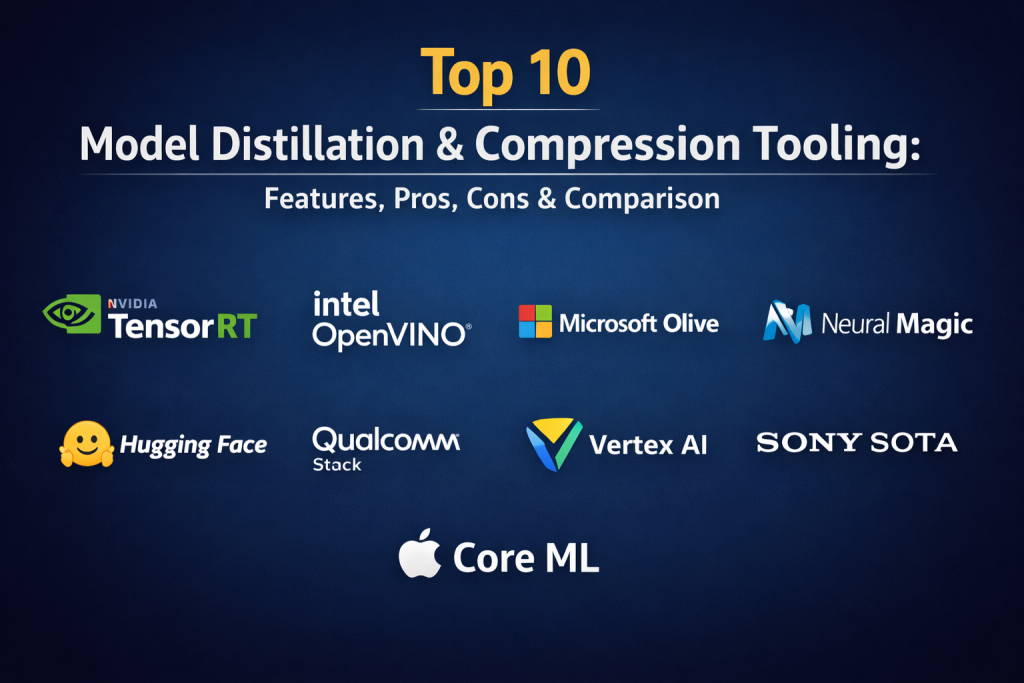
Top 10 Model Distillation & Compression Tooling
1. NVIDIA TensorRT
NVIDIA TensorRT is a high-performance deep learning inference optimizer and runtime. It includes a specialized model optimizer library that handles quantization-aware training, pruning, and distillation specifically for NVIDIA hardware. It is the gold standard for achieving maximum throughput in data centers and on workstation GPUs.
Key Features
- Layer and Tensor Fusion: Combines nodes in a kernel to reduce memory traffic and execution time.
- Precision Calibration: Supports FP32, FP16, and INT8 precision with high-accuracy calibration.
- Multi-Strategy Pruning: Removes redundant weights while maintaining structural integrity for the GPU.
- Dynamic Shape Support: Handles variable input sizes efficiently without re-compilation.
- Hardware-Specific Tuning: Automatically selects the best kernels for the specific GPU architecture detected.
Pros
- Unmatched performance on NVIDIA hardware.
- Deep integration with the broader Triton Inference Server ecosystem.
Cons
- Proprietary and limited strictly to NVIDIA GPUs.
- Complexity in managing custom plugins for unsupported layers.
Platforms / Deployment
- Windows / Linux
- Cloud and Edge (NVIDIA Jetson/Drive)
Security & Compliance
- Enterprise-grade security features via the NVIDIA AI platform.
- Compliance with standard data center security protocols.
Integrations & Ecosystem
Strongest ties within the NVIDIA ecosystem and major frameworks.
- PyTorch / TensorFlow
- Hugging Face
- ONNX Runtime
- Triton Inference Server
Support & Community
Extensive documentation and professional support tiers for enterprise clients.
2. Intel OpenVINO
Intel’s OpenVINO (Open Visual Inference and Neural Network Optimization) toolkit focuses on maximizing performance across Intel hardware, including CPUs, integrated GPUs, and NPUs. Its Neural Network Compression Framework (NNCF) provides advanced quantization and distillation tools.
Key Features
- Data-Aware Weight Compression: Uses advanced algorithms like AWQ and GPTQ for 4-bit quantization.
- Speculative Decoding Support: Accelerates LLM inference by using lightweight draft models.
- Asynchronous Execution: Optimizes throughput by handling multiple inference requests in parallel.
- Model Zoo: Provides pre-optimized models for a wide variety of computer vision and NLP tasks.
- Post-Training Optimization: High-quality compression without the need for the original training dataset.
Pros
- Exceptional at making AI run fast on standard office hardware and CPUs.
- Free and open-source with frequent updates for new Intel chips.
Cons
- Optimizations are specific to Intel architectures.
- Initial setup can be technical for those unfamiliar with Intel’s hardware stack.
Platforms / Deployment
- Windows / macOS / Linux
- Edge and On-Premise
Security & Compliance
- Standard software security practices; enterprise support available via Intel.
Integrations & Ecosystem
Broad support for various models and frameworks.
- Hugging Face (Optimum)
- ONNX
- PyTorch
- Keras
Support & Community
Very active developer community and robust documentation for industrial and IoT use cases.
3. Microsoft Olive
Microsoft Olive (ONNX LIVE) is a hardware-aware model optimization tool that automates the process of model conversion, quantization, and distillation. It is designed to find the most efficient configuration for running models on the ONNX Runtime across any hardware.
Key Features
- Automated Optimization Pipelines: Searches for the best combination of techniques (e.g., pruning then quantization).
- Hardware-Aware Tuning: Tests different configurations on the actual target hardware to find the fastest version.
- Transformer-Specific Optimizations: Dedicated paths for optimizing popular architectures like Llama, Phi, and BERT.
- Extensible Plugin System: Allows users to add custom compression logic to the workflow.
- Seamless ONNX Integration: Designed specifically to feed into the ONNX Runtime for deployment.
Pros
- Takes the guesswork out of optimization through automation.
- Cross-platform and hardware-agnostic (supports CPUs, GPUs, and NPUs).
Cons
- Primarily focused on the ONNX ecosystem.
- Some advanced features require a deep understanding of ONNX graph structures.
Platforms / Deployment
- Windows / Linux / macOS
- Cloud and Edge
Security & Compliance
- Maintained by Microsoft with standard enterprise security and privacy controls.
Integrations & Ecosystem
Centralized hub for Microsoft and open AI tools.
- Hugging Face
- PyTorch
- Azure Machine Learning
- DirectML
Support & Community
Strong GitHub-based community and integration with Microsoft’s developer documentation.
4. Neural Magic (DeepSparse)
Neural Magic takes a software-delivered approach to AI acceleration, focusing on “Sparsity.” Their DeepSparse engine and SparseML library allow models to achieve GPU-like performance on standard CPUs by leveraging weight pruning.
Key Features
- Sparsity-Aware Execution: Skips zeroed-out parameters in the computation graph to save cycles.
- Tensor Columns: Executes the network depth-wise to fit computation entirely within the CPU cache.
- Pruning-Aware Training: Tools to help retrain models while enforcing high levels of sparsity.
- SparseZoo: A repository of pre-sparsified models ready for immediate deployment.
- Infinite Scalability: Scales vertically to hundreds of cores on standard server hardware.
Pros
- Runs high-speed AI on cheap, standard CPUs.
- Avoids the cost and scarcity associated with high-end GPUs.
Cons
- Requires models to be significantly pruned to see the best performance gains.
- Specialized focus means it is less of a general-purpose quantizer than others.
Platforms / Deployment
- Linux / Windows
- Cloud and On-Premise (Server-side)
Security & Compliance
- Standard open-source security; enterprise licenses offer enhanced support.
Integrations & Ecosystem
- Ultralytics (YOLO)
- Hugging Face
- ONNX
- Kubernetes
Support & Community
Focused community around “Sparsity” with excellent benchmarking tools.
5. Deci.ai
Deci.ai offers a deep learning development platform powered by its proprietary AutoNAC (Automated Neural Architecture Construction) engine. It is famous for generating highly optimized models that break the “accuracy-speed” trade-off.
Key Features
- AutoNAC Engine: Automatically redesigns model architectures to be faster for specific hardware.
- SuperGradients Library: An open-source library specifically for training highly efficient models.
- Selective Quantization: INT8 quantization applied only to layers where it won’t impact accuracy.
- Infery SDK: A specialized inference engine that applies proprietary acceleration techniques.
- DataGradients: Analyzes datasets to help optimize the training process for smaller models.
Pros
- Consistently delivers 3x to 10x speedups with zero accuracy loss.
- Excellent for generative AI and computer vision use cases.
Cons
- Advanced AutoNAC features are part of a premium commercial platform.
- May require access to specific hardware for the best optimization results.
Platforms / Deployment
- Cloud / On-Premise / Edge
- Mobile and Web (TFJS, CoreML)
Security & Compliance
- On-premise deployment options for strict data privacy.
- Enterprise-grade security and authorized access workspaces.
Integrations & Ecosystem
- PyTorch
- TensorFlow
- NVIDIA TensorRT
- OpenVINO
Support & Community
High-quality professional support and a growing community around SuperGradients.
6. Hugging Face Optimum
Optimum is an extension of the Transformers library that makes it easy to apply hardware-specific optimizations. It serves as a bridge between the Hugging Face ecosystem and high-performance libraries like TensorRT, OpenVINO, and ONNX Runtime.
Key Features
- Optimum CLI: A simple command-line tool for exporting and quantizing models with one line of code.
- BetterTransformer: Out-of-the-box speedups for transformer models on both CPU and GPU.
- Hardware-Specific Backends: Seamlessly delegates tasks to the best local hardware (e.g., CoreML on Mac, OpenVINO on Intel).
- Knowledge Distillation API: Native support for training student models from existing library checkpoints.
- Quantization Support: Integration with bitsandbytes and AutoGPTQ for extreme LLM compression.
Pros
- The easiest entry point for anyone already using Hugging Face.
- Support for the widest range of modern AI architectures.
Cons
- Often acts as a wrapper, meaning you still need to understand the underlying engines.
- Some bleeding-edge models may take time to receive full Optimum support.
Platforms / Deployment
- Windows / macOS / Linux
- Cloud and Mobile (iOS/Android)
Security & Compliance
- Leverages Hugging Face’s enterprise security and Hub infrastructure.
Integrations & Ecosystem
The center of the open-source AI world.
- PyTorch
- NVIDIA / Intel / AMD / AWS hardware
- ExecuTorch
- ONNX Runtime
Support & Community
Unmatched community size with massive amounts of shared models and documentation.
7. Qualcomm AI Stack
The Qualcomm AI Stack is a comprehensive suite designed for deploying optimized AI on mobile, automotive, and IoT devices. It includes the Qualcomm AI Model Efficiency Toolkit (AIMET) for advanced compression.
Key Features
- AIMET Library: High-end tools for quantization-aware training and data-free quantization.
- SVD and Pruning: Uses Singular Value Decomposition to compress weight matrices.
- AdRound: A proprietary rounding technique that improves quantization accuracy for low-bit models.
- NPU Acceleration: Direct access to the Qualcomm Hexagon processor for ultra-low power inference.
- Model Compression API: Simplified paths for moving models from PyTorch/TensorFlow to Snapdragon devices.
Pros
- Absolute best performance for mobile and Android ecosystems.
- Industry-leading techniques for extreme low-bit (INT4) quantization.
Cons
- Hardware-locked to Qualcomm Snapdragon chipsets.
- Requires specialized knowledge of embedded systems for complex deployments.
Platforms / Deployment
- Android / Linux (Embedded)
- Mobile, Automotive, IoT
Security & Compliance
- Hardware-level security and secure execution environments.
Integrations & Ecosystem
- PyTorch / TensorFlow
- ONNX
- Android Studio
- Qualcomm AI200 Rack
Support & Community
Professional developer support aimed at hardware manufacturers and mobile app developers.
8. Google Vertex AI (AutoML Optimization)
Google Vertex AI provides managed services for model optimization, particularly through its AutoML and model monitoring features. It is designed for enterprise-scale distillation and deployment within the Google Cloud ecosystem.
Key Features
- Neural Architecture Search: Managed NAS to find optimized architectures for specific latency targets.
- Distillation Workflows: Built-in pipelines for training smaller models from large proprietary endpoints.
- Edge Manager: Tools to push optimized models directly to Android and IoT devices.
- TFLite Integration: Optimized paths for converting models to the mobile-friendly TensorFlow Lite format.
- Model Monitoring: Tracks performance drift after compression to ensure accuracy remains high.
Pros
- Fully managed, requiring minimal local infrastructure.
- Seamlessly scales from prototype to global deployment.
Cons
- Heavy reliance on Google Cloud Platform and associated costs.
- Less granular control compared to open-source local libraries.
Platforms / Deployment
- Cloud (GCP)
- Edge (Mobile/IoT)
Security & Compliance
- World-class cloud security, HIPAA, SOC 2, and GDPR compliance.
Integrations & Ecosystem
- TensorFlow
- Keras
- Google Cloud Services
- BigQuery ML
Support & Community
Enterprise-grade support and extensive documentation for cloud architects.
9. Sony SOTA (Model Compression)
Sony provides specialized model compression and optimization tools, often used in professional imaging and mobile applications. Their tools focus on high-efficiency pruning and quantization for real-time vision.
Key Features
- Bit-Width Optimization: Automatically determines the best bit-depth for each layer in a network.
- Structured Pruning: Removes entire channels to ensure models remain compatible with standard hardware accelerators.
- Knowledge Distillation Framework: Tools for migrating high-resolution vision models to mobile sensors.
- Power-Aware Optimization: Focuses on reducing battery drain during constant inference.
- ISP Integration: Optimizes AI models to work directly with Image Signal Processors.
Pros
- Exceptional for computer vision and camera-based AI.
- Highly efficient for mobile battery life.
Cons
- Less documentation and community support than mainstream frameworks.
- Can be difficult to access outside of specific partnership channels.
Platforms / Deployment
- Mobile / Embedded
- Professional Imaging Hardware
Security & Compliance
- Focused on on-device privacy and local execution.
Integrations & Ecosystem
- PyTorch
- TensorFlow
- Sony’s specialized sensor SDKs.
Support & Community
Bespoke professional support for industrial and hardware partners.
10. Apple Core ML Tools
For developers in the Apple ecosystem, Core ML Tools provide the primary path for model compression and deployment. It includes the Model Compression (coremltools.optimize) library for quantization and pruning.
Key Features
- Palettization: A unique form of quantization that uses a lookup table to reduce model weight size.
- Linear & K-Means Quantization: Multiple strategies for reducing numerical precision to 4-bit or 8-bit.
- ANE Optimization: Specifically tunes models to run on the Apple Neural Engine.
- Weight Pruning: Support for both structured and unstructured pruning methods.
- Quantization-Aware Training: Integrates with PyTorch to train models that are “born” to be compressed.
Pros
- The only way to get maximum performance on iPhones, iPads, and Macs.
- Very high-quality documentation and native integration with Xcode.
Cons
- Hardware-locked to the Apple ecosystem.
- Limited to Core ML as the final deployment format.
Platforms / Deployment
- macOS / iOS / iPadOS / tvOS / watchOS
- On-device execution
Security & Compliance
- Industry-leading local privacy; no data ever needs to leave the device.
Integrations & Ecosystem
- PyTorch
- TensorFlow
- Xcode
- Swift
Support & Community
Vibrant developer community centered on the Apple Developer portal and forums.
Comparison Table
| Tool Name | Best For | Platform(s) Supported | Deployment | Standout Feature | Public Rating |
| 1. NVIDIA TensorRT | Data Center GPU | Win, Linux | Cloud/Edge | Kernel Fusion | N/A |
| 2. Intel OpenVINO | CPU/Intel NPU | Win, Mac, Linux | Edge/On-Prem | Speculative Decoding | N/A |
| 3. Microsoft Olive | Cross-Platform | Win, Mac, Linux | Cloud/Edge | Auto-Optimization | N/A |
| 4. Neural Magic | CPU Acceleration | Win, Linux | Cloud | Sparsity Execution | N/A |
| 5. Deci.ai | GenAI / Vision | Cloud, On-Prem | Hybrid | AutoNAC Engine | N/A |
| 6. Hugging Face | Open Source | Win, Mac, Linux | Cloud/Mobile | Library Abstraction | N/A |
| 7. Qualcomm Stack | Mobile Android | Android, Linux | Mobile/IoT | AdRound Quantization | N/A |
| 8. Vertex AI | GCP Enterprise | Cloud (GCP) | Managed | Fully Managed NAS | N/A |
| 9. Sony SOTA | Imaging/Sensors | Mobile, Linux | Embedded | Bit-Width Auto-Tuning | N/A |
| 10. Apple Core ML | Apple Ecosystem | macOS, iOS | On-Device | ANE Optimization | N/A |
Evaluation & Scoring of Model Distillation & Compression Tooling
| Tool Name | Core (25%) | Ease (15%) | Integrations (15%) | Security (10%) | Performance (10%) | Support (10%) | Value (15%) | Weighted Total |
| 1. TensorRT | 10 | 4 | 9 | 9 | 10 | 9 | 7 | 8.40 |
| 2. OpenVINO | 9 | 6 | 8 | 8 | 9 | 9 | 9 | 8.20 |
| 3. Olive | 8 | 8 | 10 | 9 | 8 | 8 | 9 | 8.35 |
| 4. Neural Magic | 7 | 5 | 8 | 7 | 10 | 7 | 8 | 7.40 |
| 5. Deci.ai | 9 | 7 | 8 | 9 | 10 | 8 | 7 | 8.30 |
| 6. Hugging Face | 10 | 9 | 10 | 8 | 8 | 10 | 9 | 9.15 |
| 7. Qualcomm | 8 | 4 | 7 | 9 | 10 | 7 | 7 | 7.40 |
| 8. Vertex AI | 8 | 10 | 9 | 10 | 7 | 9 | 6 | 8.15 |
| 9. Sony SOTA | 6 | 3 | 5 | 9 | 9 | 6 | 7 | 6.15 |
| 10. Apple Core ML | 8 | 9 | 7 | 10 | 10 | 9 | 8 | 8.45 |
The scoring indicates that Hugging Face Optimum is the most versatile for general developers due to its ease of use and broad integration. Specialized tools like TensorRT and Apple Core ML score higher in performance and security because they are optimized for specific hardware silos.
Which Model Distillation & Compression Tool Is Right for You?
Solo / Freelancer
Hugging Face Optimum is the ideal starting point. It provides free, easy-to-use tools that handle most common compression tasks for open-source models without requiring a complex local setup.
SMB
Small businesses should consider Microsoft Olive or Deci.ai. These tools provide significant automation, allowing a small team to achieve enterprise-level performance speedups without needing a large staff of deep learning specialists.
Mid-Market
For companies scaling their AI offerings, Intel OpenVINO is excellent for reducing costs by running models on existing office hardware (CPUs) instead of renting expensive cloud GPUs.
Enterprise
Large organizations with massive throughput needs should utilize NVIDIA TensorRT for their data centers and Google Vertex AI for managed lifecycle management and security compliance across global teams.
Budget vs Premium
Neural Magic and Blender (for general 3D/AI) are excellent budget-friendly options, while Deci.ai and NVIDIA represent premium standards where high-performance results justify the investment.
Feature Depth vs Ease of Use
Microsoft Olive provides the best balance of automation and power. In contrast, Qualcomm and Sony offer extreme depth for embedded systems but are significantly harder to master for generalists.
Integrations & Scalability
Hugging Face and NVIDIA TensorRT lead the market in their ability to integrate with nearly every other MLOps tool and scale across vast infrastructure.
Security & Compliance Needs
Apple Core ML and Sony SOTA provide the highest levels of local security by ensuring all AI inference stays on the user’s device, while Vertex AI provides the most comprehensive cloud-based compliance for regulated industries.
Frequently Asked Questions
What is the difference between pruning and quantization?
Pruning removes unnecessary connections or neurons in a model to make it smaller, while quantization reduces the mathematical precision of the remaining weights (e.g., from 32-bit to 8-bit).
Can I use these tools for LLMs?
Yes, most modern tools like Hugging Face Optimum and TensorRT-LLM have dedicated pathways specifically for compressing and speeding up large language models.
Does model compression always hurt accuracy?
Not necessarily. When done correctly using techniques like quantization-aware training or selective layer distillation, the accuracy loss is often less than 1%, which is negligible for most applications.
Is knowledge distillation better than pruning?
They serve different purposes. Knowledge distillation helps a small model learn the “logic” of a larger one, while pruning physically shrinks an existing model’s structure. Often, they are used together.
Do I need the original training data to compress a model?
Some techniques, like Post-Training Quantization (PTQ), require very little or no data. However, for maximum accuracy, “data-aware” methods that use a small sample of training data are generally preferred.
What is hardware-aware optimization?
It is a process where the software analyzes the specific chip the model will run on to choose the most efficient math operations and memory layouts for that exact processor.
How much speedup can I expect?
It depends on the tool and technique, but it is common to see inference speeds increase by 3x to 10x, especially when moving from FP32 to INT8 or INT4 precision.
Can I compress a model once and run it anywhere?
To an extent, yes, if you use a format like ONNX. However, the best performance always comes from a tool that optimizes specifically for the target hardware.
What are “Tiny” models?
These are student models (like TinyLlama or DistilBERT) that have already undergone the distillation process and are ready to be used as lightweight alternatives to massive flagship models.
Is there a free tool for model compression?
Yes, Blender (for 3D AI), Hugging Face Optimum, and OpenVINO are all excellent free options that provide professional-grade results.
Conclusion
The era of massive, unoptimized AI models is giving way to a more efficient, hardware-conscious approach to deployment. As the industry moves toward 2026, the ability to distill and compress models has transitioned from a niche research skill to a fundamental requirement for any production AI stack. Whether you are aiming for the raw GPU power of TensorRT or the on-device privacy of Apple Core ML, the right tooling is the key to balancing performance, cost, and user experience. To begin, it is recommended to evaluate your target deployment hardware and select a tool that offers native, hardware-aware optimizations to ensure your AI remains both fast and accurate.

Best Cardiac Hospitals Near You
Discover top heart hospitals, cardiology centers & cardiac care services by city.
Advanced Heart Care • Trusted Hospitals • Expert Teams
View Best Hospitals