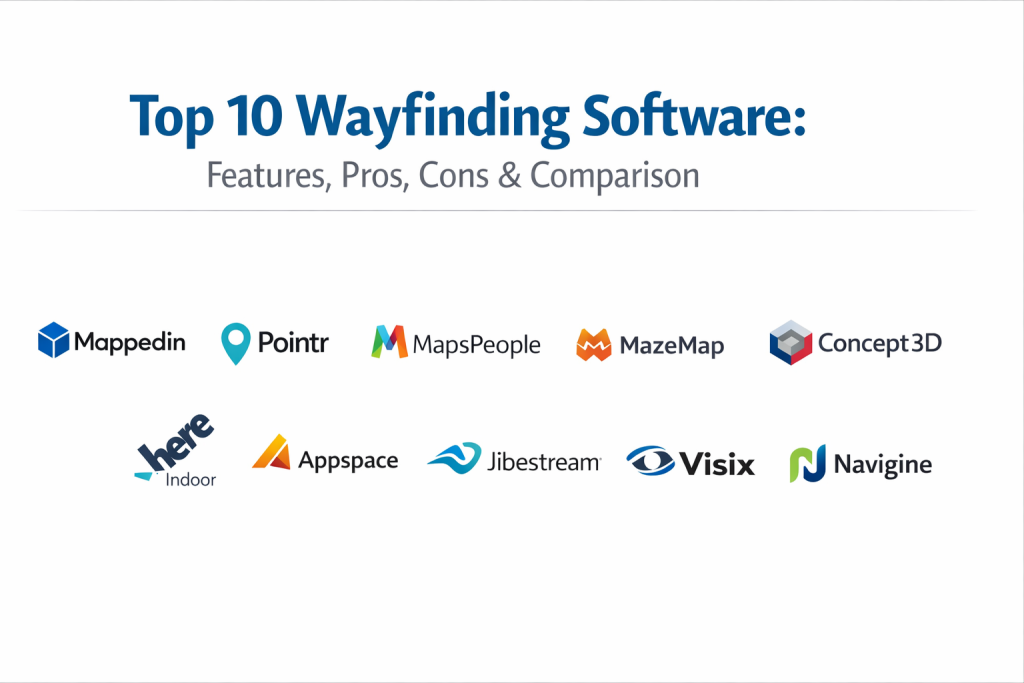
Introduction
Wayfinding software is a specialized category of digital infrastructure designed to help people navigate complex physical environments with ease and precision. While traditional signage provides static directions, digital wayfinding utilizes interactive maps, real-time data, and mobile integration to guide users from their current location to a specific destination. This technology acts as the digital “connective tissue” within large-scale facilities, bridging the gap between a visitor’s arrival and their ultimate goal. In the landscape of 2026, wayfinding has evolved from simple directory screens into sophisticated spatial intelligence platforms that integrate seamlessly with building management systems and personalized mobile experiences.
The importance of these tools in the modern era cannot be overstated. As healthcare campuses, international airports, and corporate headquarters grow in complexity, the “cost of being lost” manifests in missed appointments, passenger delays, and decreased visitor satisfaction. Beyond simple navigation, wayfinding software now serves as a critical safety component, providing dynamic evacuation routes during emergencies and ensuring accessibility for individuals with mobility challenges.
Real-World Use Cases
- Healthcare Facilities: Directing patients and visitors through sprawling hospital wings to specific clinics or labs, reducing late arrivals and staff interruptions.
- Transportation Hubs: Providing turn-by-turn directions to gates, baggage claims, and ground transportation while syncing with real-time flight or train data.
- Higher Education: Helping students and guests find classrooms, faculty offices, and event spaces across multi-acre university campuses.
- Corporate Offices: Assisting employees in finding available desks, meeting rooms, or colleagues in large, flexible hybrid workspaces.
- Retail Environments: Guiding shoppers to specific brands or amenities within massive shopping malls, often paired with proximity-based promotions.
Evaluation Criteria for Buyers
- Accuracy and Precision: Does the software provide sub-meter accuracy for indoor positioning?
- Ease of Content Management: Can staff update floor plans and points of interest without technical expertise?
- Cross-Platform Delivery: Is the experience consistent across mobile apps, web browsers, and interactive kiosks?
- Accessibility Compliance: Does the routing engine prioritize ADA-compliant paths, such as elevators over stairs?
- Integration Depth: How easily does it connect with existing calendars, security systems, and IoT sensors?
- Scalability: Can the platform support multiple locations or millions of square feet without performance degradation?
- Offline Functionality: Does the navigation remain functional if the local network or internet connection is lost?
- Security Posture: What protocols are in place to protect visitor location data and building infrastructure information?
Best for: Facility managers, IT directors in healthcare and aviation, and workplace experience leads at enterprise-level organizations who need to manage large, high-traffic indoor environments.
Not ideal for: Small single-story offices, local retail shops with simple layouts, or organizations with very low visitor volume where static signage remains sufficient.
Key Trends in Wayfinding Software
- Augmented Reality Navigation: The rise of AR-guided “blue dot” navigation allows users to see directional arrows overlaid on their real-world view via smartphone cameras.
- AI-Powered Spatial Analytics: Platforms now use machine learning to predict foot traffic bottlenecks and suggest route optimizations to improve facility flow.
- Indoor-to-Outdoor Continuity: Seamless transitions between GPS-based outdoor maps and sensor-based indoor navigation are now a standard expectation for campus-wide journeys.
- Phygital Experience Integration: The merging of physical signage with digital triggers, such as QR codes that instantly launch web-based maps without requiring an app download.
- Real-Time Sustainability Data: Wayfinding kiosks now often display building energy usage or air quality metrics alongside directional information.
- Universal Scene Description Adoption: Large organizations are adopting standardized 3D map formats to ensure interoperability between navigation, security, and facility tools.
- Voice-Activated Wayfinding: Natural language processing allows visitors to ask for directions at kiosks, improving accessibility for those with visual or motor impairments.
- Hyper-Personalized Routing: Systems that can generate routes based on a user’s specific appointment time, parking location, and mobility needs.
How We Selected These Tools
- Proven Enterprise Reliability: Each selected tool has a trackable history of high uptime in mission-critical environments like hospitals and airports.
- Feature Depth and Innovation: We prioritized platforms that are actively leading the market in AR, AI, and real-time data integration.
- Security and Compliance Commitment: Evaluation focused on tools that provide enterprise-grade data protection and follow international compliance standards.
- User Experience Design: Preference was given to software that offers intuitive, high-fidelity 3D map visualizations that are easy for the average visitor to interpret.
- Ecosystem Integration: The selected tools demonstrate a strong ability to connect with third-party systems like Epic (for healthcare) or Microsoft 365 (for workplace).
- Developer Friendliness: We considered the robustness of available SDKs and APIs, allowing organizations to build custom experiences on top of the core mapping engine.
Top 10 Wayfinding Software Tools
1. Mappedin
Mappedin is a leading spatial intelligence platform known for its “map-once, use-everywhere” philosophy. It excels in converting complex CAD data into high-fidelity interactive maps for retail, healthcare, and corporate environments.
Key Features
- AI-powered map editor for rapid conversion of floor plans into digital assets.
- Web, mobile, and kiosk-optimized navigation experiences from a single source of truth.
- Robust search engine that handles synonyms and categories for points of interest.
- Advanced accessibility routing that avoids stairs and escalators.
- Deep analytics on visitor searches and navigation patterns.
- Multi-language support for international facilities.
- Seamless 3D rendering that provides spatial context for multi-floor buildings.
Pros
- Exceptional visual quality and smooth map performance across all devices.
- Centralized CMS makes it very easy for non-technical staff to update maps.
Cons
- Higher pricing tier targeted toward enterprise-level organizations.
- Initial setup for massive multi-building campuses can be time-intensive.
Platforms / Deployment
Web / Windows / macOS / iOS / Android
Cloud
Security & Compliance
SSO/SAML, MFA, and data encryption at rest and in transit.
SOC 2 Type II compliant.
Integrations & Ecosystem
Mappedin provides a powerful set of SDKs for developers to embed maps into custom mobile and web applications. It integrates well with asset management and security platforms.
Support & Community
Extensive documentation for developers, a dedicated customer success team for enterprise clients, and a growing library of best-practice guides.
2. Pointr
Pointr is often referred to as “the deep tech” company in the indoor location space. Their focus is on extreme accuracy and high-performance positioning using a combination of sensor fusion and machine learning.
Key Features
- Sub-meter indoor positioning using patented “Deep Location” technology.
- MapScale AI for automated digitizing of global facility portfolios.
- Geofencing capabilities for proximity-based notifications and alerts.
- Predictive analytics for occupant behavior and space utilization.
- Integration with Bluetooth Low Energy (BLE) beacons and Wi-Fi infrastructure.
- Specialized modules for smart building and digital twin applications.
- Offline navigation support for areas with poor connectivity.
Pros
- Industry-leading accuracy for the “blue dot” mobile experience.
- Highly scalable for massive global portfolios with thousands of locations.
Cons
- Requires hardware infrastructure (beacons) for peak performance.
- The advanced feature set has a steeper learning curve for administrators.
Platforms / Deployment
Web / iOS / Android
Cloud / Hybrid
Security & Compliance
Enterprise-grade encryption and role-based access control.
Not publicly stated.
Integrations & Ecosystem
Pointr offers robust SDKs and APIs that are used by some of the world’s largest retailers and airports to power their internal navigation tools.
Support & Community
Professional enterprise support with dedicated technical account managers and a comprehensive developer portal.
3. MapsPeople
Built on top of Google Maps technology, MapsPeople offers a familiar user interface for indoor-to-outdoor navigation. It is particularly popular for university campuses and large corporate offices.
Key Features
- MapsIndoors platform that extends Google Maps inside your building.
- Familiar UI/UX that reduces the learning curve for end-users.
- Real-time dynamic routing based on current building occupancy or closures.
- Integration with live data feeds for parking availability or desk booking.
- Support for multiple positioning technologies including BLE and Wi-Fi.
- White-label mobile SDKs for branded experience delivery.
- Scalable multi-venue management from a single dashboard.
Pros
- The “Google Maps” familiarity makes it very intuitive for visitors.
- Strong integration with outdoor navigation for a true door-to-door experience.
Cons
- Visual aesthetics are tied to the Google Maps style, which may not suit all brands.
- Performance can occasionally lag in extremely dense, multi-floor environments.
Platforms / Deployment
Web / iOS / Android
Cloud
Security & Compliance
GDPR compliant with standard enterprise security protocols.
Not publicly stated.
Integrations & Ecosystem
Deeply integrated with the Google Cloud Platform and various workplace management tools like ServiceNow and Appspace.
Support & Community
Global partner network and a well-maintained developer documentation site.
4. MazeMap
MazeMap is a high-performance indoor navigation specialist that focuses on higher education and healthcare. They are known for their ease of deployment and automation-first approach.
Key Features
- Automatic map generation from existing floor plans and building data.
- Specialized routing for disabled users, prioritizing elevator access.
- Integration with room booking systems to show “now available” spaces.
- Publicly shareable links for specific rooms or meeting points.
- Heat-mapping analytics for understanding facility usage.
- Minimal hardware requirements for basic navigation.
- Multi-floor 3D visualization with clear level-change indicators.
Pros
- Fast deployment times compared to many traditional wayfinding tools.
- Excellent focus on accessibility and inclusive navigation.
Cons
- The visual map style is more functional than photorealistic.
- Less focus on retail-centric features like proximity marketing.
Platforms / Deployment
Web / iOS / Android
Cloud
Security & Compliance
ISO 27001 certified and GDPR compliant.
Not publicly stated.
Integrations & Ecosystem
Strong ties with education-focused scheduling software and healthcare EMR systems.
Support & Community
Good documentation and a dedicated support team for university and hospital clients.
5. Concept3D
Concept3D specializes in immersive 3D maps and virtual tours, making it a favorite for recruitment and marketing in the higher education and hospitality sectors.
Key Features
- Photorealistic 3D map renderings that provide superior spatial context.
- Integrated virtual tour modules for remote exploration.
- Wayfinding routes that can be embedded into websites or social media.
- Event-specific mapping layers for managing temporary crowds.
- ADA-compliant routing and information points.
- Powerful CMS for managing multimedia content within maps.
- “Bird’s-eye” perspective transitions for large outdoor campuses.
Pros
- The best visual quality for marketing-focused wayfinding.
- Combines virtual tours and navigation into a single cohesive platform.
Cons
- The heavy 3D visuals can require more bandwidth for mobile users.
- Not as focused on deep “blue dot” indoor positioning as specialists like Pointr.
Platforms / Deployment
Web / Windows / macOS / iOS / Android
Cloud
Security & Compliance
Standard web security protocols and data encryption.
Not publicly stated.
Integrations & Ecosystem
Integrates well with CRM systems and event management platforms.
Support & Community
High-touch customer support with a focus on marketing and recruitment teams.
6. HERE Indoor
As a global leader in mapping data, HERE Technologies provides a robust enterprise-grade indoor solution designed for smart cities and massive transportation hubs.
Key Features
- High-precision indoor mapping data as a service.
- Support for the latest industry standards in spatial data.
- Global reach with consistent mapping quality across countries.
- Advanced routing algorithms that handle complex vertical navigation.
- Integration with autonomous mobile robots (AMRs) for facility logistics.
- Enterprise-level security and data sovereignty options.
- Real-time location intelligence for operational optimization.
Pros
- The most reliable data foundation for global enterprise needs.
- Excellent for organizations that also need to manage large fleets or logistics.
Cons
- Requires a technical team to build the end-user application.
- More of a data platform than a “ready-to-use” wayfinding app.
Platforms / Deployment
Web / Android / iOS
Cloud / Hybrid
Security & Compliance
SOC 2, ISO 27001, and deep enterprise compliance frameworks.
GDPR compliant.
Integrations & Ecosystem
Extensive API and SDK library used by global automotive and logistics companies.
Support & Community
Tiered enterprise support with global coverage and 24/7 availability.
7. Appspace
Appspace is a unified workplace experience platform that includes digital wayfinding as a core component of its employee communication and space management suite.
Key Features
- Integrated desk and room booking directly from wayfinding kiosks.
- Employee directory with “find a colleague” navigation functionality.
- Digital signage integration for consistent corporate messaging.
- Mobile app that serves as a central hub for all workplace needs.
- Real-time building alerts and emergency notification integration.
- Support for a wide range of kiosk hardware and media players.
- Analytics on space utilization and employee movement.
Pros
- Best choice for corporate offices looking for a unified workplace tool.
- Simplifies the stack by combining signage, booking, and navigation.
Cons
- Wayfinding is part of a larger suite, which may be overkill for some.
- Less focus on high-end 3D visual fidelity compared to specialists.
Platforms / Deployment
Web / Windows / macOS / iOS / Android
Cloud / Hybrid
Security & Compliance
SSO/SAML, MFA, and SOC 2 Type II compliance.
ISO 27001 compliant.
Integrations & Ecosystem
Deeply integrated with Microsoft 365, Google Workspace, and Cisco Webex.
Support & Community
Strong enterprise support with professional services for large-scale deployments.
8. Jibestream (by Inpixon)
Jibestream is an enterprise-grade mapping engine designed for complex environments that require high levels of customization and security, such as government buildings and airports.
Key Features
- High-performance rendering engine for large-scale floor plans.
- Flexible API-first architecture for custom application development.
- Multi-layer mapping that can separate public and private zones.
- Real-time asset tracking integration for high-value equipment.
- Support for indoor-outdoor routing with zero friction.
- Advanced security features for classified or restricted environments.
- Geofencing for operational automation and security alerts.
Pros
- Incredible flexibility for developers to build highly specific tools.
- Strong focus on security and enterprise-scale reliability.
Cons
- Often requires significant development resources to launch.
- The administration interface can be technical for non-IT staff.
Platforms / Deployment
Web / iOS / Android
Cloud / Hybrid
Security & Compliance
Used in government settings with high security requirements.
Not publicly stated.
Integrations & Ecosystem
Works well with industrial IoT sensors and high-end security systems.
Support & Community
Dedicated project management and technical support for enterprise deployments.
9. Visix
Visix provides a complete digital signage ecosystem with a strong focus on interactive wayfinding kiosks for campuses and public spaces.
Key Features
- Custom-designed interactive kiosk interfaces.
- Integrated event calendars and directory listings.
- QR code handoff for “taking the map with you” on mobile.
- Support for multi-touch gestures and high-resolution displays.
- Centralized content management for thousands of screens.
- Emergency alert integration for facility-wide safety.
- Wayfinding-as-a-service model for easier budgeting.
Pros
- Excellent hardware-software synergy for kiosk deployments.
- High focus on branding and visual appeal for public areas.
Cons
- Not a native indoor positioning (“blue dot”) specialist.
- Mobile experience is often dependent on QR-based web handoffs.
Platforms / Deployment
Windows / Web
Local / Cloud
Security & Compliance
Standard enterprise signage security protocols.
Not publicly stated.
Integrations & Ecosystem
Integrates with popular scheduling tools like EMS and Outlook.
Support & Community
Excellent training resources and a highly responsive technical support team.
10. Navigine
Navigine focuses on high-precision indoor positioning and tracking, making it a top choice for industrial and logistics environments where safety and efficiency are paramount.
Key Features
- High-accuracy positioning using BLE, Wi-Fi, and sensor fusion.
- Asset and personnel tracking for industrial safety.
- Real-time heat-mapping and movement analytics.
- SDKs for building custom navigation and safety apps.
- Geofencing for automated machinery or safety zone alerts.
- Low-latency performance for real-time tracking.
- Specialized algorithms for warehouse and factory environments.
Pros
- The best option for industrial wayfinding and safety tracking.
- Very efficient at handling real-time movement of thousands of assets.
Cons
- The interface is utilitarian and not designed for “high-end” guest experiences.
- Marketing and retail features are secondary to technical performance.
Platforms / Deployment
iOS / Android / Web
Cloud / Hybrid
Security & Compliance
Data encryption and secure transmission protocols.
Not publicly stated.
Integrations & Ecosystem
Strong connections to ERP and warehouse management systems.
Support & Community
Technical support focused on industrial clients and developer partners.
Comparison Table
| Tool Name | Best For | Platform(s) Supported | Deployment | Standout Feature | Public Rating |
| 1. Mappedin | Enterprise Retail | Web, iOS, Android | Cloud | AI Map Editor | N/A |
| 2. Pointr | High-Precision | Web, iOS, Android | Hybrid | Deep Location AI | N/A |
| 3. MapsPeople | Campus Navigation | Web, iOS, Android | Cloud | Google Maps UI | N/A |
| 4. MazeMap | Universities | Web, iOS, Android | Cloud | Auto-Generated Maps | N/A |
| 5. Concept3D | Marketing Tours | Web, Windows, iOS | Cloud | Immersive 3D Tours | N/A |
| 6. HERE Indoor | Data Licensing | Web, Android, iOS | Hybrid | Enterprise Data | N/A |
| 7. Appspace | Modern Workplace | Web, Windows, iOS | Hybrid | Integrated Booking | N/A |
| 8. Jibestream | Security/Gov | Web, iOS, Android | Hybrid | API-First Engine | N/A |
| 9. Visix | Interactive Kiosks | Windows, Web | Local | Kiosk Interactivity | N/A |
| 10. Navigine | Industrial Safety | iOS, Android, Web | Cloud | Asset Tracking | N/A |
Evaluation & Scoring
| Tool Name | Core (25%) | Ease (15%) | Integrations (15%) | Security (10%) | Perf (10%) | Support (10%) | Value (15%) | Total |
| 1. Mappedin | 10 | 9 | 9 | 9 | 9 | 9 | 7 | 9.05 |
| 2. Pointr | 10 | 6 | 9 | 8 | 10 | 8 | 7 | 8.30 |
| 3. MapsPeople | 8 | 10 | 10 | 8 | 8 | 8 | 8 | 8.50 |
| 4. MazeMap | 8 | 9 | 8 | 8 | 9 | 8 | 9 | 8.40 |
| 5. Concept3D | 9 | 8 | 7 | 7 | 8 | 8 | 7 | 7.85 |
| 6. HERE Indoor | 10 | 4 | 10 | 10 | 10 | 9 | 6 | 8.25 |
| 7. Appspace | 7 | 9 | 10 | 9 | 8 | 9 | 8 | 8.50 |
| 8. Jibestream | 9 | 5 | 9 | 10 | 9 | 8 | 7 | 7.95 |
| 9. Visix | 7 | 9 | 8 | 8 | 8 | 9 | 8 | 8.00 |
| 10. Navigine | 9 | 6 | 9 | 8 | 10 | 7 | 8 | 8.15 |
The scoring model reflects a comprehensive look at how these tools perform in real-world professional environments. A high total score generally indicates a versatile platform that balances ease of use with deep technical capabilities. For instance, Mappedin and MapsPeople score highly due to their accessibility and broad feature sets. In contrast, tools like HERE Indoor or Jibestream might have lower “Ease of Use” scores but remain the superior choices for technical teams building highly specialized, secure applications.
Which Wayfinding Software Tool Is Right for You?
Solo / Freelancer
If you are an independent consultant assisting a small facility, MazeMap or Mappedin offer the most straightforward entry points. Their cloud-based editors allow you to deliver professional results without a large internal development team.
SMB
Small to medium businesses should look for platforms like Visix or MapsPeople. These tools provide excellent visual results and familiar interfaces that minimize the need for extensive visitor or staff training.
Mid-Market
For regional hospital networks or medium-sized college campuses, MazeMap is often the best balance of cost and performance. Its focus on accessibility and fast deployment makes it a favorite for organizations with limited IT bandwidth.
Enterprise
Global organizations with high security needs or complex logistics should prioritize Pointr, HERE Indoor, or Mappedin. These platforms offer the scalability and compliance frameworks required to manage millions of square feet across multiple countries.
Budget vs Premium
- Budget-Focused: MazeMap or Visix (depending on hardware needs).
- Premium: Pointr or Mappedin for high-end “blue dot” mobile experiences and AI analytics.
Feature Depth vs Ease of Use
If you need deep technical control and custom tracking, Navigine and Jibestream are the winners. If you need a tool that your marketing or facilities team can manage daily, Appspace and Concept3D are more suitable.
Integrations & Scalability
Appspace leads for corporate offices that are already heavily invested in the Microsoft or Google ecosystems. For sheer mapping data scale, HERE Indoor is the industry standard.
Security & Compliance Needs
For government contracts or high-compliance healthcare settings, Jibestream and Mappedin offer the most robust documentation and certification histories to satisfy rigorous security audits.
Frequently Asked Questions (FAQs)
1. Does wayfinding software require special hardware?
Not always. While basic web-based maps only require an internet connection, advanced “blue dot” indoor navigation usually requires Bluetooth beacons or Wi-Fi access points to determine a user’s exact position.
2. How long does it take to digitize a large facility?
With modern AI-powered tools like Mappedin, a standard floor plan can be converted in minutes. However, a full enterprise deployment with custom routing and integration typically takes 4 to 12 weeks.
3. Is indoor wayfinding accessible for visually impaired users?
Yes, leading platforms now integrate with smartphone screen readers and offer voice-guided navigation to assist users with visual impairments.
4. Can wayfinding software work offline?
Some platforms offer offline caching, allowing the map and pre-calculated routes to work without a connection. However, real-time “blue dot” positioning usually requires an active sensor network.
5. How are maps updated when a building layout changes?
Most professional platforms include a cloud-based CMS where administrators can drag and drop walls, move points of interest, or close off hallways instantly across all devices.
6. What is the difference between indoor mapping and indoor positioning?
Indoor mapping is the visual representation of the space (the map), while indoor positioning is the technology that determines where you are on that map (the blue dot).
7. Can these tools help during an emergency?
Yes, many systems can be integrated with fire alarms to instantly display the safest exit routes and highlight the locations of fire extinguishers or first-aid kits.
8. Does wayfinding software track visitor data?
Most enterprise tools collect anonymous data on foot traffic and search patterns to improve facility management, but they are designed to comply with privacy laws like GDPR.
9. Can I integrate wayfinding with my existing mobile app?
Yes, most top-tier providers offer Mobile SDKs (Software Development Kits) that allow developers to embed the mapping experience directly into an existing company app.
10. What is a “Phygital” experience in wayfinding?
It is the combination of physical elements (like a sign with a QR code) and digital actions (like the code opening a live map on your phone) to create a seamless journey.
Conclusion
Choosing the right wayfinding software is a strategic investment in the long-term efficiency and accessibility of your facility. The market offers a diverse array of solutions, from marketing-focused 3D tours to high-precision industrial tracking systems. The key to a successful implementation lies in identifying whether your priority is visual impact, technical accuracy, or workplace integration. By selecting a platform that aligns with your specific operational needs and security requirements, you can transform a complex, intimidating environment into a welcoming, navigable space that enhances the experience for every visitor and employee.

Best Cardiac Hospitals Near You
Discover top heart hospitals, cardiology centers & cardiac care services by city.
Advanced Heart Care • Trusted Hospitals • Expert Teams
View Best Hospitals