Introduction
Vector database platforms store and search high dimensional vectors that represent meaning, similarity, or patterns in data. These vectors are usually created by embedding models from text, images, audio, or code. A vector database helps you find the most similar items quickly, even when there is no exact keyword match. This makes vector platforms a core building block for semantic search, recommendation systems, and retrieval augmented generation workflows where an application needs to fetch the most relevant context before generating an answer.
Real world use cases include semantic search for support tickets and documents, product recommendations based on similarity, duplicate detection for content moderation, image similarity search, personalization using user behavior embeddings, and building chat assistants that retrieve internal knowledge safely. When selecting a vector platform, buyers should evaluate indexing methods, search latency, filtering and metadata support, scaling approach, hybrid search options, multi tenant controls, backup and recovery, integration with pipelines, security controls, observability, and cost.
Best for
AI product teams, data platform teams, search teams, and developers building semantic search, recommendation, and retrieval based applications that need fast similarity search with strong metadata filtering.
Not ideal for
Teams that only need traditional keyword search, workloads requiring heavy relational joins as the core query pattern, or environments where embeddings are not stable and retrieval quality cannot be validated.
Key Trends in Vector Database Platforms
- More adoption of hybrid search combining vectors with keyword signals for better relevance
- Growth of filtering performance because real apps need metadata constraints
- Increased support for multi tenancy to serve many apps or customers safely
- Better ingestion pipelines for streaming updates and near real time indexing
- More focus on governance, access control, and audit trails for enterprise usage
- Wider support for disk based indexes to reduce memory cost at scale
- Improved observability for query latency, recall, and index health
- Stronger support for reranking and retrieval evaluation workflows
- More portability through standard APIs and common embedding formats
- Increased focus on cost control through tiering, compression, and autoscaling
How We Selected These Tools (Methodology)
- Selected platforms widely recognized for vector similarity search and production use
- Balanced managed services and self hosted platforms for different teams
- Considered indexing performance, filtering, and scalability readiness
- Prioritized developer experience, API clarity, and integration patterns
- Included tools that support hybrid search and metadata constraints
- Considered operational maturity, backup patterns, and monitoring needs
- Avoided claiming certifications, ratings, or costs not clearly known
- Chose tools that remain relevant for modern AI search and retrieval workloads
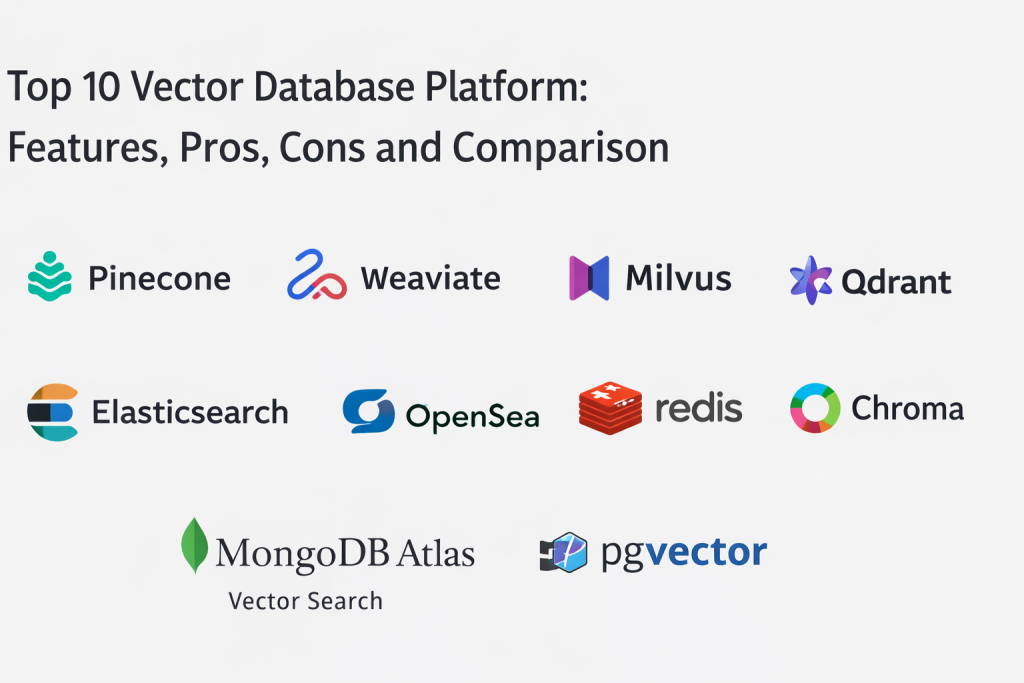
Top 10 Vector Database Platforms
1 — Pinecone
Managed vector database designed for fast similarity search with strong scaling and operational simplicity. Often chosen by teams that want production ready vector search without managing infrastructure.
Key Features
- Vector indexing and fast similarity search
- Metadata filtering for real application constraints
- Scalable managed service operations
- Namespace style separation for multi tenant use cases
- API driven ingestion and query workflows
- Support for hybrid style retrieval patterns depending on setup
- Monitoring and operational visibility features
Pros
- Low operational burden for production deployments
- Good performance for similarity search workloads
- Practical fit for teams moving fast with AI features
Cons
- Managed approach can reduce deep infrastructure control
- Costs depend on scale and usage patterns
- Some advanced workflows require careful data modeling
Platforms and Deployment
Web, Cloud
Security and Compliance
Access controls expected; certifications: Not publicly stated.
Integrations and Ecosystem
Pinecone commonly integrates with embedding pipelines, application services, and orchestration workflows that produce and query vectors at scale.
- API integration with embedding generation pipelines
- Works with metadata stores and application backends
- Supports multi environment ingestion patterns
- Fits retrieval workflows for AI and search products
Support and Community
Support depends on plan. Documentation is widely used: Varies / Not publicly stated.
2 — Weaviate
Vector database platform designed for semantic search with built in capabilities for filtering and hybrid retrieval patterns. Often used by teams that want a flexible platform for vector search with strong ecosystem support.
Key Features
- Vector indexing and similarity search
- Metadata filtering and structured constraints
- Hybrid search patterns combining vector and keyword signals
- Modular architecture for extensions and integrations
- Support for multi tenant and namespace style separation
- Flexible schema and object storage patterns
- Observability and monitoring options depending on setup
Pros
- Strong flexibility for semantic search use cases
- Useful hybrid search options for better relevance
- Good developer experience for many workloads
Cons
- Operational ownership required for self hosted deployments
- Performance depends on index configuration and data shape
- Some advanced features depend on deployment choices
Platforms and Deployment
Windows, macOS, Linux, Cloud, Self hosted, Hybrid
Security and Compliance
Access controls depend on deployment: Varies / Not publicly stated.
Integrations and Ecosystem
Weaviate often integrates with ETL pipelines, application backends, and search workflows where vectors and metadata must be queried together.
- Integrates with ingestion pipelines for embeddings
- Supports metadata filters and structured queries
- Works with application services for retrieval
- Fits semantic search and recommendation stacks
Support and Community
Strong community. Commercial support options vary: Varies / Not publicly stated.
3 — Milvus
Vector database platform designed for high performance vector search at scale. Often used when teams need strong indexing flexibility, scalability, and control over deployment.
Key Features
- High performance vector indexing and search
- Multiple index types for different performance trade offs
- Metadata filtering and partitioning options
- Scalable architecture for large datasets
- Supports hybrid deployment patterns
- Strong ingestion support for bulk and streaming data
- Integrations with data pipelines and AI workflows
Pros
- Strong performance for large scale vector search
- Flexible indexing choices for different workloads
- Good for teams that want control over infrastructure
Cons
- Operational complexity can be high
- Requires planning for scaling and maintenance
- Tuning index parameters needs expertise
Platforms and Deployment
Linux, Cloud, Self hosted, Hybrid
Security and Compliance
Depends on deployment: Varies / Not publicly stated.
Integrations and Ecosystem
Milvus is often used as a core retrieval component in AI architectures, integrated with pipelines that generate embeddings and with services that query for similar results.
- Integrates with embedding generation and ETL pipelines
- Works with application retrieval services
- Supports large scale indexing and partitioning strategies
- Fits high throughput search workloads
Support and Community
Strong open source community. Commercial support varies: Varies / Not publicly stated.
4 — Qdrant
Vector database designed for similarity search with strong focus on filtering and performance. Often chosen for practical production deployments where metadata constraints matter.
Key Features
- Vector similarity search with fast indexing
- Strong metadata filtering and payload support
- Collection and namespace style organization
- Support for hybrid retrieval patterns depending on setup
- Efficient storage and retrieval for high dimensional vectors
- APIs for ingestion and query workflows
- Operational tooling for backups and maintenance patterns
Pros
- Strong filtering support for real world search needs
- Practical performance for many production workloads
- Good balance between control and usability
Cons
- Operational needs depend on deployment model
- Index tuning may be required for best performance
- Ecosystem breadth varies by use case and tooling choices
Platforms and Deployment
Windows, macOS, Linux, Cloud, Self hosted, Hybrid
Security and Compliance
Access control depends on deployment: Varies / Not publicly stated.
Integrations and Ecosystem
Qdrant is typically integrated into retrieval pipelines that require both vector similarity and metadata constraints such as tenant, permissions, or content type filters.
- Integrates with ETL and embedding pipelines
- Works with application backends for retrieval
- Supports metadata filtering for permissions and scopes
- Fits semantic search and recommendation systems
Support and Community
Community support is strong. Commercial support varies: Varies / Not publicly stated.
5 — Chroma
Vector database focused on developer friendly workflows for building retrieval systems and prototyping semantic search. Often used for local development and smaller deployments.
Key Features
- Simple vector storage and similarity search
- Developer friendly APIs for rapid prototyping
- Collection based organization for projects
- Metadata filtering capabilities depending on setup
- Works well for local and small scale use cases
- Supports ingestion pipelines for embeddings
- Useful for experimenting with retrieval workflows
Pros
- Very easy to start for developers
- Good for prototypes and early stage retrieval systems
- Simple operational footprint for small deployments
Cons
- Scaling to very large production workloads needs validation
- Advanced governance features are limited
- Some enterprise requirements need other platforms
Platforms and Deployment
Windows, macOS, Linux, Self hosted
Security and Compliance
Depends on deployment: Varies / Not publicly stated.
Integrations and Ecosystem
Chroma commonly integrates into developer workflows, notebooks, and small services where embeddings are stored and queried during prototyping and early product builds.
- Integrates with embedding generation code
- Works with local development pipelines
- Supports metadata use for simple filtering needs
- Fits proof of concept retrieval workflows
Support and Community
Community driven support. Exact details: Varies / Not publicly stated.
6 — Elasticsearch
Search and analytics platform that supports vector search alongside keyword search and filtering. Often used by teams that want a single system for both traditional search and semantic retrieval.
Key Features
- Vector search capabilities alongside indexing search
- Strong filtering and aggregation features
- Hybrid retrieval combining keyword and vector signals
- Mature scaling and clustering capabilities
- Near real time ingestion and search workflows
- Observability and monitoring integrations
- Strong ecosystem for search and analytics
Pros
- Strong hybrid search capability in one platform
- Mature search and filtering features
- Good fit for organizations already using Elasticsearch
Cons
- Resource usage can be high at scale
- Vector search tuning requires expertise
- Not always as simple as dedicated vector databases for some workflows
Platforms and Deployment
Windows, Linux, Cloud, Self hosted, Hybrid
Security and Compliance
Security depends on deployment and configuration: Varies / Not publicly stated.
Integrations and Ecosystem
Elasticsearch integrates with logging pipelines, search applications, and analytics dashboards, and can serve as a unified search layer for both keywords and vectors.
- Integrates with ingestion pipelines and search apps
- Supports dashboards and analytics reporting
- Works with hybrid retrieval patterns
- Fits enterprise search and observability stacks
Support and Community
Large community with commercial support options. Exact details: Varies / Not publicly stated.
7 — OpenSearch
Search and analytics platform that supports vector search features alongside traditional search. Often used by teams that want a search stack with flexibility and control in self hosted or managed environments.
Key Features
- Vector search support for semantic retrieval
- Keyword search and filtering capabilities
- Hybrid retrieval patterns for better relevance
- Cluster scaling and distributed architecture
- Alerting and monitoring features depending on setup
- Integrations for ingestion pipelines and dashboards
- Useful for search and analytics workloads
Pros
- Strong fit for teams wanting control over a search stack
- Useful hybrid search capabilities
- Works for both semantic and traditional search
Cons
- Vector capabilities require tuning and testing
- Resource and operational needs can be significant
- Not always as specialized as dedicated vector databases
Platforms and Deployment
Linux, Cloud, Self hosted, Hybrid
Security and Compliance
Depends on deployment configuration: Varies / Not publicly stated.
Integrations and Ecosystem
OpenSearch often integrates with data ingestion pipelines and search applications, serving as a unified layer for structured filters, text search, and vector retrieval.
- Integrates with ingestion and indexing pipelines
- Supports dashboards and analytics workflows
- Works with hybrid retrieval approaches
- Fits self hosted and managed search deployments
Support and Community
Community support is active. Commercial support varies: Varies / Not publicly stated.
8 — Redis
In memory data platform that supports vector search capabilities in addition to caching and key value workflows. Often used when teams want fast retrieval combined with caching and operational simplicity.
Key Features
- Low latency in memory operations
- Vector similarity search capabilities depending on setup
- Metadata and tag style filtering patterns
- Works well for real time retrieval workloads
- Useful for caching and session storage alongside retrieval
- Supports high throughput reads for low latency apps
- Integrates well with application stacks
Pros
- Very fast for low latency retrieval and caching combined
- Easy to integrate into most application stacks
- Good for real time recommendation and session aware retrieval
Cons
- Memory cost can be high for large vector datasets
- Durability and persistence require careful configuration
- Not ideal for very large long term storage without planning
Platforms and Deployment
Windows, macOS, Linux, Cloud, Self hosted, Hybrid
Security and Compliance
Depends on deployment setup: Varies / Not publicly stated.
Integrations and Ecosystem
Redis is often used in architectures where vectors support real time experiences, and where caching and retrieval should live close to application services for speed.
- Integrates with application frameworks for fast retrieval
- Works with caching and personalization workflows
- Supports real time scoring and recommendation services
- Fits hybrid architectures when tuned properly
Support and Community
Large community adoption. Support varies: Varies / Not publicly stated.
9 — MongoDB Atlas Vector Search
Vector search capability integrated into MongoDB environments, often used when teams already store documents in MongoDB and want to add semantic search without introducing another platform.
Key Features
- Vector search integrated with document storage
- Metadata filtering using document fields
- Hybrid search patterns combining text and vector approaches
- Simplifies architecture for MongoDB centered stacks
- Supports operational workflows aligned to MongoDB usage
- Works well for search over document collections
- Helps unify app data and retrieval data
Pros
- Strong for teams already using MongoDB
- Reduces need for a separate vector database in some cases
- Good for document plus semantic search use cases
Cons
- Best fit in MongoDB centered architectures
- Some vector specific tuning and scaling needs validation
- May not replace specialized vector databases for all workloads
Platforms and Deployment
Web, Cloud, Hybrid
Security and Compliance
Access controls depend on deployment and account setup: Varies / Not publicly stated.
Integrations and Ecosystem
Often integrated into applications that already use MongoDB for operational data, enabling semantic search over stored documents with minimal additional infrastructure.
- Works with MongoDB document schemas and queries
- Supports filtering using existing document metadata
- Integrates with app services and retrieval pipelines
- Fits unified app data and search architectures
Support and Community
Support depends on plan. Documentation is widely used: Varies / Not publicly stated.
10 — pgvector
Vector extension that adds vector similarity search capabilities to PostgreSQL. Often used by teams that want vector search while keeping relational data and metadata in one system.
Key Features
- Vector storage and similarity search inside PostgreSQL
- Works with relational tables and SQL queries
- Supports metadata filtering using SQL conditions
- Fits smaller to mid scale retrieval workloads
- Simplifies architecture for PostgreSQL centered stacks
- Allows joining vector results with relational data
- Uses PostgreSQL operational tooling and backups
Pros
- Simple architecture when you already use PostgreSQL
- Strong filtering through SQL and relational joins
- Easier governance and backups through existing database processes
Cons
- Scaling very large vector workloads requires careful planning
- Performance depends on index choices and tuning
- Not always as fast as dedicated vector databases at large scale
Platforms and Deployment
Windows, macOS, Linux, Cloud, Self hosted, Hybrid
Security and Compliance
Uses PostgreSQL access control patterns; certifications: Not publicly stated.
Integrations and Ecosystem
pgvector fits teams that already rely on PostgreSQL and want to add similarity search while maintaining strong relational control over metadata, permissions, and reporting.
- Uses PostgreSQL drivers and SQL tooling
- Supports joining retrieval with relational business logic
- Fits existing backup and monitoring workflows
- Integrates with embedding pipelines through standard database connections
Support and Community
Strong community interest and adoption. Support depends on PostgreSQL environment: Varies / Not publicly stated.
Comparison Table
| Tool Name | Best For | Platform(s) Supported | Deployment | Standout Feature | Public Rating |
|---|---|---|---|---|---|
| Pinecone | Managed vector search at scale | Web | Cloud | Low ops vector indexing with filtering | N/A |
| Weaviate | Flexible semantic and hybrid search | Windows, macOS, Linux | Cloud, Self hosted, Hybrid | Hybrid retrieval with structured filtering | N/A |
| Milvus | High scale self managed vector search | Linux | Cloud, Self hosted, Hybrid | Index flexibility for large datasets | N/A |
| Qdrant | Vector search with strong filtering | Windows, macOS, Linux | Cloud, Self hosted, Hybrid | Metadata filtering built for real workloads | N/A |
| Chroma | Developer friendly prototyping | Windows, macOS, Linux | Self hosted | Simple collections for quick retrieval builds | N/A |
| Elasticsearch | Unified keyword plus vector search | Windows, Linux | Cloud, Self hosted, Hybrid | Mature hybrid search and aggregations | N/A |
| OpenSearch | Search stack with vector support | Linux | Cloud, Self hosted, Hybrid | Flexible hybrid retrieval with control | N/A |
| Redis | Low latency retrieval plus caching | Windows, macOS, Linux | Cloud, Self hosted, Hybrid | Real time speed for retrieval and caching | N/A |
| MongoDB Atlas Vector Search | Semantic search inside MongoDB | Web | Cloud, Hybrid | Vector search integrated with documents | N/A |
| pgvector | Vector search inside PostgreSQL | Windows, macOS, Linux | Cloud, Self hosted, Hybrid | SQL filtering and joins with vectors | N/A |
Evaluation and Scoring of Vector Database Platforms
The scores below compare vector platforms across common selection criteria. A higher weighted total suggests a stronger overall balance, but the best tool depends on your workload scale, filtering needs, and whether you want a dedicated vector database or vector search inside an existing system. Dedicated vector platforms often excel in performance and scalability, while integrated options simplify architecture and governance. Use these scores to shortlist options, then validate retrieval quality, latency, filtering performance, and operational effort with a proof of concept. Scoring is comparative and should be interpreted based on your priorities.
Weights used: Core 25 percent, Ease 15 percent, Integrations 15 percent, Security 10 percent, Performance 10 percent, Support 10 percent, Value 15 percent.
| Tool Name | Core (25%) | Ease (15%) | Integrations (15%) | Security (10%) | Performance (10%) | Support (10%) | Value (15%) | Weighted Total |
|---|---|---|---|---|---|---|---|---|
| Pinecone | 9 | 9 | 8 | 7 | 8 | 7 | 6 | 7.95 |
| Weaviate | 8 | 7 | 8 | 6 | 8 | 7 | 8 | 7.60 |
| Milvus | 9 | 6 | 7 | 6 | 9 | 7 | 8 | 7.65 |
| Qdrant | 8 | 7 | 7 | 6 | 8 | 7 | 8 | 7.40 |
| Chroma | 6 | 9 | 6 | 5 | 6 | 6 | 9 | 6.80 |
| Elasticsearch | 8 | 6 | 9 | 6 | 8 | 7 | 6 | 7.35 |
| OpenSearch | 7 | 6 | 8 | 6 | 7 | 7 | 8 | 7.05 |
| Redis | 7 | 8 | 8 | 6 | 8 | 7 | 6 | 7.15 |
| MongoDB Atlas Vector Search | 7 | 8 | 8 | 6 | 7 | 7 | 6 | 7.10 |
| pgvector | 7 | 7 | 7 | 7 | 6 | 7 | 9 | 7.15 |
Which Vector Database Platform Is Right for You
Solo / Freelancer
If you are building prototypes and learning retrieval systems, choose a simple tool that is easy to run and iterate. Chroma is a practical choice for quick experiments. If you already use PostgreSQL, pgvector lets you keep everything in one system and avoid extra infrastructure while you validate your idea.
SMB
SMBs usually need a balance of low operational overhead and solid performance. Pinecone is useful if you want managed scaling and quick production readiness. Weaviate and Qdrant are strong options if you want flexibility and self hosted control with good filtering. If you already use MongoDB, MongoDB Atlas Vector Search can reduce architectural complexity for document plus semantic search.
Mid Market
Mid market teams often need strong filtering, multi tenancy, and reliable operations. Weaviate and Qdrant are often strong fits for multi tenant retrieval apps where metadata constraints and permissions matter. Milvus is a strong choice when you need high scale and want deeper control over indexing. Elasticsearch or OpenSearch are attractive when you want a unified platform for keyword search, analytics, and vector retrieval in the same system.
Enterprise
Enterprises typically prioritize governance, access controls, stability, and integration with existing systems. If the organization already uses Elasticsearch or OpenSearch for search and observability, adding vector retrieval can simplify adoption. Pinecone can work well when managed operations and predictable scaling are preferred. For teams standardizing on relational governance, pgvector can be useful for certain workloads where vectors and business metadata must be joined tightly with SQL and permission logic.
Budget vs Premium
Open source and self hosted platforms can reduce vendor costs but require operational staffing. Managed platforms reduce operational burden and can speed delivery, but costs can rise with large scale usage. The best choice depends on whether you want to invest in engineering time or managed service simplicity.
Feature Depth vs Ease of Use
If ease of use matters most, managed services and integrated vector search options are usually easiest to adopt. If feature depth and scale are your priority, dedicated vector databases and high performance platforms like Milvus can offer more control and scalability, but require tuning and operational skill.
Integrations and Scalability
Vector platforms must fit into your embedding pipeline, metadata store, and application layer. If you need hybrid search, Elasticsearch, OpenSearch, and Weaviate are attractive. If you need strong filtering at scale, Qdrant and Weaviate are practical. If you want minimal architecture changes, MongoDB Atlas Vector Search or pgvector can keep retrieval close to your existing data model.
Security and Compliance Needs
Security depends on access control, tenant isolation, audit logs, encryption, and careful handling of retrieved content. Many production retrieval systems must enforce permissions at query time, so metadata filtering and tenant isolation are critical. Also validate backup and recovery, because index rebuilds can be expensive and slow for large datasets.
Frequently Asked Questions
1. What is a vector database used for?
It stores vectors and supports fast similarity search to find items that are semantically close. It is commonly used for semantic search, recommendations, and retrieval based AI applications.
2. Do we need a vector database for every AI app?
No. If your app does not require similarity search or retrieval, you may not need one. Many apps only need traditional search or a regular database, depending on the use case.
3. What is hybrid search and why is it important?
Hybrid search combines vector similarity with keyword signals. It often improves relevance because keyword matches handle exact terms while vectors capture meaning and intent.
4. How important is metadata filtering in vector search?
It is critical for real applications because you often need to filter by tenant, permissions, language, category, or time. Without strong filtering, retrieval results can be incorrect or unsafe.
5. Should we store raw text inside the vector database?
Some teams store full documents, others store references. The best choice depends on governance, privacy, and update workflows. Many teams store metadata and a pointer to the source content in a secure store.
6. How do we evaluate retrieval quality?
Use a test set of queries with expected relevant results, measure recall and precision, and review the quality with humans. Also test edge cases like permissions, freshness, and long queries.
7. What is the biggest cause of poor vector search results?
Common causes include weak embeddings for the domain, poor chunking of documents, missing metadata filters, and not using reranking for better final relevance.
8. Can PostgreSQL with pgvector replace a dedicated vector database?
It can for small to mid scale workloads and when SQL joins and governance are more important than extreme vector throughput. For very large scale, dedicated vector platforms can be more efficient.
9. How do vector databases handle updates and deletes?
Most platforms support updates and deletes, but performance depends on index type and data volume. For large systems, you must plan for reindexing and compaction workflows.
10. How should we choose the right vector database platform?
Start with your scale, latency targets, and filtering needs. Shortlist two or three platforms, build a proof of concept, test retrieval quality and latency, validate operations and backups, then choose based on the best fit for your team and architecture.
Conclusion
Vector database platforms make semantic search and retrieval based AI applications practical by providing fast similarity search on embeddings with metadata filtering and scalable indexing. The best option depends on whether you need a managed service, a self hosted platform, or vector search embedded inside an existing database or search stack. Dedicated vector databases can provide strong performance and scaling for large datasets, while integrated options can simplify governance and reduce infrastructure overhead. In most real systems, filtering, tenant isolation, and retrieval quality evaluation matter as much as raw speed. A practical next step is to shortlist two or three platforms, build a proof of concept with your real data and queries, measure retrieval quality and latency, test metadata filtering and permission rules, and validate backup and recovery workflows before going live.

Best Cardiac Hospitals Near You
Discover top heart hospitals, cardiology centers & cardiac care services by city.
Advanced Heart Care • Trusted Hospitals • Expert Teams
View Best Hospitals