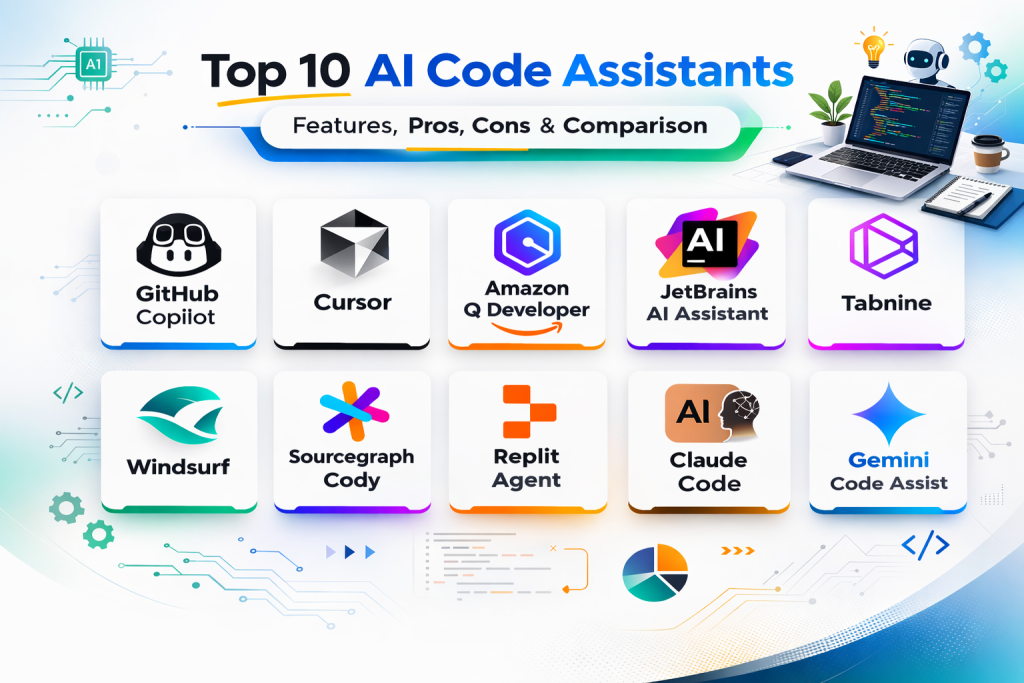
Introduction
AI code assistants help developers write, understand, refactor, and debug code faster by using natural language prompts and in-editor suggestions. In simple terms, these tools act like coding partners that can autocomplete code, explain unfamiliar logic, generate tests, suggest fixes, and help navigate large codebases. Instead of switching between documentation, search, and manual coding for every step, teams use these tools to reduce repetitive work and improve development speed.
These tools are now used across startups, enterprise engineering teams, product teams, DevOps teams, and independent developers. Choosing the right tool is not only about code completion quality. Teams also need to evaluate IDE support, repo-level context handling, security controls, language support, collaboration workflows, and cost at scale. Some tools are best for fast solo coding, while others are stronger for large codebases, enterprise governance, or agent-style workflows.
Common use cases include:
- Code completion and boilerplate generation
- Bug fixing and refactoring suggestions
- Test generation and code explanation
- Documentation drafting and code comments
- Repo navigation and codebase understanding
- PR support and developer productivity workflows
What buyers should evaluate before selecting a tool:
- Suggestion quality and accuracy
- Repo and multi-file context awareness
- IDE and editor compatibility
- Language and framework support
- Refactoring, debugging, and test-generation capabilities
- Team controls and admin features
- Security and data governance fit
- Speed and responsiveness in daily coding
- Pricing model and usage limits
- Workflow fit for solo, team, or enterprise development
Best for: software engineers, DevOps engineers, QA automation engineers, data engineers, startup teams, and enterprise development organizations that want faster coding and better developer productivity.
Not ideal for: teams with very strict no-AI coding policies, highly sensitive code workflows without approved governance, or users who only need occasional code snippets and can rely on documentation and manual coding.
Key Trends in AI Code Assistants
- AI code assistants are moving from autocomplete tools to broader coding partners with refactoring, debugging, and task-level assistance.
- Repo-level context and multi-file understanding are becoming major selection factors for real-world engineering teams.
- Agent-style coding workflows are growing, especially for generating, editing, and testing changes across multiple files.
- Teams increasingly combine one code assistant with code review and security tooling instead of relying on a single AI tool.
- Enterprise buyers are paying closer attention to governance, data handling, and deployment controls.
- IDE-native experiences remain critical because developers prefer low-friction workflows inside existing editors.
- Language and framework coverage is improving, but performance still varies by stack and project complexity.
- Pricing scrutiny is rising as teams scale usage from a few developers to entire engineering organizations.
- Faster iteration is valuable, but signal quality and maintainability matter more as teams mature.
- Buyers are separating solo productivity tools from enterprise-grade coding assistants with team controls and reporting.
How We Selected These Tools (Methodology)
- Chose widely recognized AI code assistants with strong developer or enterprise adoption visibility.
- Included a mix of IDE-native assistants, AI-first coding environments, and developer-platform integrations.
- Prioritized tools with practical use in real coding workflows, not only demo-style generation.
- Considered fit across solo developers, SMB teams, and enterprise engineering organizations.
- Evaluated code completion, chat, refactoring, and codebase understanding capabilities.
- Considered IDE compatibility, language support, and workflow integration.
- Included both general-purpose and team-oriented coding assistants.
- Avoided guessing on public ratings, certifications, and compliance claims when not clearly known.
- Focused on real buyer concerns such as speed, maintainability, and operational fit.
- Used comparative scoring to support shortlisting by scenario and team size.
Top 10 AI Code Assistants
1. GitHub Copilot
GitHub Copilot is one of the most widely used AI code assistants for code completion, chat-based coding help, and productivity support inside popular IDEs. It is commonly chosen by individual developers and enterprise teams because of its broad ecosystem visibility and familiar workflow integration.
Key Features
- Inline code completion and suggestion workflows
- Chat-based coding assistance for explanation and generation
- Support for many programming languages and frameworks
- IDE integration for common developer workflows
- Refactoring and code transformation assistance
- Test and boilerplate generation support
- Team and enterprise usage options
Pros
- Low-friction adoption for many developers
- Strong ecosystem visibility and broad language coverage
- Good fit for everyday coding assistance across multiple stacks
Cons
- Suggestion quality varies by project context and prompt clarity
- Teams still need strong review practices and coding standards
- Large-codebase context depth should be tested in real workflows
Platforms / Deployment
- IDE Plugins / Editor integrations
- Cloud
Security and Compliance
- Not publicly stated
Integrations and Ecosystem
GitHub Copilot fits naturally into existing IDE workflows and is often used as a default coding assistant layer across teams.
- IDE integration support
- Chat and completion workflows
- Broad language and framework usage patterns
- Team adoption across developer environments
Support and Community
Very strong developer awareness and broad usage. Community examples and workflow tips are widely available.
2. Cursor
Cursor is an AI-first coding environment built around code generation, editing, and codebase-aware workflows. It is often selected by developers who want a faster AI-native coding experience with deeper interaction than traditional plugin-only tools.
Key Features
- AI-native coding workflow with code editing assistance
- Chat and codebase-aware interaction patterns
- Multi-file editing and refactoring support
- Prompt-driven coding and debugging workflows
- Fast developer experience for iterative coding tasks
- Useful for greenfield and rapid prototyping projects
- Integrated assistant workflow inside the coding environment
Pros
- Strong AI-first developer experience
- Good for rapid iteration and codebase interaction
- Useful for developers who want more than inline autocomplete
Cons
- Teams should validate enterprise governance and policy fit
- Workflow shift may require adaptation for traditional IDE users
- Output quality still depends on review discipline
Platforms / Deployment
- Desktop App / IDE-style environment
- Cloud-assisted workflows
Security and Compliance
- Not publicly stated
Integrations and Ecosystem
Cursor is best for developers who prefer an AI-centered coding workflow and want generation, editing, and debugging in a single environment.
- AI-native coding environment workflow
- Multi-file editing support
- Chat and codebase interaction patterns
- Fast prototyping and feature development workflows
Support and Community
Strong developer interest and rapidly growing community visibility. Many teams evaluate it for speed and usability in daily coding.
3. Amazon Q Developer
Amazon Q Developer is an AI coding assistant used for code generation, explanation, and developer productivity tasks, especially in cloud-heavy environments. It is often evaluated by teams working in enterprise and cloud-centric development workflows.
Key Features
- Code suggestions and coding assistance workflows
- Chat-style developer help for coding and debugging
- Support for common development tasks and automation
- Useful for cloud-related development workflows
- IDE integration support for coding productivity
- Code explanation and transformation assistance
- Team-oriented developer workflow support
Pros
- Strong fit for cloud-centric engineering teams
- Useful for coding plus operational workflow support
- Good option for organizations already using cloud services heavily
Cons
- Best value often depends on broader ecosystem alignment
- Teams should validate language and framework fit for their stack
- Daily developer preference may vary versus AI-first editors
Platforms / Deployment
- IDE Integrations / Developer tools
- Cloud
Security and Compliance
- Not publicly stated
Integrations and Ecosystem
Amazon Q Developer is often evaluated as part of a broader cloud development workflow rather than as a standalone coding tool only.
- IDE workflow integration
- Cloud-centric developer ecosystem alignment
- Coding and debugging support patterns
- Team developer productivity use cases
Support and Community
Strong enterprise visibility and growing developer adoption. Support quality depends on the organization’s cloud support model and plan.
4. JetBrains AI Assistant
JetBrains AI Assistant is an AI coding assistant integrated into JetBrains development environments and is often chosen by teams that already use JetBrains IDEs for enterprise and professional software development.
Key Features
- AI coding support integrated into JetBrains IDE workflows
- Code completion and generation assistance
- Explain, refactor, and documentation support
- Chat-style coding help inside the IDE
- Useful for enterprise and professional development teams
- Support for multiple languages within JetBrains ecosystem
- Productivity enhancement without leaving the development environment
Pros
- Excellent fit for teams already standardized on JetBrains IDEs
- Strong workflow integration with familiar developer tools
- Useful for coding, refactoring, and understanding code in place
Cons
- Best value depends on JetBrains IDE usage
- Teams using mixed editors may prefer tool-neutral assistants
- Feature depth should be compared against AI-first coding environments
Platforms / Deployment
- JetBrains IDE Plugins / Integrated IDE workflows
- Cloud-assisted workflows
Security and Compliance
- Not publicly stated
Integrations and Ecosystem
JetBrains AI Assistant is strongest when organizations already rely on JetBrains for daily development and want AI support without changing core workflows.
- Native JetBrains IDE workflow integration
- Code understanding and refactoring support
- Multi-language developer productivity assistance
- Team productivity inside established IDE standards
Support and Community
Strong support expectations for JetBrains users and good documentation within the IDE ecosystem. Adoption is strongest in JetBrains-centered teams.
5. Tabnine
Tabnine is an AI code assistant focused on code completion and developer productivity across common editors and IDEs. It is often chosen by teams looking for a coding assistant with broad editor compatibility and practical day-to-day coding support.
Key Features
- Code completion assistance across editors and IDEs
- Context-aware suggestion workflows
- Multi-language support for common development stacks
- Developer productivity support for repetitive coding tasks
- Editor integration across multiple environments
- Team usage support for broader adoption
- Practical coding acceleration for daily development work
Pros
- Broad editor compatibility for mixed-tool teams
- Easy to adopt for completion-focused workflows
- Useful for developers who want lightweight AI assistance
Cons
- Teams needing deeper codebase chat and agent workflows may compare alternatives
- Advanced refactoring and task automation depth may vary by setup
- Suggestion quality should be tested on real project code
Platforms / Deployment
- IDE Plugins / Editor integrations
- Cloud / Varies by deployment arrangement
Security and Compliance
- Not publicly stated
Integrations and Ecosystem
Tabnine is often used as a practical completion layer across teams that want AI assistance without changing their editor preferences.
- Multi-editor integration support
- Completion-focused productivity workflows
- Broad language and stack coverage
- Team adoption across mixed IDE environments
Support and Community
Well-known among developers and engineering teams evaluating code completion tools. Onboarding is generally straightforward.
6. Windsurf
Windsurf is an AI coding assistant and coding environment known for AI-driven development workflows, generation, and editing support. It is often evaluated by developers looking for modern AI-assisted coding beyond traditional autocomplete plugins.
Key Features
- AI-assisted code generation and editing workflows
- Chat-style coding help for building and debugging
- Multi-file coding and project interaction support
- Fast iteration for prototyping and feature development
- AI-native workflow design for coding tasks
- Useful for developers and small teams shipping quickly
- Broad support for prompt-driven software development
Pros
- Strong modern AI coding experience for rapid development
- Useful for prompt-driven coding and iteration workflows
- Good fit for developers exploring AI-native coding habits
Cons
- Teams should validate enterprise controls and governance fit
- Workflow change may not suit every traditional IDE user
- Production reliability still depends on review and testing discipline
Platforms / Deployment
- Desktop App / IDE-style environment
- Cloud-assisted workflows
Security and Compliance
- Not publicly stated
Integrations and Ecosystem
Windsurf is commonly used by developers who want a more AI-centered coding experience for building, refactoring, and iterating features quickly.
- AI-native coding environment workflows
- Multi-file editing support
- Prompt-driven coding iteration patterns
- Useful for rapid product development
Support and Community
Strong visibility in AI coding discussions and growing adoption among developers testing AI-first coding environments.
7. Sourcegraph Cody
Sourcegraph Cody is an AI coding assistant focused on helping developers understand, search, and work across large codebases. It is often chosen by engineering teams that care about codebase context and repository-scale workflows.
Key Features
- Codebase-aware chat and code understanding support
- Repo search and context-driven coding assistance
- Code generation and refactoring help
- Useful for navigating large and complex repositories
- Developer workflows for explanation and implementation support
- Team-oriented usage for shared codebases
- Integration with code intelligence and repository workflows
Pros
- Strong fit for large codebase understanding and navigation
- Useful for enterprise teams working across complex repositories
- Good option when context depth matters more than simple autocomplete
Cons
- Teams focused only on lightweight completion may not need full workflow depth
- Setup and adoption may require team process alignment
- Daily experience should be tested across target IDE environments
Platforms / Deployment
- IDE Integrations / Developer platform workflows
- Cloud / Varies by deployment arrangement
Security and Compliance
- Not publicly stated
Integrations and Ecosystem
Cody is best for organizations that want AI assistance tied closely to code search, repository context, and developer workflows across larger engineering systems.
- Codebase-aware chat workflows
- Repo search and context integration
- Enterprise engineering workflow support
- Useful for large-team development environments
Support and Community
Strong visibility among engineering teams focused on large codebases and code intelligence workflows. Vendor-led support is an important evaluation factor for enterprise teams.
8. Replit Agent
Replit Agent is an AI coding assistant and agent-style development workflow integrated into a cloud coding environment. It is often chosen by users who want to build, iterate, and deploy quickly from prompts with minimal local setup.
Key Features
- Agent-style coding workflows from natural language prompts
- Integrated cloud development environment support
- Code generation, editing, and iteration assistance
- Useful for rapid prototyping and small application builds
- Built-in workflow support for testing and deployment-style tasks
- Good fit for learners, founders, and fast-moving teams
- Reduced setup friction for prompt-to-app workflows
Pros
- Very fast path from idea to working prototype
- Useful for cloud-based development without complex setup
- Strong option for rapid experiments and lightweight product builds
Cons
- Teams with strict local development requirements may prefer IDE-based tools
- Large enterprise codebase workflows should be validated carefully
- Output still requires developer review and testing discipline
Platforms / Deployment
- Web / Cloud IDE
- Cloud
Security and Compliance
- Not publicly stated
Integrations and Ecosystem
Replit Agent is strongest in fast cloud-native development workflows where speed and reduced setup matter more than deep local IDE customization.
- Prompt-to-app workflow support
- Cloud coding and iteration patterns
- Useful for prototyping and learning workflows
- Integrated development environment experience
Support and Community
Strong visibility among startup builders, learners, and developers using cloud-based coding workflows. Easy onboarding is a key advantage.
9. Claude Code
Claude Code is an AI coding assistant workflow oriented around code generation, explanation, and developer interaction using strong natural language capabilities. It is often evaluated by developers who value code reasoning, structured responses, and iterative problem solving.
Key Features
- Natural-language coding assistance and code explanation
- Refactoring and debugging support through conversational workflows
- Useful for understanding code and planning changes
- Strong prompt-based reasoning for developer tasks
- Multi-step coding guidance and implementation assistance
- Good fit for documentation and code clarification tasks
- Flexible usage for individual developers and teams
Pros
- Strong reasoning and explanation quality for many coding tasks
- Useful for planning, debugging, and code understanding workflows
- Good complement to IDE-native completion tools
Cons
- Teams may still want IDE-native autocomplete tools for typing-speed gains
- Workflow fit depends on how developers prefer to interact with assistants
- Integration depth should be validated for daily coding usage
Platforms / Deployment
- App / CLI / API-oriented workflows (varies)
- Cloud
Security and Compliance
- Not publicly stated
Integrations and Ecosystem
Claude Code is often used for code reasoning, debugging conversations, and implementation planning, either as a primary assistant or alongside IDE-native tools.
- Conversational coding support workflows
- Code understanding and debugging assistance
- Strong fit for planning and explanation tasks
- Can complement completion-first assistants
Support and Community
Growing adoption among developers and teams using AI for coding and technical reasoning. Community examples are increasing rapidly.
10. Gemini Code Assist
Gemini Code Assist is an AI coding assistant used for code completion, generation, and developer productivity tasks, especially for teams working in cloud and enterprise development workflows. It is often evaluated by organizations that want coding assistance aligned with broader developer and cloud ecosystems.
Key Features
- AI coding assistance for generation and completion tasks
- Chat-style support for coding and debugging workflows
- Multi-language developer productivity support
- Integration with developer tools and cloud workflows
- Useful for enterprise coding assistance programs
- Code explanation and transformation support
- Broad support for common software development tasks
Pros
- Strong fit for teams in cloud and enterprise development environments
- Useful for coding plus developer workflow support
- Good option for organizations standardizing AI assistance across teams
Cons
- Best experience often depends on ecosystem alignment
- Teams should validate performance on their frameworks and codebase size
- Developer preference may vary compared with AI-first coding editors
Platforms / Deployment
- IDE Integrations / Developer tools
- Cloud
Security and Compliance
- Not publicly stated
Integrations and Ecosystem
Gemini Code Assist is commonly evaluated as part of a larger developer productivity and cloud workflow strategy rather than as a standalone code completion tool only.
- Developer tool integration support
- Cloud and enterprise workflow alignment
- Coding and debugging assistance patterns
- Team productivity and standardization use cases
Support and Community
Strong visibility in enterprise and cloud developer discussions. Support and rollout experience depend on the organization’s environment and plan.
Comparison Table (Top 10)
| Tool Name | Best For | Platform(s) Supported | Deployment | Standout Feature | Public Rating |
|---|---|---|---|---|---|
| GitHub Copilot | Broad IDE-based coding assistance for individuals and teams | IDE Plugins / Editors | Cloud | Widely adopted inline coding assistant with chat workflows | N/A |
| Cursor | AI-first coding environment for rapid coding and refactoring | Desktop App / IDE-style environment | Cloud-assisted | Strong AI-native multi-file coding workflow | N/A |
| Amazon Q Developer | Cloud-centric developer productivity and coding assistance | IDE Integrations / Developer tools | Cloud | Coding assistance aligned with cloud developer workflows | N/A |
| JetBrains AI Assistant | AI coding support inside JetBrains IDE workflows | JetBrains IDE Integrations | Cloud-assisted | Deep workflow fit for JetBrains users | N/A |
| Tabnine | Completion-focused AI coding support across mixed editors | IDE Plugins / Editors | Cloud / Varies | Broad editor compatibility for coding assistance | N/A |
| Windsurf | AI-native coding and editing workflows for modern dev teams | Desktop App / IDE-style environment | Cloud-assisted | Prompt-driven coding in an AI-first environment | N/A |
| Sourcegraph Cody | Codebase-aware assistance for large repositories | IDE Integrations / Dev platform workflows | Cloud / Varies | Repo context and codebase understanding support | N/A |
| Replit Agent | Prompt-to-app development in a cloud coding environment | Web / Cloud IDE | Cloud | Agent-style coding workflow with low setup friction | N/A |
| Claude Code | Conversational coding, debugging, and reasoning support | App / CLI / API-oriented workflows | Cloud | Strong code reasoning and implementation guidance | N/A |
| Gemini Code Assist | Enterprise-aligned coding support in cloud dev workflows | IDE Integrations / Developer tools | Cloud | Coding assistance tied to broader developer ecosystem | N/A |
Evaluation and Scoring of AI Code Assistants
| Tool Name | Core (25%) | Ease (15%) | Integrations (15%) | Security (10%) | Performance (10%) | Support (10%) | Value (15%) | Weighted Total (0–10) |
|---|---|---|---|---|---|---|---|---|
| GitHub Copilot | 9.2 | 8.9 | 9.1 | 7.8 | 8.8 | 8.8 | 8.1 | 8.74 |
| Cursor | 9.1 | 8.5 | 8.2 | 7.4 | 8.9 | 8.3 | 8.3 | 8.44 |
| Amazon Q Developer | 8.6 | 7.9 | 8.7 | 7.8 | 8.3 | 8.2 | 7.9 | 8.22 |
| JetBrains AI Assistant | 8.7 | 8.4 | 8.6 | 7.8 | 8.4 | 8.5 | 7.8 | 8.32 |
| Tabnine | 8.1 | 8.6 | 8.2 | 7.6 | 8.1 | 8.0 | 8.2 | 8.14 |
| Windsurf | 8.8 | 8.4 | 7.9 | 7.3 | 8.6 | 8.0 | 8.3 | 8.20 |
| Sourcegraph Cody | 8.9 | 7.8 | 8.8 | 7.9 | 8.5 | 8.2 | 7.7 | 8.28 |
| Replit Agent | 8.5 | 8.9 | 7.6 | 7.2 | 8.3 | 8.1 | 8.5 | 8.18 |
| Claude Code | 8.7 | 8.1 | 7.8 | 7.5 | 8.2 | 8.1 | 8.4 | 8.15 |
| Gemini Code Assist | 8.7 | 8.0 | 8.8 | 7.8 | 8.3 | 8.2 | 8.0 | 8.29 |
How to interpret these scores:
- These scores are comparative and designed to support shortlisting, not benchmark test results.
- A higher score does not mean one tool is best for every engineering team or codebase.
- AI-first coding environments often score high on speed and workflow depth, while IDE plugins may score higher on adoption ease.
- Enterprise fit depends heavily on governance, policy, and ecosystem alignment, not only coding quality.
- Always test shortlisted tools on your real repositories, frameworks, and team workflows before deciding.
Which AI Code Assistant Is Right for You
1. Solo / Freelancer
If you are a solo developer, freelancer, or indie builder, prioritize speed, ease of use, and flexibility. GitHub Copilot is a strong all-round choice for IDE-based coding. Cursor and Windsurf are great if you want a more AI-native coding experience. Replit Agent is useful when you want fast cloud-based prototyping with minimal setup.
Recommended shortlist: GitHub Copilot, Cursor, Replit Agent
2. SMB
SMB teams usually need fast onboarding, practical productivity gains, and manageable cost. GitHub Copilot is often a strong default choice. Cursor and Windsurf can improve speed for teams comfortable with AI-first workflows. Tabnine is useful for mixed-editor teams that want completion-focused assistance.
Recommended shortlist: GitHub Copilot, Cursor, Tabnine, Windsurf
3. Mid-Market
Mid-market teams often need better codebase context, team standardization, and scalable workflows. Sourcegraph Cody is strong for larger repositories and context-heavy development. GitHub Copilot and JetBrains AI Assistant are good when teams want lower-friction adoption inside existing IDE standards. Gemini Code Assist and Amazon Q Developer are worth evaluating for cloud-aligned organizations.
Recommended shortlist: Sourcegraph Cody, GitHub Copilot, JetBrains AI Assistant, Gemini Code Assist
4. Enterprise
Enterprise buyers should prioritize governance, IDE compatibility, repository context, support quality, and rollout controls. GitHub Copilot remains a major option for broad enterprise deployment. Sourcegraph Cody is strong for large codebases and context needs. JetBrains AI Assistant fits JetBrains-standardized teams. Amazon Q Developer and Gemini Code Assist are important for cloud-centric enterprise environments.
Recommended shortlist: GitHub Copilot, Sourcegraph Cody, JetBrains AI Assistant, Amazon Q Developer, Gemini Code Assist
5. Budget vs Premium
- Balanced mainstream value: GitHub Copilot, Tabnine
- AI-first productivity value: Cursor, Windsurf
- Cloud workflow value: Amazon Q Developer, Gemini Code Assist
- Repo-context enterprise value: Sourcegraph Cody
- Fast cloud prototyping value: Replit Agent
If budget is limited, start with one IDE-native assistant and test productivity gains before rolling out to the full team.
6. Feature Depth vs Ease of Use
- Best ease of adoption in existing IDEs: GitHub Copilot, JetBrains AI Assistant
- Best AI-native workflow depth: Cursor, Windsurf
- Best codebase context workflows: Sourcegraph Cody
- Best cloud prototyping speed: Replit Agent
- Best conversational reasoning support: Claude Code
Choose based on how your developers prefer to work each day, not only on feature comparisons.
7. Integrations and Scalability
If your team needs scale, policy controls, and ecosystem fit, prioritize GitHub Copilot, Sourcegraph Cody, JetBrains AI Assistant, Amazon Q Developer, and Gemini Code Assist. If your main goal is rapid developer iteration, Cursor and Windsurf may provide stronger day-to-day flow for some teams.
8. Security and Compliance Needs
For production engineering teams, confirm these during evaluation:
- User roles and admin controls
- Data handling and retention options
- Policy controls for code usage
- IDE and repository access boundaries
- Audit and usage visibility for teams
- Rollout controls and governance settings
If your organization handles sensitive code or regulated environments, involve security and platform engineering teams early.
Frequently Asked Questions
1. What is an AI code assistant?
An AI code assistant helps developers write, edit, explain, and debug code using suggestions, chat, and prompt-based workflows. It can improve productivity for coding, testing, and documentation tasks.
2. Are AI code assistants only for beginners?
No. Beginners use them for learning and examples, but experienced developers use them for speed, refactoring, test generation, and codebase navigation.
3. Which AI code assistant is best for general IDE use?
GitHub Copilot is a common choice for broad IDE-based use across many teams. Final fit still depends on your editor, codebase size, and workflow preferences.
4. What is the difference between AI-first coding tools and IDE plugins?
AI-first coding tools usually build the entire coding workflow around AI interactions and multi-file actions. IDE plugins typically add AI assistance into your existing editor workflow with less disruption.
5. Do AI code assistants replace code review?
No. They can speed up development, but teams still need code review, testing, and security checks to maintain quality and reliability.
6. Which tools are better for large codebases?
Tools with stronger repo-context and codebase understanding workflows are usually better for large codebases. Sourcegraph Cody is often evaluated for this scenario, and teams should test others on real repositories.
7. Can one AI code assistant work for every developer on a team?
Sometimes, but not always. Different developers may prefer different tools based on IDE choice, coding style, and project type. Some organizations standardize one tool, while others allow approved options.
8. What is the biggest mistake when choosing an AI code assistant?
A common mistake is choosing based only on demo quality or autocomplete speed. Teams should also evaluate context depth, governance, IDE fit, and maintainability impact.
9. How should I test AI code assistants before rollout?
Run a pilot with real repos, common tasks, and clear metrics such as completion quality, debugging speed, review effort, and developer satisfaction. Compare a small shortlist before scaling.
10. Are AI code assistants safe for confidential code?
That depends on the tool, plan, and your internal policies. Review admin controls, data handling settings, and governance requirements before using them on sensitive codebases.
Conclusion
AI code assistants can significantly improve developer speed and reduce repetitive work, but the right choice depends on your engineering workflow, codebase complexity, IDE standards, and governance needs. Some teams need low-friction IDE assistance, while others benefit more from AI-first coding environments or repo-context tools for large systems. There is no single universal winner for every engineering organization. A practical approach is to shortlist a few tools based on your real use cases, run a structured pilot on actual repositories, and choose the option that improves productivity without reducing code quality or team control.

Best Cardiac Hospitals Near You
Discover top heart hospitals, cardiology centers & cardiac care services by city.
Advanced Heart Care • Trusted Hospitals • Expert Teams
View Best Hospitals