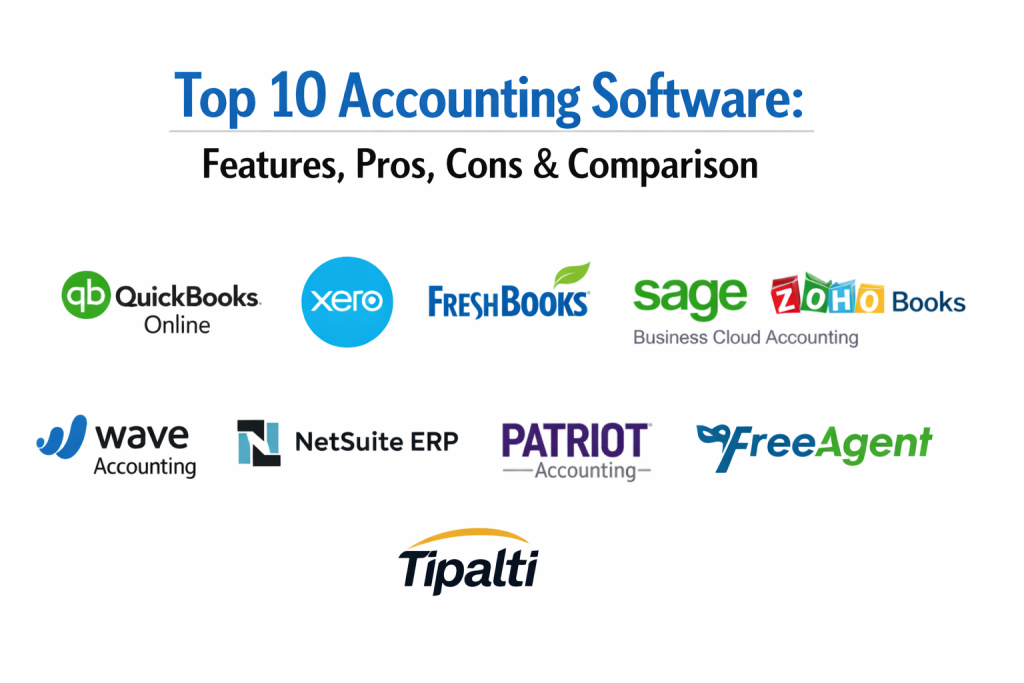
Introduction
Accounting software is the foundational pillar of modern business operations, serving as the digital ledger for tracking financial health, cash flow, and regulatory compliance. These platforms go far beyond simple bookkeeping; they automate complex financial tasks such as invoicing, expense tracking, tax preparation, and financial reporting. By providing a centralized source of truth for financial data, accounting software enables business owners and finance professionals to make informed decisions based on real-time insights rather than historical guesswork.
In an era of increasing financial complexity, manual entry and physical ledgers are obsolete. Modern accounting solutions utilize cloud technology to sync with bank accounts, manage multi-currency transactions, and ensure that businesses stay compliant with local and international tax laws. Whether it is managing payroll, preparing for an audit, or simply tracking day-to-day expenses, these tools provide the accuracy and security required to maintain fiscal responsibility and scale operations effectively.
Real-World Use Cases
- Automated Reconciliation: A retail business owner connects their bank account to the software, which automatically matches thousands of transactions to digital receipts, saving hours of manual labor.
- Global Expansion: A service provider takes on international clients and uses the software to bill in multiple currencies while automatically calculating exchange rate gains or losses.
- Tax Readiness: A freelancer tracks every business expense throughout the period, allowing the software to generate a comprehensive tax summary that simplifies filing with tax authorities.
- Project Profitability: A construction firm uses accounting tools to track costs against specific project budgets, identifying exactly which jobs are profitable and which are exceeding estimates.
- Inventory Management: A wholesale distributor integrates their accounting software with their warehouse, automatically updating the balance sheet as stock is purchased and sold.
Evaluation Criteria for Buyers
- Scalability: Can the software grow with your business, offering advanced features like project accounting or multi-entity management as needed?
- Ease of Use: Is the user interface intuitive enough for non-accountants to handle daily tasks without extensive training?
- Integration Depth: How well does the platform connect with your existing tech stack, including CRMs, payment gateways, and payroll systems?
- Automation Level: To what extent does the software automate repetitive tasks like recurring invoices, bank feeds, and payment reminders?
- Reporting Capabilities: Does the tool provide deep, customizable financial reports such as Profit & Loss statements, Balance Sheets, and Cash Flow forecasts?
- Mobile Accessibility: Is there a robust mobile app that allows for expense capturing and invoice sending on the go?
- Security & Compliance: Does the platform meet high-level security standards and stay updated with the latest tax regulations and accounting principles?
Best for: Small business owners, freelancers, mid-sized companies, and large enterprises looking to modernize their financial infrastructure.
Not ideal for: Micro-businesses with very few transactions that prefer manual tracking or firms that require highly specialized industry-specific ERPs without general accounting needs.
Key Trends in Accounting Software
- AI and Machine Learning: Using artificial intelligence to categorize transactions automatically and flag potential errors or fraudulent activity.
- Real-Time Data Processing: A shift away from batch processing toward live financial updates that reflect a company’s status at any given second.
- Embedded Finance: The integration of banking services directly into the accounting platform, allowing for seamless payments and lending.
- Collaborative Accounting: Cloud-based portals that allow business owners and external accountants to work simultaneously on the same data.
- Enhanced Mobile Functionality: Moving beyond simple viewing to full-featured accounting capabilities on smartphones and tablets.
- Automated Compliance: Systems that automatically adjust for new tax laws and reporting standards without requiring manual updates.
- Eco-Friendly Paperless Workflows: A push toward 100% digital documentation, from e-invoices to cloud-stored receipts and contracts.
- Predictive Cash Flow Analytics: Using historical data to forecast future financial trends and potential cash shortages.
- Cryptocurrency Support: Incorporating digital asset tracking and valuation into the standard general ledger.
- Voice-Activated Accounting: Utilizing voice assistants to query financial data or record simple expenses hands-free.
How We Selected These Tools (Methodology)
The selection of these top accounting platforms is based on a multi-dimensional analysis of the financial software market:
- Evaluation of the software’s core bookkeeping features and general ledger robustness.
- Assessment of user feedback regarding interface design and learning curves.
- Review of the breadth and reliability of third-party integrations.
- Analysis of the pricing structures to ensure value across different business sizes.
- Consideration of the platform’s reputation for data security and uptime.
- Verification of the quality of customer support and educational resources.
- Assessment of the software’s ability to handle complex tax and compliance requirements across various regions.
Top 10 Accounting Software
1.QuickBooks Online
QuickBooks is the industry giant, offering a comprehensive suite of features that cater to everyone from sole proprietors to mid-sized growing businesses.
Key Features
- Live Bank Feeds: Automatically download and categorize transactions from your bank and credit cards.
- Custom Invoicing: Create professional, branded invoices and track when they are opened and paid.
- Inventory Tracking: Manage stock levels and get alerts when it is time to reorder.
- Payroll Integration: Seamlessly manage employee payments and tax filings within the same ecosystem.
- Detailed Reporting: Access a vast library of pre-built reports to analyze every aspect of your finances.
- Time Tracking: Allow employees or contractors to log hours directly against specific projects.
Pros
- The most widely recognized software, making it easy to find an accountant who knows how to use it.
- Massive integration ecosystem with thousands of third-party apps and services.
Cons
- Monthly subscription costs can increase significantly as you add more users or advanced features.
- The interface can feel cluttered for users who only need basic bookkeeping.
Platforms / Deployment
- Web / iOS / Android
- Cloud
Security & Compliance
- SOC 2, PCI DSS
- GDPR, Multi-Factor Authentication
Integrations & Ecosystem
A massive marketplace of apps designed to expand functionality.
- Salesforce
- Shopify
- Gusto
- PayPal
Support & Community
Extensive online help articles, a large community forum, and 24/7 phone/chat support options.
2.Xero
Xero is a modern, cloud-native favorite known for its beautiful interface and “unlimited user” policy on all of its subscription plans.
Key Features
- Real-Time Reconciliation: Reconcile bank transactions daily with a simple click-and-match interface.
- Interactive Quotes: Send digital quotes that customers can accept or comment on online.
- Expense Management: Capture receipts on your phone and submit them for approval.
- Project Tracking: Monitor costs, time, and profitability for individual jobs.
- Multi-Currency: Handle transactions in over 160 currencies with live exchange rates.
- Fixed Asset Ledger: Manage depreciation and disposals of business assets automatically.
Pros
- Allows for unlimited users, which is excellent for growing teams that need different access levels.
- Highly praised for its clean, intuitive design that makes accounting less intimidating.
Cons
- Some basic features like bulk reconciliation are restricted to higher-tier plans.
- Customer support is primarily handled via email and online tickets rather than phone.
Platforms / Deployment
- Web / iOS / Android
- Cloud
Security & Compliance
- ISO 27001, PCI DSS
- GDPR, 2FA
Integrations & Ecosystem
Strong focus on connecting with modern SaaS tools and payment platforms.
- Stripe
- Hubdoc
- WorkflowMax
- Square
Support & Community
Known for “Xero Central,” a robust learning platform and global community events.
3.FreshBooks
FreshBooks started as an invoicing tool and has evolved into a full-featured accounting suite specifically designed for service-based businesses and freelancers.
Key Features
- Invoicing Excellence: One of the most user-friendly invoice builders on the market.
- Automated Proposals: Create professional estimates and turn them into invoices with one click.
- Retainers: Manage ongoing client relationships with automated recurring billing.
- Project Chat: Collaborate with team members and clients directly on specific projects.
- Expense Categorization: Easily mark expenses as billable to pass costs directly to clients.
- Double-Entry Accounting: Full general ledger support to ensure audit-ready accuracy.
Pros
- Exceptional focus on the needs of service providers who track time and bill for expertise.
- Very simple setup process that allows new users to send their first invoice in minutes.
Cons
- Not as robust for businesses with complex inventory or manufacturing needs.
- Pricing is based on the number of active clients, which can be limiting for some.
Platforms / Deployment
- Web / iOS / Android
- Cloud
Security & Compliance
- PCI DSS
- GDPR, Data Encryption
Integrations & Ecosystem
Focuses on tools that benefit freelancers and small agencies.
- Slack
- Zoom
- G Suite
- Basecamp
Support & Community
Award-winning customer support with a reputation for being very responsive and helpful.
4.Sage Business Cloud Accounting
Sage is a long-standing leader in the financial space, offering a reliable and straightforward cloud solution for small business owners.
Key Features
- Bank Reconciliation: Connect to your bank for automated transaction matching and posting.
- Invoice Management: Create and send invoices while tracking overdue payments.
- Cash Flow Forecasting: Built-in tools to help visualize future bank balances.
- Multi-Currency Billing: Handle international customers and suppliers with ease.
- Collaborative Access: Share data with your accountant in real-time.
- Mobile Accounting: Manage your finances and view reports from any device.
Pros
- Offers a very affordable entry-level plan for those who only need basic invoicing.
- Backed by a company with decades of experience in high-level enterprise accounting.
Cons
- The user interface is more functional than stylish, which may feel dated to some.
- Some users find the reporting options to be less flexible than competitive cloud tools.
Platforms / Deployment
- Web / iOS / Android
- Cloud
Security & Compliance
- ISO 27001
- GDPR, SOC Compliance
Integrations & Ecosystem
Integrates with popular business apps and Sage’s own enterprise-level tools.
- AutoEntry
- Stripe
- Zettle
- Microsoft 365
Support & Community
Robust support including 24/7 chat, phone support, and a dedicated knowledge base.
5.Zoho Books
Zoho Books is a highly rated accounting platform that is part of the massive Zoho suite, offering deep automation and great value.
Key Features
- End-to-End Tracking: Manage sales orders, invoices, and purchase orders in one place.
- Client Portal: A dedicated space for customers to view invoices, make payments, and chat.
- Automated Workflows: Create custom rules to automate repetitive tasks and notifications.
- Inventory Management: Track stock levels and manage kitting and bundling.
- Tax Compliance: Automatically calculate sales tax based on the customer’s location.
- Banking Integration: Fetch transactions from thousands of banks globally.
Pros
- Incredible value, especially for businesses already using other Zoho products like their CRM.
- The Client Portal significantly reduces administrative back-and-forth regarding payments.
Cons
- Some of the more advanced features require a subscription to the higher-priced tiers.
- The vast number of settings and customization options can be overwhelming for beginners.
Platforms / Deployment
- Web / iOS / Android / Windows / macOS
- Cloud
Security & Compliance
- SOC 2, ISO 27001
- GDPR, HIPAA (on some plans)
Integrations & Ecosystem
Seamless integration with the 40+ apps in the Zoho One ecosystem.
- Zoho CRM
- Zoho Projects
- Stripe
- Slack
Support & Community
Strong community support and responsive help desk with tiered support levels.
6.Wave Accounting
Wave is unique in the market as it offers a full-featured, double-entry accounting platform for free, supported by optional paid services.
Key Features
- Free Bookkeeping: No monthly fees for tracking income, expenses, and bank connections.
- Unlimited Invoicing: Send as many invoices as you need without a subscription.
- Receipt Scanning: Use the mobile app to scan and upload receipts for free.
- Dashboard Insights: At-a-glance view of your cash flow, profit, and loss.
- Guest Collaborators: Invite your accountant or partner to view your books for free.
- Paid Add-ons: Optional paid services for payroll and credit card processing.
Pros
- The best option for micro-businesses, freelancers, and side hustles on a zero-dollar budget.
- Extremely simple to use with no hidden fees for the core accounting features.
Cons
- Customer support is limited for free users, primarily relying on self-service help.
- Lacks advanced features like inventory tracking or comprehensive project management.
Platforms / Deployment
- Web / iOS / Android
- Cloud
Security & Compliance
- PCI DSS
- 256-bit Encryption, GDPR
Integrations & Ecosystem
Focused on essential connections for small business operations.
- Blue Camroo
- Zapier
- Google Sheets
- PayPal
Support & Community
Self-service Help Center and community forums, with chat support available for paid users.
7.NetSuite ERP
Oracle NetSuite is a comprehensive Enterprise Resource Planning (ERP) system that includes one of the most powerful accounting engines in the world.
Key Features
- Global Consolidation: Manage multiple subsidiaries, currencies, and tax jurisdictions in real-time.
- Revenue Recognition: Automated compliance with complex standards like ASC 606.
- Advanced Billing: Handle complex recurring billing, usage-based models, and tiered pricing.
- Fixed Asset Management: Control the entire lifecycle of assets from acquisition to retirement.
- Financial Planning: Integrated tools for budgeting, forecasting, and “what-if” analysis.
- Audit Readiness: Detailed audit trails and role-based permissions for maximum security.
Pros
- The ultimate “all-in-one” solution that can manage every single aspect of a global corporation.
- Unrivaled reporting and data visualization capabilities for finance leaders.
Cons
- Extremely high cost and long implementation times compared to simple cloud apps.
- Requires dedicated staff or consultants to manage and configure the system.
Platforms / Deployment
- Web / Mobile
- Cloud
Security & Compliance
- SOC 1, SOC 2, ISO 27001
- GDPR, SOX, HIPAA
Integrations & Ecosystem
A massive enterprise ecosystem with thousands of pre-built “SuiteApps.”
- Salesforce
- Shopify
- Dell Boomi
- Adaptive Planning
Support & Community
Dedicated account management, global support centers, and a massive community of certified experts.
8.Patriot Accounting
Patriot is known for providing a straightforward, “no-nonsense” accounting and payroll solution for American small business owners.
Key Features
- Dual-Entry Accounting: Ensure your books are accurate and follow standard principles.
- Easy Invoicing: Send unlimited invoices and accept online payments.
- Import Bank Transactions: Connect to your bank to save time on data entry.
- Track 1090 Payments: Easily manage payments to contractors for year-end reporting.
- Financial Reports: Access basic reports like P&L, Balance Sheets, and General Ledgers.
- Affordable Payroll: Add-on payroll service that is highly rated for its simplicity.
Pros
- One of the most affordable paid options for businesses that want a step up from free tools.
- Very high customer satisfaction ratings for its ease of use and support.
Cons
- Primarily focused on the U.S. market, which may not suit international businesses.
- Feature set is more limited than giants like Xero or QuickBooks.
Platforms / Deployment
- Web
- Cloud
Security & Compliance
- PCI DSS
- 256-bit Encryption
Integrations & Ecosystem
Focuses on the most essential tools for small business owners.
- CardConnect
- Stripe
- Patriot Payroll
Support & Community
U.S.-based customer support with high marks for speed and friendliness.
9.FreeAgent
FreeAgent is a specialized accounting tool designed for small businesses and contractors, often provided free through certain banking partnerships.
Key Features
- Tax Timeline: A unique visual timeline that shows your upcoming tax deadlines and liabilities.
- Self-Assessment Filing: File your personal tax return directly from the software (UK).
- Dividend Management: Easily track and manage shareholder dividends.
- Time Tracking: Built-in stopwatch and timesheet management for projects.
- Bank Feeds: Automated daily imports of bank transactions.
- Expense Management: Quick entry of out-of-pocket expenses and billable costs.
Pros
- Exceptional at providing a “big picture” view of tax liabilities, which reduces year-end stress.
- Very generous feature set with no limits on users, invoices, or projects.
Cons
- Some of its most powerful tax features are specifically optimized for the UK market.
- The interface is functional but lacks the modern polish of Xero or FreshBooks.
Platforms / Deployment
- Web / iOS / Android
- Cloud
Security & Compliance
- ISO 27001
- GDPR, 2FA
Integrations & Ecosystem
Connects with major banks and essential business productivity tools.
- NatWest / RBS / Mettle (Banking)
- Stripe
- PayPal
- Zapier
Support & Community
Friendly support from “Support Accountants” and a wealth of UK-specific tax guides.
10.Tipalti
Tipalti is a specialized “Accounts Payable” (AP) and global payables automation platform that sits alongside your core accounting software.
Key Features
- Global Mass Payments: Pay thousands of suppliers in 196 countries and 120 currencies.
- Supplier Portal: Self-service onboarding for vendors to manage their own payment and tax info.
- Tax Compliance: Automatically collect W-9 and W-8 series forms to ensure IRS compliance.
- Invoice Automation: Use OCR technology to scan and process invoices without manual entry.
- Fraud Detection: Built-in screening against OFAC and other “blacklist” databases.
- ERP Sync: Automatically push payment data back to your main general ledger.
Pros
- The industry leader for businesses with high-volume, global payout needs (like ad networks or marketplaces).
- Drastically reduces the manual workload of the accounts payable department.
Cons
- It is not a general ledger/bookkeeping tool; it must be paired with another accounting system.
- Pricing is geared toward mid-to-large enterprises with significant payment volume.
Platforms / Deployment
- Web
- Cloud
Security & Compliance
- SOC 1, SOC 2, ISO 27001
- GDPR, HIPAA, KYC/AML Compliance
Integrations & Ecosystem
Designed to act as a bridge between your bank and your ERP.
- NetSuite
- Sage Intacct
- Microsoft Dynamics
- QuickBooks
Support & Community
Dedicated implementation teams and 24/7 support for enterprise-level global operations.
Comparison Table
| Tool Name | Best For | Platform(s) Supported | Deployment | Standout Feature | Public Rating |
|---|---|---|---|---|---|
| QuickBooks | Small/Mid Business | Web, Mobile | Cloud | Massive App Ecosystem | 4.6/5 |
| Xero | Modern Collaboration | Web, Mobile | Cloud | Unlimited Users Policy | 4.7/5 |
| FreshBooks | Service Freelancers | Web, Mobile | Cloud | Elite Invoicing UI | 4.6/5 |
| Sage Accounting | Reliability / Value | Web, Mobile | Cloud | Decades of Expertise | 4.3/5 |
| Zoho Books | Automation / Value | Web, Mobile, Desktop | Cloud | End-to-End Client Portal | 4.7/5 |
| Wave Accounting | Zero-Budget Startup | Web, Mobile | Cloud | Free Core Bookkeeping | 4.4/5 |
| NetSuite | Global Enterprise | Web, Mobile | Cloud | All-in-One Global ERP | 4.2/5 |
| Patriot | Simple U.S. Business | Web | Cloud | Straightforward Payroll | 4.8/5 |
| FreeAgent | Contractors / Tax Info | Web, Mobile | Cloud | Visual Tax Timeline | 4.5/5 |
| Tipalti | Global Payables | Web | Cloud | Automated Mass Payouts | 4.7/5 |
Evaluation & Scoring of Accounting Software
| Tool Name | Core (25%) | Ease (15%) | Integrations (15%) | Security (10%) | Performance (10%) | Support (10%) | Value (15%) | Weighted Total |
|---|---|---|---|---|---|---|---|---|
| QuickBooks | 10 | 8 | 10 | 10 | 9 | 8 | 8 | 8.95 |
| Xero | 9 | 10 | 10 | 10 | 9 | 8 | 9 | 9.20 |
| FreshBooks | 8 | 10 | 8 | 9 | 9 | 10 | 9 | 8.90 |
| Sage Accounting | 9 | 8 | 8 | 10 | 9 | 9 | 9 | 8.75 |
| Zoho Books | 9 | 8 | 9 | 10 | 9 | 9 | 10 | 9.05 |
| Wave Accounting | 7 | 9 | 7 | 9 | 8 | 7 | 10 | 8.05 |
| NetSuite | 10 | 5 | 9 | 10 | 10 | 8 | 7 | 8.20 |
| Patriot | 8 | 9 | 7 | 9 | 9 | 10 | 9 | 8.60 |
| FreeAgent | 8 | 8 | 8 | 9 | 9 | 9 | 9 | 8.55 |
| Tipalti | 9 | 8 | 9 | 10 | 10 | 9 | 8 | 8.85 |
How to Interpret These Scores
- Weighted Totals: A score above 9.0 represents a market leader that offers a near-perfect balance of technical depth, security, and everyday usability for the modern business.
- Value vs. Complexity: Tools like Wave score 10 on value but lower on core features because they are intended for simple needs. NetSuite scores 10 on core features but lower on value for small users due to its enterprise pricing.
- Ease of Use: Xero and FreshBooks lead this category, as they have spent years refining a user experience that makes “accounting” feel less like a chore and more like a standard business task.
Which Accounting Software Is Right for You?
The Freelancer or Solopreneur
If you are a one-person show looking to keep costs low while staying organized for tax season.
- Recommendation: Wave Accounting (if on a budget) or FreshBooks (if you bill by the hour).
- Why: Wave provides the essentials for free, while FreshBooks offers a more professional appearance and better time-tracking for client-facing agencies.
The Growing Small Business
If you have a few employees, some inventory, and need to connect with multiple apps.
- Recommendation: QuickBooks Online or Xero.
- Why: These are the “Gold Standard” for a reason. They offer the most robust integrations and are the tools most commonly used by professional accountants.
The Tech-Savvy Startup
If you want the most automation possible and use a wide variety of cloud tools.
- Recommendation: Zoho Books or Xero.
- Why: Zoho’s automation workflows are incredibly powerful for the price, and Xero’s “unlimited user” model is perfect for rapidly hiring teams.
The Global Enterprise
If you are a large company with multiple international branches and need a single source of truth for everything from HR to Finance.
- Recommendation: NetSuite ERP.
- Why: At this level of scale, you need a system that can consolidate global data in seconds and handle the most rigorous financial audits.
Budget vs Premium
If budget is your only concern, Wave is the clear choice. If you are willing to pay for “peace of mind” and a tool that your accountant will love, QuickBooks is the industry premium choice.
Feature Depth vs Ease of Use
For the simplest possible experience, Patriot Accounting or Wave are the winners. For the most feature-rich environment where you can track every minute detail, NetSuite or QuickBooks Advanced are the leaders.
Integrations & Scalability
If you expect to grow from 1 to 100 employees, starting with Xero or QuickBooks ensures you won’t have to switch platforms later. If you are already at scale, Tipalti should be added to your stack to handle the complexity of global payables.
Frequently Asked Questions
What is “Double-Entry” Accounting?
It is the standard accounting practice where every transaction has a corresponding and opposite entry in at least two different accounts. It ensures that the basic accounting equation (Assets = Liabilities + Equity) always remains in balance.
Can I switch from one software to another?
Yes, most platforms allow you to export your data (usually as CSV files) and import it into a new system. However, historical data “cleanup” is often required during a migration.
Is cloud accounting secure?
Modern cloud accounting platforms use bank-level encryption (256-bit) and multi-factor authentication. In most cases, your data is more secure in a cloud provider’s data center than on a local computer.
Do I still need an accountant if I use this software?
The software automates the “bookkeeping” (data entry), but an accountant provides the “accounting” (strategic advice, tax planning, and audit representation). Most businesses use the software for daily tasks and an accountant for monthly or yearly reviews.
What is “Reconciliation”?
It is the process of comparing your business’s internal financial records against your monthly bank statement to ensure every cent is accounted for and that no errors have occurred.
Can these tools help with payroll?
Some (like QuickBooks and Zoho) have built-in payroll modules. Others (like Xero or FreshBooks) integrate seamlessly with specialized payroll providers like Gusto or ADP.
What is a “Chart of Accounts”?
It is a complete list of every account your business uses to record financial transactions, categorized into Assets, Liabilities, Equity, Income, and Expenses.
Does the software handle sales tax automatically?
Many top-tier tools (like Zoho and QuickBooks) have “Automated Tax Engines” that calculate sales tax based on the customer’s shipping address and the current local rates.
Can I use this software for a non-profit?
Yes, many of these tools have specialized settings or “non-profit” editions that handle fund accounting and donor tracking.
What is the “General Ledger”?
The General Ledger is the master set of all accounts for your business. Every single financial transaction that ever occurs is recorded here, forming the basis for all your financial statements.
Conclusion
Selecting the right accounting software is a fundamental decision that will dictate the efficiency of your financial operations for years to come. For most small-to-mid-sized businesses, the choice between Xero and QuickBooks will depend on personal preference for the user interface, while freelancers can find immense value in the simplicity of FreshBooks or the cost-savings of Wave. By moving away from manual spreadsheets and into a cloud-based automated environment, you gain the transparency and accuracy needed to ensure your business remains profitable and compliant in an ever-changing economic landscape.

Best Cardiac Hospitals Near You
Discover top heart hospitals, cardiology centers & cardiac care services by city.
Advanced Heart Care • Trusted Hospitals • Expert Teams
View Best Hospitals