Introduction
SaaS Security Posture Management tools help organizations secure the settings, identities, access, and data controls inside SaaS applications such as email, collaboration, CRM, HR, ticketing, file sharing, and developer tools. In simple terms, SSPM tools continuously check SaaS configurations, detect risky settings (like weak sharing policies, missing MFA enforcement, overly broad admin roles, risky third-party app permissions, and weak audit logging), and guide teams to fix them. They also help security teams understand which SaaS apps are being used, how they are configured, who has admin access, what risky integrations exist, and how to reduce exposure without breaking business workflows.
SSPM matters because SaaS is now a major part of enterprise IT, and misconfigurations in SaaS apps often lead to account takeover, data leaks, and unauthorized access. SaaS security gaps can appear silently through new integrations, changes in access policies, admin sprawl, and shadow SaaS adoption. SSPM tools provide a structured, continuous posture program so security teams can reduce SaaS risk and prove improvement over time.
Common use cases include:
- Identifying risky SaaS configuration settings and enforcing secure baselines
- Auditing admin roles, permissions, and access drift across SaaS apps
- Detecting risky third-party OAuth applications and integrations
- Improving sharing controls to prevent data leakage
- Monitoring posture trends and supporting audit readiness
What buyers should evaluate:
- Depth of coverage across your most critical SaaS apps
- Policy library quality and ability to customize rules
- Admin role visibility and least-privilege enforcement support
- OAuth app and third-party integration discovery and risk scoring
- Audit log and evidence views that support investigations and compliance
- Noise control and prioritization so teams can act daily
- Remediation workflow support: ownership, tickets, and validation
- Integration with identity systems and security operations workflows
- Scalability across multiple business units and global teams
- Reporting that shows posture improvement and risk reduction
Best for: IT security teams, SaaS administrators, IAM teams, compliance teams, and organizations managing many SaaS applications with shared responsibility across security and IT.
Not ideal for: Very small organizations using only a few SaaS apps with simple settings and strong identity controls. In that case, careful admin practices and identity policies may cover most needs.
Key Trends in SaaS Security Posture Management Tools
- Stronger focus on OAuth app governance and third-party integration risk
- More posture automation for detecting risky sharing, guest access, and admin sprawl
- Better mapping of SaaS settings to security baselines and internal policies
- More integration with identity systems to enforce least privilege and MFA coverage
- Increased use of risk scoring and prioritization to reduce alert fatigue
- More reporting built for audit readiness and security leadership needs
- Greater visibility into shadow SaaS usage and unmanaged SaaS adoption
- More remediation workflows that integrate with ticketing and ownership models
- Higher demand for multi-tenant governance across business units
- More emphasis on continuous posture improvement over one-time audits
How We Selected These Tools
- Credible SSPM platforms with strong SaaS posture focus
- Coverage across common enterprise SaaS applications
- Practical risk prioritization and noise control for daily operations
- Strong visibility into admin roles, sharing policies, and risky integrations
- Workflow maturity for remediation, validation, and governance
- Integration readiness with identity systems and security operations
- Scalability for large organizations with many SaaS apps
- Evidence quality for audits and incident support
- Balanced mix of leading SSPM vendors and broader SaaS security suites
- Strong documentation and support maturity for onboarding
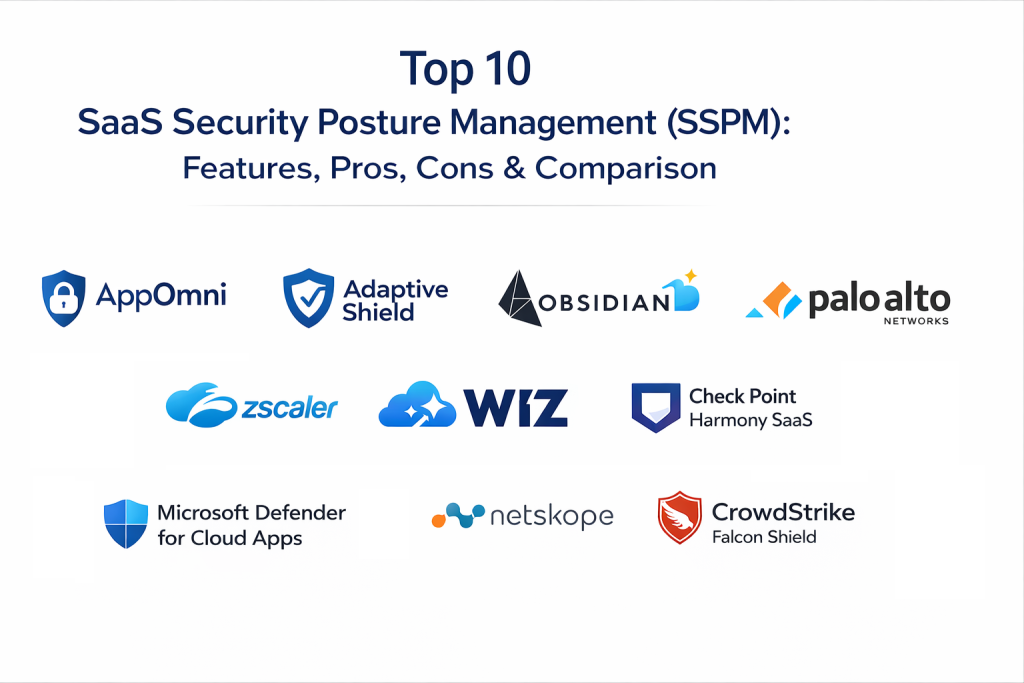
Top 10 SaaS Security Posture Management Tools
1) AppOmni
AppOmni focuses on SaaS posture visibility, configuration monitoring, and security controls across SaaS applications. It is commonly used by teams that want broad SaaS coverage and clear posture reporting.
Key Features
- Continuous monitoring of SaaS security configurations
- Policy checks for risky settings and posture drift
- Visibility into admin roles and privileged access patterns
- Detection of risky sharing policies and exposure settings
- Dashboards for posture tracking and risk trend reporting
- Workflow support for remediation and validation tracking
Pros
- Strong SaaS posture focus with program-friendly dashboards
- Useful visibility into configuration drift and admin risk
Cons
- Coverage depth depends on which SaaS apps you use most
- Tuning and ownership mapping improve real-world outcomes
Platforms / Deployment
Web
Cloud
Security & Compliance
Varies / Not publicly stated
Integrations & Ecosystem
Designed to connect SaaS posture findings to IT and security workflows.
- Ticketing integrations for remediation assignment and tracking
- APIs for automation and reporting
- Integration patterns with identity systems and access governance
- Exports for security reporting pipelines
Support & Community
Documentation is typically strong; support options vary; community footprint is moderate.
2) Adaptive Shield
Adaptive Shield supports SaaS posture management with an emphasis on control coverage, misconfiguration detection, and ongoing posture improvement. It often fits teams building structured SaaS governance programs.
Key Features
- SaaS configuration monitoring and baseline enforcement support
- Visibility into risky settings and posture drift
- Assessment views for security controls and gaps
- Dashboards for risk trends and control coverage
- Workflow support for remediation ownership and tracking
- Posture reporting designed for ongoing governance
Pros
- Strong posture baseline approach for SaaS governance
- Useful reporting for continuous improvement programs
Cons
- Requires policy and ownership alignment to reduce noise
- App coverage varies and should be validated before rollout
Platforms / Deployment
Web
Cloud
Security & Compliance
Not publicly stated
Integrations & Ecosystem
Often used to connect posture findings with remediation workflows.
- Ticketing integrations for routing and SLAs
- APIs for automation and enrichment
- Exports for reporting and audit evidence
- Works well alongside identity governance processes
Support & Community
Support options vary; documentation is typically solid; community footprint is moderate.
3) Obsidian Security
Obsidian Security focuses on SaaS security by detecting risky behaviors, identity misuse, and configuration weaknesses within SaaS environments. It is commonly selected by teams that want posture plus identity and usage risk context.
Key Features
- Visibility into SaaS identities, permissions, and risky access patterns
- Detection of misconfigurations and insecure settings
- Risk context for suspicious SaaS behaviors and misuse patterns
- Insights into OAuth apps and third-party access risks
- Dashboards for risk trends and investigations
- Workflow support for remediation and governance processes
Pros
- Strong identity and behavior context for SaaS security
- Useful for detecting risk beyond simple configuration checks
Cons
- Best outcomes require access to audit logs and telemetry coverage
- Some posture controls depend on the SaaS apps in scope
Platforms / Deployment
Web
Cloud
Security & Compliance
Varies / Not publicly stated
Integrations & Ecosystem
Designed to connect SaaS risk signals into security workflows.
- Integrations with identity systems and access monitoring
- Exports to security reporting pipelines
- APIs for automation and enrichment
- Ticketing workflows for remediation ownership
Support & Community
Documentation is solid; support is commonly enterprise-focused; community footprint is moderate.
4) Wiz Cloud (SSPM capabilities)
Wiz is best known for cloud security, but some organizations also use it for SaaS-related posture and exposure visibility depending on environment coverage. It can fit teams that want a unified view of risk and exposure across platforms.
Key Features
- Centralized security visibility and risk context
- Prioritization views that help focus on high-impact exposures
- Reporting dashboards for program progress and trends
- Workflow support for routing issues to owners
- Evidence views that support remediation decisions
- Integration options that depend on environment scope
Pros
- Strong usability and clear risk context for prioritization
- Helpful dashboards for tracking security program progress
Cons
- SaaS posture depth may vary; validate coverage for your SaaS apps
- Some SaaS posture needs may require specialized SSPM focus
Platforms / Deployment
Web
Cloud
Security & Compliance
Not publicly stated
Integrations & Ecosystem
Most effective when connected to identity and operational workflows.
- Ticketing integrations for ownership routing
- APIs for automation and reporting
- Exports for dashboards and analytics pipelines
- Works best when telemetry sources are connected consistently
Support & Community
Support options vary; documentation is typically strong; community footprint is growing.
5) Palo Alto Networks Prisma SaaS
Prisma SaaS supports SaaS security monitoring and posture-related controls, often used by organizations that want SaaS risk governance aligned with broader security operations.
Key Features
- Visibility into SaaS application risks and exposure settings
- Detection of misconfigurations and risky sharing controls
- Governance views for admin roles and access patterns
- Dashboards for risk trends and posture tracking
- Workflow support for remediation and response processes
- Integration patterns for broader security operations alignment
Pros
- Good fit for enterprise programs that want consistent governance
- Useful dashboards for posture tracking and security leadership reporting
Cons
- Coverage depth varies by SaaS app and should be validated
- Setup and tuning needed for low-noise outcomes at scale
Platforms / Deployment
Web
Cloud
Security & Compliance
Varies / Not publicly stated
Integrations & Ecosystem
Designed to integrate SaaS findings into security operations workflows.
- Ticketing integration patterns for routing and tracking
- Exports to security analytics and reporting pipelines
- APIs for automation and enrichment
- Works well when paired with identity governance practices
Support & Community
Enterprise support is common; documentation is strong; community footprint is broad.
6) Microsoft Defender for Cloud Apps
Microsoft Defender for Cloud Apps provides SaaS visibility and security controls that can support posture management, including governance views and risk insights for SaaS usage. It often fits organizations already invested in Microsoft security ecosystems.
Key Features
- Visibility into SaaS usage and governance insights
- Detection of risky SaaS settings and behavior signals
- Policy-driven controls for access and sharing risks
- Dashboards for monitoring SaaS risk trends
- Investigation support for SaaS-related incidents
- Integration alignment with broader Microsoft security workflows
Pros
- Strong fit for Microsoft-aligned environments and operations
- Useful governance visibility for SaaS usage and risk patterns
Cons
- Depth depends on configured policies and telemetry coverage
- Some posture workflows require careful tuning to avoid noise
Platforms / Deployment
Web
Cloud
Security & Compliance
Varies / Not publicly stated
Integrations & Ecosystem
Works best when connected to identity and security operations workflows.
- Integrations with identity systems and access controls
- Exports for reporting and security analytics
- APIs for automation and policy workflows
- Ticketing workflows depending on environment setup
Support & Community
Strong documentation and support footprint; community resources are extensive.
7) Zscaler SaaS Security Posture Management
Zscaler provides SaaS security capabilities that may support posture-style governance and risk visibility depending on deployment. It can fit teams that want SaaS risk management aligned with broader access and security strategies.
Key Features
- SaaS application risk visibility and governance support
- Monitoring of risky settings and access patterns
- Reporting dashboards for posture and risk trends
- Workflow support for remediation and policy alignment
- Integration options for operational security processes
- Controls that help enforce safer SaaS access usage patterns
Pros
- Good fit for organizations aligning SaaS security with access strategies
- Useful governance views for SaaS risk and policy alignment
Cons
- Validate app coverage and posture depth for your SaaS portfolio
- Posture workflows may require tuning and configuration maturity
Platforms / Deployment
Web
Cloud
Security & Compliance
Not publicly stated
Integrations & Ecosystem
Often used as part of broader security and access governance stacks.
- Integrations with identity and access systems
- Exports for reporting and analytics workflows
- APIs for automation and policy workflows
- Ticketing integration patterns for remediation coordination
Support & Community
Enterprise support options are common; documentation is solid; community footprint is broad.
8) Check Point Harmony SaaS
Check Point Harmony SaaS supports SaaS application protection and governance with posture-style visibility depending on configuration. It fits teams that want consistent security controls and SaaS risk governance.
Key Features
- Visibility into SaaS risks and exposure settings
- Monitoring for misconfigurations and risky sharing policies
- Governance views for access controls and admin patterns
- Dashboards for risk and posture trend reporting
- Workflow support for remediation and tracking
- Integration patterns for broader security operations workflows
Pros
- Governance-friendly approach for SaaS risk management
- Useful reporting dashboards for continuous monitoring
Cons
- Coverage depth varies by SaaS apps and deployment choices
- Tuning required to keep outputs actionable at scale
Platforms / Deployment
Web
Cloud
Security & Compliance
Varies / Not publicly stated
Integrations & Ecosystem
Designed to connect SaaS security insights into operational workflows.
- Ticketing integrations for remediation assignment
- APIs for automation and reporting
- Exports for security analytics pipelines
- Works well with identity governance alignment
Support & Community
Enterprise support is common; documentation is strong; community footprint is moderate.
9) Netskope SaaS Security Posture Management
Netskope provides SaaS security capabilities, including governance and risk visibility that can support posture management. It is often used by teams that want SaaS security integrated with broader data protection and access controls.
Key Features
- SaaS risk visibility and governance monitoring
- Detection of risky access and sharing patterns
- Policy controls aligned with SaaS usage governance
- Dashboards for risk trends and posture reporting
- Workflow support for remediation tracking
- Integration options for security operations and reporting
Pros
- Strong fit for organizations combining SaaS governance with data protection needs
- Useful policy controls and reporting capabilities
Cons
- Validate posture depth and SaaS app coverage for your environment
- Tuning and policy design needed for low-noise outcomes
Platforms / Deployment
Web
Cloud
Security & Compliance
Not publicly stated
Integrations & Ecosystem
Often used as part of broader governance and security stacks.
- Integrations with identity systems and access governance
- Exports for reporting and analytics workflows
- APIs for automation and policy controls
- Ticketing integration patterns for remediation ownership
Support & Community
Enterprise support options are common; documentation is solid; community footprint is broad.
10) CrowdStrike Falcon Shield (SaaS security capabilities)
CrowdStrike offers SaaS security capabilities that may support posture-style governance, risk detection, and operational visibility depending on deployment. It fits teams seeking SaaS risk management aligned with broader security operations.
Key Features
- SaaS risk visibility and monitoring capabilities
- Detection of risky access behaviors and posture issues
- Dashboards for risk trends and operational tracking
- Workflow support for remediation and investigation
- Integration alignment with SOC processes
- Reporting views for posture and risk governance
Pros
- Good alignment with security operations workflows
- Useful for organizations seeking consistent security governance processes
Cons
- Validate SaaS posture depth and supported SaaS app coverage
- Some posture areas may require specialized SSPM focus
Platforms / Deployment
Web
Cloud
Security & Compliance
Not publicly stated
Integrations & Ecosystem
Designed to route SaaS risk signals into operational workflows.
- Exports to security analytics pipelines
- APIs for automation and reporting
- Ticketing integration patterns for remediation coordination
- Works best with structured incident and governance processes
Support & Community
Enterprise support options are common; documentation is solid; community footprint is broad.
Comparison Table
| Tool Name | Best For | Platform(s) Supported | Deployment | Standout Feature | Public Rating |
|---|---|---|---|---|---|
| AppOmni | Broad SaaS posture monitoring across many apps | Web | Cloud | Continuous SaaS configuration monitoring | N/A |
| Adaptive Shield | SaaS governance programs with baseline controls | Web | Cloud | Control coverage and posture improvement views | N/A |
| Obsidian Security | SaaS identity and behavior risk plus posture visibility | Web | Cloud | Strong identity and usage risk context | N/A |
| Wiz Cloud (SSPM capabilities) | Unified risk context across security programs | Web | Cloud | Clear prioritization and dashboards | N/A |
| Palo Alto Networks Prisma SaaS | Enterprise SaaS security governance alignment | Web | Cloud | Governance-friendly SaaS risk visibility | N/A |
| Microsoft Defender for Cloud Apps | SaaS governance in Microsoft-aligned environments | Web | Cloud | SaaS usage visibility and policy controls | N/A |
| Zscaler SaaS Security Posture Management | SaaS security aligned with access strategies | Web | Cloud | SaaS risk governance with access alignment | N/A |
| Check Point Harmony SaaS | Governance-friendly SaaS risk monitoring | Web | Cloud | Posture dashboards and policy alignment | N/A |
| Netskope SaaS Security Posture Management | SaaS governance with data protection needs | Web | Cloud | Policy controls for SaaS usage and risk | N/A |
| CrowdStrike Falcon Shield (SaaS security capabilities) | SaaS risk monitoring aligned with SOC workflows | Web | Cloud | SOC-aligned visibility and response workflows | N/A |
Evaluation and Scoring of SaaS Security Posture Management Tools
Weights used: Core features (25%), Ease of use (15%), Integrations and ecosystem (15%), Security and compliance (10%), Performance and reliability (10%), Support and community (10%), Price and value (15%).
| Tool Name | Core | Ease | Integrations | Security | Performance | Support | Value | Weighted Total |
|---|---|---|---|---|---|---|---|---|
| AppOmni | 9 | 8 | 8 | 8 | 8 | 7 | 6 | 7.85 |
| Adaptive Shield | 8 | 8 | 7 | 7 | 8 | 7 | 7 | 7.55 |
| Obsidian Security | 8 | 7 | 8 | 7 | 8 | 7 | 6 | 7.35 |
| Wiz Cloud (SSPM capabilities) | 7 | 8 | 7 | 7 | 8 | 7 | 7 | 7.25 |
| Palo Alto Networks Prisma SaaS | 8 | 7 | 7 | 7 | 8 | 8 | 6 | 7.20 |
| Microsoft Defender for Cloud Apps | 7 | 8 | 8 | 8 | 8 | 8 | 7 | 7.65 |
| Zscaler SaaS Security Posture Management | 7 | 7 | 7 | 7 | 8 | 7 | 6 | 6.95 |
| Check Point Harmony SaaS | 7 | 7 | 6 | 7 | 7 | 7 | 6 | 6.80 |
| Netskope SaaS Security Posture Management | 7 | 7 | 7 | 7 | 7 | 7 | 6 | 6.90 |
| CrowdStrike Falcon Shield (SaaS security capabilities) | 7 | 7 | 7 | 7 | 7 | 8 | 6 | 6.95 |
How to interpret the scores:
- Scores compare tools within this list and help you shortlist based on your SaaS footprint and governance maturity.
- Core reflects SaaS app coverage, posture checks, admin visibility, and remediation workflow usefulness.
- Integrations influence outcomes because posture findings must flow into identity and IT workflows.
- Run a pilot to validate supported apps, alert noise, evidence clarity, and remediation speed.
Which SaaS Security Posture Management Tool Is Right for You?
Solo / Freelancer
SSPM is usually more than you need unless you manage SaaS for multiple clients. If you do, choose an option that supports the few SaaS apps you rely on and provides clear posture recommendations you can implement quickly.
SMB
SMBs should focus on the highest-risk SaaS areas: MFA coverage, admin sprawl, risky sharing policies, guest access, and OAuth app permissions. Choose a tool that supports your most important SaaS apps and provides clear, low-noise guidance.
Mid-Market
Mid-market teams benefit from stronger workflow features: ownership routing, ticketing integration, and posture trend reporting. Choose a tool that provides visibility across the SaaS apps you rely on and can detect risk drift quickly.
Enterprise
Enterprises should prioritize app coverage, segmentation by business unit, strong evidence views, and audit-ready reporting. Ownership mapping and governance policies matter most, because posture findings need consistent remediation at scale.
Budget vs Premium
Premium tools often reduce labor by improving visibility, correlation, and remediation workflows. Budget-focused teams can still improve SaaS posture with strong identity governance and careful admin practices, but it will require more manual effort.
Feature Depth vs Ease of Use
If your team is small, prioritize ease of use and high-signal findings. If your SaaS footprint is large, deeper governance features and advanced policy customization can pay off.
Integrations and Scalability
Confirm identity integration, ticketing workflows, and evidence exports. Scalability means you can onboard many SaaS apps and multiple business units without losing visibility or drowning in alerts.
Security and Compliance Needs
If you need audit readiness, look for evidence trails, admin history views, and consistent reporting. You should be able to show what controls are enforced, what changed, who has admin access, and how risks were reduced over time.
Frequently Asked Questions
1) What is SSPM in simple terms?
It is a toolset that continuously checks SaaS application settings and access controls to prevent misconfigurations and reduce data and account takeover risks.
2) Does SSPM replace CASB tools?
Not always. SSPM focuses on SaaS configuration posture inside apps, while CASB often focuses on access control, visibility, and data protection as users access apps.
3) Which SaaS apps benefit most from SSPM?
Email, collaboration suites, file sharing, CRM, and ticketing systems usually benefit most because they contain sensitive data and have complex sharing and admin settings.
4) What are the most common SSPM issues found?
Overly broad admin roles, weak MFA enforcement, risky sharing policies, uncontrolled guest access, and risky OAuth applications with broad permissions.
5) How do SSPM tools reduce alert noise?
They map issues to posture baselines, prioritize risky settings, and often deduplicate findings. Still, tuning and ownership alignment are important.
6) Who should own SSPM in a company?
Security teams typically define policies, while SaaS admins and IT teams implement fixes. The best model is shared ownership with clear SLAs.
7) How long does it take to see value?
A focused pilot can show value quickly if you start with a few critical SaaS apps and prioritize high-impact settings. Full rollout depends on your SaaS footprint.
8) Can SSPM help with compliance and audits?
Yes, if it provides evidence views and reporting that show control coverage and posture improvement. Validate reporting needs early.
9) What is the biggest mistake when adopting SSPM?
Onboarding too many apps at once without remediation workflows. Start small, build routines, then expand.
10) How do we choose the right SSPM tool?
Shortlist tools that cover your top SaaS apps, run a pilot, validate posture checks, test evidence quality, confirm workflow integration, and measure remediation speed.
Conclusion
SaaS Security Posture Management tools help teams reduce risk inside SaaS applications by continuously checking configurations, admin roles, sharing policies, and third-party integrations. The best SSPM platform depends on your SaaS footprint, governance maturity, and whether your biggest risks come from admin sprawl, risky sharing, uncontrolled guest access, or OAuth app permissions. Start with a small pilot across your most critical SaaS apps, focus on a baseline of high-impact controls such as MFA enforcement, least privilege for admins, safe sharing defaults, and audit logging coverage, and build a weekly remediation routine with clear ownership. Once you can prove posture improvement through trends and evidence, expand app coverage carefully and keep noise under control.

Best Cardiac Hospitals Near You
Discover top heart hospitals, cardiology centers & cardiac care services by city.
Advanced Heart Care • Trusted Hospitals • Expert Teams
View Best Hospitals