Introduction
Secure Web Gateway tools protect users and devices from web-based threats and prevent sensitive data from leaving the organization through browsers and internet traffic. In simple terms, an SWG sits between your users and the internet, inspects web requests, blocks malicious sites, filters risky categories, enforces acceptable-use policies, and applies data protection rules when users upload, download, or paste information into web apps. Modern SWG solutions also help stop phishing, malware delivery, command-and-control traffic, credential theft, risky downloads, and shadow IT usage. Many SWGs now work as cloud-delivered services so organizations can protect remote users without routing traffic through a traditional office network.
SWG matters because the browser is now a primary work platform. Employees access SaaS apps, collaboration tools, AI assistants, code repositories, and file-sharing sites daily. Attackers know this and use compromised websites, fake login pages, malicious ads, and drive-by downloads to steal credentials or drop malware. At the same time, data leaks can happen when users upload sensitive documents to personal drives or paste confidential content into unmanaged tools. A strong SWG reduces both threat risk and data leakage, while keeping user experience fast and reliable.
Common use cases include:
- Blocking phishing sites and malicious downloads before users click
- Enforcing web category policies and safe browsing standards
- Inspecting encrypted web traffic to detect hidden threats
- Preventing data leakage through uploads, web forms, and file sharing
- Providing consistent protection for remote workers and branch offices
What buyers should evaluate:
- Threat detection quality for phishing, malware, and evasive attacks
- SSL inspection performance and policy controls
- Web filtering granularity and category accuracy
- Data protection features for web uploads and SaaS usage
- Identity awareness, user-based policies, and device posture signals
- Coverage for unmanaged devices and contractor access
- Integrations with identity providers, endpoint security, and security operations
- Reporting quality for investigations, audits, and leadership dashboards
- Scalability, uptime reliability, and global performance
- Deployment model fit: agent, proxy, PAC, tunnel, and branch connectivity options
Best for: IT security teams, network security teams, SOC teams, and organizations that need consistent web protection for office, branch, and remote users.
Not ideal for: Very small teams with minimal internet exposure and no compliance needs. Even then, basic DNS filtering plus strong identity controls may be a minimum baseline.
Key Trends in Secure Web Gateway Tools
- Stronger phishing and credential theft defenses using behavior signals and identity context
- More cloud-delivered SWG adoption to protect remote users without backhauling traffic
- Deeper data protection for uploads, web forms, and browser-based workflows
- More integration with zero trust access, device posture, and identity-driven policies
- Better visibility into shadow IT and risky SaaS usage through web traffic analysis
- Improved user experience with smarter routing and global edge performance
- Increased focus on encrypted traffic inspection with flexible privacy controls
- More automated policy recommendations to reduce tuning effort and noise
- Consolidation into broader security service edge platforms for unified controls
- More reporting aimed at proving risk reduction and policy effectiveness over time
How We Selected These Tools
- Strong market adoption and credibility in SWG deployments
- Coverage for web filtering, threat prevention, and encrypted traffic inspection
- Practical fit for remote and hybrid workforce protection
- Data protection capabilities for web and SaaS usage patterns
- Operational usability including policy management and reporting
- Integration readiness with identity, endpoint, and security operations tooling
- Scalability across global users, branches, and multiple locations
- Reliability and performance expectations for always-on security
- Balanced mix of enterprise leaders and modern cloud-first options
- Support maturity and documentation clarity for real-world rollout
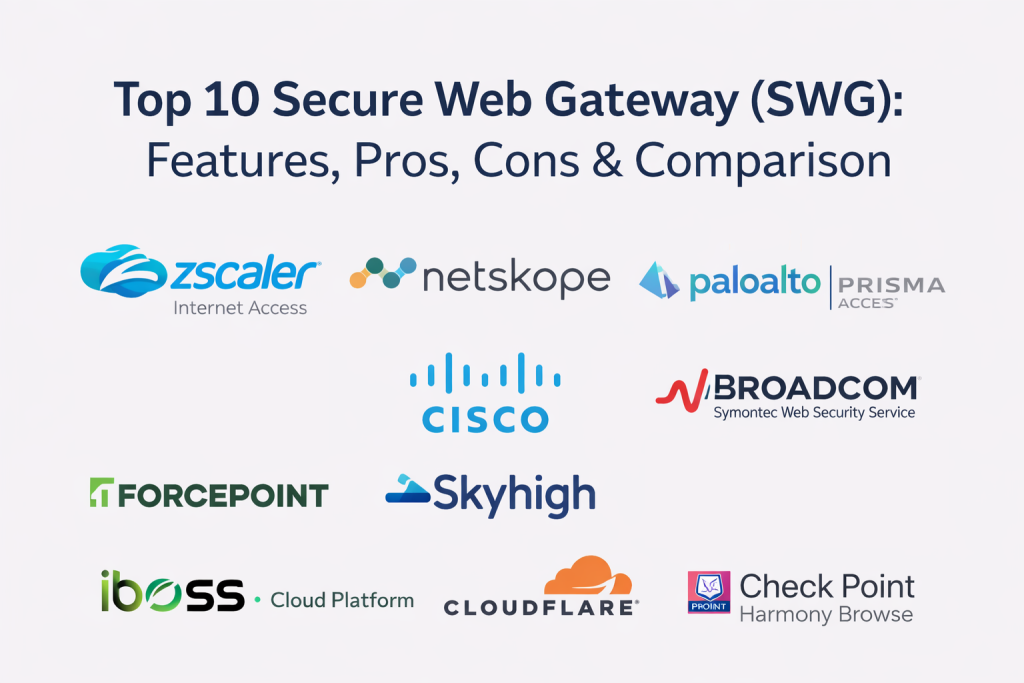
Top 10 Secure Web Gateway Tools
1) Zscaler Internet Access
Zscaler Internet Access is a widely used cloud-delivered SWG designed to secure web and SaaS access for remote and on-site users. It focuses on policy enforcement, threat prevention, and consistent controls at scale.
Key Features
- Cloud SWG with web filtering and threat prevention controls
- SSL inspection with flexible policy and privacy options
- Malware protection with advanced analysis workflows
- User and group-based policy enforcement using identity context
- Data protection controls for web uploads and risky sharing patterns
- Detailed reporting for web activity, threats, and policy outcomes
Pros
- Strong scalability for large distributed workforces
- Mature policy model and reporting for operational security teams
Cons
- Policy tuning is needed to reduce false positives and friction
- Deployment planning matters for best performance and coverage
Platforms / Deployment
Web, Windows, macOS, iOS, Android
Cloud
Security & Compliance
Varies / Not publicly stated
Integrations & Ecosystem
Designed to fit identity-driven and operations-driven security stacks.
- Integrations with common identity providers for user policies
- Exports to SIEM and security analytics workflows
- APIs for automation, reporting, and policy operations
- Integrations with endpoint tools for posture-based decisions
Support & Community
Enterprise support is common; documentation is strong; community footprint is broad.
2) Netskope Next Gen SWG
Netskope Next Gen SWG combines web protection with strong visibility into SaaS usage and cloud app traffic. It fits teams that want web security plus detailed control over cloud and browser workflows.
Key Features
- Web filtering with category control and risk-aware policies
- SSL inspection and threat prevention for encrypted traffic
- Data protection for web uploads and cloud app interactions
- Visibility into shadow IT and SaaS usage patterns
- Policy controls based on user, device, and app context
- Reporting designed for cloud-first security programs
Pros
- Strong cloud app visibility alongside SWG enforcement
- Useful data protection controls for SaaS-heavy environments
Cons
- Tuning is required to keep controls user-friendly
- Coverage quality depends on policy design and onboarding discipline
Platforms / Deployment
Web, Windows, macOS, iOS, Android
Cloud
Security & Compliance
Varies / Not publicly stated
Integrations & Ecosystem
Built to connect web security with identity and data protection workflows.
- Integrations with identity providers and device posture sources
- SIEM exports for investigations and correlation
- APIs for automation and reporting
- Ticketing integration patterns for incident workflows
Support & Community
Enterprise support options are common; documentation is solid; community footprint is broad.
3) Palo Alto Networks Prisma Access
Prisma Access provides cloud-delivered security for internet and SaaS access with SWG capabilities and broader network security controls. It is often used by organizations seeking unified policy and strong threat prevention.
Key Features
- SWG controls for web access with threat prevention capabilities
- SSL inspection and policy enforcement across users and locations
- URL filtering and category-based access controls
- Malware prevention workflows and security analytics views
- Visibility dashboards for threats, usage, and policy outcomes
- Integration readiness for incident response and security operations
Pros
- Strong enterprise fit with broad policy and security coverage
- Useful for organizations standardizing on a unified security platform
Cons
- Setup and tuning can be complex in large environments
- Feature breadth can feel heavy if goals are not clearly scoped
Platforms / Deployment
Web, Windows, macOS, iOS, Android
Cloud
Security & Compliance
Varies / Not publicly stated
Integrations & Ecosystem
Designed for enterprise security operations and governance integration.
- Identity provider integration for user and group policies
- Exports to SIEM and security analytics pipelines
- APIs for automation and operational workflows
- Works well with structured incident response processes
Support & Community
Enterprise support is common; documentation is strong; community footprint is broad.
4) Cisco Umbrella Secure Internet Gateway
Cisco Umbrella Secure Internet Gateway provides web protection with cloud-delivered controls that are commonly used for distributed users and branch locations. It is often chosen for practical deployment and strong policy enforcement.
Key Features
- Web filtering and category controls for acceptable use policies
- Threat blocking for malicious domains and web destinations
- SSL inspection support depending on configuration needs
- Visibility into risky web activity and suspicious destinations
- Policy controls by user, group, location, and device context
- Reporting dashboards for security teams and IT operations
Pros
- Practical deployment for remote and branch environments
- Strong visibility and policy enforcement for web access control
Cons
- Advanced inspection depth depends on configuration and scope
- Some environments may need additional tools for deeper data protection
Platforms / Deployment
Web, Windows, macOS, iOS, Android
Cloud
Security & Compliance
Varies / Not publicly stated
Integrations & Ecosystem
Designed to integrate into network and security operations workflows.
- Integrations with identity providers for user-based policies
- Exports to SIEM and reporting pipelines
- APIs for automation and operational workflows
- Works well with broader network security stacks
Support & Community
Enterprise support options are common; documentation is established; community footprint is broad.
5) Broadcom Symantec Web Security Service
Broadcom Symantec Web Security Service is a long-established SWG option used for enterprise web filtering, threat protection, and policy governance. It fits organizations needing mature controls and structured administration.
Key Features
- Web filtering and category control with enterprise policy options
- SSL inspection and policy enforcement for encrypted traffic
- Malware and threat prevention workflows for web access
- Centralized management and reporting for governance
- Policy controls for web usage across users and locations
- Investigation-friendly logs and reporting views
Pros
- Mature enterprise policy model with strong governance support
- Useful for large organizations with structured security requirements
Cons
- Administration can be complex and requires tuning
- User experience depends heavily on routing design and configuration
Platforms / Deployment
Web, Windows, macOS
Cloud, Hybrid
Security & Compliance
Varies / Not publicly stated
Integrations & Ecosystem
Often used as part of governance-heavy enterprise security stacks.
- SIEM exports for investigations and correlation
- Ticketing integration patterns for incident workflows
- APIs for automation and policy operations
- Integrations with identity systems for user-based policies
Support & Community
Enterprise support is common; documentation is established; community footprint is broad.
6) Forcepoint Secure Web Gateway
Forcepoint Secure Web Gateway focuses on protecting web access with policy enforcement and content controls. It is often used by organizations that need strong governance, data controls, and flexible policy management.
Key Features
- Web filtering with granular policy controls
- SSL inspection and threat prevention workflows
- Controls for risky uploads, downloads, and web content behaviors
- User-aware enforcement modes to reduce business disruption
- Reporting dashboards for governance, compliance, and investigations
- Integration readiness for security operations workflows
Pros
- Strong policy flexibility for governance-heavy environments
- Helpful enforcement modes that support coaching and control
Cons
- Requires tuning and ownership alignment for low-noise operations
- Deployment design influences performance and user experience
Platforms / Deployment
Web, Windows, macOS
Cloud, Self-hosted, Hybrid
Security & Compliance
Varies / Not publicly stated
Integrations & Ecosystem
Designed to connect to broader security and governance workflows.
- Identity provider integrations for user context policies
- SIEM exports for analysis and investigations
- APIs for automation and reporting
- Ticketing integration patterns for incident and request workflows
Support & Community
Enterprise support options are common; documentation is solid; community footprint is broad.
7) Skyhigh Secure Web Gateway
Skyhigh Secure Web Gateway supports web security and policy enforcement with a focus on protecting web traffic and supporting governance needs. It fits teams that want structured policies and visibility into web usage patterns.
Key Features
- Web filtering and category-based policy controls
- SSL inspection and threat protection workflows
- Visibility into web usage, risky sites, and suspicious activity
- Policy enforcement for downloads, uploads, and web access patterns
- Reporting dashboards for compliance and program tracking
- Integration support for security operations workflows
Pros
- Solid governance model for web access policies
- Useful reporting for audits and investigations
Cons
- Tuning is important to keep user experience smooth
- Feature depth varies by environment and deployment choices
Platforms / Deployment
Web, Windows, macOS
Cloud, Hybrid
Security & Compliance
Varies / Not publicly stated
Integrations & Ecosystem
Designed to connect findings and controls into enterprise workflows.
- SIEM exports for correlation and reporting
- Identity provider integration for user-based policies
- APIs for automation and operational workflows
- Ticketing integration patterns for incident handling
Support & Community
Support options vary; documentation is established; community footprint is moderate.
8) iboss Cloud Platform
iboss Cloud Platform provides cloud-based web security and policy enforcement aimed at protecting users anywhere. It is often selected by teams looking for cloud SWG controls with manageable rollout options.
Key Features
- Cloud SWG with web filtering and policy enforcement
- SSL inspection for encrypted traffic analysis
- Threat prevention for web-based malware and phishing risks
- Policy controls by user, group, and location contexts
- Reporting dashboards for usage and security outcomes
- Scalability features designed for remote-first usage patterns
Pros
- Strong fit for remote workforce web protection
- Practical cloud deployment model for distributed environments
Cons
- Policy tuning needed to control false positives and friction
- Reporting depth varies depending on how the program is structured
Platforms / Deployment
Web, Windows, macOS, iOS, Android
Cloud
Security & Compliance
Not publicly stated
Integrations & Ecosystem
Built to work with identity-driven policy and operational workflows.
- Integrations with common identity providers
- SIEM exports for investigations and dashboards
- APIs for automation and reporting
- Ticketing integration patterns for operational workflows
Support & Community
Support options vary; documentation is solid; community footprint is moderate.
9) Cloudflare Gateway
Cloudflare Gateway provides web filtering and threat protection at the network edge, commonly used by organizations that want fast performance and simplified routing. It fits teams that want web security integrated with edge connectivity patterns.
Key Features
- Web filtering and category controls for safe browsing policies
- Threat prevention for known malicious destinations
- SSL inspection capabilities depending on configuration and scope
- Policy enforcement by identity and device context
- Reporting dashboards for traffic visibility and threat outcomes
- Global edge performance designed to reduce latency
Pros
- Strong performance profile for globally distributed users
- Practical policy enforcement with modern connectivity patterns
Cons
- Feature depth depends on configuration and required inspection scope
- Some advanced data protection needs may require additional capabilities
Platforms / Deployment
Web, Windows, macOS, iOS, Android
Cloud
Security & Compliance
Not publicly stated
Integrations & Ecosystem
Designed to integrate with identity and operational security workflows.
- Identity provider integrations for user-based policies
- APIs for automation and reporting
- Exports for security monitoring and analytics pipelines
- Integrations with endpoint posture sources depending on setup
Support & Community
Support options vary by plan; documentation is strong; community footprint is broad.
10) Check Point Harmony Browse
Check Point Harmony Browse focuses on securing browser-based access and web threats, helping reduce phishing and risky browsing behavior. It fits organizations that want stronger control over browser activity and web exposure.
Key Features
- Web threat prevention focused on browser activity and risky destinations
- Controls that reduce phishing and malicious content exposure
- Policy enforcement for web access behaviors and risky actions
- Visibility into browsing activity and policy outcomes
- Reporting dashboards for security monitoring and governance
- Integration options for broader security operations workflows
Pros
- Strong focus on browser-driven risk reduction
- Useful for organizations prioritizing phishing and web exposure control
Cons
- Some environments may need broader SWG suites for full coverage
- Policy planning required to balance control and user experience
Platforms / Deployment
Web, Windows, macOS
Cloud
Security & Compliance
Not publicly stated
Integrations & Ecosystem
Built to connect browser protection into security workflows.
- Integrations with identity systems for user-based controls
- Exports for reporting and security monitoring
- APIs for automation and operational workflows
- Ticketing integration patterns depending on incident handling design
Support & Community
Support options vary; documentation is typically solid; community footprint is moderate.
Comparison Table
| Tool Name | Best For | Platform(s) Supported | Deployment | Standout Feature | Public Rating |
|---|---|---|---|---|---|
| Zscaler Internet Access | Large-scale cloud SWG for distributed users | Web, Windows, macOS, iOS, Android | Cloud | Mature cloud SWG at global scale | N/A |
| Netskope Next Gen SWG | SaaS-heavy organizations needing web and app visibility | Web, Windows, macOS, iOS, Android | Cloud | Strong cloud app visibility plus SWG | N/A |
| Palo Alto Networks Prisma Access | Unified enterprise policies and broad security coverage | Web, Windows, macOS, iOS, Android | Cloud | Enterprise policy breadth and threat prevention | N/A |
| Cisco Umbrella Secure Internet Gateway | Practical web protection for remote and branch users | Web, Windows, macOS, iOS, Android | Cloud | Simple deployment with strong web controls | N/A |
| Broadcom Symantec Web Security Service | Mature enterprise governance and web policy controls | Web, Windows, macOS | Cloud, Hybrid | Long-established policy governance model | N/A |
| Forcepoint Secure Web Gateway | Granular web governance and flexible enforcement modes | Web, Windows, macOS | Cloud, Self-hosted, Hybrid | Strong policy flexibility and control depth | N/A |
| Skyhigh Secure Web Gateway | Governance-focused web security and reporting | Web, Windows, macOS | Cloud, Hybrid | Strong reporting for governance and audits | N/A |
| iboss Cloud Platform | Cloud-first SWG for remote workforce protection | Web, Windows, macOS, iOS, Android | Cloud | Cloud SWG designed for remote users | N/A |
| Cloudflare Gateway | Fast edge-based web protection and routing simplicity | Web, Windows, macOS, iOS, Android | Cloud | Global edge performance | N/A |
| Check Point Harmony Browse | Browser-focused protection against web threats | Web, Windows, macOS | Cloud | Strong browser risk protection focus | N/A |
Evaluation and Scoring of Secure Web Gateway Tools
Weights used: Core features (25%), Ease of use (15%), Integrations and ecosystem (15%), Security and compliance (10%), Performance and reliability (10%), Support and community (10%), Price and value (15%).
| Tool Name | Core | Ease | Integrations | Security | Performance | Support | Value | Weighted Total |
|---|---|---|---|---|---|---|---|---|
| Zscaler Internet Access | 9 | 7 | 8 | 8 | 9 | 8 | 6 | 7.85 |
| Netskope Next Gen SWG | 8 | 7 | 8 | 8 | 8 | 7 | 7 | 7.55 |
| Palo Alto Networks Prisma Access | 9 | 6 | 8 | 8 | 8 | 8 | 6 | 7.55 |
| Cisco Umbrella Secure Internet Gateway | 7 | 8 | 7 | 7 | 8 | 8 | 7 | 7.35 |
| Broadcom Symantec Web Security Service | 8 | 6 | 7 | 7 | 7 | 7 | 6 | 6.95 |
| Forcepoint Secure Web Gateway | 8 | 6 | 7 | 7 | 7 | 7 | 6 | 6.95 |
| Skyhigh Secure Web Gateway | 7 | 6 | 6 | 7 | 7 | 6 | 6 | 6.45 |
| iboss Cloud Platform | 7 | 7 | 6 | 7 | 7 | 6 | 7 | 6.90 |
| Cloudflare Gateway | 7 | 8 | 7 | 7 | 9 | 7 | 8 | 7.65 |
| Check Point Harmony Browse | 6 | 8 | 6 | 7 | 7 | 6 | 7 | 6.75 |
How to interpret the scores:
- Scores are comparative within this list and help you shortlist based on your network model and user locations.
- Core reflects web filtering quality, threat prevention, SSL inspection usefulness, and data protection coverage.
- Ease reflects deployment complexity, policy tuning effort, and day-to-day admin workload.
- Run a pilot to validate latency impact, false positives, inspection coverage, and reporting usefulness for investigations.
Which Secure Web Gateway Tool Is Right for You?
Solo / Freelancer
A full SWG may be more than you need unless you manage multiple client environments. If you do, prioritize a cloud-based option that is simple to deploy, provides safe browsing controls, and does not require heavy tuning.
SMB
SMBs should prioritize ease of rollout, strong phishing protection, web filtering, and simple reporting. Choose a solution that can protect remote users without complex network changes and supports straightforward policy templates.
Mid-Market
Mid-market teams should look for stronger SSL inspection, identity-based policies, and actionable reporting. Integrations with ticketing and security monitoring matter, because the team needs quick workflows to respond to risky events.
Enterprise
Enterprises should prioritize scalability, segmentation by business unit, strong governance reporting, and mature policy models. Evaluate global performance, reliability, and how well the platform supports consistent controls across branch, remote, and contractor access.
Budget vs Premium
Budget-friendly options can handle basic filtering and threat blocking well. Premium solutions usually reduce operational workload by adding better identity context, richer data protection, and stronger inspection workflows. Choose based on incident risk and the cost of manual triage.
Feature Depth vs Ease of Use
If you have strong network and security engineering resources, deeper platforms with advanced policy controls can deliver stronger outcomes. If your team is small, prioritize usability, templates, and high-signal alerts.
Integrations and Scalability
Confirm identity provider integration, device posture support, ticketing workflow connections, and SIEM export paths. Scalability means onboarding new locations and users without redesigning your traffic routing each time.
Security and Compliance Needs
If compliance matters, ensure you can enforce consistent policies, retain logs, generate audit-ready reports, and show evidence of blocking risky categories and preventing sensitive data uploads. Also confirm you can apply privacy-friendly rules around encrypted traffic inspection where needed.
Frequently Asked Questions
1) What does a secure web gateway do in simple terms?
It inspects web traffic, blocks malicious or risky sites, enforces browsing policies, and helps prevent sensitive data from being uploaded or leaked through the internet.
2) Do we still need an SWG if we use endpoint security?
Yes, because endpoint tools protect the device, while SWG protects web access paths, enforces browsing policies, and provides centralized control and visibility.
3) What is SSL inspection and why is it important?
Most web traffic is encrypted. SSL inspection allows security tools to analyze threats hidden in encrypted sessions, but it must be deployed carefully for privacy and performance.
4) Will an SWG slow down internet browsing?
It can if routing and inspection are not designed well. A pilot helps measure latency and confirm the best routing approach for remote and global users.
5) How does SWG help prevent phishing?
It blocks known malicious destinations, detects suspicious pages, and often applies risk-based controls to prevent credential theft and unsafe navigation.
6) Can SWG prevent data leaks to personal drives and web apps?
Many solutions can, using data protection policies that detect sensitive content during uploads, web forms, and file sharing workflows.
7) What is the most common mistake when adopting SWG?
Turning on too many policies at once. This creates user disruption and alert noise. Start with monitoring, then gradually enforce the highest-risk controls.
8) How do we reduce false positives in web filtering?
Use a baseline policy first, review blocked categories, create controlled exceptions, and ensure identity-based policies match user roles and business needs.
9) Is SWG useful for contractors and unmanaged devices?
Yes, especially if the tool supports browser-based access controls or identity-driven policies that do not require full device management.
10) How do we choose the right SWG tool?
Shortlist two or three tools, run a pilot across a few user groups, validate phishing and malware blocking, check SSL inspection performance, confirm reporting quality, and ensure policies match your business workflows.
Conclusion
Secure Web Gateway tools reduce web-based risk by blocking malicious destinations, preventing phishing and malware delivery, enforcing browsing policies, and helping stop sensitive data from being uploaded to unsafe places. The best option depends on your network model, remote work footprint, the level of encrypted traffic inspection you need, and how much data protection is required for SaaS-heavy workflows. Start by selecting two or three tools that match your deployment style, then run a structured pilot with a small group of users. Measure latency, false positives, policy effectiveness, and how easily your team can investigate incidents. After tuning, expand gradually with clear ownership for exceptions and policy changes. Over time, track reductions in risky clicks, blocked threats, and policy violations to prove real posture improvement without harming productivity.

Best Cardiac Hospitals Near You
Discover top heart hospitals, cardiology centers & cardiac care services by city.
Advanced Heart Care • Trusted Hospitals • Expert Teams
View Best Hospitals