Introduction
Digital Forensics tools help investigators collect, preserve, analyze, and report digital evidence from computers, mobile devices, cloud accounts, and enterprise systems. In simple terms, these tools let you safely copy data without changing it, recover deleted artifacts, analyze files and timelines, inspect logs, and produce court- or audit-ready reports. Digital forensics is used in incident response, insider investigations, fraud cases, compliance checks, eDiscovery support, and post-breach root-cause analysis. The goal is to answer practical questions such as what happened, when it happened, how it happened, what systems were impacted, and what evidence supports the findings.
Digital forensics matters because modern incidents rarely leave obvious traces. Attackers use credential theft, living-off-the-land tools, cloud services, and encryption to hide activity. Insider threats may use legitimate access in subtle ways. Even when detection systems raise alerts, proving the chain of events requires evidence you can defend. Forensics tools make this possible by enforcing evidence integrity, preserving metadata, building reliable timelines, and supporting repeatable analysis workflows. They also help reduce investigation time by automating artifact extraction, searching across large datasets, and correlating events across sources.
Common use cases include:
- Incident response investigations after malware, ransomware, or account takeover
- Insider threat investigations and policy violation cases
- Fraud investigations involving files, emails, and transaction artifacts
- eDiscovery support and legal hold workflows
- Root-cause analysis and post-incident reporting for compliance
What buyers should evaluate:
- Evidence acquisition reliability and integrity controls
- Support for disk, memory, mobile, and cloud artifact collection
- Artifact parsing breadth and update frequency for new OS and app versions
- Search speed and scalability for large cases and many endpoints
- Timeline analysis quality and correlation features
- Reporting quality: structured, repeatable, and audit-friendly output
- Collaboration support for teams, case management, and role-based access
- Integration with incident response tools and log sources
- Training needs and usability for your investigator skill level
- Licensing model and overall cost versus investigation volume
Best for: Incident responders, SOC investigators, DFIR teams, legal and compliance teams, and organizations that need reliable evidence handling.
Not ideal for: Very small teams with limited investigation needs, where basic endpoint tooling and log review may be enough for most situations.
Key Trends in Digital Forensics Tools
- Faster triage workflows to reduce time-to-answer during incidents
- More cloud and SaaS artifact coverage for modern investigations
- Increased support for memory analysis and volatile artifact collection
- Better automation for artifact extraction and correlation across sources
- Stronger case management, collaboration, and reporting features
- More support for remote acquisition and distributed endpoints
- Greater emphasis on evidence integrity and defensible workflows
- Improved handling of encrypted containers and modern file systems
- Integration patterns with EDR, SIEM, and ticketing workflows
- Increased use of analytics to prioritize high-signal artifacts quickly
How We Selected These Tools
- Strong adoption and credibility in DFIR and investigation workflows
- Practical coverage across acquisition, analysis, and reporting tasks
- Evidence integrity support and repeatable analysis capabilities
- Breadth of artifact parsing for common OS and application ecosystems
- Scalability for large datasets and multi-endpoint investigations
- Operational usability and learning curve for investigators
- Integration readiness with incident response and security operations pipelines
- Documentation quality and availability of training resources
- Balance between enterprise platforms and specialist tools
- Proven fit for real-world case workflows and investigation timelines
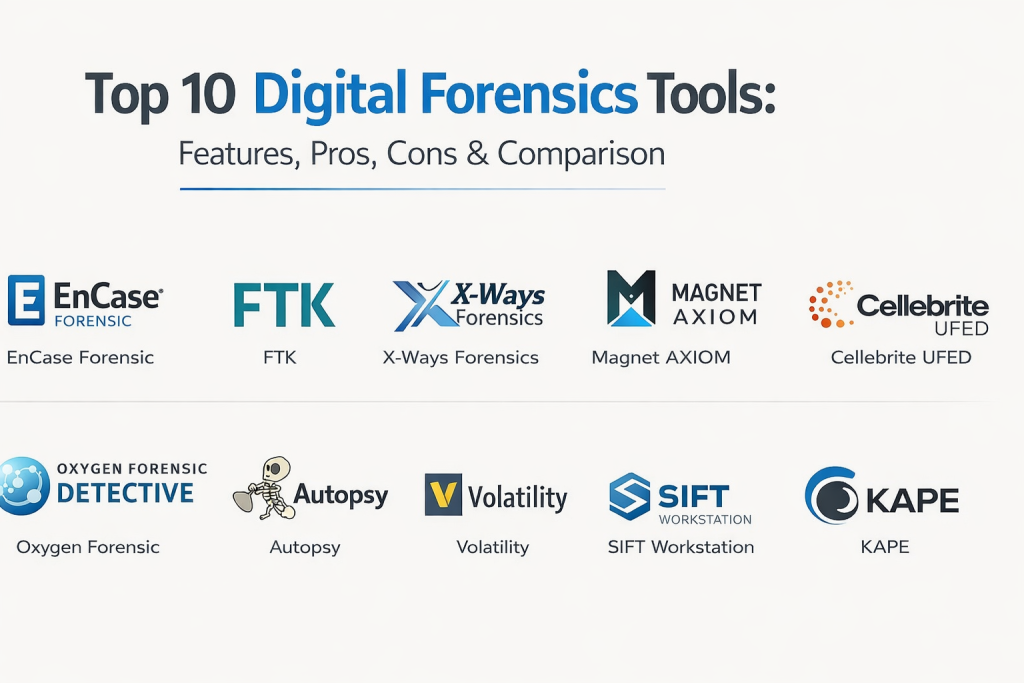
Top 10 Digital Forensics Tools
1 — EnCase Forensic
EnCase Forensic is widely used for defensible evidence handling, disk analysis, and reporting. It fits teams that need structured workflows and repeatable evidence processes.
Key Features
- Evidence acquisition and verification controls
- Deep disk and file system analysis capabilities
- Artifact review and timeline-friendly workflows
- Strong reporting options for audits and legal needs
- Case organization features for structured investigations
- Support for large datasets and repeatable processes
Pros
- Mature and defensible workflow model
- Strong reporting and evidence handling discipline
Cons
- Learning curve can be significant for new investigators
- Licensing and setup can be heavier for small teams
Platforms / Deployment
Windows
Self-hosted
Security & Compliance
Not publicly stated
Integrations & Ecosystem
Commonly used alongside broader DFIR tooling and operational pipelines.
- Export workflows for evidence sharing and review
- Integration patterns with case documentation processes
- Ability to use outputs alongside SIEM and incident workflows
- Automation possible through scripting depending on setup
Support & Community
Strong professional ecosystem; training availability is broad; community footprint is large.
2 — FTK (Forensic Toolkit)
FTK focuses on indexing, searching, and analyzing large volumes of digital evidence. It fits teams that need strong search performance and structured case workflows.
Key Features
- High-speed indexing and keyword search
- Artifact parsing and evidence review workflows
- Case organization and reporting support
- Support for file recovery and analysis at scale
- Filters and tagging to reduce investigator workload
- Structured workflows for repeatable investigations
Pros
- Strong search and indexing for large cases
- Useful workflow structure for investigation teams
Cons
- Resource usage can be heavy on large datasets
- Tuning and training are needed for best results
Platforms / Deployment
Windows
Self-hosted
Security & Compliance
Not publicly stated
Integrations & Ecosystem
Works well when combined with other DFIR tools for specialized analysis.
- Export workflows for reporting and evidence sharing
- Case documentation integration patterns
- Supports structured investigator workflows
- Can be paired with memory and mobile tools as needed
Support & Community
Documentation and training resources are available; community footprint is strong.
3 — X-Ways Forensics
X-Ways Forensics is valued for speed, efficiency, and advanced disk analysis capabilities. It fits experienced investigators who want powerful features with a lighter operational footprint.
Key Features
- Efficient disk and file system analysis
- Strong artifact search and filtering workflows
- File recovery and metadata inspection capabilities
- Flexible analysis options for complex evidence sets
- Reporting support for investigation findings
- Designed to be fast and resource-efficient
Pros
- Fast and efficient for many investigation tasks
- Powerful features for skilled investigators
Cons
- Interface and workflows can feel technical for beginners
- Requires experience to use advanced capabilities fully
Platforms / Deployment
Windows
Self-hosted
Security & Compliance
Not publicly stated
Integrations & Ecosystem
Often used alongside specialized tools for memory, mobile, and cloud artifacts.
- Export formats for reporting and evidence handoff
- Works well as a core disk analysis tool in DFIR stacks
- Compatible with structured case documentation workflows
- Supports flexible investigation processes
Support & Community
Smaller but knowledgeable community; documentation is practical; support is generally solid.
4 — Magnet AXIOM
Magnet AXIOM provides artifact extraction and correlation across computers, mobile sources, and some cloud artifacts depending on setup. It fits teams that want guided workflows and strong artifact parsing.
Key Features
- Artifact extraction and correlation workflows
- Timeline views to connect events across multiple sources
- Support for computer and mobile evidence analysis
- Search and filtering to reduce investigation time
- Reporting features designed for clear presentation of findings
- Visual workflows that support faster triage
Pros
- Strong artifact parsing and correlation workflow design
- Usable interface for investigators across skill levels
Cons
- Large cases can require strong hardware resources
- Artifact coverage should be validated for your target apps and OS versions
Platforms / Deployment
Windows
Self-hosted
Security & Compliance
Not publicly stated
Integrations & Ecosystem
Designed to fit DFIR team workflows and evidence reporting processes.
- Export options for reporting and case handoff
- Works alongside memory and endpoint triage tools
- Integrates into investigation documentation processes
- Supports structured team review workflows
Support & Community
Strong training ecosystem; documentation is good; community footprint is broad.
5 — Cellebrite UFED
Cellebrite UFED is widely used for mobile device acquisition and analysis workflows. It fits teams that need reliable mobile evidence handling and structured reporting for investigations.
Key Features
- Mobile device acquisition workflows for many device types
- Extraction support for device data and app artifacts
- Structured review and reporting workflows
- Evidence integrity and chain-of-custody support patterns
- Search and filtering for large mobile evidence sets
- Support for investigator workflows and case organization
Pros
- Strong mobile acquisition focus and structured workflows
- Widely used in mobile investigations
Cons
- Capabilities depend on device type and access conditions
- Requires training and careful procedural handling
Platforms / Deployment
Windows
Self-hosted
Security & Compliance
Not publicly stated
Integrations & Ecosystem
Often used alongside computer and cloud forensics tools in full investigations.
- Export workflows for reporting and evidence review
- Integration with case documentation and evidence storage processes
- Works well in multi-tool DFIR pipelines
- Supports structured investigator handoff workflows
Support & Community
Strong professional ecosystem; training is common; community footprint is large.
6 — Oxygen Forensic Detective
Oxygen Forensic Detective is used for mobile forensics, app artifact extraction, and investigative correlation. It fits teams that need deeper mobile app visibility and structured review workflows.
Key Features
- Mobile data extraction and artifact parsing
- App artifact analysis and investigation workflows
- Search, filters, and categorization for fast triage
- Reporting features for clear evidence presentation
- Support for multiple evidence sources depending on setup
- Case workflows designed for investigator productivity
Pros
- Strong mobile artifact parsing for many apps
- Helpful workflows for investigation and reporting
Cons
- Coverage depends on device and app conditions
- Requires training and disciplined evidence handling procedures
Platforms / Deployment
Windows
Self-hosted
Security & Compliance
Not publicly stated
Integrations & Ecosystem
Commonly paired with disk and memory forensics for complete investigations.
- Export options for reporting and evidence sharing
- Works with structured case management processes
- Complements endpoint and disk analysis tools
- Supports multi-source investigation workflows
Support & Community
Documentation is good; training ecosystem is available; community footprint is broad.
7 — Autopsy
Autopsy is an open-source digital forensics platform used for disk analysis, artifact extraction, and timeline building. It fits teams that want a capable tool with flexibility and budget-friendly adoption.
Key Features
- Disk image analysis and file system exploration
- Artifact extraction and timeline analysis workflows
- Keyword search and filtering capabilities
- Modular approach with plugins and extensions
- Reporting options for investigation findings
- Useful for training and basic-to-mid investigations
Pros
- Accessible and flexible for many investigation needs
- Useful for training and growing DFIR capability
Cons
- Plugin and artifact coverage varies by environment
- Large cases may require careful performance tuning
Platforms / Deployment
Windows, Linux, macOS
Self-hosted
Security & Compliance
Varies / N/A
Integrations & Ecosystem
Often used in DFIR stacks where teams combine tools for specialized needs.
- Export options for reporting and evidence review
- Works well with separate memory and triage tools
- Supports modular extension approaches
- Fits training labs and investigation workflows
Support & Community
Strong community presence; documentation is decent; support depends on community or service providers.
8 — Volatility
Volatility is a widely used memory forensics framework that helps investigators analyze RAM captures for running processes, injected code, and suspicious activity. It fits teams that need deep volatile artifact analysis.
Key Features
- Memory image parsing and analysis workflows
- Process, network, and injection analysis capabilities
- Plugin-driven approach for specialized artifact extraction
- Strong support for malware and advanced threat investigations
- Useful for incident response and deep technical analysis
- Flexible workflows for research and investigation
Pros
- Powerful for memory-based investigation tasks
- Valuable for advanced threat detection and root-cause analysis
Cons
- Requires strong expertise and careful interpretation
- Output depends on correct profiling and context setup
Platforms / Deployment
Windows, Linux, macOS
Self-hosted
Security & Compliance
Varies / N/A
Integrations & Ecosystem
Commonly used alongside disk and endpoint triage tools for complete DFIR.
- Outputs can be correlated with timeline and log sources
- Supports scripting and automation for repeatable workflows
- Fits threat hunting and malware analysis pipelines
- Works well in incident response toolchains
Support & Community
Large community, lots of learning resources, and strong practitioner adoption.
9 — SIFT Workstation
SIFT Workstation is a curated environment that bundles many forensic utilities for disk, memory, and artifact analysis. It fits teams that want a ready-to-use toolkit for DFIR workflows.
Key Features
- Collection of forensic tools in one environment
- Support for multiple evidence types and analysis workflows
- Useful utilities for timeline building and artifact parsing
- Command-line and analyst workflows for flexible investigations
- Helpful for training labs and repeatable DFIR setups
- Supports integration of multiple open-source utilities
Pros
- Practical toolkit approach for DFIR teams
- Strong for training and standardized analysis environments
Cons
- Requires investigator expertise to use tools effectively
- Not a single unified interface, so workflow coordination matters
Platforms / Deployment
Linux
Self-hosted
Security & Compliance
Varies / N/A
Integrations & Ecosystem
Often used as the foundation for open-source DFIR stacks.
- Supports combining multiple tools in one workflow
- Works well with log exports and evidence correlation steps
- Fits scripting and automation for repeatability
- Useful for standardizing investigation environments
Support & Community
Strong community interest; documentation is widely available; support depends on team skill.
10 — KAPE
KAPE is widely used for rapid endpoint triage and targeted artifact collection. It fits incident responders who need fast evidence gathering and quick visibility during early investigation stages.
Key Features
- Fast collection of targeted forensic artifacts
- Triage workflows to reduce time-to-first-findings
- Supports repeatable collection profiles for common cases
- Helps gather logs and artifacts without full disk imaging
- Useful for remote or large-scale endpoint investigations
- Works well as an early-stage DFIR collection tool
Pros
- Very effective for quick triage and incident response
- Helps reduce time spent on manual artifact collection
Cons
- Not a full replacement for deep disk forensic platforms
- Requires careful profile selection for defensible collection scope
Platforms / Deployment
Windows
Self-hosted
Security & Compliance
Varies / N/A
Integrations & Ecosystem
Commonly used as the front-end collector feeding other analysis tools.
- Outputs can be loaded into analysis and timeline tools
- Supports scripting for repeatable triage automation
- Fits incident response workflows alongside EDR and SIEM
- Useful for large-scale artifact gathering projects
Support & Community
Strong community adoption among DFIR practitioners; documentation and guides are widely available.
Comparison Table
| Tool Name | Best For | Platform(s) Supported | Deployment | Standout Feature | Public Rating |
|---|---|---|---|---|---|
| EnCase Forensic | Defensible disk forensics and reporting | Windows | Self-hosted | Mature evidence handling workflows | N/A |
| FTK (Forensic Toolkit) | Large-scale indexing and search | Windows | Self-hosted | Strong search performance for big cases | N/A |
| X-Ways Forensics | Fast, efficient disk analysis for skilled investigators | Windows | Self-hosted | High performance with advanced features | N/A |
| Magnet AXIOM | Artifact extraction and correlation across sources | Windows | Self-hosted | Strong correlation and timeline workflow | N/A |
| Cellebrite UFED | Mobile device acquisition and evidence handling | Windows | Self-hosted | Widely used mobile acquisition workflows | N/A |
| Oxygen Forensic Detective | Mobile app artifact extraction and investigations | Windows | Self-hosted | Deep mobile artifact parsing | N/A |
| Autopsy | Flexible open-source disk analysis | Windows, Linux, macOS | Self-hosted | Modular open-source forensic platform | N/A |
| Volatility | Memory forensics and advanced threat investigations | Windows, Linux, macOS | Self-hosted | Powerful RAM analysis framework | N/A |
| SIFT Workstation | Curated DFIR toolkit environment | Linux | Self-hosted | Bundled multi-tool forensic workspace | N/A |
| KAPE | Rapid endpoint triage and artifact collection | Windows | Self-hosted | Fast targeted evidence collection | N/A |
Evaluation and Scoring of Digital Forensics Tools
Weights used: Core features (25%), Ease of use (15%), Integrations and ecosystem (15%), Security and compliance (10%), Performance and reliability (10%), Support and community (10%), Price and value (15%).
| Tool Name | Core (25%) | Ease (15%) | Integrations (15%) | Security (10%) | Performance (10%) | Support (10%) | Value (15%) | Weighted Total |
|---|---|---|---|---|---|---|---|---|
| EnCase Forensic | 9 | 6 | 7 | 7 | 8 | 8 | 5 | 7.05 |
| FTK (Forensic Toolkit) | 8 | 6 | 7 | 7 | 8 | 7 | 5 | 6.80 |
| X-Ways Forensics | 8 | 5 | 6 | 6 | 9 | 6 | 7 | 6.85 |
| Magnet AXIOM | 8 | 8 | 7 | 7 | 7 | 8 | 6 | 7.45 |
| Cellebrite UFED | 9 | 7 | 6 | 7 | 7 | 8 | 5 | 7.10 |
| Oxygen Forensic Detective | 8 | 7 | 6 | 7 | 7 | 7 | 6 | 7.00 |
| Autopsy | 7 | 7 | 6 | 6 | 6 | 7 | 9 | 6.95 |
| Volatility | 8 | 4 | 6 | 6 | 7 | 8 | 9 | 6.95 |
| SIFT Workstation | 7 | 5 | 6 | 6 | 7 | 7 | 9 | 6.70 |
| KAPE | 7 | 8 | 6 | 6 | 8 | 7 | 9 | 7.20 |
How to interpret the scores:
- Scores are comparative within this list and help shortlist tools based on your investigation workflow needs.
- Core reflects acquisition capability, artifact coverage, timeline analysis, and reporting strength.
- Ease reflects training needs, workflow clarity, and daily operational overhead.
- Validate with a pilot case to confirm artifact coverage for your OS and apps and measure investigation time savings.
Which Digital Forensics Tool Is Right for You?
Solo / Freelancer
If you handle occasional cases, prioritize tools that are easy to learn and good for triage and disk analysis. A lightweight approach plus a reliable workflow for reporting is often the best balance.
SMB
SMBs should prioritize fast triage, clear reporting, and manageable licensing. A mix of a triage tool plus one solid analysis tool usually works well if your case volume is moderate.
Mid-Market
Mid-market teams should look for scalable search and timeline features, collaboration support, and integration with incident response workflows. A platform that reduces manual artifact hunting will save time and effort.
Enterprise
Enterprises should prioritize defensible workflows, strong case management, scalable analysis, and consistent reporting. Validate how the tool handles large evidence sets, distributed endpoints, and multiple investigators working on the same case.
Budget vs Premium
Open-source and low-cost tools can cover a lot of ground but may require more expertise and manual workflow coordination. Premium platforms often save time through automation, better correlation, and stronger reporting.
Feature Depth vs Ease of Use
If your team has strong DFIR skills, deeper and more technical tools can provide high control and better results. If your team is still growing, prioritize tools with guided workflows and strong training support.
Integrations and Scalability
Confirm how outputs flow into your case documentation, reporting, and security operations process. Scalability means you can process more endpoints and larger evidence sets without major workflow breakdowns.
Security and Compliance Needs
If evidence may be used in legal or regulatory contexts, prioritize integrity checks, strong chain-of-custody practices, and repeatable reporting formats. For certifications and procurement requirements, request official documentation from vendors.
Frequently Asked Questions
1) What is digital forensics in simple terms?
It is the process of collecting and analyzing digital evidence to understand what happened on systems, and to produce reliable findings with supporting proof.
2) Do we always need full disk imaging?
Not always. Triage tools can collect targeted artifacts quickly, but deep cases may still require full imaging for completeness and defensibility.
3) What is the difference between triage and full forensics?
Triage aims to quickly find key clues during an incident. Full forensics aims to prove events and preserve evidence with stronger integrity controls.
4) Are memory forensics tools important?
Yes, especially for advanced threats. Memory can contain running processes, injected code, and network activity that never touches disk.
5) What is the biggest mistake teams make in investigations?
Changing evidence unintentionally. Using proper acquisition methods and documenting chain-of-custody reduces this risk.
6) Can these tools work for cloud investigations?
Some help with cloud artifacts, but many cloud investigations also need logs and exports from cloud services and identity systems.
7) How do we reduce investigation time?
Standardize collection profiles, automate triage, use strong search and timeline tools, and integrate evidence workflows into case management.
8) How should we choose between multiple tools?
Pick one strong platform for your primary workflow and add specialist tools for mobile or memory analysis as needed.
9) What skills are required for digital forensics?
Basic OS knowledge, file systems, logs, and investigation methods are key. Advanced cases also require malware analysis and memory investigation skills.
10) How do we validate a tool before buying?
Run a pilot using realistic cases, confirm artifact coverage for your environment, measure search and correlation speed, and review reporting outputs.
Conclusion
Digital Forensics tools make investigations reliable by helping teams collect evidence without altering it, analyze artifacts across systems, build timelines, and produce clear reports that stand up to scrutiny. The best tool depends on your case types, your investigator skill level, and whether you need disk, memory, mobile, or rapid triage coverage most. Start by shortlisting two or three tools that match your workflows, then run a structured pilot using a realistic incident scenario and a realistic data size. Measure how quickly investigators can find key events, how easy it is to preserve integrity, and how strong the reporting output is for leadership and compliance. Finally, standardize collection and reporting playbooks so investigations remain consistent even when teams and environments change.

Best Cardiac Hospitals Near You
Discover top heart hospitals, cardiology centers & cardiac care services by city.
Advanced Heart Care • Trusted Hospitals • Expert Teams
View Best Hospitals