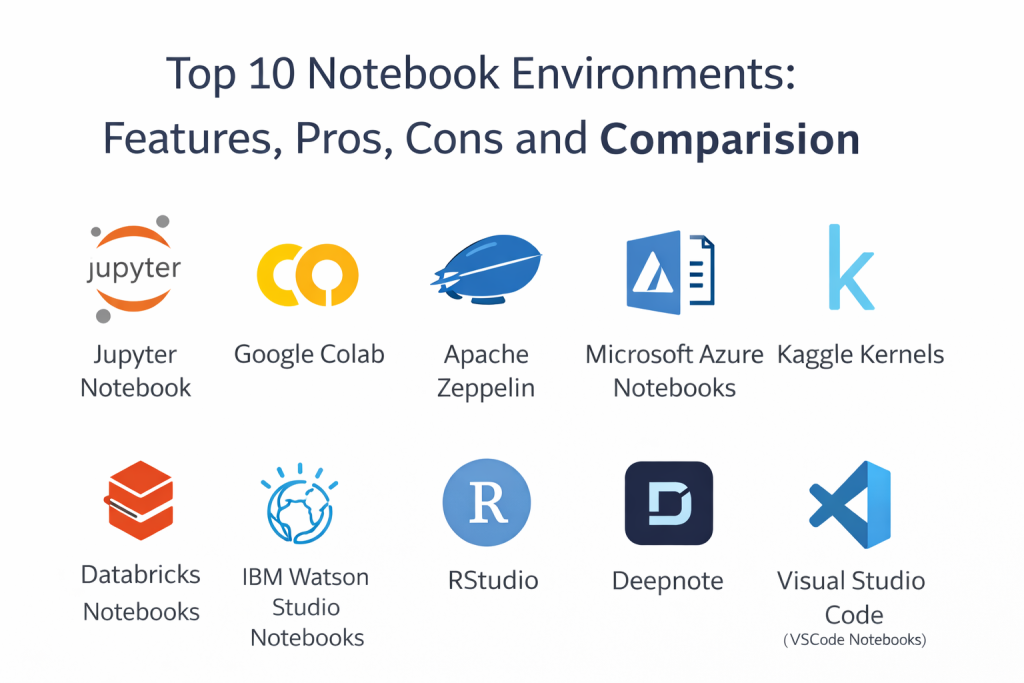
Introduction
Notebook environments have become essential tools for data science, machine learning, and analysis workflows, providing an interactive way to write and execute code, visualize results, and document findings in real-time. They offer a flexible and collaborative platform for building and testing models, conducting data analysis, and sharing results. With support for Python, R, and other programming languages, notebook environments enable iterative development, making them the go-to choice for exploratory data analysis, prototyping, and research.
The demand for high-performance, collaborative, and cloud-based notebook environments is higher than ever. Real-world use cases range from data science research and machine learning model development to data visualization and business intelligence tasks. Additionally, notebooks are often used for reporting, educational purposes, and quick experimentation, allowing for seamless code execution alongside rich visual content.
When evaluating a notebook environment, users should focus on ease of use, flexibility, integrations with data sources, computational power, collaboration features, version control, and accessibility (cloud-based or on-prem). Security features, support for reproducibility, and community involvement are also essential factors.
Best for: data scientists, ML engineers, researchers, analysts, educators, and anyone working with large datasets, machine learning models, or scientific computing workflows; industries such as academia, tech, healthcare, finance, and marketing.
Not ideal for: teams that prefer a traditional IDE setup; cases where the primary need is to develop production-ready software applications rather than exploratory analysis or research.
Key Trends in Notebook Environments and Beyond
- Cloud-based notebooks are growing in popularity as they offer easy collaboration, scalability, and infrastructure management without the need for local setup.
- Integration with data lakes, data warehouses, and cloud services is becoming more seamless, enabling direct access to large datasets.
- Notebooks are increasingly becoming central to MLOps workflows, supporting model training, experimentation tracking, and deployment pipelines.
- Real-time collaboration features are improving, enabling teams to work together on the same notebook simultaneously, much like Google Docs for code.
- Enhanced support for interactive visualizations and rich media (e.g., images, charts, videos) is helping users create dynamic, informative reports.
- Security and privacy concerns are pushing the adoption of encryption, access control, and compliance features in cloud-based environments.
- Lightweight notebooks are gaining traction for quick prototyping and edge computing, often in IoT or mobile environments.
- Jupyter-based notebooks continue to dominate, with many platforms adding support for multiple languages, advanced integrations, and workflow automation.
- Integration with version control systems like Git is becoming standard for collaborative data science and research workflows.
- More notebooks are incorporating machine learning pipelines and experiment tracking, providing end-to-end solutions for AI projects.
How We Selected These Tools (Methodology)
- Chosen based on wide adoption, community support, and established credibility within the data science and machine learning space.
- Prioritized flexibility, scalability, and the ability to integrate with other tools and data sources.
- Considered support for collaboration features, version control, and documentation alongside code execution.
- Included both cloud-based and on-premise solutions to cater to a broad range of teams and use cases.
- Evaluated ease of use, performance, and available computational power for processing large datasets and executing complex models.
- Avoided platforms with limited features or those still in early stages of development.
- Focused on tools that are actively maintained with regular updates and feature additions.
Top 10 Notebook Environments
Tool 1 — Jupyter Notebook
Jupyter Notebook is one of the most widely used and versatile notebook environments for data science, machine learning, and scientific computing. It supports Python, R, Julia, and other languages, and has a massive community of users and contributors.
Key Features
- Interactive code execution and output in a single environment
- Support for multiple languages via kernel extensions
- Rich media embedding (e.g., plots, images, videos)
- Integration with various data sources, including local files, databases, and APIs
- Strong visualization support through libraries like Matplotlib, Seaborn, and Plotly
- Broad ecosystem of extensions, widgets, and integrations
- Open-source and widely supported across platforms
Pros
- Highly flexible and customizable
- Supports a wide range of languages and libraries
- Extensive documentation and tutorials available
Cons
- Can require manual setup and environment management (e.g., dependencies, kernels)
- Less optimized for collaborative work compared to cloud-based platforms
- Performance can suffer with very large datasets or resource-intensive tasks
Platforms / Deployment
- Linux / Windows / macOS
- Self-hosted / Cloud (via JupyterHub or cloud providers)
Security & Compliance
- Not publicly stated
Integrations & Ecosystem
Jupyter integrates with a wide array of data sources, visualization tools, and machine learning frameworks.
- Integration with cloud platforms, local data, and databases (Varies)
- Supports many Python, R, and Julia libraries
- Strong support for version control through Git
- Extension ecosystem for enhanced functionality
Support & Community
Large and active open-source community with strong documentation and forums.
Tool 2 — Google Colab
Google Colab is a cloud-based notebook environment that allows users to run Python code and machine learning models without requiring local installations. It is particularly useful for users without access to powerful local compute resources, as it offers free access to GPUs and TPUs.
Key Features
- Free cloud-based notebooks with GPU/TPU support
- Integration with Google Drive for saving and sharing notebooks
- Easy sharing and collaboration with others
- Pre-installed machine learning libraries (e.g., TensorFlow, PyTorch)
- Integration with Google Cloud and Google Sheets
- Real-time collaboration, similar to Google Docs
Pros
- Free GPU and TPU access
- Very easy to use and share notebooks with others
- Strong integration with Google ecosystem and tools
Cons
- Limited resources compared to paid cloud services
- Can be slower for large datasets or intensive computations
- Some privacy concerns due to Google’s data policies
Platforms / Deployment
- Web (via Google Colab interface)
- Cloud
Security & Compliance
- Not publicly stated
Integrations & Ecosystem
Colab integrates seamlessly with Google Drive, Google Cloud, and other Google tools.
- Integration with Google Drive and Google Sheets
- Supports popular Python libraries (e.g., TensorFlow, PyTorch, Keras)
- API support for automation and workflow integration
Support & Community
Large community and active forum; strong Google support for cloud-related queries.
Tool 3 — Apache Zeppelin
Apache Zeppelin is an open-source, web-based notebook environment that supports multi-language, interactive data analytics and visualization. It is often used in big data and cloud environments.
Key Features
- Multi-language support (e.g., Spark, Python, R, SQL)
- Built-in visualization and charting tools
- Support for live data exploration and interactive querying
- Integration with Spark and other big data platforms
- Multi-user collaboration with access control
- Extensible through plugins and APIs
- Integration with Hadoop, Hive, and other big data tools
Pros
- Great for big data and distributed computing environments
- Strong integration with Apache Spark and Hadoop
- Built-in support for multiple languages and technologies
Cons
- Complex setup and configuration for large clusters
- Less user-friendly for beginners
- Performance depends on environment configuration
Platforms / Deployment
- Linux / macOS / Windows
- Self-hosted / Cloud
Security & Compliance
- Not publicly stated
Integrations & Ecosystem
Zeppelin integrates well with big data ecosystems and supports multiple programming languages.
- Integration with Apache Spark, Hadoop, and Hive
- Multi-language support (Python, R, SQL, etc.)
- Extensible through plugins and custom integrations
Support & Community
Active open-source community and growing support from the big data community.
Tool 4 — Microsoft Azure Notebooks
Microsoft Azure Notebooks is a cloud-based notebook environment that supports Python and R, offering seamless integration with the Azure cloud platform. It is designed for data science, machine learning, and analytics workflows.
Key Features
- Cloud-based notebooks with full integration into Azure
- Supports Python and R for machine learning and data science
- Seamless integration with Azure Machine Learning and other Azure services
- Collaboration and sharing features for team environments
- Pre-installed data science libraries and frameworks
- Easy deployment and management of notebooks
Pros
- Tight integration with the Azure ecosystem
- Ideal for teams already using Azure for cloud and data storage
- Collaboration features for team-based work
Cons
- Limited to Azure ecosystem, reducing flexibility for other cloud services
- Performance can be impacted by the free-tier resource limitations
- Some limitations in computational resources
Platforms / Deployment
- Web
- Cloud
Security & Compliance
- Not publicly stated
Integrations & Ecosystem
Azure Notebooks integrates well with Azure’s suite of services, including Azure Machine Learning and Azure Data Services.
- Integration with Azure data services and cloud storage
- Built-in support for data science libraries
- Collaboration and sharing features within Azure ecosystem
Support & Community
Microsoft support, with an active user base and growing community resources for Azure-based workflows.
Tool 5 — Kaggle Kernels
Kaggle Kernels is an online platform for running Python and R code in notebooks, designed for data science competitions, exploration, and sharing. It offers free access to GPUs and a large community of data science enthusiasts.
Key Features
- Free cloud-based notebooks with GPU support
- Access to a large repository of datasets and public notebooks
- Collaborative environment for sharing code and results
- Integration with Kaggle competitions and datasets
- Built-in data science libraries, including TensorFlow and scikit-learn
- Easy collaboration with other data scientists
Pros
- Free GPU access for fast computation
- Huge community and repository of datasets and notebooks
- Easy collaboration and sharing within Kaggle ecosystem
Cons
- Limited compute resources compared to paid platforms
- More suitable for exploration and experimentation than production workflows
- Limited support for advanced integrations outside Kaggle ecosystem
Platforms / Deployment
- Web
- Cloud
Security & Compliance
- Not publicly stated
Integrations & Ecosystem
Kaggle Kernels integrates with Kaggle competitions, datasets, and community resources.
- Access to Kaggle competitions and datasets
- Integration with common machine learning libraries
- Simple interface for working with data science projects
Support & Community
Strong Kaggle community support and frequent tutorials and competitions to help users.
Tool 6 — Databricks Notebooks
Databricks is a cloud-based data science platform designed for big data and machine learning workflows, particularly with Apache Spark. It provides a unified environment for data engineering, data science, and machine learning.
Key Features
- Managed notebooks for collaborative data science and ML workflows
- Integration with Apache Spark and other big data tools
- Support for Python, R, SQL, and Scala
- Scalable compute and storage resources in the cloud
- Built-in integration with machine learning libraries
- Experiment tracking and model versioning features
- Collaboration and sharing tools for team environments
Pros
- Strong integration with Spark and big data tools
- Unified platform for both data science and ML workloads
- Scalable compute resources for large datasets
Cons
- Can be expensive for small teams or projects
- Learning curve for beginners unfamiliar with Spark
- Best suited for cloud-based workflows rather than local environments
Platforms / Deployment
- Web
- Cloud
Security & Compliance
- Not publicly stated
Integrations & Ecosystem
Databricks integrates with popular cloud services and big data platforms, making it a great choice for teams using Spark.
- Integration with Apache Spark and big data tools
- Compatibility with cloud storage and analytics platforms
- Built-in support for machine learning libraries
Support & Community
Strong support from Databricks and an active community of users. Large enterprise adoption has expanded the vendor’s support network.
Tool 7 — IBM Watson Studio Notebooks
IBM Watson Studio is a data science and AI platform designed for business-driven data science projects. It includes notebooks for collaborative development, model training, and deployment.
Key Features
- Integrated data science and machine learning environment
- Support for Python, R, and other languages
- Managed notebook and compute resources
- Integration with IBM Cloud and Watson AI tools
- Strong support for model development and deployment
- Tools for data exploration, cleaning, and feature engineering
Pros
- Strong enterprise support and IBM ecosystem integration
- Ideal for AI-driven workflows and MLops
- Collaboration tools for teams
Cons
- Can be complex for smaller teams without IBM infrastructure
- Learning curve for those unfamiliar with IBM Watson tools
- Pricing can be high for large teams
Platforms / Deployment
- Web
- Cloud / Hybrid
Security & Compliance
- Not publicly stated
Integrations & Ecosystem
Watson Studio integrates with a variety of IBM tools and services, focusing on AI, machine learning, and data analytics.
- Integration with IBM Cloud services and data systems
- Access to Watson AI tools for advanced analytics
- Compatible with common data science libraries
Support & Community
Strong support from IBM, along with a large network of enterprise clients. Extensive resources and tutorials available.
Tool 8 — RStudio
RStudio is an integrated development environment (IDE) for R, providing powerful tools for statistical analysis, data visualization, and machine learning.
Key Features
- Support for R programming language with rich interactive tools
- Integrated data visualization and reporting features
- Tools for statistical modeling and machine learning
- Compatibility with R packages for a wide range of use cases
- Support for collaboration and version control
- Local and cloud-based deployment options
- Integration with Shiny for interactive web apps
Pros
- Excellent for statisticians and data scientists using R
- Rich visualization and analysis tools
- Active community and strong package support
Cons
- Best suited for R users; limited language flexibility
- Local deployment may not scale well for large teams
- Primarily focused on the R ecosystem, limiting integrations with other languages
Platforms / Deployment
- Linux / Windows / macOS
- Self-hosted / Cloud
Security & Compliance
- Not publicly stated
Integrations & Ecosystem
RStudio integrates with many R packages and is compatible with various data sources and visualization tools.
- Works well with R libraries for data science, statistics, and ML
- Integration with cloud platforms and databases (Varies)
- Supports Shiny for interactive web apps
Support & Community
RStudio has a strong community, with extensive documentation and support forums.
Tool 9 — Deepnote
Deepnote is a collaborative notebook environment designed for data science teams. It allows real-time collaboration with a focus on sharing, version control, and reproducibility.
Key Features
- Real-time collaboration with shared notebooks
- Integration with popular data sources and tools
- Full version control and history tracking
- Built-in support for Python and Jupyter Notebooks
- Cloud-based environment with compute scalability
- Collaboration tools for team discussions and feedback
Pros
- Excellent for team collaboration and version control
- Built-in integrations for data sources and visualization tools
- Easy sharing of work with others
Cons
- Primarily cloud-based, may not suit offline work needs
- Still evolving with new features being added regularly
- Smaller community compared to established tools like Jupyter
Platforms / Deployment
- Web
- Cloud
Security & Compliance
- Not publicly stated
Integrations & Ecosystem
Deepnote integrates with data sources, machine learning frameworks, and popular visualization libraries.
- Integration with databases and cloud storage (Varies)
- Support for Python, SQL, and Jupyter Notebooks
- APIs for automation and extension
Support & Community
Growing community with active feedback from users; enterprise support depends on subscription tier.
Tool 10 — Visual Studio Code (VSCode) Notebooks
Visual Studio Code is a popular code editor that supports notebook environments through extensions. It is commonly used by developers who want to mix notebook-style workflows with full development environments.
Key Features
- Support for Jupyter notebooks and Python code execution
- Strong integration with Git and version control
- Rich development environment with debugging and extension support
- Notebook and code editing features in one platform
- Integration with cloud services and containers
- Built-in terminal and debugging tools
Pros
- Highly customizable and lightweight
- Excellent for developers who want notebook features within a full IDE
- Strong version control integration
Cons
- Limited focus on collaborative features compared to other notebook platforms
- Performance can depend on local machine resources
- More suited for developers than data scientists
Platforms / Deployment
- Linux / Windows / macOS
- Self-hosted
Security & Compliance
- Not publicly stated
Integrations & Ecosystem
VSCode integrates with a wide array of extensions, including Jupyter, Git, Docker, and cloud platforms.
- Integration with Python, Jupyter, and other languages
- Git and cloud service extensions (Varies)
- Full IDE features for debugging, version control, and containerization
Support & Community
Large VSCode community and strong developer support through Microsoft and extension developers.
Comparison Table (Top 10)
| Tool Name | Best For | Platform(s) Supported | Deployment (Cloud/Self-hosted/Hybrid) | Standout Feature | Public Rating |
|---|---|---|---|---|---|
| Jupyter Notebook | Data science and research | Linux / Windows / macOS | Self-hosted / Cloud | Open-source flexibility and rich ecosystem | N/A |
| Google Colab | Cloud-based data science and ML | Web | Cloud | Free GPU/TPU support | N/A |
| Apache Zeppelin | Big data and analytics | Linux / macOS / Windows | Self-hosted / Cloud | Multi-language support | N/A |
| Microsoft Azure Notebooks | Azure-centric data science | Web | Cloud | Seamless Azure integration | N/A |
| Kaggle Kernels | Data science competitions and exploration | Web | Cloud | Large community and datasets | N/A |
| Databricks Notebooks | Scalable ML and big data | Web | Cloud | Integration with Apache Spark | N/A |
| IBM Watson Studio Notebooks | Enterprise ML with IBM Cloud | Web | Cloud / Self-hosted | IBM ecosystem integration | N/A |
| RStudio | Statistical analysis and visualization | Linux / Windows / macOS | Self-hosted / Cloud | R-centric analysis tools | N/A |
| Deepnote | Collaborative data science | Web | Cloud | Real-time collaboration | N/A |
| Visual Studio Code Notebooks | Developer-first notebook features | Linux / Windows / macOS | Self-hosted | Full IDE plus notebook | N/A |
Evaluation & Scoring of Notebook Environments
Weights used: Core features 25%, Ease of use 15%, Integrations & ecosystem 15%, Security & compliance 10%, Performance & reliability 10%, Support & community 10%, Price / value 15%. Scores are comparative based
on flexibility, usability, collaboration, and performance.
| Tool Name | Core (25%) | Ease (15%) | Integrations (15%) | Security (10%) | Performance (10%) | Support (10%) | Value (15%) | Weighted Total (0–10) |
|---|---|---|---|---|---|---|---|---|
| Jupyter Notebook | 9 | 7 | 8 | 6 | 7 | 8 | 8 | 7.80 |
| Google Colab | 8 | 8 | 7 | 5 | 6 | 7 | 8 | 7.60 |
| Apache Zeppelin | 8 | 6 | 7 | 5 | 7 | 6 | 7 | 6.70 |
| Microsoft Azure Notebooks | 7 | 7 | 7 | 6 | 6 | 7 | 6 | 6.70 |
| Kaggle Kernels | 7 | 8 | 6 | 5 | 6 | 6 | 8 | 6.75 |
| Databricks Notebooks | 9 | 7 | 9 | 6 | 8 | 7 | 7 | 7.85 |
| IBM Watson Studio Notebooks | 8 | 6 | 7 | 6 | 7 | 7 | 6 | 6.80 |
| RStudio | 7 | 7 | 6 | 5 | 6 | 7 | 7 | 6.70 |
| Deepnote | 8 | 8 | 7 | 6 | 7 | 6 | 7 | 7.40 |
| Visual Studio Code Notebooks | 7 | 7 | 8 | 6 | 7 | 7 | 6 | 7.00 |
How to interpret the scores
- Weighted Total helps shortlist, but your team’s focus—collaboration, customization, performance—will guide final selection.
- Consider Core features when data science pipelines and language support are most critical.
- Consider Ease and Support when rapid adoption, collaboration, and onboarding are key priorities.
- Always test with real data and workflows to confirm performance, security, and usability.
Which Notebook Environment Is Right for You?
Solo / Freelancer
If you need simple tools for experimentation or personal projects, Google Colab provides free GPU/TPU support, while Jupyter Notebook gives the flexibility of open-source. If you work in R, RStudio is a great option for statistical analysis and visualization.
SMB
SMBs need collaborative and easy-to-deploy platforms. Google Colab and Deepnote are great for easy sharing, while Jupyter Notebook is ideal for flexibility. Kaggle Kernels offers a great starting point with a strong community.
Mid-Market
Mid-market teams need scalability, collaboration, and easy access to data sources. Databricks Notebooks fits for big data and ML workflows. Deepnote and Jupyter Notebooks are great for flexible, collaborative work in both cloud and on-prem environments.
Enterprise
Enterprises need strong governance, security, and support. IBM Watson Studio Notebooks offers enterprise-grade tools for collaboration and model deployment, while Databricks and Azure Notebooks are strong choices for organizations with large-scale ML and big data needs.
Budget vs Premium
Google Colab and Kaggle Kernels offer free, cloud-based options with GPU access, making them great for low-cost entry. More comprehensive platforms like Databricks, IBM Watson Studio, and Azure Notebooks come with advanced features but can incur higher costs.
Feature Depth vs Ease of Use
Jupyter Notebook offers deep customization and flexibility for advanced users. Google Colab and Deepnote offer user-friendly, collaborative features with less setup required. Databricks is ideal for teams combining data science with big data and ML at scale, but may require more operational oversight.
Integrations & Scalability
Jupyter, Databricks, and Azure Notebooks provide strong integration with cloud platforms and big data ecosystems. Google Colab and Kaggle Kernels integrate well with popular libraries and are ideal for quick prototyping and exploration. Deepnote and IBM Watson Studio excel in collaborative, large-team environments with built-in data connectors.
Security & Compliance Needs
If security and compliance are critical, opt for enterprise-grade platforms like IBM Watson Studio or Azure Notebooks, which provide robust access controls and governance. Google Colab and Kaggle Kernels have some limitations in this area, but they are generally sufficient for experimentation and individual projects.
Frequently Asked Questions (FAQs)
1. What is the main difference between cloud-based and on-prem notebook environments?
Cloud-based notebooks like Google Colab offer scalability and no infrastructure management, but on-prem notebooks like Jupyter allow more control over data security and compute resources.
2. Can I use multiple programming languages in Jupyter Notebooks?
Yes, Jupyter Notebooks support various languages, including Python, R, Julia, and others, depending on the kernel used.
3. What is the best notebook environment for ML projects?
Google Colab is great for quick experimentation, but Databricks provides a more robust environment for large-scale ML and big data workloads.
4. Are there free alternatives to premium notebook platforms?
Yes, Google Colab, Kaggle Kernels, and Jupyter Notebooks are excellent free alternatives that can handle most data science workflows.
5. Can I collaborate with other users in Jupyter Notebooks?
Yes, collaboration is possible via shared JupyterHub environments or by using third-party services like GitHub or Deepnote for real-time collaboration.
6. How do notebook environments integrate with data sources?
Many platforms offer direct integration with cloud storage, databases, and APIs for seamless data access. Some also support data connectors for big data tools like Spark and Hadoop.
7. Can I use version control with notebooks?
Yes, most notebook platforms like Jupyter and Databricks support version control, either natively or through integrations with Git.
8. Do I need a powerful computer to run Jupyter Notebooks?
No, Jupyter Notebooks can be run on basic machines, but large-scale data processing might require powerful servers or cloud resources.
9. How secure are cloud-based notebooks like Google Colab?
Cloud-based notebooks are typically secure, but their access and privacy features are limited compared to enterprise solutions. Ensure you follow best practices for handling sensitive data.
10. How do I decide between Jupyter and Databricks for large projects?
Choose Jupyter if you need flexibility and control. Choose Databricks for projects requiring scalable compute, collaboration, and integration with big data ecosystems.
Conclusion
Notebook environments are powerful tools for data science, ML, and exploratory analysis. The best notebook environment for your team depends on your project scale, team collaboration needs, and infrastructure preferences. Jupyter Notebook is a flexible, open-source solution for a wide range of tasks, while Google Colab offers free cloud access with GPU support for smaller projects. Platforms like Databricks and Azure Notebooks excel in collaborative, cloud-based ML workflows, while Deepnote offers great team collaboration tools. Consider your specific requirements—whether you need deep customization, ease of use, or scalable cloud integration—before selecting the right platform for your data science projects.

Best Cardiac Hospitals Near You
Discover top heart hospitals, cardiology centers & cardiac care services by city.
Advanced Heart Care • Trusted Hospitals • Expert Teams
View Best Hospitals