Introduction
Machine learning (ML) platforms provide the tools and infrastructure necessary for developing, training, deploying, and managing machine learning models at scale. These platforms help organizations accelerate their AI initiatives by offering pre-built algorithms, model deployment pipelines, version control, and collaboration tools. With increasing demand for intelligent systems in a variety of industries, ML platforms are pivotal for organizations looking to leverage their data for predictive analytics, automation, and optimization.
In, as AI-driven transformation continues, businesses expect faster model deployment, better automation, and more integration with cloud-native environments. Real-world use cases include customer segmentation, fraud detection, predictive maintenance, recommendation engines, natural language processing (NLP), and computer vision. With the growing complexity of AI systems, ML platforms also emphasize model monitoring, retraining, and lifecycle management to ensure that models remain effective over time.
When selecting an ML platform, it’s essential to evaluate factors like ease of use, scalability, support for custom algorithms, integration with existing data pipelines, model deployment and monitoring capabilities, security features, and cost efficiency.
Best for: Data scientists, ML engineers, AI researchers, and organizations scaling AI initiatives in fields such as finance, healthcare, retail, manufacturing, and technology.
Not ideal for: Small-scale or one-off projects that don’t require robust infrastructure or heavy automation; teams that don’t require model management and monitoring capabilities.
Key Trends in Machine Learning Platforms and Beyond
- Cloud-native platforms: More ML platforms are optimized for cloud environments, allowing for on-demand scaling, infrastructure management, and integration with cloud data services.
- Automated machine learning (AutoML): As the demand for democratizing AI grows, many platforms offer AutoML capabilities, enabling non-experts to build models without extensive coding knowledge.
- MLops integration: A greater emphasis is placed on MLOps, ensuring smooth collaboration between data scientists, developers, and operations teams for continuous integration and deployment of machine learning models.
- Edge AI and deployment: With the rise of IoT devices and edge computing, ML platforms are increasingly enabling model deployment to edge devices for real-time processing with low latency.
- Integration with big data ecosystems: Platforms are expanding their ability to work seamlessly with big data tools, data lakes, and cloud-based storage solutions.
- AI fairness and interpretability: As ethical concerns around AI grow, many ML platforms now include features for fairness, bias detection, and model interpretability to ensure transparency and trust in AI systems.
- Model monitoring and retraining: Platforms are placing a stronger emphasis on monitoring model performance over time, detecting drift, and automating model retraining for optimal accuracy.
- Collaboration features: ML platforms are integrating more collaborative features, such as shared workspaces, version control, and experiment tracking, to enhance team productivity.
- Serverless ML environments: Some platforms are adopting serverless models, reducing infrastructure management overhead and allowing users to focus purely on model development and deployment.
- Cost control: As ML models become more complex and resource-intensive, platforms are increasingly offering cost control mechanisms such as budgeting tools and resource monitoring.
How We Selected These Tools (Methodology)
- Market adoption and community support: Chosen platforms are widely adopted by organizations of various sizes and have a strong user community.
- Feature completeness: Platforms were evaluated based on their support for essential machine learning functions, including model training, deployment, monitoring, and version control.
- Integration and ecosystem: Consideration was given to how well these platforms integrate with common data pipelines, cloud services, and machine learning tools.
- Ease of use and developer experience: Platforms were selected based on their usability, accessibility, and the ability to support both experienced data scientists and non-technical users.
- Scalability: We prioritized platforms that can scale efficiently to handle both small and large datasets and workloads.
- Security and compliance: Platforms that provide strong security features, access controls, and compliance support were preferred.
- Support and resources: Platforms with robust documentation, support channels, and educational resources were prioritized.
- Cost efficiency: We considered pricing models and whether the platforms offer cost control and flexibility in resource allocation.
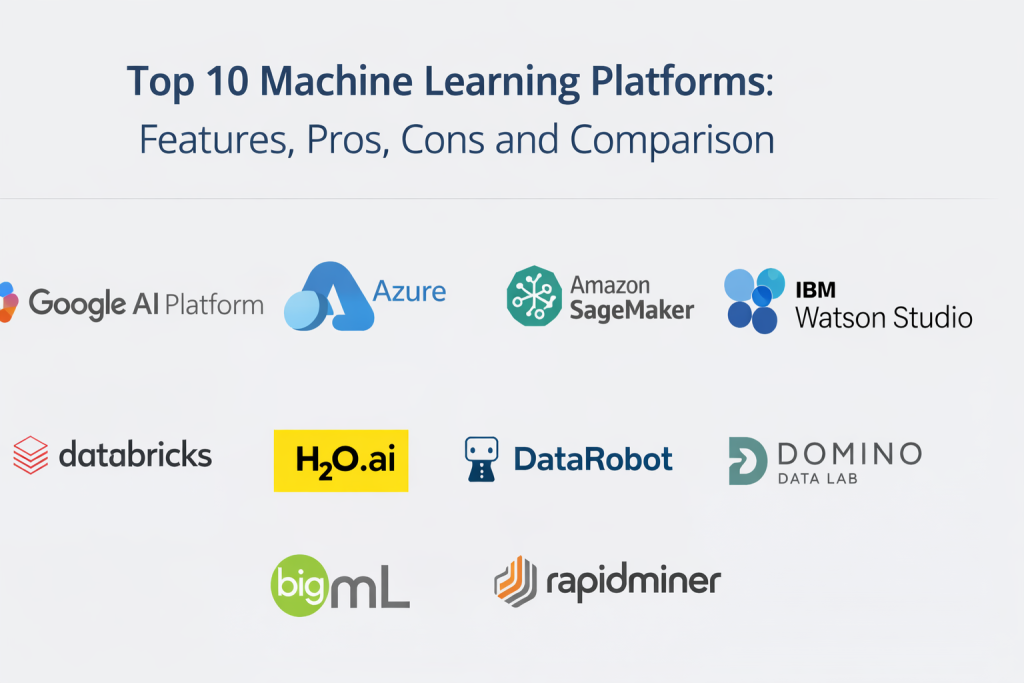
Top 10 Machine Learning Platforms
Tool 1 — Google AI Platform
Google AI Platform is a managed service that integrates Google’s powerful AI and ML tools, providing an end-to-end environment for developing, training, and deploying models at scale. It supports a variety of frameworks, including TensorFlow, PyTorch, and scikit-learn.
Key Features
- Integration with Google Cloud storage and services
- Scalable training and deployment environments
- Support for custom and pre-built models
- AutoML capabilities for non-experts
- Real-time and batch model serving
- Comprehensive monitoring and logging tools
- Integration with BigQuery for data analysis
Pros
- Tight integration with Google Cloud ecosystem
- AutoML features make it accessible to non-experts
- Highly scalable and suitable for large workloads
Cons
- Best suited for organizations already on Google Cloud
- May require expertise in cloud management for large-scale deployments
- Pricing can be difficult to manage for smaller teams
Platforms / Deployment
- Web
- Cloud
Security & Compliance
- Not publicly stated
Integrations & Ecosystem
Google AI Platform integrates well with other Google Cloud tools like BigQuery and TensorFlow, as well as open-source ML frameworks.
- Integration with Google Cloud storage and services
- Compatibility with machine learning libraries
- APIs for integration with data pipelines
Support & Community
Google provides strong documentation and customer support, with an active user community and enterprise-level options.
Tool 2 — Microsoft Azure Machine Learning
Azure Machine Learning is a cloud-based service from Microsoft that offers end-to-end machine learning tools for model development, deployment, and management. It allows seamless integration with Azure data services and machine learning workflows.
Key Features
- Managed compute resources for training and inferencing
- AutoML and low-code options for non-experts
- Model deployment to Azure or edge devices
- Experiment tracking and version control
- Integration with Azure data services like SQL Database and Data Lake
- Scalable infrastructure with Azure Kubernetes Service (AKS)
Pros
- Strong integration with Azure services
- Comprehensive suite for model training, deployment, and monitoring
- AutoML features enable quick experimentation
Cons
- Pricing can be complex for larger teams
- Limited flexibility for teams not using Azure ecosystem
- May have a steeper learning curve for new users
Platforms / Deployment
- Web
- Cloud
Security & Compliance
- Not publicly stated
Integrations & Ecosystem
Azure Machine Learning integrates seamlessly with the Azure cloud ecosystem and supports a wide range of data and ML services.
- Integration with Azure data storage and processing services
- APIs for deployment and automation
- Kubernetes integration for scaling and deployment
Support & Community
Strong Microsoft support with extensive documentation and community resources for Azure ML users.
Tool 3 — Amazon SageMaker
Amazon SageMaker is a fully managed machine learning service from AWS, offering a broad range of tools for model training, deployment, and monitoring. SageMaker simplifies many of the manual steps involved in building ML models, especially for teams that already use AWS.
Key Features
- End-to-end ML workflow support from data labeling to deployment
- Built-in algorithms and frameworks for training
- Managed notebooks for experimentation and prototyping
- Real-time model deployment and batch processing
- AutoML and hyperparameter tuning
- Integration with AWS services for seamless workflow
Pros
- Strong AWS ecosystem integration
- Comprehensive tools for data science and ML teams
- AutoML and monitoring features for faster deployment
Cons
- Best suited for AWS-centric organizations
- Costs can scale up quickly with resource-heavy training jobs
- Learning curve for new users
Platforms / Deployment
- Web
- Cloud
Security & Compliance
- Not publicly stated
Integrations & Ecosystem
SageMaker integrates well with AWS services like S3, Lambda, and DynamoDB, making it an ideal choice for AWS-centric environments.
- Seamless integration with AWS data and compute services
- Support for popular ML frameworks and libraries
- Easy model deployment with auto-scaling features
Support & Community
Amazon provides extensive documentation and support, with a large community of users and active enterprise-level resources.
Tool 4 — IBM Watson Studio
IBM Watson Studio offers a comprehensive suite of tools for data science, AI, and machine learning, with strong enterprise integration. It supports model development, training, deployment, and management in a collaborative and governed environment.
Key Features
- End-to-end ML pipeline management
- Collaboration tools for teams to work on shared projects
- Integration with IBM Cloud data services
- Tools for data exploration, transformation, and feature engineering
- Model deployment with real-time inferencing
- AutoML capabilities and model optimization tools
Pros
- Ideal for enterprises using IBM Cloud or looking for a highly governed platform
- Strong integration with IBM Watson AI services
- Collaborative and secure environment for teams
Cons
- Best suited for enterprises already invested in IBM tools
- May be more complex than necessary for smaller projects
- Pricing can be a barrier for small teams
Platforms / Deployment
- Web
- Cloud / Self-hosted
Security & Compliance
- Not publicly stated
Integrations & Ecosystem
Watson Studio integrates seamlessly with IBM Cloud data and AI tools, including Watson Machine Learning.
- Integration with IBM Cloud and storage services
- APIs for model deployment and automation
- AI services like Watson NLP and Watson Vision
Support & Community
IBM provides robust support for enterprise customers, with a strong community and extensive resources.
Tool 5 — Databricks
Databricks is a unified analytics platform designed for big data and machine learning workflows. It integrates Apache Spark and provides a collaborative workspace for teams to work on data science and ML projects.
Key Features
- Unified analytics platform with support for Spark-based workloads
- Collaborative notebooks for data science and ML development
- Real-time model deployment and monitoring
- Integration with data lakes and big data ecosystems
- Scalable compute and storage resources
- Strong support for model experimentation and tracking
Pros
- Powerful for big data and machine learning at scale
- Collaboration and real-time features for data teams
- Integrated environment with Spark makes it ideal for big data processing
Cons
- May be overkill for small-scale projects or teams
- Requires Spark expertise for best results
- Pricing can be high for smaller teams
Platforms / Deployment
- Web
- Cloud
Security & Compliance
- Not publicly stated
Integrations & Ecosystem
Databricks integrates well with big data tools, cloud services, and machine learning frameworks.
- Strong integration with Spark, AWS, and Azure
- Support for ML frameworks like TensorFlow and PyTorch
- Seamless integration with cloud storage and data lakes
Support & Community
Large community with strong vendor support and enterprise-level resources.
Tool 6 — H2O.ai
H2O.ai is an open-source AI platform that provides powerful tools for building machine learning models, with a focus on automation and performance. It supports both traditional ML models and deep learning workflows.
Key Features
- AutoML tools for model selection and hyperparameter tuning
- Distributed computing for big data analysis
- Model interpretability tools for transparency
- Integration with Hadoop, Spark, and other big data platforms
- Support for deep learning frameworks (Varies)
- Model deployment capabilities for real-time inferencing
Pros
- Open-source and cost-effective for smaller teams
- Strong AutoML capabilities for non-expert users
- Highly scalable for big data workloads
Cons
- Deep learning support is not as robust as some other platforms
- Best for teams focused on traditional machine learning rather than complex deep learning
- Less enterprise support compared to cloud-native platforms
Platforms / Deployment
- Web
- Cloud / Self-hosted
Security & Compliance
- Not publicly stated
Integrations & Ecosystem
H2O.ai integrates with popular big data tools like Hadoop and Spark, enabling scalable ML workflows.
- Integrates with big data platforms (Hadoop, Spark)
- Support for standard ML libraries (scikit-learn, XGBoost)
- Real-time inferencing and model deployment options
Support & Community
Active open-source community and enterprise support options are available.
Tool 7 — DataRobot
DataRobot is an automated machine learning platform designed to make machine learning accessible to everyone by automating the end-to-end workflow. It provides tools for data scientists and business users to build, deploy, and monitor machine learning models.
Key Features
- Automated model training, selection, and optimization
- Strong monitoring and model governance features
- Easy integration with existing data pipelines
- Support for a wide range of algorithms and use cases
- Model deployment with real-time and batch processing
- Tools for model explainability and interpretability
Pros
- Fast model development through automation
- Suitable for both technical and non-technical users
- Comprehensive monitoring and governance features
Cons
- High cost for enterprise deployments
- Limited flexibility for highly custom workflows
- May not be suitable for complex, specialized AI use cases
Platforms / Deployment
- Web
- Cloud / Self-hosted
Security & Compliance
- Not publicly stated
Integrations & Ecosystem
DataRobot integrates easily with existing data systems and provides an automated pipeline for model deployment.
- Integration with popular data sources and platforms
- Support for model deployment and real-time inferencing
- Tools for model monitoring and governance
Support & Community
Strong vendor support with enterprise options; growing user community.
Tool 8 — Domino Data Lab
Domino Data Lab is a data science platform designed for collaborative, reproducible, and scalable ML and data science workflows. It provides tools for model development, tracking, deployment, and monitoring in an enterprise environment.
Key Features
- Model versioning and experiment tracking
- Scalable compute for training and testing models
- Integration with popular data science tools (Python, R, etc.)
- Tools for collaborative workspaces and reproducibility
- Model deployment and operationalization
- Secure sharing and governance features
Pros
- Strong support for collaboration and reproducibility
- Integrated MLOps features for model lifecycle management
- Scalable compute resources for enterprise teams
Cons
- Primarily geared toward larger teams and enterprises
- Complexity can be overwhelming for smaller teams
- Higher pricing compared to other platforms
Platforms / Deployment
- Web
- Cloud / Self-hosted
Security & Compliance
- Not publicly stated
Integrations & Ecosystem
Domino integrates with common machine learning tools, big data ecosystems, and enterprise platforms.
- Integrates with popular data science libraries and frameworks
- Support for model deployment and operationalization
- MLOps and version control tools for team collaboration
Support & Community
Strong enterprise support and resources; community involvement is growing but primarily focused on enterprise use cases.
Tool 9 — BigML
BigML is a machine learning platform focused on simplicity and ease of use, offering automated machine learning tools and visualization features that allow users to build models quickly.
Key Features
- AutoML for model creation and optimization
- Built-in support for a variety of ML algorithms
- Data visualization tools for model insights
- Model deployment and monitoring options
- Easy-to-use API for integration with other platforms
- Collaboration and sharing features for teams
Pros
- Fast and easy model development for non-technical users
- Simple API for integration with existing systems
- User-friendly interface with great visualization support
Cons
- Limited flexibility for advanced or highly specialized models
- Lacks advanced deep learning capabilities
- Pricing can increase for larger datasets and advanced models
Platforms / Deployment
- Web
- Cloud
Security & Compliance
- Not publicly stated
Integrations & Ecosystem
BigML integrates with various data platforms and provides API-based automation for ML workflows.
- Integration with cloud storage and data sources
- Easy deployment of models for real-time inferencing
- API-based access for automation
Support & Community
Support is available through BigML’s enterprise offerings; active community for general inquiries and resources.
Tool 10 — RapidMiner
RapidMiner is a platform that supports machine learning, data preparation, and model deployment with a focus on user-friendly drag-and-drop workflows and automation.
Key Features
- Visual workflows for data preparation and modeling
- Extensive support for machine learning algorithms and models
- Automated model selection and hyperparameter tuning
- Integration with big data platforms and cloud services
- Deployment options for real-time and batch inferencing
- Strong governance and compliance features
Pros
- No-code interface allows non-technical users to develop models
- Automated workflows and easy integration with data systems
- Strong support for machine learning pipelines and monitoring
Cons
- Limited flexibility for advanced customizations
- Can be expensive for larger deployments
- Slower performance on large datasets compared to cloud-based platforms
Platforms / Deployment
- Web
- Cloud / Self-hosted
Security & Compliance
- Not publicly stated
Integrations & Ecosystem
RapidMiner integrates with popular data storage, processing, and machine learning frameworks.
- Integration with cloud platforms and big data tools
- Support for machine learning pipelines and model deployment
- Built-in data connectors for popular data sources
Support & Community
Active community and strong vendor support, with documentation and learning resources available.
Comparison Table (Top 10)
| Tool Name | Best For | Platform(s) Supported | Deployment (Cloud/Self-hosted/Hybrid) | Standout Feature | Public Rating |
|---|---|---|---|---|---|
| Google AI Platform | Cloud-native ML workflows | Web | Cloud | Tight integration with Google Cloud | N/A |
| Microsoft Azure Machine Learning | Azure-based ML projects | Web | Cloud | Seamless integration with Azure ecosystem | N/A |
| Amazon SageMaker | AWS-first ML teams | Web | Cloud | End-to-end ML pipeline automation | N/A |
| IBM Watson Studio | Enterprise AI projects | Web | Cloud / Self-hosted | Enterprise-grade AI tools and governance | N/A |
| Databricks | Big data and ML at scale | Web | Cloud | Unified platform for ML and big data | N/A |
| H2O.ai | Automated ML for business use | Web | Cloud / Self-hosted | Open-source and cost-effective AutoML | N/A |
| DataRobot | AutoML for fast deployment | Web | Cloud / Self-hosted | Automated modeling and monitoring | N/A |
| Domino Data Lab | Collaborative MLOps | Web | Cloud / Self-hosted | Model versioning and experiment tracking | N/A |
| BigML | Simple, automated ML | Web | Cloud | User-friendly AutoML platform | N/A |
| RapidMiner | No-code ML workflows | Web | Cloud / Self-hosted | Drag-and-drop machine learning | N/A |
Evaluation & Scoring of Machine Learning Platforms
Weights used: Core features 25%, Ease of use 15%, Integrations & ecosystem 15%, Security & compliance 10
%, Performance & reliability 10%, Support & community 10%, Price / value 15%. Scores are comparative across typical ML project needs.
| Tool Name | Core (25%) | Ease (15%) | Integrations (15%) | Security (10%) | Performance (10%) | Support (10%) | Value (15%) | Weighted Total (0–10) |
|---|---|---|---|---|---|---|---|---|
| Google AI Platform | 9 | 7 | 8 | 6 | 8 | 8 | 6 | 7.70 |
| Microsoft Azure Machine Learning | 8 | 7 | 8 | 6 | 8 | 7 | 6 | 7.35 |
| Amazon SageMaker | 9 | 7 | 8 | 6 | 8 | 7 | 6 | 7.55 |
| IBM Watson Studio | 8 | 6 | 7 | 6 | 7 | 7 | 6 | 6.80 |
| Databricks | 9 | 7 | 9 | 6 | 8 | 7 | 7 | 7.85 |
| H2O.ai | 7 | 8 | 7 | 5 | 6 | 6 | 7 | 6.75 |
| DataRobot | 8 | 8 | 7 | 6 | 7 | 7 | 5 | 7.20 |
| Domino Data Lab | 8 | 7 | 8 | 6 | 7 | 7 | 5 | 7.00 |
| BigML | 6 | 8 | 6 | 5 | 6 | 6 | 8 | 6.65 |
| RapidMiner | 7 | 7 | 7 | 6 | 6 | 7 | 6 | 6.75 |
How to interpret the scores
- Use Weighted Total to shortlist, but your team’s specific needs and workflows should determine the final choice.
- Core features are most important when large-scale, complex model pipelines are required.
- Ease and support should weigh heavily for teams with limited resources or non-technical users.
- Always validate the platform with a pilot that reflects your real data size, compute needs, and budget.
Which Machine Learning Platform Is Right for You?
Solo / Freelancer
For smaller projects or personal use, BigML and RapidMiner offer easy-to-use, low-cost options. DataRobot and H2O.ai are great if you want a more automated, yet still flexible, approach to ML.
SMB
For SMBs, Google AI Platform and Azure ML provide excellent cloud-native environments with managed resources. DataRobot offers automation that accelerates model delivery, while Databricks is strong for teams combining data engineering and ML.
Mid-Market
Mid-market companies often need a more robust and scalable platform. Databricks is ideal for big data and ML workflows, while AWS SageMaker offers flexibility and integrates well with the AWS ecosystem. IBM Watson Studio and Domino Data Lab are excellent for teams requiring more collaboration and governance in ML projects.
Enterprise
For large-scale, enterprise-grade needs, Databricks, IBM Watson Studio, and Azure ML are top choices. They offer strong governance, scalability, and integrations across multiple systems. DataRobot and Domino Data Lab can be ideal for managing ML workflows in complex organizational environments.
Budget vs Premium
BigML and RapidMiner are excellent budget-friendly options with powerful features, perfect for small teams or non-enterprise use cases. For more advanced needs, especially at scale, Databricks, AWS SageMaker, and Azure ML are premium choices that provide enterprise-level capabilities.
Feature Depth vs Ease of Use
If you need deep, customizable models and the ability to handle large datasets, Databricks and AWS SageMaker are great. If you’re looking for ease of use and automated processes, DataRobot and BigML can quickly get you to production without deep technical expertise.
Integrations & Scalability
Databricks, Google AI Platform, and SageMaker excel in integration with data systems and cloud environments, while Azure ML shines for Microsoft-centric enterprises. If you need to handle large datasets and complex ML workflows, these platforms are optimal. For smaller, more contained environments, BigML and RapidMiner are easier to manage and more cost-effective.
Security & Compliance Needs
Enterprises requiring stringent security and compliance can rely on platforms like IBM Watson Studio, Databricks, and Azure ML. These platforms offer strong identity management and governance controls that make them suitable for regulated industries.
Frequently Asked Questions (FAQs)
1. What is the difference between AutoML and traditional ML platforms?
AutoML platforms automate many parts of the machine learning workflow, making them more accessible to non-experts. Traditional ML platforms require more expertise but offer greater flexibility and control.
2. How do I choose between cloud-native and on-premise platforms?
Cloud-native platforms like SageMaker and Google AI Platform are great for teams that need scalability and want to avoid infrastructure management. On-premise platforms like H2O.ai are better for teams with strict data privacy or regulatory requirements.
3. What is the best platform for deep learning projects?
Databricks and Google AI Platform excel in supporting deep learning workflows, with TensorFlow and PyTorch integration. Amazon SageMaker also provides strong support for deep learning model training.
4. How do machine learning platforms help with model deployment?
ML platforms like AWS SageMaker and Azure ML provide tools for easy deployment, including real-time inferencing, batch processing, and model monitoring. These platforms also enable model versioning and rollback capabilities.
5. How do I manage cost in cloud-based ML platforms?
Use features like autoscaling and pay-as-you-go models, and monitor usage closely. Many platforms, like SageMaker, offer cost control mechanisms, such as budgeting tools and resource monitoring.
6. What are the key differences between enterprise-level ML platforms and simpler AutoML tools?
Enterprise ML platforms like Databricks and Watson Studio provide extensive customization, collaboration, and scalability. AutoML tools like BigML and DataRobot simplify the ML process, making it accessible but with limited flexibility.
7. How can I track and monitor model performance?
Platforms like SageMaker, Azure ML, and Databricks provide built-in model monitoring, performance tracking, and alerting tools to ensure that deployed models continue to perform optimally.
8. Can ML platforms integrate with my existing data systems?
Yes, most major ML platforms integrate seamlessly with data lakes, warehouses, and other cloud-based or on-premise data services.
9. How do I ensure model reproducibility?
Choose platforms like Domino Data Lab and DataRobot, which offer built-in experiment tracking, version control, and collaboration tools to ensure model reproducibility and consistency across workflows.
10. Can I run ML models on edge devices?
Some platforms, like AWS SageMaker and Google AI Platform, support edge deployment for real-time inference and edge computing workflows.
Conclusion
Choosing the right machine learning platform depends on your project’s scale, team structure, and required integrations. For large-scale, complex ML workflows, Databricks and Amazon SageMaker offer deep functionality and scalability. For more automated, easy-to-use platforms, DataRobot and BigML are strong candidates. Enterprises focused on governance and compliance will benefit from IBM Watson Studio, while Microsoft and Google offer strong, cloud-native solutions in Azure ML and Google AI Platform. Ultimately, pilot the platforms to see which one best supports your team’s workflow, budget, and objectives.

Best Cardiac Hospitals Near You
Discover top heart hospitals, cardiology centers & cardiac care services by city.
Advanced Heart Care • Trusted Hospitals • Expert Teams
View Best Hospitals