Introduction
Natural Language Processing (NLP) toolkits help developers, data scientists, and research teams build systems that can understand, process, and generate human language. In simple terms, these toolkits provide reusable components for tasks such as tokenization, text cleaning, part-of-speech tagging, named entity recognition, classification, embeddings, and model training. Instead of building language pipelines from scratch, teams use NLP toolkits to move faster and maintain better consistency.
These toolkits are important because language-based applications now power search, chatbots, support automation, sentiment analysis, document processing, compliance workflows, and knowledge systems. Teams need flexibility, performance, language support, model interoperability, and production readiness. Some toolkits are research-friendly and highly customizable, while others are optimized for industrial pipelines and deployment.
Common use cases include:
- Text preprocessing and feature extraction
- Named entity recognition and information extraction
- Sentiment analysis and classification
- Question answering and chatbot pipelines
- Search enrichment and semantic matching
- Document analysis and workflow automation
What buyers and builders should evaluate before selecting a toolkit:
- Ease of use and learning curve
- Model availability and pretrained pipelines
- Custom training support
- Performance and scalability
- Language coverage
- Integration with ML frameworks
- Community and documentation quality
- Production deployment options
- Extensibility and plugin ecosystem
- Fit for research versus production needs
Best for: developers, data scientists, ML engineers, researchers, analytics teams, and product teams building language-enabled applications.
Not ideal for: teams that only need a no-code text analytics dashboard or occasional low-volume text processing without custom pipeline needs.
Key Trends in NLP Toolkits
- Toolkits are increasingly designed to work with transformer-based workflows instead of only traditional NLP pipelines.
- Many teams now combine lightweight preprocessing toolkits with large-model frameworks for hybrid pipelines.
- Production-focused NLP toolkits are emphasizing speed, memory efficiency, and deployment simplicity.
- Multilingual support and cross-lingual workflows are becoming standard requirements for global applications.
- Retrieval, embeddings, and semantic search integration are becoming common in NLP toolkit usage patterns.
- More teams are separating experimentation toolkits from production inference stacks and using each where it fits best.
- Community ecosystems matter more than ever because examples, pretrained models, and integrations reduce build time.
- GPU support and distributed training compatibility are increasingly important for larger NLP workloads.
- Domain adaptation and fine-tuning workflows are now a major selection factor for enterprise teams.
- Toolkits are being evaluated not just on model quality, but also on observability, reproducibility, and maintainability.
How We Selected These Tools (Methodology)
- Chose widely recognized NLP toolkits used in education, research, and production workflows.
- Included a balanced mix of classic NLP libraries, deep learning frameworks, and modern transformer ecosystems.
- Prioritized toolkits with strong documentation, community visibility, and practical adoption.
- Considered coverage across preprocessing, modeling, training, and deployment support.
- Included both beginner-friendly and advanced developer-first options.
- Considered language support and extensibility for real-world use cases.
- Reviewed integration potential with common ML and data science stacks.
- Avoided guessing on public ratings and certifications.
- Focused on practical builder decisions such as speed, flexibility, and maintenance effort.
- Used comparative scoring to support shortlisting by team needs and workflow style.
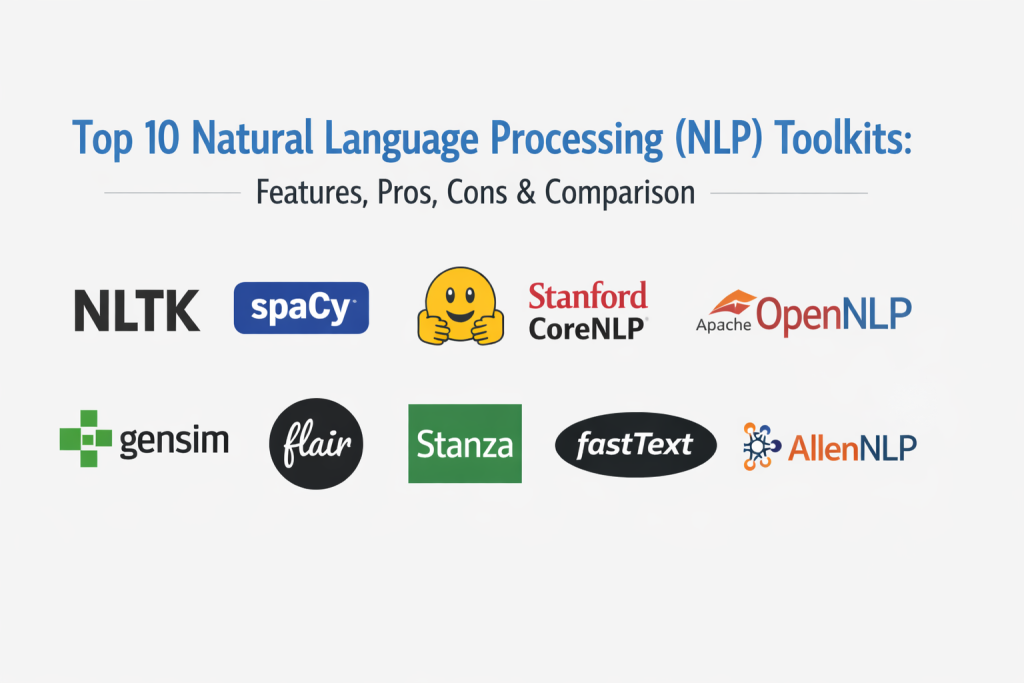
Top 10 Natural Language Processing (NLP) Toolkits
1. NLTK
NLTK is one of the most widely used NLP toolkits for education, experimentation, and foundational text processing. It provides a broad collection of modules, corpora, and utilities that make it a common starting point for learning and prototyping NLP workflows.
Key Features
- Tokenization, stemming, and lemmatization utilities
- Part-of-speech tagging and parsing support
- Access to corpora and lexical resources
- Text classification building blocks
- Educational examples and tutorial-friendly modules
- Traditional NLP workflow support
- Easy experimentation in notebooks and scripts
Pros
- Excellent for learning and teaching NLP concepts
- Broad coverage of classic NLP tasks
- Large community and long-standing documentation ecosystem
Cons
- Not always the fastest option for production pipelines
- Some components feel older compared with newer toolkit ergonomics
- Teams building modern transformer-heavy systems may need additional libraries
Platforms / Deployment
- Python
- Local / Cloud where Python runs
- Self-hosted workflow by nature
Security and Compliance
- Varies / N/A
Integrations and Ecosystem
NLTK works well as a foundational toolkit for preprocessing and education-focused workflows. It is often combined with other ML libraries when teams move toward production systems.
- Python ecosystem compatibility
- Notebook and script workflows
- Integration with common ML libraries
- Strong educational resource ecosystem
Support and Community
Very strong community presence and learning resources. Documentation and examples are abundant, especially for beginners and academic use.
2. spaCy
spaCy is a production-oriented NLP toolkit designed for fast and efficient text processing. It is widely used for industrial NLP pipelines and supports tasks such as tokenization, tagging, parsing, NER, and pipeline customization.
Key Features
- Fast production-grade NLP pipelines
- Tokenization, tagging, parsing, and NER
- Pretrained pipelines for multiple languages
- Pipeline customization and training workflows
- Efficient processing for large text volumes
- Strong developer APIs for application integration
- Ecosystem tools for annotation and training workflows
Pros
- Strong balance of speed, usability, and production readiness
- Excellent for structured NLP pipelines in real applications
- Good developer experience and documentation
Cons
- Some advanced deep learning workflows need additional framework integration
- Domain customization requires planning and labeled data
- Teams focused only on large language model APIs may underuse its strengths
Platforms / Deployment
- Python
- Local / Cloud / Self-hosted
Security and Compliance
- Varies / N/A
Integrations and Ecosystem
spaCy integrates well into backend services, data pipelines, and ML workflows. It is often used as the core processing engine for entity extraction, document parsing, and classification pipelines.
- Python and data science stack compatibility
- Pipeline integration in web backends and batch jobs
- Training and annotation ecosystem support
- Extensible components and custom pipeline stages
Support and Community
Strong documentation, active ecosystem, and broad industry adoption. Community examples and extensions make it practical for production teams.
3. Hugging Face Transformers
Hugging Face Transformers is a leading toolkit for pretrained transformer models used in NLP tasks such as classification, summarization, translation, question answering, and text generation. It is widely adopted across research and production environments.
Key Features
- Large collection of pretrained transformer models
- Unified interfaces for many NLP tasks
- Support for fine-tuning and inference workflows
- Compatibility with popular deep learning frameworks
- Multilingual model availability
- Strong model ecosystem and community contributions
- Extensive task coverage from classic NLP to generative workflows
Pros
- Massive model ecosystem and strong flexibility
- Excellent for modern NLP and transformer-based applications
- Strong community momentum and examples
Cons
- Can be resource-intensive depending on model choice
- Production optimization often needs additional tooling
- Beginner users may face model selection complexity
Platforms / Deployment
- Python
- Local / Cloud / Self-hosted / GPU-enabled workflows
Security and Compliance
- Varies / N/A
Integrations and Ecosystem
This toolkit is often the center of modern NLP model development and inference pipelines. Teams commonly pair it with serving frameworks, vector systems, and orchestration tools.
- Integration with major deep learning frameworks
- Broad pretrained model ecosystem
- Fine-tuning and inference workflows
- Strong compatibility with research and production stacks
Support and Community
Extremely strong community, examples, and documentation. It is one of the most active ecosystems for modern NLP development.
4. Stanford CoreNLP
Stanford CoreNLP is a classic NLP toolkit offering a broad set of language analysis tools such as tokenization, POS tagging, parsing, NER, and coreference-related capabilities. It is commonly used in research, education, and rule-plus-statistical NLP pipelines.
Key Features
- Full NLP pipeline components
- POS tagging, parsing, and NER support
- Sentence splitting and tokenization
- Coreference and dependency parsing workflows
- Java-based architecture
- Annotation pipeline framework
- Multi-language support for selected tasks
Pros
- Strong classic NLP coverage in one toolkit
- Good fit for Java-based environments
- Useful for structured linguistic analysis workflows
Cons
- Setup and runtime experience may feel heavier than newer Python-first tools
- Performance tuning may require JVM familiarity
- Modern transformer workflows often require companion libraries
Platforms / Deployment
- Java
- Local / Server / Self-hosted
Security and Compliance
- Varies / N/A
Integrations and Ecosystem
CoreNLP is often used in academic and enterprise environments that prefer Java tooling and structured linguistic pipelines.
- Java ecosystem compatibility
- Server deployment workflows
- Annotation pipeline integration
- Useful in research and enterprise text processing systems
Support and Community
Strong academic reputation and long-standing usage. Documentation is solid, though developer ergonomics may feel less modern than newer ecosystems.
5. Apache OpenNLP
Apache OpenNLP is an open-source machine learning based NLP toolkit for common text processing tasks such as tokenization, sentence detection, POS tagging, and named entity recognition. It is a practical option for Java-centric projects.
Key Features
- Tokenization and sentence detection
- POS tagging and chunking
- Named entity recognition support
- Language detection options
- Java-based API for integration
- Trainable models for selected tasks
- Lightweight integration for traditional NLP pipelines
Pros
- Good fit for Java applications needing NLP basics
- Open-source and practical for controlled deployments
- Useful for classic NLP pipelines without heavy model requirements
Cons
- Smaller ecosystem momentum compared with newer NLP stacks
- Limited modern transformer workflow coverage out of the box
- May require additional tooling for advanced use cases
Platforms / Deployment
- Java
- Local / Server / Self-hosted
Security and Compliance
- Varies / N/A
Integrations and Ecosystem
OpenNLP fits best where Java services need embedded NLP components for structured text processing and extraction tasks.
- Java application integration
- Server-side NLP processing
- Traditional ML-style NLP workflows
- Open-source deployment flexibility
Support and Community
Stable open-source presence and useful documentation. Community is smaller than the largest Python NLP ecosystems but still relevant for Java teams.
6. Gensim
Gensim is a popular NLP and topic modeling toolkit focused on vector space modeling, document similarity, and unsupervised text analytics workflows. It is especially known for topic modeling and word embeddings in lightweight pipelines.
Key Features
- Topic modeling workflows
- Word embeddings and vector representations
- Document similarity and semantic retrieval support
- Streaming and memory-efficient processing for large corpora
- Unsupervised text analysis utilities
- Python-based integration
- Practical tools for corpus and dictionary handling
Pros
- Strong for topic modeling and semantic similarity workflows
- Efficient for large-text unsupervised processing
- Easy to combine with other NLP preprocessing tools
Cons
- Not a full end-to-end NLP toolkit for all modern tasks
- Transformer-based workflows require companion libraries
- Best value appears in specific use cases rather than general NLP pipelines
Platforms / Deployment
- Python
- Local / Cloud / Self-hosted
Security and Compliance
- Varies / N/A
Integrations and Ecosystem
Gensim is commonly paired with preprocessing libraries and ML frameworks when teams need topic modeling, embeddings, or document similarity pipelines.
- Python data science compatibility
- Topic modeling workflow integration
- Corpus and similarity pipeline support
- Works well with complementary NLP libraries
Support and Community
Strong historical usage and good documentation for its core strengths. Community is solid, especially among analytics and research users.
7. Flair
Flair is a flexible NLP framework known for sequence labeling, embeddings, and easy experimentation with modern NLP models. It is often used by researchers and developers who want a simpler path to train and apply NLP models for tasks like NER and tagging.
Key Features
- Sequence labeling workflows for NER and tagging
- Embedding-based modeling support
- Easy training and inference interfaces
- Support for combining different embeddings
- Research-friendly experimentation workflow
- Python-based framework for NLP tasks
- Useful abstraction for common NLP modeling tasks
Pros
- Friendly interface for sequence labeling experiments
- Good balance between usability and modeling flexibility
- Useful for researchers and applied NLP developers
Cons
- Smaller ecosystem than major transformer-focused frameworks
- Some advanced production needs may require extra tooling
- Teams may still rely on companion libraries for broader NLP pipelines
Platforms / Deployment
- Python
- Local / Cloud / Self-hosted / GPU-enabled workflows
Security and Compliance
- Varies / N/A
Integrations and Ecosystem
Flair is often used as part of a modeling stack for tagging and extraction tasks, especially where teams want faster experimentation with embeddings and sequence models.
- Python ML ecosystem compatibility
- Research and training workflow support
- Integration into custom NLP pipelines
- Flexible use with companion libraries
Support and Community
Good documentation and active user interest in applied NLP experimentation. Community is smaller than the biggest ecosystems but still practical.
8. Stanza
Stanza is an NLP toolkit designed for linguistic analysis and neural pipeline processing, with strong support for multilingual text and common NLP tasks. It is frequently used in research and language-focused text processing pipelines.
Key Features
- Tokenization, POS tagging, and lemmatization
- Dependency parsing and NER
- Neural pipeline processing
- Multilingual language support
- Linguistically oriented annotations
- Python interface with robust pipeline design
- Useful for structured NLP analysis tasks
Pros
- Strong multilingual and linguistic analysis capabilities
- Good choice for research and language-focused workflows
- Practical pipeline design for common NLP tasks
Cons
- Production optimization may require additional engineering
- Some tasks may be slower than highly optimized industrial tools
- Teams focused on transformer-only workflows may combine it with other toolkits
Platforms / Deployment
- Python
- Local / Cloud / Self-hosted
Security and Compliance
- Varies / N/A
Integrations and Ecosystem
Stanza fits well in research, academic, and structured NLP analysis workflows where consistent linguistic annotations matter.
- Python workflow compatibility
- Research pipeline integration
- Multilingual text processing support
- Complementary use with downstream ML tools
Support and Community
Strong academic usage and useful documentation. Community is solid for linguistics and NLP research-oriented workflows.
9. fastText
fastText is a toolkit and library known for efficient text classification and word representation learning. It is valued for speed, simplicity, and strong baseline performance in many text classification and language identification tasks.
Key Features
- Fast text classification
- Word and subword embeddings
- Efficient training for large corpora
- Language identification use cases
- Lightweight command-line and library usage
- Good baseline models for practical NLP tasks
- Resource-efficient processing compared with heavier frameworks
Pros
- Very fast and efficient for classification tasks
- Strong value as a baseline and production-friendly component
- Works well for large-scale text processing under resource constraints
Cons
- Not a full modern NLP toolkit covering all advanced tasks
- Limited flexibility compared with transformer ecosystems
- Complex semantic tasks may require stronger contextual models
Platforms / Deployment
- C++ / Python bindings
- Local / Server / Self-hosted
Security and Compliance
- Varies / N/A
Integrations and Ecosystem
fastText is often used as a lightweight component in classification pipelines, language detection systems, and embedding workflows where speed is a priority.
- CLI and library integration options
- Efficient backend processing workflows
- Python compatibility through bindings
- Strong fit for scalable baseline systems
Support and Community
Well-known and widely used for classification and embeddings. Documentation is clear for core tasks, though the ecosystem is narrower than broader NLP frameworks.
10. AllenNLP
AllenNLP is a research-oriented NLP framework built to make designing and experimenting with deep learning NLP models more modular and reproducible. It is often used by teams that want transparent model experimentation and structured training workflows.
Key Features
- Modular deep learning NLP framework
- Reproducible experiment and configuration workflows
- Strong support for research-oriented modeling
- Training and evaluation pipeline abstractions
- Components for common NLP tasks
- Python-based framework with extensible architecture
- Useful for custom model experimentation
Pros
- Excellent for structured research experimentation
- Modular design supports reproducibility and clarity
- Good option for teams building custom NLP models
Cons
- May feel heavy for simple production inference needs
- Smaller practical production ecosystem than some alternatives
- Teams focused on ready-to-use pretrained models may prefer other toolkits
Platforms / Deployment
- Python
- Local / Cloud / Self-hosted / GPU-enabled workflows
Security and Compliance
- Varies / N/A
Integrations and Ecosystem
AllenNLP is strongest in research and advanced modeling workflows where teams need modular components and experiment discipline.
- Deep learning workflow integration
- Research pipeline compatibility
- Extensible model and training abstractions
- Useful for custom NLP experimentation
Support and Community
Strong reputation in research circles and good documentation for framework users. Community is more specialized compared with general-purpose NLP toolkits.
Comparison Table (Top 10)
| Tool Name | Best For | Platform(s) Supported | Deployment | Standout Feature | Public Rating |
|---|---|---|---|---|---|
| NLTK | Learning, teaching, and classic NLP prototyping | Python | Self-hosted | Broad classic NLP coverage with educational resources | N/A |
| spaCy | Production-grade NLP pipelines | Python | Self-hosted / Cloud | Fast and efficient industrial NLP pipeline design | N/A |
| Hugging Face Transformers | Modern transformer-based NLP development and inference | Python | Self-hosted / Cloud | Massive pretrained model ecosystem for many NLP tasks | N/A |
| Stanford CoreNLP | Java-based linguistic NLP pipelines | Java | Self-hosted | Full classic NLP pipeline in Java | N/A |
| Apache OpenNLP | Java NLP basics and traditional text processing services | Java | Self-hosted | Practical open-source Java NLP components | N/A |
| Gensim | Topic modeling and document similarity workflows | Python | Self-hosted / Cloud | Efficient topic modeling and vector-space text analytics | N/A |
| Flair | Sequence labeling and embedding-based NLP experiments | Python | Self-hosted / Cloud | User-friendly sequence labeling framework | N/A |
| Stanza | Multilingual linguistic analysis pipelines | Python | Self-hosted / Cloud | Strong neural linguistic pipeline for structured NLP analysis | N/A |
| fastText | Fast classification and lightweight text embeddings | C++ / Python bindings | Self-hosted | High-speed text classification with subword features | N/A |
| AllenNLP | Modular deep-learning NLP research workflows | Python | Self-hosted / Cloud | Reproducible and modular NLP experimentation framework | N/A |
Evaluation and Scoring of Natural Language Processing (NLP) Toolkits
| Tool Name | Core (25%) | Ease (15%) | Integrations (15%) | Security (10%) | Performance (10%) | Support (10%) | Value (15%) | Weighted Total (0–10) |
|---|---|---|---|---|---|---|---|---|
| NLTK | 8.0 | 8.8 | 8.2 | 6.8 | 7.0 | 9.0 | 9.3 | 8.17 |
| spaCy | 9.2 | 8.7 | 8.8 | 7.2 | 9.0 | 8.8 | 8.8 | 8.74 |
| Hugging Face Transformers | 9.6 | 7.8 | 9.2 | 7.0 | 8.3 | 9.3 | 8.6 | 8.71 |
| Stanford CoreNLP | 8.2 | 6.8 | 7.8 | 6.9 | 7.7 | 8.0 | 8.1 | 7.66 |
| Apache OpenNLP | 7.8 | 7.1 | 7.5 | 6.8 | 7.6 | 7.5 | 8.4 | 7.56 |
| Gensim | 8.1 | 8.0 | 8.0 | 6.8 | 8.5 | 8.2 | 8.9 | 8.09 |
| Flair | 8.4 | 7.8 | 7.8 | 6.9 | 8.0 | 7.8 | 8.2 | 7.95 |
| Stanza | 8.5 | 7.4 | 7.9 | 6.9 | 7.8 | 8.0 | 8.4 | 7.98 |
| fastText | 8.0 | 8.2 | 7.6 | 6.8 | 9.2 | 8.0 | 9.0 | 8.16 |
| AllenNLP | 8.6 | 6.9 | 8.1 | 6.9 | 8.1 | 7.9 | 8.3 | 7.90 |
How to interpret these scores:
- These scores are comparative and meant to help shortlisting, not to serve as benchmark test results.
- A higher total does not mean a universal best toolkit for every project.
- Some toolkits score higher for production speed and deployment, while others score higher for research flexibility or learning value.
- Security scoring here reflects implementation-control context rather than vendor platform guarantees, because most entries are libraries or frameworks.
- Always test shortlisted toolkits with your real tasks, languages, model sizes, and deployment constraints.
Which Natural Language Processing (NLP) Toolkit Is Right for You
1. Solo / Freelancer
If you are learning NLP, building prototypes, or doing client experiments, start with toolkits that are easy to use and well documented. NLTK is excellent for foundational learning and classic tasks. spaCy is a strong next step for faster, production-style pipelines. Gensim is useful when topic modeling or semantic similarity is a key requirement.
Recommended shortlist: NLTK, spaCy, Gensim
2. SMB
SMB teams often need quick results, manageable complexity, and production-ready pipelines. spaCy is usually one of the best starting points for practical NLP applications. Hugging Face Transformers is a strong option when modern pretrained models are central to the product. fastText remains useful for lightweight classification under cost or infrastructure constraints.
Recommended shortlist: spaCy, Hugging Face Transformers, fastText
3. Mid-Market
Mid-market organizations usually need stronger model performance, integration flexibility, and repeatable deployment workflows. spaCy plus Hugging Face Transformers is a powerful combination for many teams. Stanza and Flair are good additions when linguistic analysis or sequence labeling tasks need specialized workflows.
Recommended shortlist: spaCy, Hugging Face Transformers, Stanza, Flair
4. Enterprise
Enterprise teams should prioritize maintainability, reproducibility, deployment fit, language support, and internal skill alignment. Hugging Face Transformers is often essential for modern model ecosystems. spaCy is excellent for production pipeline orchestration and structured extraction. Java-heavy organizations may also evaluate Stanford CoreNLP or Apache OpenNLP for integration consistency.
Recommended shortlist: Hugging Face Transformers, spaCy, Stanford CoreNLP, Apache OpenNLP
5. Budget vs Premium
- High value open-source foundations: NLTK, spaCy, Gensim, Stanza, fastText
- Modern model-heavy flexibility: Hugging Face Transformers
- Research-focused modular experimentation: AllenNLP, Flair
- Java-centric operational options: Stanford CoreNLP, Apache OpenNLP
If budget is limited, open-source combinations can deliver excellent results, but plan for internal engineering time.
6. Feature Depth vs Ease of Use
- Best for beginners and learning: NLTK
- Best balance of ease and production power: spaCy
- Best model ecosystem depth: Hugging Face Transformers
- Best for lightweight speed: fastText
- Best for research experimentation: AllenNLP, Flair
Choose the toolkit based on your team’s daily workflow and technical comfort level, not only on model performance claims.
7. Integrations and Scalability
If you need scalable production pipelines, spaCy and Hugging Face Transformers are strong core choices. For lightweight classification at scale, fastText can be highly efficient. If your environment is Java-centric, Stanford CoreNLP and Apache OpenNLP can simplify integration with existing services.
8. Security and Compliance Needs
For NLP toolkits, security and compliance usually depend on how you deploy and operate them. Confirm these internally during evaluation:
- Access control for model and data pipelines
- Logging and audit requirements
- Data retention policies
- Infrastructure hardening practices
- Deployment environment controls
- Dependency management and update process
In regulated environments, involve platform, security, and governance teams before production rollout.
Frequently Asked Questions
1. What is an NLP toolkit?
An NLP toolkit is a library or framework that provides reusable components for processing and modeling text. It helps teams build language workflows faster without writing every step from scratch.
2. What is the difference between an NLP toolkit and a text analytics platform?
An NLP toolkit is usually developer-focused and used for building custom pipelines and models. A text analytics platform is often a managed product with dashboards, APIs, and business workflows ready to use.
3. Which NLP toolkit is best for beginners?
NLTK is one of the best choices for learning core NLP concepts. spaCy is also beginner-friendly for practical projects and production-style workflows.
4. Which toolkit is best for modern transformer models?
Hugging Face Transformers is the strongest choice when you need access to a wide range of pretrained transformer models and fine-tuning workflows.
5. Is spaCy better than NLTK?
It depends on the goal. spaCy is generally stronger for production pipelines and speed, while NLTK is excellent for learning, teaching, and classic NLP experimentation.
6. Can I combine multiple NLP toolkits in one project?
Yes, many teams do. For example, you might use spaCy for preprocessing, Hugging Face Transformers for modeling, and Gensim for topic modeling or similarity workflows.
7. Which toolkit is best for fast text classification?
fastText is a strong option for fast and efficient text classification, especially when you need lightweight models and quick training cycles.
8. Are Java NLP toolkits still relevant?
Yes, especially in organizations with Java-heavy infrastructure. Stanford CoreNLP and Apache OpenNLP can be practical choices for integration consistency and controlled deployments.
9. Do these toolkits support multilingual NLP?
Many do, but the level of support varies. Always test your target languages and domain text during evaluation instead of assuming equal performance across languages.
10. How should I choose the right NLP toolkit?
Start with your main use case, team skill level, and deployment environment. Then shortlist a few toolkits, build a small proof of concept, and compare speed, output quality, and maintenance effort.
Conclusion
NLP toolkits remain the foundation of many language-based applications, even as model ecosystems and AI workflows continue to evolve. The best toolkit depends on what you are building, who will maintain it, and how it will run in production. Some teams need fast industrial pipelines, others need flexible transformer ecosystems, and others need lightweight classification or research-grade experimentation. A practical strategy is to define your core use case first, choose two or three toolkits that fit your stack, and run a focused prototype. That process usually reveals the right long-term choice more clearly than feature comparisons alone.

Best Cardiac Hospitals Near You
Discover top heart hospitals, cardiology centers & cardiac care services by city.
Advanced Heart Care • Trusted Hospitals • Expert Teams
View Best Hospitals